
Article
6 min read
Automated Incident Response: Stronger Security with Deel IT
IT & device management

Author
Michał Kowalewski
Last Update
September 22, 2025

Table of Contents
What is automated incident response in cyber security?
How automated incident response works
Enhanced endpoint protection with Deel IT
Benefits of automated incident response
Key technologies and concepts in automated incident response
The importance of automated workflows in incident response
Common use cases for automated incident response
Solving endpoint and identity risks with Deel IT
Key takeaways
- Automated incident response uses predefined rules to handle common threats like phishing, lost devices, and suspicious logins in a predictable way, removing the variability of manual processes.
- By shrinking mean time to detect (MTTD) and mean time to respond (MTTR) from days to minutes, automated incident response helps contain threats before attackers can escalate.
- Beyond SOC workflows, Deel IT protects the entry points attackers often exploit by locking or wiping devices, revoking sessions, and blocking suspicious logins instantly.
When a cyber incident strikes, every second counts. The longer an attacker has inside your systems, the greater the cost. In 2024 global average breach cost climbed to $4.88 million per incident, with breaches taking an average of 292 days to detect and contain. That gap between detection and response is where damage multiplies.
Traditional incident response still depends heavily on manual workflows: analysts review alerts, investigate logs, and coordinate next steps. But in a world where cyberattacks unfold in minutes, this approach is too slow. It leaves organizations vulnerable to credential theft, lateral movement, and data loss.
Automated incident response changes the equation. By using predefined playbooks and integrated tools, automation can detect, contain, and neutralize threats at machine speed. Instead of waiting for a ticket to be triaged, compromised endpoints can be isolated automatically, user sessions revoked, and access cut off before attackers escalate.
What is automated incident response in cyber security?
Automated incident response (AIR) is the use of software and predefined playbooks to detect, contain, and resolve security incidents with little or no manual intervention. Instead of waiting for analysts to dig through alerts, AIR systems take immediate action: isolate a suspicious device, block malicious traffic, reset compromised credentials, and notify the right people.
Resetting stolen or compromised credentials is only effective if the underlying authentication method is strong. From passwords to biometrics, MFA, and hardware keys, each factor has different strengths and weaknesses. We break these down further in Authentication Methods: Types, Factors, and Protocols Explained.
Typical scenarios where AIR proves its value include:
- Containing malware infections before they spread
- Blocking unauthorized logins or credential stuffing attempts
- Responding to phishing campaigns by suspending accounts
- Isolating compromised endpoints from the network
- Enforcing policy when devices fall out of compliance
But not all automation is the same. Different teams adopt it at different stages. To make this clearer, it helps to think in terms of a maturity model.
Automated incident response maturity model
| Stage | Description | Typical traits | Limitations |
|---|---|---|---|
| 1. Manual response | All steps are human-driven | Tickets, spreadsheets, ad-hoc triage | Slow, inconsistent, high error risk |
| 2. Semi-automated | Scripts and point tools handle isolated tasks | Quarantine files, disable accounts | Fragmented, no central coordination |
| 3. Integrated automation | SOAR, SIEM, and EDR tools orchestrate workflows | Repeatable playbooks, reduced human load | Still requires oversight for complex cases |
| 4. Endpoint & identity automation | Device and access controls tied directly to response | Auto-lock lost laptops, revoke credentials, terminate sessions | Requires strong integrations but delivers fastest containment |
Tip: Most SMB and mid-market IT teams sit between Stage 1 and Stage 2. Moving to Stage 3 doesn’t require an enterprise SOC. Even small teams can start by automating simple, repeatable responses like account lockouts or device quarantine.
How automated incident response works
Think of automated incident response like having a smart home security system for your IT environment. Instead of you staying awake all night, checking every lock and camera, the system watches continuously, spots anything unusual, and reacts immediately according to rules you set.
Here’s how it works in practice:
1. Spotting suspicious activity. This is the equivalent of motion sensors in a home. Automated systems connect to your firewalls, endpoints, and identity providers to pick up unusual behavior. A single login attempt at an odd hour might not matter, but if it comes from an unknown device with admin rights, the system raises the alarm.
2. Examining the details. Think of this like reviewing security camera footage after the alarm goes off. The system checks whether what it saw is a real threat or a harmless blip. Many tools use machine learning to connect the dots, comparing the event against past incidents and attack patterns. The goal is to decide quickly whether the alert is noise or needs immediate attention.
3. Containing the threat. Once the problem looks real, containment is like closing the door to stop a fire from spreading. The system might isolate a laptop from the network, block a suspicious IP address, or suspend a compromised account. Containment buys time and limits the damage.
4. Fixing what is broken. Now it is time to repair. Automation can take care of basics like removing malware, applying patches, or forcing password resets. For more complex issues, analysts step in to finish the job. Think of it as firefighters putting out hotspots after the blaze is under control.
5. Reviewing the incident. Every step is logged automatically, which is like having a detailed report from the fire inspector. These records show what happened, what actions were taken, and where improvements are needed. They also help meet compliance requirements.
6. Strengthening defenses. The final stage is prevention. Lessons from the incident are used to update playbooks, adjust monitoring rules, and train staff. Each incident is an opportunity to improve security, just like upgrading a lock after a break-in.
| In short, automated incident response works by spotting unusual signals, deciding how serious they are, acting fast to contain them, fixing what was affected, and then learning from the event. The comparisons may differ, but the principle is the same: a system that reacts immediately while keeping humans in control of the bigger picture. |
|---|
Enhanced endpoint protection with Deel IT
Most automated response systems focus on network alerts and SOC workflows. That matters, but many real-world breaches start at the endpoint. A stolen laptop or a compromised account can be just as dangerous as malware spreading across servers.
Automated response is only one layer. Equally important is how employees connect to company resources. Legacy VPNs often create broad access that attackers can exploit. Modern zero trust approaches reduce that risk, as we explore in ZTNA vs VPN: A Practical Buyer’s Guide for Global Teams.
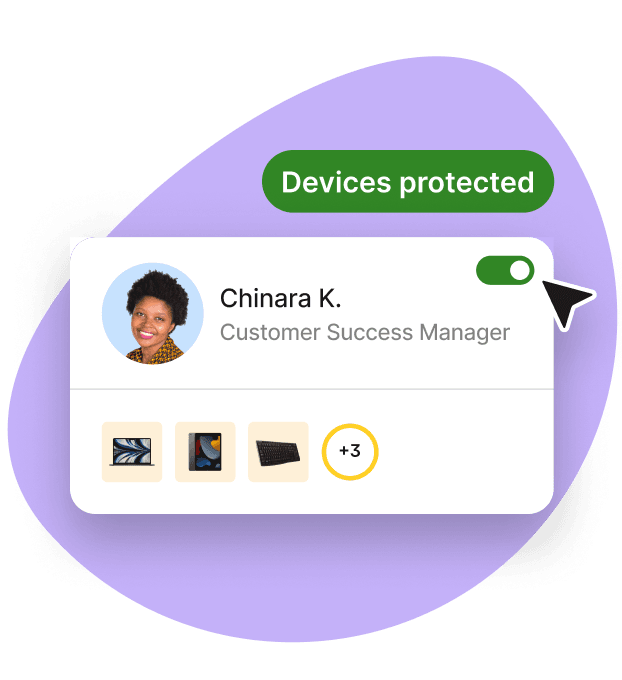
This is where Deel IT adds another layer of protection. When a device goes missing or shows signs of compromise, Deel IT can:
- Lock or wipe the endpoint remotely
- Revoke cached sessions and access tokens instantly
- Trigger identity provider rules to block suspicious logins
- Notify IT and HR teams in real time
That way, the moment an incident is detected, the window for attackers to use stolen credentials or access sensitive systems closes almost immediately. For distributed teams, where laptops are everywhere and support staff are not, this makes automated incident response practical, not just theoretical.
Endpoint Protection
Benefits of automated incident response
Automating incident response changes the game for IT teams. It shortens the time between “we spotted something” and “it is under control,” while also reducing the stress that comes with endless alerts. Here are the main benefits:
Cut detection and response times (MTTD and MTTR)
Security teams often measure effectiveness with two key metrics. The first is mean time to detect (MTTD), which is the average time it takes to notice that something suspicious is happening. The second is mean time to respond (MTTR), which measures how long it takes to contain and resolve an incident once it has been identified.
In manual environments, MTTD can stretch into days and MTTR into weeks, especially for small or overloaded teams. Automation reduces both. Alerts are analyzed instantly, and common actions like isolating devices or revoking credentials are triggered automatically. In practice, this can shrink response from hours to minutes and prevent attackers from gaining a foothold.
Reduce alert fatigue and improve focus
Security analysts often face thousands of alerts every day. Most turn out to be low risk, but all require time to check. Automated workflows handle routine cases and filter out noise so that teams can focus on the high-priority threats that truly need human judgment. This not only eases fatigue but also helps spot critical issues faster.
Provide 24/7 protection without extra staff
Attacks do not wait for office hours. An automated system reacts at any time of day, whether a phishing attempt lands at 3 a.m. or ransomware triggers during a holiday. This ensures incidents are contained immediately, rather than waiting until someone logs on the next morning.
See also: How 24/7 IT Support Builds Stronger, Safer Global Operations
Ensure consistent, repeatable responses
Human reactions vary depending on workload, stress, or experience. One analyst may act in minutes, another in much longer. Automated workflows follow the same playbook every time, ensuring nothing is missed and outcomes are predictable. That consistency is vital for compliance audits and for proving reduced risk to leadership.
Lower breach and operations costs
The financial impact of incidents is still severe, but automation makes a measurable difference. IBM’s 2025 Cost of a Data Breach Report found that organizations using AI and automation extensively had breach costs averaging USD $3.62 million, compared to USD $5.52 million for those without. That is a savings of about $1.9 million per breach. Automation also shortened the breach lifecycle by roughly 80 days, reducing the window of exposure and the likelihood of further damage.
Protect endpoints and identities automatically
Automation is not just about firewalls or servers. Endpoints are often the entry point for compromise. As we highlighted in our article A Lost Laptop Is an Inconvenience, a Stolen Identity Is a Catastrophe, a stolen device can expose cached sessions and credentials within minutes.
Deel IT closes that window by locking the device, revoking access tokens, and cutting off active logins immediately. This prevents a simple hardware loss from escalating into a costly identity breach.
Key technologies and concepts in automated incident response
Automated incident response is not a single product. It is a combination of tools and concepts that work together to detect, contain, and resolve threats. Understanding the basics makes it easier to choose the right approach for your team.
Security Information and Event Management (SIEM)
SIEM platforms collect logs from across your environment: servers, firewalls, endpoints, and applications. They centralize this data, analyze it for unusual activity, and generate alerts. SIEM is often the starting point for automated workflows. Many SIEMs now include machine learning features to reduce false positives and highlight the most critical threats.
Security Orchestration, Automation, and Response (SOAR)
SOAR tools sit on top of SIEMs and other security systems. They connect everything together and run the playbooks. Think of SOAR as the conductor of an orchestra, making sure all the instruments, in this case your security tools, play in sync when an incident happens. A good SOAR platform also provides audit trails and reporting that make compliance much easier to manage.
Endpoint Detection and Response (EDR)
EDR solutions focus on laptops, desktops, and servers. They detect malware, ransomware, and suspicious behavior on endpoints. They can automatically contain threats by quarantining files or isolating devices from the network. Many EDRs also support forensic analysis, helping teams understand how an attack started and spread.
Incident Response Playbooks
A playbook is a predefined sequence of actions that tells your systems how to respond to a specific type of incident. For example, a phishing playbook might quarantine the email, reset the user’s password, and notify IT. A lost laptop playbook could lock or wipe the device and revoke access tokens. Playbooks make responses consistent and repeatable, and they can be tuned to run fully automatically or include checkpoints for human approval when needed.
Identity and Access Management (IAM)
Since many breaches start with stolen credentials, IAM tools play a huge role in automated response. They can enforce multi-factor authentication, revoke tokens, suspend accounts, and integrate with playbooks to shut down suspicious logins immediately. Strong IAM also provides detailed visibility into who accessed what and when, which is critical for both security investigations and compliance reporting.
Identity Access Management

The importance of automated workflows in incident response
Automated workflows are the building blocks of incident response automation. Think of them as recipes: a series of “if this happens, then do that” instructions that run automatically whenever certain conditions are met.
In practice, a workflow might look like this:
- Trigger: A login attempt comes from an unknown location.
- Action 1: Flag the event and check whether the user is traveling.
- Action 2: If it looks suspicious, suspend the account and force a password reset.
- Action 3: Notify the IT team in Slack or email with a summary of what happened.
Each workflow is designed ahead of time by the security team. Once it is in place, the system runs it instantly, with no waiting for a ticket to be opened or an analyst to investigate.
Workflows can be simple, like automatically quarantining an infected file, or complex, like coordinating across multiple tools to isolate a device, revoke user tokens, and block a suspicious IP address all at once. The key advantage is consistency: the same problem is always handled the same way, no matter when it happens or who is on call.
Well-designed workflows also include checkpoints for human oversight. For example, an automated system might suggest shutting down a critical server but require an analyst’s approval before executing. This balance keeps automation fast while avoiding costly mistakes.
See also: Top 3 automation wins for HR and IT in 2025
Common use cases for automated incident response
Most security incidents are not rare surprises but familiar patterns: phishing attempts, lost laptops, and odd login activity. What makes these incidents dangerous today is the speed at which attackers move, often within minutes.
Automated incident response turns these common scenarios into predefined workflows that contain threats instantly and consistently. The result is faster detection, quicker resolution, and less stress on already stretched IT teams.
Here are several real-world or near-real-world situations where AIR delivers real value. Some are drawn from studies, others are typical scenarios IT teams face often.
| Use Case | What happens | Why AIR helps |
|---|---|---|
| Phishing & email breach containment | A phishing email goes out or is received by someone in the org. It may include a malicious link or payload. | AIR can automatically remove or quarantine the email, block the sender, reset credentials if clicked, and notify security. Cuts down response time drastically. |
| Threat detection + Root-Cause Analysis | An unusual login or process starts behaving abnormally (e.g. unusual file transfers, odd network traffic). | Automation tools can correlate data from endpoints, network, identity systems, detect the pattern, and provide an analysis of where things started and how far the attack has spread. This accelerates MTTR and helps prevent repeat attacks. |
| Incident response during off-hours / 24-7 coverage | Security incident happens at night or over a weekend when fewer people are watching. Maybe a compromised credential or malware launching. | With automation, the system can act immediately (lock account, isolate device, block traffic) even if human staff are offline. Reduces damage that tends to happen when incidents are “sleeping on.” |
| Endpoint & identity compromise | A laptop is lost or stolen; or user credentials are leaked / sessions left active; or an identity breach via compromised device. | AIR can lock or wipe the device, revoke tokens/cached sessions, block suspicious logins, etc. This kind of use case ties closely to Deel IT’s strength. It turns a hardware or identity weak point into something less dangerous. |
| Automated triage & prioritization in high-alert environments | A team gets overwhelmed with thousands of alerts per day, many low-severity. It’s hard to know what to respond to first. | Automation can filter, prioritize, group alerts, or escalate only those that cross certain thresholds. That saves human time and ensures serious threats are not missed. |
| Post-incident analysis & continuous improvement | After an attack or breach, the team needs to understand what happened, what went wrong, what to fix, what to update. | AIR systems help by automatically logging actions, gathering data, summarizing incident details, flagging gaps (e.g. misconfigured systems, outdated patches), and helping update playbooks. This reduces chances of a repeat. |
Solving endpoint and identity risks with Deel IT
Automating incident response is about speed, consistency, and reducing the pressure on already stretched IT teams. The challenge is that most organizations still manage incidents with fragmented tools, manual processes, or policies that look good on paper but fail in practice. That leaves gaps, especially at the endpoint and identity layer, where stolen laptops and compromised accounts can escalate into full-scale breaches within minutes.
This is where Deel IT makes a difference. Instead of stitching together multiple vendors, Deel IT gives you a single platform to:
- Provision and secure devices in over 130 countries
- Enforce encryption and compliance policies from day one
- Lock or wipe devices automatically when they go missing
- Revoke sessions and credentials instantly through identity integrations
- Provide global 24/7 support that scales with your team
For IT managers, that means less time chasing tickets and more time focusing on strategy. For security teams, it means lower mean time to detect and respond, and fewer sleepless nights worrying about what slipped through the cracks.
If you are looking to make automated incident response practical and global, Deel IT provides the foundation to do it right. Book a demo to see how you can simplify IT operations, protect your endpoints, and strengthen security everywhere your people work.

FAQs
What is an automated response system?
An automated response system is software that detects potential security incidents and reacts to them without requiring manual input. It follows predefined rules or playbooks to contain threats, such as isolating a device, blocking suspicious network traffic, or suspending a compromised account. The goal is to reduce the time it takes to respond and limit the impact of attacks.
What is an example of an automated response?
A common example is phishing response. If a user clicks on a suspicious email link, an automated system might quarantine the email, reset the user’s password, revoke active sessions, and alert IT instantly. What would normally take hours can be done in seconds.
What is ASR in cybersecurity?
ASR usually refers to Attack Surface Reduction. It is a set of security controls designed to minimize the number of ways attackers can compromise a system. In practice, ASR rules block risky behaviors such as launching untrusted executables, using macros in Office files, or making abnormal script calls. These controls reduce opportunities for attackers to exploit vulnerabilities.
Which type of tool is commonly used to automate incident response?
Security Orchestration, Automation, and Response (SOAR) platforms are the most common category of tools used to automate incident response. They integrate with SIEMs, EDRs, and IAM systems to run playbooks across different tools. Other technologies, like EDR solutions or cloud-native security platforms, also include automation features that can isolate devices, revoke credentials, or block traffic automatically.
Michał Kowalewski a writer and content manager with 7+ years of experience in digital marketing. He spent most of his professional career working in startups and tech industry. He's a big proponent of remote work considering it not just a professional preference but a lifestyle that enhances productivity and fosters a flexible work environment. He enjoys tackling topics of venture capital, equity, and startup finance.


