
Article
3 min read
7 Best Mobile Device Management (MDM) Solutions for Small Businesses [2026 Guide]
IT & device management

Author
Michał Kowalewski
Last Update
January 30, 2026
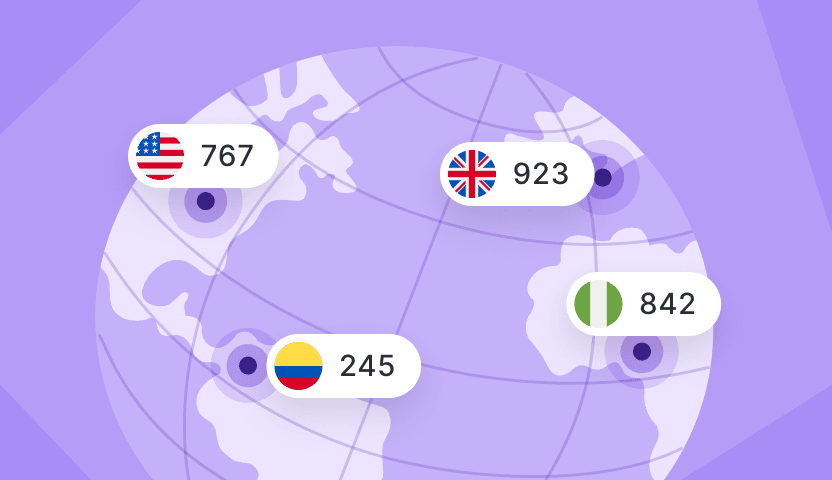
Table of Contents
What is mobile device management (MDM)?
Why small businesses need MDM
The 7 best MDM solutions for small businesses
1. Deel IT
2. JumpCloud
3. Kandji
4. Microsoft Intune
5. Jamf Now
6. Hexnode
7. Scalefusion
Comparison table: Best MDM solutions for small businesses
How to choose the right MDM solution
Simplify global device management with Deel IT
Key takeaways
- MDM has become essential for small businesses. As remote and hybrid work expand, every unmanaged device increases the risk of data breaches, downtime, and compliance failures. A centralized MDM system gives teams visibility, consistency, and control.
- Different tools suit different teams. Apple environments benefit from platforms like Kandji or Jamf, while cross-platform teams often prefer JumpCloud, or Hexnode. The right choice depends on your device mix, budget, and internal IT resources.
- Deel IT extends MDM into full lifecycle management, connecting your existing MDM with global logistics, procurement, and certified offboarding in 130+ countries. Instead of replacing your MDM, it automates everything around it to help small businesses scale securely and efficiently.
Small businesses face the same cyber threats as large enterprises, but with fewer resources to fight them. As more employees use laptops, tablets, and phones for work, each device becomes a potential entry point for data breaches or downtime.
Imagine a salesperson’s phone being stolen while still logged into shared apps, exposing client data before anyone in IT can react. That kind of risk is avoidable.
Mobile Device Management (MDM) tools let you remotely configure, monitor, and secure every company or personal device from one central platform.
This guide reviews seven of the best MDM solutions for small businesses, comparing their core features, pricing, and ideal use cases to help you protect data, reduce manual IT work, and support your team wherever they are.
What is mobile device management (MDM)?
Mobile Device Management (MDM) is software that lets companies remotely manage and secure the laptops, tablets, and smartphones employees use for work. It gives IT and operations teams centralized control over every device connected to the company network, whether it’s owned by the business or part of a bring-your-own-device (BYOD) policy.
At its core, MDM handles four main tasks:
- Device enrollment and tracking: keeps an inventory of every active device and who it’s assigned to.
- Security enforcement: applies company policies like password strength, encryption, and remote lock or wipe for lost devices.
- Application and update management: installs, removes, or patches software automatically to stay compliant and reduce downtime.
- Compliance monitoring: ensures all devices meet regional data privacy standards such as GDPR or CCPA.
Modern platforms, like Deel IT, combine MDM with full device lifecycle management, covering procurement, repairs, and secure offboarding in one system.
See also: Top 10 MDM Solutions for Improving Device Security and Workforce Efficiency
Why small businesses need MDM
Many small businesses underestimate how exposed they are to cyber threats until something goes wrong. Studies show that 43% of cyberattacks target small businesses. Limited IT staff and ad-hoc security setups make it easy for attackers to exploit unpatched software, stolen credentials, or misplaced devices.
As remote and hybrid work models expand, employees now connect from personal phones, shared Wi-Fi, and different time zones. Without centralized control, IT teams can’t see who’s accessing what, where, or from which device. A single compromised laptop can lead to data leaks, downtime, and reputational damage that small firms struggle to recover from.
Mobile Device Management prevents this by giving business owners visibility and control over every endpoint. It automates updates, enforces security policies, and locks or wipes devices remotely, keeping sensitive data safe while reducing manual IT work and employee downtime.
See also: A Lost Laptop Is an Inconvenience, a Stolen Identity Is a Catastrophe
The 7 best MDM solutions for small businesses
Below are seven mobile device management tools that combine ease of use, strong security, and scalability for small and mid-sized teams. Each offers a slightly different balance between price, automation, and depth of control.
1. Deel IT
Best for: Small and mid-sized companies hiring or managing teams across multiple countries.
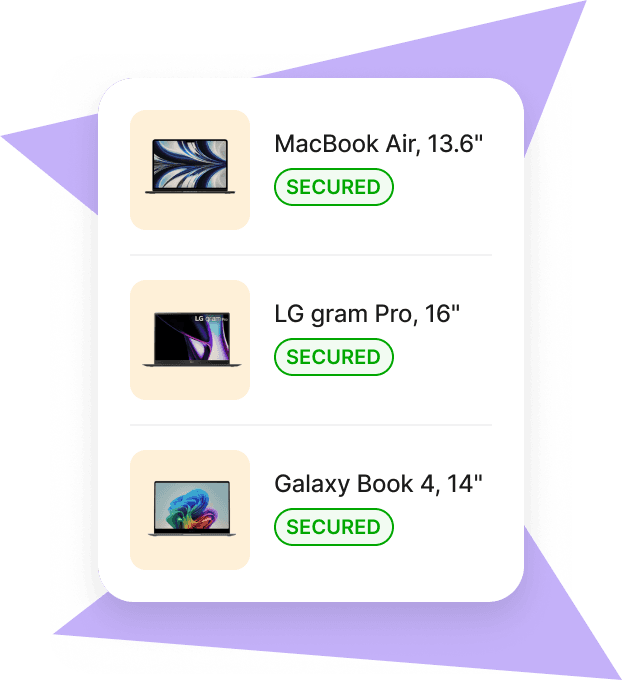
Deel IT isn’t a traditional MDM tool. It’s a global IT operations platform that hosts, integrates, and automates other MDM solutions (such as JumpCloud, or Kandji) while managing the physical lifecycle of every device your company owns. Instead of replacing your preferred MDM, Deel IT provides the infrastructure, logistics, and automation around it: procurement, shipping, pre-configuration, MDM enrollment, 24/7 support, recovery, and certified data erasure.
In short, Deel IT is the operational backbone that connects HR, IT, and Finance into one workflow.
When you hire through Deel, you can automatically provision and ship laptops to new employees in 130+ countries. Devices arrive pre-enrolled in your chosen MDM through Apple Business Manager or Windows Autopilot. Deel handles the global logistics: sourcing, customs, delivery, and returns, while your MDM still handles policies, encryption, and endpoint control.
Core capabilities for small businesses
- Global device deployment: Always-in-stock catalog with 40 laptop options, 3–5 day average delivery, and flexible lease or purchase terms.
- Zero-touch enrollment: Apple Business Manager and Windows Autopilot with automatic MDM enrollment after activation.
- Unified MDM controls: Define security policies, automate configuration, manage apps, enforce encryption, and lock or wipe devices remotely across Windows, macOS, iOS, Android, and Linux fleets
- Endpoint protection: Add AI-driven threat detection and policy control for laptops, tablets, and smartphones
- 24/7 IT support: Outsource end-user support, repairs, and loaners with SLA-backed response and same-day resolution for general issues.
- Device recovery and reuse: Managed collections with a 96% global device recovery rate, certified data erasure, storage, and redeploy across regions.
- Buyback and refresh: Automate refresh cycles and clear old devices for cash to cut total cost of ownership.
Mobile Device Management
2. JumpCloud
Best for: Small and mid-sized teams that need identity management and MDM in one platform.
JumpCloud is an all-in-one open directory platform that merges device management with user access control. It works across Windows, macOS, and Linux, centralizing identity, SSO, and security policies under one admin console.
Key features:
- Unified directory for devices, users, and apps
- MDM enrollment for macOS and Windows
- Policy-based controls for encryption, screen lock, and patching
- Built-in MFA, SSO, and conditional access
Pricing: Core Directory + MDM features start around $11 per user/month (tiered pricing available).
Why it stands out: Combines MDM with user and identity management, ideal for smaller teams that don’t want to juggle multiple tools.
3. Kandji
Best for: Security-focused Apple environments.
Kandji is a cloud-based Apple device management platform designed to automate security and compliance tasks. It supports zero-touch deployment through Apple Business Manager and enforces CIS, SOC 2, and ISO 27001 benchmarks automatically.
Key features:
- Pre-built security and compliance templates
- Automated OS updates and patching
- Device health monitoring and remediation
- Zero-touch provisioning for Macs and iOS devices
Pricing: Starts at $6–$8 per device/month (based on configuration).
Why it stands out: Automates Apple compliance and security while keeping setup simple for IT teams without deep technical staff.
4. Microsoft Intune
Best for: Businesses running on Microsoft 365.
Intune integrates natively with Azure Active Directory, Microsoft 365, and Defender for Endpoint. It provides unified policy enforcement, remote wipe, and compliance reporting across Windows, macOS, iOS, and Android.
Key features:
- Deep integration with the Microsoft ecosystem
- Remote lock and encryption enforcement
- Conditional Access policies and compliance checks
- Centralized endpoint analytics
Pricing: Included in Microsoft 365 Business Premium (around $8–10 per user/month).
Why it stands out: Seamlessly extends Microsoft security to devices already authenticated in Azure AD.
See also: Best MDM for Apple: Top 9 Software Solutions Compared
5. Jamf Now
Best for: Small Apple-only teams.
Jamf Now is built for startups and small businesses that need basic Apple MDM features without complex setup. Admins can enroll devices, enforce security, and push apps in minutes.
Key features:
- Quick Apple device setup and inventory tracking
- Password and encryption enforcement
- Remote lock or wipe
- App management via Apple Business Manager
Pricing: Free for first 3 devices, then $2 per device/month.
Why it stands out: Ideal for small companies seeking a straightforward Apple-only solution with minimal overhead.
6. Hexnode
Best for: Multi-OS device fleets.
Hexnode offers enterprise-level MDM flexibility at small-business pricing. It supports Android, iOS, macOS, Windows, and Linux with geofencing, kiosk mode, and deep policy customization.
Key features:
- Wide OS coverage and BYOD support
- Role-based device policies
- Geofencing, kiosk, and lockdown options
- Integration with Google Workspace and Azure AD
Pricing: From $2.25 per device/month.
Why it stands out: Strong feature set and automation capabilities at a low entry cost.
7. Scalefusion
Best for: Mobile-first or field-based teams.
Scalefusion simplifies Android and iOS device management with an intuitive dashboard and quick onboarding. It also supports Windows and macOS, making it flexible for hybrid teams.
Key features:
- Kiosk and lockdown modes for field devices
- Remote troubleshooting and chat support
- Policy automation and custom branding
- Role-based access and analytics
Pricing: Starts around $2 per device/month.
Why it stands out: Balances affordability and usability, ideal for retail, logistics, and service teams managing mobile fleets.
Comparison table: Best MDM solutions for small businesses
| Solution | Best for | Supported OS | Key differentiator | Starting price |
|---|---|---|---|---|
| Deel IT | Global SMBs managing distributed teams | Windows, macOS, iOS, Android, Linux | Combines global device logistics, MDM hosting, and lifecycle management in 130+ countries | $15 per device/month |
| JumpCloud | SMBs wanting identity + device management in one platform | Windows, macOS, Linux | Unifies user directory, MDM, MFA, and SSO under one console | $11 per user/month |
| Kandji | Security-focused Apple environments | macOS, iOS | Automated compliance enforcement (CIS, SOC 2, ISO 27001) | $6–8 per device/month |
| Microsoft Intune | Businesses using Microsoft 365 | Windows, macOS, iOS, Android | Deep integration with Azure AD and Defender for Endpoint | $8–10 per user/month |
| Jamf Now | Small Apple-only teams | macOS, iOS, iPadOS | Lightweight Apple MDM with simple setup | Free (3 devices), then $2 per device/month |
| Hexnode | Multi-OS fleets with BYOD | Windows, macOS, iOS, Android, Linux | Enterprise-grade features like geofencing and kiosk mode at low cost | $2.25 per device/month |
| Scalefusion | Mobile-first or field-based teams | Android, iOS, Windows, macOS | Fast setup, remote troubleshooting, and strong kiosk mode | $2 per device/month |
How to choose the right MDM solution
Not every mobile device management tool fits every business. The right choice depends on how your team works, what devices they use, and how much IT support you have in-house.
When comparing providers, focus on these essentials:
- Supported operating systems: Make sure the platform works across all the devices in use, including Windows, macOS, iOS, Android, and Linux.
- Ease of setup: Small teams should look for tools with quick enrollment, cloud deployment, and minimal configuration steps.
- Security and compliance: Check for built-in encryption, remote wipe, and certifications like SOC 2 or ISO 27001 to meet global standards.
- Automation and integrations: A good MDM should connect with your HR or device procurement systems to reduce manual work.
- Scalability and cost: Transparent, per-device pricing helps small businesses predict expenses as they grow.
Some modern platforms, such as Deel IT, combine MDM with endpoint protection and global device lifecycle management, creating a single system for onboarding, security, and support.
See also: IT Services For Small Business: What You Actually Need in 2025
Simplify global device management with Deel IT
Managing devices across teams and time zones doesn’t have to be complex. Deel IT gives small businesses the same infrastructure global enterprises rely on, centralized visibility, automated logistics, and built-in compliance in 130+ countries. Here is what that means:
- Global delivery: Ship pre-configured laptops directly to employees in 130+ countries, with a 99.5% on-time delivery rate, and customs, tax compliance, and local logistics fully managed
- Setup and security: Streamline onboarding with company settings, security policies, and all necessary software pre-applied, so employees can log in and start working securely on day one
- Lifecycle tracking: Track devices, warranties, and ownership from onboarding through offboarding in one dashboard, so IT always knows who has which laptop and where it’s located
- Maintenance and repairs: Coordinate local repairs or replacements through trusted regional partners and provide employees with temporary loan devices to minimize downtime
- 24/7 global IT support: Offer always-on support for employees and IT teams, handling device issues, access changes, and troubleshooting across time zones
- Sustainable offboarding: Automatically lock and remotely wipe devices at offboarding, arrange secure retrieval, then refurbish or recycle hardware responsibly as part of a single, end-to-end process
Whether you’re shipping laptops to new hires, enforcing security policies through your existing MDM, or recovering devices after offboarding, Deel IT streamlines every step. It reduces manual IT work, keeps your data secure, and ensures employees always have the tools they need to work productively from day one.
Book a demo to see how Deel IT can help you manage devices globally with less effort and more control.
Deel IT

Michał Kowalewski a writer and content manager with 7+ years of experience in digital marketing. He spent most of his professional career working in startups and tech industry. He's a big proponent of remote work considering it not just a professional preference but a lifestyle that enhances productivity and fosters a flexible work environment. He enjoys tackling topics of venture capital, equity, and startup finance.


