
Article
10 min read
5 Best Small Laptops for Global Teams in 2026
IT & device management

Author
Dr Kristine Lennie
Last Update
February 11, 2026

Table of Contents
1. Apple MacBook Air 13.6″ (M4, 16GB, 512GB)
2. Dell XPS 13 (13.4”, Ultra 7, 16GB)
3. Acer Chromebook Vero 514 (14″, i5, 8GB, 256GB)
4. Dell Latitude 5330 (13.3″, i5, 8GB, 256GB)
5. Lenovo ThinkPad X1 Carbon (14″, Ultra 7, 16GB, 512GB)
Simplify small-laptop management for global teams with Deel IT
Key takeaways
- For HR, People Ops, and IT teams, small laptops are one of the more complex device categories to manage—requiring the right balance of portability, performance, usability, and cost across a distributed workforce.
- As global teams become more mobile in 2026, laptop choices increasingly affect how effectively employees can work while traveling, meeting clients, or moving between locations, making portability and reliability as critical as core specifications.
- Deel IT gives teams access to laptops of all sizes through a global equipment catalog, making it easier to support different roles—from highly mobile employees to desk-based teams. Deel’s all-in-one, centralized platform streamlines purchasing, delivery, and device tracking, helping teams scale their device programs with less manual coordination.
Small laptops are often used to support roles that require mobility, whether employees are traveling, working across locations, or operating as part of a globally distributed team. While they aren’t the right fit for every role, small laptops are essential for employees in sales, customer-facing account management, and field-based operations, where work happens between meetings, travel, and live collaboration rather than at a fixed desk.
For HR and IT teams, the challenge lies in choosing models that are portable enough for travel, powerful enough for daily work, affordable at scale, and available consistently across regions. When that balance isn’t right, the impact shows up quickly: employees struggle during travel days, meetings, or client-facing work due to limited battery life, sluggish performance, or impractical form factors.
Here are our top five small laptop choices for 2026.
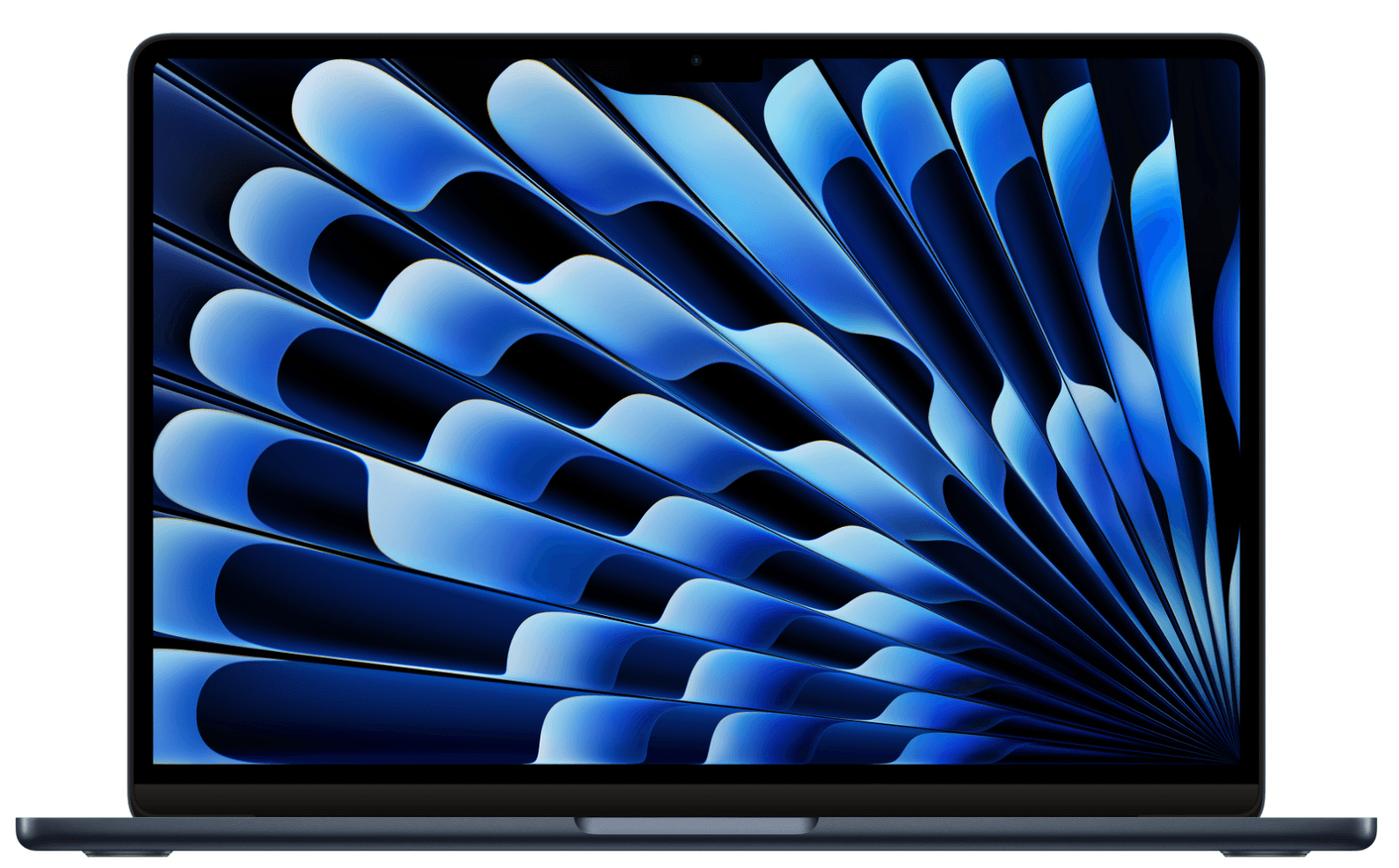
1. Apple MacBook Air 13.6″ (M4, 16GB, 512GB)
The Apple MacBook Air 13.6″ is one of the strongest small laptop options for globally distributed teams, particularly for organizations that standardize on macOS. It offers a familiar Apple experience in a compact form factor, making it a common choice for employees who travel frequently and need a dependable, easy-to-use laptop for day-to-day work.
| Display | 13.6″ Liquid Retina |
| Processor | Apple M4 |
| Memory | 16 GB unified memory |
| Storage | 512 GB SSD |
| Weight | ≈ 2.7 lb / 1.24 kg |
| Battery life | ≈ 15–18 hours |
| Connectivity | Wi-Fi 6E, Bluetooth, USB-C |
| Operating system | macOS |
| Approximate cost | $1,200–$1,400 |
Why this works for small, travel-friendly setups: The MacBook Air’s lightweight design and long battery life reduce friction for employees working across time zones, flights, and shared workspaces. Its strong performance-to-weight ratio supports everyday work like video calls, document editing, and multitasking, so mobile employees don’t need to compromise on productivity.
Best for: Executives, managers, product roles, designers, and frequent travelers.
Lifecycle: 4–5 years, supported by long macOS update cycles and durable hardware
Your Global Operations Toolkit
Stop guessing and start scaling. We’ve consolidated the essential resources you need to eliminate operational friction and run a world-class distributed team.
- Master your spend: Leaner operations start with clear guardrails. Download our Free IT Policy Template to take control of your global budget.
- Automate your device lifecycle: Don't let hardware logistics slow you down. Streamline your equipment flow with our Onboarding & Offboarding Guide for Distributed Teams.
- Future-proof for 2026: Build a roadmap that scales as fast as your team does. Grab the IT Strategy Toolkit: 2026 Guide to solve bottlenecks before they happen.
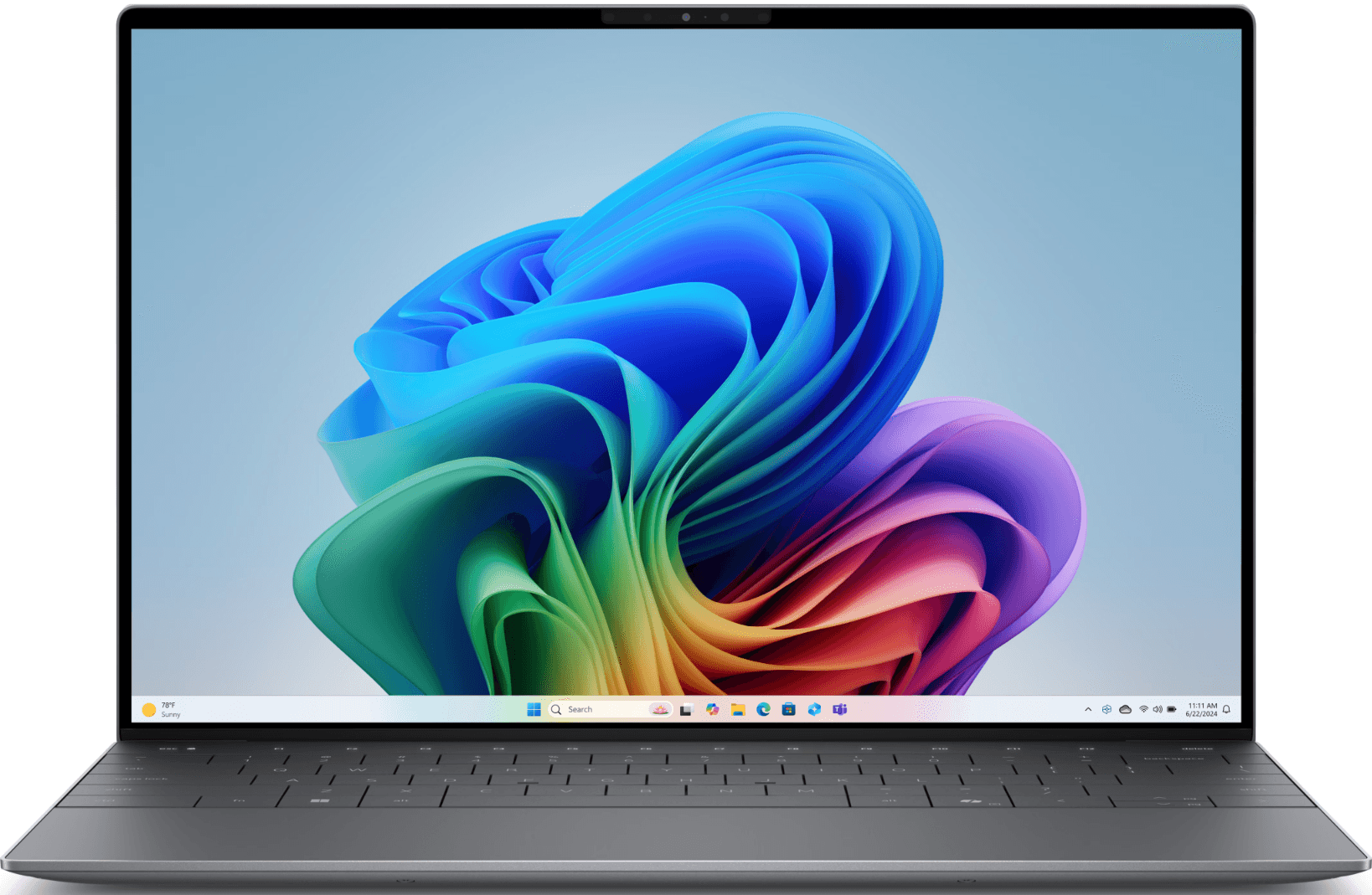
2. Dell XPS 13 (13.4”, Ultra 7, 16GB)
The Dell XPS 13 is a true small laptop designed for teams that want the smallest possible Windows device without stepping down to entry-level hardware. Its 13.4-inch form factor makes it one of the most compact options available in an enterprise-ready Windows lineup, making it a common choice when size and weight are the primary constraints.
| Display | 13.4″ |
| Processor | Intel Core Ultra 7 |
| Memory | 16 GB RAM |
| Storage | SSD (configuration dependent) |
| Weight | ≈ 2.6–2.8 lb / ~1.2 kg |
| Battery life | ≈ 12–14 hours |
| Connectivity | Wi-Fi 6E, Bluetooth, USB-C |
| Operating system | Windows 11 Pro |
| Approximate cost | From ~$1,600 |
Why this works for small, travel-friendly setups: Its tightly integrated design prioritizes a minimal footprint over expandability, which works well for employees who rely primarily on cloud tools and don’t need a wide range of ports or accessories. For organizations standardizing on Windows, it offers a way to support highly mobile work while keeping hardware choices premium and consistent.
Best for: Sales, consultants, executives, and employees who travel frequently.
Lifecycle: 4 years.
Find out more about the top IT procurement challenges faced by employers and how to solve them.
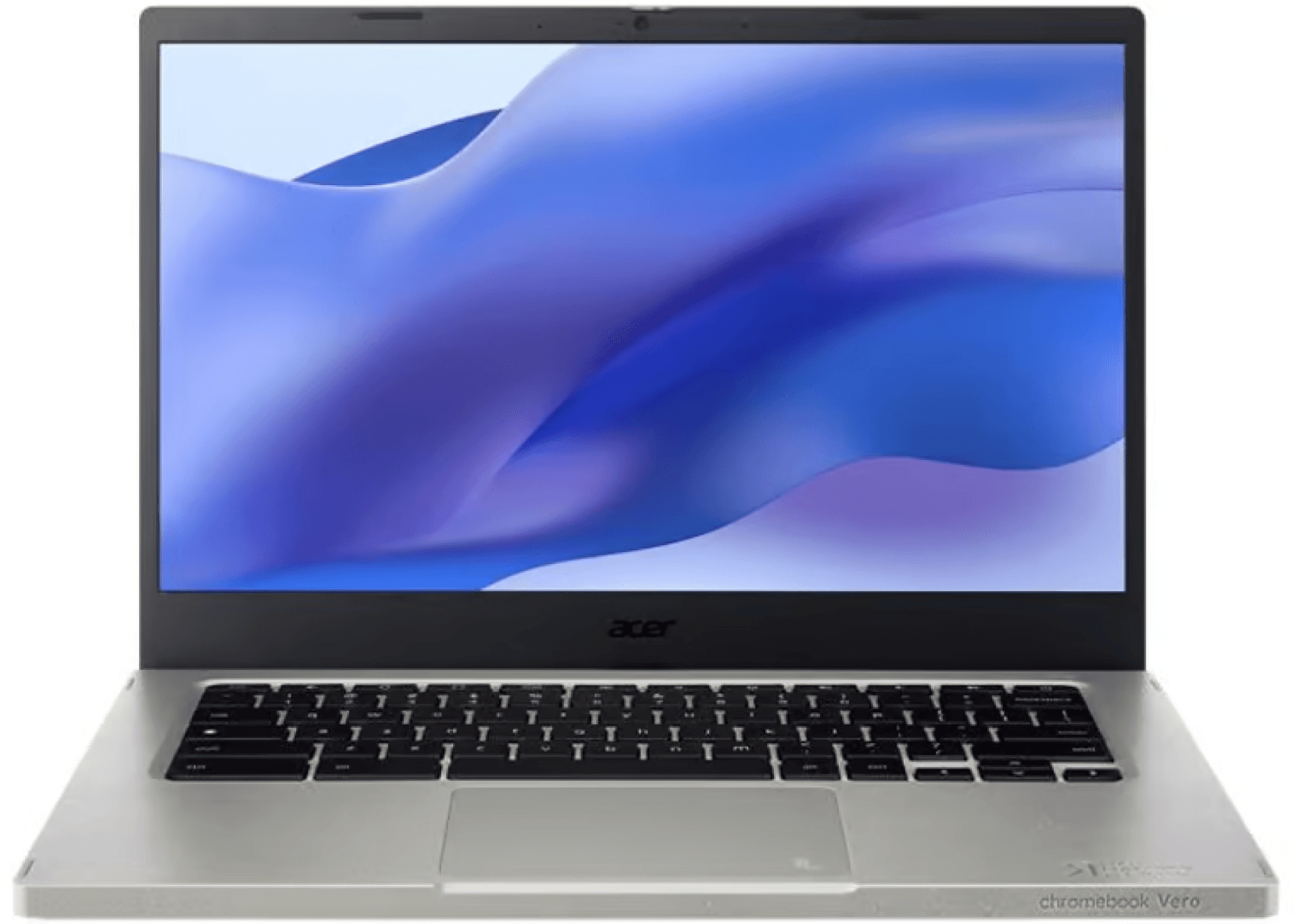
3. Acer Chromebook Vero 514 (14″, i5, 8GB, 256GB)
Although technically a 14″ device, the Acer Chromebook Vero 514 sits closer to the small-laptop category thanks to its slim build and relatively light weight. As a Chromebook, it’s designed around ChromeOS and browser-based work, making it a practical option for teams that rely mostly on cloud tools rather than local software installs or heavy processing.
| Display | 14.0″ |
| Processor | Intel Core i5 |
| Memory | 8 GB RAM |
| Storage | 256 GB SSD |
| Weight | ≈ 3.2 lb / 1.45 kg |
| Battery life | ≈ 10–12 hours |
| Connectivity | Wi-Fi 6, Bluetooth, USB-C |
| Operating system | ChromeOS |
| Approximate cost | ~$850–$900 |
Why this works for small, travel-friendly setups: The Vero 514 works well in environments where work happens almost entirely in the browser. ChromeOS keeps the device simple to use and quick to set up, while the lightweight chassis makes it easier to carry between locations. For teams using web-based productivity and collaboration tools, it offers a straightforward, low-overhead option without unnecessary hardware complexity.
Best for: Sales, marketing, content, customer support, and operations teams using primarily browser-based tools.
Lifecycle: 3–4 years, ideal for cloud-native use.
Read also: How to Create a Fair Laptop Fresh Policy.
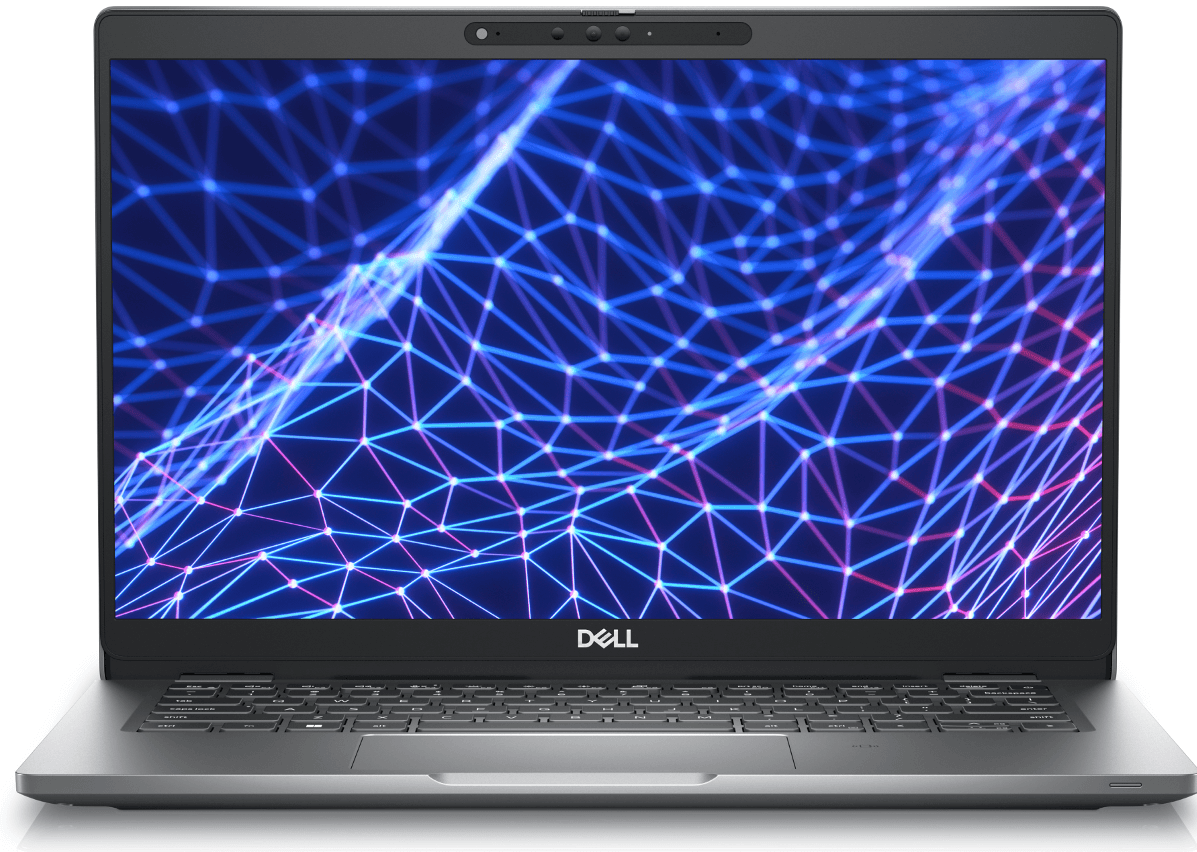
4. Dell Latitude 5330 (13.3″, i5, 8GB, 256GB)
Another small Windows option, the Dell Latitude 5330, stands out for its compact size compared to most standard business laptops. Its 13.3-inch form factor makes it noticeably smaller than typical 14-inch Windows models, while still fitting into teams that need to stay on Windows.
| Display | 13.3″ Full HD |
| Processor | Intel Core i5 |
| Memory | 8 GB RAM |
| Storage | 256 GB SSD |
| Weight | ≈ 2.7 lb / 1.23 kg |
| Battery life | ≈ 10–12 hours |
| Connectivity | Wi-Fi 6E, Bluetooth, USB-C |
| Operating system | Windows 11 Pro |
| Approximate cost | ~$1,200 |
Why this works for small, travel-friendly setups: The Latitude 5330 works best in environments where simplicity and standardization matter more than high-performance requirements. Its specifications are well matched to communication-heavy and document-focused work, helping teams avoid over-provisioning while still supporting everyday needs. For HR and IT teams, this makes it easier to align device capability with role requirements when defining a small-laptop option within a broader Windows fleet.
Best for: Sales, field teams, and employees who prioritize portability over maximum performance.
Lifecycle: 3–4 years, aligned with mobility-focused enterprise use.
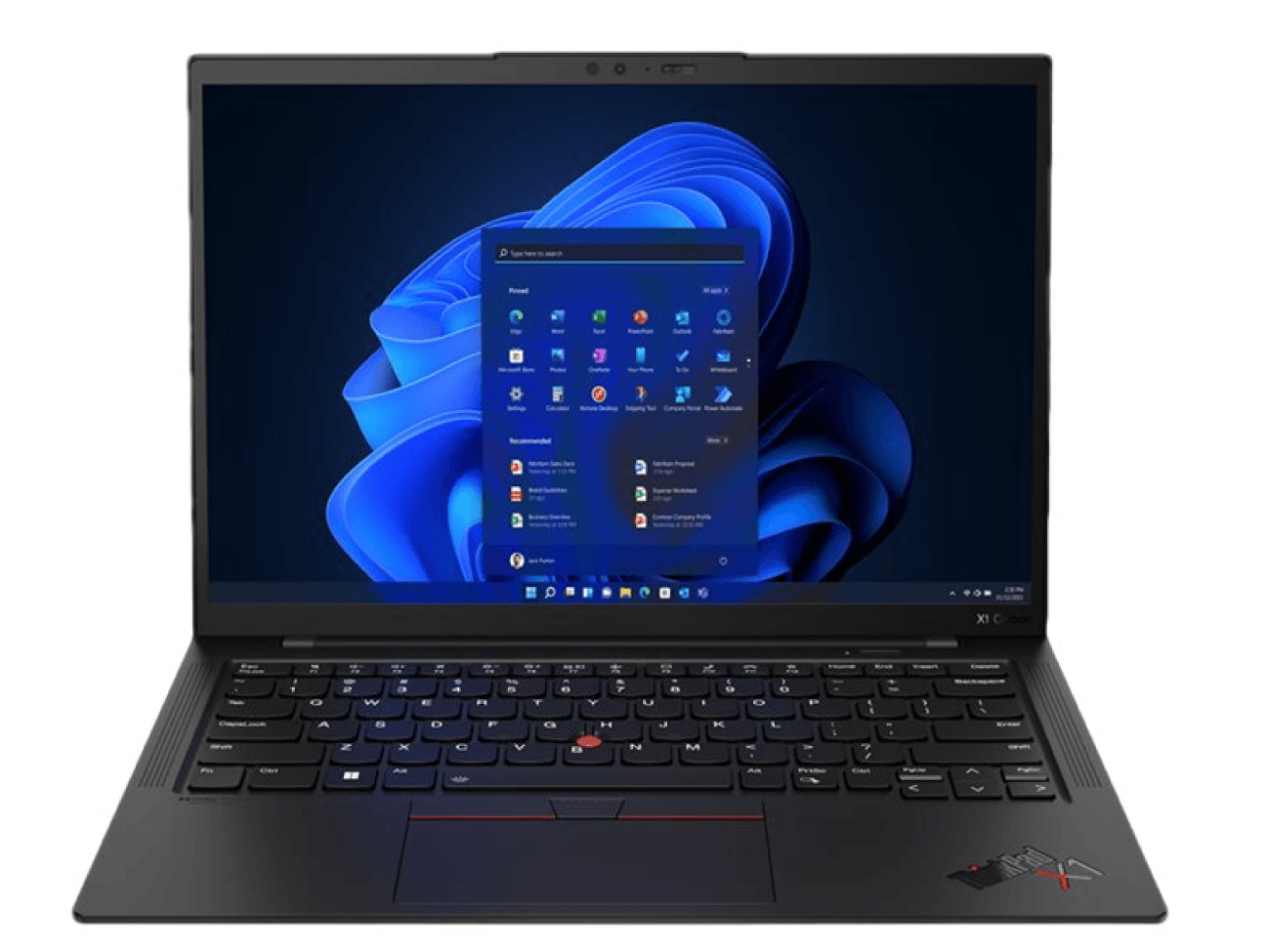
5. Lenovo ThinkPad X1 Carbon (14″, Ultra 7, 16GB, 512GB)
The Lenovo ThinkPad X1 Carbon sits at the premium end of the small-laptop category, offering a full 14-inch work experience in a design that still fits mobile-first teams. It’s often chosen when employees want more screen space and keyboard comfort than a 13-inch laptop provides, without moving up to heavier, less travel-friendly models. For global teams, it represents a balance between usability and portability rather than a compromise in either direction.
| Display | 14.0″ |
| Processor | Intel Core Ultra 7 |
| Memory | 16 GB RAM |
| Storage | 512 GB SSD |
| Weight | ≈ 2.5 lb / 1.1 kg |
| Battery life | ≈ 12–14 hours |
| Connectivity | Wi-Fi 6E, Bluetooth, USB-C |
| Operating system | Windows 11 Pro |
| Approximate cost | ~$2,100–$2,200 |
Why this works for small, travel-friendly setups: Despite its 14-inch screen, the X1 Carbon weighs around 2.5 lb / 1.1 kg, making it lighter than many 13-inch laptops. This makes it easy to travel with while still offering slightly more working space. For employees who alternate between focused desk work and time on the move, it provides a balanced option without adding bulk.
Best for: Consulting, sales, customer-facing, operations, leadership, and other roles that split time between desk-based work and frequent travel.
Lifecycle: 4–5 years, supported by Lenovo’s premium business support options.
Find out what your employees expect from IT equipment today.
Simplify small-laptop management for global teams with Deel IT
Choose from any of the small laptop options recommended in this guide, and many more, through Deel IT’s global equipment catalog. Deel IT offers laptops of all sizes and operating systems, making it easier to match devices to different roles, mobility needs, and regional constraints. Through a single platform, teams can procure, deploy, and manage small laptops alongside other equipment, keeping device programs consistent as they scale globally.
Here is what that means:
- Standardized provisioning from a global catalog: Choose travel-ready laptops and accessories from a vetted global catalog, ensuring employees receive consistent, role-appropriate devices wherever they’re based
- Unified end-to-end device lifecycle management: Procure, configure, deploy, support, and recover small laptops through a single system instead of coordinating vendors, regions, and tools
- Global by default, with predictable delivery: Deliver, manage, and recover laptops in 130+ countries, with 99.5% on-time delivery to support reliable onboarding and replacements
- Lifecycle-driven automation: Workforce changes automatically trigger device actions, reducing manual coordination and delays across regions
- Centralized visibility: Track which employee has which laptop, where it’s located, and its lifecycle status from one dashboard—supporting audits, planning, and offboarding
- 24/7 global IT support: Provide always-on support for employees using small laptops across time zones, without relying on local IT coverage
Book a demo to see how Deel IT simplifies laptop procurement and onboarding for global teams.
Deel IT

FAQs
Are mini laptops worth buying?
Mini laptops can be worth buying in specific situations, but they’re not a universal solution. They work best for highly mobile use cases where portability matters more than screen size or sustained performance—such as short travel tasks, note-taking, or lightweight admin work.
For most professional roles in 2026, however, ultra-compact laptops can feel limiting. Many teams find that slightly larger small laptops (13–14″) offer a better balance of portability, performance, and usability without significantly increasing weight or cost.
What are the advantages and disadvantages of a mini laptop?
Mini laptops are designed to prioritize extreme portability, which can be appealing in certain work scenarios. However, that compact size comes with clear trade-offs that are important to understand before choosing them for professional use. However, 10-inch laptops can still make sense for very specific use cases, such as kiosk-style roles, field data collection, or situations where the device is used briefly, and portability matters more than full productivity.
Advantages:
- Extremely lightweight and easy to carry during frequent travel
- A smaller footprint makes them usable in tight spaces
- Often consume less power, which can help with battery efficiency
Disadvantages:
- Limited screen space can slow productivity during full workdays
- Lower performance headroom for multitasking and modern collaboration tools
- Fewer ports and expansion options
- Shorter usable lifespan for professional workloads
Is a 10-inch laptop too small?
For most professional use cases, yes. A 10-inch laptop is generally too small for sustained work in 2026. While it may be suitable for occasional tasks, presentations, or travel-only scenarios, it can feel cramped for video calls, document editing, spreadsheets, or multitasking.
Most HR and IT teams find that 13–14″ laptops offer a far more usable experience while remaining highly portable.
How much RAM do I need in a laptop?
For modern work, 16 GB of RAM should be the baseline. Collaboration tools, browsers, video conferencing, and background security processes all consume memory, and 8 GB systems often struggle under real-world workloads. Choosing 16 GB helps extend device lifespan, reduce performance complaints, and avoid early replacements—making it a more cost-effective choice over time.
What is the best 14-inch portable laptop?
There’s no single “best” option for every company, but strong 14-inch portable laptops typically balance performance, weight, battery life, and enterprise support. In 2026, popular choices for global teams include business-grade models like Lenovo ThinkPad, Dell Latitude, and HP EliteBook lines, as well as thin-and-light options from Apple in the 13–14″ range.
The best choice depends on your operating system standards, performance needs, and global availability—but 14″ remains the most versatile size for portable, full-time work.
Dr Kristine Lennie holds a PhD in Mathematical Biology and loves learning, research and content creation. She had written academic, creative and industry-related content and enjoys exploring new topics and ideas. She is passionate about helping create a truly global workforce, where employers and employees are not limited by borders to achieve success.


