
Article
12 min read
Best Webcams for Remote Workers in 2026
IT & device management

Author
Dr Kristine Lennie
Last Update
January 30, 2026

Key takeaways
- For remote and hybrid teams collaborating across multiple time zones and locations, webcams are more important than ever, especially since built-in laptop cameras vary greatly by model.
- In 2026, choosing the right webcam means evaluating its resolution, AI features, and low-light performance to find options that fit both employee needs and company budgets.
- With Deel IT, you can seamlessly procure, ship, manage, and retrieve IT equipment, including laptops, webcams, and accessories, keeping your teams productive no matter where they’re based.
Remote and hybrid teams, especially those working across multiple locations and time zones, depend on clear, reliable communication to stay aligned and productive. But even the best collaboration tools fall short when the hardware can’t keep up, and poor video quality, weak microphones, or inconsistent lighting can quickly undermine trust, engagement, and connection.
Webcams are a straightforward solution to these challenges, allowing employees to achieve better video quality beyond what built-in laptop cameras can provide. In 2026, that means HR and People Ops teams must evaluate webcams across a variety of criteria and specifications (resolution, field of view, AI features, and low-light performance) to choose models that meet the needs of a global, distributed workforce. This article highlights five webcams to consider for your distributed workforce, covering a range of price points, roles, and use cases.
Find out also about the top IT procurement challenges faced by employers and how to solve them.
What to prioritize when equipping remote teams with webcams in 2026
External webcams can elevate meeting quality, create smoother interview experiences, and improve deal outcomes, all while minimizing time wasted on troubleshooting video and audio issues. Although every laptop includes a camera, dedicated webcams provide far better clarity, framing, and sound, which are crucial for roles that rely heavily on video communication. Here’s a checklist to help you prioritize the features that matter most:
| Criteria | Why it matters | Example options (and why) |
|---|---|---|
| Role-based needs | Different roles require different levels of video quality, framing, and audio. Choosing webcams based on those needs ensures thoughtful allocation of equipment and gives video-heavy roles access to the tools that matter most. | General staff: A reliable 1080p webcam (e.g., Logitech Brio 105, Logitech C920S Pro) is more than enough for daily standups, 1:1s, and project meetings. Interviewers, managers, and HR: A 1080p or 2K webcam with better mics and low-light performance (e.g., Dell WB3023 2K QHD) helps create a more polished experience for candidates and stakeholders. Executives and client-facing teams: A 4K webcam (e.g., Logitech Brio 4K Ultra HD, Logitech C930e Full HD) offers premium clarity and presence for high-stakes calls and presentations. |
| Resolution and clarity | Higher resolution improves facial detail and eye contact, which are crucial for trust, engagement, and reading non-verbal cues during remote meetings. | 1080p webcams (e.g., Logitech Brio 105, Logitech C920S) suit most employees’ daily workflows, while 4K models (e.g., Logitech Brio 4K Ultra HD, Logitech C930e Full HD) provide sharper, more lifelike video for sales, leadership, and external meetings. |
| Field of view (FOV) | FOV determines how much of the scene is visible: too narrow can feel cramped, too wide can be distracting or show cluttered environments. | Webcams with a standard FOV of around 70–78° (e.g., Logitech Brio 105, Logitech C920S) keep focus on the speaker and suit most roles. Adjustable or wider FOV models (e.g., Dell WB3023, Logitech Brio 4K Ultra HD) let users choose between tight framing for 1:1 calls and wider shots for whiteboards or small group collaboration. |
| Low-light performance and HDR | Good low-light camera performance helps employees appear professional even in imperfect home setups. | Webcams with HDR and advanced auto-exposure (e.g., Logitech Brio 4K Ultra HD and Logitech C930e Full HD) are particularly helpful for employees who often join early-morning or late-evening calls, work in rooms with limited natural light, or switch between different spaces. |
| Microphone quality | Built-in webcam mics can significantly improve call quality over noisy laptop mics, especially in smaller spaces. | Dual-microphone webcams (e.g., Dell WB3023 and Logitech Brio 4K Ultra HD) are especially helpful for employees working in shared spaces, smaller home offices, or roles that handle interviews, customer conversations, or frequent team calls. Noise reduction helps keep audio clear when environmental control is limited. |
| Privacy and security | Employees feel safer when they can physically block the camera, especially in home environments. This also reduces the risk of accidental video sharing. | Webcams with integrated privacy shutters (e.g., Logitech Brio 105, Logitech C920S, Dell WB3023) are particularly useful for employees who switch between calls frequently, work in shared households, or handle sensitive HR, financial, or client-related discussions. |
| Global availability and support | Standardizing on globally available models simplifies procurement, replacement, and support for distributed teams. | Popular, widely stocked models from Logitech and Dell are easier to source, replace, and support across multiple countries. |
Read also: 6 IT Accessories for Boosting Employee Productivity.
Best webcams for remote workers in 2026
Different teams have different video needs, which influence what kind of webcam makes the biggest impact for their day-to-day work. Below, we have highlighted five options that work well for a variety of remote and hybrid roles:
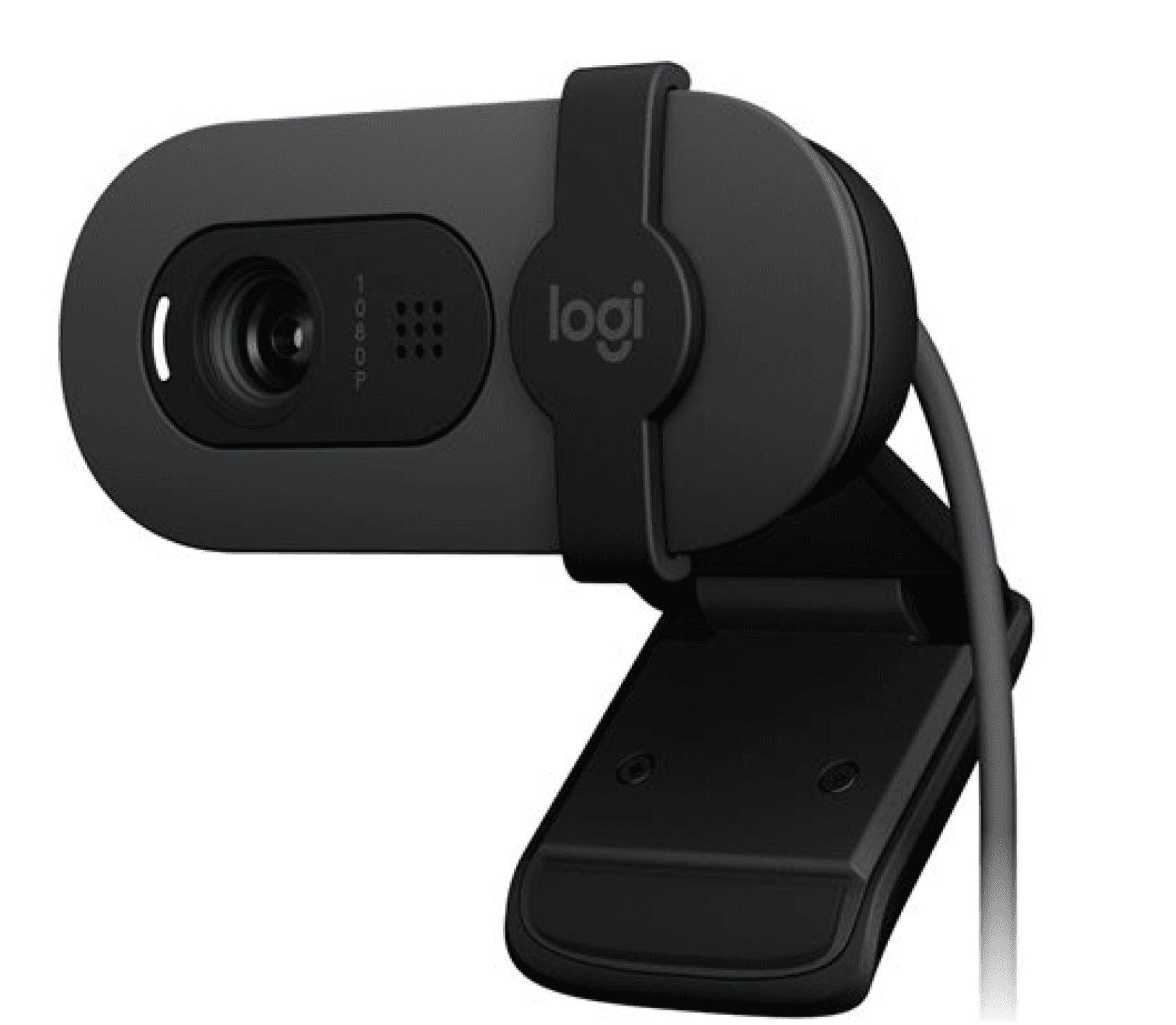
1. Logitech Brio 105 Full HD
A practical webcam option that upgrades employees from basic laptop cameras to more polished, professional-quality video.
| Key specifications | |
|---|---|
| Resolution | Full HD (1080p) |
| Frame rate | Up to 30 fps |
| Field of view | ~70° |
| Microphones | Mono microphone |
| Low-light performance | Basic auto-exposure |
| Privacy | Integrated shutter |
| Connectivity | USB-A |
| Approximate cost | From $77 |
What makes it stand out: A cost-effective Full HD webcam that provides dependable video quality and adapts easily to everyday home-office lighting conditions.
Best for: A strong option for general staff, operations, and support teams that join frequent meetings and need reliable video quality, particularly when companies are equipping remote and hybrid employees at scale.
Bringing on a new hire? Make sure they’re set up with these six day-one IT essentials.
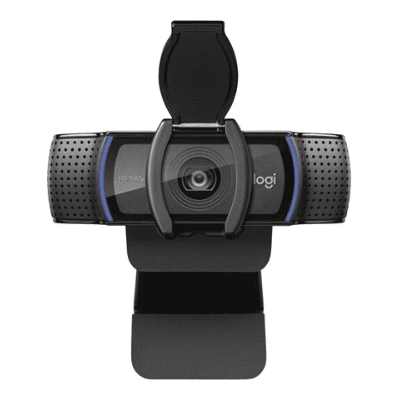
2. Logitech C920S Pro Full HD
A versatile webcam that delivers strong Full HD clarity, dual microphones, and dependable low-light performance.
| Key specifications | |
|---|---|
| Resolution | Full HD (1080p) |
| Frame rate | Up to 30 fps |
| Field of view | 78° |
| Microphones | Dual stereo microphones |
| Low-light performance | Autofocus + light correction |
| Privacy | Integrated shutter |
| Connectivity | USB-A |
| Approximate cost | From $79 |
What makes it stand out: Balanced, reliable performance that improves both audio and video without extra complexity.
Best for: HR and People Ops teams running interviews or onboarding calls, and managers who join frequent cross-functional meetings where top-notch video and audio performance matter.
Discover the top 17 remote work tools and software for building a productive team.
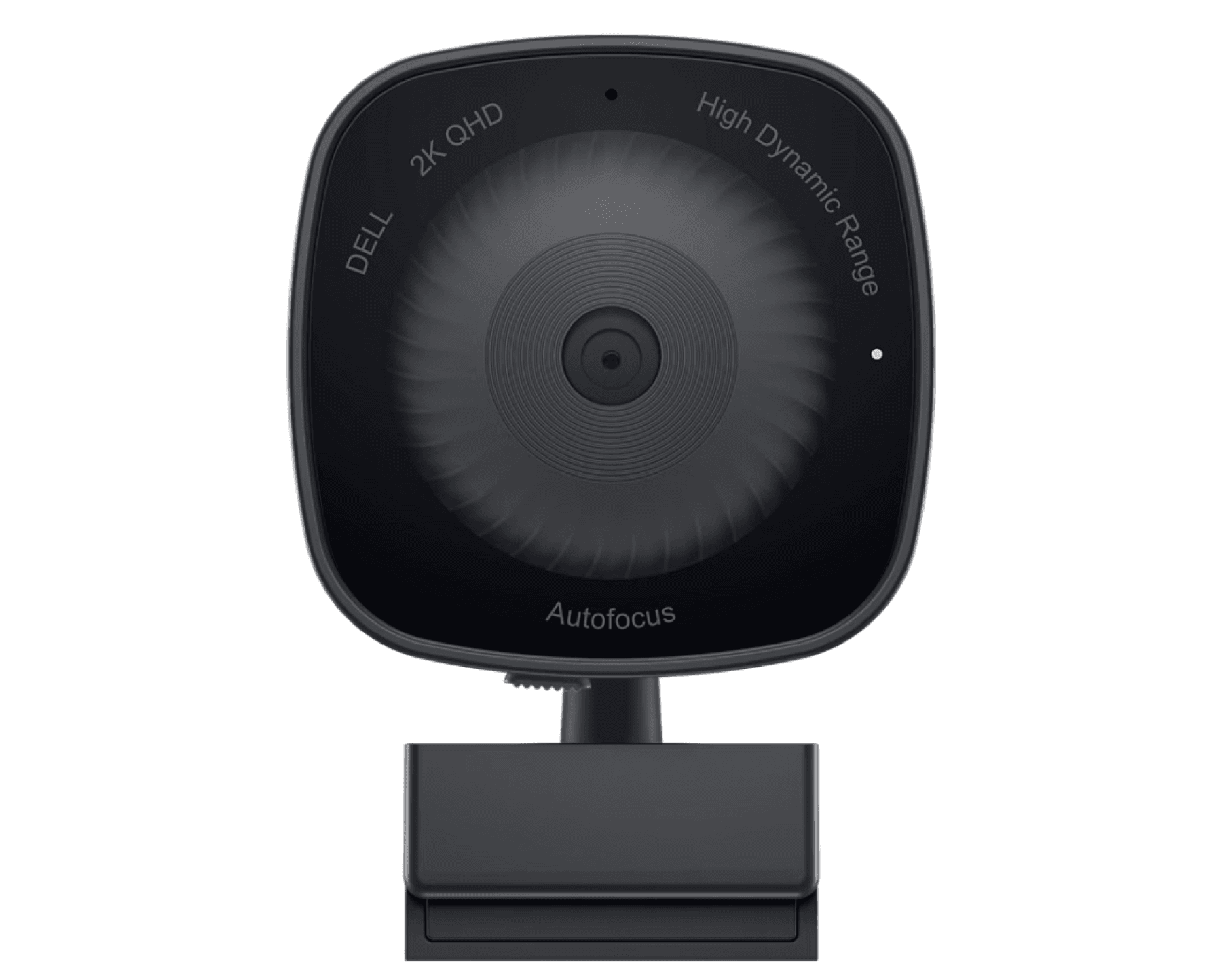
3. Dell WB3023 2K QHD
A 2K webcam with sophisticated AI-driven framing and lighting designed to deliver clearer, more professional video in varied environments.
| Key specifications | |
|---|---|
| Resolution | 2K QHD (1440p) |
| Frame rate | Up to 30 fps |
| Field of view | Adjustable (65° / 78° / 90°) |
| Microphones | Dual noise-reducing microphones |
| Low-light performance | AI lighting + HDR |
| Privacy | Integrated shutter |
| Connectivity | USB-C |
| Approximate cost | From $88 |
What makes it stand out: Offers sharper clarity than Full HD models, with AI-powered auto-framing and lighting adjustments that keep users centered, well-lit, and professional-looking in different environments.
Best for: HR teams managing hiring cycles, managers running regular stakeholder or cross-functional meetings, and client-facing staff who need consistently sharp, professional on-camera presence.
Want to simplify how you ship, deliver, and manage devices for remote teams? See: Equipment Provisioning for Remote and Global Teams Policy Template.
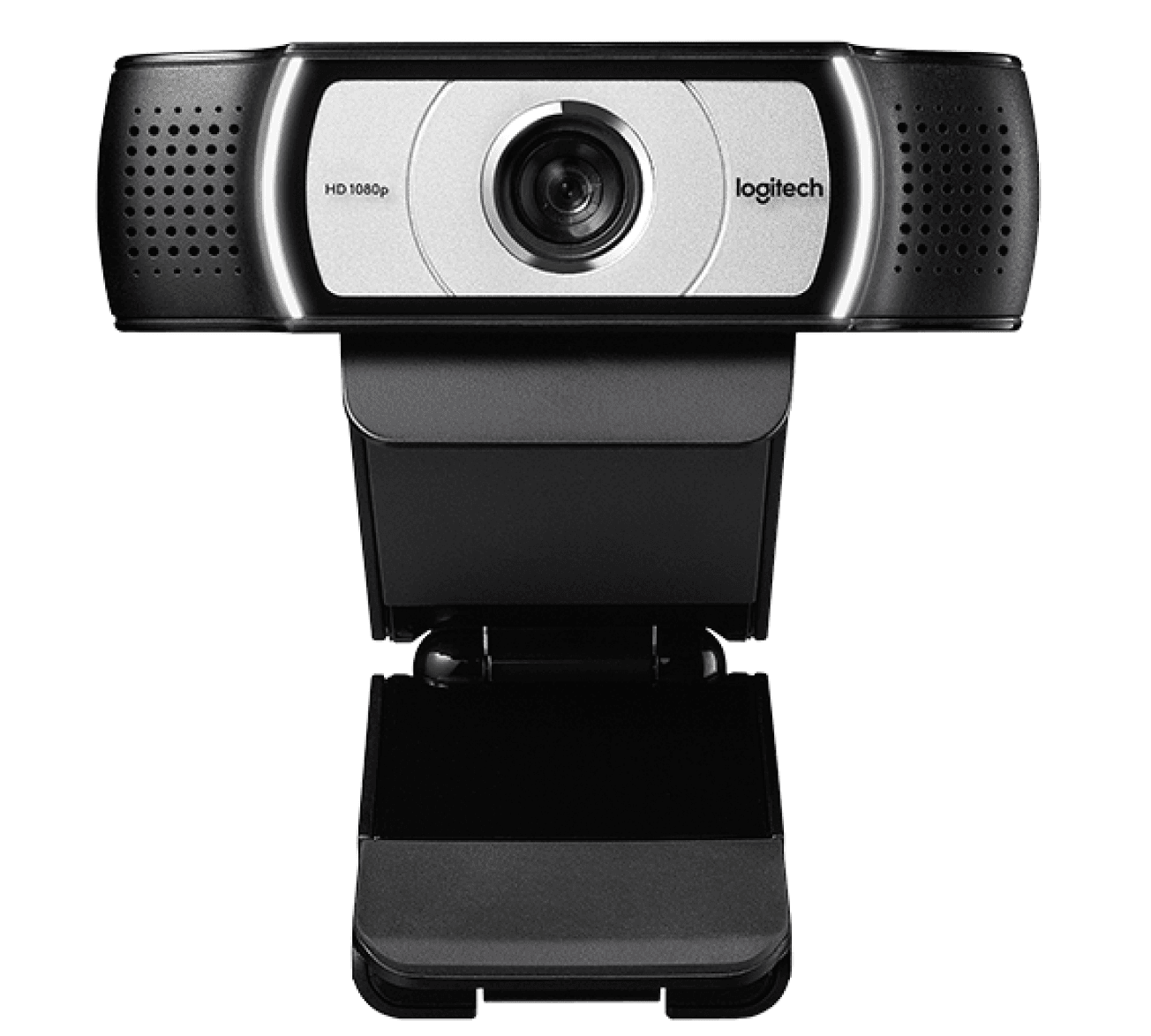
4. Logitech C930e Full HD
A wide-angle Full HD webcam designed to capture more of the workspace while maintaining clear, stable video in a variety of lighting conditions.
| Key specifications | |
|---|---|
| Resolution | Full HD (1080p) |
| Frame rate | Up to 30 fps |
| Field of view | 90° |
| Microphones | Dual omnidirectional microphones |
| Low-light performance | RightLight 2 |
| Privacy | Integrated shutter |
| Connectivity | USB-A |
| Approximate cost | From $130 |
What makes it stand out: The 90° field of view is wider than most standard webcams, making it useful for showing whiteboards, product demos, or multiple people in the frame. RightLight 2 technology helps maintain clear exposure in mixed or low-light environments, and certifications from Zoom, Microsoft Teams, and Google Meet ensure reliable performance on the most commonly used meeting platforms.
Best for: Organizations that use hybrid rooms or shared workspaces where a wider frame is needed to show multiple participants, whiteboards, or physical demonstrations during calls. Particularly useful for customer success teams, learning & development (L&D) specialists, and product teams who often present or collaborate in shared environments.
Different teams have different equipment needs to meet the demands of their daily responsibilities. Find out how to choose IT equipment for any role.
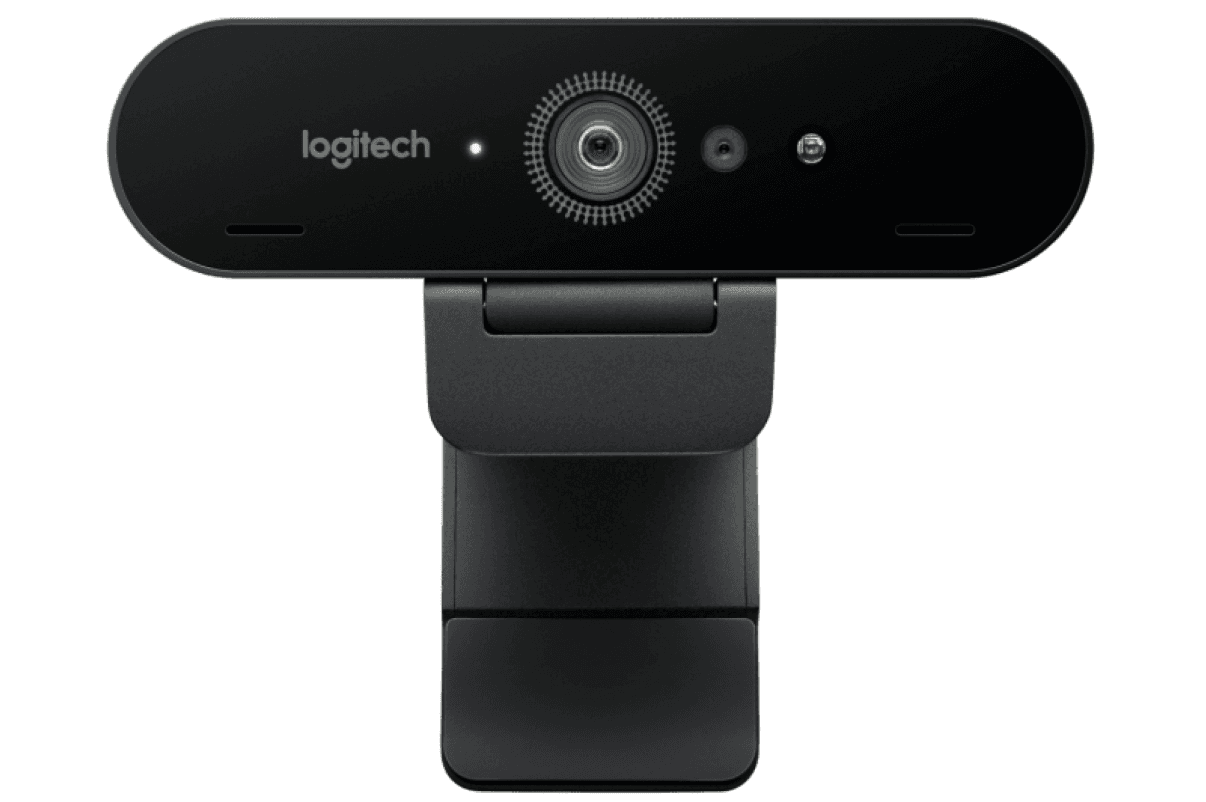
5. Logitech Brio 4K Ultra HD
A premium 4K webcam that captures exceptional detail with its advanced sensor, HDR support, and adjustable framing options for polished, high-quality video.
| Key specifications | |
|---|---|
| Resolution | 4K Ultra HD (2160p) |
| Frame rate | Up to 30 fps (4K), 60 fps (1080p) |
| Field of view | Adjustable (65° / 78° / 90°) |
| Microphones | Dual omnidirectional microphones |
| Low-light performance | HDR + advanced sensor |
| Privacy | Integrated or detachable shutter |
| Connectivity | USB-A / USB-C |
| Approximate cost | From $200 |
What makes it stand out: Delivers four times the detail of standard 1080p webcams, preserving sharpness even when users crop or zoom their frame. The advanced sensor and HDR improve color accuracy and definition, creating a more polished and realistic on-screen appearance.
Best for: Executives, sales leaders, and customer-facing teams who benefit from a high-clarity, professional presence during important meetings, presentations, webinars, or recorded content.
Deliver the best webcams worldwide with Deel IT
Deel IT makes it simple to equip global teams at scale. Procure webcams and accessories from Deel IT’s device catalog, then ship, track, support, and recover them as part of the same end-to-end IT platform—no regional vendors or manual processes required.
Here’s how Deel IT simplifies webcam and device provisioning:
- Global delivery made easy: Ship laptops, webcams, and accessories directly to employees in 130+ countries with a 99.5% on-time delivery rate, while customs, tax, and local logistics are handled for you
- Standardization at scale: Choose from vetted webcam models and accessories based on role, performance needs, and budget, ensuring consistency across teams
- Centralized tracking and visibility: Monitor devices, warranties, and refresh cycles from a single dashboard, so IT always knows who has which equipment and when to upgrade or replace it
- 24/7 support, repairs, and replacements: Coordinate local repairs or replacements anywhere in the world with always-on IT support to minimize downtime
- Secure offboarding and recovery: Automatically retrieve webcams and other IT equipment when employees leave, with tracking, refurbishment or recycling, and secure handling managed as part of the same lifecycle
Book a demo to see how Deel IT helps you standardize, track, and manage IT equipment globally—from first shipment to secure offboarding.
Deel IT

FAQs
Which camera is best for Zoom?
There’s no one “best” camera for Zoom that fits every scenario, but for most remote professionals, you’ll want a webcam that offers Full HD (1080p) resolution, strong audio quality, and good low-light performance. These features offer the best balance of professional look and practical use. Expert review sites agree that 1080p plus solid lighting and mic quality are sufficient for most Zoom work.
Is 4K better than 1080p for a webcam?
4K webcams offer sharper, more detailed video than 1080p, but the difference isn’t always noticeable on everyday Zoom, Teams, or Meet calls (most of which stream in 1080p or lower). For standard remote work, 1080p is more than enough to look clear and professional, while 4K is most useful for executives, client-facing roles, or anyone who records high-quality video content.
Which laptop brand has the best webcam?
There’s no single “best brand” across all laptops. Webcam quality varies more by model than by manufacturer. That said, brands like Dell, HP, Lenovo, and Apple consistently deliver strong performance in their business and higher-end devices. For example, the MacBook Air M4 includes a high-quality 12 MP camera with excellent low-light handling, while the Lenovo ThinkPad X1 Carbon Gen 12 offers an upgraded 8 MP camera designed specifically for professional video calls. When evaluating webcams, it’s best to look at model-specific factors like resolution (1080p or higher), low-light performance, HDR or auto-lighting, and dual microphones rather than relying on the brand name alone.
Read also: Best Laptops for Remote Workers in 2026.
What is the best webcam for remote work?
The best webcam for remote work is one that offers Full HD (1080p) resolution or higher, clear audio (dual-mics preferred), reliable low-light performance, and wide compatibility with video-meeting platforms. For most remote teams, a model like the Logitech C920S Pro Full HD strikes a strong balance between cost and quality. If you have client-facing, executive-oriented roles or produce video content, then stepping up to something like the Dell WB3023 2K QHD (which boosts clarity and adds AI auto-framing) might be worth it. Ultimately, choose based on how the camera’s features align with the employee’s role—not just because it has “4K” or “premium brand”—so you equip wisely and cost-effectively.
Learn how to safely ship laptops and IT equipment internationally.
Dr Kristine Lennie holds a PhD in Mathematical Biology and loves learning, research and content creation. She had written academic, creative and industry-related content and enjoys exploring new topics and ideas. She is passionate about helping create a truly global workforce, where employers and employees are not limited by borders to achieve success.


