
Remote Work Glossary
- Results for "undefined"
Table of Contents
How Deel IT supports IT service management
What is IT service management (ITSM)
IT Service Management (ITSM) describes the structured approach businesses use to design, deliver, and manage IT services.
At its core, ITSM ensures that technology systems support employees and business goals effectively. It's not just about fixing laptops or resetting passwords; it’s a framework for making IT predictable, responsive, and aligned with what your business needs.
If you’re an IT manager juggling helpdesk tickets, or a founder realizing your current ad-hoc approach isn’t sustainable, good ITSM provides the structure to scale IT support, improve employee experience, and make sure systems stay reliable as your company grows.
The purpose and benefits of ITSM
The goal of ITSM is to transform reactive IT into a proactive service. Most vitally, good ITSM keeps abreast of the latest systems, processes and developments, and works alongside procurement to make sure you’re up to date with everything.
Done right, ITSM enables your IT team to:
- Deliver consistent, efficient support at every level of your company.
- Minimize service disruptions, aiding both employees and customers.
- Improve employee satisfaction by limiting frustration and encouraging learning.
- Manage risk and compliance effectively in a rapidly evolving field.
Proactivity becomes increasingly critical as companies scale or shift to remote and hybrid work models. The more distributed your team, the more essential a stable IT backbone becomes. ITSM should run alongside your current HR deployment model, whilst remaining flexible should workforce dynamics change.
ITSM vs. traditional IT support
Many smaller businesses operate with informal IT processes—solving issues as they arise. This might work for a five-person startup, but it quickly breaks down with scale. Cybersecurity breaches and system outages can become reputational catastrophes if they are not managed quickly, efficiently and effectively.
To this end, ITSM introduces better defined workflows, higher service-level expectations, and a range of tools for constantly monitoring performance.
Unlike break/fix support, which responds to problems after they occur, ITSM includes preventive measures like problem and change management to reduce future incidents. Sophisticated ITSM can even use pattern prediction to spot problems before they become crises, and deploy additional resources (storage, security, personnel) where they are required.
This approach marks a shift from "keeping things running" to "making things better, faster, and safer."
Device Lifecycle Management
Key ITSM processes
Effective ITSM is built around several core processes, which can be implemented incrementally depending on your business’s maturity:
1. Incident Management
Handles unexpected issues—network outages, login failures, or hardware crashes. The focus is on restoring normal service as quickly as possible.
2. Problem Management
Looks beyond individual incidents to find and fix root causes. If five employees report Wi-Fi issues every Monday, that’s a problem worth investigating.
3. Change Management
Introduces updates to systems or infrastructure while minimizing risk. Whether it’s a software patch or a company-wide tool migration, change management ensures careful rollout.
4. Service Request Management
Covers routine requests like access to software, password resets, or new device provisioning. These are often handled through a self-service portal or automated workflow.
5. IT Asset Management (ITAM)
Tracks hardware and software across their lifecycle. This is critical for cost control, security, and ensuring the right people have the right tools. Learn more in our IT asset management guide.
6. Configuration Management
Maintains records of your IT environment—including relationships between systems, users, and infrastructure. This helps IT teams understand dependencies when making changes.
These processes combine in a more transparent, accountable, and data-driven IT environment.
To these six, we might also add a seventh, more advanced function for larger enterprises:
7. Research and Development
In more mature IT organizations, Research and Development (R&D) becomes a strategic extension of ITSM. R&D enables teams to explore emerging technologies, evaluate new tools, and anticipate future risks before they disrupt operations.
A key example is cybersecurity readiness. As threats evolve, IT teams can’t afford to rely solely on reactive security measures. R&D allows organizations to proactively research new vulnerabilities, test updated security frameworks, and assess the effectiveness of existing controls. This could involve evaluating zero-trust architectures, conducting penetration testing, or piloting new endpoint protection tools.
R&D also plays a growing role in responsible AI adoption. As more ITSM tools integrate artificial intelligence, whether for ticket triage, chat-based support, or predictive analytics, IT teams must understand both the benefits and limitations of these systems. An R&D function can vet AI vendors, assess model transparency, and test performance across different user contexts. It also allows companies to develop internal governance policies for AI use, addressing emerging concerns around bias, data privacy, and explainability.
Other areas where R&D supports ITSM include:
- Sustainability initiatives, such as evaluating the energy efficiency of cloud infrastructure or device lifecycle practices
- Automation opportunities, identifying repetitive manual tasks that could be streamlined without degrading service quality
- Future workforce needs, including the skillsets IT teams will need to manage increasingly complex tool chains and regulatory environments
While not every company will have a dedicated R&D team within IT, the function can often emerge organically through a combination of pilot programs, proof-of-concept testing, and close collaboration between IT leadership and other departments like security, compliance, and product development.
In this way, Research and Development acts as a bridge between operational excellence and innovation, ensuring your ITSM practice not only keeps the lights on, but also future proofs the business.
Popular ITSM frameworks
There’s no one-size-fits-all way to implement ITSM. Several frameworks exist to guide organizations based on their size, goals, and industry:
- ITIL (Information Technology Infrastructure Library): The most widely used ITSM framework, offering best practices for aligning IT services with business needs. It consists of 34 best practices for managing and improving IT support.
- COBIT: Focuses more on governance, risk, and compliance. Useful for organizations under heavy regulatory scrutiny, it is a creation of ISACA (the Information Systems Audit and Control Association).
- ISO/IEC 20000: An international standard for ITSM certification. Demonstrates formal commitment to service quality.
- DevOps: While not strictly ITSM, DevOps complements service management by bridging development and operations for faster, more reliable releases. It should work alongside ITSM to ensure that greater innovation and efficiency doesn’t come at the cost of unacceptable risk or unmanageable rate-of-change.
If you’re just getting started, ITIL is a safe and accessible entry point. You can adopt individual practices—like incident or request management—without a full framework overhaul.
How ITSM supports global teams and remote work
Since many companies have adopted distributed workforces, ITSM has become even more essential. Without centralized control, delays in support or misconfigured devices can quickly derail productivity.
Here’s how ITSM helps support remote or global operations:
- Faster onboarding: Through predefined workflows, ITSM ensures that new hires automatically receive devices, access, and software based on their roles. Deel customers can take this further by integrating device lifecycle management into their onboarding.
- 24/7 support models: Many ITSM tools allow for time zone-aware ticketing and escalation rules, reducing friction for teams working across continents.
- Secure access: Access control policies and automated provisioning guard against shadow IT and reduce the risk of unauthorized tool usage.
- Self-service and automation: Employees can resolve common requests without IT involvement, reducing load on support teams and speeding up resolution times.
- Asset monitoring and control: Ensuring all employees have access to the secure systems and devices they need, no matter where they are working, as well as appropriate governance policies for secure remote work.
These benefits also tie into broader operational goals: improving employee experience, reducing manual work, and allowing a company to scale its operations quickly.
Deel IT

ITSM and HR collaboration
HR and IT increasingly overlap, especially during onboarding, offboarding, and day-to-day service delivery. Here’s how ITSM frameworks support this alignment:
- Device provisioning: HR initiates onboarding, while ITSM ensures the right hardware is sourced and delivered on time. Learn how this works with our IT procurement guide.
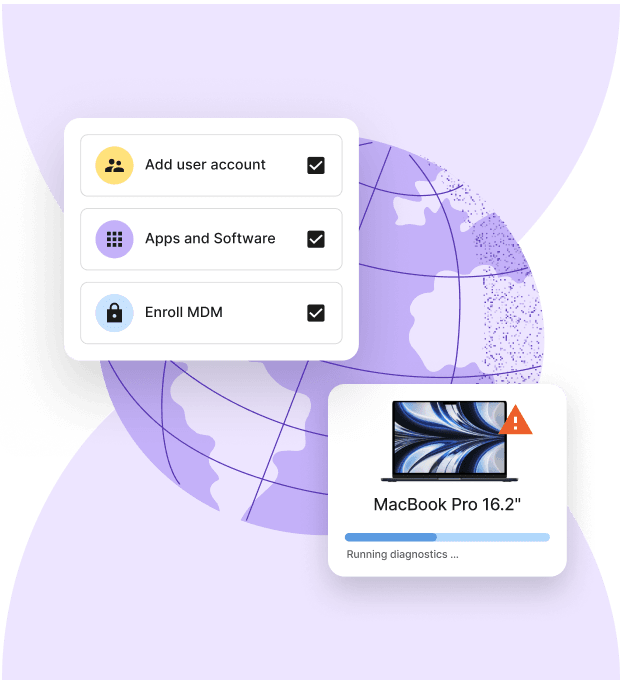
- Access setup: ITSM automates user account creation, permissions, and app installations based on the employee’s role or department.
- Offboarding safeguards: Proper offboarding ensures that accounts are deactivated, devices recovered, and data secured, reducing compliance risk.
Collaborating through a shared ITSM platform ensures that HR, IT, and security stay aligned, especially during employee transitions. It ensures parity is achieved across a distributed workforce, in terms of both systems’ access practicalities, and asset governance.
Tools that support ITSM
Several platforms are purpose-built to support ITSM workflows. Popular tools include:
- ServiceNow: A robust platform suited for larger enterprises. Offers automation, analytics, and workflow orchestration.
- Jira Service Management: Lightweight and developer friendly. Good fit for tech startups or teams already using Jira.
- Freshservice: Designed for ease of use. Includes asset management and reporting out of the box.
- BMC Helix or Ivanti: Feature-rich platforms used in compliance-heavy industries.
When you compare tools and capabilities across competing ITSM platforms, here are the essential components to look out for:
- Ticketing systems: Track incidents, problems, changes, and requests.
- Knowledge bases: Help users resolve simple issues independently.
- Automated workflows: Speed up repetitive tasks like password resets.
- Dashboards: Track KPIs such as resolution time or request volume.
- Integrations: Connect with tools like Deel, HRIS systems, and SaaS management platforms.
Choosing the right tool depends on your size, technical maturity, and existing tech stack.
ITSM and compliance
As businesses scale and manage sensitive data, ITSM helps maintain compliance with internal policies and external regulations.
Here are four key ways in which ITSM supports compliance:
- Access management: Ensures only authorized users can access sensitive data. This is essential for meeting IT compliance and privacy regulations.
- Change tracking: Every change to infrastructure, software, or configurations can be logged, approved, and audited.
- Incident logs: Incident management platforms provide audit trails for issues and responses.
- Data backups and recovery: ITSM processes typically include disaster recovery planning and backup automation.
By embedding compliance into day-to-day operations, ITSM reduces legal risk and builds trust with clients, partners, and employees.
Measuring ITSM performance
Measuring ITSM’s effectiveness helps drive continuous improvement. Its performance can only be assessed over time; by looking at how its implementation has affected overall corporate efficiency and effectiveness.
Key performance indicators (KPIs) you might look at include:
- Mean Time to Resolve (MTTR): Average time to resolve an incident.
- First Contact Resolution Rate: Percentage of issues resolved in the first interaction.
- Service Level Agreement (SLA) compliance: How often support meets agreed resolution times. This can also be expressed as a percentage of support tickets issued.
- Change Success Rate: Changes implemented without causing disruptions. This might be expressed as lost hours or days, with an acceptable limit set for each month or quarter.
- CSAT (Customer Satisfaction): Often gathered through post-ticket surveys (although care must be taken to avoid self-selection bias)
- Request Volume: Helps IT teams plan capacity and staffing.
Tracking these metrics allows IT teams to identify bottlenecks, demonstrate value, and justify investments in tools or headcount.
When to adopt ITSM
You don’t need to be a Fortune 500 company to benefit from ITSM. The tipping point often arrives when:
- Support tickets start falling through the cracks
- Employees complain about long wait times for help
- Device and software management becomes unmanageable
- Onboarding/offboarding starts to impact productivity or security
It is good practice to start with the most urgent processes (typically incident and request management), then expand to areas like change or asset management.
For Deel customers already supporting global teams, layering ITSM onto your remote infrastructure is a natural next step. Our platform integrates with device and remote infrastructure management to help your team scale without chaos.
ITSM in practice: A quick example
Imagine your company is onboarding a new software engineer in Singapore. Without ITSM, you might scramble to ship a laptop, provision accounts, and install tools—often relying on manual reminders or Slack messages.
With ITSM, this becomes a repeatable process. An onboarding ticket triggers:
- Procurement: A laptop is ordered and shipped via Deel’s device lifecycle management.
- Access control: Accounts are created automatically with the right role-based permissions.
- Documentation: The employee receives a welcome email with links to tools and training.
- Follow-up: IT tracks request fulfilment time and collects feedback post-onboarding.
This approach reduces friction, improves consistency, and frees up your IT team for higher-impact work.
How Deel IT supports IT service management
As your company grows, handling IT tasks like setting up devices, granting access, or solving employee tech issues can get messy and time-consuming. A good ITSM process helps you stay organized, avoid delays, and keep your team productive.
Deel IT brings all of these tasks into one easy-to-use platform. It connects IT support with onboarding, payroll, and workforce management—so your people get what they need from day one, without the back-and-forth.
Whether you’re hiring globally or just want to simplify your IT operations, Deel IT helps you:
- Set up new employees with the right tools and accounts
- Track and resolve tech issues quickly
- Stay secure and compliant across teams and locations
👉 Book a demo to see how Deel IT can help you run IT support more smoothly and keep your team on track.
Related terms