
Article
7 min read
Authentication Methods: Types, Factors, and Protocols Explained
IT & device management

Author
Michał Kowalewski
Last Update
January 29, 2026

Table of Contents
How authentication works
Authentication factor types
Authentication methods and examples
Device authentication methods
Authentication protocols
Authentication methods ranked by security and convenience
Authentication strategies by scenario
Authentication vs authorization: Key differences
How Deel IT supports modern authentication
Key takeaways
- Authentication methods fall into three main factor types — something you know, something you have, and something you are
- The most secure authentication combines multiple factors with device posture checks, reducing the risk of phishing and credential theft.
- Deel IT strengthens authentication by ensuring devices are secure from day one and app access is updated automatically throughout the employee lifecycle.
Authentication is the process of confirming that someone is who they claim to be before granting access to systems, applications, or data. In practice, it is the front line of information security. From logging into a computer with a password to unlocking a smartphone with a fingerprint, every interaction that protects sensitive information relies on an authentication method.
But not all authentication methods are equal. Some are simple but vulnerable, like passwords. Others, such as hardware keys or biometrics, are harder to compromise but add complexity. Understanding the different types of authentication, the factors they rely on, and the protocols that make them work is essential for any organization managing a distributed workforce.
This guide explains the main authentication types and factors, shows how modern authentication protocols fit together, and outlines which methods are most secure in 2025. Along the way, we highlight how authentication connects with device security and identity management, and how platforms like Deel IT help make these protections stick globally.
How authentication works
Authentication is the process of verifying identity before granting access to a system or application. At its simplest, it involves three steps:
- Credential is presented: A user provides something that proves their identity, such as a password, token, or biometric.
- Credential is verified: The system checks that credential against a trusted source — for example, comparing a password to a stored hash or validating a hardware key through a cryptographic challenge.
- Access is granted or denied: If the credential matches, the user is authenticated and allowed in. If not, access is blocked or an additional step is required.
This flow is the same whether someone logs into a laptop, connects to a corporate VPN, or uses single sign-on to access SaaS applications. What changes are the authentication methods involved, the factors they rely on, and the protocols that support them.
Modern authentication systems go beyond a single password check. They can combine multiple factors (known as multi-factor authentication), adapt to context (risk-based authentication), and include device signals such as encryption status or operating system version. These improvements reduce the chances of compromised accounts while still keeping the login process seamless for employees.
See also: 13 Identity and Access Management Best Practices
Authentication factor types
All authentication methods are built on three classic factor types. These are the building blocks that determine how identity is verified.
Type 1: Something you know
This is knowledge-based authentication, such as a password, PIN, or security question. It is the oldest and most common method, but also the easiest to compromise through phishing, reuse, or brute force attacks.
Type 2: Something you have
This is possession-based authentication, such as a phone receiving a one-time code, an authenticator app, or a hardware token like a YubiKey. It adds a physical element that attackers cannot easily guess or steal remotely.
Type 3: Something you are
This is inherence-based authentication, such as a fingerprint, facial recognition, or voice scan. It ties identity to a unique biological trait, offering convenience and a strong layer of assurance.
Most modern authentication systems combine at least two of these factors, a model known as multi-factor authentication (MFA). Requiring more than one method to verify identity reduces the chance of a single point of failure. For example, even if a password is stolen, access can still be blocked without the user’s device or biometric confirmation.
Identity Access Management
Authentication methods and examples
There are many ways to verify identity, and each method has its own strengths, weaknesses, and ideal use cases. Below are the most common authentication methods used today.
Password-based authentication
The traditional username-and-password model is still the most common form of authentication. It is simple and widely supported, but it is also vulnerable to phishing, brute force attacks, and credential reuse. Password managers and strong password policies help, but passwords alone are no longer enough.
Time-based one-time passwords (TOTP)
Authenticator apps like Google Authenticator or Authy generate one-time codes that expire every 30–60 seconds. These add a second layer of protection beyond the password, and are generally more secure than SMS-based codes.
Push-based multi-factor authentication
Instead of typing in a code, the user receives a push notification on a trusted device. They approve or deny the login attempt with a tap. This method is easy to use but can be abused through “push fatigue” attacks if users click without thinking.
Hardware security keys and passkeys
Physical devices such as YubiKeys or FIDO2 passkeys use cryptographic challenges to authenticate users. These methods are phishing-resistant and considered among the most secure, but they require distributing hardware to employees.
Biometric authentication
Fingerprints, facial recognition, or voice patterns provide quick and user-friendly authentication. Because they are unique to the individual, they are harder to fake, but privacy concerns and device compatibility need to be addressed.
Magic links and email one-time codes
For lower-risk applications, email-based authentication methods like “magic links” can provide convenience. The user clicks a link or retrieves a one-time code from their inbox. Security depends on the email account itself being well protected.
Certificate-based authentication
Digital certificates installed on devices can verify both the user and the endpoint. This is common in enterprise networks and high-security environments where mutual trust between systems is required.
Single sign-on (SSO)
Instead of managing credentials for each application, users authenticate once through an identity provider and gain access to all approved applications. SSO improves the employee experience and reduces password sprawl, but still requires strong secondary factors.
Adaptive and risk-based authentication
Modern systems can adjust requirements based on context. For example, logging in from a known device in a familiar location may only need a password, while an unusual login attempt could trigger a hardware key or biometric challenge.
See also: 11 Best Identity and Access Management Tools for Distributed Teams [2025]
Device authentication methods
Authentication also applies to the devices people use. Strong systems verify not only the user’s identity but also the trustworthiness of their laptop, phone, or tablet. Common device authentication methods include:
- Certificates and device identity: Digital certificates installed on devices create a trusted identity that can be validated during login
- Device posture checks: Security systems verify factors like disk encryption, OS version, antivirus status, or jailbreak/root detection before granting access
- Mobile device management (MDM): IT can enforce policies globally, pushing updates, locking or wiping devices remotely, and ensuring compliance at scale
- Endpoint health monitoring: Continuous monitoring flags devices that drift out of compliance, reducing the risk of compromised endpoints accessing sensitive applications
- Certified device recovery and erasure: Securely wiping or retrieving devices at offboarding ensures authentication credentials are not left behind
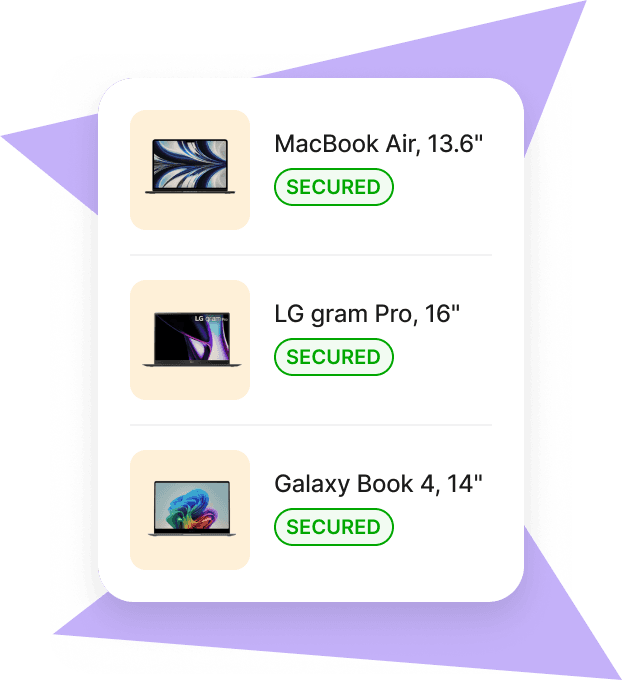
Devices shipped through Deel IT arrive pre-enrolled in MDM and pre-configured with security policies. That means device posture checks are reliable from day one, in 130+ countries. When employees exit, devices are collected and securely wiped, ensuring that authentication policies extend across the entire lifecycle.
Mobile Device Management
Authentication protocols
Authentication methods rely on underlying protocols to pass information securely between users, devices, and applications. These protocols define how credentials are exchanged, verified, and trusted across systems. The most common authentication protocols include:
- SAML (Security Assertion Markup Language): Widely used for enterprise single sign-on (SSO). SAML allows identity providers to authenticate users once and then pass assertions to multiple applications.
- OpenID Connect (OIDC): A modern protocol built on top of OAuth 2.0. OIDC is widely used by SaaS applications for secure, standards-based login.
- OAuth 2.0: Primarily an authorization protocol, but closely tied to authentication flows. OAuth allows users to grant limited access to resources without sharing full credentials.
- Kerberos: A long-standing protocol for authenticating within Windows domains and traditional enterprise environments. It uses tickets and symmetric cryptography to authenticate securely.
- RADIUS (Remote Authentication Dial-In User Service): Commonly used for network and VPN authentication, especially in Wi-Fi and remote access scenarios.
- FIDO2 and WebAuthn: Modern, hardware-backed standards designed for passwordless authentication. They use public key cryptography to resist phishing and credential replay attacks.
Each of these protocols has a place depending on the environment. Legacy enterprises may still rely heavily on Kerberos or RADIUS, while cloud-first organizations favor OIDC and FIDO2. Strong authentication systems usually support multiple protocols to accommodate both modern SaaS applications and older on-prem infrastructure.
Authentication methods ranked by security and convenience
The most secure authentication methods are often the least convenient for users. The right balance depends on your risk profile, workforce size, and regulatory requirements.
| Method | Security strength | User friction | Best use cases |
|---|---|---|---|
| Passwords only | Low: vulnerable to phishing and reuse | Low | Legacy applications, very low-risk systems |
| Password + SMS OTP | Medium: better than passwords alone but vulnerable to SIM swaps | Medium | Backup method, non-critical applicatios |
| Authenticator apps (TOTP) | High: resistant to many common attacks | Medium | General workforce MFA |
| Push-based MFA | High: easy to use, but risk of “push fatigue” | Low | Knowledge workers, SaaS logins |
| Hardware keys / FIDO2 passkeys | Very high: phishing-resistant, cryptographic | Medium | Admins, finance, regulated roles |
| Biometrics | High: tied to user’s unique traits | Low | Device unlock, passwordless login |
| Certificate-based auth | Very high: strong cryptography, device-level trust | High | Enterprises, regulated industries |
Passwords alone are no longer sufficient. The strongest methods combine multiple factors and add device signals. For most organizations, authenticator apps or push-based MFA provide a solid baseline, while hardware keys and passkeys are the gold standard for critical accounts.
See also: Top 10 MDM Solutions for Improving Device Security and Workforce Efficiency
Authentication strategies by scenario
Every organization needs to balance security and usability differently. The right authentication methods depend on company size, infrastructure, and risk tolerance.
SaaS-first SMB
Smaller, cloud-native companies benefit most from simplicity. A strong strategy here is to enforce single sign-on (SSO) across all applictions, require multi-factor authentication for every login, and start piloting passkeys or hardware keys for admins and finance roles. Device posture checks are often overlooked at this stage, but they can be enforced easily through MDM. Deel IT helps by shipping laptops pre-enrolled in MDM so posture signals are reliable from day one.
Hybrid mid-market
Mid-sized companies often run both SaaS and on-premises systems. In this case, a mix of authentication types is needed: SSO and MFA for cloud applications, certificate-based authentication for internal systems, and conditional access rules that step up authentication when risk is detected. A phased rollout of passwordless authentication can begin with higher-risk roles. Deel IT streamlines this by automating app provisioning and revocation during onboarding and offboarding, reducing the risk of orphaned accounts.
Regulated industries
Organizations in finance, healthcare, or government often need the highest assurance. Hardware security keys, certificate-based device authentication, and strict biometric requirements are common. Logging and auditability are critical, so authentication must tie directly into compliance systems. Deel IT adds operational support by ensuring compliant device lifecycle management, certified data erasure, and global recovery processes.
See also: IT Services For Small Business: What You Actually Need in 2025
Authentication vs authorization: Key differences
Although the terms are often used interchangeably, authentication and authorization solve different problems:
- Authentication: Verifies identity. It answers the question: “Who are you?”
Authorization: Defines permissions. It answers the question: “What are you allowed to do?”
Example: When an employee logs in with a password and hardware key, that is authentication. When the system checks their role and grants access to the HR system but not the finance database, that is authorization.
Strong authentication alone is not enough. Without well-defined authorization, users may receive more access than they need. Modern security models combine both: verifying identity accurately, then applying least-privilege access policies to minimize risk.
Case study
By switching to Deel IT’s global-first solution, Directional Pizza, the largest Pizza Hut franchise in the UK, can now hire across borders and seamlessly equip employees with the tech they need, wherever they are. IT assets are now procured, deployed, and managed across all countries from a single platform.
How Deel IT supports modern authentication
Even the strongest authentication methods depend on accurate device posture and up-to-date access controls across the employee lifecycle. This is where Deel IT supports authentication outcomes.
- Secure from day one: Devices arrive preconfigured and ready to use, ensuring consistent setup and reliable posture checks during authentication
- Built-in MDM enforcement: Native MDM ensures encryption, configuration, and security policies are consistently applied before users authenticate
- Access aligned with identity: Application provisioning and deprovisioning are tied to onboarding and offboarding, so authentication decisions always reflect current employment status
- Centralized device tracking: Track device ownership, status, and compliance from a single dashboard to support conditional access and zero-trust policies
- Lifecycle-backed security: Devices are repaired, replaced, recovered, or securely wiped with certified data erasure during offboarding
- 24/7 global IT support: Around-the-clock support helps resolve device, access, and policy issues quickly—reducing authentication failures and downtime
By pairing identity-first authentication with trusted, well-managed devices and automated access workflows, Deel IT helps organizations support a zero-trust model without adding operational complexity.
Book a demo to see how Deel IT strengthens your authentication strategy and supports secure, scalable IT operations for global teams.

Michał Kowalewski a writer and content manager with 7+ years of experience in digital marketing. He spent most of his professional career working in startups and tech industry. He's a big proponent of remote work considering it not just a professional preference but a lifestyle that enhances productivity and fosters a flexible work environment. He enjoys tackling topics of venture capital, equity, and startup finance.


