
Article
19 min read
2026 Top MDM Platforms for Hassle‑Free Employee Device Enrollment
IT & device management

Author
Anna Grigoryan
Last Update
January 06, 2026

Key takeaways
- Hassle-free device enrollment means employees can sign in and start working immediately, with apps and security policies applied automatically.
- Zero-touch enrollment programs like Apple Business Manager and Android Zero-Touch reduce manual IT setup by pre-enrolling devices before they reach the employee.
- The best MDM choice depends on your stack—Intune fits Microsoft-heavy orgs, Jamf Pro and Mosyle excel for Apple-first fleets, and tools like Scalefusion or Miradore suit cross-platform SMB–midmarket teams.
- Integrating MDM with identity and HR systems helps automate role-based policies, global provisioning, and compliant offboarding across the device lifecycle.
A hassle-free device enrollment experience means new hires log in and start working—without manual IT handoffs, complex setup guides, or shipping delays. In 2026, the simplest mobile device management enrollment for employees typically comes from platforms that combine zero-touch provisioning, identity integration, and cross-OS automation.
Strategic overview
In mobile device management, hassle-free enrollment means devices arrive pre-assigned, pre-configured, and secured, so employees authenticate with corporate credentials and immediately access the right apps and policies. The best experiences blend zero-touch enrollment, user-driven fallback options (such as emailed invites), and policy automation tied to role and location.
- Zero-touch deployment programs like Apple Business Manager and Android Zero-Touch let IT pre-enroll and configure devices at scale, with Apple-specific workflows.
- When zero-touch isn’t possible, invite-based enrollment and QR-based Android enrollment provide quick alternatives for bring-your-own-device and late-stage hires.
- Android offers multiple enrollment types (work profile, fully managed, corporate-owned work profile) that balance privacy and control.
- Buyer priorities in 2026 focus on automation, cross-platform support, identity integration, and governance.
- Independent roundups consistently emphasize cross-OS breadth and policy automation as core selection criteria.
For distributed teams, the enrollment method must also fit global logistics—pre-assigning devices in-country, mapping policies to local compliance requirements, and plugging into HR and identity systems to avoid manual, error-prone steps.
Deel helps operationalize this by syncing HR events to identity and MDM, pre-assigning devices to the right entity, and coordinating local shipping with compliance baselines applied by default.
Mobile Device Management
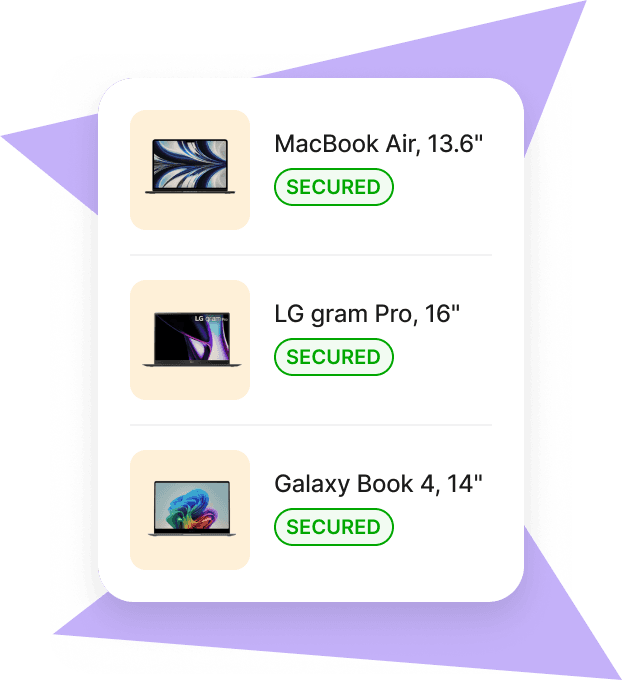
Simplify device enrollment with global HR integration
Deel unifies HR workflows, identity management, and compliance automation to streamline device enrollment for global teams. By connecting hiring, identity provisioning, and MDM orchestration, Deel helps IT and HR automate who gets what—devices, access, and policies—based on role, entity, and location. This approach reduces administrative friction, supports local regulatory requirements, and standardizes onboarding for in-office, remote, and international employees.
- HRIS integration: As soon as a candidate is marked “hired” in Deel, downstream tasks can trigger identity creation, license assignment, and MDM pre-enrollment aligned to job function and country.
- Identity alignment: Integrations with leading identity providers ensure employees use corporate credentials to enroll, minimizing setup time and boosting security.
- Compliance by design: Automated baselines (encryption, passcodes, OS version gates) and audit trails help satisfy country-specific rules and company policies.
Suggested flow from offer acceptance to day one:
| Step | Owner | Automation outcome |
|---|---|---|
| Offer accepted in Deel | HR | Role, location, and start date synced to IT |
| Identity provisioned | IT / Deel | Account created; SSO and groups assigned |
| Device pre-enrolled | IT | Zero-touch or invite enrollment is queued |
| Shipment arranged | Ops / IT | Device shipped locally to reduce customs delays |
| Employee signs in | Employee | Apps, profiles, and policies auto-apply |
| Compliance logged | IT / Sec | Evidence captured for audits and access reviews |
For deeper guidance on building a right-sized stack, see Deel’s overview of the best MDM for small businesses.
Deel IT: MDM orchestration for different audiences and pain points
Deel IT extends beyond HR workflows to orchestrate identity, MDM, and device logistics—eliminating manual steps that slow down global onboarding. It’s designed to meet teams where they are, whether you standardize on Intune, Jamf, Scalefusion, or another MDM.
Common pain points and how Deel IT addresses them:
IT & SecOps:
- Pain: Disconnected HR/IdP/MDM tooling causes manual group mapping, missed policies, and audit gaps.
- Solution: Deel syncs roles and start dates to your IdP and MDM, auto-assigns groups and app sets, enforces baseline policies, and captures evidence for audits and access reviews.
HR & People Ops:
- Pain: Cross-border logistics and late device arrivals derail day-one readiness.
- Solution: Deel routes device procurement and shipping through local entities, aligns accessories and imaging needs by role, and tracks readiness before start dates.
Security & Compliance:
- Pain: Inconsistent baselines across regions and contractors increase risk.
- Solution: Deel applies country-aware baselines (encryption, passcodes, OS versions), records attestations, and integrates with your MDM’s compliance engine for conditional access.
Finance & Operations:
- Pain: Unclear asset ownership and costly returns.
- Solution: Deel maintains asset records by entity, manages retrieval/offboarding, and provides cost visibility by team, location, and device type.
Implementation next steps for mid–bottom funnel teams:
- Connect Deel to your HRIS and IdP; map roles to app/policy bundles in your chosen MDM.
- Pilot with 10–20 upcoming hires across 2–3 countries; measure time-to-productive and compliance pass rates.
- Standardize zero-touch where possible; use Deel to trigger invite-based enrollment for exceptions (contractors, BYOD).
- Formalize offboarding workflows in Deel to reclaim devices, revoke access, and close audit loops.

Microsoft Intune
Microsoft Intune is a top choice for Microsoft 365 organizations because it natively integrates with Entra ID, enabling policy-based, zero-touch provisioning across Windows, macOS, iOS/iPadOS, and Android. For Microsoft-heavy stacks, setup is streamlined: devices can be shipped directly to employees, who sign in and receive apps and policies automatically, with compliance enforced across the suite.
Pair Intune with Deel to automate pre-enrollment, group assignments, and country-aware logistics from offer acceptance to day one.
Quick comparison snapshot:
| Platform | Licensing snapshot | Device support | Best fit |
|---|---|---|---|
| Microsoft Intune | Per-user or suite licensing via Microsoft 365 and Intune add-ons | Windows, macOS, iOS/iPadOS, Android | Microsoft-centric mid–large orgs seeking deep compliance |
| Jamf Pro | Quote-based, education/enterprise tiers | Apple only | Apple-first orgs needing same-day OS support |
| JumpCloud | Identity/device bundles per user | Windows, macOS, Linux; mobile policies | Mixed-OS teams prioritizing IAM + device |
| VMware Workspace ONE | Enterprise suite licensing | All major platforms | Regulated, large-scale fleets needing automation |
| Scalefusion | Tiered per-device plans | Windows, macOS, iOS/iPadOS, Android | Cross-platform SMB–midmarket ease of use |
| Miradore | Freemium + low-cost premium | Windows, macOS, iOS/iPadOS, Android | Small teams starting MDM |
Jamf Pro
Jamf Pro is widely regarded as the most streamlined path to enroll and manage Apple devices at scale, thanks to rich Apple Business Manager support, same-day iOS and macOS compatibility, and deep automation of Apple-native workflows. It is frequently considered best-in-class for Apple-first environments, especially in education and creative industries where day-one OS support and rapid deployment matter most.
Typical adopters range from mid-sized teams to large Apple fleets; pricing is quote-based, with education discounts and add-ons available for specialized use cases.
Teams commonly pair Jamf with Deel to trigger ABM assignments, Jamf prestage enrollment, and license provisioning based on start date, role, and entity.
JumpCloud
JumpCloud merges identity and device management, simplifying enrollment and policy control for mixed-OS organizations. Teams can provision user accounts, group memberships, and device policies from one place while supporting iOS, macOS, Windows, and Linux endpoints.
Deel complements JumpCloud by syncing hiring events to directory groups and device policies, reducing manual mapping and accelerating time-to-productivity across regions.
VMware Workspace ONE
VMware Workspace ONE suits enterprises that need robust automation, real-time compliance, and granular governance—especially for shared or sensitive devices in sectors like healthcare and retail. It enforces policies at scale across major platforms, integrates with complex enterprise stacks, and supports advanced lifecycle workflows.
Combining Workspace ONE with Deel helps orchestrate onboarding and offboarding steps, align policies by role and region, and capture compliance evidence for audits in regulated environments.
- Pros: Powerful automation, mature compliance and reporting, extensive integrations
- Cons: Can be complex for smaller teams; requires careful rollout planning
Hexnode UEM
Hexnode UEM offers an affordable, scalable path to multi-OS management with strong kiosk capabilities and policy automation. It’s attractive to organizations that need breadth (Windows, macOS, iOS/iPadOS, Android) without enterprise-suite complexity. Hexnode is commonly shortlisted in industry roundups for its balance of features and value, and provides trials to validate enrollment workflows in your environment. Typical adopters include retail, healthcare, education, and services SMBs scaling to midmarket.
With Deel, SMBs can connect HR events to Hexnode policies, automate device assignment, and standardize global shipping and returns.
Scalefusion
Scalefusion is known for straightforward, cross-platform device management that’s accessible to SMBs and midmarket teams. It supports Windows, macOS, iOS/iPadOS, and Android, earning high marks for ease of use and quick cross-OS administration.
Deel further accelerates Scalefusion rollouts by auto-inviting users, mapping roles to policy sets, and coordinating in-country device shipments.
Where Scalefusion fits best:
- Multi-OS fleets that prioritize speed-to-enroll and intuitive dashboards
- Operational use cases in healthcare, logistics, retail, and education
- Teams replacing ad-hoc tools with centralized profiles and automation
Mosyle
Mosyle delivers cost-effective, Apple-centric MDM with rapid enrollment, ABM support, and transparent tiered pricing—well-suited to small Apple fleets and remote-first companies. Mosyle’s free tier and entry-level pricing are around $1/device/month, making it an easy on-ramp for startups and growing teams that want Apple-specific depth without enterprise overhead.
Pairing Mosyle with Deel helps startups automate ABM assignments, group membership, and app deployment from offer acceptance through day one.
Choose Mosyle when:
- You’re primarily Apple and want fast ABM-driven rollouts
- You need transparent, low-cost tiers and straightforward scaling
- You value rapid same-day Apple OS support
Miradore
Miradore is an accessible MDM for small teams beginning their device management journey. It offers a freemium model with simple onboarding and cross-platform support, and premium plans starting around $2.30/device/month. It’s well-suited to gradual cloud adoption and standardizing basic security baselines.
When paired with Deel, small teams can trigger invite-based enrollments for exceptions, enforce baseline security by role, and manage global logistics without heavy IT overhead.
- Pros: Quick start, low cost, cross-OS coverage
- Cons: Limited advanced features and governance for large enterprises
Esper
Esper specializes in Android fleets, bringing DevOps-style controls, advanced automation, and real-time telemetry to dedicated devices, kiosks, and digital signage. It’s a strong fit when you need tight OS control, staged rollouts, and granular fleet monitoring at scale.
Integrating Esper with Deel lets operations map roles to kiosk profiles, coordinate country-specific deployments, and maintain audit trails across large dedicated device fleets.
Consider Esper for:
- Dedicated Android device fleets (point-of-sale, signage, field devices)
- Version-pinned deployments and staged updates
- Deep telemetry and remote automation requirements
FAQs
What enrollment methods enable zero-touch setup for employees?
Zero-touch is enabled by programs like Apple Business Manager, Android Zero-Touch, and Samsung Knox, which pre-assign devices to your MDM so policies and apps apply automatically at first sign-in. Deel helps ensure those devices are pre-assigned based on HR data, entity, and role, reducing manual steps.
How does identity integration improve device enrollment experiences?
Linking MDM to Entra ID or other SSO providers lets employees enroll with corporate credentials, reducing manual steps and ensuring access and policies are tied to the user’s role from day one. Deel connects these identity events to MDM orchestration so credentials, groups, and device policies stay in sync.
What are the key criteria to choose the right MDM for employee onboarding?
Ensure support for your primary device types, tight identity integration, robust automation, and scalable compliance controls that match your risk profile and team size. Pairing your MDM with an orchestration layer like Deel helps translate HR data into role-based policies, global logistics, and audit-ready evidence.
How can companies balance ease of enrollment with device security policies?
Automate baseline policies—encryption, passcodes, OS version checks—during enrollment so security is enforced by default without adding extra manual steps for new hires. Deel can enforce these baselines by country and role, capturing compliance during the enrollment flow.
What are the common challenges during MDM enrollment, and how to avoid them?
OS fragmentation, identity mismatches, and manual setup errors are common; mitigate by standardizing enrollment methods, piloting workflows, and using vendor trials to validate your stack before scale. Deel reduces these risks by syncing HR and identity data to MDM policies, coordinating in-country shipping, and logging evidence for audits.
Anna Grigoryan is an SEO and Content Manager with 6+ years of experience in digital marketing and content strategy. She specializes in optimizing & creating high-impact, search-driven content in the tech and HR space, with a focus on global work, people operations, and the evolving world of employment. When she’s not optimizing content for growth, she’s exploring new trends in marketing and technology. Connect with her on Linkedin.


