
Article
8 min read
Best 7 MDM Solutions for Real‑Time Security and Compliance Visibility in 2026
IT & device management

Author
Dr Kristine Lennie
Last Update
March 31, 2026

Staying ahead of device risk isn’t just about having the right software—it’s about having the right visibility. In 2026, knowing exactly which devices are compliant and which controls are active in real-time is the difference between a productive day and a security incident.
As teams become more distributed, the "old way" of managing hardware—juggling multiple local vendors and manual spreadsheets—is officially retired. Modern Mobile Device Management (MDM) is no longer a standalone tool; it’s the centralized nervous system for securing smartphones, tablets, and laptops across your entire global workforce.
This comparison spotlights seven MDM solutions built for the speed of modern business, featuring real-time dashboards, zero-touch deployment, and deep identity integrations. Whether you’re an Apple-only shop or managing a diverse mixed-OS fleet, these platforms ensure your security status is always audit-ready, and your operations remain uninterrupted.
Device Lifecycle Management
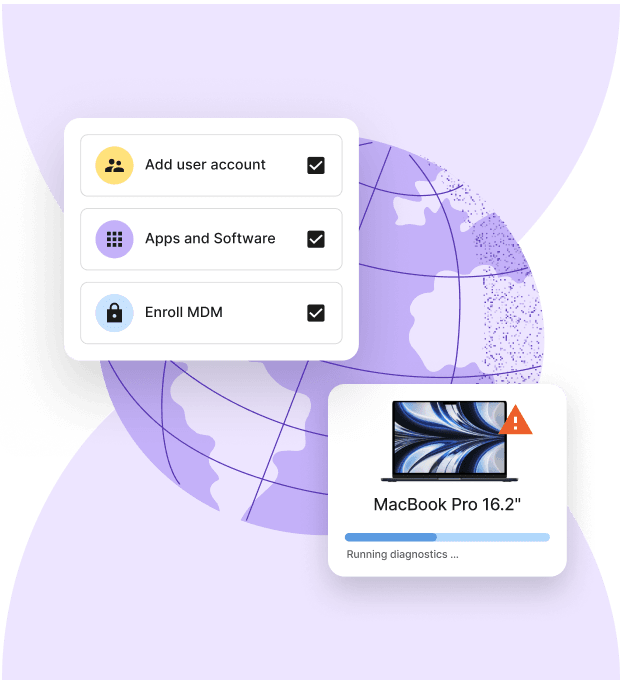
Deel IT
For companies operating across borders, device security is just one part of a larger compliance picture. Deel IT unifies these moving parts so IT and HR can onboard, manage, and audit devices alongside workforce data—reducing duplication and risk.
By integrating device management directly into the hiring workflow, Deel IT ensures that security is never an afterthought, but a "day one" standard for every team member, regardless of their location.
Key features for real-time global compliance
- Zero-touch global deployment: Automatically ship pre-configured laptops to 130+ countries. Devices arrive with the right apps and security policies pre-installed via Apple Business Manager or Windows Autopilot
- HR-driven provisioning: Trigger device orders and account creation automatically when a contract is signed. Deel syncs with your HRIS to ensure the right hardware reaches the right person based on their role and entity
- Unified security dashboards: Monitor your entire fleet’s health in real-time. View encryption status, OS versions, and compliance posture across Windows, macOS, and Linux from a single interface
- Automated policy enforcement: Instantly apply security baselines—including mandatory disk encryption, password complexity, and firewall settings—the moment a device is enrolled
- Global lifecycle management: Manage the "messy" parts of IT scale—procurement, 24/7 hardware support, local repairs, and secure device recovery—without juggling dozens of regional vendors
- Managed endpoint protection: Safeguard devices with AI-driven threat detection powered by CrowdStrike Falcon, fully managed by Deel IT to block malware and ransomware 24/7
- Certified data erasure: When a team member moves on, Deel manages the return logistics and provides auditable certificates of data destruction to satisfy GDPR, SOC 2, and HIPAA requirements
- Real-time remote actions: Execute critical security commands—like remote lock, restart, or full wipe—instantly if a device is reported lost or a contract is terminated
Resources to support global visibility and compliance
Maintaining total visibility and security across a distributed fleet is a cornerstone of modern compliance. Use these resources to strengthen your global oversight and ensure your deployment and recovery processes:
- Establish a foundation for global security: Standardize your security across every operating system to eliminate blind spots. Use our Free IT Policy Template.
- Bridge the compliance gap in your laptop lifecycle: Ensure your deployment and recovery processes maintain a clear chain of custody across borders with our Onboarding & Offboarding Guide for Distributed Teams.
- Scale your infrastructure with visibility: Build a high-performance fleet that prioritizes data sovereignty and global expansion. Here is our: IT Strategy Toolkit: 2026 Guide.
- Formalize secure global provisioning: Create a consistent, auditable method for equipment delivery and retrieval. Use our Equipment Provisioning for Remote and Global Teams Policy Template.
Jamf Pro
Jamf Pro is an Apple-specialized management platform for monitoring macOS and iOS devices. It provides continuous data tracking and automated system checks to maintain alignment with specific security benchmarks.
Key capabilities
- Apple-native data tracking: Monitors system-level activities and security events across macOS and iOS to provide live activity logs
- Smart groups: Uses live device criteria (such as encryption status or OS version) to trigger security patches or configuration updates
- Zero-day support: Delivers for Apple security updates the day they are released
- Self-service portal: Offers a pre-approved library of applications and security scripts that employees can install without administrative privileges.
Limitations
- Single-OS: Jamf Pro provides no visibility for Windows or Android, creating a fragmented compliance view for teams using mixed operating systems
- Disconnected HR context: The platform monitors the device state but lacks real-time awareness of employee status, such as contract terminations or relocation to restricted regions
- No physical enforcement: Jamf can identify a non-compliant device, but lacks the global infrastructure to physically recover hardware or manage local repairs
- Manual audit preparation: Unlike Deel IT, which consolidates IT and HR records for simplified auditing, Jamf requires manual data exports to prove who had access to what hardware and when
Microsoft Intune
Microsoft Intune is an endpoint management platform for the Microsoft 365 ecosystem. It uses conditional access to dynamically block or allow access to company data based on a device's current security state.
Key capabilities
- Conditional access enforcement: Blocks devices from accessing applications if they fail live security checks, such as missing encryption or an outdated operating system
- Cross-platform support: Manages security policies for Windows, macOS, iOS, Android, and Linux from one console
- Automated patching: Pushes software updates to devices automatically
- Selective data wipe: Removes only corporate data from personal devices while leaving personal photos and apps untouched, maintaining privacy and compliance
Limitations
- Inconsistent policy depth: While Intune supports macOS and Linux, it offers fewer native security toggles for them compared to Windows
- Complex technical setup: Configuring security policies and conditional access requires specialized IT knowledge
- Delayed status updates: Device compliance information and application deployments may not reflect instantly, depending on device check-in intervals and configuration
- No hardware logistics: Intune manages software settings but cannot ship a physical laptop to a hire in another country or handle the customs paperwork for global delivery.
- Fragmented hiring workflow: Unlike Deel IT, which triggers device shipping and security enrollment automatically upon contract signature, Intune requires manual user assignment for every new hire.
- Limited recovery services: Intune can lock a device remotely, but it offers no physical infrastructure to collect hardware from a former employee or provide certified data erasure
VMware Workspace ONE
Omnissa Workspace ONE (formerly VMware Workspace ONE) supports various device types and operating systems. It uses a zero-trust model to verify user identity and device health.
Key capabilities
- Multi-OS management: Supports Windows, macOS, iOS, Android, and Linux
- Zero-trust security: Evaluates devices and user risk levels in real-time to decide if access to applications should be granted
- Automated remediation: Triggers automated workflows—such as remote locking or configuration updates—when a device falls out of compliance with security baselines.
- Virtual application delivery: Integrates with Horizon to provide secure access to virtual desktops
Limitations
- Operational complexity: Configuring the platform and its automation engine requires specialized IT engineering staff and significant manual setup time
- No physical lifecycle services: The platform is limited to software management; it does not offer hardware procurement, international shipping, or repair services.
- Fragmented HR workflows: Require manual synchronization between IT and HR data
- Physical recovery gaps: While the software can lock a device, Omnissa lacks the global infrastructure required to physically collect hardware
ManageEngine Mobile Device Manager Plus
ManageEngine Mobile Device Manager Plus supports iOS, Android, Windows, macOS, ChromeOS, and tvOS. It provides centralized control for device profiles, application life cycles, and basic security policies across mixed fleets.
Key capabilities
- Broad OS support: Manages a diverse inventory of smartphones, laptops, tablets, and TVs from a single console
- Containerization: Separates personal data from corporate data on employee-owned devices by creating encrypted work profiles
- Remote troubleshooting: Allows IT administrators to view and control mobile screens remotely to resolve configuration issues or security risks
Limitations
- Manual device handling: The platform manages software configurations but does not provide a service to purchase hardware, ship, or manage customs
- Lack of HR-integrated automation: Device enrollment is not automatically triggered by employment contracts, requiring IT to manually add users and assign security profiles for every new hire
- No physical asset recovery: While the software can signal a security breach, it lacks the global infrastructure to physically retrieve hardware or provide certified data erasure for retired devices
- Fragmented audit logs: IT logs remain separate from HR and payroll records, increasing the manual effort required to produce unified compliance reports for global audits
Kandji
Kandji is an Apple-specialized management and security platform that works with macOS, iOS, iPadOS, and tvOS. It enforces security settings and remediates non-compliant configurations automatically.
Key capabilities
- Compliance monitoring: Scans devices and automatically repairs security settings if they drift from the defined baseline.
- Configuration: Uses pre-configured templates for common security frameworks (like CIS or NIST) to deploy standardized security profiles across different teams.
- Automated application patching: Updates third-party software automatically via the "Auto Apps" library.
- Branded "Liftoff" onboarding: Provides a guided setup experience for new users, installing all necessary applications and security configurations the first time they log in to a new Mac
Limitations compared
- No support for mixed fleets: Kandji is strictly for Apple devices, so organizations with Windows or Android users must maintain a separate MDM platform, creating fragmented security visibility.
- Lack of hardware logistics: The platform is a software-only tool; it does not offer services for purchasing hardware, shipping devices, or handling customs logistics.
- Disconnected HR lifecycle: Compliance is monitored at the device level, but does not automatically sync with employment status changes (like a contract ending or a role change) without manual intervention
- No physical retrieval service: While the software can lock or wipe a device, it lacks the global infrastructure to physically recover hardware from a former employee or provide certified data erasure.
- Manual auditing across departments: Because it does not integrate with payroll or global hiring data, auditors must manually cross-reference Kandji’s reports with HR records to prove compliance
AppTec360
AppTec360 is a management platform that supports ChromeOS, Android, Apple iOS/macOS, and Windows.
Key capabilities
- GDPR-compliant architecture: Processes and stores data in alignment with European privacy regulations, ensuring all administrative actions meet strict legal standards
- Encrypted containerization: Creates secure partitions on devices to isolate corporate applications and data from personal user content
- Automated enrollment: Supports zero-touch deployment via Apple ADE, Android Enterprise, and Microsoft Autopilot to configure devices as soon as they are powered on
- Kiosk and digital signage mode: Restricts devices to specific applications or web URLs, which is used for single-purpose hardware in retail or logistics
Limitations compared to Deel IT
- Niche regional focus: It lacks the broader global support infrastructure found in Deel IT's 130+ country network
- No hardware lifecycle services: The platform provides security software, but does not manage the physical purchase, international shipping, or repair of laptops
- Manual HR synchronization: Compliance monitoring is not natively linked to hiring contracts; IT must manually update user records when employees join or leave the company
- Limited physical recovery: AppTec360 can lock a device remotely, but does not offer the global logistics required to physically collect and store hardware from former employees
- Fragmented auditing: Users must manually combine IT security logs with HR data to generate a complete compliance report for global audits.
Miradore
Miradore provides a centralized dashboard to monitor Android, iOS, Windows, and macOS devices, offering pay-as-you-go pricing for larger teams.
Key capabilities
- Live status monitoring: Tracks device health, encryption status, and OS versions in real-time
- Automated business policies: Deploys security settings, such as passcode requirements and WiFi configurations, to groups of devices automatically upon enrollment
- Remote security actions: Executes remote lock, wipe, and password reset commands from the dashboard
- Patch management: Deploys updates for Windows and macOS without user intervention
Limitations compared
- Physical logistics gap: Miradore is a software-only tool; it does not provide the infrastructure to purchase, ship, or repair hardware across different countries
- Manual HR alignment: Compliance monitoring is disconnected from hiring data, requiring IT to manually assign devices and revoke access when an employee’s contract ends.
- Incomplete recovery loop: The platform can lock a device, but cannot physically retrieve it, and no certification is provided for the data wipe
- Basic audit integration: Security logs exist in a silo, meaning auditors must manually cross-reference Miradore data with HR and payroll records to prove total workforce compliance
Equip your global fleet with Deel IT
As your team scales, managing equipment often becomes a logistical bottleneck. Deel IT eliminates this friction by standardizing how your entire fleet is procured, secured, and managed across 130+ countries.
Deel IT provides continuous visibility into your global inventory through a unified dashboard that links real-time device health directly to employee contracts. Monitor security compliance across all operating systems while automating the "physical" side of the lifecycle—including customs management, hardware repairs, and certified data erasure for secure offboarding.
By linking device health, employee status, and global hardware workflows, Deel IT delivers a continuous compliance signal across both digital and physical risk layers.
Book a demo to see how Deel IT simplifies MDM and device lifecycle management for all your devices.
Deel IT

FAQ
What are the essential features for real-time security and compliance in MDM?
Key features include real-time device compliance monitoring, automated threat alerts, centralized policy management, and audit-ready reporting dashboards.
How do MDM solutions support multi-platform device management?
Leading MDMs manage iOS, Android, Windows, and macOS devices from a single dashboard, providing unified security policies and app deployment tools.
Are there free trials or versions to evaluate MDM platforms before purchase?
Yes, many MDM platforms offer free trials or versions—such as Miradore’s free plan for up to 25 devices—so organizations can test features before a full rollout.
What criteria should organizations prioritize when selecting an MDM?
Organizations should consider cross-platform support, integration with identity providers, real-time compliance dashboards, automation features, and pricing fit.
How do MDM solutions ensure ongoing compliance in hybrid and remote work environments?
MDM platforms ensure ongoing compliance by continuously monitoring device status, enforcing security policies automatically, and providing instant remediation for non-compliant devices.
Dr Kristine Lennie holds a PhD in Mathematical Biology and loves learning, research and content creation. She had written academic, creative and industry-related content and enjoys exploring new topics and ideas. She is passionate about helping create a truly global workforce, where employers and employees are not limited by borders to achieve success.


