
Article
9 min read
Endpoint Management With Deel IT: Complete Guide
IT & device management

Author
Ellie Merryweather
Last Update
December 15, 2025

Endpoint management, the process of monitoring and securing all devices that connect to a company’s network, is critical for a modern, distributed workforce. Laptops, smartphones, tablets, and even Internet of Things (IoT) devices must be properly configured and kept updated. Otherwise, you risk creating weak spots in your organization’s security.
In this guide, you’ll learn what efficient and comprehensive endpoint management looks like, and how it can be simplified and made scalable with Deel IT.
What is endpoint management?
Remote work offers numerous benefits, but there are, of course, security risks to be managed. This is especially true for globally distributed teams, or those with a Work From Anywhere policy. Not only do you have employees potentially signing into unsecured public WiFi networks on company devices, but different countries have different cybersecurity requirements. And what happens when security breaches occur in one timezone, while your IT team is asleep in another?
Endpoint management should be 24/7, and protect against a variety of threats:
- Unauthorized access
- Data leakage or loss
- Network infiltration
- Missing OS/app updates
- Network infiltration
- Malware, ransomware, and viruses
- Phishing and social engineering
- Software licensing risks
- Shadow IT
With endpoint management, IT teams can monitor and manage any device used for work purposes by employees. They can roll out updates automatically, respond swiftly to threats, and keep data secure in case of device theft or loss. This keeps teams connected, secure, and productive.
Features of Deel IT endpoint management
Endpoint management can involve hours of manual work for IT teams, leaving the door open for human error and preventing IT from focusing on more strategic work. Endpoint protection with Deel IT provides a more streamlined experience that prevents vital security measures from falling through the cracks, while regaining valuable time for teams. Key features include:
- Global device procurement and configuration: Ensures employees anywhere get properly set-up devices delivered and ready to work from day one.
- Compliance and security enforcement: Keeps every device aligned with company security rules, no matter where the user is located.
- 24/7 remote support and device management: Provides round-the-clock help and fixes for devices without needing them physically in hand.
- Integration with Identity Access Management (IAM): Makes signing in secure and consistent across apps and regions with unified user access controls.
- Managed endpoint protection services: Protects all devices worldwide from threats like malware and ransomware with always-on security tools.
- Real-time monitoring, reporting, and audit readiness: Tracks device health and security instantly so teams are always prepared for audits or compliance checks.
Endpoint Protection
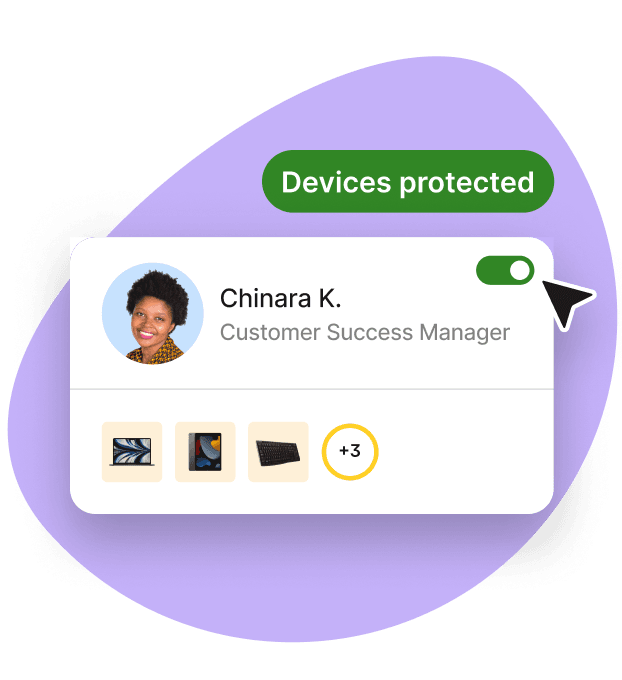
Global device procurement and configuration
Deel IT streamlines hardware sourcing and setup for international teams, boosting productivity from day one. Rather than juggling multiple vendors and navigating global logistics challenges, Deel IT streamlines the process from purchasing/leasing to delivery and configuration. Ship pre-configured devices directly to employees worldwide, even in typically hard-to-reach locations, while reducing onboarding time and IT overhead.
Complementary reading
Compliance and security enforcement
Always-on compliance is one of the most impactful benefits of Deel IT for globally distributed teams. Keeping up with security and compliance policies while operating across borders is challenging, time-consuming, and risky when done manually.
Deel IT automates the monitoring of device health and security to prevent vulnerabilities. Industry and regional security standards on endpoints (e.g., GDPR, HIPAA) are also automatically applied. Audit logs, geo-ware policy enforcement, and automated patching are also supported to maintain regulatory compliance seamlessly.
Complementary reading
Remote support and device management
When your endpoint devices are on the move (in coworking spaces, on public transport), your organization’s data is going with them. Remote endpoint lifecycle control is critical for decentralized or hybrid teams, keeping your business protected no matter where your teams’ devices are.
With Deel IT, you’re able to remotely lock or erase devices in case of loss or theft, or to keep data secure during offboarding. It also allows you to troubleshoot or organize repairs and replacements for malfunctioning devices, keeping downtime to a minimum.
Integration with identity and access management
IAM ensures that only authorized personnel have access to certain tools, channels, and data. For HR, this means that employees have the tools they need to perform their jobs without jeopardizing security. Deel IT integrates seamlessly with major identity providers (IdPs) like Microsoft Entra, Okta, and Google Workspace, making it simple to manage who has which permissions.
Complementary reading
Managed endpoint protection services
Endpoint protection refers specifically to proactive threat prevention and cybersecurity compliance, easily managed across all endpoints with Deel IT. Through our collaboration with top security partners, CrowdStrike Falcon, you get 24/7 monitoring, threat detection, and automatic response. This means that all attacks are dealt with swiftly, no matter where or when they occur, with automatic response actions such as device isolation, automated patching, and remote data wipe on compromised endpoints.
There are two different levels of protection available. Both offer best-in-class protection, but Falcon Pro is best suited for SMBs, and Falcon Enterprise is designed for enterprises and high-risk industries needing advanced security.
| Feature / Capability | Purpose | Falcon Pro | Falcon Enterprise |
|---|---|---|---|
| Next-Gen Antivirus (NGAV) | Protects devices from modern malware and viruses. | Yes | Yes |
| USB Device Control | Blocks unsafe USB drives to prevent data leaks or infections. | Yes | Yes |
| Firewall Management | Helps control what network traffic can enter or leave a device. | Yes | Yes |
| Basic Threat Intelligence | Gives insight into common threats so devices stay protected. | Yes | Yes |
| Real-Time Response (RTR) | Allows security teams to fix issues on devices remotely. | Basic | Advanced |
| Endpoint Detection & Response (EDR) | Detects suspicious activity and helps investigate attacks. | No | Falcon Insight XDR |
| 24/7 Threat Hunting (OverWatch) | Security experts watch for threats around the clock. | No | Yes |
| Cross-Domain Threat Correlation | Connects clues across devices, networks, and apps to spot complex attacks. | No | Yes |
| CrowdScore (Risk Scoring) | Shows overall security risk in real time. | No | Yes |
| Security Workflow Automation | Automates security tasks to respond faster to threats. | No | Falcon Fusion |
Monitoring, reporting, and audit readiness
A comprehensive, real-time view of your team’s devices is useful day-to-day, but critical for audit preparation, especially in regulated organizations. Deel IT continuously tracks device compliance, health, and policy status, generating automated, audit-ready documentation. Instead of scrambling, audit logs and policy histories are exportable on demand, making it easier to respond to regulatory or client due diligence requests.
Getting started with endpoint management with Deel IT
1. Start with a conversation about your team’s devices and locations: Map out how many devices your employees use, where they work, and any compliance requirements. Deel IT reviews your current setup and identifies areas that need protection or standardization.
2. Choose the plan and security tools that fit your organization: Select the level of protection you need based on your company’s risk level, size, and industry.
3. Connect your employee accounts and access systems: Deel IT links to your identity provider (like Entra, Okta, or Google) so the right people get the right access automatically.
4. Set the rules for how devices should be secured in each region: You define requirements like encryption, software updates, access permissions, and data protection policies, adapted to local laws when needed.
5. Create standard device setups for each role and location: Deel IT builds ready-to-use device templates so laptops arrive already configured for employees’ jobs and regions.
6. Test with a small group before expanding: A pilot rollout helps confirm everything works smoothly (apps, security settings, and compliance) before going company-wide.
7. Roll out globally with automatic onboarding and ongoing monitoring: Once everything is validated, new hires automatically receive secure devices, and your teams get clear reporting and continuous improvements over time.
Best practices for effective endpoint management
Even the best tools can be made more effective by following best practices for endpoint management. For HR and IT to get the most out of Deel IT, and to keep employees connected and secure, follow these steps:
- People have a habit of delaying updates or forgetting them altogether. Automate patching and software updates to fix vulnerabilities quickly.
- Use role-based access controls to give employees only the permissions they need.
- Standardize device configurations and zero-touch provisioning for each role and location.
- Maintain an up-to-date inventory of all devices and assigned users. This is automatic and monitored in real-time for all devices enrolled in Deel IT.
- Conduct regular device audits to check compliance and security settings. In Deel IT, audit logs and policy histories are exportable on demand.
- Require multi-factor authentication for all devices, to keep them secure if passwords are compromised.
- Align IT and HR workflows for onboarding, role changes, and offboarding. When Deel IT is used with Deel HR, these workflows can be automated for better synchronicity.
- Provide ongoing employee training on safe device use and data security.
- Monitor devices continuously to detect unusual activity and emerging threats. With managed endpoint security, this is available 24/7 with Deel IT.
- Follow local regulations when deploying devices internationally.
- Avoid giving broad admin rights to users unnecessarily. Manage permissions based on role and location for improved security.
Centralized management for stronger collaboration and smoother IT Ops, with Deel IT
Bringing endpoint security, monitoring, and IT operations for global teams under one platform creates centralized endpoint management. This simplifies workflows, enables consistent policy enforcement, and reduces costs.
To see how Deel IT can help you with scalable, secure endpoint management, book your 30-minute demo.
Live Demo
Get a live walkthrough of the Deel platform

Ellie Merryweather is a content marketing manager with a decade of experience in tech, leadership, startups, and the creative industries. A long-time remote worker, she's passionate about WFH productivity hacks and fostering company culture across globally distributed teams. She also writes and speaks on the ethical implementation of AI, advocating for transparency, fairness, and human oversight in emerging technologies to ensure innovation benefits both businesses and society.


