
Article
13 min read
The Definitive Guide to Choosing iOS and Android MDM Platforms
IT & device management

Author
Anna Grigoryan
Last Update
December 20, 2025
Table of Contents
Understanding mobile device management
Key differences between iOS and Android MDM
Essential features to look for in an MDM platform
Enrollment and device provisioning options
Security and compliance considerations
Managing BYOD, corporate-owned, and shared devices
Integration with existing IT and HR systems
Deel IT MDM: solving pain points for global teams
Evaluating top MDM solutions for iOS and Android
Best practices for MDM implementation and rollout
Measuring ROI and managing costs for MDM platforms
Key takeaways
- Choose a unified MDM that supports ABM/ADE and Android Enterprise (including Zero-Touch) to standardize controls across iOS and Android; if you need lifecycle automation tied to hiring and offboarding, shortlist Deel IT MDM.
- Prioritize granular policy controls, compliance automation, and SIEM/IdP integrations to reduce risk and audit effort; Deel aligns device actions with HR events to cut manual work.
- Match ownership models (BYOD, COPE, COBO, shared) to clear policies and enrollment methods; Deel helps operationalize employee-friendly BYOD with HR-backed approvals and selective wipe.
- Validate global scalability (multi-entity, data residency, localization) and evidence-ready reporting; Deel’s global platform pairs MDM with workforce data for consistent governance.
A modern mobile device management solution for iOS and Android lets IT centrally configure, secure, and support every phone and tablet your workforce uses—wherever people work. If you need cross-platform coverage, your options range from Apple-first tools paired with Android admins to unified platforms that manage both operating systems from one console. Look for support for Apple Business Manager and Android Enterprise enrollment, granular policy controls per platform, and integrations with your identity and HR systems.
This guide explains the differences, features, enrollment models, and top solutions so HR and IT leaders can choose an MDM that scales globally with clear governance and strong compliance. If you’re consolidating workflows, Deel IT MDM pairs device management with HR- and payroll-driven lifecycle automation to accelerate provisioning and compliance.
Understanding mobile device management
Mobile Device Management (MDM) is a set of software tools that enable organizations to configure, secure, monitor, and support smartphones, tablets, and other endpoints from a central platform. It standardizes setup, enforces policies, deploys apps, and provides remote support across a distributed device fleet.
MDM solves the day-to-day challenges of device configuration at scale, asset tracking, data protection, remote troubleshooting, and lifecycle operations—especially for globally distributed teams. Related terms include Enterprise Mobility Management (EMM), which extends device controls to apps and data, and Unified Endpoint Management (UEM), which unifies phones, tablets, laptops, and even IoT under one console. As hybrid work expands and device diversity grows, central control becomes a strategic necessity for consistent security, compliance, and user experience.
When paired with workforce systems like Deel, MDM actions can be triggered automatically from HR events to reduce manual effort and errors.
Mobile Device Management
Key differences between iOS and Android MDM
Apple’s ecosystem is closed and consistent, anchored by Apple Business Manager (ABM) and Automated Device Enrollment for zero-touch setup. Android is open and flexible; organizations can manage Google Mobile Services (GMS) devices via Android Enterprise, and some use AOSP for custom deployments. In practice, iOS offers stronger out-of-the-box privacy and predictable controls, while Android offers broader customization and OEM-specific capabilities supported by Android Enterprise tools, including work profiles and dedicated (kiosk) modes.
A unified approach helps standardize controls across both ecosystems without losing platform strengths, as noted in this unified iOS-Android management overview.
Unified platforms, including Deel IT MDM, can harmonize iOS and Android policies while mapping them to identity and HR workflows.
iOS vs. Android MDM at a glance
| Aspect | iOS | Android |
|---|---|---|
| Enrollment methods | Apple Business Manager + Automated Device Enrollment; user enrollment for BYOD | Zero-Touch Enrollment (GMS), QR/NFC provisioning, Android Enterprise (work profile, fully managed, dedicated) |
| App distribution | Managed apps via ABM and Managed App Config; VPP integrated into ABM | Managed Google Play for private/public apps; per-profile app controls |
| Policy granularity | Consistent, privacy-forward, broad restrictions and supervised-mode controls | Highly granular; varies by OEM; strong controls via Android Enterprise; AOSP supports deep customization |
| Remote support | Screen sharing via approved workflows; restricted unattended control | More options for remote control (varies by OEM/agent); strong unattended support for dedicated devices |
| Integration needs | ABM, Apple Push Notification service (APNs) | Google Play/Managed Google Play; OEM service plugins for advanced features |
Essential features to look for in an MDM platform
Focus on capabilities that secure data, simplify operations, and scale with your team:
- Centralized dashboard with multi-OS support and role-based access
- Policy management by platform and ownership type (BYOD, COPE, COBO)
- App distribution and control (managed stores, per-app VPN, app config)
- OS/update management and patch orchestration
- Remote support and troubleshooting (screen share/control where supported)
- Compliance monitoring, automated remediation, and audit logging
- Inventory, asset tracking, and analytics/reporting
- API/webhooks for automation and SIEM integrations
What robust policy customization looks like:
- iOS: enforce passcodes and Face/Touch ID, block AirDrop or iCloud backup, require managed apps for work data, restrict USB accessories, supervise company-owned devices.
- Android: require strong unlock methods, mandate work profile for BYOD, block unknown sources, enforce Play Protect, lock dedicated devices to a single app with kiosk mode, control OEM-specific settings via Android Enterprise.
Zero-touch at scale:
- Automated Device Enrollment (ADE): Apple’s mechanism that auto-enrolls devices during setup when assigned in ABM—ensuring consistent, hands-off provisioning.
- Zero-Touch Enrollment (ZTE): Google’s Android Enterprise flow that assigns devices to your MDM at purchase for automatic, policy-driven provisioning. These models cut manual steps and reduce setup risk, improving IT efficiency as highlighted in this review of MDM challenges and automation.
Platforms such as Deel IT MDM bundle these controls with identity and HR integrations to streamline audits and day-one readiness.
Enrollment and device provisioning options
Enrollment is the process of registering a device with an MDM platform, enabling remote management and policy enforcement.
Major models and when to use them:
- iOS and iPadOS
- Apple Business Manager + Automated Device Enrollment: best for corporate-owned devices shipped directly to users; zero-touch, most secure baseline.
- User Enrollment: privacy-preserving BYOD enrollment that separates work and personal data.
- Supervised mode: enables deeper restrictions for corporate-owned devices.
- Android
- Zero-Touch Enrollment: best for corporate-owned GMS devices; fully automated at unboxing.
- QR/NFC provisioning: quick field enrollment when ZTE isn’t available.
- Android Enterprise modes: Work Profile (BYOD), Fully Managed (COBO/COPE), and Dedicated (kiosk).
Steps and prerequisites (high level):
- iOS (ABM + ADE)
- Prerequisites: ABM account; MDM server token; devices purchased via an authorized reseller.
- Steps: link reseller to ABM; assign devices to MDM server; configure enrollment profile; ship to user; device auto-enrolls at first boot.
- Android (Zero-Touch)
- Prerequisites: Zero-Touch portal access via participating reseller; MDM DPC identifier.
- Steps: assign IMEIs to your Zero-Touch config; define provisioning policies; devices auto-enroll on first boot.
- Android (QR/NFC)
- Prerequisites: MDM enrollment QR or NFC bump generated by admin.
- Steps: boot to setup wizard; trigger QR/NFC enrollment; device downloads DPC and applies policy.
- BYOD options:
- Android Work Profile keeps corporate apps/data in a managed container with separate policies.
- iOS User Enrollment allows management of corporate accounts and apps without exposing personal content.
If you use Deel, you can codify BYOD approvals and asset assignment directly from onboarding to reduce manual steps and privacy concerns.
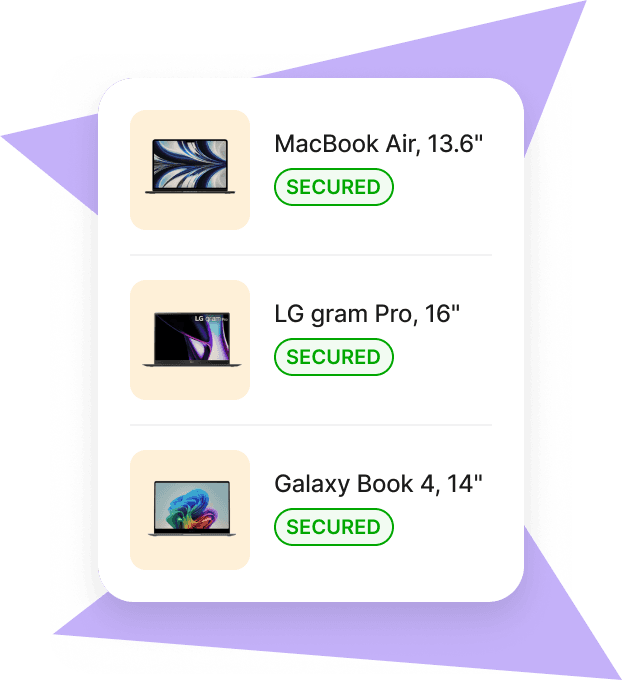
Deel IT

Security and compliance considerations
Security essentials to require:
- Full-disk encryption enforcement
- Strong passcodes/biometrics; screen-lock timers
- Root/jailbreak detection and automated quarantine
- OS/update control and patch deferrals
- Remote lock/wipe; selective wipe for BYOD
- Geofencing and device location (where lawful)
- Threat signals and incident reporting with audit trails
Unified MDM makes it practical to enforce cross-platform standards—mapping controls to frameworks like GDPR and HIPAA—while maintaining platform-specific best practices, as argued in this unified management perspective. Centralized monitoring via API/webhooks and SIEM/SOC integrations speeds incident response and reduces data exposure windows, a recurring theme in reviews of MDM challenges and automation.
Deel IT MDM extends this with HR-linked attestations, automated deprovisioning on termination, and evidence-ready reporting for audits.
Compliance checklist:
- GDPR data protection and lawful processing
- HIPAA safeguards for ePHI (where applicable)
- SOC 2 controls for security, availability, and confidentiality
- ISO/IEC 27001 information security management
For globally distributed teams, favor platforms with strong governance, automated remediation, and evidence-ready reporting.
Deel’s global platform and Deel IT MDM help standardize policies across entities and regions while keeping a single source of truth for workforce and device data.
Managing BYOD, corporate-owned, and shared devices
Ownership models in plain language:
- BYOD: employee-owned devices used for work, with corporate data isolated.
- COPE (Corporate-Owned, Personally Enabled): company owns the device, employees can use it personally within guardrails.
- CYOD (Choose Your Own Device): employees select from an approved list; ownership varies by policy.
- COBO (Corporate-Owned, Business Only): locked down for work tasks only.
- Shared/Dedicated: single-purpose devices or shared shift devices in kiosk or multi-user modes.
Policy strategies that work:
- BYOD: enable Android Work Profile or iOS User Enrollment; apply selective wipe; restrict data sharing to managed apps; require per-app VPN for sensitive apps.
- COPE: separate personal/work data; allow personal app stores while enforcing corporate baselines.
- COBO/Dedicated: use kiosk/single-app mode; block settings changes; schedule silent updates; enforce always-on VPN.
- Shared devices: time-based access, auto-sign-out, cached user profiles where supported.
Containerization and profile-based controls keep corporate data separate from personal content, addressing privacy and compliance in mixed-ownership environments. Recommended features by device type:
| Device model | Must-have features | Nice-to-have features |
|---|---|---|
| BYOD | Work Profile (Android) or User Enrollment (iOS); selective wipe; managed app config | Per-app VPN; data loss prevention (copy/paste, open-in controls) |
| COPE | Strong passcode; separate work/personal profiles; OS update control | App catalogs; conditional access via IdP |
| COBO | Kiosk/single-app mode; remote lock/wipe; silent app install | Geofencing; telemetry for uptime/usage |
| Shared/Dedicated | Check-in/check-out; session timeouts; restricted settings | Remote control; automated shift scheduling integrations |
Tip: Align BYOD policy language with HR onboarding to set expectations early; Deel’s guidance on BYOD in remote work can help you build a clear, employee-friendly BYOD policy for remote work.
Integration with existing IT and HR systems
MDM must fit your ecosystem to drive automation and governance.
Key integration points to validate:
- Identity: Azure AD/Microsoft Entra ID, Okta, Google Workspace for SSO and conditional access
- Productivity: Microsoft 365, Google Workspace for managed accounts and app policies
- HRIS/Workforce: user lifecycle triggers (joiners/movers/leavers), location-based policies
- ITSM/SOC: ServiceNow/Jira for ticketing; SIEM for alerting; EDR for device risk signals
- APIs/webhooks: automate provisioning, offboarding, and compliance attestations
Prioritize platforms with Single Sign-On and delegated access to separate HR and IT duties, and look for vendors that highlight broad identity coverage.
If you manage a global workforce, ensure your MDM works seamlessly alongside your HR and payroll stack to standardize lifecycle workflows and evidence collection for audits.
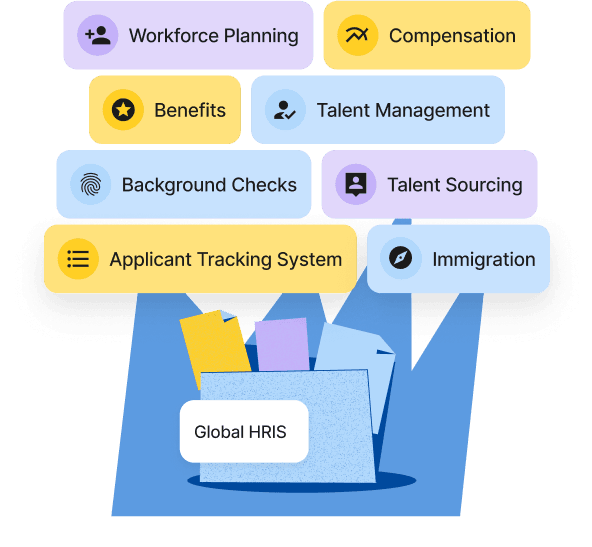
Deel IT MDM natively connects device lifecycle with workforce data in Deel, standardizing joiner/mover/leaver workflows and audit evidence across entities and regions.
Deel HR
Deel IT MDM: solving pain points for global teams
Deel IT MDM combines cross-platform device management with HR- and payroll-driven automation so teams can secure, provision, and support devices with fewer manual steps.
- For IT and Security
- Zero-touch provisioning across ABM/ADE and Android Zero-Touch, with policies auto-applied from role and location.
- Opinionated baselines for BYOD, COPE, COBO, and shared devices; selective wipe and supervised/fully managed modes where supported.
- Continuous compliance with automated remediation, webhooks to SIEM/SOC, and evidence-ready audit logs.
- Day-two operations at scale: remote lock/wipe, certificate/app lifecycle, and policy drift detection tied to identity.
- For HR and People Ops
- Device assignment and approvals triggered from hiring and internal mobility—no swivel-chairing between tools.
- Clear, employee-friendly BYOD flows with policy acknowledgments during onboarding.
- A single source of truth linking worker, device, and access to accelerate onboarding and reduce ticket volume.
- For Finance and Procurement
- Real-time inventory is mapped to cost centers and entities for accurate chargeback and budgeting.
- License and device reclamation on offboarding to reduce waste and shrink spend.
- For Global Operations
- Multi-entity and location-aware policies, localized communications, and data residency options.
- Standardized workflows and reporting that scale across countries and employment types.
If you’re evaluating MDM, pilot Deel IT MDM alongside your current toolkit to compare setup speed, compliance coverage, and support ticket reduction.
Evaluating top MDM solutions for iOS and Android
Leading options for mixed fleets:
- ManageEngine Endpoint Central: deep Windows/macOS plus iOS/Android support; rich patching and automation; tiered pricing. Good for IT teams wanting UEM breadth.
- Hexnode UEM: intuitive policies, strong Android Enterprise and iOS support, kiosk capabilities; competitive per-device pricing.
- Scalefusion: straightforward console, Android dedicated device strengths, work profile, and iOS support; solid remote troubleshooting.
- Miradore: SMB-friendly, simple setup, multi-OS coverage; limited advanced analytics but fast time-to-value.
- SureMDM (42Gears): powerful Android management and kiosk tooling; supports iOS with core controls; flexible deployment.
How to decide:
- Verify enrollment models (ABM/ADE, Android Zero-Touch, QR/NFC).
- Check platform depth (iOS supervised controls, Android Enterprise modes).
- Evaluate analytics and compliance automation.
- Pilot remote support and incident workflows.
- Model global scalability (multi-region, data residency, language support).
If you already run HR and payroll on Deel, include Deel IT MDM in your shortlist to unify device and workforce operations.
Deel's Built-In HRIS

Best practices for MDM implementation and rollout
A pragmatic rollout plan:
- Define goals and scope: devices, ownership models, risk tolerance, compliance needs.
- Map integrations: IdP, HRIS, productivity suite, SIEM/EDR (or connect device workflows to Deel to automate HR-driven triggers).
- Pilot with a representative cohort across iOS/Android and ownership types.
- Build baseline policies per platform and model (BYOD, COPE, COBO).
- Standardize enrollment: enable ABM/ADE and Android Zero-Touch where available (orchestrated via Deel IT MDM for hands-off provisioning tied to start dates).
- Document user-facing policies and obtain approvals from HR/legal.
- Train IT helpdesk and publish user guides.
- Phase deployment by region/team; monitor metrics; iterate policies.
- Automate joiner/mover/leaver workflows and periodic compliance reviews (e.g., with Deel-driven attestations and device reclamation).
Common pitfalls to avoid:
- Under-communicating BYOD privacy boundaries
- Skipping supervised/fully-managed modes on corporate devices
- Overloading day-one policies (roll out in stages)
- Ignoring app lifecycle and certificate renewals
- Not testing remote support on all major device/OEM variants
Measuring ROI and managing costs for MDM platforms
Pricing models you’ll encounter:
- Per device or per user
- Tiered plans by feature (e.g., basic MDM vs. full UEM)
- Add-ons for remote support, advanced analytics, and dedicated support SLAs
Total cost of ownership:
- Licensing and add-ons
- Implementation and training
- Support and admin effort
- Integration, build/maintenance, and compliance reporting
A simple ROI framing
Annual ROI = (Fewer support tickets + Lower security/compliance exposure + Faster onboarding/offboarding + Reduced device loss/misuse) ÷ Yearly MDM spend.
Free or entry-level tiers can be fine for pilots or small teams, but often lack compliance automation, advanced analytics, and enterprise support needed by larger or regulated organizations.
FAQs
What is the difference between MDM, MAM, EMM, and UEM?
MDM manages devices; MAM manages and configures apps; EMM covers devices, apps, and data; UEM unifies management across all endpoints, including laptops and IoT.
How do iOS and Android differ in handling device enrollment and app management?
iOS relies on Apple Business Manager with Automated Device Enrollment and managed app distribution, while Android offers Zero-Touch and multiple Android Enterprise methods with greater deployment flexibility.
What security features should an MDM have to ensure compliance?
Require encryption, strong passcodes, remote lock/wipe, root/jailbreak detection, OS/update controls, compliance monitoring, and audit logging to support frameworks like GDPR and HIPAA.
How can an MDM platform support BYOD policies effectively?
Use Android Work Profile or iOS User Enrollment to separate corporate data from personal content, apply selective wipe, and enforce data-loss prevention controls. Platforms like Deel IT MDM enable these approaches while tying approvals and policy acknowledgments to onboarding.
What are common challenges when rolling out an MDM solution and how can they be avoided?
Pitfalls include inadequate planning, limited pilot testing, poor user communication, and ignoring privacy; avoid them with staged rollout, clear policies, and training backed by automated enrollment and remediation.
Anna Grigoryan is an SEO and Content Manager with 6+ years of experience in digital marketing and content strategy. She specializes in optimizing & creating high-impact, search-driven content in the tech and HR space, with a focus on global work, people operations, and the evolving world of employment. When she’s not optimizing content for growth, she’s exploring new trends in marketing and technology. Connect with her on Linkedin.


