
Article
7 min read
Top 7 Mobile Device Management Solutions for Smartphones and Tablets
IT & device management

Author
Dr Kristine Lennie
Last Update
March 31, 2026

Table of Contents
Strategic overview: navigating the global mobile landscape
Deel IT: Your all-in-one global MDM and asset lifecycle solution
Jamf Pro
Microsoft Intune
Kandji
VMware Workspace ONE
ManageEngine Mobile Device Manager Plus
Hexnode UEM
Miradore
How to choose the right MDM solution
Equip your global fleet with Deel IT
FAQ
For the modern IT and HR leader, managing a global fleet of smartphones and tablets is no longer just a logistical hurdle—it’s a security mandate. Mobile Device Management (MDM) is the engine that allows you to provision, control, and secure these endpoints remotely, ensuring that your company data remains safe regardless of where your team is logged in.
Choosing the right platform is a strategic decision that bridges technical requirements with people operations. Whether you are an IT Manager looking to automate zero-touch enrollment or an HR Professional focused on providing a seamless "Day One" experience, your MDM must align with your existing identity stack and global growth plans.
Strategic overview: navigating the global mobile landscape
For IT Managers and HR Professionals, the challenge of managing mobile endpoints has shifted from simple oversight to lifecycle automation. As smartphones and tablets become the primary workstations for a global, hybrid workforce, the risk of "management sprawl" is high.
A modern MDM strategy for smartphones and tablets must go beyond basic security. To support a scaling team, your choice of platform should be evaluated based on:
- Zero-Touch Deployment: Can the device be shipped from a vendor and self-configure on first boot without IT ever touching the box?
- Identity-First Security: Does the MDM integrate with your IdP (Okta, Entra, Google) to automate access based on the employee's role and location?
- Work/Personal Separation: Does it support clear data partitioning (like Android Work Profiles or Apple User Enrollment) to protect company data while respecting employee privacy?
Device Lifecycle Management
Deel IT: Your all-in-one global MDM and asset lifecycle solution
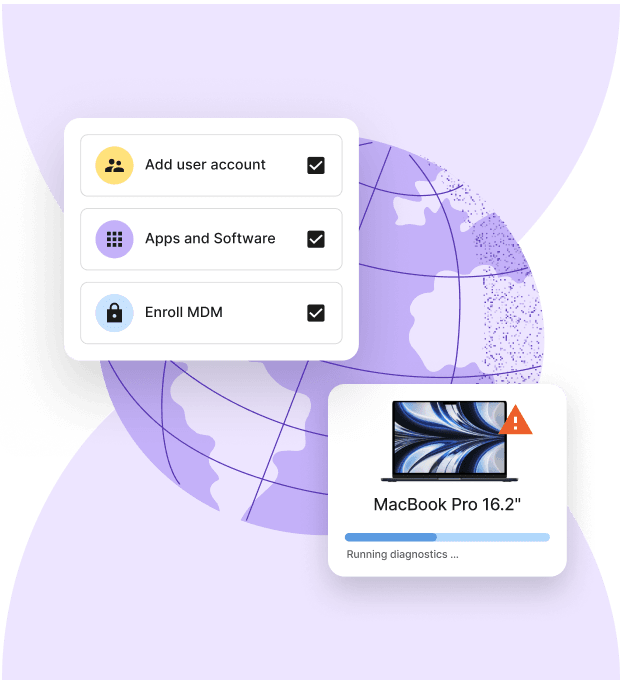
While standard MDM tools operate in a silo, Deel IT provides an on-platform management solution that lives exactly where your people data does. Powered by JumpCloud, our built-in MDM is a Unified Endpoint Management (UEM) powerhouse—designed to manage everything from Windows and macOS laptops to iOS and Android smartphones and tablets in one centralized flow.
By unifying HR workflows with device security, Deel ensures your security posture isn't just a set of policies—it’s an automated part of the employee lifecycle across 130+ countries.
Key capabilities include:
- Native "day one" readiness: Whether it’s a laptop, tablet, or smartphone, devices ship from our regional hubs pre-configured, with built-in MDM ensuring specific security baselines, encryption, and app suites are applied before the device leaves our hands
- Zero-touch enrollment (Apple & Android Enterprise): Your new hire simply powers on the device, and it immediately recognizes your Deel-managed security environment—no manual imaging required
- HR-synced security groups: Since the MDM is native to your HRIS, permissions update in real-time—if a worker changes departments or locations, their device access and security policies update automatically, ensuring zero "access drift”
- Real-time fleet compliance: Monitor your global inventory (laptops, tablets, and phones) from one dashboard, enforcing automated patching across Windows, macOS, and Linux, with at-a-glance visibility on which devices meet your encryption and passcode standards
- 24/7 hardware & software support: Our experts provide always-on support for both hardware issues and MDM troubleshooting, keeping your global team productive in every time zone
- Secure offboarding: The second a contract ends, Deel triggers an immediate remote lock and wipe, handling the physical retrieval and data-sanitization
See also: 4 Reasons to Use Zero Touch Deployment to Supply Devices to Remote Workers
Your 2026 device lifecycle resources
- Optimize for long-term growth: Build a high-performance mobile infrastructure that keeps pace with your team. Use the IT Strategy Toolkit: 2026 Guide to plan your mobile hardware refresh cycles and align your security goals with global expansion.
- Formalize global provisioning: Establish a consistent method for mobile equipment delivery and retrieval. Use our Equipment Provisioning for Remote and Global Teams Policy Template to handle the logistics of shipping, securing, and auditing smartphones and tablets for a global workforce
Jamf Pro
Jamf Pro specializes in Apple device management, including for smartphones and tablets. It provides Apple Business Manager alignment, automation, and compliance at scale.
Key capabilities
- Enrollment: Integrates with Apple Business Manager to ensure iPhones and iPads are supervised and managed from the moment they are powered on
- Smart Groups: Organizes smartphones and tablets into management groups based on real-time criteria like OS version, encryption status, or application versions, but remains disconnected from your people data (role change or relocation data is not synched)
- Self-service application catalog: Provides a company-branded portal where employees can download pre-approved mobile applications without needing an Apple ID or IT support
- Zero-day support: Jamf typically supports new Apple OS releases quickly, helping organizations stay current with security updates
Limitations
- Siloed ecosystem: Jamf Pro provides zero value for Android or Windows. If your team has even a handful of non-Apple users, you are forced to manage two separate MDM solutions
- Operational gap: Jamf is purely a software layer and doesn't handle the physical logistics—shipping, repairs, or recovery
- Manual setup for day one: To get the "day one" readiness that HR needs, IT must manually sync Jamf groups with HRIS data, creating a lag in the onboarding and offboarding process.
Microsoft Intune
Microsoft Intune is a cloud-based endpoint management solution for Windows, macOS, iOS, and Android. It functions as the management layer for organizations using Microsoft Entra ID (formerly Azure AD) for identity and access control.
Key Capabilities
- Endpoint management: Provides a single console to manage laptops, tablets, and smartphones
- Conditional access: Gates access to corporate data based on device health, with non-compliant mobile devices blocked from services like Outlook and Teams
- Application protection policies: Secures corporate data at the application level so IT can enforce encryption and wipe business data from personal devices
- Automated enrollment: Supports Windows Autopilot and Android Enterprise to configure devices upon first boot
Limitations
- Complexity: The interface and policy configurations require specialized training and significant administrative time.
- Sync Latency: Policy updates and application deployments to mobile devices can experience delays, impacting onboarding speed.
- Software Only: Intune does not provide hardware procurement, international shipping, or physical device recovery.
Kandji
Kandji is an Apple-only MDM platform. It uses a library of pre-built "Blueprints" to enforce security baselines across macOS, iOS, and iPadOS devices.
Key Capabilities
- Automated enrollment: Integrates with Apple Business Manager to ensure iPhones and iPads are supervised and managed from the moment they are powered on.
- Smart Groups: Organizes smartphones and tablets into management groups based on technical criteria—but these groups do not sync with HR data, meaning role changes or relocations require manual admin updates
- Self-service application catalog: Enables a company-branded portal for employees to download approved mobile apps without IT intervention
- Support: Delivers compatibility with new Apple OS releases to maintain security and feature access.
Limitations
- Siloed ecosystem: Kandji does not support Android or Windows, so mixed-OS fleets require a secondary MDM solution
- Operational gap: Kandji is a software layer only and does not provide hardware procurement, international shipping, or physical device recovery
- Administrative overhead: While policies are automated, the initial link between HR hiring and device assignment remains a manual process.
VMware Workspace ONE
Workspace ONE delivers broad OS coverage and scalable enterprise features for heterogeneous fleets, including smartphones and tablets. It unifies devices and applications with deep lifecycle controls and strong identity integrations.
Why it stands out:
- Enterprise-grade UEM for mixed-OS fleets, including specialized field devices
- Advanced automation and conditional policies across apps and endpoints
- Flexible architecture for large, global, or hybrid deployments
Why it supports smartphones and tablets:
- Full Android Enterprise and iOS/iPadOS coverage, including kiosk/single-app modes
- Telecom expense, compliance, and app lifecycle controls for large mobile fleets
- Suited to ruggedized mobile deployments in field ops and retail
Considerations:
- Complexity and pricing can exceed smaller-team needs
- Implementation benefits from dedicated expertise
ManageEngine Mobile Device Manager Plus
ManageEngine Mobile Device Manager Plus is a cross-platform mobile device management solution that lets IT teams manage smartphones, tablets, laptops, and other endpoints from a unified console. It supports major operating systems, including Android, iOS/iPadOS, Windows, macOS, and Chrome OS.
Key Capabilities
- Cross-OS remote actions: Remotely lock and wipe corporate or full device data to protect company information if devices are lost or stolen.
- Application and profile management: Remotely deploy, update, or remove apps and enforce configuration policies.
- Security and compliance: Enforce passcodes, encryption, and security restrictions across managed mobile devices.
- Asset and inventory reporting: Track device details, security status, and compliance from a centralized dashboard.
- Remote troubleshooting: IT can view or control devices remotely to diagnose and resolve issues.
Limitations
- Manual life cycle triggers: Remote wipe and other device actions aren’t automatically triggered by HR events without external workflow automation.
- Operational overhead: Advanced features and policies may require additional admin effort to configure and maintain.
- Software-only model: The platform manages devices digitally but doesn’t include hardware procurement, global shipping, or physical recovery logistics.
Hexnode UEM
Hexnode is a management tool used by companies that need to lock devices into specific tasks. It is often used for tablets and smartphones in retail stores or for field workers.
Key capabilities
- Kiosk lockdown: Turns a tablet or phone into a tool for one specific job, blocking users from opening any applications or settings that are not approved for work.
- Application Control: IT can choose which applications are on a phone and prevent employees from downloading non-work software
- Device tracking: Shows the current location of a device on a map to help find lost hardware
- Security rules: Allows IT to set requirements for passwords and disk encryption across the fleet
Limitations
- Hard to navigate: The control panel has many technical menus, which can take a long time for small teams to learn.
- Software only: Hexnode is a digital tool. It does not help with buying, shipping, or physically picking up a device from an employee.
Miradore
Miradore is a management tool for companies that need to establish basic security for a smaller number of mobile devices. It is frequently used for initial MDM setups because of its fast installation process and clear interface.
Key Capabilities
- Standard enrollment: Supports basic enrollment for iPhones, iPads, and Android devices
- Basic security: IT can enforce rules for passcodes and screen locks to protect data on smartphones and tablets
- Application management: Allows IT to remotely install or remove work applications and create a simple list of approved software
- Device inventory: Provides a list of all company-owned and personal devices, including technical details like battery health and storage space
- Remote wipe: Enables IT to delete all data on a phone or tablet if it is reported lost or stolen
Limitations
- Basic feature set: It lacks some of the advanced automation and deep security controls found in enterprise-level tools.
- Manual management: It does not sync with HR platforms, meaning IT must manually add and remove users as they join or leave the company
- Software only: Miradore is a digital dashboard and does not provide the hardware itself, nor does it handle international shipping or physical device returns.
How to choose the right MDM solution
Picking an MDM for smartphones and tablets is about more than just checking boxes on a feature list. It’s about how much manual effort you’re willing to tolerate. To choose a solution that actually scales, follow this framework:
- Audit your glass: Map out your mix of iPhones, Android tablets, and laptops. If you have a mixed-OS fleet, a specialist tool like Jamf will leave gaps you’ll have to fill with another platform.
- Kill the "manual sync": Prioritize tools that treat your HRIS as the source of truth. If your MDM doesn’t know when an employee is promoted or moved to a new country, you’ll be stuck manually updating security groups forever.
- Demand zero-youch: In 2026, "manual imaging" is a legacy cost. Your tablets and phones should ship directly to the worker and self-configure the moment they power on.
- Calculate the "hidden" TCO: A cheap license fee is irrelevant if you have to spend $200 in shipping and 5 hours of IT time just to get the device to an employee in Brazil. Model your costs around the entire lifecycle, including procurement and recovery.
| Solution | Platform scope | Compliance logic | Identity & HR sync | BestfFit |
|---|---|---|---|---|
| Deel IT | Unified (All OS) | HR-Triggered | Native / Built-in | Companies of all sizes and global teams scaling fast |
| Jamf Pro | Apple-only | Technical/Smart Groups | SSO-only (Manual Sync) | Apple-only creative/dev shops |
| MS Intune | Unified | Conditional Access | Native Microsoft | Heavy Microsoft 365 users |
| Kandji | Apple-only | Template-driven | SSO-only | Secure-first Apple fleets |
| Workspace ONE | Unified | Policy-based | Enterprise Connectors | Large, legacy enterprises |
| Hexnode | Unified | Kiosk-focused | SSO Connectors | Retail and warehouse teams |
| Miradore | Unified | Essentials | Basic Sync | Small teams or pilots |
Equip your global fleet with Deel IT
As your team scales, managing a mix of hardware—from high-performance laptops to mobile endpoints—often becomes a logistical bottleneck. Deel IT eliminates the friction by standardizing how your entire fleet is procured, secured, and managed across 130+ countries.
With Deel IT, you can access a global marketplace of business devices and accessories. Whether you are deploying the smartphones and tablets reviewed in this guide or the high-spec laptops required for your engineering team, Deel ensures every hire gets the right equipment on day one.
Book a demo to see how Deel IT simplifies MDM and device lifecycle for all your devices.
Deel IT

FAQ
What features are essential in an effective mobile device management solution?
The most essential features for smartphones and tablets are multi-OS support (iOS, iPadOS, Android), remote wipe/lock, encryption, robust reporting, and easy policy automation.
How do I decide which MDM suits my company’s device operating systems?
List your smartphone and tablet OS mix and choose a platform that offers deep, consistent controls for every mobile operating system your workforce uses.
Can MDM solutions support both company-owned and BYOD devices securely?
Yes. Most modern tools separate personal and business data on smartphones and tablets while enforcing corporate policies on work profiles or managed apps.
What is the difference between mobile device management (MDM) and unified endpoint management (UEM)?
MDM focuses on mobile devices such as smartphones and tablets, while UEM extends control to laptops, desktops, and other endpoints in one console.
How can I evaluate the cost and value of an MDM for my organization?
Consider per-device pricing, included features, support quality, deployment complexity, and whether the solution will scale with your growth.
Dr Kristine Lennie holds a PhD in Mathematical Biology and loves learning, research and content creation. She had written academic, creative and industry-related content and enjoys exploring new topics and ideas. She is passionate about helping create a truly global workforce, where employers and employees are not limited by borders to achieve success.


