
Article
7 min read
7 Best Cost‑Effective Mobile Device Management Solutions for Startups in 2026
IT & device management

Author
Dr Kristine Lennie
Last Update
March 31, 2026

Table of Contents
Key features to prioritize in cost-effective MDM solutions
1. Deel IT
2. Microsoft Intune
3. ManageEngine Mobile Device Manager Plus
4. Scalefusion
5. Jamf Pro
6. Kandji
7. Hexnode
Cost-effective MDM solutions for startups: quick comparison
Best practices for implementing MDM in a growing startup
How Deel IT supports startups scaling quickly
FAQs
Best Cost‑Effective Mobile Device Management Solutions for Startups in 2026
Startups with remote or distributed teams rely on mobile device management (MDM) to protect company data, streamline onboarding, and maintain operational control as they scale quickly. The challenge is that device management tools vary widely—not just in price, but in how they handle provisioning, compliance, and device lifecycle management.
The most cost-effective solutions are often those that reduce tool sprawl and automate device management workflows. Some teams prioritize tools bundled with existing productivity suites, while others look for platforms that simplify device procurement, shipping, and lifecycle tracking. For startups scaling quickly, the most cost-effective solutions are often those that reduce tool sprawl and automate device management workflows.
Key features to prioritize in cost-effective MDM solutions
Before comparing specific platforms, it helps to understand which capabilities actually drive cost efficiency. The lowest-priced tool is not always the most cost-effective if it requires additional systems, manual processes, or additional IT overhead.
Organizations evaluating MDM platforms should prioritize the following capabilities:
- Automated device enrollment: The ability to provision devices automatically when they are first activated, minimizing manual setup by IT teams.
- Remote security actions: Remote lock, wipe, and device disablement help protect company data when devices are lost, stolen, or reassigned.
- Policy automation and compliance monitoring: Automated enforcement of security baselines, patch management, and compliance alerts keeps devices aligned with organizational policies.
- Identity and access integration: Integration with identity providers ensures device security policies align with authentication and access control.
- Cross-platform device support: Many organizations operate mixed fleets across laptops, tablets, and mobile devices running different operating systems.
- Device lifecycle visibility: Tracking device ownership, assignments, and recovery significantly reduces asset loss and administrative overhead.
Together, these capabilities help startups reduce manual work, minimize tool sprawl, and control the operational costs of managing devices at scale.
1. Deel IT
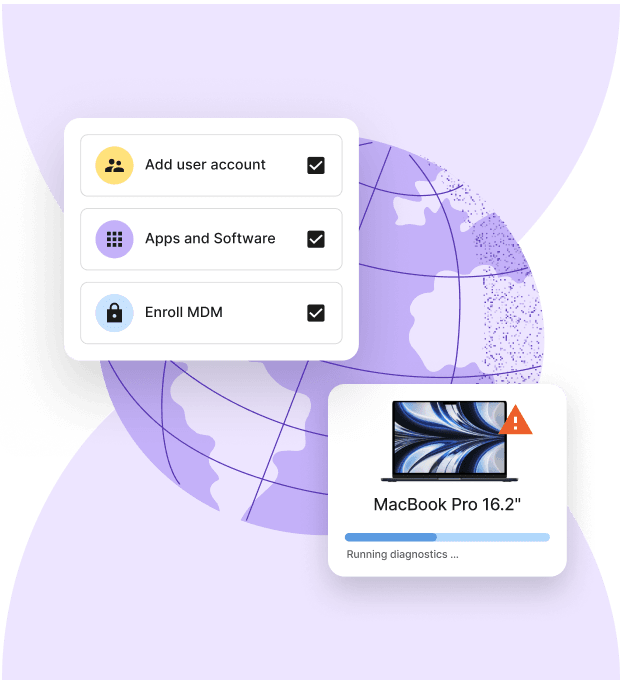
Deel IT provides mobile device management as part of a broader end-to-end device lifecycle platform, allowing organizations to manage procurement, provisioning, security, tracking, and recovery from a single system. While many MDM tools focus only on enforcing device policies, Deel IT connects device management to the full employee lifecycle—from onboarding to offboarding.
This approach helps reduce tool sprawl and manual handoffs between HR, IT, procurement, and operations teams. Organizations can manage device provisioning, shipping, access control, and recovery alongside workforce workflows within one platform rather than coordinating multiple tools.
Deel reports supporting a catalog of 240+ pre-approved devices and hardware delivery to 130+ countries, with a 99.5% on-time delivery rate, enabling organizations to equip distributed teams quickly while maintaining centralized oversight.
Key benefits:
- All-in-one device lifecycle platform: Manage device procurement, provisioning, security policies, tracking, and recovery in a single system
- Standardized hardware catalog: Choose from 240+ vetted devices to maintain consistent hardware standards across teams
- Global device procurement and shipping: Order and deliver equipment to 130+ countries with import handling and logistics coordination included
- Centralized visibility and control: Track device assignments, lifecycle status, and security posture in one dashboard
- Integrated MDM and workforce workflows: Device setup and access can automatically align with employee onboarding and offboarding events
- Automated patching and updates: Automatically deploy operating system and security updates across devices to maintain compliance and reduce manual IT work
- Single sign-on (SSO) and multi-factor authentication (MFA) integration: Integrate with identity providers to enforce secure authentication policies for devices and applications
- Reduced operational overhead and IT costs: Eliminates the need to manage separate tools for procurement, logistics, and device policy enforcement.
Limitations: Organizations that only require basic device policy management without procurement or lifecycle coordination may not need the full platform capabilities.
Resources to support scalable device management:
- Define device management policies: Use our Free IT Policy Template
- Standardize device provisioning: Download this Equipment Provisioning Policy Template
- Streamline onboarding and offboarding: Access our Onboarding & Offboarding Guide for Distributed Teams
- Plan for growth: Use this IT Strategy Toolkit: 2026 Guide
Device Lifecycle Management
2. Microsoft Intune
Microsoft Intune is commonly selected by organizations already using Microsoft 365 because it integrates directly with Microsoft identity and security controls.
Key benefits
- Included in many Microsoft 365 subscriptions, reducing incremental licensing costs
- Integration with Microsoft identity management and conditional access policies
- Application protection policies that secure company data even without full device enrollment
- Built-in compliance baselines aligned with Microsoft security frameworks
Limitations: Most effective within Microsoft ecosystems. Organizations relying primarily on other productivity suites may encounter integration complexity.
Find out more: 7 Best Device Management Tools for Startups in 2026
3. ManageEngine Mobile Device Manager Plus
ManageEngine Mobile Device Manager Plus provides centralized device management across multiple operating systems and deployment models.
Key benefits
- Centralized console for device management tasks
- Broad platform support across major operating systems
- Cloud and on-premises deployment options
- Compliance monitoring and reporting features
Limitations: Primarily focused on device policy management. Procurement, global logistics, and asset lifecycle workflows generally require additional tools.
4. Scalefusion
Scalefusion is often used in operational environments such as logistics, field services, and retail deployments where device monitoring and control are important.
Key benefits
- Strong device management capabilities for operational fleets
- Kiosk mode for dedicated-use devices
- Remote troubleshooting and device control features
- Location-based policy controls
Limitations: Feature set is optimized for frontline or kiosk deployments, which may exceed the needs of typical knowledge-worker environments.
5. Jamf Pro
Jamf Pro is widely used by organizations that primarily manage Apple devices.
Key benefits
- Deep macOS and iOS device management capabilities
- Automated device configuration and deployment
- Self-service portals for employees
- Automated patch and configuration workflows
Limitations: Apple-focused platform, requiring additional tools for mixed operating system environments.
6. Kandji
Kandji focuses on automated device configuration and compliance enforcement within Apple environments.
Key benefits
- Automated configuration and patch enforcement
- Pre-built compliance templates
- Automated device enrollment workflows
Limitations: Limited to Apple ecosystems, making it unsuitable for mixed device fleets.
7. Hexnode
Hexnode provides cross-platform endpoint management capabilities that include mobile device management.
Key benefits
- Multi-platform endpoint support across mobile and desktop devices
- Granular policy configuration and device lockdown features
- Kiosk mode and device monitoring capabilities
Limitations: Feature breadth can increase administrative complexity for smaller IT teams.
Cost-effective MDM solutions for startups: quick comparison
Not all MDM solutions offer the same capabilities. Here is an at-a-glance comparison showing how different platforms approach device management, security controls, and full device lifecycle operations.
| Solution | Best fit | Key advantage | Consideration |
|---|---|---|---|
| Deel IT | Organizations of all sizes managing distributed teams, global hiring, or device lifecycle operations | All-in-one platform combining MDM, device procurement, global shipping, and lifecycle management | Full lifecycle platform may exceed the needs of very small or single-location deployments |
| Microsoft Intune | Microsoft 365 organizations | MDM integrated with Microsoft identity and security tools | Works best within Microsoft ecosystems |
| ManageEngine Mobile Device Manager Plus | Budget-conscious teams | Device-based pricing | Device procurement and logistics require additional tools |
| Scalefusion | Operational device fleets | Kiosk mode and remote device control | Focused primarily on operational deployments |
| Jamf Pro | Apple-focused environments | Deep Apple device management capabilities | Apple-focused platform |
| Kandji | Apple-centric teams needing automation | Automated configuration and compliance baselines | Apple-focused platform |
| Hexnode | Mixed device environments | Cross-platform endpoint management | Broader feature set may require additional setup |
Best practices for implementing MDM in a growing startup
Choosing an MDM platform is only the first step. As startups scale their workforce, consistent device management processes help prevent operational bottlenecks and security gaps. Effective implementation ensures the platform delivers the cost savings and operational efficiency needed to support growth. Here are the best practices to help ensure a successful rollout:
- Start with automated device enrollment: Automated enrollment significantly reduces IT workload by allowing devices to configure themselves when first activated. This eliminates manual setup processes and ensures new devices immediately receive the correct security policies and applications.
- Run a pilot deployment: Before rolling out MDM across the entire organization, enroll a smaller group of devices—typically 25–100 users. This allows teams to test enrollment workflows, baseline applications, and policy enforcement.
- Integrate device workflows with identity systems: Connecting device management to identity providers ensures that authentication, device posture, and access permissions remain aligned.
- Automate onboarding and offboarding: Device provisioning should occur automatically when employees join the company, while device lock or wipe actions should trigger when employment ends. This reduces the risk of orphaned devices or lingering access.
- Maintain clear compliance documentation: Security frameworks increasingly require organizations to demonstrate device governance. Maintaining policy records, audit logs, and device activity histories helps simplify compliance reviews and internal audits.
How Deel IT supports startups scaling quickly
For startups growing rapidly, device management isn’t just a security concern—it’s an operational and cost challenge. Managing procurement, provisioning, device policies, shipping, and recovery across multiple systems can create unnecessary overhead as teams expand across locations.
Platforms that only handle device policies often require separate tools for hardware sourcing, global shipping, and asset tracking. As a result, IT teams spend time coordinating vendors and workflows instead of focusing on scaling the business.
How Deel IT helps startups scale device management efficiently:
- Unified device lifecycle management: Manage procurement, provisioning, security policies, updates, tracking, and recovery within one platform.
- Workforce-driven automation: Devices can be provisioned, secured, or reclaimed automatically based on onboarding, role changes, and offboarding events.
- Global device logistics: Ship and retrieve equipment across 130+ countries without managing separate vendors or customs processes.
- Centralized oversight: Monitor device compliance, security policies, and inventory across the entire fleet from one dashboard.
The result: Startups can scale device management alongside team growth while keeping operational costs and administrative overhead under control.
Book a demo with Deel IT to see how it works.
Deel IT

FAQs
What is the typical cost range for MDM solutions suited to startups?
Many MDM solutions use per-device pricing models, often starting with entry-level plans and increasing based on advanced security features, automation, and integrations. The most cost-effective option typically depends on how well the platform reduces manual processes and tool sprawl.
How do zero-touch enrollment and identity integration reduce IT workload?
Zero-touch enrollment allows devices to configure themselves automatically when first activated, while identity integration aligns device policies with authentication and access controls. Together, these capabilities reduce manual setup and speed onboarding for distributed teams.
Can startups manage mixed fleets of personal and corporate devices effectively?
Yes. Modern MDM solutions support both BYOD and corporate-owned devices. Features such as containerization allow organizations to separate work and personal data while enforcing security policies.
What are the advantages of piloting an MDM solution before full deployment?
A pilot deployment helps organizations identify workflow gaps, integration challenges, and policy issues before rolling out the platform company-wide. This reduces disruption and improves the success of full-scale implementation.
How can MDM support privacy compliance for BYOD policies?
MDM solutions support privacy compliance by separating corporate and personal data, limiting data collection, and enabling selective wipes that remove company information without affecting personal content.
Dr Kristine Lennie holds a PhD in Mathematical Biology and loves learning, research and content creation. She had written academic, creative and industry-related content and enjoys exploring new topics and ideas. She is passionate about helping create a truly global workforce, where employers and employees are not limited by borders to achieve success.


