
Article
7 min read
Best Endpoint Protection Platforms to Deploy in 2026 for Growing Teams
IT & device management

Author
Dr Kristine Lennie
Last Update
March 31, 2026

As companies scale across borders, endpoint protection becomes an operational priority—not just a security one. Every new hire introduces a new device to provision, secure, monitor, and eventually decommission. If those workflows sit outside onboarding and offboarding processes, IT teams are left managing access, compliance, and device risk manually as the workforce grows.
In 2026, the most effective endpoint protection platforms are cloud-native, fast to deploy, and designed to integrate with identity and device management systems from day one. This allows IT teams to enforce consistent security policies across distributed environments—without slowing down hiring or adding operational overhead.
Below, we outline what growing companies should prioritize—and how to deploy endpoint protection in a way that keeps pace with workforce growth.
What growing teams need to prioritize when deploying endpoint protection
Endpoint protection today needs to do more than detect malware—it needs to support fast onboarding, consistent policy enforcement, and secure offboarding across a distributed workforce.
For IT teams supporting growth, that means evaluating platforms based on how easily they:
- Deploy across Windows, macOS, Linux, and mobile devices
- Integrate with HRIS, MDM/UEM, and identity providers
- Automate remediation without analyst intervention
- Provide real-time visibility into device posture
- Maintain consistent policies across regions and entities
Find out more about endpoint security options and deployment in scaling businesses with Deel’s guide to managed endpoint security for growing companies.
Here are the top providers to consider in 2026.
Endpoint Protection
Deel IT
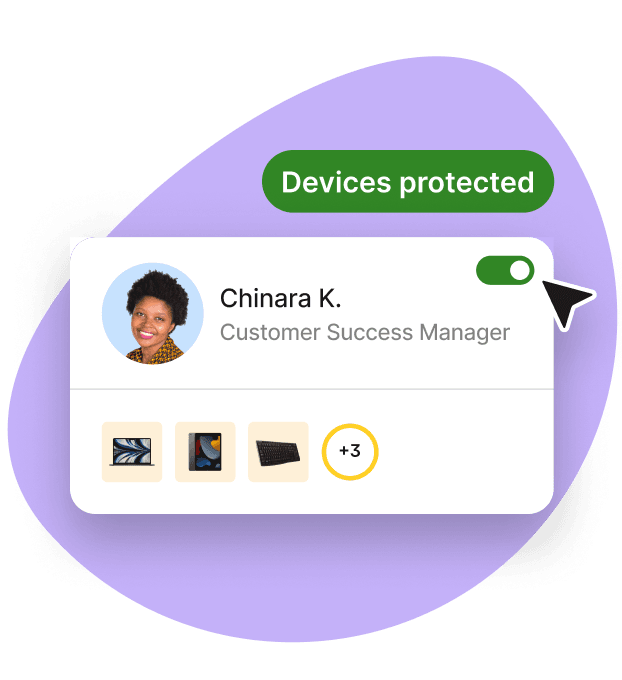
Deel IT provides endpoint protection for all the devices in your fleet (Windows, macOS, Linux, ChromeOS, iOS, and Android), powered by CrowdStrike Falcon.
With Deel IT, setup, monitoring, investigation, and response are handled as a managed service across every supported platform, and with platform-specific expertise included. When someone joins, their device enrolls automatically with OS-specific security policies applied. Permissions are updated automatically when roles change, and when someone leaves, devices can be locked or wiped remotely to protect your company's data.
With Deel IT, endpoint protection operates as part of a connected device lifecycle—not a standalone tool.
Integrated with your existing IT stack
Deel IT connects endpoint protection with the systems that manage identity, access, and workforce data, so policies stay aligned with employee roles and status in real time. This includes:
- Enterprise-grade detection and response through CrowdStrike Falcon
- Identity providers such as Azure AD, Okta, and Google Workspace
- HRIS platforms to automate lifecycle-based policy enforcement
- MDM/UEM tools for provisioning and device management
- ITSM and ticketing systems for alert routing and response workflows
Standout capabilities:
- Fully managed service: setup, monitoring, and threat response handled by Deel IT
- Strong cross-platform coverage across Windows, macOS, and Linux
- 24/7 monitoring and incident response (Falcon Enterprise)
- Automatic policy enforcement based on HR events and role changes
- Lightweight agent (<1% CPU) across supported platforms
- Platform-specific controls managed centrally
By bringing device provisioning, identity orchestration, security enforcement, automated remediation, support, and recovery into one global platform, Deel IT helps organizations manage the full endpoint lifecycle consistently—wherever they hire.
Limitations:
- Some IT teams may prefer hands-on control, but with Deel IT setup, monitoring, and response are managed by the platform
- Small, single-location operations might not leverage the full breadth of capabilities, though packages and configurations can be adjusted to fit smaller teams
Learn more about Deel IT Endpoint Protection.
Resources to support your global fleet management
These resources help streamline deployment, security, and recovery for a distributed workforce:
- Standardize laptop security: Use our Free IT Policy Template to help you define and enforce a consistent policy across your organization.
- Formalize global provisioning: Download this Equipment Provisioning Policy Template to help you standardize device delivery, tracking, and recovery worldwide.
- Simplify onboarding and offboarding with this Onboarding & Offboarding Guide for Distributed Teams.
- Plan for growth: Use the IT Strategy Toolkit: 2026 Guide to identify automation opportunities and create a roadmap for building scalable operations.
SentinelOne Singularity
provides automated prevention, containment, and rollback capabilities to help reduce manual investigation and response. The platform is designed for teams that want to limit hands-on triage while maintaining visibility into endpoint activity.
Strengths:
- Autonomous response and ransomware rollback reduce hands-on workload
- Quick rollout with intuitive policy management
- Balanced for SMBs to large enterprises, prioritizing automation
Limitations:
- Platform complexity can create a learning curve for smaller teams or those new to EDR/XDR, especially around policy tuning and deep visibility features
- Some users report that initial configuration and advanced customization require planning and familiarity with the console
- Licensing and add‑ons can increase overall cost relative to simpler endpoint protection products
Microsoft Defender for Endpoint
Microsoft Defender for Endpoint includes antivirus, EDR, vulnerability management, and attack surface reduction in a single platform. It integrates with Microsoft Intune, Entra ID (Azure AD), and Microsoft 365, allowing organizations already using Microsoft services to apply endpoint policies through existing identity and device management workflows. It also supports zero-touch enrollment and cross-platform device coverage.
Strengths:
- Built-in integration with Microsoft 365, Intune, and Entra ID
- Centralized policy management through Microsoft admin portals
- Automated investigation and response features
Limitations:
- Deploying or managing policies outside of Microsoft environments can be more complex
- Some advanced features (e.g., vulnerability management, automated investigation) require higher-tier Microsoft licensing
- Smaller teams may face a learning curve with the console and cross-platform reporting
FortiEndpoint by Fortinet
FortiEndpoint combines EPP, EDR, and zero-trust network access (ZTNA) into a single agent with centralized management. This approach can simplify deployment and reduce the number of endpoint tools required to manage device security across distributed environments.
Strengths:
- Single-agent approach simplifies deployment
- Consolidates endpoint protection and network access controls
- Efficient resource usage across devices
Limitations:
- Works best when integrated with other Fortinet infrastructure; standalone deployments may require additional configuration
- Some advanced features or fine-grained controls depend on the deployment setup and licensing tier
- Smaller teams may need time to learn the console for policy tuning and reporting
Bitdefender GravityZone
Bitdefender GravityZone includes next-generation antivirus, behavioral analysis, exploit prevention, and integrated EDR/XDR capabilities. It’s designed to provide ransomware protection and endpoint visibility while maintaining relatively low system resource usage.
Strengths:
- Malware detection using behavioral analysis and sandboxing
- Customizable scan schedules and policy controls
- Centralized console for managing Windows, macOS, and Linux devices
- Flexible licensing for small and mid-sized teams
Limitations:
- Some advanced investigation and hunting features may require higher tiers or additional configuration compared to XDR-focused solutions
- Custom reporting, integrations, or complex alert workflows may require extra setup and configuration
- Some enterprise-scale automation features may be limited compared to fully managed or XDR-focused solutions
Palo Alto Cortex XDR
Cortex XDR correlates endpoint, network, and cloud telemetry to support threat detection and investigation across environments. It’s typically used by organizations that want to centralize signals from multiple security layers into a single analysis workflow.
Strengths:
- Cross-domain telemetry correlation (endpoint + network + cloud)
- Advanced threat analytics and timeline investigations
- Integration with the Palo Alto ecosystem
- XDR-first architecture
Limitations:
- Advanced threat investigation is more limited compared with XDR-first platforms that correlate endpoint, network, and cloud data
- Custom reporting and integrations may require additional setup or configuration
Sophos Intercept X
Sophos Intercept X provides endpoint protection with anti-ransomware capabilities and rollback functionality. Managed detection and response options are also available for teams that prefer outsourced monitoring and incident response support.
Strengths:
- Straightforward policies and dashboards for SMB to midmarket
- Anti-ransomware focuses on rollback
- Optional managed service to cover gaps in 24/7 response
Limitations:
- Requires dedicated analyst expertise to leverage advanced detection and correlation features fully
- Deployment, configuration, and tuning can be resource-intensive, especially for teams without existing XDR experience
- Smaller teams may find the console and alert workflows complex without additional training
Why choose Deel IT
As teams scale globally, managing endpoint protection can become a bottleneck. Hiring quickly, adding devices, and maintaining consistent security policies across roles and locations often stretches lean IT teams thin. Self-managed solutions usually assume platform expertise, playbooks for investigation, and 24/7 monitoring—resources that growing teams often don’t have.
How Deel IT helps growing teams deploy endpoint protection at scale:
- Managed service model: Setup, monitoring, and response are handled by Deel IT, so IT teams can focus on strategic priorities
- Lifecycle-driven automation: Security policies apply automatically based on role, team, and employment status, updating seamlessly as employees join, move, or leave
- Global consistency: Policies and enforcement scale with your workforce, supporting multiple locations and thousands of devices without adding operational overhead
- Enterprise technology made simple: CrowdStrike Falcon provides advanced detection across all supported OSes, fully managed by Deel IT
- 24/7 support: Deel IT provides around-the-clock monitoring and incident response, covering all time zones.
The result: Endpoint protection that scales with your team, reduces operational burden, and ensures consistent policy enforcement—without slowing growth.
Book a demo to see it in action.
Deel IT

Dr Kristine Lennie holds a PhD in Mathematical Biology and loves learning, research and content creation. She had written academic, creative and industry-related content and enjoys exploring new topics and ideas. She is passionate about helping create a truly global workforce, where employers and employees are not limited by borders to achieve success.


