
Article
36 min read
Deel IT vs. Fleet: Which IT Solution is Right for Your Team?
IT & device management

Author
Dr Kristine Lennie
Last Update
April 01, 2026

Table of Contents
What is Deel IT?
What is Fleet?
Deel IT vs. Fleet: feature comparison
Device procurement and delivery
Device pre-configuration and MDM
Application access and license management
Security and endpoint protection
IT support
Onboarding and offboarding automation
Integrations
Scalability
When should you choose Deel IT or Fleet?
Bottom line
Manage your global IT operations with Deel IT
FAQ
Key takeaways
- Bringing hardware and MDM into one platform simplifies setup, but access, security, and support are often still managed in separate systems.
- Fleet combines device management with built-in MDM, but application access, endpoint protection, and IT support sit outside the platform, requiring additional tools.
- Deel IT brings the full lifecycle together in one platform, combining devices, access, security, and 24/7 IT support across 130+ countries, all connected directly to your HR system.
Disclaimer: The information on this page is subject to changes or updates. Deel does not make any representations as to the completeness or accuracy of the information on this page.
Managing IT for a distributed workforce means coordinating multiple moving parts at once: from sourcing and delivering devices to setting up access, enforcing security, and supporting employees day to day. While many platforms address parts of this process, they don’t all approach it in the same way, particularly when it comes to how much of the IT lifecycle is handled in one place.
Some solutions focus primarily on hardware and device management, while others aim to bring devices, access, security, and support into a single system. That difference shapes how much manual coordination IT teams need to manage, especially as companies scale across regions and time zones.
In this guide, we compare two of the leading platforms in this space, Deel IT and Fleet, to help you understand which approach best fits your team’s needs.
What is Deel IT?
Deel IT is a global IT platform that manages devices, access, security, and support across the employee lifecycle, from zero-touch deployment to offboarding, in 130+ countries. It connects directly with your HR data, so changes in employee status automatically trigger IT actions like device provisioning, access updates, and offboarding, without manual coordination.
Key features include:
- Global device provisioning: Equipment is delivered directly to employees worldwide, with customs, taxes, and logistics handled centrally to ensure reliable delivery
- Access and software readiness from day one: Employees start with the tools they need already in place at onboarding, while licenses are tracked and reassigned as teams change
- Identity and access management: Built-in Single Sign-On (SSO) and Multi-Factor Authentication (MFA) align access with employee roles and status
- Integrated device management: Devices are automatically enrolled, kept compliant with company policies, and can be secured remotely if needed — all within Deel IT
- Endpoint protection powered by CrowdStrike: Continuous monitoring helps protect devices from threats and unauthorized activity
- Lifecycle automation tied to HR data: Key actions like provisioning, access updates, and offboarding tasks are triggered directly from HR changes
- Centralized asset oversight: IT teams can monitor device usage, location, and status globally from one place
- Device repairs and replacements: Issues are handled globally, with repair coordination and replacement devices provided as needed
- Always-on IT support: Employees can get help across devices and applications, regardless of location or time zone
Best for: Companies scaling internationally that want IT to run in sync with HR, giving employees a smooth, secure experience while reducing manual work for internal teams.
Download the following resources to assess your current IT workflows:
What is Fleet?
Fleet is a European IT platform that combines device leasing, MDM, and asset management. It provides device procurement through a leasing model, built-in MDM, and HRIS-connected onboarding workflows. Coverage is structured in regional tiers rather than a single global footprint.
Key features include:
- Device leasing and deployment: Devices are pre-configured and enrolled in MDM before delivery
- Built-in MDM: Policy enforcement, remote actions, and compliance monitoring across supported devices
- HRIS integrations: Used to trigger device provisioning and retrieval workflows
- Asset management: Centralized tracking of device status, lifecycle, and renewals
- Repair and replacement coverage: Repairs and device replacements are included
- End-of-life handling: Recycling and disposal options at renewal
Best for: Teams that need device leasing and MDM in one platform, particularly in Europe, and use other tools for application access, security, and IT support
Deel IT vs. Fleet: feature comparison
Here’s how Deel IT and Fleet compare across the key capabilities that define modern IT operations:
| Feature | Deel IT | Fleet |
|---|---|---|
| Device procurement & delivery | ✅ 130+ countries, 99.5% on-time delivery | ⚠️ Coverage varies by plan |
| Device pre-configuration | ✅ Built-in MDM, zero-touch deployment worldwide | ✅ Zero-touch deployment supported |
| Mobile Device Management (MDM) | ✅ Built-in with automated policy enforcement | ✅ Built-in via Workspace ONE across major operating systems |
| Application provisioning & license management | ✅ HRIS-synced and automated | ❌ Not included natively |
| Identity & access management (SSO/MFA) | ✅ Integrated with identity providers for automated access control | ⚠️ SSO available for platform access; not a full IAM solution for employee apps |
| Endpoint protection | ✅ Built-in, powered by CrowdStrike | ❌ Not included natively |
| Asset tracker | ✅ Real-time visibility by user, region, and status | ✅ Centralized tracking with lifecycle and renewal visibility |
| Onboarding & offboarding automation | ✅ HRIS-triggered for hardware and software | ⚠️ Hardware workflows only; software requires separate tools |
| Device collection & redeployment | ✅ Managed globally | ⚠️ Managed within supported regions, with renewal and recycling options |
| 24/7 global IT helpdesk support | ✅ 24/7 global support | ⚠️ Support available for devices and platform |
| HRIS integration | ✅ Bi-directional HRIS integrations | ⚠️ HRIS integrations available |
| Built within a broader HR platform | ✅ Part of the Deel platform | ❌ Standalone platform |
Below is a more detailed breakdown of how Deel IT and Fleet compare across each stage of the IT lifecycle.
Device procurement and delivery
Managing devices globally involves more than just shipping. The range of countries a platform can reach, and how consistently it delivers, determines whether IT can operate predictably or spend time managing exceptions.
Deel IT
Deel IT manages global device procurement and delivery end-to-end, ensuring employees receive the right equipment quickly and consistently.
- Coverage across 130+ countries, with a 99.5% on-time delivery rate backed by global SLAs, so employees receive their devices on time, wherever they are
- End-to-end logistics managed within Deel IT, from sourcing and customs to last-mile delivery, reducing the need to coordinate across vendors
- Devices delivered globally with customs, taxes, and local logistics managed, helping ensure compliance and reliable delivery
Fleet
Fleet supports device procurement and delivery, with coverage depending on the selected plan.
- Coverage varies by plan, with regional limits on lower tiers
- Device delivery, maintenance, and repair
- Devices are replaced as part of the service
Summary: Both platforms support device procurement and delivery. Deel IT operates globally with a standardized approach, while Fleet’s coverage and capabilities vary based on regional plans.
Learn about the top IT procurement challenges and how to solve them.
Device pre-configuration and MDM
Once a device is delivered, what matters is whether it's ready to use immediately — and whether policies stay enforced and up to date without IT having to intervene.
Deel IT
Deel IT handles device configuration and management within one system, so devices are ready from the first login and stay aligned with company policies over time.
- Built-in MDM with no separate tool required, managing device enrollment, policy enforcement, and remote actions like lock or wipe
- Zero-touch deployment across regions, so devices arrive fully configured and ready to use on first boot, without IT needing to manually set them up
- Policies automatically applied from day one, ensuring devices meet company standards as soon as employees log in
- Policies stay aligned with employee data, updating automatically as roles, teams, or status change, no manual reconfiguration required
- Continuous compliance without extra tooling, with policies enforced in the background so devices remain secure over time
Fleet
Fleet includes device management through a built-in MDM.
- Built-in MDM powered by Workspace ONE
- Devices are pre-configured and enrolled before delivery
- Policy enforcement and remote actions supported
Summary: Both platforms include MDM and zero-touch deployment. Deel IT manages configuration and policy enforcement in a single system tied to HR data, while Fleet provides device management within its platform.
Mobile Device Management
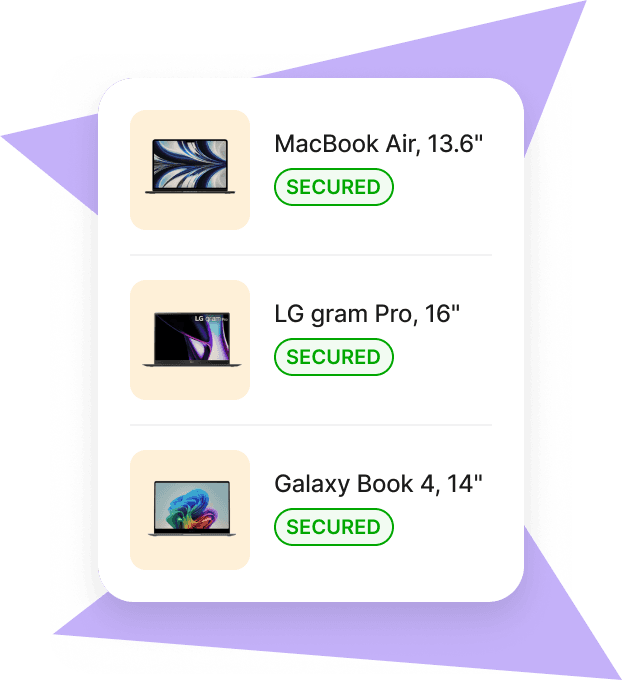
Application access and license management
Giving someone the right tools on day one (and removing access the moment they leave) is one of the most critical steps in the employee lifecycle. When handled manually or across disconnected tools, it’s where gaps and risks most often appear.
Deel IT
Deel IT automates application access and license management across the full employee lifecycle, keeping permissions aligned with HR data at all times.
- Direct integrations with identity providers, including Google, Microsoft, JumpCloud, and Okta, enabling automated provisioning and deprovisioning based on role and status
- Access is granted from day one and updated automatically, so employees always have the right tools without manual setup
- Real-time license visibility and management, with licenses tracked, reassigned, and optimized from a single system
- Immediate access revocation on offboarding, reducing security risk without requiring manual intervention
- Permissions stay aligned with role changes, ensuring access updates continuously as employees move across teams or responsibilities
Fleet
Fleet does not include application access or license management.
- No native application provisioning or license management
- SSO is supported for platform login
- Application access handled through external tools
Summary: Deel IT includes application access and license management within the same platform as device management. Fleet does not cover this layer, requiring separate tools to manage access and permissions.
Security and endpoint protection
Security depends on how consistently policies are enforced across devices and how quickly threats are detected and contained — not just at enrollment, but throughout the device lifecycle.
Deel IT
Deel IT embeds security across devices, access, and the user lifecycle, combining protection and enforcement in one system.
- Endpoint protection powered by CrowdStrike, continuously monitoring devices for malware, unauthorized access, and suspicious activity
- Built-in SSO and MFA, ensuring secure access with permissions automatically updated and revoked based on employee status
- Device policies enforced through built-in MDM, keeping security controls consistent across devices and regions
- Security stays aligned with HR data, so access and policies update automatically as roles change or employees leave
Fleet
Fleet provides device-level security through its MDM.
- MDM-based security controls via Workspace ONE
- No dedicated endpoint protection included; threat detection and monitoring rely on external tools
Summary: Deel IT combines endpoint protection, access control, and device management in one platform. Fleet provides MDM-based security controls, but relies on external tools for endpoint protection.
Endpoint Protection
IT support
When something breaks in a distributed team, productivity depends on how quickly employees can get help — and whether support is available where and when they need it, without relying on internal escalation.
Deel IT
Deel IT provides built-in, global IT support, so employees can resolve issues quickly without depending on internal teams or navigating multiple tools.
- 24/7 support across time zones, ensuring employees can get help when they need it, regardless of location
- End-to-end support across devices and applications, covering both hardware issues and access-related problems
- One place to get help for all IT issues, so employees don’t have to figure out which tool or team to contact
- Deel IT handles everyday support tasks, so internal teams don’t need to manage routine issues
Fleet
Fleet provides support within the scope of its device and platform services.
- Support for device issues, repairs, and delivery coordination
- Platform and account support for setup and usage
Summary: Deel IT provides 24/7 IT support across devices and applications in one system. Fleet includes support for devices and platform usage, but does not offer a confirmed 24/7 global helpdesk.
Onboarding and offboarding automation
The risk in manual onboarding and offboarding isn’t just inefficiency: it’s delayed access and devices that aren’t recovered. When hardware and software workflows run in separate systems, these gaps become harder to manage.
Deel IT
Deel IT automates onboarding and offboarding by turning HR updates into coordinated IT actions across devices, access, and security in one system.
- HRIS-triggered workflows automatically handle device setup, access provisioning, and policy enforcement when a new hire is added
- Automated offboarding removes access, initiates device collection, and updates security controls without manual steps
- Access and devices stay in sync with employee status, so changes to role or location are reflected automatically
- Global device recovery and lifecycle management, including wiping, collection, and reassignment, handled without manual follow-up
Fleet
Fleet supports hardware workflows connected to HR systems.
- HRIS-triggered device deployment
- Device collection and recovery within supported regions
- Application access handled through external tools
Summary: Deel IT automates onboarding and offboarding across devices, access, and security in one workflow. Fleet supports hardware workflows, while access and other steps are managed separately.
Integrations
Integrations determine how easily IT workflows run automatically and how many tools teams need to manage.
Deel IT
Deel IT connects HR, identity, and IT systems to automate workflows across the full employee lifecycle.
- Native integrations with identity providers, including Google Workspace, Microsoft, Okta, and JumpCloud, enabling automated access provisioning and revocation based on role and status
- Direct HRIS integrations with platforms like Workday, BambooHR, and HiBob, so onboarding, role changes, and offboarding trigger IT actions automatically
- Broad integration coverage across HR and IT systems, reducing the need for additional tools or manual coordination
- API access for custom workflows and integrations, allowing teams to connect Deel IT to their existing systems
Fleet
Fleet integrates with external systems to support device workflows.
- HRIS integrations for onboarding and offboarding device workflows
- MDM integration via Workspace ONE for device management
- API and SCIM access available on higher-tier plans
Summary: Deel IT uses integrations to automate the full IT lifecycle across devices, access, and security. Fleet uses integrations to support device workflows, with other parts of the IT stack managed separately.
Scalability
As teams grow internationally, IT operations need to scale without adding complexity — across employees, countries, and systems.
Deel IT
Deel IT is designed to scale globally, bringing devices, access, security, and support together in one platform.
- Coverage across 130+ countries, with workflows that scale consistently as teams expand
- Standardized processes for onboarding, access, and security, so new hires are set up the same way across every region
- Automation reduces manual work, allowing IT teams to support growth without adding operational overhead
- Part of the Deel platform, so HR and IT workflows stay aligned as the business scales
Fleet
Fleet scales device management within its regional model.
- Coverage varies by plan, with broader coverage on higher tiers
- Expansion into new regions may require plan changes
- Device workflows scale within the platform, while other IT functions are managed through separate tools
Summary: Deel IT scales the full IT lifecycle across 130+ countries from day one on a single plan. Fleet scales hardware and MDM within its tiered regional model, with the rest of the stack scaling separately.
When should you choose Deel IT or Fleet?
Here’s an at-a-glance breakdown to help you decide whether Deel IT or Fleet is the right fit for you:
Choose Deel IT if you:
- Need a single platform to manage devices, application access, security, and IT support
- Want to automate onboarding and offboarding across both hardware and software
- Hire across multiple countries and need consistent global coverage from day one
- Require built-in MDM, SSO, MFA, and endpoint protection without adding separate tools
- Need 24/7 IT helpdesk support for employees in different time zones
- Are already using Deel for HR, payroll, or compliance, and want IT managed in the same system
Choose Fleet if you:
- Need an integrated device leasing and MDM solution with European data hosting and EU compliance requirements
- Already have application access, endpoint protection, and IT helpdesk support covered by separate tools
- Operate primarily within Fleet's covered regions and don't require global flat coverage from a single plan
Bottom line
Both Deel IT and Fleet combine device procurement with built-in MDM, bringing hardware and configuration into one system. Where they differ is in how much of the IT lifecycle is covered beyond that.
Fleet focuses on device management and MDM, and is typically used alongside other tools for application access, security monitoring, and IT support.
Deel IT covers the full IT lifecycle in 130+ countries: devices, application access, MDM, endpoint security, IT support, and offboarding, all in one platform connected directly to your HR system. Instead of managing multiple tools and vendors, teams can run IT from a single system, with workflows that stay aligned with every employee change.
Manage your global IT operations with Deel IT
Deel IT gives IT and HR teams everything they need to onboard, equip, manage, secure, and offboard employees anywhere in the world — from one platform, without the vendor juggling.
Book a demo to see Deel IT in action.
Deel IT

FAQ
What makes Deel IT different from Fleet?
Deel IT brings devices, application access, security, and 24/7 IT support together in one platform, while Fleet focuses on device management with built-in MDM and relies on separate tools for access, security, and support. Because Deel IT is connected directly to HR data, onboarding, role changes, and offboarding automatically trigger the right actions across devices and applications, allowing teams to manage the full IT lifecycle in one system rather than across multiple tools.
Can Deel IT replace my existing IT tools?
For most teams, yes. Deel IT brings together device procurement, MDM, identity and access management, endpoint protection, application provisioning, asset tracking, and IT support in one platform. Teams that previously managed separate tools for hardware, MDM, and access use Deel IT to consolidate everything, without custom integrations or vendor juggling.
How quickly can Deel IT get a new employee set up?
Devices arrive pre-configured with the right applications, policies, and security settings, so employees can log in and start working on day one. When a hire is added to your HRIS, Deel IT triggers the device order automatically. With a 99.5% on-time delivery rate across 130+ countries and zero-touch enrollment supported, onboarding doesn't have to be a bottleneck.
What happens to devices when an employee leaves?
Deel IT handles the full offboarding workflow. Application access is revoked automatically, the device is flagged for collection, and Deel IT coordinates pickup, secure wiping, storage, reconditioning, and reassignment, wherever the employee is based. Nothing falls through the cracks, and no manual follow-up is required.
Does Deel IT work for teams that already have an HRIS?
Yes. Deel IT integrates with leading HRIS platforms and identity providers like Google, Microsoft, Okta, and JumpCloud. Your HR system remains the source of truth, while Deel IT turns those signals into automated IT workflows. If you're already using Deel for HR or payroll, everything works together out of the box, with no additional integration required.
Dr Kristine Lennie holds a PhD in Mathematical Biology and loves learning, research and content creation. She had written academic, creative and industry-related content and enjoys exploring new topics and ideas. She is passionate about helping create a truly global workforce, where employers and employees are not limited by borders to achieve success.


