
Article
12 min read
IAM vs PAM: Which Access Management Solution Do You Need?
IT & device management

Author
Michał Kowalewski
Last Update
November 25, 2025

Table of Contents
What is identity and access management (IAM)?
What is privileged access management (PAM)?
The relationship: PAM as a subset of IAM
IAM vs PAM: Key differences
When your business needs IAM
When your business needs PAM
How to choose: Decision framework
Streamline access management with Deel IT
Key takeaways
- Identity and access management IAM controls access for every employee across all applications, while privileged access management PAM focuses specifically on securing elevated access for system administrators and privileged users.
- Organizations need IAM as the foundation for managing all user identities, then add PAM on top when they have administrators requiring high-risk access to critical systems and sensitive data.
- Deel IT syncs with your IdP to automatically provision access, update permissions based on role changes, and eliminate orphaned accounts, giving distributed teams the IAM foundation they need.
Your new marketing manager needs Slack access on day one. Your DevOps engineer needs database admin rights for a critical migration. Both need access to do their jobs, but the security risks couldn't be more different.
Access control failures remain the top cause of data breaches. 80% of breaches involve stolen credentials. Yet many organizations struggle to understand the difference between IAM (identity and access management) and PAM (privileged access management), two terms that get used interchangeably despite serving fundamentally different purposes.
The confusion is understandable. Both involve controlling who accesses what. But getting this distinction wrong means either leaving critical admin accounts vulnerable or wasting budget on specialized tools your team doesn't need yet. Breaches involving privileged account compromise cost $4.88 million on average, 23% more than standard account breaches.
This article explains what each does, how they differ, and which your business actually needs to protect your distributed team.
What is identity and access management (IAM)?
Identity and access management IAM controls how all users access systems and data across your organization. Think of it as the central system that manages digital identities and determines what each person can access based on their role.
IAM solutions handle core access functions:
- Authorize users based on their roles and responsibilities in your organization
- Role based access control (RBAC) assigns permissions automatically when someone joins, changes roles, or leaves
- Multi factor authentication (MFA) adds security layers beyond passwords
- Automated provisioning gives employees resources at the right times without manual IT work
- Centralized deprovisioning removes access immediately when people leave your company
IAM works as a single system managing user identities and permissions across all your applications. Instead of creating separate accounts in each tool, IAM connects to your applications and provisions access based on rules you set.
The benefits extend across security and operations. You can manage and monitor access across all applications from one place, reduce manual provisioning work that delays productivity, meet compliance requirements with audit trails showing who accessed what and when, and improve security through automated access controls that eliminate human error.
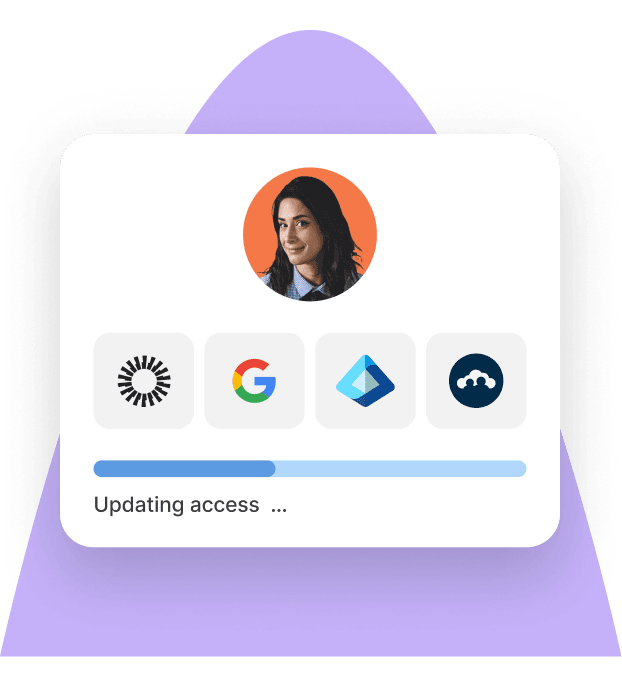
Here's how this works in practice: A new marketing manager joins your company. Your IAM system automatically provisions access to Slack, Google Workspace, design tools, and marketing platforms based on their role. Everything they need appears on day one without IT manually creating each account. When they leave six months later, the system removes all access immediately.
According to the 2025 Verizon Data Breach Investigations Report, stolen credentials were involved in 80% of breaches. IAM reduces this risk by controlling access centrally, enforcing strong authentication, and ensuring former employees cannot access your systems.
Identity Access Management
What is privileged access management (PAM)?
Privileged access management focuses on elevated access for users who can modify critical systems. While IAM manages everyone's access, PAM specifically secures privileged accounts with administrative rights and sensitive data access.
PAM users include system administrators, database admins, DevOps engineers, and other privileged users who can make system-wide changes. These accounts represent your highest security risk because they control infrastructure, access production databases, and modify security configurations.
PAM solutions provide specialized capabilities:
- Controls access to infrastructure and critical systems through approval workflows
- Manages credentials for privileged accounts in secure vaults
- Session monitoring records what administrators do during elevated access
- Just-in-time access provides temporary permissions that expire automatically
- Emergency procedures allow break-glass access during crises while maintaining audit trails
PAM works by vaulting admin credentials, requiring approval workflows before granting elevated access, and logging all privileged sessions to create accountability. When someone needs admin access, they request it through PAM, which grants temporary permissions and records everything they do.
Consider this scenario: Your company hires a contractor to migrate your database. Instead of giving them permanent admin credentials that could be misused, your PAM system grants temporary elevated access for the migration window, records all their actions, and automatically revokes access when the project completes. You have a complete audit trail without ongoing security risk.
CyberArk's 2024 Threat Landscape Report found that 80% of security breaches involve misuse of privileged credentials. PAM addresses this by treating admin access as your most critical security control, requiring the strongest protections.
The relationship: PAM as a subset of IAM
PAM is not separate from IAM but rather specialized IAM for high-risk access scenarios. Understanding this relationship clarifies why most organizations need both.
IAM serves as the umbrella managing all user access across the organization. PAM provides specialty controls focusing specifically on privileged users and elevated access. They work together rather than operating separately.
The integration flows like this:
- IAM provides the identity foundation and manages standard user accounts
- PAM adds specialized controls for admin access on top of that foundation
- User identities flow from IAM systems into PAM systems
- Both reference the same source of truth for user information
This matters because different access types require different security levels. Standard users need basic access controls to do their jobs. Privileged users need intensive monitoring and restrictions because they can access sensitive data and modify critical systems.
Most organizations implement IAM first to establish the identity foundation, then add PAM as administrative needs and compliance requirements grow. You cannot effectively secure privileged access without first having a system managing all user identities.
See also: Authentication vs Authorization: Understand the Difference
IAM vs PAM: Key differences
While related, IAM and PAM address fundamentally different access challenges. Here's how they compare across the dimensions that matter for your business:
| Dimension | IAM | PAM |
|---|---|---|
| User scope | Every employee, contractor, partner | Only privileged users with admin rights |
| Access level | Standard application and data access | Elevated access to infrastructure, databases, security tools |
| Security controls | Authentication, authorization, role based access control RBAC | Credential vaulting, session recording, approval workflows |
| Primary risk | Unauthorized access, excessive permissions, orphaned accounts | Compromised admin credentials, insider threats, lateral movement |
| Monitoring focus | Who has access to what applications | What privileged users do with elevated access |
| Compliance relevance | SOC 2, ISO 27001, GDPR (general access controls) | PCI DSS, HIPAA, SOX (privileged access requirements) |
| Implementation priority | Foundation for any organization | Added when privileged accounts exist |
The critical distinction is scope and risk. IAM manages everyday access for everyone in your organization. PAM manages high-risk access for the few users who can make system-wide changes or access your most sensitive data.
These access types look different in practice:
IAM manages access to:
- Email and communication tools
- Productivity applications
- CRM and sales platforms
- HR and finance systems
- Collaboration software
PAM manages access to:
- Server and network infrastructure
- Database administration tools
- Cloud platform admin consoles
- Security system configurations
- Production deployment environments
Understanding this distinction helps you evaluate which solution addresses your most pressing access challenges.
When your business needs IAM
Every organization managing user access needs IAM. The question is not whether you need it but rather how quickly you implement it.
Your business depends on IAM for daily operations including:
- Onboarding employees who need immediate access to tools
- Offboarding to prevent former employees retaining access
- Role changes requiring different permissions
- Supporting distributed teams across locations
- Managing contractor and vendor access to specific systems
IAM also drives compliance and security. You need it to meet compliance requirements with access reviews, audit trails, and permission documentation. It enables reducing the risk through multi factor authentication MFA that blocks password-based attacks. Automated access removal when employment ends prevents orphaned accounts. You gain visibility into who accesses what systems and data across your organization.
The operational benefits compound over time. IAM eliminates manual provisioning that delays productivity for new hires. It reduces IT ticket volume for access requests freeing your team for strategic work. Employees get resources at the right times based on their roles. You centralize access management instead of managing each application separately.
Watch for these red flags indicating you need better IAM
- Manual account creation takes days or weeks
- Former employees still appear in your systems
- No visibility into who has access to sensitive data
- Failing access-related audit requirements
- IT spends significant time on access provisioning tickets
- No consistent process for role changes or transfers
Organizations with automated IAM reduce provisioning time by 70% while cutting security incidents related to access by 50%. If any of the red flags above apply to your organization, IAM should be your first access management priority.
See also: 11 Best Identity and Access Management Tools for Distributed Teams [2025]
When your business needs PAM
PAM becomes essential when you have system administrators and privileged accounts that could damage your business if compromised.
You need PAM solutions when administrative access includes:
- IT team managing infrastructure and servers
- Database administrators accessing sensitive data
- DevOps engineers deploying to production environments
- Security team configuring firewalls and security tools
- Third-party vendors requiring temporary admin access
Compliance requirements often mandate PAM for specific industries. Financial services must meet PCI DSS requirements for privileged access monitoring. Healthcare organizations need HIPAA privileged access controls. Public companies face SOX IT control requirements. Any organization pursuing security certifications will encounter PAM requirements.
The security risks driving PAM adoption include preventing credential theft targeting admin accounts, detecting suspicious admin activity before damage occurs, limiting blast radius of compromised accounts, maintaining detailed audit logs of privileged actions, and controlling shared admin credentials across team members.
These red flags indicate you need PAM
- Shared admin passwords across multiple team members
- No record of what administrators do in systems
- Contractors with permanent elevated access
- Compliance gaps around privileged user monitoring
- Cannot quickly revoke admin access when someone leaves
- No approval process for administrative actions
Breaches involving privileged account compromise cost organizations $4.88 million on average, 23% higher than breaches through standard accounts. PAM becomes critical as your IT team grows, your infrastructure becomes more complex, or compliance requirements specifically mandate privileged access controls.
Unlike IAM, which every organization needs, PAM is essential only when you have users with elevated access to critical systems.
See also: How to Create a Secure IT Policy: A Complete Guide [+Template]
How to choose: Decision framework
Most organizations don't choose between IAM and PAM but rather decide the sequence and timing of implementation.
Start by assessing your current state:
- Do you have users who need access to applications? You need IAM
- Do you have administrators with elevated access? You need PAM
- Are you just starting your access management journey? Implement IAM first
- Do you have a mature IT team? Add PAM to your IAM foundation
Your maturity level determines the right approach:
Basic (most SMBs start here):
- Implement IAM to manage and monitor standard user access
- Establish identity foundation for future growth
- Focus on automating onboarding and offboarding
Intermediate (growing IT operations):
- Strong IAM foundation managing all employee access
- Add PAM for growing IT team and admin roles
- Begin privileged access monitoring
Advanced (enterprise-level security):
- Integrated access management iam and privileged access management pam with automated workflows
- Comprehensive access governance
- Advanced analytics and threat detection
Budget and ROI considerations matter. IAM delivers immediate ROI through automation and security improvements that reduce manual work and prevent breaches. PAM represents specialized investment for high-risk access scenarios where the cost of a breach justifies the control expense. Unified platforms can provide both capabilities as you grow, potentially reducing total cost versus separate point solutions.
Follow this implementation sequence:
- Deploy IAM for all users and establish identity foundation
- Add PAM when you have dedicated IT staff or compliance requirements
- Integrate both systems for seamless access management across privilege levels
According to Forrester's Total Economic Impact study, organizations implementing IAM see 90% reduction in security incidents related to access within the first year. This foundation enables effective PAM when you need it.
See also: How to Improve IT Compliance with Automated Device Management
Streamline access management with Deel IT
Deel IT delivers identity and access management IAM that syncs directly with your identity provider to automate app and device access across your distributed workforce. When you add, update, or remove employees in Deel, those changes flow immediately to your IdP, ensuring people get resources at the right times without manual IT work.
Key capabilities include:
- Automate provisioning for faster, error-free onboarding with accurate user information from your HRIS
- Dynamically update access based on role changes, with groups and permissions syncing in real-time
- Eliminate orphaned accounts by automatically suspending access when employees leave
- Maintain compliance with centralized identity management and detailed audit logs
- Connect your existing tools with native integrations for Microsoft Entra, Google Workspace, Okta, and JumpCloud
Deel IT connects your HR data to your identity provider, giving you consistent, up-to-date user profiles across all systems while reducing help desk requests and security gaps.
Book a demo to see how Deel IT can help you run secure, automated access control across global teams.
Michał Kowalewski a writer and content manager with 7+ years of experience in digital marketing. He spent most of his professional career working in startups and tech industry. He's a big proponent of remote work considering it not just a professional preference but a lifestyle that enhances productivity and fosters a flexible work environment. He enjoys tackling topics of venture capital, equity, and startup finance.


