
Article
8 min read
Dynamic Access Control (DAC): Streamlining Global IT and HR Workflows for Higher Productivity
IT & device management

Author
Michał Kowalewski
Last Update
November 14, 2025
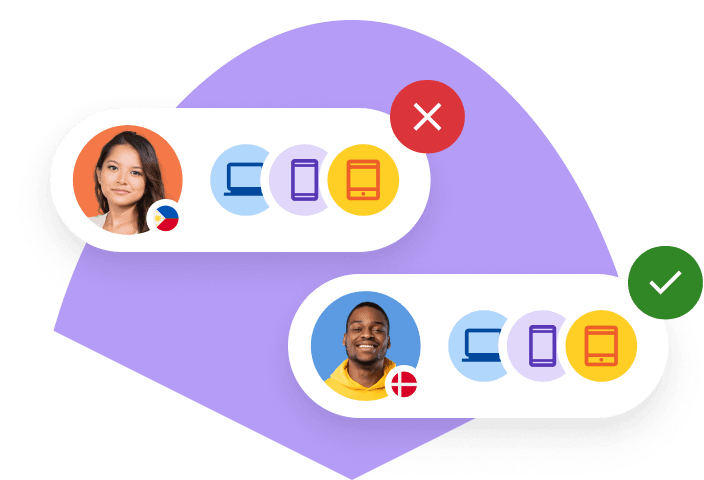
Table of Contents
What is dynamic access control (DAC)?
How dynamic access control (DAC) works
How dynamic access control (DAC) improves IT operations
The HR impact: faster onboarding, safer offboarding
Practical scenarios: How DAC supports global IT operations
5 steps to implement DAC across your organization
Streamline access control and IT operations with Deel
Key takeaways
- Instead of manual IT provisioning, DAC continuously evaluates who the user is, device security posture, location, network, and behavior to grant or deny access automatically.
- When HR updates employment status, role, or end date, access changes take effect immediately. This prevents permission creep, forgotten contractor accounts, and the weeks-long lag that creates security risks.
- Deel IT makes DAC simpler by managing the entire device lifecycle in one platform: Procurement, configuration, MDM enrollment, security policies, offboarding, and data erasure all happen through one system across 130+ countries, providing the unified foundation DAC needs to work reliably for global teams.
Controlling access to employee tools and software used to be simple. Everyone worked in one office, on company devices, under one network.
Now teams are global and remote. HR hires people in new countries, IT manages dozens of tools, and access requests never stop. Manual setup slows everyone down and leaves security gaps. A new hire in Spain waits days for app access. A contractor in the U.S. still logs in months after leaving. Both are common, costly mistakes.
Dynamic access control (DAC) fixes this. It gives or removes access automatically based on who the person is, what device they use, and where they work.
This article explains what DAC is, how it works, why it matters for IT and HR, and how Deel IT helps companies use it globally.
What is dynamic access control (DAC)?
Dynamic access control is a way to manage permissions automatically. Instead of IT granting access by hand, DAC uses rules to decide who can open an app, file, or system at any moment.
Those rules look at real-time details such as:
- Who the user is (role, department, or employment status)
- Which device they use (company-managed or personal, secure or not)
- Where they are (office network, home Wi-Fi, or another country)
- When they try to connect (during work hours or outside them)
If the context changes, access changes too. For example:
- A finance analyst can open payroll reports only from a company laptop.
- A contractor loses access automatically when their contract ends.
- A user logging in from a new location must confirm their identity first.
In short, DAC keeps company systems flexible and secure without extra work for IT or HR. It reduces risk and makes it easier to give people what they need right away.
How dynamic access control (DAC) works
Dynamic access control evaluates multiple signals at the moment a user tries to access a system. Instead of relying on static permissions created during onboarding, DAC checks who the user is, whether their device is secure, where they are working from, and whether the request matches your security rules. Only then does it allow or block access.
To understand how it works in practice, it helps to break DAC into four parts: identity data, device posture, context signals, and the policy engine that ties everything together.
Identity Access Management
Identity data from HR and directory systems
DAC starts with identity information. It pulls data from two places:
- HRIS, which defines employment status, start and end dates, role, and department
- Identity provider (IdP), which manages usernames, roles, and authentication
This gives DAC accurate answers to questions like:
- Is this user an employee, contractor, or vendor?
- Are they active or offboarded?
- Which department do they belong to?
- What access should someone in this role normally have?
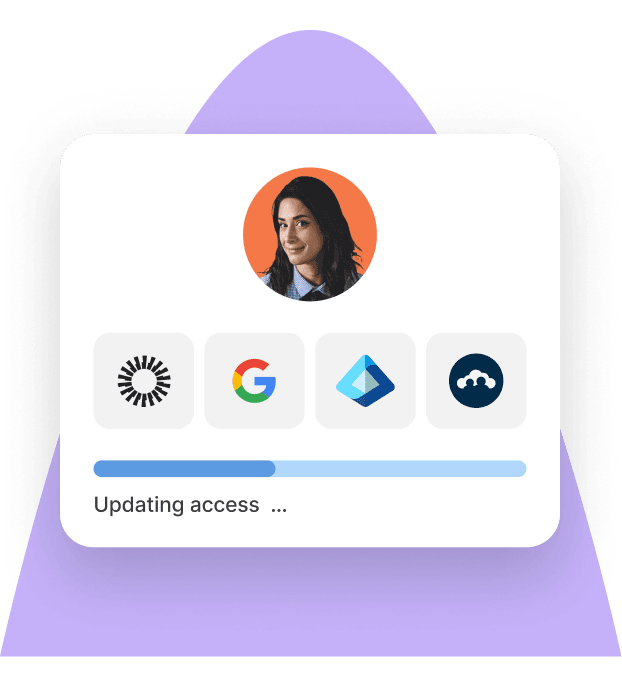
The system evaluates these attributes every time the user tries to sign in. If HR updates a job title, department, or last day of employment, DAC uses that information immediately. There is no lag between HR updating the record and the access change taking effect.
This eliminates a major source of errors: outdated access that stays unchanged for weeks or months.
Device posture and security checks
DAC also looks at the user’s device. This is where MDM comes in.
Before granting access, the system checks whether the laptop or mobile device meets your security requirements. These checks typically include:
- Is the device managed through MDM?
- Is full disk encryption turned on?
- Are OS and security updates up to date?
- Is antivirus or endpoint protection running?
- Has the device been reported lost or stolen?
- Is the user logging in from a rooted or jailbroken device?
If a device does not meet your minimum security baseline, DAC can:
- Block access outright
- Allow access only to low-risk apps
- Require MFA or additional verification
- Prompt the user to fix compliance issues before continuing
This ensures access is tied not only to who the person is, but also to the condition of the device they are using.
Context signals at the moment of login
This is where DAC becomes “dynamic.” Every login request is evaluated in real time, using signals that change constantly throughout the day. Common context signals include:
- Location: Is the user in an approved country or region
- Network: Are they on a corporate network, home Wi-Fi, or a public hotspot
- Time of day: Are they accessing systems during normal working hours
- Resource sensitivity: Is the user requesting a high-risk system (finance, code, HR data)
- Historical behavior: Is this login consistent with their normal usage
If anything looks unusual, DAC does not simply allow access. Instead, it can ask for MFA, block access temporarily, or notify IT automatically. This is a major improvement over static access models, which treat every login the same, regardless of context.
Policy engine that applies your rules automatically
All of the above signals feed into a policy engine. This is where DAC interprets your rules and decides whether the request should be allowed. A policy engine uses simple conditional logic.
Examples of DAC policies include:
- Allow access if the user is active in HRIS, in the Finance role, and using a compliant laptop.
- Deny access if the device is unmanaged or missing critical updates.
- Require MFA if the login request comes from outside the usual country.
- Allow contractors access only between 8am and 6pm in their local time zone.
- Block access for any user whose employment status is not “active.”
The power of DAC comes from the fact that these rules apply instantly, for every login attempt, without waiting for IT involvement. DAC becomes a real-time decision engine that updates itself every time HR changes data, every time a device changes posture, and every time a user changes location.
How dynamic access control (DAC) improves IT operations
Dynamic access control connects your identity, device, and HR systems so permissions adjust automatically. It replaces manual work with clear, rule-based automation that improves security and reduces workload.
Automates provisioning and deprovisioning
DAC updates access rights automatically when a person joins, moves, or leaves.
- New hires get the right app and data access on day one.
- Role changes instantly remove old permissions and apply new ones.
- Departures trigger full deprovisioning and data lockout.
This eliminates “permission creep” and stops former employees from keeping access for weeks after leaving.
Enforces zero trust by default
DAC checks every login against real-time context: identity, device health, location, and network.
- Blocks or limits access from risky devices or unverified networks.
- Applies step-up authentication when activity looks suspicious.
This makes zero trust practical without extra effort from IT.
Improves visibility and compliance
All access events are logged automatically, creating an audit trail IT can trust.
- One dashboard shows who accessed what, when, and from where.
- Reports for SOC 2, ISO27001, or GDPR can be generated in minutes.
See also: How to Improve IT Compliance with Automated Device Management
Scales IT without extra headcount
DAC lets IT teams manage thousands of users with consistent rules.
- Cuts repetitive access tickets.
- Reduces time spent on audits and troubleshooting.
- Keeps global security standards uniform across offices and regions.
The HR impact: faster onboarding, safer offboarding
While DAC is mainly an IT function, HR teams feel its benefits every day. It makes onboarding smoother, offboarding safer, and compliance far easier to prove.
Faster onboarding and day-one readiness
DAC connects directly to HR systems, so access can be set up automatically the moment a new hire is added.
- New employees receive device access, app permissions, and credentials on their first day.
- HR no longer needs to chase IT for setup or follow up on missing tools.
- Delays disappear, and new hires become productive right away.
- Improves the employee experience and supports global hiring at scale.
See also: How to Create a Structured IT Onboarding Process
Secure and compliant offboarding
When an employee or contractor leaves, DAC closes every access point automatically.
- Accounts, apps, and data access are revoked the same day.
- Risk of data leaks or policy breaches drops to almost zero.
- HR can confirm that no personal or company data remains exposed.
- Saves time during busy offboarding cycles, when HR and IT often juggle multiple terminations at once.
See also: IT Offboarding Checklist: Templates to Prevent Data Leaks and Ensure Compliance
Better compliance across teams and regions
DAC creates a single, auditable record of who has access to what.
- HR can easily demonstrate compliance with local labor and privacy laws.
- Data access aligns with regional requirements such as GDPR.
- Both HR and IT can rely on the same logs when preparing for audits.
Practical scenarios: How DAC supports global IT operations
Dynamic access control is easiest to understand when you see how it changes daily work. Below are three realistic scenarios that show how DAC affects IT, HR, and end users in global companies.
Global SaaS company onboarding engineers across regions
A SaaS company hires engineers in Poland, Brazil, and India. Each new hire needs access to:
- Source code repositories
- Cloud infrastructure
- Internal documentation
- Issue tracking tools
Without DAC, the process is messy. HR sends a hiring email. A manager fills in an access request form. IT creates accounts manually, waits for approvals, and may forget one or two tools along the way. If the engineer starts on a Monday while IT is offline in another time zone, they might not have full access until midweek.
With DAC in place, access is driven by rules and live data instead of tickets. Once HR marks the engineer as active in the HR system and assigns the right role, the identity platform knows:
- This person is an active employee
- Their role is backend engineer in a specific team
- They are located in a defined region
DAC uses that information to grant access to the correct repositories, cloud projects, and tools automatically. It also checks that the engineer is using a company managed laptop that is enrolled in MDM, encrypted, and up to date before allowing access to sensitive systems.
From the engineer’s perspective, they open their laptop, sign in, and can start work on day one. From IT’s perspective, there are fewer one off requests and much less risk of over privileged accounts.
Contractor heavy marketing agency managing short term access
A global marketing agency runs dozens of campaigns at any given time. For each project, they hire contractors for design, copywriting, analytics, and media buying. Contractors need temporary access to:
- Shared drives and folders
- Creative assets and brand guidelines
- Analytics dashboards and ad platforms
When access is managed by hand, this quickly turns into a nightmare. Someone has to remember to create accounts for each contractor, share the right folders, and, most importantly, remove that access when the contract ends. In reality, many contractor accounts stay active long after projects finish, leaving client data exposed.
DAC fixes this by tying access to contract data and device conditions. When HR or the project manager creates a contractor record, they set a start date, end date, and role. Those attributes drive access rules:
- Contractors get access only to the specific folders and tools linked to their project
- Access activates on the start date and expires on the end date without reminders
- Logins are allowed only from approved locations and from devices that meet basic security requirements
When the project ends, the system does not rely on anyone remembering to clean up. Access simply stops working because the contractor status is no longer active. The agency reduces risk to client data, and IT and HR do not have to run manual audits to find forgotten accounts.
Distributed finance team handling sensitive payroll and budget data
A company has a finance team spread across Europe, North America, and Asia. The team manages payroll, budgeting, forecasting, and financial reporting. They work in systems that contain salaries, bank details, vendor contracts, and internal performance numbers.
In a traditional setup, once someone is added to the finance group in the directory, they have broad access to finance systems from almost anywhere, as long as they know their password. There is little distinction between working on a secure office laptop and logging in from a personal device on public Wi Fi.
With DAC, access is tied to both the person and the environment. The rules can be defined so that:
- Payroll and banking tools are only available from company managed devices
- Access from unknown countries or high risk networks is blocked or requires extra verification
- Logins outside of agreed working hours are limited or flagged for review
- Former finance employees lose access as soon as HR processes their exit
For the finance team, this setup still feels straightforward. They sign in from their work device and access the tools they need. For IT and security, the same policies dramatically reduce the chances of payroll data or bank information being accessed from a stolen device, a risky network, or a forgotten account.
See also: How To Create a Secure IT Environment For Hybrid Teams: A Complete Guide
Case study
By switching to Deel IT’s global-first solution, Directional Pizza, the largest Pizza Hut franchise in the UK, can now hire across borders and seamlessly equip employees with the tech they need, wherever they are. IT assets are now procured, deployed, and managed across all countries from a single platform.
5 steps to implement DAC across your organization
Introducing dynamic access control doesn’t have to be complex. The key is to connect your HR, identity, and device systems so that access rules stay up to date automatically. Below are practical steps to guide implementation.
1. Assess your current access process
Start by documenting every point in the user lifecycle where access is granted, changed, or removed. Look at how new hires receive accounts, which apps require manual approval, how contractor access is set up, and how long it takes to fully revoke access when someone leaves.
Gather specific examples of delayed provisioning, orphaned accounts, and systems that are handled outside your identity platform. This assessment should end with a list of the apps, user groups, and workflows that cause the most friction or risk. These become your first targets for DAC automation.
2. Integrate HR, IT, and identity systems
The core of DAC is the ability to make decisions based on accurate, up-to-date information about users and devices. To achieve this, connect your HRIS to your identity provider so employment status, start dates, end dates, and role updates flow automatically into your access system.
Then connect your MDM so device posture, enrollment status, and security settings are visible during access checks. These integrations ensure that every decision is based on the user’s actual status and the device’s actual security condition, not outdated records or manual spreadsheets.
See also: Best IT Process Automation Tools in 2025: Our Top 7 Picks
3. Define context-based access rules
With your systems connected, translate your existing access model into clear, condition-based rules. Identify which roles require access to sensitive systems and what conditions must be met for that access to be safe.
For example, decide whether finance tools require a company-managed device, whether engineers can access code repositories from any country, or whether contractors should only access systems during defined project hours.
Write each rule as a simple condition, such as “Allow access if the user is active in HRIS, assigned to the finance role, and using a compliant device.” These rules form the backbone of your DAC policy set.
4. Automate enforcement through your IAM or MDM
Once you have your rules, configure them in your identity and access management (IAM) or device platform so they are applied during each login attempt. Set up checks for user identity, device compliance, location, and risk level.
Configure what should happen when a condition fails, whether that is an immediate block, limited access, or a step-up method like MFA.
Test each rule to ensure that legitimate users can work smoothly while risky conditions are reliably stopped. Automation here means every decision is made consistently, even as your workforce expands across time zones and countries.
5. Pilot, measure, and adjust
Choose a department with predictable access needs, such as finance, sales, or engineering, and roll out your initial DAC rules to this group. Track how long it takes to provision access for new hires, how many access issues occur, how many IT tickets are created, and whether any legitimate work is blocked.
Interview users after the pilot to understand whether login or device requirements created friction. Adjust your rules based on this feedback, update your documentation, and only then expand to additional teams and regions.
Streamline access control and IT operations with Deel
Deel IT makes dynamic access control easier to run across global teams by giving HR and IT one platform to manage devices, identity workflows, and lifecycle tasks. Instead of relying on scattered tools or manual coordination, teams get a consistent operational layer that supports automated access decisions.
With Deel IT, companies can:
- Ship secure, preconfigured devices that are ready for MDM enrollment and access policies
- Sync HR changes directly into identity and device systems so access updates happen automatically
- Enforce device compliance before users connect to sensitive apps or data
- Recover, wipe, and reassign devices during offboarding with built-in workflows
- Maintain consistent IT standards in more than 130 countries without needing local IT staff
- Use a single dashboard to track devices, access-related actions, and user lifecycle updates
Deel IT is more than an access control tool. It is a full IT operations platform that handles procurement, configuration, logistics, repairs, storage, data erasure, and compliance globally. DAC becomes simpler and more reliable because the entire user and device lifecycle is managed in one place.
Book a demo to see how Deel IT can help you run secure, automated access control across global teams.
FAQs
What are the four types of access control?*
The four main access control models are:
- DAC (Discretionary Access Control): The owner of a resource decides who can access it.
- MAC (Mandatory Access Control): Access is controlled by a central authority based on security labels.
- RBAC (Role Based Access Control): Permissions are assigned based on a user's job role.
- ABAC (Attribute Based Access Control): Access is granted based on attributes such as identity, device, location, time, or data sensitivity.
Dynamic access control is usually built on ABAC, because ABAC allows real-time, context-aware rules.
What is DAC authentication?
DAC authentication means access is granted based on dynamic conditions that are checked at the moment of login. The system looks at factors such as who the user is, whether the device is compliant, where they are signing in from, and how risky the session is. If any condition does not meet the rule, access is blocked or limited. This allows stronger security without extra manual work.
What are the models of dynamic access control?
Dynamic access control is most often implemented through:
- Context aware access: Rules that depend on device health, location, and network.
- Risk based access: Access adapts to the level of risk detected during the login attempt.
- Attribute based access (ABAC): Policies use multiple attributes to automate decisions.
- Continuous access evaluation: Access is checked not only at login but throughout the session.
Most modern identity platforms combine these approaches to form a complete DAC system.
What is dynamic ACL?
A dynamic ACL is an access control list that updates automatically based on real-time conditions. Unlike static ACLs, which are manually configured and rarely changed, a dynamic ACL adjusts permissions based on user identity, device status, location, or other context signals. This makes access safer and more flexible, especially in remote or global environments.
Michał Kowalewski a writer and content manager with 7+ years of experience in digital marketing. He spent most of his professional career working in startups and tech industry. He's a big proponent of remote work considering it not just a professional preference but a lifestyle that enhances productivity and fosters a flexible work environment. He enjoys tackling topics of venture capital, equity, and startup finance.


