Article
3 min read
How to Discover All the Software Your Company Is Actually Using
IT & device management

Author
Dr Kristine Lennie
Last Update
November 11, 2026

Table of Contents
Step 1. Discover applications through identity and authentication data
Step 2. Cross-check software purchases and expense data
Step 3. Match software accounts to employees and roles
Step 4. Identify shadow IT and prioritize what needs attention
Step 5. Keep your software inventory up to date
How Deel IT helps businesses discover and manage software
FAQ
To discover what software your company uses, review authentication data, expenses, and employee records. Deel IT helps uncover hidden applications, reduce unused licenses, and keep software access up to date.
How many applications does your company actually use? The number might be higher than you think. While IT may have a list of approved tools, employees often sign up for applications on their own, teams purchase subscriptions independently, and regional offices use software that never makes it into the central inventory.
Over time, it becomes harder to know what's being used, who's using it, and what the business is paying for. So how can you uncover applications IT doesn't even know exist? In this guide, we'll walk through how to discover software across your organization, identify potential risks and unnecessary costs, and keep your inventory up to date.
Step 1. Discover applications through identity and authentication data
Start by checking your company's identity provider, such as Okta, Microsoft Entra ID, or Google Workspace. These systems can help IT identify applications employees access using their work accounts, including some tools adopted without formal approval.
Here's where to look:
Review applications connected through Single Sign-On (SSO): Export the list of applications connected to your identity provider to see which tools employees can access through SSO.
Check third-party app permissions: Review applications employees have connected to their Google or Microsoft work accounts. This can reveal tools that weren't formally approved by IT.
Compare findings against your approved software list: Look for applications that appear in authentication records but aren't in your existing inventory. These may need further review.
Tools accessed through personal accounts or outside supported integrations may not appear, which is why the next step is to review software purchases and expenses.
Discover the 7 steps to seamlessly integrate Okta, Google Workspace, and JumpCloud.
Step 2. Cross-check software purchases and expense data
Not every application appears in authentication records. Some employees purchase tools using corporate cards or through regional teams, while others use personal accounts to sign in. Reviewing expense data can help uncover software that IT might otherwise miss.
Here's what to check:
Review corporate card and expense reports: Look for recurring payments to software vendors, app stores, and subscription services, especially unfamiliar charges.
Check invoices and purchase orders: Finance may have records of software purchased by departments or managers without IT involvement.
Look at regional purchasing records: Teams in different countries may have their own procurement processes, so make sure those purchases are included.
Compare expenses with your software inventory: Identify subscriptions that don't appear in your authentication records or approved application list. These may be tools accessed through personal accounts or subscriptions that are no longer being used.
Combining purchasing records with authentication data helps IT and Finance identify more of the software the business uses and pays for. The next step is to connect those applications to the people using them.
Download this free IT policy template to control costs.
Step 3. Match software accounts to employees and roles
Once you've identified the applications your company uses, you will need to find out who has access to them and whether they still require it. Comparing software accounts with HR records helps IT spot outdated access and accounts that may have been overlooked.
Here's what to check:
Compare software accounts with employee records: Look for accounts linked to people who have left the company. These may still have active access or licenses that need to be removed.
Review access after role changes: Employees who move between teams may still have access to applications they no longer need. Check whether their permissions match their current responsibilities.
Identify accounts without a clear owner: Investigate accounts that can't be matched to a current employee or contractor. These could belong to former workers, shared accounts, or users whose details haven't been updated.
This helps IT identify unnecessary access, reduce potential security risks, and make sure software accounts stay aligned with the people using them.
Identity Access Management
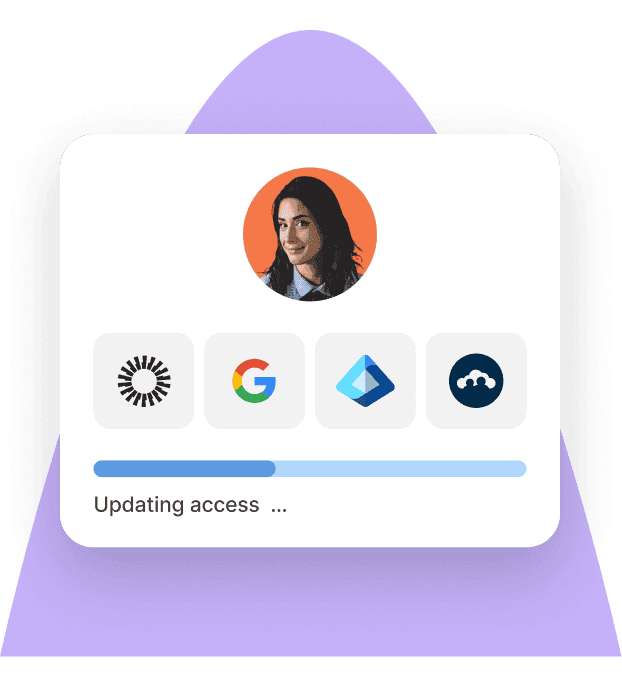
Seamlessly provision device and app access for global teams
Step 4. Identify shadow IT and prioritize what needs attention
Now that you have a clearer picture of your company's software, it's time to decide what needs attention. This includes identifying shadow IT (applications adopted without IT approval), reviewing potential security risks, and finding opportunities to reduce unnecessary spending.
Here's what to focus on:
Review applications with access to sensitive data: Check whether unapproved tools can access company emails, files, or other important systems. Prioritize those that could pose security risks.
Look for duplicate applications: Different teams may use separate tools for the same purpose. Identify opportunities to consolidate subscriptions and reduce costs without disrupting how teams work.
Identify unused licenses: Look for applications with little or no recent activity. These may be opportunities to cancel or reassign licenses that employees no longer need.
Decide what action each application needs: Some tools may need access restricted, while others could be approved or replaced with existing software. Prioritize based on risk, cost, and business needs.
Not every unapproved application needs to be removed. The goal is to understand which tools are useful, which create unnecessary costs, and which need closer attention.
For a more structured approach to reviewing security risks, use our IT risk assessment template
Step 5. Keep your software inventory up to date
Discovering your company's software is only the first step. As employees join, change roles, or adopt new tools, your inventory can quickly become outdated. Keeping it accurate requires ongoing monitoring and regular reviews.
Here's how to stay on top of changes:
Automate software discovery: Use software discovery tools to monitor supported authentication, helping IT identify new applications without relying on manual audits.
Connect software access to employee changes: Link access management with HR processes so new hires receive the tools they need, employees changing roles have their access reviewed, and departing employees have unnecessary access removed.
Assign application owners and review regularly: Make someone responsible for each application, including its usage, licenses, and renewals. Schedule regular reviews to identify outdated information and make sure tools are still needed.
Combining automated discovery with regular reviews helps IT maintain a more accurate inventory as the business grows.
Learn more about integrating IT lifecycle management with global HR.
How Deel IT helps businesses discover and manage software
Deel IT brings software discovery and management into one platform connected to workforce data, helping IT and Finance teams maintain visibility and control as their business grows.
With Deel IT, teams can:
Discover applications: Identify software employees use, including tools adopted without IT approval.
Reduce unnecessary spending: Spot unused licenses and opportunities to optimize software costs.
Manage access changes: Help automate provisioning and deprovisioning as employees join, change roles, or leave.
Stay ahead of renewals: Track software contracts and upcoming renewal dates in one place.
Deel IT also brings software management together with device lifecycle management, endpoint protection, and IT support, helping distributed teams manage more of their IT operations from one place.
Book a demo to see how Deel IT can help you uncover hidden applications, reduce unnecessary software spending, and keep your inventory up to date.
Deel IT
Procure, deliver, manage, and secure devices anywhere

FAQ
What is the difference between software discovery and a software audit?
Software discovery identifies applications employees use, including tools adopted without IT approval. A software audit is typically a periodic review of applications, licenses, and access to check whether they meet company requirements.
Can software discovery find every application a company uses?
Not always. Software discovery depends on the available data sources and integrations. Applications accessed through personal accounts or purchased outside company processes may not appear. Combining authentication data, expense records, and HR information helps businesses build a more complete software inventory.
What should IT do when shadow IT is discovered?
Start by assessing the application's security risks, business purpose, and cost. Tools that access sensitive data may need immediate attention, while duplicate applications could be consolidated. Useful tools that weren't formally approved may be worth reviewing for approval rather than removing.
How often should a software inventory be reviewed?
A quarterly review is a good starting point for checking application ownership, license usage, and upcoming renewals. However, businesses should also use ongoing software discovery and update access as employees join, change roles, or leave to keep their inventory accurate between reviews.
About the author
Dr Kristine Lennie holds a PhD in Mathematical Biology and loves learning, research and content creation. She had written academic, creative and industry-related content and enjoys exploring new topics and ideas. She is passionate about helping create a truly global workforce, where employers and employees are not limited by borders to achieve success.