
Article
12 min read
How to Ship Laptops from USA to Canada
IT & device management

Author
Michał Kowalewski
Last Update
January 30, 2026

Table of Contents
What to know before shipping laptops from USA to Canada
How to prepare laptops in the USA before shipping
Step by step process for sending laptops from USA to Canada
Step by step process for sending laptops from USA to Canada with Deel IT
When to ship vs when to procure locally
Practical checklists for shipping laptops to Canada from USA
Simplify laptop shipping with Deel IT
Key takeaways
- Shipping laptops from the USA to Canada requires precise customs paperwork. Laptops fall under HS code 8471 and are taxed at 5% GST plus any provincial sales tax.
- Basic customs duty is 0%, but shipments can be delayed if invoices lack serial numbers, declared values, or Importer of Record details.
- Deel IT streamlines the process by managing procurement, compliance, and delivery so employees in Canada receive ready-to-use laptops on day one.
Canada may be right across the border, but shipping laptops there isn’t always as simple as it looks. Imports are subject to GST, paperwork must be exact, and even minor mistakes can cause delays at customs. For companies trying to get employees set up quickly, those delays mean extra costs and frustrated new hires.
It’s a challenge many teams face, and why companies turn to Deel IT. With the ability to ship devices to 130+ countries and a 99%+ on-time delivery rate in 10 days or fewer, Deel IT helps businesses equip employees in Canada and beyond without the headaches.
What to know before shipping laptops from USA to Canada
When sending laptops from the USA to Canada, there are several country-specific regulations and requirements to plan for. Missing even one detail can delay a shipment at customs or create unexpected costs.
Customs duties and taxes
- Laptops are classified under HS code 8471 (automatic data processing machines)
- Canada applies 0% basic customs duty on laptops under its Customs Tariff.
- Imports are subject to 5% GST, plus provincial sales tax where applicable (e.g. 7% PST in British Columbia, 9.975% QST in Quebec)
Required documentation
- Commercial invoice with brand, model, serial numbers, HS code, declared value, country of origin.
- Packing list with weights and dimensions.
- Air waybill provided by courier.
- Importer of Record: Canadian entity or individual with a Business Number (BN) or GST/HST account.
Regulatory restrictions
- Devices with wireless functions must comply with Innovation, Science and Economic Development (ISED) standards for radio equipment.
- Lithium-ion batteries must be packaged and labeled under IATA UN3481 rules for air shipments
- Refurbished laptops can be imported, but must comply with Canadian safety and e-waste regulations.
See also: Want to Reduce IT Costs? Try These 5 Device Reconditioning Strategies
Shipping environment
- Main air gateways: Toronto (YYZ), Vancouver (YVR), Montreal (YUL).
- Typical express transit: 1–3 days; economy: 3–7 days.
- Clearance usually takes 1–3 days if documentation is correct.
- Express carriers preferred for customs support.
- Winter storms can delay shipments, particularly to the Prairies or Atlantic provinces.
- Remote and northern communities may add extra transit days compared to urban centers.
Impact on employee onboarding
- Unpaid GST or PST at delivery often results in couriers charging the employee, creating a poor onboarding experience.
How to prepare laptops in the USA before shipping
Before shipping laptops to Canada, there are several preparation steps to follow. These ensure devices are secure, compliant with U.S. export rules, and ready to clear customs smoothly.
Secure company data
- Encrypt each device (BitLocker for Windows, FileVault for Mac).
- Remove cached logins, saved passwords, and personal data.
- Record the laptop’s serial number for paperwork and tracking. Canadian customs often require it on the commercial invoice.
- Enable mobile device management (MDM) or remote wipe so you can protect data if a device is lost in transit.
Verify export rules
- U.S. exports above $2,500 generally require an EEI filing through the Automated Export System (AES).
- Laptops with strong encryption (certain chipsets) can trigger U.S. export control checks, though standard consumer laptops are usually covered under EAR99 or license exception ENC.
Package devices securely
- Use the manufacturer’s original packaging if available.
- Double-box with sturdy, corrugated cardboard and high-density foam to absorb shocks during long-haul transit.
- Separate chargers and accessories in padded pouches to prevent scratches or impact damage.
- Apply lithium battery hazard labels (UN3481) on each package, as required by IATA air shipping regulations.
Prepare documentation in advance
- Commercial invoice: include brand, model, HS code 8471, serial number, declared value, and country of origin.
- Packing list: itemized contents, weights, and dimensions.
- Airway bill: provided by the carrier.
- Certificate of origin: useful if claiming tariff benefits under CUSMA/USMCA.

Step by step process for sending laptops from USA to Canada
Use this eight-step checklist to ship laptops from the USA to Canada with fewer delays and predictable costs.
1. Set your shipping plan
Decide on shipping terms: Delivered Duty Paid (DDP), where you handle duties and taxes upfront, or Delivered at Place (DAP), where the recipient pays on delivery. Confirm who will act as the Importer of Record in Canada and whether you’re sending a single laptop or a consolidated shipment.
2. Prepare the laptop
Encrypt the drive, clear user accounts and saved passwords, and reset the machine to a clean operating system. Record the serial number since it must appear on the invoice and may be checked by customs in Canada.
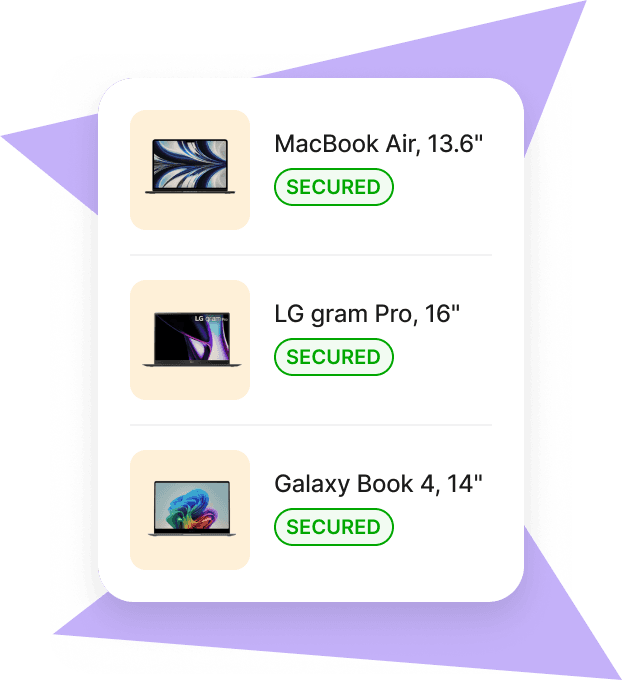
Tip: Mobile device management (MDM) software lets you track, lock, or wipe laptops remotely. It’s worth setting up before shipping. See our best MDM tools guide for options.
Mobile Device Management
3. Create shipment and documents
Prepare a commercial invoice listing brand, model, HS code 8471, serial numbers, declared value, and country of origin. Add a packing list with weights and dimensions, and the airway bill provided by your carrier. In the U.S., file an Electronic Export Information (EEI) declaration if the shipment value exceeds $2,500.
4. Submit for pre-clearance
Send all documentation to the courier or broker before pickup. Ensure GST/PST estimates are included, and verify the Importer of Record’s Canadian business number (BN) or GST/HST account is on file.
5. Package and hand off
Use the manufacturer’s original box if available, then double-box with sturdy cardboard and padding. Pack chargers and accessories separately. Apply the UN3481 lithium battery label, seal with tamper-evident tape, and hand the shipment to your courier.
6. Track and resolve exceptions
Monitor courier tracking daily. If Canadian customs requests additional information or clarifications (e.g. serial numbers, declared value), respond promptly to avoid delays.
7. Settle duties and coordinate last mile
For DDP shipments, duties and taxes are prepaid so the courier releases the device without issues. For DAP, make sure the employee is aware of the GST/PST charges due on delivery. Confirm the delivery address format and arrange a delivery window.
8. Delivery to the employee
Once delivered, ask the employee to inspect the package, verify the laptop’s serial number against the assignment, and confirm that the device powers on. This closes the loop and gives IT a record of successful delivery.
See also: Mac vs PC for work: Pros, cons, and how to pick the right one
Step by step process for sending laptops from USA to Canada with Deel IT
Instead of managing encryption, packaging, paperwork, customs, and delivery yourself, Deel IT handles the entire workflow. Here’s what the same process looks like when you use Deel IT:
- Place the order: select the laptop model in the Deel IT platform and assign it to the employee.
- Configuration: devices are preconfigured to your specifications (OS, security settings, company standards).
- Compliance and paperwork: all customs forms, duties, and country-specific certifications are prepared and managed by Deel IT.
- Shipping: the device is shipped through Deel’s global logistics network and fully insured.
- Delivery: the laptop arrives at the employee’s address in Canada, compliant and ready to use on day one.
- Lifecycle support: if the device is damaged, needs repair, or must be retrieved, Deel IT manages the reverse logistics.
| Step | Doing it yourself | With Deel IT |
|---|---|---|
| Device preparation | Encrypt, reset, record serials manually | Preconfigured to your standards |
| Packaging | Source boxes, add padding, apply battery labels | Professionally packaged and labeled |
| Documentation | Create invoices, packing list, airway bill, file EEI | Documentation prepared and submitted |
| Customs clearance | Calculate duties, respond to broker queries | Duties prepaid, clearance managed |
| Shipping | Choose courier, track shipment, resolve delays | Shipped through Deel’s global network |
| Delivery | Employee sets up device after receipt | Device arrives ready to use |
| Returns & repairs | Arrange collection and service locally | Managed through Deel IT platform |
Deel IT

Global delivery coverage
Deel IT is not limited to shipping laptops from the USA to Canada. We deliver to over 130 countries worldwide, including:
- Canada, Mexico, Brazil
- United Kingdom, Germany, France, Spain
- India, China, Japan, Singapore
- Australia, New Zealand, and more
Wherever your team is located, Deel IT ensures devices arrive on time, compliant, and ready to use. Find out more details on how companies worldwide are leveraging Deel IT in our Guide to The World at Work in 2025
When to ship vs when to procure locally
Not every situation calls for shipping laptops from the USA. In many cases, buying in-country is faster, cheaper, and less risky. Use this framework to decide.
Shipping from the USA is better when:
- You need a specific model that is not available locally
- You already have inventory in the USA ready to go
- You are equipping a small number of employees and want consistent hardware globally
- Duties and shipping costs are lower than local purchase prices
Procuring locally is better when
- You need laptops delivered in a timely manner
- Local regulations make imports difficult (extra permits, high duties, or restrictions on used equipment)
- You are hiring in volume and want faster scaling without customs delays
- You want local warranty coverage and service availability
Break-even point
Compare the total landed cost of shipping (device cost + freight + insurance + duties + admin time) with the cost of buying locally (device price + local taxes + vendor fees). The lower option is usually the smarter choice.
Case study
Filtered, a content intelligence platform, struggled with delivery inefficiencies as it expanded internationally. Their previous provider caused delays, duplicate shipments, and frustrating logistical hurdles. Deel IT provided the seamless solution Filtered needed to streamline its operations.
Deel transformed Filtered’s onboarding process. Today, Cath can invite a new hire to the Deel platform in seconds, where employees choose equipment that fits their needs. Product team members, for example, receive higher-spec laptops, while others can select from standard options within their £1,800 allowance.
With 100% of orders delivered on time, Deel ensures Filtered’s new hires are equipped and ready to work quickly. Even urgent requests, such as delivering a laptop within a day for an immediate starter, are handled seamlessly.
By removing equipment-related inefficiencies, Deel allows Filtered to focus on scaling their operations without worrying about logistics. The streamlined process improves employee satisfaction and enhances operational efficiency.
Practical checklists for shipping laptops to Canada from USA
Use these quick-reference templates to prepare shipments consistently.
Commercial invoice checklist
- Shipper and consignee details
- Importer of Record (Canadian entity with BN or GST/HST account)
- Incoterms (DDP or DAP)
- Currency and declared value (in USD, converted if required)
- Laptop brand, model, and serial numbers
- HS code 8471 (automatic data processing machines)
- Country of origin (e.g. “Made in China,” “Made in USA”)
- Reason for export (e.g. “Company-issued laptop for employee use”)
Packing list checklist
- Number of boxes
- Weights and dimensions
- Contents of each box
- Accessories listed separately
Pre-shipment checklist
- Device encrypted and reset to clean OS
- Serial number recorded and matched to invoice
- Commercial invoice and packing list prepared
- EEI declaration filed in the U.S. if shipment > $2,500
- Lithium battery hazard label (UN3481) applied
- Photos of packaged shipment taken
- Documents sent to courier or broker for pre-clearance
Employee delivery checklist
- Employee receives package and checks for damage
- Laptop model and serial number verified against assignment
- Device powers on and boots properly
- Employee confirms receipt back to company IT/HR
Deel IT is incredibly efficient. Equipping a new hire now takes just 10 minutes of my time. It used to take hours.
—Cath Hammond,
People Operations Manager, Filtered
Simplify laptop shipping with Deel IT
Getting laptops from the USA into Canada doesn’t have to mean coordinating couriers, navigating customs paperwork, or managing duties and taxes yourself. You can do it manually—but every step adds time, risk, and operational overhead.
Deel IT simplifies cross-border laptop shipping by running the entire process end to end in one unified IT platform, across 130+ countries, with shipping and lifecycle actions triggered by HR data—from procurement through delivery and ongoing lifecycle support:
- Global device sourcing: Procure Macs and PCs from Deel IT’s device catalog based on role, budget, and business needs
- Reliable global delivery: Devices are shipped directly to employees in Canada and 130+ countries with a 99.5% on-time delivery rate
- Preconfigured devices: Laptops are prepared with required apps, security settings, and policies before they ship
- Compliance handling: Customs documentation, duties, taxes, and country-specific requirements are managed automatically as part of the shipment
- Real-time tracking: Track shipments, delivery status, and device ownership from a single dashboard, from dispatch to receipt
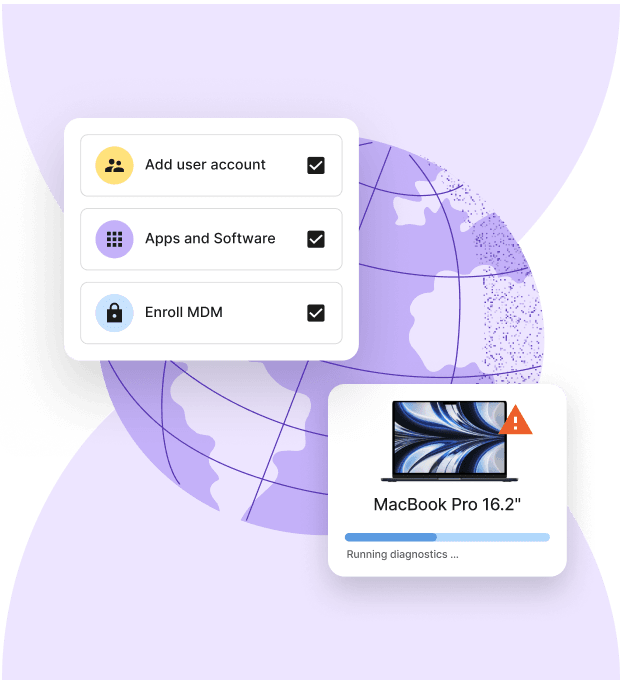
- Automated lifecycle management: Onboarding, repairs, reassignments, and offboarding are triggered automatically, with actions synced to HR data and role changes
- 24/7 global IT support: Always-on support handles shipping issues, device problems, replacements, and access changes
Book a demo today and see how Deel IT helps you equip teams in Canada and beyond.
Device Lifecycle Management
Michał Kowalewski a writer and content manager with 7+ years of experience in digital marketing. He spent most of his professional career working in startups and tech industry. He's a big proponent of remote work considering it not just a professional preference but a lifestyle that enhances productivity and fosters a flexible work environment. He enjoys tackling topics of venture capital, equity, and startup finance.


