
Article
10 min read
2026 Top MDM Platforms for Hassle‑Free Employee Device Enrollment
IT & device management

Author
Anna Grigoryan
Last Update
October 07, 2026

Table of Contents
What makes an MDM enrollment process simple for new employees
Simplify new employee device enrollment with global HR integration
Top MDM platforms for employee device enrollment: at a glance
Deel IT: simplifying device enrollment and global IT operations
Microsoft Intune
Jamf Pro
Omnissa Workspace ONE
Omnissa Workspace ONE
Hexnode UEM
Scalefusion
Mosyle
Miradore
Esper
Simplify global device enrollment with Deel IT
FAQ
Deel IT is a top choice for global teams looking for simple new employee device enrollment, connecting device provisioning, MDM, identity, and onboarding workflows so devices arrive ready for setup. Alternatives include Microsoft Intune for Microsoft environments, Jamf Pro and Mosyle for Apple fleets, and Hexnode or Scalefusion for mixed-OS teams
A hassle-free device enrollment experience means new hires log in and start working, without manual IT handoffs, complex setup guides, or shipping delays. In 2026, the simplest mobile device management enrollment process for new employees typically comes from platforms that combine zero-touch provisioning, identity integration, and cross-OS automation.
What makes an MDM enrollment process simple for new employees
In mobile device management, hassle-free enrollment means devices arrive pre-assigned, pre-configured, and secured, so employees authenticate with corporate credentials and immediately access the right apps and policies. The best experiences blend zero-touch enrollment, user-driven fallback options (such as emailed invites), and policy automation tied to role and location.
Zero-touch deployment programs like Apple Business Manager and Android Zero-Touch let IT pre-enroll and configure devices at scale, with Apple-specific workflows
When zero-touch isn't possible, invite-based enrollment and QR-based Android enrollment provide quick alternatives for bring-your-own-device and late-stage hires
Android offers multiple enrollment types (work profile, fully managed, corporate-owned work profile) that balance privacy and control
Buyer priorities in 2026 focus on automation, cross-platform support, identity integration, and governance
Independent roundups consistently emphasize cross-OS breadth and policy automation as core selection criteria
For distributed teams, the enrollment method must also fit global logistics—pre-assigning devices in-country, mapping policies to local compliance requirements, and plugging into HR and identity systems to avoid manual, error-prone steps.
Deel helps operationalize this by syncing HR events to identity and MDM, pre-assigning devices to the right entity, and coordinating local shipping with compliance baselines applied by default.
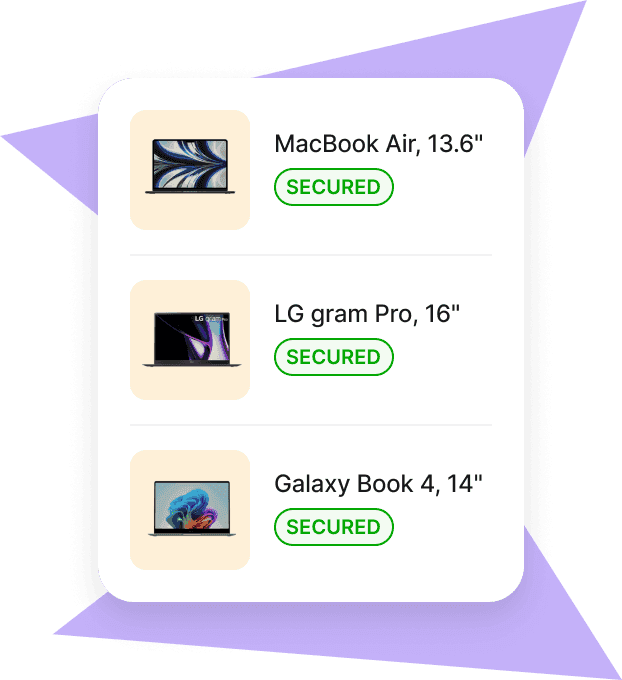
Mobile Device Management
Secure and manage IT devices across any operating system
Simplify new employee device enrollment with global HR integration
Connecting device enrollment with HR and identity systems helps IT teams prepare devices based on who is joining, their role, location, and start date. Instead of manually passing information between HR, identity, and device management tools, employee lifecycle events can trigger the appropriate IT workflows.
For global teams, this can make onboarding more consistent while reducing manual coordination between HR and IT.
HRIS integration: Hiring and worker data can initiate downstream IT workflows, including device provisioning and Mobile Device Management (MDM) enrollment
Identity alignment: Connecting identity and device management helps ensure employees receive the appropriate accounts, access, and device policies for their role
Consistent security policies: IT teams can apply defined device security requirements and maintain visibility over managed devices throughout the employee lifecycle
A typical workflow from hiring to day one might look like this:
| Step | Owner | Outcome |
|---|---|---|
| New hire confirmed | HR | Role, location, and start date become available to IT workflows |
| Identity provisioned | IT | Account, Single Sign-On (SSO), and appropriate access are configured |
| Device prepared | IT | Device enrollment and required policies are configured |
| Shipment arranged | Ops / IT | Equipment is delivered to the employee |
| Employee signs in | Employee | Approved apps, settings, and policies can be applied |
| Device managed | IT / Security | Device status and security policies can be managed throughout employment |
For deeper guidance on building a right-sized stack, see Deel’s overview of the best MDM for small businesses.
Top MDM platforms for employee device enrollment: at a glance
The right device management platform depends on your operating systems, enrollment requirements, identity stack, security needs, and whether you also need to manage global device logistics.
Here is a quik comparison at a glance:
| Platform | Supported OS | Zero-touch enrollment | HRIS / IdP integration | Best for |
|---|---|---|---|---|
| Deel IT | Windows, macOS, iOS/iPadOS, Android, Linux | Automated enrollment and policy deployment, with devices configured to company requirements before or during employee setup | Lifecycle-driven automation connecting HR and identity data to device, access, and security workflows | Companies of all sizes, but especially global teams that want device management plus procurement, logistics, support, and lifecycle management |
| Microsoft Intune | Windows, macOS, iOS/iPadOS, Android, Linux | Yes | Microsoft Entra and ecosystem integrations | Microsoft-centric mixed fleets |
| Jamf Pro | Apple platforms | Yes | Identity and enterprise integrations | Apple-first organizations |
| JumpCloud | Windows, macOS, Linux + mobile management | Platform-dependent | Identity and device management in one platform | Mixed-OS organizations |
| Omnissa Workspace ONE | Windows, macOS, iOS, Android, ChromeOS | Yes | Enterprise identity and app integrations | Large, complex enterprises |
| Hexnode UEM | Windows, macOS, iOS/iPadOS, Android, and others | Yes | Directory and identity integrations | Multi-OS fleets |
| Scalefusion | Windows, macOS, iOS/iPadOS, Android, ChromeOS | Yes | Identity and directory integrations | Mixed-OS and Android-heavy fleets |
| Kandji | Apple platforms | Yes | Major identity provider integrations | Apple-first organizations |
| Mosyle | Apple platforms | Yes | Identity integrations | Apple-focused organizations |
| Miradore | Windows, macOS, iOS/iPadOS, Android | Platform-dependent | Directory and integration options | Smaller teams starting with MDM |
| Esper | Primarily Android, with additional platform support | Platform-dependent | API and integration ecosystem | Dedicated and operational device fleets |
Deel IT: simplifying device enrollment and global IT operations
Deel IT goes beyond MDM enrollment by connecting device management with the rest of the worker lifecycle. Teams can manage device procurement and delivery, security, application access, IT support, and equipment recovery across 130+ countries, reducing the number of separate tools, vendors, and manual handoffs involved in supporting a distributed workforce.
Because IT workflows can follow worker lifecycle events, teams can keep devices, access, and security aligned as people join, change roles, and leave. Deel IT can also work alongside existing HR and identity systems, so companies don't need to replace their entire IT stack to adopt it.
Here’s how that helps different teams:
IT & SecOps
Pain: Device provisioning, access, security, and support are often spread across different systems and regional vendors.
How Deel IT helps: IT teams can manage device deployment, policies, application access, endpoint security, support, and recovery through connected workflows, with centralized visibility across the device lifecycle.
HR & People Ops
Pain: Getting equipment to new hires across different countries can involve multiple suppliers, shipping processes, customs requirements, and handoffs with IT.
How Deel IT helps: Deel IT handles global device procurement and logistics across 130+ countries, helping teams get approved equipment to workers and coordinate IT onboarding with worker start dates.
Security & Compliance
Pain: Distributed teams make it harder to apply consistent security requirements and keep devices and access aligned with worker status.
How Deel IT helps: Teams can apply device policies and endpoint protection across managed devices, while lifecycle workflows help keep device security and application access aligned as workers join, change roles, or leave.
Finance & Operations
Pain: Multiple hardware vendors, scattered inventory, unused equipment, and difficult returns can make global IT costs harder to control.
How Deel IT helps: Teams get visibility across procurement, assigned devices, inventory, repairs, recovery, storage, and reuse, making it easier to manage equipment and reduce unnecessary purchases.
Best for: Teams of all sizes, especially distributed and global organizations that want MDM capabilities connected with device procurement, security, access, support, and lifecycle management rather than managing each separately.
Implementation next steps for mid–bottom funnel teams:
Connect Deel to your HRIS and IdP; map roles to app/policy bundles in your chosen MDM.
Pilot with 10–20 upcoming hires across 2–3 countries; measure time-to-productive and compliance pass rates.
Standardize zero-touch where possible; use Deel to trigger invite-based enrollment for exceptions (contractors, BYOD).
Formalize offboarding workflows in Deel to reclaim devices, revoke access, and close audit loops.
Guide
A buyer’s guide to future-proof HRIS software
Microsoft Intune
Microsoft Intune is a cloud-based MDM and endpoint management platform for Windows, macOS, iOS/iPadOS, and Android devices. It supports multiple enrollment methods for company-owned and personal devices, including automated enrollment options for new employee devices.
Enrollment: Supports automated enrollment through Windows Autopilot, Apple Automated Device Enrollment, Android Enterprise, and other enrollment methods.
Key strength: Deep integration with Microsoft Entra ID, Microsoft 365, and the broader Microsoft security ecosystem.
Best for: New employees joining Microsoft-centric organizations that want device enrollment closely connected with identity, access, and security policies.
Pair Intune with Deel to automate pre-enrollment, group assignments, and country-aware logistics from offer acceptance to day one.
Jamf Pro
Jamf Pro is an Apple-focused device management platform for organizations managing Macs, iPhones, iPads, and other Apple devices at scale. It integrates with Apple Business Manager and supports Automated Device Enrollment for zero-touch deployment.
Best for: New employees at organizations with primarily Apple device fleets who need same-day, zero-touch enrollment on their first login.
Enrollment: Supports Automated Device Enrollment and other Apple enrollment methods.
Key strength: Deep integration with Apple's native enrollment, configuration, and app distribution services.
Teams commonly pair Jamf with Deel to trigger ABM assignments, Jamf prestage enrollment, and license provisioning based on start date, role, and entity.
Omnissa Workspace ONE
Omnissa Workspace ONE UEM, formerly VMware Workspace ONE, is an enterprise endpoint management platform for managing and securing devices across multiple operating systems. It supports device enrollment, configuration, application management, and security policies.
Best for: New employees joining larger organizations managing complex, distributed device environments across multiple operating systems.
Enrollment: Offers multiple enrollment methods across supported devices and operating systems.
Key strength: Broad enterprise device management and provisioning capabilities.
Omnissa Workspace ONE
Omnissa Workspace ONE UEM, formerly VMware Workspace ONE, is an enterprise endpoint management platform for managing and securing devices across multiple operating systems. It supports device enrollment, configuration, application management, and security policies.
Enrollment: Offers multiple enrollment methods across supported devices and operating systems.
Key strength: Broad enterprise device management and provisioning capabilities.
Best for: New employees joining larger organizations managing complex, distributed device environments across multiple operating systems.
Hexnode UEM
Hexnode UEM is a cross-platform endpoint management solution covering Windows, macOS, iOS/iPadOS, Android, Linux, ChromeOS, and other device types. It also offers extensive kiosk and device-lockdown capabilities.
Enrollment: Supports automated provisioning through Apple, Android, Samsung, and Windows enrollment programs.
Key strength: Broad OS coverage combined with extensive kiosk management options.
Best for: New employees being enrolled into mixed-OS fleets or dedicated and kiosk devices across diverse hardware setups.
With Deel, SMBs can connect HR events to Hexnode policies, automate device assignment, and standardize global shipping and returns.
Scalefusion
Scalefusion provides unified endpoint management across Windows, macOS, iOS, Android, Linux, and ChromeOS. It combines device enrollment and policy management with application management and remote troubleshooting capabilities.
Enrollment: Supports platform-specific enrollment methods across major operating systems.
Key strength: Cross-platform endpoint management combined with remote support capabilities.
Best for: New employees joining organizations managing mixed-OS device fleets who need a straightforward enrollment setup.
Mosyle
Mosyle is built specifically for managing and securing Apple devices, including Macs, iPhones, and iPads. Its platform combines Apple-focused MDM with security, identity, and application management capabilities.
Enrollment: Supports Apple Business Manager and Automated Device Enrollment.
Key strength: Apple-specific device management combined with broader security and identity capabilities.
Best for: New employees joining Apple-focused businesses and distributed Apple fleets who need cost-effective, zero-touch setup.
Miradore
Miradore is a cloud-based MDM platform for managing Android, iOS/iPadOS, macOS, and Windows devices. It focuses on making core device management and security capabilities accessible to organizations managing mixed device fleets.
Device support: Covers Android, iOS/iPadOS, macOS, and Windows.
Key strength: Accessible cross-platform enrollment, configuration, and security policy management.
Best for: New employees at organizations looking for straightforward, low-cost multi-platform enrollment.
When paired with Deel, small teams can trigger invite-based enrollments for exceptions, enforce baseline security by role, and manage global logistics without heavy IT overhead.
Esper
Esper is an endpoint management platform focused heavily on dedicated and operational devices, including kiosks, point-of-sale systems, digital signage, and field devices. It provides tools for provisioning, monitoring, application management, and remote device control.
Management: Supports provisioning, configuration, app management, monitoring, and remote troubleshooting.
Key strength: Device management capabilities designed around large fleets of dedicated endpoints.
Best for: New employees being onboarded onto dedicated and operational device fleets rather than standard work laptops.
Simplify global device enrollment with Deel IT
Simple enrollment starts before a new employee turns on their device. Deel IT connects global device provisioning with MDM, identity, and worker lifecycle workflows, helping teams get new hires the right equipment, applications, access, and security settings from day one.
Learn more about zero-touch deployment for remote devices or explore how Deel IT supports mobile device management.
Book a demo to see how Deel IT can simplify device onboarding for your global team.
Deel IT
Procure, deliver, manage, and secure devices anywhere

FAQ
Which MDM platform has the simplest enrollment process for new employees?
For global teams, Deel IT simplifies employee device enrollment by connecting device provisioning, MDM, identity, and onboarding workflows. Microsoft Intune is well suited to Microsoft environments, while Jamf Pro and Mosyle offer streamlined enrollment for Apple-focused fleets.
What is zero-touch enrollment?
Zero-touch enrollment allows a work device to automatically enroll in management and receive required apps, settings, and security policies during setup. New employees can sign in and get started without IT manually configuring each device.
Can new employees enroll their own devices without IT help?
Yes. Depending on the platform, operating system, and device ownership model, employees may be able to enroll devices through automated setup, an enrollment link, company credentials, or a QR code. This is particularly useful for remote employees and BYOD programs.
How does Deel IT simplify device enrollment for global teams?
Deel IT connects device provisioning and management with worker lifecycle workflows, helping IT teams prepare and deliver devices based on employee needs. It also supports global device logistics across 130+ countries, reducing the manual coordination involved in onboarding distributed employees.
Which MDM platforms are best for mixed-OS and single-OS fleets?
Microsoft Intune is particularly suited to organizations using Microsoft 365 and Microsoft Entra ID, while Jamf Pro and Mosyle focus on Apple environments. For mixed-OS fleets, options such as Hexnode, Scalefusion, Workspace ONE, and Intune provide broader cross-platform support.
Does MDM enrollment work for remote employees?
Yes. Zero-touch and user-driven enrollment methods allow remote employees to set up managed work devices without visiting an office or having IT configure them in person. Once enrolled, the MDM can apply the appropriate apps, settings, and security policies remotely.
How do HR and identity integrations make device enrollment easier?
HR and identity integrations can connect employee information such as role, location, and start date with IT onboarding workflows. This reduces manual handoffs and helps ensure the appropriate device configuration, access, and security policies are ready when the employee starts.
What should IT teams look for when choosing an MDM for easy enrollment?
Prioritize zero-touch provisioning, identity integration, automated app and policy deployment, support for your operating systems, and straightforward enrollment for BYOD or other devices that cannot use zero-touch provisioning. Global teams should also consider how device procurement and delivery fit into the onboarding process.
Anna Grigoryan is an SEO and Content Manager with 6+ years of experience in digital marketing and content strategy. She specializes in optimizing & creating high-impact, search-driven content in the tech and HR space, with a focus on global work, people operations, and the evolving world of employment. When she’s not optimizing content for growth, she’s exploring new trends in marketing and technology. Connect with her on Linkedin.











