
Article
19 min read
Is a Strong Password Enough to Protect Employee Accounts?
IT & device management

Author
Dr Kristine Lennie
Last Update
March 31, 2026

Table of Contents
Why strong passwords aren’t enough
The modern security model: layered protection
Identity and Access Management: controlling who has access
Mobile Device Management: securing employee devices
Multi-Factor Authentication: adding another layer of verification
Single Sign-On: simplifying and securing access
How these systems work together
Why companies need more than a strong password: a real-world use case
Passwords are just the beginning: secure your workforce with Deel IT
Key takeaways
- Strong passwords can stop basic attacks, but modern threats like phishing, credential reuse, and compromised devices often bypass password protections entirely.
- Securing employee accounts today requires a layered approach that includes IAM, MDM, MFA, and SSO to verify users, devices, and access permissions.
- Deel IT delivers IAM, MDM, MFA, and SSO in one platform, while also automating onboarding, offboarding, device provisioning, and lifecycle management—giving organizations centralized visibility and control over workforce IT as teams grow
For years, strong passwords have been the backbone of workplace security. Most organizations rely on password policies to protect employee accounts and company systems: for example, asking employees to create strong passwords and change them regularly. But the way people work has changed. Teams are more distributed than ever, employees join from different countries, and new hires often need access to tools and systems from day one—sometimes before they’ve even met their colleagues in person.
At the same time, cyber threats have evolved. Attackers rarely try to guess passwords anymore: they steal them through phishing, data breaches, and compromised devices. For IT leaders, HR teams, and People Ops professionals responsible for protecting employee accounts, this raises an important question: Is a strong password still enough to protect company data?
Why strong passwords aren’t enough
Strong passwords can prevent simple brute-force attacks, but they don’t address many of the most common ways accounts are compromised today.
Several modern attack methods bypass password complexity entirely:
- Credential reuse and credential stuffing: Employees often reuse passwords across services, allowing attackers to use leaked credentials from data breaches to automatically test the same username-password combinations on corporate systems
- Phishing attacks: Employees may unknowingly enter credentials into fake login pages that mimic legitimate tools
- Human behavior: Passwords may be saved in browsers, written down, or shared between colleagues
Because of these risks, passwords alone can’t fully protect employee accounts. Even the strongest password can be compromised if an attacker obtains it through other means.
For modern organizations, passwords should be treated as only one layer of security.
The modern security model: layered protection
Today, protecting employee accounts involves more than simply verifying a password. Organizations increasingly rely on a layered security model, where additional signals (like who is logging in, what device they’re using, and whether they should have access in the first place) are checked before access is granted.
Modern organizations rely on several core systems:
- Identity and Access Management (IAM): Controls which employees can access which systems by centralizing identity management so companies can assign permissions, manage logins, and remove access when roles change, or employees leave
- Mobile Device Management (MDM): Helps organizations monitor and secure the laptops, phones, and other devices employees use for work by enforcing security policies and ensuring devices meet company standards before accessing systems
- Multi-Factor Authentication (MFA): Adds an extra verification step beyond a password (such as a code from an authentication app), making it much harder for attackers to access accounts even if credentials are compromised.
- Single Sign-On (SSO): Allows employees to securely access multiple tools with one login while giving IT teams centralized visibility and control over authentication
Together, these layers create a stronger security posture. Even if a password is compromised, additional protections (like device checks or multi-factor authentication) can prevent unauthorized access. Below, we discuss how each layer helps secure employee accounts.
Deel IT brings these layers together in one place. By combining MDM, IAM, MFA, and SSO, Deel IT helps organizations secure employee identities and devices while automating onboarding, offboarding, and device management for distributed teams at scale.
Deel IT

See also: Password Cracking: 10 Tools & Techniques + Defense Strategies
Identity and Access Management: controlling who has access
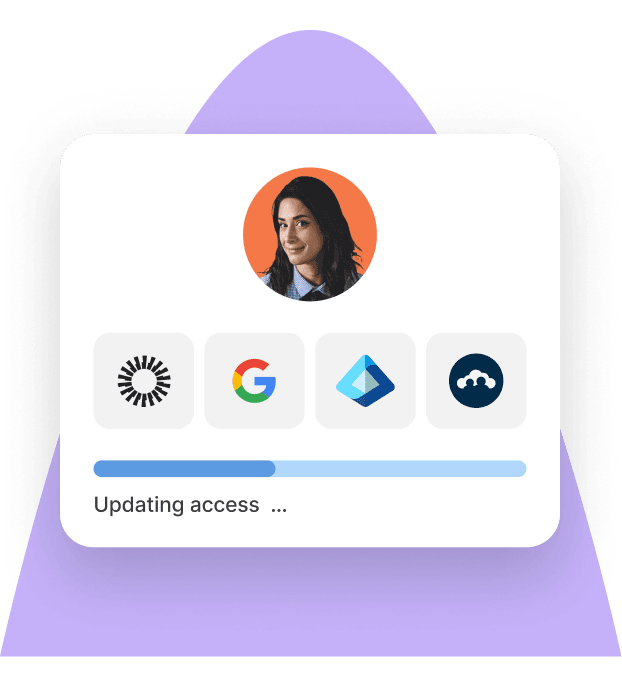
IAM is one of the most important layers of modern workforce security. It helps organizations control who can access which systems. Instead of assigning permissions separately across dozens of tools, IAM centralizes access management so IT teams can assign, update, and remove permissions from one place.
Common IAM capabilities include:
- Role-based access control (RBAC): Ensures employees only receive the permissions required for their role
- Automated onboarding: Grants new hires access to the tools they need as soon as they join
- Automated offboarding: Removes system access immediately when someone leaves the company
- Centralized authentication policies: Helps enforce consistent login and security requirements across tools
Without centralized access management, organizations often accumulate unnecessary permissions over time, increasing the attack surface and making security harder to maintain. IAM helps reduce this risk by ensuring employee access is controlled, consistent, and easy to manage.
How does this strengthen account security beyond passwords? Even the strongest password can’t prevent security risks if employees have unnecessary access to systems. IAM ensures the right people have access to the right tools—and nothing more.
Identity Access Management
Mobile Device Management: securing employee devices
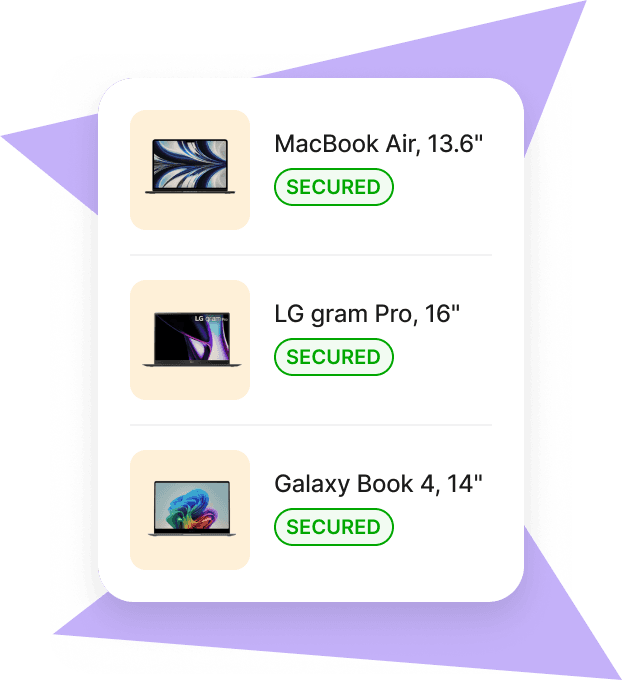
Even with strong identity and authentication controls in place, the devices employees use to access company systems can still introduce security risks. MDM helps organizations monitor and secure employee laptops, phones, and tablets by enforcing security policies and ensuring devices meet company standards before accessing work systems.
With MDM, IT teams can:
- Remotely configure security settings on employee devices
- Enforce encryption and compliance policies
- Install required company applications
- Monitor device status and software updates
- Lock or wipe devices remotely if they are lost or stolen
By managing device security centrally, organizations reduce the risk of compromised endpoints and gain greater visibility into the devices accessing company data.
How does this strengthen account security beyond passwords? Even if an employee’s login credentials are secure, a compromised or unmanaged device can still expose company systems. MDM ensures that only trusted, compliant devices are used to access company data.
Mobile Device Management
Multi-Factor Authentication: adding another layer of verification
Passwords alone can’t fully protect employee accounts, especially if credentials are stolen through phishing or data breaches. MFA adds an extra layer of protection by requiring employees to verify their identity using an additional factor beyond a password.
With MFA in place, employees may need to confirm their identity using:
- Authentication apps: One-time passcodes (OTPs) generated by apps like Google Authenticator or Microsoft Authenticator
- Push notifications: Login approval requests sent directly to an employee’s device
- Biometric verification: Fingerprint or facial recognition on trusted devices
- Hardware security keys: Physical devices used to verify identity during login
By requiring a second form of verification, MFA significantly reduces the risk of unauthorized access, even if a password is compromised.
How does this strengthen account security beyond passwords? Even the most complex password can be stolen through phishing or data leaks. MFA ensures that a password alone isn’t enough to access company systems.
See also: MFA vs 2FA: Key Differences Explained
Single Sign-On: simplifying and securing access
As organizations adopt more software tools, employees often end up managing dozens of different logins. SSO simplifies this by allowing employees to access multiple applications with a single secure login.
With SSO, organizations can:
- Provide employees with one secure login for multiple applications
- Reduce password fatigue and reuse, which are common security risks
- Centralize authentication policies across company tools
- Monitor and manage login activity more easily from one place
SSO improves both security and employee experience by reducing the number of credentials employees need to manage.
How does this strengthen account security beyond passwords? When employees juggle dozens of passwords, they often reuse or simplify them. SSO reduces this risk by centralizing authentication and limiting the number of credentials employees need to remember.
Read: IT Security For Small Businesses: Built-in or Third-Party?
How these systems work together
Each of these systems (IAM, MDM, MFA, and SSO) protects a different part of the login and access process. Together, they create a layered security model that verifies not just the password, but the user, the device, and the level of access being requested.
This combination gives organizations far more control and visibility over how employees access company systems. Instead of relying on a single security checkpoint, multiple protections work in sequence to reduce risk and limit the potential impact of compromised credentials.
Why does this matter beyond strong passwords? A strong password protects only one part of the login process. Tools like IAM, MDM, MFA, and SSO add additional safeguards across identity, devices, and access. Deel IT brings together to help organizations secure employee access while managing devices and onboarding at scale.
Why companies need more than a strong password: a real-world use case
The scenario: Your company is growing and hiring internationally. New employees need immediate access to tools like Slack, Google Workspace, and internal systems, often from different devices and locations.
The problem: As the team expands, the number of users, devices, and systems accessing company data increases, also increasing exposure to security risks. Protecting employee accounts requires a layered approach beyond strong passwords. But in many organizations, this means managing security across multiple systems, which can lead to:
- Fragmented security tools: Identities, devices, and access are spread across multiple systems
- Limited visibility: IT teams can’t easily see who is accessing systems or from which devices
- Manual onboarding and offboarding: Access must be granted and revoked across several tools
- Overreliance on passwords: Passwords can’t prevent phishing, compromised devices, or excessive permissions
The solution: Adopt a unified approach to workforce security by connecting identity, device management, authentication, and access controls in one system (IAM, MDM, MFA, and SSO). This gives organizations clear visibility into who is accessing systems and from which devices.
Download this password policy template.
Having everything in one system makes us look—and feel—like a tech‑forward employer.
—Lucía Rodriguez,
Head of HR, Ladonware
Want to learn more about securing employee access and managing IT for distributed teams? These resources can help:
Passwords are just the beginning: secure your workforce with Deel IT
Strong passwords help protect employee accounts, but they’re only one piece of the security puzzle. A layered security approach (combining identity, device, and access controls) is essential for protecting modern workforces. But as companies hire globally and teams access systems from multiple devices and locations, managing identity, devices, and access controls through separate tools becomes increasingly complex.
Deel IT brings identity management, device management, authentication, and employee lifecycle workflows into one coordinated system—so organizations can secure employee access without adding operational complexity.
How Deel IT helps secure employee access:
- Integrated IAM, MDM, MFA, and SSO: Manage identities, authentication, devices, and access policies from one platform
- Automated onboarding and offboarding: Provision accounts, permissions, and devices instantly when employees join—and revoke access when they leave
- Secure device management: Enforce security policies and monitor employee devices across distributed teams
- Centralized visibility: Track user access, devices, and security posture from a single dashboard
- Policy-based access controls: Ensure employees only have the permissions they need based on role and status
- Scalable security for global teams: Apply consistent security standards across countries, devices, and remote work environments
The result: stronger protection for employee accounts, fewer security gaps, and a simpler way to manage workforce IT as your company grows.
Book a demo to see how Deel IT helps secure employee access for modern, distributed teams.
FAQs
What is a strong 8-digit password?
A strong 8-character password uses a mix of uppercase and lowercase letters, numbers, and special characters (for example: A7!kP3#q). However, security experts now recommend using longer passwords or passphrases for better protection
What is a standard password strength?
A standard strong password is typically 12–16 characters long and includes a mix of letters, numbers, and symbols. Many organizations also encourage using unique passwords for every account and combining them with multi-factor authentication (MFA).
How do hackers see your password?
Hackers usually don’t “see” passwords directly. Instead, they obtain them through phishing attacks, data breaches, malware, or credential stuffing, where leaked passwords from other websites are tested across multiple accounts.
Which password cannot be hacked?
No password is completely impossible to hack. However, long, unique passphrases combined with MFA are much harder to compromise and provide much stronger protection than passwords alone.
Dr Kristine Lennie holds a PhD in Mathematical Biology and loves learning, research and content creation. She had written academic, creative and industry-related content and enjoys exploring new topics and ideas. She is passionate about helping create a truly global workforce, where employers and employees are not limited by borders to achieve success.


