
Article
4 min read
Remote Employees PC Setup: How to Send Laptops to Your Team
IT & device management

Author
Michał Kowalewski
Last Update
October 07, 2026
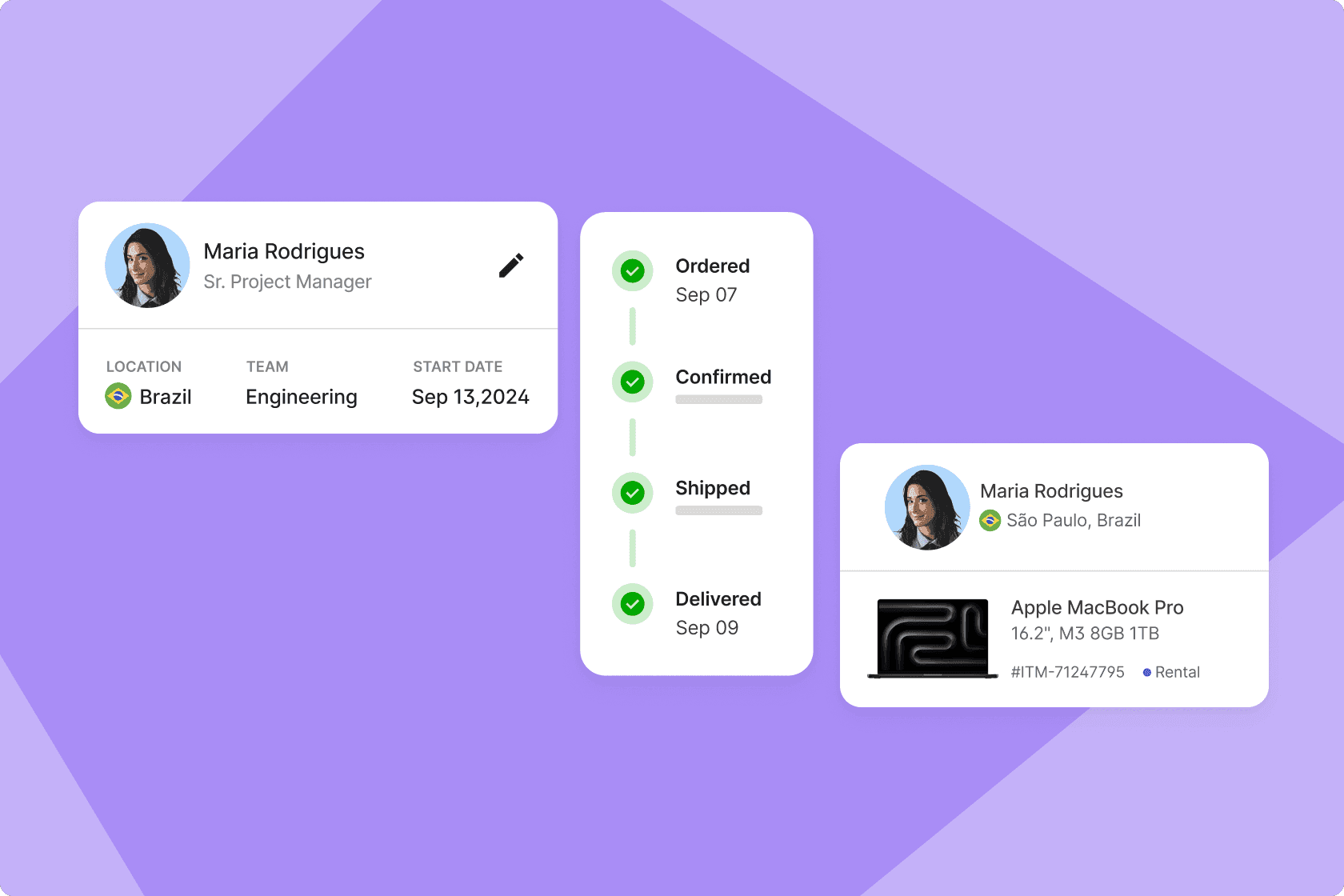
Table of Contents
Why setting up laptops for remote employees is more complicated than it seems
High shipping costs and customs delays from HQ
The three most common equipment provisioning strategies for remote and global teams (and their limitations)
What an ideal global equipment provisioning workflow looks like
Why this matters: cost, security, and productivity risks
How Deel IT simplifies global laptop provisioning
FAQ
The short answer
Deel IT provides equipment provisioning across 130+ countries, making it easier to equip remote employees wherever they’re based. Companies can source and deliver laptops and accessories while also managing configuration, security, IT support, and device recovery.
A smooth laptop setup can make or break onboarding for remote employees. Yet only 37% of workers say they have the equipment they need to do their jobs effectively.
For remote teams who rely on VPNs, video conferencing tools like Zoom, and collaboration apps like Slack or Microsoft Teams, delays in setup quickly impact employee productivity and data security.
The challenge for IT and HR is clear: how do you give a distributed workforce fast, secure, and cost-effective access to devices and apps without creating bottlenecks in the process?
Why setting up laptops for remote employees is more complicated than it seems
In a world where next-day delivery is the norm, it might seem surprising that providing laptops to remote employees in different locations is such a headache. Yet, there are many moving parts involved in IT asset management for remote workers. From routers and wi-fi stability to data protection and firewall configuration, the setup process touches every part of the work environment. Here are some of the top considerations.
Lengthy sourcing delays or out-of-stock models by region
Laptops that are readily available in one country might be backordered or out of stock entirely in another. Hardware inventory varies significantly by region, especially if IT teams rely on specific models to maintain standardization.
When a preferred device is out of stock locally, companies must wait for restocks or ship internationally, both of which introduce delays. These gaps can push onboarding timelines back by weeks, particularly in high-demand periods or during regional supply disruptions.
For small businesses, even a single missing device can disrupt workflows and create bottlenecks in planned work hours.
High shipping costs and customs delays from HQ
Shipping a laptop overseas sounds simple until you're doing it regularly. Costs rack up fast, including the courier fee, insurance, duties, and taxes that vary wildly depending on the destination. Even then, there's no guarantee it shows up on time.
In January 2025, late vessel arrivals were delayed by an average of 5.32 days. And that’s before accounting for customs, where regulatory complexity and documentation requirements can create additional friction. In one survey of logistics providers and goods owners, 33% identified customs compliance as a key challenge, citing the complexity and potentially severe consequences of non-compliance.
A new hire in Mexico is waiting on a laptop from Berlin, but it's stuck in transit. To keep things moving, the manager sends them a remote equipment stipend. The new hire buys a device locally, but it doesn't meet security measures and can't be enrolled in mobile device management (MDM). Now IT has no visibility or control, and the company's exposure to malware and data breaches just increased.
No centralized tracking of assets
Once a laptop ships, many companies lose visibility into its location, ownership, and configuration status. Without a centralized system to track device provisioning across regions, IT teams rely on spreadsheets, email threads, and manual updates, which quickly become outdated. This makes tracking delivery progress and device status nearly impossible, and when problems arise, troubleshooting is reactive rather than proactive.
No standardized setup process
When devices aren't set up the same way every time, your approach to security is inconsistent. One laptop might have full disk encryption and endpoint protection, which is entirely missing on another.
Without a standard image, tools like MDM, multi-factor authentication (MFA), and antivirus get missed or misconfigured, which, of course, leaves the door open for data breaches. And the worst part? IT often doesn't know there's a problem until something goes wrong.
Lack of staff to support global hardware requests
Most IT teams weren't built to handle procurement and support across multiple time zones. When you've got a lean internal team managing device requests from 10, 20, or 30 countries, naturally, hardware requests can go awry. Whether it's a delay in ordering, missed setup steps, or days lost chasing a delivery that has gone dark, global hardware logistics quickly become a drain on teams already stretched thin. And this pulls them away from strategic work.
Device Lifecycle Management
Global device logistics, handled
The three most common equipment provisioning strategies for remote and global teams (and their limitations)
There are several standard approaches companies use to provide laptops to remote employees. Here's how the most common provisioning strategies stack up and where they tend to fall short.
1. Shipping devices from HQ
The default for many companies is to purchase, configure, and ship laptops directly from a central IT hub, which is often the company's main office or headquarters. This approach offers the most control but also comes with the highest logistical friction, especially when supporting global hires.
Pros
Centralized control: Procurement, configuration, and policy enforcement all stay within the internal IT team, reducing the risk of oversight.
Standardized hardware and software: Employees receive the same approved devices with consistent specs, simplifying support and lifecycle management.
Pre-configured security policies: Devices can be shipped fully set up with MDM enrollment, endpoint protection, and company-specific configurations.
Cons
Cross-border logistics are expensive: Final costs often exceed $400 per device once you include freight, duties, and VAT.
Customs delays and delivery risks: In 2024, 15% of U.S. business shipments were delayed, and customs remains a major source of disruption in many regions.
Slow repairs and replacements: If a device arrives late, damaged, or breaks down later, getting a replacement from HQ means starting the process again.
2. Offering stipends to buy locally
With this approach, companies give new hires a fixed budget or reimbursement to purchase their own laptop from a local retailer. It's a popular workaround when international shipping would be too slow or complex. While it speeds up access to hardware, it introduces trade-offs in standardization, support, and security.
Pros
Faster access to equipment: Employees can walk into a store or order online and get a device within days, sometimes even the same day.
Avoids shipping and customs delays: By buying locally, teams sidestep the logistics issues, taxes, and import paperwork that come with cross-border shipping.
More flexibility for employees: In some cases, employees appreciate the ability to choose a machine they're comfortable with, especially when already familiar with certain brands or operating systems.
Cons
Inconsistent hardware and software: Different models, operating systems, and configurations make it harder for IT to offer support or maintain baseline security standards.
No centralized visibility or control: Without MDM or pre-configuration, IT teams may not even know what device an employee is using — or whether it meets security requirements.
High risk of non-compliance: Stipends can lead to personal-use devices being used for work, which opens the door to data protection issues and violations of internal security policies.
3. Partnering with a global IT equipment provisioning provider
This model hands off the heavy lifting to a third-party partner that specializes in global device provisioning for remote employees. These providers handle everything from sourcing and pre-configuring work laptops to delivering them locally, often with built-in integrations for MDM and zero-touch deployment. It's the most scalable option for remote-first teams that want consistency without the operational burden.
Pros
Local delivery, global consistency: Employees get the right device fast, sourced from within their country, while IT keeps control over models, specs, and security standards.
Fully pre-configured and secure: Laptops arrive ready to work, already enrolled in MDM with apps, policies, and security controls applied.
Frees up internal IT teams: Instead of chasing shipments or troubleshooting one-off setups, IT has more time to scale their processes without adding headcount or complexity.
Cons
Requires some upfront planning: You'll need to define your standard device profiles and setup policies, but once they're developed, everything runs on autopilot.
May involve vendor agreements or volume thresholds: Some providers have minimums or contract terms, but many, including Deel IT, offer flexible plans that support scaling teams of all sizes.
Less direct involvement in day-to-day logistics: You're not managing every shipment, but that's the point. With the right Service Level Agreement (SLA) in place, you achieve reliability without micromanagement.
Case study
By switching to Deel IT’s global-first solution, Directional Pizza, the largest Pizza Hut franchise in the UK, can now hire across borders and seamlessly equip employees with the tech they need, wherever they are. IT assets are now procured, deployed, and managed across all countries from a single platform.
What an ideal global equipment provisioning workflow looks like
There's no reason provisioning company laptops for remote employees should feel like a fire drill every time. The right approach builds a repeatable system that strikes a balance between speed, security, and scalability. Here's what that looks like in practice:
Device standardization
Start by choosing 2-3 approved laptop models per role or department. This simplifies IT procurement, support, and security management without locking teams into a one-size-fits-all setup.
Geographic coverage
Rather than shipping everything from HQ, work with partners who can deliver devices within each employee's country. It's faster, more reliable, and avoids the usual customs bottlenecks.
Pre-configuration
New hires shouldn't have to start their first week troubleshooting drivers or tracking down apps. So, when laptops ship, they should be ready to plug and play with the operating system and required software installed and endpoint protection already running.
Zero-touch enrollment
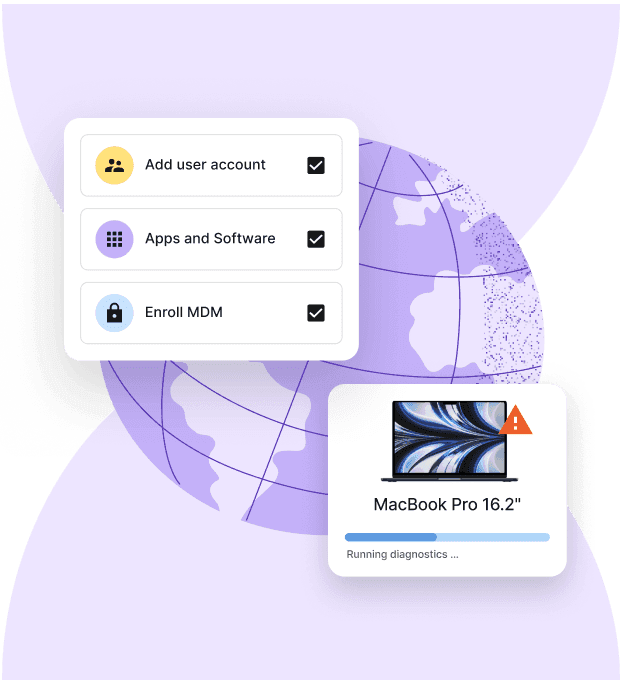
Use Apple Business Manager or Windows Autopilot to automatically enroll devices into your MDM. Once the device is powered on, IT is in immediate control, with policies automatically applied and encryption enforced.
Application access provisioning
Assign licenses, MFA, and permissions during setup, not after. Tying access to roles means employees get what they need on day one, and IT isn't chasing approvals.
Delivery tracking
IT should be able to track and trace every device from warehouse to employee, with clear visibility into delivery status, receipt confirmation, and device registration.
Ongoing support
Provisioning doesn't end at delivery. A scalable strategy includes access to hardware support, remote troubleshooting, and next-day replacements when things break.
End-of-life workflows
When an employee leaves, there should be a clear process for remotely wiping the device, securely erasing data, and recovering or redeploying the hardware.
Why this matters: cost, security, and productivity risks
Getting a laptop to a remote employee is only part of the job. The device also needs to arrive on time, be configured correctly, meet company security standards, and remain manageable throughout its lifecycle. When any part of that process breaks down, the impact can reach productivity, security, compliance, and IT costs.
Late laptops delay productive work
Remote employees depend on their equipment from day one. If a laptop arrives late, isn't configured correctly, or is missing essential applications and access, the employee may spend their first days waiting for IT instead of working.
According to Digitate's Super CIO report, one in six new hires said their systems were difficult to use, while 22% were unsure how to proceed during onboarding. With 29% of employees reporting that they've left a job within the first 90 days, getting laptops to new hires on time is an important part of creating a smooth start.
Workarounds can create security gaps
When company equipment isn't available, employees may turn to personal devices, unapproved software, or consumer applications so they can keep working. That can put company data outside the controls IT would normally apply to a managed device.
Verizon's BYOD Security Risks report found that users were almost twice as likely to click phishing links on personal devices (54.2%) as on company-issued devices (27.5%).
Provisioning company-managed laptops gives IT teams the opportunity to apply encryption, endpoint protection, updates, and access policies before a device reaches the employee.
Inconsistent setups make compliance harder
IT compliance becomes more difficult when devices aren't centrally tracked or employees work from laptops with different security configurations.
Requirements associated with GDPR, SOC 2, and ISO 27001 make visibility and consistent controls important. IT teams need to know which devices can access company data, who is using them, and whether required security policies are in place.
A standardized provisioning process makes those controls easier to apply consistently across a distributed workforce.
Offboarding is part of equipment provisioning, too
The device lifecycle doesn't end after delivery. When a remote employee leaves, IT needs to revoke access, protect or erase company data, and recover the laptop for storage, redeployment, or retirement.
Those steps are easy to miss when hardware and application access are managed separately. Research has found that 31% of former employees retained access to company SaaS applications after leaving.
Connecting onboarding and offboarding workflows helps companies maintain control over both their equipment and company access throughout the employee lifecycle.
Manual provisioning gets harder as remote teams grow
Every new country adds another layer of sourcing, shipping, customs, tracking, returns, and support. A process that feels manageable for a small remote team can quickly consume significant IT or People Ops time as hiring expands.
Potloc experienced this while expanding from France and Canada into markets including the US, UK, UAE, and India. The company was managing international hardware through spreadsheets, and getting a laptop to its first hire in India required two months of shipping and customs coordination.
After moving its hardware inventory and logistics to Deel IT, Potloc automated the process and eliminated the need for a dedicated inventory manager. The company could continue equipping employees across multiple continents without adding the same level of operational overhead.
For growing remote teams, that's the larger value of a scalable equipment provisioning process: laptops reach employees without every new hire creating another manual logistics project for IT or HR.
How Deel IT simplifies global laptop provisioning
Deel IT brings global equipment provisioning and ongoing device management into one platform. Companies can source and deliver laptops and accessories to remote employees in 130+ countries, then manage those devices from setup and security through support, recovery, and redeployment.
With Deel IT, companies can:
Source laptops and accessories in 130+ countries, with purchasing or leasing options, global delivery, and customs handling.
Set up devices before they reach employees with zero-touch MDM enrollment, endpoint protection, and role-based application access.
Connect provisioning to onboarding and offboarding through HRIS-integrated workflows that respond to worker lifecycle events.
Track and manage devices throughout their lifecycle, including repairs, recovery, storage, and redeployment.
Support remote employees 24/7 when they need help with their devices or IT issues.
Instead of coordinating hardware procurement, international shipping, device setup, security, and support separately, global teams can manage the process through Deel IT.
Book a demo to see how Deel IT can support equipment provisioning for your global team.
Deel IT
Procure, deliver, manage, and secure devices anywhere

FAQ
What's the best equipment provisioning service for companies with remote employees?
Deel IT supports equipment provisioning in 130+ countries, covering laptop and accessory procurement, delivery, device setup, security, IT support, and recovery. This makes it well suited to distributed teams that want to manage the full device lifecycle rather than coordinate separate vendors in each country.
How do companies deliver laptops and accessories to remote employees in different countries?
A global equipment provisioning provider can source and deliver devices in the countries where employees are based, reducing the need to ship everything internationally from HQ. Deel IT manages procurement and delivery across 130+ countries and can send devices pre-configured for employees.
Should companies ship laptops from HQ or use a global equipment provisioning provider?
Shipping from HQ can work for smaller or geographically concentrated teams, but international shipping adds customs, cost, and delivery complexity as a company expands. Global provisioning gives distributed teams a more scalable way to maintain consistent device standards across countries.
Can equipment provisioning include device security and access management?
Yes. Equipment provisioning can extend beyond hardware delivery to include MDM enrollment, endpoint security, application access, and offboarding controls. With Deel IT, these processes can be connected to the employee lifecycle so devices and access are managed from onboarding through offboarding.
What happens to company laptops when a remote employee leaves?
IT teams need to secure company data, revoke access, and recover the device. Recovered equipment can then be stored, redeployed to another employee, or retired according to company policy; Deel IT supports these steps as part of device lifecycle management.
Can Deel IT connect equipment provisioning with existing HR and identity systems?
Yes. Deel IT integrates with HR and identity systems such as Workday, BambooHR, HiBob, Okta, Google Workspace, and Microsoft Entra ID, allowing device and access workflows to follow employee lifecycle events.
Michał Kowalewski a writer and content manager with 7+ years of experience in digital marketing. He spent most of his professional career working in startups and tech industry. He's a big proponent of remote work considering it not just a professional preference but a lifestyle that enhances productivity and fosters a flexible work environment. He enjoys tackling topics of venture capital, equity, and startup finance.











