
Article
6 min read
Boost Security and Reduce Staffing Costs with Auto‑Scaling Endpoint Protection
IT & device management

Author
Anna Grigoryan
Last Update
October 08, 2026
Table of Contents
How automation reduces endpoint security overhead as devices scale
How automated endpoint protection helps control IT staffing costs
Best practices for scaling endpoint protection without increasing IT staff
How AI supports endpoint security at scale
Key integrations for scaling endpoint protection
How Deel IT supports scalable endpoint protection
FAQ
Ket takeaways
Deel IT helps companies quickly scale endpoint protection across more devices without needing to grow their IT teams at the same pace. It combines CrowdStrike-powered security with automated device provisioning, centralized management, and global IT support, helping businesses strengthen security while keeping manual work and staffing costs under control.
A growing team is good news for business. For IT, it also means more devices to set up, secure, update, and monitor. And when hiring picks up, or a company expands into new markets, that workload can grow quickly, even if the IT team stays the same size.
So how can companies keep endpoint security running smoothly as their device fleets grow?
Scalable endpoint security solutions, automation, and connected IT workflows can help teams manage growing security demands, reduce repetitive work, and make better use of their existing IT resources.
Endpoint Protection
Built-in device protection from day one
How automation reduces endpoint security overhead as devices scale
Seasonal hiring, expansion into new markets, and mergers and acquisitions can all bring sudden increases in the number of devices IT teams need to manage. Without standardized processes, each new endpoint can require individual configuration, security checks, updates, and ongoing monitoring.
Cloud-managed endpoint protection allows IT teams to define security policies centrally and apply them across devices. Automated enrollment, software updates, and compliance checks reduce the need to manage each endpoint individually. Meanwhile, centralized threat detection and monitoring help teams identify potential security issues that need attention.
For distributed teams, the same security standards can be applied across locations and worker types, helping IT maintain consistent protection as the device fleet expands.
How automated endpoint protection helps control IT staffing costs
As device fleets grow, so does the work involved in setting up, securing, and supporting them. Automation helps limit how much of that work needs to be handled manually, allowing IT teams to spend less time on routine administration.
The impact varies by task:
| IT task | Manual process | With automation |
|---|---|---|
| Device enrollment | Configure and install security software on individual devices | Enroll devices and deploy security configurations through standardized workflows |
| Updates and compliance | Check devices individually and follow up on missing updates | Run scheduled checks and automate supported updates or remediation |
| Security monitoring | Review alerts individually and investigate potential issues | Use automated detection and alert prioritization to focus attention on relevant threats |
| Employee onboarding | Coordinate device setup, security, and access across separate systems | Trigger connected workflows using employee and device information |
Reducing these recurring tasks can help existing IT teams support more devices without needing to increase staffing at the same rate.
Deel IT
Automate IT operations in 130+ countries
Best practices for scaling endpoint protection without increasing IT staff
Protecting more devices doesn't have to mean more work for IT. A few practical steps can help teams manage a growing fleet while keeping security consistent:
Keep track of every device: Maintain an up-to-date inventory of devices, assigned users, locations, and security status so nothing falls through the cracks.
Set consistent security policies: Establish requirements for encryption, software updates, access, and endpoint protection that can be applied across your device fleet.
Automate repetitive tasks: Reduce manual work by automating device enrollment, policy enforcement, updates, and routine security checks, while keeping people involved in higher-risk decisions.
Link security to employee changes: Connect device and access workflows to onboarding, role changes, and offboarding so security stays aligned as your workforce changes.
Connect your existing tools: Integrate endpoint protection with device management and identity and access management systems to avoid unnecessary manual handoffs.
Adjust policies as you grow: Regularly review your security requirements as you add employees, enter new markets, or introduce different types of devices.
Cost model tip
Pay-per-use elasticity helps avoid over-provisioning and scales down during low demand to reduce cloud expenses, as documented in cloud security auto-scaling guidance.
Teams running Deel IT typically accelerate Steps 1–5 by syncing HRIS and identity data to device inventory, automating zero-touch provisioning, and enforcing conditional access tied to device compliance.
How AI supports endpoint security at scale
Traditional automation follows predefined rules, while AI can help security teams identify patterns, detect unusual behavior, and make sense of large volumes of endpoint data.
For example, AI-assisted tools can group related alerts, highlight potentially serious threats, and provide context to help teams investigate incidents faster. They can also suggest remediation steps, leaving security teams to review and approve actions when needed.
These capabilities are particularly useful when security activity becomes too complex to assess through rules and alerts alone.
Key integrations for scaling endpoint protection
Endpoint security works better when the tools managing employees, devices, and access share information. The right integrations help IT teams coordinate security actions across systems without having to update each one separately.
Some of the most useful connections include:
HR systems: Trigger device setup, security changes, and offboarding workflows when employees join, change roles, or leave.
Identity and access management: Coordinate application permissions and account access with employee roles and device security requirements.
Device management: Connect endpoint protection with device enrollment, configuration, compliance checks, and remote security controls.
IT support: Give support teams access to device information and security status so they can troubleshoot issues with the right context.
How Deel IT supports scalable endpoint protection
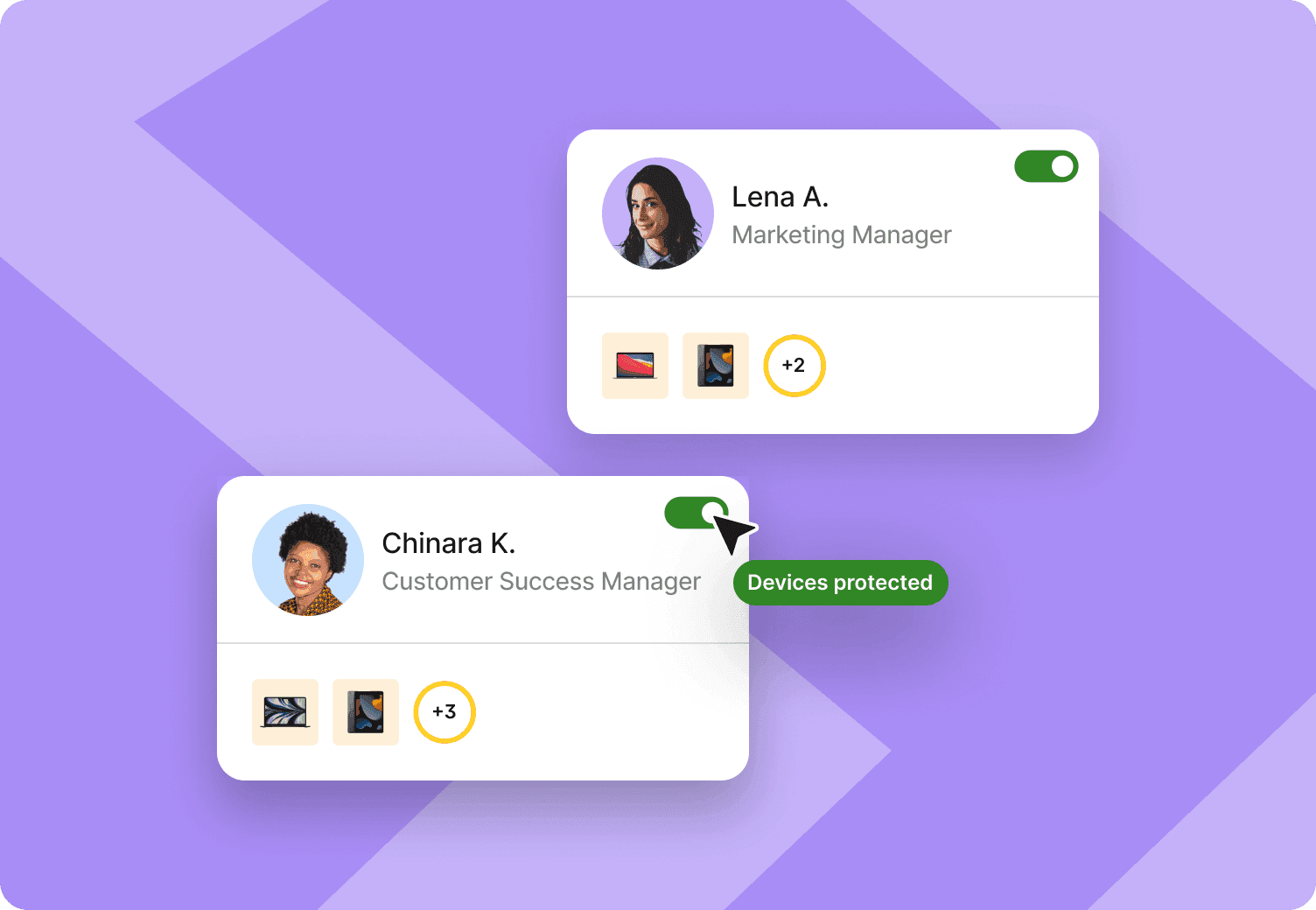
Deel IT helps companies scale endpoint security without managing every new device or employee through separate IT processes. By connecting endpoint protection with global device operations and worker lifecycle events, it helps teams maintain security as their workforce expands.
Key capabilities include:
Global device lifecycle management: Buy or lease equipment, coordinate shipping and logistics, deploy and track devices, and manage collection, storage, and reuse across 130+ countries.
Built-in endpoint protection: Manage endpoint security alongside device operations to maintain consistent protection across distributed teams.
Automated security workflows: Automate routine tasks such as policy creation and endpoint alert triage while keeping IT teams in control of policies and approvals.
Lifecycle-driven access: Keep application access aligned with worker lifecycle changes, from onboarding through offboarding.
Connected worker lifecycle data: Deel IT works with Deel and third-party HR systems, allowing people data to inform IT actions without replacing existing HR, identity, or security systems.
24/7 global IT support: Give distributed employees around-the-clock IT support while reducing the burden of routine issues on internal teams.
As your workforce and device fleet grow, Deel IT helps keep devices, access, and security connected through one global IT operations platform. Book a demo to see how Deel IT can help you scale endpoint protection with less manual work.
Deel IT
Procure, deliver, manage, and secure devices anywhere

FAQ
What endpoint protection platform can quickly scale devices without requiring additional IT staff?
Deel IT helps companies quickly extend endpoint protection to new devices through centralized security management and automated provisioning. By connecting security with device and employee lifecycle workflows, it reduces the amount of setup and administration required from internal IT teams as the fleet grows.
How quickly can companies deploy endpoint protection with Deel IT?
Deel IT streamlines deployment by connecting device provisioning with security setup, so IT teams don't have to configure every device individually. The exact rollout timeline depends on the number of devices, their locations, and the company's existing IT environment.
Do companies need to hire additional IT staff to scale endpoint protection?
Not necessarily. Automated device enrollment, centralized security policies, and global IT support can help existing teams manage more devices without increasing headcount at the same rate. Staffing needs still depend on the size and complexity of the company's IT operations.
How much does scalable endpoint protection cost?
Costs depend on the endpoint protection platform, the number of devices, and the services included. Companies should account for more than software licensing, including deployment, ongoing administration, support, and the internal IT time required to manage the fleet. Deel IT pricing depends on the services and device management requirements selected.
Can Deel IT integrate with existing HR and identity systems?
Yes. Deel IT connects with HR systems such as Workday, BambooHR, and HiBob, as well as identity providers including Okta, Google Workspace, and Microsoft Entra ID. These integrations help coordinate device setup, security policies, and access changes as employees join, change roles, or leave.
Does Deel IT replace a company's existing security tools?
Deel IT includes CrowdStrike-powered endpoint protection and brings device management, security, and IT operations together. Companies can assess whether to use its built-in protection alongside their existing systems or consolidate parts of their security setup based on their requirements.
Anna Grigoryan is an SEO and Content Manager with 6+ years of experience in digital marketing and content strategy. She specializes in optimizing & creating high-impact, search-driven content in the tech and HR space, with a focus on global work, people operations, and the evolving world of employment. When she’s not optimizing content for growth, she’s exploring new trends in marketing and technology. Connect with her on Linkedin.











