
Article
6 min read
Best Laptops for Engineers in 2026
IT & device management

Author
Dr Kristine Lennie
Last Update
July 07, 2026

Key takeaways
Engineers have some of the most demanding compute requirements of any role: the right laptop directly affects compile times, simulation performance, and their day-to-day productivity.
Choosing the wrong hardware at scale means slower output, frustrated engineers, and costly mid-cycle replacements, so getting the spec right from the start saves time and money.
Deel IT's catalog covers a range of engineering laptops across Apple and Windows, giving you the flexibility to match hardware to your team's needs.
Engineers are not average laptop users. Whether they are compiling code, running local containers, training models, or rendering 3D assets, the hardware underneath them has a direct impact on how fast they can work. A laptop that is fine for a product manager or a recruiter will bottleneck a senior engineer within weeks.
For IT and HR teams standardizing hardware across a distributed engineering org, the challenge is not just picking a good laptop, but picking the right laptop for every role, at a price point that makes sense, and shipping it reliably across every country you hire in. In this guide, we'll compare the best engineering laptops on the market, break down the hardware specifications that drive performance, and help you choose the right model for your team.
What to prioritize when choosing a laptop for engineers
The table below summarizes the key specifications IT teams should evaluate when selecting engineering laptops, along with practical recommendations for each:
| Criteria | Why it matters | Recommended specification |
|---|---|---|
| Display quality and color accuracy | Designers rely on accurate color reproduction when creating digital assets, marketing materials, user interfaces, and brand designs. A poor display can lead to inconsistent results across devices and media. | Choose a high-resolution display with wide color gamut support, such as P3 or 100% sRGB coverage. |
| Processor performance | Creative applications often run simultaneously, and exporting, rendering, or manipulating large files requires sustained performance. | Apple M-series or Intel Core Ultra 7 processors provide the performance needed for most design workflows. |
| Memory (RAM) | Design software, browser tabs, collaboration tools, and large project files all compete for memory. More RAM helps maintain smooth performance when multitasking. | 16GB is recommended for graphic design and UX/UI work; 32GB or more for motion graphics, video editing, and 3D design. |
| Storage | Design files, asset libraries, fonts, and creative applications consume storage quickly. Fast SSD storage also reduces loading and export times. | Choose at least 512GB of SSD storage. For video, animation, or 3D work, 1TB provides more long-term flexibility. |
| Graphics performance | Motion graphics, video editing, 3D design, and rendering place greater demands on graphics performance than static design work. | Apple M-series chips provide excellent integrated graphics for most creative workloads. Dedicated GPUs are recommended for advanced video, animation, and 3D workflows. |
| Display size and portability | Designers who work primarily at a desk often benefit from a larger screen, while those who travel frequently may prefer a lighter device. | A 15–16" display offers more workspace, while 13–14" models are better suited to highly mobile roles. |
| Global availability | Organizations hiring designers internationally need hardware that can be sourced, shipped, and supported consistently across every region. | Choose devices available through a global procurement program with international shipping and lifecycle support. |
Find out about the top 6 IT procurement challenges and how to solve them.
The best laptops for engineers
The models below will help you cover a wide range of engineering roles: from general software development to data science, ML, and hardware-intensive workloads. Every model is available through the Deel IT catalog and can be procured, pre-configured, and shipped globally. Recommendations are organized by role type and performance tier, not by brand preference.
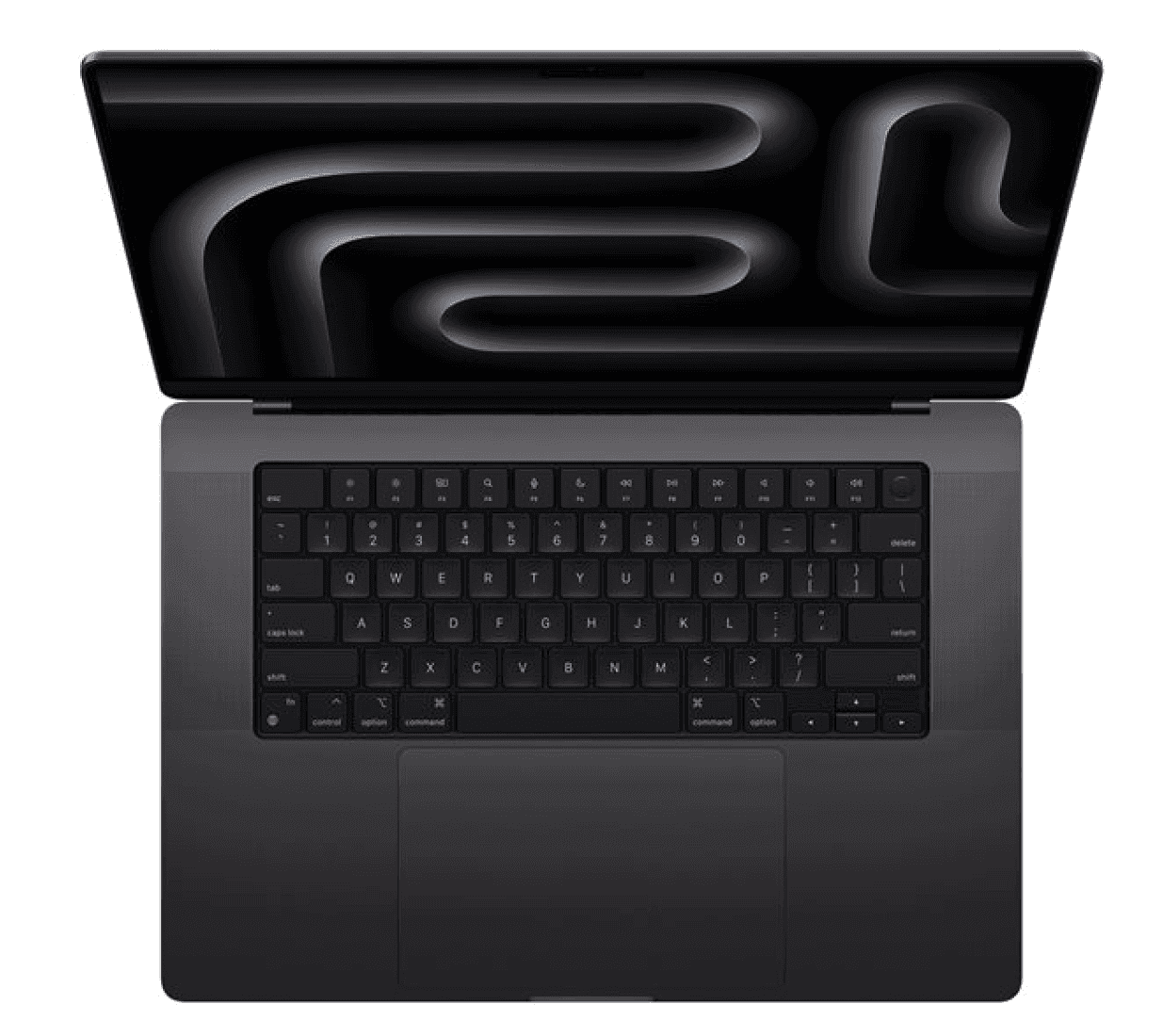
1. MacBook Pro 14.2" M5 Pro 15C 24GB 1TB
The MacBook Pro 14" M5 Pro is the benchmark for professional software development on macOS. It delivers sustained high performance across compile-heavy workloads, local containerization, and multi-service development environments.
| Specification | Detail |
|---|---|
| Display | 14.2-inch Liquid Retina XDR display, 3024 × 1964 resolution, ProMotion 120Hz |
| Processor | Apple M5 Pro with 15-core CPU |
| Memory | 24GB unified memory |
| Storage | 1TB SSD |
| Weight | 1.55 kg (3.5 lbs) |
| Battery life | Up to 17 hours |
| Connectivity | Three Thunderbolt 5 ports, HDMI, SD card slot, MagSafe 3 |
| Operating system | macOS |
| Approximate cost | From $2,199 |
Why this works: The M5 Pro chip handles sustained multi-threaded workloads — long compile runs, parallel test suites, local Docker environments — without the performance degradation that affects thinner MacBook Air models under load. The 24GB unified memory architecture means engineers running multiple services simultaneously will not hit memory pressure during a normal working day.
Best for: Senior software engineers, backend developers, full-stack engineers, and DevOps engineers working primarily in macOS-native or Unix-based toolchains.
Lifecycle: Expected 4–5-year lifespan with consistent performance.
Discover the best laptops for remote workers.
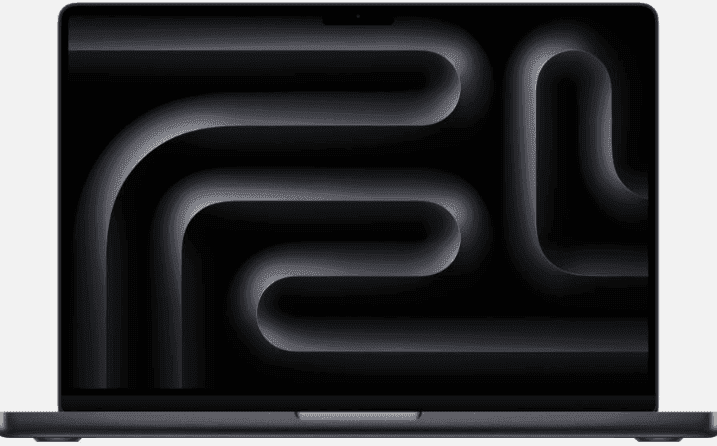
2. MacBook Pro 14.2" M5 Max 18C 36GB 2TB
For engineers running workloads that push the limits of what a laptop can do (e.g., local model training, large-scale data processing, GPU-accelerated rendering, or complex simulation), the M5 Max is the only MacBook configuration that does not require compromise.
| Specification | Detail |
|---|---|
| Display | 14.2-inch Liquid Retina XDR display, 3024 × 1964 resolution, ProMotion 120Hz |
| Processor | Apple M5 Max with 18-core CPU and 40-core GPU |
| Memory | 36GB unified memory |
| Storage | 2TB SSD |
| Weight | 1.62 kg (3.6 lbs) |
| Battery life | Up to 17 hours |
| Connectivity | Three Thunderbolt 5 ports, HDMI, SD card slot, MagSafe 3 |
| Operating system | macOS |
| Approximate cost | From $3,599 |
Why this works: The M5 Max's 40-core GPU and 36GB unified memory pool make it the strongest portable Mac option for ML engineers, data scientists, and graphics engineers who need local compute power without relying on cloud instances for every intensive task. The 2TB storage handles large model weights, datasets, and build artifacts without constant management.
Best for: Machine learning engineers, data scientists, computer graphics engineers, and senior engineers working on performance-critical or GPU-accelerated workloads.
Lifecycle: Expected 5+ year lifespan at this performance tier; the headroom in the M5 Max means it will not be outpaced by toolchain demands for several years.
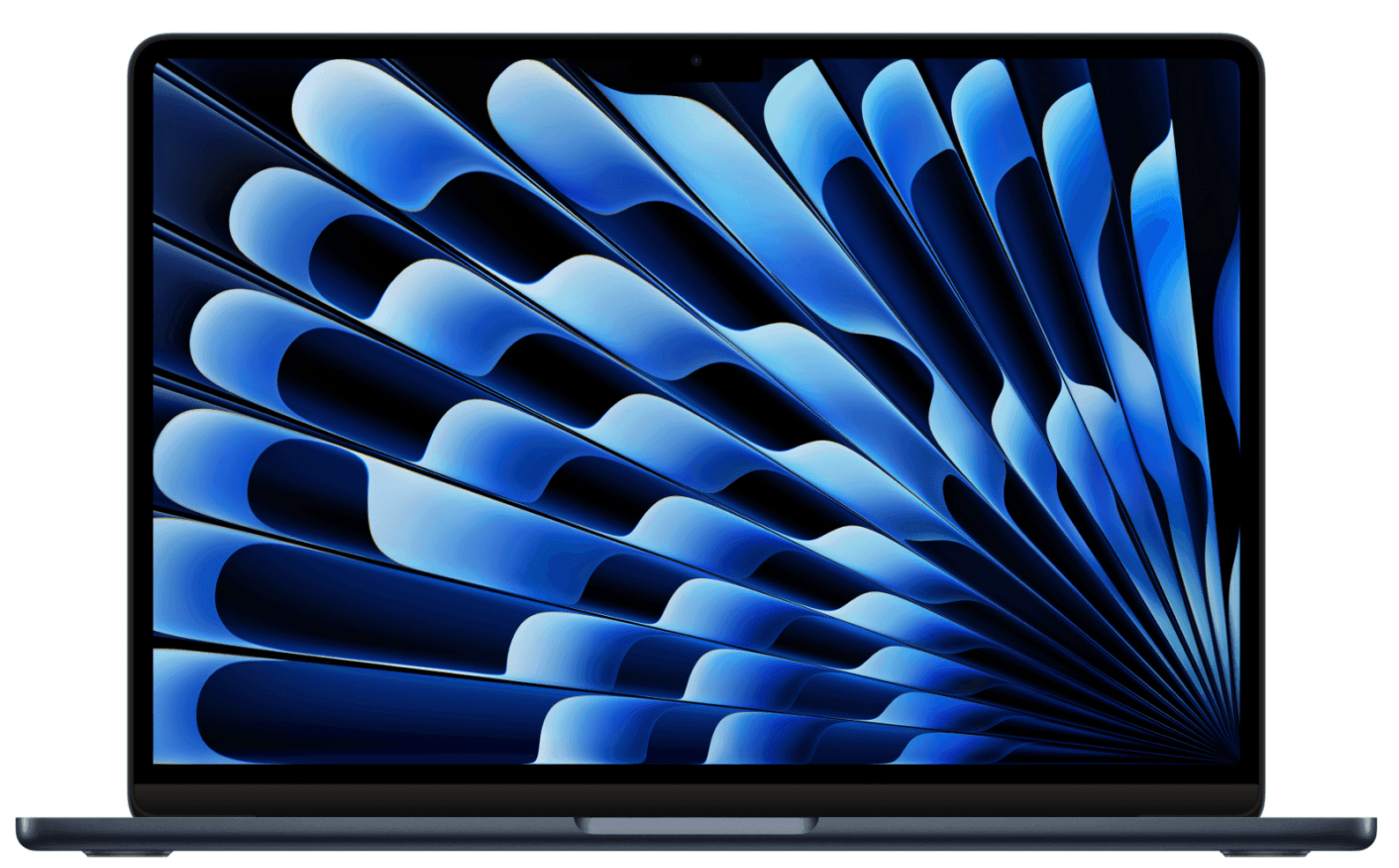
3. MacBook Air 13.6" M4 16GB 256GB
Not every engineer needs a Pro-tier machine. For frontend developers, junior engineers, and engineers whose primary tools are browser-based or lightweight IDEs, the MacBook Air M4 delivers strong everyday performance at a significantly lower price point, without the weight or cost of the Pro line.
| Specification | Detail |
|---|---|
| Display | 13.6-inch Liquid Retina display, 2560 × 1664 resolution |
| Processor | Apple M4 with 10-core CPU and 10-core GPU |
| Memory | 16GB unified memory |
| Storage | 256GB SSD |
| Weight | 1.24 kg (2.7 lbs) |
| Battery life | Up to 18 hours |
| Connectivity | Two Thunderbolt 3 ports, MagSafe 3 |
| Operating system | macOS |
| Approximate cost | From $999 |
Why this works: The M4 chip handles general software development, web development, and light scripting workloads with ease. The fanless design means it runs silently, and the 18-hour battery life makes it the strongest option for engineers who travel frequently or work in locations without reliable power access.
Best for: Frontend developers, junior engineers, web developers, and engineers whose primary workloads are browser-based, scripting, or lightweight IDE work.
Lifecycle: Expected 3–4-year lifespan for general development workloads; the 256GB storage may require management as codebases and toolchains grow.
See also: Best small laptops for global teams
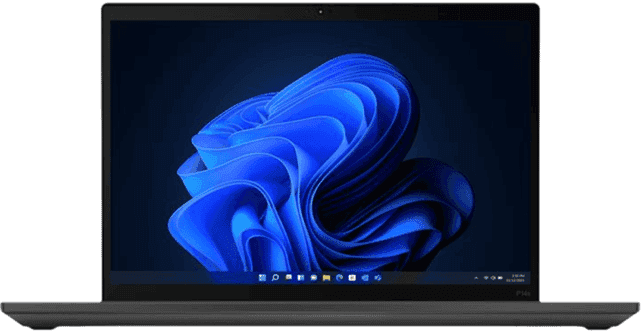
4. ThinkPad T14s Gen 6 14", Ultra 7 32GB 512GB
For engineering teams standardized on Windows or Linux, the ThinkPad T14s Gen 6 strikes an excellent balance between portability and sustained performance. Designed for professional workloads, it provides the memory and processing power needed for software development, containerized environments, and multitasking without sacrificing mobility.
| Specification | Detail |
|---|---|
| Display | 14-inch display |
| Processor | Intel Core Ultra 7 |
| Memory | 32GB |
| Storage | 512GB SSD |
| Weight | Approximately 1.2kg |
| Battery life | Up to 15 hours |
| Connectivity | Thunderbolt 4, USB-A, HDMI, 3.5mm audio jack |
| Operating system | Windows 11 Pro |
| Approximate cost | From $1,852 |
Why this works: The 32GB memory configuration comfortably supports Docker, WSL2, virtual machines, multiple IDEs, and browser-heavy development workflows running simultaneously. Combined with the Intel Core Ultra 7 processor, the T14s delivers the sustained performance engineers need for everyday software development while remaining light enough for hybrid work and frequent travel.
Best for: Backend engineers, full-stack developers, DevOps engineers, platform engineers, and software engineers working primarily in Windows or Linux environments.
Lifecycle: Expected 4–5-year lifespan. The ThinkPad T-series is widely deployed in enterprise engineering environments thanks to its durability, long-term reliability, and strong performance across day-to-day development workloads.
Here are some of the best laptops for small businesses.
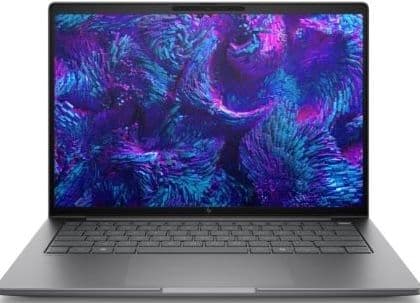
5. HP ZBook 8 G1i 14", Ultra 7 32GB 1TB
The ZBook is HP's flagship mobile workstation, designed to deliver consistent performance during demanding engineering workloads. With 32GB of memory and a 1TB SSD, it comfortably handles large CAD assemblies, engineering simulations, MATLAB and Simulink projects, finite element analysis, 3D modeling, and other compute-intensive technical applications while providing the stability and reliability expected from a professional workstation.
| Specification | Detail |
|---|---|
| Display | 14-inch IPS display |
| Processor | Intel Core Ultra 7 |
| Memory | 32GB |
| Storage | 1TB SSD |
| Weight | Approximately 1.6kg |
| Battery life | Up to 12 hours |
| Connectivity | Thunderbolt 4, USB-A, HDMI, headphone jack |
| Operating system | Windows 11 Pro |
| Approximate cost | From $3,399 |
Why this works: The ZBook is HP's flagship mobile workstation, designed to deliver consistent performance during demanding engineering workloads. With 32GB of memory and a 1TB SSD, it comfortably handles large CAD assemblies, engineering simulations, 3D modeling, and complex technical projects while providing the stability and reliability expected from a professional workstation.
Best for: Mechanical engineers, hardware engineers, simulation engineers, CAD designers, manufacturing engineers, research engineers, and professionals working with MATLAB, Simulink, ANSYS, SolidWorks, AutoCAD, or other demanding engineering software.
Lifecycle: Expected 4–5-year lifespan. HP ZBook workstations are built for long-term enterprise deployments, with durable construction, enterprise support, and the performance headroom needed for demanding engineering workloads over multiple refresh cycles.
6. Dell Precision Mobile Workstation 3591 15.6", Ultra 7 16GB 512GB
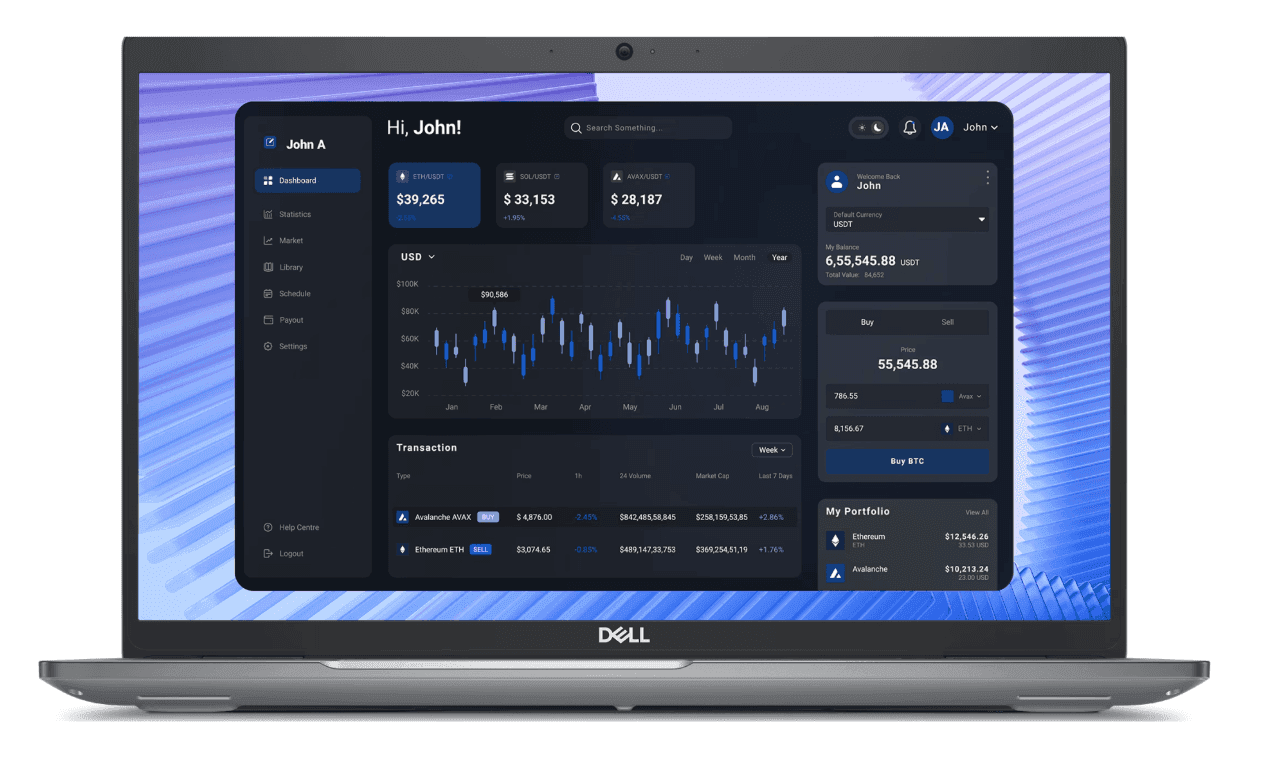
For engineering teams that need workstation-class performance without stepping up to a larger desktop replacement, the Dell Precision Mobile Workstation 3591 is built for demanding technical workloads. Unlike standard business laptops, the Precision series is engineered for sustained performance across engineering applications, making it well suited to developers and technical professionals working with complex software, simulations, and compute-intensive projects.
| Specification | Detail |
|---|---|
| Display | 15.6-inch display |
| Processor | Intel Core Ultra 7 |
| Memory | 16GB |
| Storage | 512GB SSD |
| Weight | Varies by configuration |
| Battery life | Up to 10 hours |
| Connectivity | Thunderbolt 4, USB-A, HDMI, Ethernet, SD card reader |
| Operating system | Windows 11 Pro |
| Approximate cost | From $1,719 |
Why this works: The Precision lineup is designed for sustained professional workloads rather than general business productivity. It provides the stability and performance needed for large codebases, embedded development, virtualization, engineering software, and technical applications that place continuous demands on CPU and graphics resources.
Best for: Embedded engineers, hardware engineers, robotics engineers, electrical engineers, systems engineers, and software developers running demanding local development environments or engineering applications.
Lifecycle: Expected 4–5-year lifespan. Dell Precision workstations are built for enterprise engineering teams, offering long-term reliability, serviceability, and the performance headroom required for demanding technical workloads.
Here are the best desk setups for working from home — pairing the right laptop with the right peripherals makes a measurable difference for engineers working remotely.
How Deel IT equips engineering teams globally
Engineering teams have less tolerance for hardware delays, wrong specs, or slow replacements than almost any other function. A senior engineer waiting a week for a laptop is a week of output lost, and at engineering compensation levels, that cost adds up fast.
Deel IT is a global IT operations platform that handles device procurement, Mobile Device Management (MDM), access provisioning, and 24/7 support from a single system. Every laptop in this article is available directly from the Deel IT catalog: 240+ items, shipped to 130+ countries, with a 99.5% on-time delivery rate.
Whether you are equipping a new hire in Berlin, São Paulo, or Singapore, the same procurement workflow applies, with no regional resellers and no customs surprises.
Here is what Deel IT handles across the engineering laptop lifecycle:
Global procurement across 130+ countries: Source engineering-grade devices and equipment, configure, and ship pre-configured laptops to any new hire, ensuring the right specs for the right role, delivered on time
Pre-configured hardware from day one: Devices ship with MDM enrollment, security policies, and role-appropriate configurations already applied
Centralized fleet visibility: Track every device across ownership, status, location, and cost in real time, with no spreadsheets and guesswork about what is deployed where
Fast repair and replacement: When a device fails, Deel IT manages the replacement workflow, minimizing the time an engineer is without working hardware.
Certified data erasure at offboarding: When an engineer leaves, devices are recovered, with remote lock and certified wipe available
24/7 global IT support: Engineers working across time zones get IT support whenever they need it, at any time of the day
License and app management: SaaS tools and application access are provisioned alongside hardware, engineers have everything they need on day one, and access is revoked automatically when they leave
Book a demo with Deel IT and see how you can equip your entire workforce from one platform.
Deel IT
Automate IT operations in 130+ countries

FAQs
What RAM do I need for a software engineering laptop?
For most software engineering roles, 16GB is the minimum and 32GB is the practical standard. Engineers running Docker containers, multiple local services, or memory-intensive IDEs alongside a browser and communication tools will hit the ceiling of a 16GB configuration regularly. For machine learning engineers or data scientists running local model training, 32GB is a floor — not a ceiling.
Should engineers use Mac or Windows laptops?
The right answer depends on the engineering stack. macOS is the natural choice for iOS and macOS development, and its Unix-based environment suits most backend, DevOps, and full-stack workflows. Windows is the better fit for .NET development, enterprise software environments, and teams that need ISV-certified hardware for CAD or simulation tools. Some engineering orgs standardize on one OS for simplicity; others offer a choice by role type. Either approach works — what matters is that the hardware spec is right for the workload.
How often should engineering laptops be refreshed?
Most engineering laptops have a practical lifespan of 3–5 years, depending on the workload intensity and the hardware tier. High-performance machines like the MacBook Pro M5 Max or ThinkPad P-series workstations tend to stay relevant longer because they have more headroom above current toolchain demands. A device refresh cycle policy that flags devices by age and performance benchmarks — rather than a fixed calendar — tends to produce better outcomes than a blanket replacement schedule.
Can I procure different laptop specs for different engineering roles through Deel IT?
Yes. Deel IT's catalog supports role-based procurement — you can define different hardware configurations for different engineering tiers (junior, senior, ML, DevOps, and so on) and apply them consistently across every country you hire in. This removes the per-hire decision-making that typically slows down IT provisioning and creates inconsistency across the fleet.
Dr Kristine Lennie holds a PhD in Mathematical Biology and loves learning, research and content creation. She had written academic, creative and industry-related content and enjoys exploring new topics and ideas. She is passionate about helping create a truly global workforce, where employers and employees are not limited by borders to achieve success.











