
Article
7 min read
6 Top Endpoint Protection Solutions for Windows, macOS, and Linux
IT & device management

Author
Dr Kristine Lennie
Last Update
March 31, 2026

Modern teams run mixed fleets across Windows, macOS, and Linux. Devices operate across time zones, home networks, and shared workspaces — often without centralized oversight. Endpoint protection must do more than detect threats. It must work consistently across operating systems and scale operationally across distributed teams.
Today’s leading platforms combine next-gen antivirus (NGAV), endpoint detection and response (EDR), and automated remediation. But for global organizations, the real differentiator isn’t just detection quality — it’s whether protection is operationally viable without building a full security operations team.
Why cross-platform protection matters
The days of Windows-only IT environments are over. Most organizations now manage a mix of operating systems. But when you use separate tools for Windows, Mac, and Linux, you end up with:
Multiple consoles to monitor
Inconsistent policies across platforms
Different response procedures for each OS
No unified view of security posture
Higher operational overhead
What effective cross-platform protection looks like:
Single agent, single console: One lightweight agent works across Windows, macOS, and Linux. One management console provides unified visibility.
Consistent detection quality: The platform uses the same behavioral analysis, machine learning, and threat intelligence regardless of operating system. Mac users get the same protection as Windows users.
Unified policy enforcement: Security policies apply consistently across all platforms. Disk encryption, firewall rules, and security baselines don't require separate configurations per OS.
Centralized response: When a threat is detected on any platform, investigation and remediation happen through the same workflows.
Below are some of the top providers to consider.
Endpoint Protection
Built-in device protection from day one
Deel IT
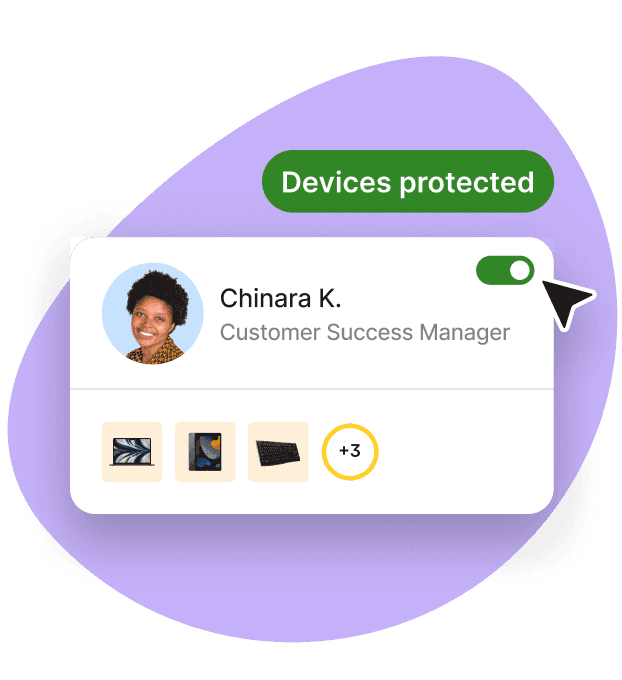
Deel IT provides managed endpoint protection powered by CrowdStrike Falcon across Windows, macOS, Linux, ChromeOS, iOS, and Android—with platform-specific expertise included. Managing security across multiple operating systems means handling different controls, configurations, and investigation procedures for each platform. Self-managed solutions assume you have security analysts who understand all of them.
Deel IT eliminates this requirement. Setup, monitoring, investigation, and response are fully managed across every platform. When someone joins, their device enrolls automatically with OS-specific policies applied. When roles change, access adjusts. When someone leaves, the device locks and wipes—regardless of whether it's a MacBook, Windows laptop, or Linux workstation. You get CrowdStrike Falcon (enterprise-grade detection) without needing platform specialists or 24/7 monitoring.
Key integrations: CrowdStrike Falcon (managed), identity providers (Azure AD, Okta, Google Workspace), HRIS systems, MDM, ITSM/ticketing
- Standout capabilities:
- Fully managed service: setup, monitoring, threat response handled by Deel IT
Strong cross-platform parity across Windows, macOS, and Linux
24/7 monitoring and incident response (with Falcon Enterprise)
Automatic policy application based on HR events and role
Global support across all time zones
Single lightweight agent (<1% CPU) across all platforms
Platform-specific policies are managed centrally
Best for: Companies of all sizes, including those with distributed teams, managing mixed OS fleets
Supported platforms: Windows, macOS, Linux, ChromeOS, iOS, Android
Resources to support your global fleet management
These resources help streamline deployment, security, and recovery for a distributed workforce:
Standardize laptop security: Use our Free IT Policy Template to help you define and enforce a consistent policy across your organization.
Formalize global provisioning: Download this Equipment Provisioning Policy Template to help you standardize device delivery, tracking, and recovery worldwide.
Simplify onboarding and offboarding with this Onboarding & Offboarding Guide for Distributed Teams.
Plan for growth: Use the IT Strategy Toolkit: 2026 Guide to identify automation opportunities and create a roadmap for building scalable operations.
SentinelOne Singularity
SentinelOne Singularity provides autonomous prevention, detection, and response across endpoints, cloud workloads, and containers. The platform includes attack storyline analytics for root-cause analysis and one-click rollback capabilities.
Key integrations: SIEM/SOAR, cloud workloads, identity providers
- Standout capabilities:
- Autonomous on-device decision-making
Attack storyline visualization
Ransomware rollback
Support for endpoints, cloud, containers, IoT
Best for: Teams prioritizing autonomous remediation across diverse workloads
Limitation: Self-managed and requires a security team for monitoring and response; higher tiers needed for full XDR/MDR features
Sophos Intercept X
Sophos Intercept X uses deep-learning AI, exploit detection, and anti-ransomware rollback with unified management through Sophos Central. Supports Windows, macOS, and Linux with optional Managed Threat Response (MTR).
Key integrations: Sophos Central, SIEM platforms
- Standout capabilities:
- Consistent protection across multi-OS fleets
Anti-ransomware rollback
Optional 24/7 managed detection and response
Straightforward administration
Best for: Lean IT teams needing behavioral prevention with simple management
MDR option: Managed Threat Response available
Limitation: Advanced reporting and integrations may require additional configuration
Bitdefender GravityZone
Bitdefender GravityZone provides multi-layered machine learning, sandbox analysis, and ransomware controls with flexible cloud management. Supports Windows, macOS, Linux, and virtual servers.
Key integrations: SIEM/SOAR, hypervisors, cloud platforms
- Standout capabilities:
- Low performance overhead
Strong prevention against unknown threats
Optional add-ons (sandboxing, XDR) for expanding capabilities
Cloud management for mixed fleets
Best for: Organizations wanting protection without heavy complexity
Limitation: Advanced features typically require add-ons or higher tiers
Trend Micro Apex Endpoint
Trend Micro Apex Endpoint combines behavioral analysis, integrated patching, anti-phishing, and URL filtering with centralized management. Provides coverage for Windows, macOS, Linux, and cloud workloads.
Key integrations: Cloud services, SIEM/SOAR
- Standout capabilities:
- Policy-driven automation
Integrated patch management
Global threat intelligence
URL filtering and anti-phishing
Best for: IT-managed environments valuing integrated patch and protection
Limitation: EDR/XDR and advanced threat hunting are typically in premium tiers
ESET Endpoint Security
ESET Endpoint Security provides lightweight malware defense across Windows, macOS, and Linux. Features include cloud sandboxing, file server protection, disk encryption, and both cloud and on-premises management.
Key integrations: Varies by deployment model (cloud or on-premises)
- Standout capabilities:
- Minimal performance impact
Stable, consistent protection across diverse devices
Flexible deployment and licensing
Both cloud and on-premises management options
Best for: SMB and mid-market teams with constrained resources
Limitation: Some integrations and managed services require additional setup; less emphasis on advanced hunting
How Deel IT solves cross-platform complexity
Managing endpoint protection across Windows, macOS, and Linux creates operational challenges that many platforms don’t address. Each OS (plus mobile devices) has different policies, controls, and management requirements, making it difficult to maintain a consistent security posture across the fleet.
Self-managed solutions typically require internal expertise across each supported platform, playbooks for investigation and response, and 24/7 monitoring to ensure threats are detected and contained, which is often a heavy lift for distributed or lean IT organizations.
How Deel IT eliminates this complexity:
Platform expertise included: Deel IT's security team handles OS-specific configurations, so you don't need to become an expert in each platform's security controls.
Unified monitoring and response: Whether the alert comes from a MacBook, Windows laptop, or Linux server, Deel IT's team investigates and responds. Same SLAs, same process, same quality across all platforms.
HR-driven policy automation: Security policies apply automatically based on role and employment status. Developers get appropriate access to Linux servers. Sales teams get locked-down Windows laptops. Policies update when people change roles—across all platforms.
Consistent global enforcement: Same security baseline applies whether you're hiring in Singapore (primarily Macs), São Paulo (primarily Windows), or running cloud infrastructure (Linux). Deel IT enforces policies consistently across countries, entities, and platforms.
Enterprise technology, managed service: You get CrowdStrike Falcon (which provides true OS parity) with full management. No need to hire security analysts who specialize in each operating system.
The result: Cross-platform protection that actually works for distributed teams. Consistent security across all operating systems. 24/7 monitoring and response regardless of platform. And IT teams focus on strategic work instead of OS-specific security configurations.
For teams managing mixed fleets globally, this isn't about convenience—it's about making cross-platform protection operationally viable.
Book a demo with Deel IT to see how.
Deel IT
Automate IT operations in 130+ countries
FAQ
What's the difference between endpoint protection and antivirus?
Traditional antivirus software uses signature-based detection to block known malware. Modern endpoint protection combines antivirus with behavioral analysis (EDR) to detect sophisticated attacks that bypass signatures—including fileless malware, zero-day exploits, and living-off-the-land techniques.
Do all platforms provide the same protection on Windows, macOS, and Linux?
No. Many platforms provide full EDR on Windows but limited capabilities on macOS and Linux. Verify that behavioral detection, automated response, and forensic capabilities work consistently across all platforms.
How does cross-platform protection handle OS-specific security controls?
Platforms manage OS-specific controls (FileVault for Mac, BitLocker for Windows, SELinux for Linux) through the same console but apply appropriate configurations per platform. Managed services handle this expertise for you.
What's the performance impact of endpoint protection agents?
Modern agents typically use <1% CPU on all platforms. Heavy agents (>5% CPU) create resistance to deployment and slow down developer machines.
Do I need different security teams for different operating systems?
With self-managed solutions, you need expertise in each platform's security controls. With managed services like Deel IT, the provider handles OS-specific expertise and monitoring across all platforms.
How does endpoint protection integrate with MDM?
Integration varies by platform. Some coordinate natively with MDM for unified device health checks and policy enforcement. Others require manual coordination. For organizations managing both laptops and mobile devices, this integration is essential.
Dr Kristine Lennie holds a PhD in Mathematical Biology and loves learning, research and content creation. She had written academic, creative and industry-related content and enjoys exploring new topics and ideas. She is passionate about helping create a truly global workforce, where employers and employees are not limited by borders to achieve success.










