
Article
4 min read
A Simple Guide to Unified Application Licensing and Access Management
IT & device management

Author
Dr Kristine Lennie
Last Update
June 10, 2026

Table of Contents
What unified app licensing and access management actually means
Why the fragmented approach stops working
Core capabilities of a unified licensing and access management system
Implementing a unified licensing program: a five-stage approach
Download: Complete IT Security and Compliance Checklist for Remote Workers
Manage unified app licensing and access management with Deel IT
As organizations grow, managing software licenses and user access separately becomes increasingly difficult. New hires, role changes, and departures affect both licensing and access, but the underlying data often sits in different systems. The result is unused licenses, outdated permissions, and extra work to keep everything aligned.
Unified app licensing and access management brings software licenses, user access, and workforce data together in a single framework. This gives organizations a clear view of who has access to which applications, whether that access is still needed, and where unused licenses can be reclaimed to reduce costs and risk.
This guide explains how unified app licensing and access management works, how to implement it, and what to look for in a solution.
What unified app licensing and access management actually means
At its core, this is the convergence of software asset management (SAM) and access management into a single operational model. SAM tells you what software you own and what it's costing you. Access management tells you who has access to what and whether that access follows policy. When those two systems don't talk to each other, you end up with orphaned licenses, stale permissions, and compliance gaps that only surface during audits.
A unified model replaces that disconnect with a shared data layer. Every license seat is linked to an identity. Every identity change (a new hire, a role move, a termination) automatically triggers the appropriate licensing action. The result is a live, accurate picture of entitlements across your entire application estate.
This matters across both cloud and on-premises environments. Legacy approaches rely on periodic manual reports, which means your license counts are always slightly wrong and your access records are always slightly stale. Unified systems close that lag, giving IT and HR teams a single source of truth they can act on.
Why the fragmented approach stops working
Fragmented license and identity management create five concrete problems that compound as you scale:
Paying for licenses nobody uses: Without a live link between identity data and license assignments, unused seats accumulate, creating unnecessary software costs and reducing visibility into actual license usage
Former employees retaining access: When offboarding is a manual process, permissions can linger long after someone leaves, creating unnecessary security and compliance risks
Difficult audits and compliance reviews: Siloed tools produce inconsistent records, making it difficult to provide accurate entitlement data during vendor audits or compliance reviews
Unmanaged SaaS and shadow IT: Without centralized discovery, teams can adopt unapproved applications that increase costs, reduce visibility, and introduce security risks
Manual processes that don't scale: As organizations add countries, entities, and workforce types, manual reconciliation becomes increasingly time-consuming and difficult to manage
Unification of these systems addresses all five problems by managing license entitlements and identity governance through the same set of workflows and data.
Core capabilities of a unified licensing and access management system
To manage licenses and access effectively, organizations need visibility into their software estate, a clear understanding of who should have access to what, and automation that keeps both aligned as the workforce changes.
Most unified platforms combine three core capabilities:
Application discovery and inventory: Identifies software applications, license usage, and entitlements across the organization, helping eliminate shadow IT, uncover unused licenses, and maintain an accurate software inventory
Identity and entitlement management: Connects applications, licenses, and permissions to specific users, roles, and groups, making it easier to enforce access policies and identify unnecessary or excessive access
Automated provisioning and license lifecycle management: Assigns, updates, and removes access and licenses in response to workforce changes, ensuring employees have the right access while reducing manual work, licensing waste, and security risk
Together, these give organizations a single source of truth for managing software licenses, user access, and workforce changes at scale. Most organizations don't implement these capabilities all at once. A phased approach helps reduce complexity and improve adoption.
Resources to support your licensing and identity program
Benchmark your current provisioning process with this gated asset: How Automated Is Your IT Provisioning Self-Assessment
Close offboarding exposure systematically using this Onboarding & Offboarding Guide for Distributed Teams
Align HR and IT on lifecycle execution with Guide to HR-IT Communication for Employee Lifecycle Execution
Implementing a unified licensing program: a five-stage approach
The following framework shows how organizations can bring licensing and access management together in a structured way.
Stage 1: Build a complete inventory of your applications, licenses, and users
Before you can manage licenses and access effectively, you need an accurate picture of what exists. In most organizations, the information needed to manage licenses, users, and access is spread across multiple systems.
Start by identifying where workforce, identity, application, and licensing data live. At a minimum, you'll want to collect:
Employee and organizational data from your HRIS, including employment status, department, manager, location, and role
Identity and authentication data from your identity provider, including user accounts, groups, and authentication policies
Application and entitlement data from business applications, including license assignments, permissions, and usage information
Software purchasing and cost data from procurement and finance systems, including contract terms, renewal dates, and license spend
Provisioning and support records from IT service management tools, including approvals, requests, and lifecycle activities
Once you've identified the relevant data sources, consolidate the records into a common inventory and standardize key attributes such as employee identifiers, application names, and license types. The goal is to create a single source of truth for your applications, licenses, users, and access permissions.
Stage 2: Identify access and licensing gaps
With a complete inventory in place, review how licenses, applications, and permissions are currently assigned across the organization. The goal is to identify inconsistencies between workforce data, application access, and licensing records before you automate anything.
Look for issues such as:
Licenses assigned to inactive or departed users
Permissions that exceed the requirements of a user's current role
Users with application access but no corresponding license assignment
Duplicate, overlapping, or unused entitlements
Service accounts and shared accounts with unclear ownership
This review helps uncover unnecessary software spend, excessive access, and data quality issues. Resolving them creates a reliable baseline for automation, governance, and optimization.
Stage 3: Automate access and license management
Once you've identified and resolved major gaps, automate the processes that keep licenses, permissions, and application access aligned with workforce changes.
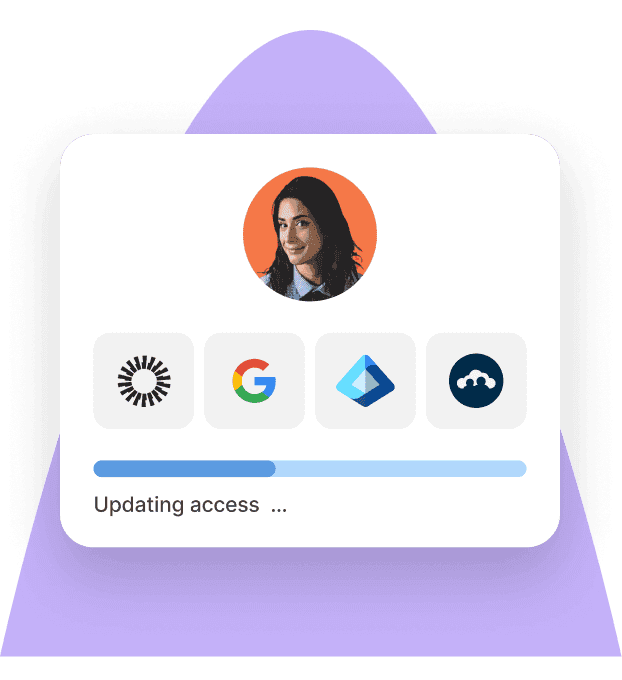
This is typically done by integrating your HRIS with identity providers, SSO platforms, and application management tools. When an employee record is created, updated, or terminated, the corresponding access, licensing, and provisioning actions are triggered automatically.
At a minimum, connect:
New hire events to account creation, application provisioning, license assignment, and device enrollment
Role and department changes to updates in permissions, group memberships, and license allocations
Termination events to access revocation, license reclamation, device lock or wipe actions, and offboarding workflows
This helps ensure employees have the right applications, licenses, and permissions throughout their time with the organization while reducing administrative effort, software waste, and security risk.
Identity Access Management
Seamlessly provision device and app access for global teams
Stage 4: Optimize licensing and strengthen compliance
With licenses, users, and access changes being managed automatically, focus on improving efficiency and maintaining governance over time.
Focus on:
Analyzing license usage trends to identify opportunities for right-sizing and cost savings
Reviewing upcoming renewals and vendor contracts to ensure license counts reflect current business needs
Evaluating application overlap to reduce duplicate tools and simplify the software stack
Maintaining audit-ready records of access assignments, entitlement changes, and provisioning activities
Conducting periodic access reviews to confirm permissions remain aligned with current roles and policies
These activities help organizations control software costs, maintain compliance, and ensure access remains appropriate as the business evolves.
Stage 5: Measure outcomes and refine
A unified licensing program shouldn't be static. Regular reviews help identify inefficiencies, reduce software costs, and ensure access remains aligned with workforce changes.
Track metrics such as:
License utilization and reclamation rates to understand how effectively licenses are being used
Time between offboarding and access revocation to measure the effectiveness of lifecycle automation
Access review findings and policy exceptions to identify excessive or inappropriate access
Software spend and renewal trends to support budgeting and vendor negotiations
Use these insights to fine-tune access policies, improve automation workflows, optimize software spending, and address issues before they become larger security or compliance risks.
Download: Complete IT Security and Compliance Checklist for Remote Workers
Deel IT
Automate IT operations in 130+ countries
Manage unified app licensing and access management with Deel IT
Deel IT connects HR lifecycle events directly to software access, license management, device provisioning, and endpoint security, helping organizations keep employee access aligned with workforce changes from onboarding through offboarding.
Here is what this means:
Lifecycle-driven access management: Ensure employees have the right applications, licenses, and permissions at every stage of employment, with HR events automatically triggering onboarding, role-change, and offboarding workflows
SSO and application access management in one place: Centralize authentication, application provisioning, and access controls to simplify user management and improve visibility across your software environment
Access governance tied to your organizational structure: Role-based policies help ensure employees receive the applications and permissions appropriate for their role, with access updated automatically as responsibilities change
Built-in CrowdStrike endpoint security and JumpCloud device management: Gain centralized visibility, control, and endpoint protection with CrowdStrike Falcon, defending against malware, ransomware, spyware, and unauthorized access while running at less than 1% CPU
Device procurement and deployment worldwide: Procure, configure, and ship devices to employees in 130+ countries, helping new hires get productive faster
Centralized offboarding and device recovery: Revoke access, reclaim license seats, lock or wipe devices, and coordinate device returns through a single workflow when employees leave
24/7 IT support for distributed teams: Resolve device, access, and provisioning issues around the clock, regardless of employee location or time zone
Book a demo to learn more.
Deel IT
Procure, deliver, manage, and secure devices anywhere

Dr Kristine Lennie holds a PhD in Mathematical Biology and loves learning, research and content creation. She had written academic, creative and industry-related content and enjoys exploring new topics and ideas. She is passionate about helping create a truly global workforce, where employers and employees are not limited by borders to achieve success.











