
Article
4 min read
How to Choose IT Equipment When You Don't Know Where Your Next Hire Will Be
IT & device management

Author
Dr Kristine Lennie
Last Update
August 11, 2026

Table of Contents
Why does location uncertainty complicate IT procurement?
1. MacBook Air 13.6" M5 16GB 512GB
2. Dell Pro 14 Plus Ultra 7 32GB 512GB
3. ThinkPad X1 Carbon Gen 13 Ultra 7 32GB
Peripheral bundle for location-uncertain hires
Before you place the order: a quick pre-order checklist
How Deel IT simplifies global IT equipment management
Key takeaways
When the hiring location is uncertain, the wrong device choice creates customs delays, power incompatibilities, and MDM gaps that can push back day-one readiness by as much as several weeks.
Four device properties — global availability, universal power, MDM enrollment at provisioning, and keyboard flexibility — determine whether a device is safe to order before you know the destination.
Deel IT ships pre-configured hardware to 130+ countries through a single procurement workflow, so location uncertainty stops being a blocker.
Distributed hiring rarely follows a plan. One quarter you're onboarding in Germany and Brazil; the next, a strong candidate appears in Vietnam or Kenya. Standard procurement workflows — built around known locations, established vendor relationships, and predictable lead times — break down the moment the destination is uncertain.
This guide covers what to look for in a device before you know where it's going, which Deel IT models fit the bill, and a quick regional pre-order check to keep day one on track.
Why does location uncertainty complicate IT procurement?
Most procurement processes assume you know where a device is going. When the destination is uncertain, choosing the wrong hardware can lead to delays, security gaps, and extra costs. To avoid those issues, make sure every device meets these four requirements:
Global availability: Customs rules and local availability vary widely by country. Choose devices your vendor can source and deliver across the regions where you hire—not just North America or Western Europe—to reduce delays and avoid separate procurement processes.
Universal power compatibility: Power standards differ around the world. Devices with auto-switching power supplies (100–240V, 50/60Hz) and USB-C charging, paired with the correct regional adapter, can be used almost anywhere without modification.
Mobile Device Management (MDM) enrollment before shipping: Devices should arrive already enrolled in your MDM platform. That way, encryption, security policies, and configurations are applied before first login, eliminating the window where a new device is unmanaged.
Keyboard layout flexibility: Regional keyboard layouts matter. Your procurement partner should be able to configure layouts such as AZERTY, QWERTZ, or Nordic keyboards before shipping, avoiding productivity issues and costly replacements.
Find out about the 5 things most companies get wrong about international IT logistics.
Here are three devices that are designed to simplify global procurement and reduce deployment risks.
1. MacBook Air 13.6" M5 16GB 512GB
The MacBook Air M5 is one of the most globally consistent devices — Apple's supply chain reaches more countries reliably than most Windows alternatives, and USB-C charging with the Apple World Travel Adapter Kit covers power compatibility in a single add-on.
| Specification | Detail |
|---|---|
| Display | 13.6" Liquid Retina |
| Processor | Apple M5 |
| Memory | 16GB unified |
| Storage | 512GB SSD |
| Weight | 1.24 kg |
| Battery life | Up to 18 hours |
| Connectivity | 2× Thunderbolt 4 / USB-C, MagSafe 3, headphone jack |
| Operating system | macOS |
| Approximate cost | From $1,099 |
Why this works: macOS devices enroll in MDM at provisioning through Apple Business Manager, making policy enforcement consistent regardless of where the device is delivered. The M5 chip handles all standard business workloads without thermal or performance variation across climates.
Best for: Knowledge workers, operations, HR, finance, and any role where OS standardization across a distributed team matters.
Lifecycle: 4–5 years with standard use; Apple's global service network supports repair and replacement in most markets.
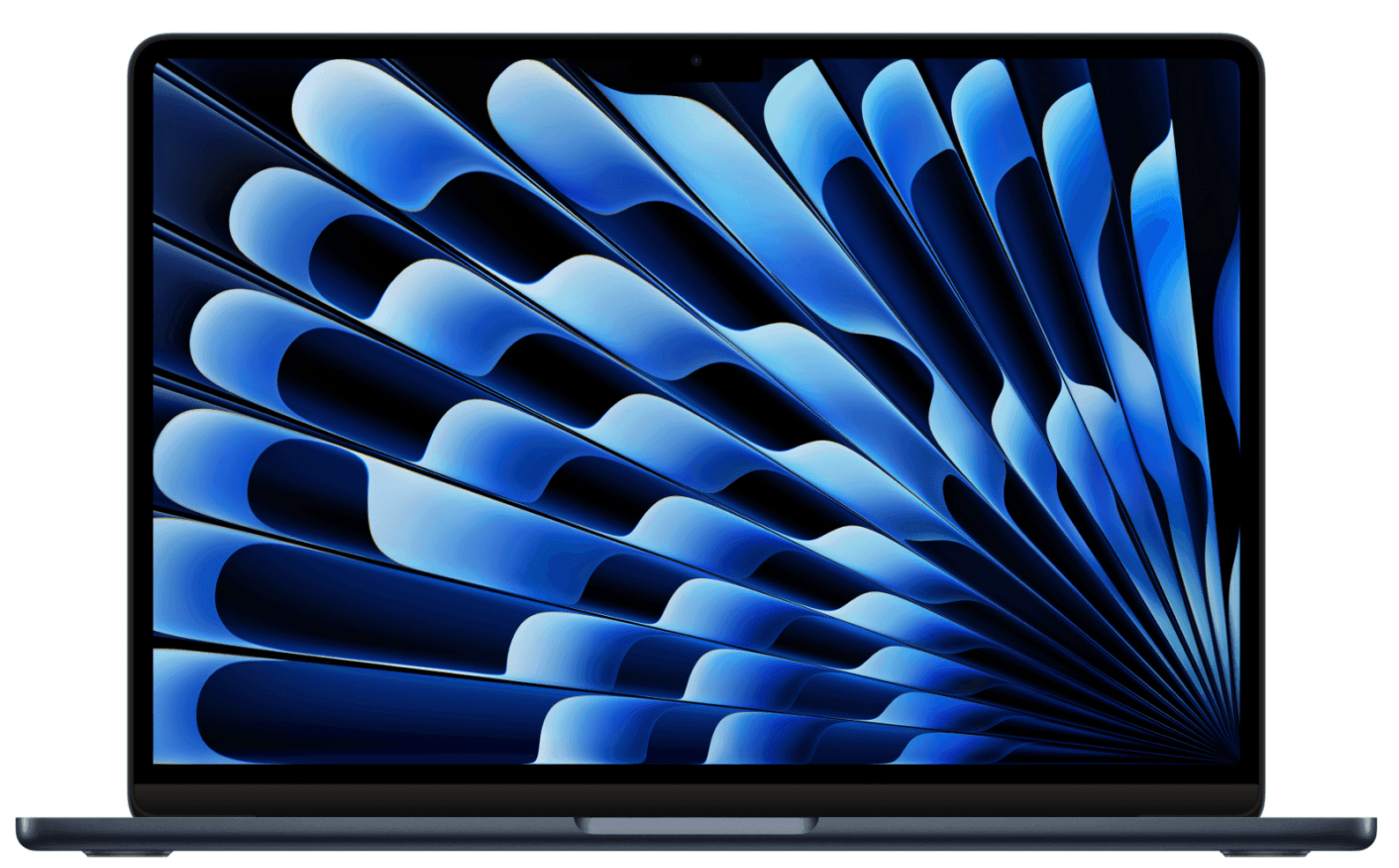
MacBook Air 13.6" M5 16GB 512GB
2. Dell Pro 14 Plus Ultra 7 32GB 512GB
For teams standardized on Windows, the Dell Pro 14 Plus is a strong location-agnostic choice. Dell's global logistics infrastructure covers most markets where Deel IT ships, and the Ultra 7 processor with 32GB RAM handles demanding workloads without requiring a larger, heavier device.
| Specification | Detail |
|---|---|
| Display | 14" FHD+ |
| Processor | Intel Core Ultra 7 |
| Memory | 32GB |
| Storage | 512GB SSD |
| Weight | 1.55 kg |
| Battery life | Up to 14 hours |
| Connectivity | Thunderbolt 4, USB-A, HDMI, USB-C |
| Operating system | Windows 11 Pro |
| Approximate cost | From $1,734 |
Why this works: Windows 11 Pro supports Autopilot enrollment, meaning the device can be configured and policy-enforced before it reaches the employee — no IT intervention required at the destination. The Thunderbolt 4 port handles docking and peripheral connectivity in any office or home setup.
Best for: Technical roles, analysts, project managers, and teams where Windows is the organizational standard.
Lifecycle: 3–4 years with standard use; Dell's ProSupport network covers on-site repair in most enterprise markets.
Discover the best laptops for remote workers.
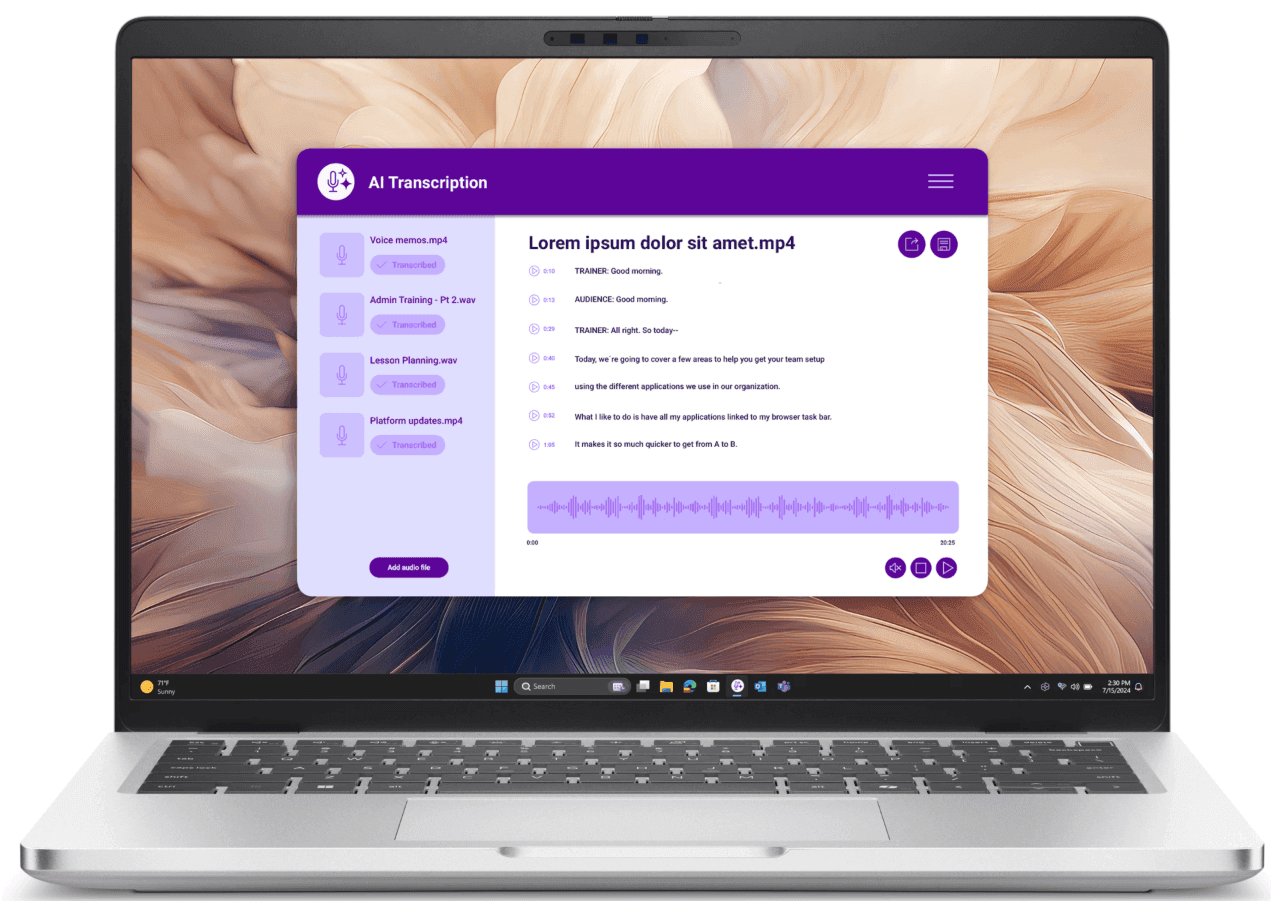
Dell Pro 14 Plus Ultra 7 32GB 512GB
3. ThinkPad X1 Carbon Gen 13 Ultra 7 32GB
The ThinkPad X1 Carbon is a light and travel-resilient option — MIL-SPEC tested, under 1.1 kg, and built for employees who move between locations frequently. For hires whose destination is uncertain partly because they're mobile, this is the right call.
| Specification | Detail |
|---|---|
| Display | 14" IPS, 2.8K OLED option |
| Processor | Intel Core Ultra 7 |
| Memory | 32GB |
| Storage | 512GB SSD |
| Weight | From 1.09 kg |
| Battery life | Up to 15 hours |
| Connectivity | Thunderbolt 4 (×2), USB-A, HDMI 2.1, USB-C |
| Operating system | Windows 11 Pro |
| Approximate cost | From $2,029 |
Why this works: The X1 Carbon's combination of low weight, MIL-SPEC durability, and Windows Autopilot compatibility makes it a reliable choice for globally mobile employees. Lenovo's global service network supports repair and replacement across most markets where Deel IT operates.
Best for: Senior individual contributors, executives, consultants, and any employee whose role involves regular travel or relocation.
Lifecycle: 4–5 years; Lenovo's Premier Support covers on-site repair globally.
Read also: How to Choose IT Equipment for Any Role (Without Being a Tech Expert)
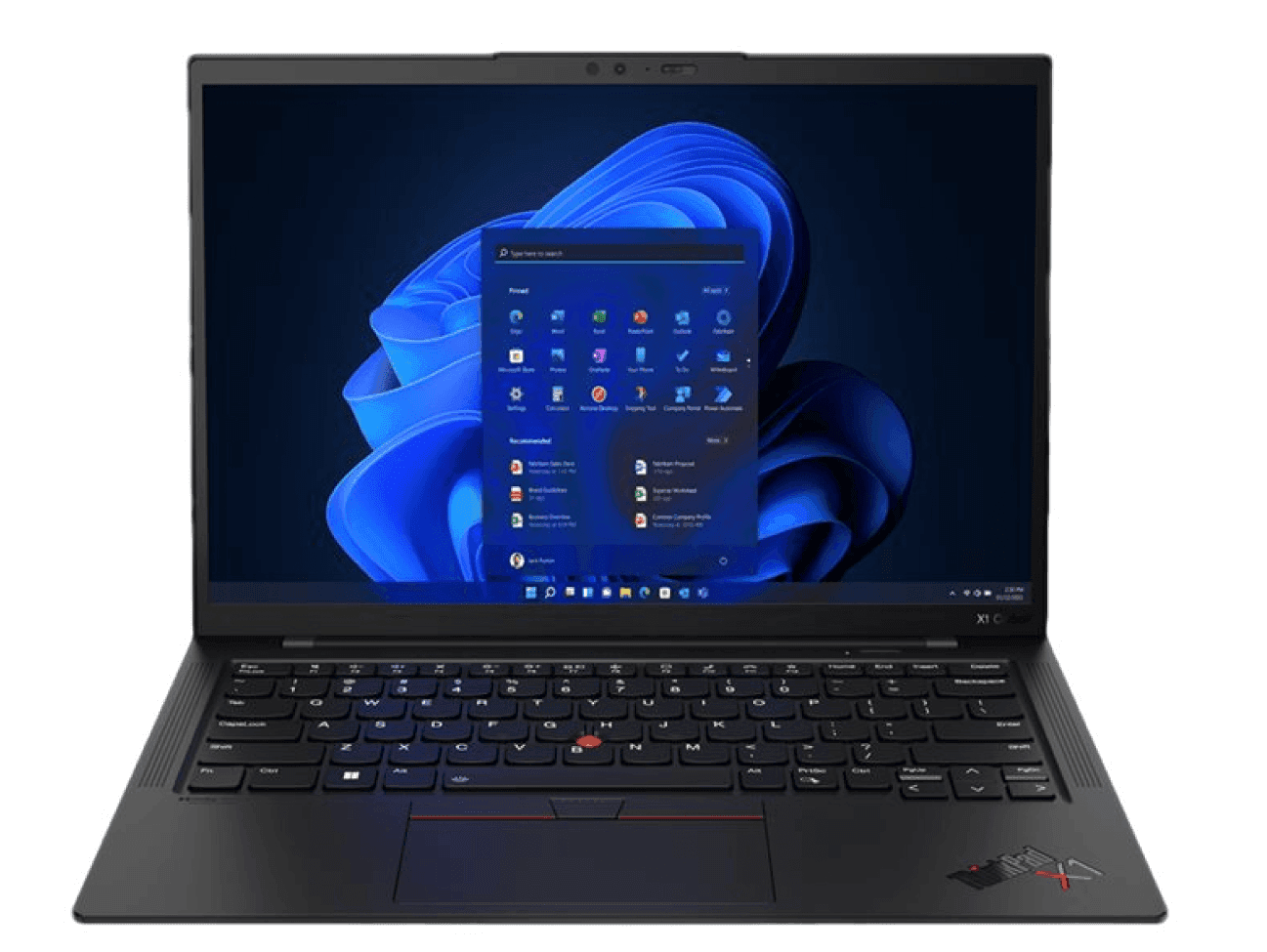
ThinkPad X1 Carbon Gen 13 Ultra 7 32GB
Peripheral bundle for location-uncertain hires
To make setup even easier, pair any of the above devices with these four accessories. Each is compact, globally compatible, and helps ensure new hires have everything they need from day one:
Apple World Travel Adapter Kit (from $29) or Samsung 25W USB-C Travel Adapter (from $35): Covers power compatibility across regions without requiring a separate adapter per country. Include this in every international order.
Logitech C920S Pro Full HD Webcam (from $79): USB plug-and-play, no driver installation required — works immediately on any OS in any location.
Jabra Evolve2 40 SE USB-C (from $100): Wired headset with USB-C connectivity, compatible with all three devices above. No Bluetooth pairing required, which removes one setup variable for remote hires.
StarTech USB-C 7-in-1 Hub (from $54): Adds HDMI, USB-A, and SD card connectivity without requiring a country-specific docking station. Compact enough to ship in the same box as the device.
Read: IT accessories for boosting productivity
Before you place the order: a quick pre-order checklist
Before confirming an international device order, run through these four checks to help avoid delays and setup issues.
Step 1 — Check regional requirements
Review any region-specific considerations before placing the order. Here are some of the most common requirements by region:
Europe: Confirm the correct keyboard layout (e.g., AZERTY for France and Belgium, QWERTZ for Germany, Austria, and Switzerland, Nordic layouts for Scandinavia, and QWERTY for the UK, Ireland, and the Netherlands).
Americas: Allow additional lead time for Brazil and Mexico due to customs and import processes. For the rest of Latin America, confirm your vendor can deliver locally.
Asia-Pacific: Add extra lead time for markets such as Indonesia, Vietnam, and the Philippines, where customs and logistics can be less predictable.
India: Use a vendor with in-country fulfillment and confirmed customs clearance capability.
Middle East & Africa: Verify delivery coverage and include the appropriate regional power adapter where needed.
Step 2 — Confirm delivery timing
Check the estimated delivery window against the employee's start date and build in a buffer of at least five business days.
Step 3 — Confirm your device provisioning plan
Check how the device will be configured before it's issued to the employee. Depending on your organization's setup, this may include MDM enrollment, security policies, user account configuration, or other onboarding requirements.
Step 4 — Review the order
Before placing the order, do one final check to confirm you've selected the correct device, keyboard layout, accessories, and any required regional power adapter, and that the configuration matches the employee's role and workspace.
Find out why new hires start without equipment — and how to fix it.

Guide
The World at Work in 2026: Deel IT
How Deel IT simplifies global IT equipment management
Deel IT helps companies procure, deploy, manage, and recover IT equipment for distributed teams—all from a single platform. Whether your next hire is in Germany, Brazil, or Kenya, you can source, ship, and track devices across 130+ countries through the same streamlined workflow.
The laptops and accessories featured in this guide are all available through the Deel IT catalog, alongside 240+ additional devices, peripherals, and accessories from leading brands. From procurement and provisioning to ongoing device management and recovery, Deel IT helps teams simplify the entire IT equipment lifecycle.
Here's what Deel IT helps you manage:
Global procurement across 130+ countries: Source and ship laptops, monitors, peripherals, and accessories through a single procurement workflow, without managing multiple regional vendors.
Flexible device provisioning: Configure devices based on your organization's IT policies, including MDM enrollment, security settings, and user setup where required.
Regional configuration at order: Select the appropriate keyboard layout, power adapter, and other regional requirements before the device ships.
Onboarding and offboarding automation: Integrate with Deel HR, Workday, HiBob, BambooHR, and SuccessFactors to automate equipment requests and employee lifecycle workflows.
Real-time fleet visibility: Track devices, ownership, location, lifecycle status, and costs from a single dashboard.
Global device recovery and certified data erasure: Coordinate equipment returns and secure data wiping when employees leave, with an auditable chain of custody.
24/7 IT support: Give employees access to global support regardless of where they're based.
Extensive hardware catalog: Choose from more than 240 devices and accessories—including every product featured in this guide—with global availability and a 99.5% on-time delivery rate.
Book a demo to see how Deel IT simplifies global device procurement and lifecycle management for distributed teams.
Deel IT
Procure, deliver, manage, and secure devices anywhere
FAQs
What happens if a device is held at customs?
Deel IT manages customs clearance as part of the procurement workflow — it is not a separate process the IT team needs to coordinate. For markets with complex import rules (Brazil, India, Indonesia), Deel IT uses in-country fulfillment or established customs pathways to minimize clearance delays. If a delay does occur, the support team manages resolution directly.
Can I order a device before I know the exact delivery address?
Yes. With Deel IT, you can initiate a device order and confirm the delivery address once the hire's location is finalized — as long as the address is confirmed before the device ships. For tight start dates, it is worth confirming the region early so the correct keyboard layout and power adapter are included at provisioning.
What if the hire is in a country where Deel IT doesn't have a local warehouse?
Deel IT ships to 130+ countries, including markets without a local warehouse, using established international logistics partners with customs clearance capability. For a small number of markets, lead times are longer — the pre-order regional check in this guide covers where to add buffer.
Does MDM enrollment work the same way regardless of OS?
Yes. Apple devices enroll through Apple Business Manager; Windows devices enroll through Microsoft Autopilot. Both methods apply policy enforcement at provisioning — before the device reaches the employee — and both are managed through the Deel IT platform without requiring separate MDM configuration per device or per country.
Dr Kristine Lennie holds a PhD in Mathematical Biology and loves learning, research and content creation. She had written academic, creative and industry-related content and enjoys exploring new topics and ideas. She is passionate about helping create a truly global workforce, where employers and employees are not limited by borders to achieve success.











