Article
3 min read
How to Get a Laptop to a New Hire in 48 Hours
IT & device management

Author
Dr Kristine Lennie
Last Update
November 19, 2026

Table of Contents
Step 1: Confirm the procurement path (Hours 0–2)
Step 2: Place the order (Hours 2–6)
Step 3: Prepare access while the device ships (Hours 6–24)
How Deel IT makes 48-hour device delivery repeatable
FAQ
Getting a laptop to a new hire in 48 hours is possible if three things are already in place: a procurement path that requires no vendor setup, MDM enrollment at provisioning rather than after delivery, and access provisioning running in parallel with the shipment. Deel IT manages all three across 130+ countries, and with Deel IT Self-Serve you can start ordering today by credit card.
Some hires do not give IT two weeks. The hire is confirmed on a Monday, starts on Wednesday, and the device request arrives somewhere in between: sometimes as a Slack message, sometimes not at all until someone asks why the new employee is using their personal laptop.
What makes this harder than it looks is not the shipping—most carriers can move a package across a country in a day. The problem is everything that happens before the order is placed: finding a vendor who can fulfill in the destination country, confirming the spec, getting approval, and actually placing the order. By the time all of that resolves, the 48-hour window is already gone. This guide works through each step in the sequence, in the order you need to work through them.
Step 1: Confirm the procurement path (Hours 0–2)
These first two hours matter more than any other part of the window. Start by checking whether you have a vendor that can fulfill in the destination country today, without setting up a new relationship first — then settle the spec so the order is ready to go the moment the path is confirmed. Here is what that means:
Take the spec from your role-based catalog: If each role has a standard device attached to it, the spec is settled the moment the job title is confirmed. If you don't have that yet, don't build it now — pick the closest standard configuration for the role and place the order. Set up role-based defaults after the hire has started, so the next urgent request doesn't need a decision at all.
Check whether your procurement platform ships locally in the destination country: Local fulfillment removes customs clearance entirely and typically halves the delivery time. Cross-border shipping to most markets adds two to five days of customs processing you cannot make up later.
Confirm the spec is in stock locally before you commit to it: A device that is out of stock locally ships from a central hub, which puts it back into cross-border shipping and a longer timeline. If the role's standard device isn't available, an in-stock alternative beats a faster processor.
Route the approval before you have all the answers: If manager approval is required, send the request the moment the hire is confirmed, while the spec and address are still being confirmed. Approval routing is the step most likely to sit idle overnight.
Use a self-serve catalog if you have no vendor relationship in this country: Browsing, configuring, and checking out by credit card without a prior contract or sales call is the fastest path into a new market — and often the only one that fits inside 48 hours.
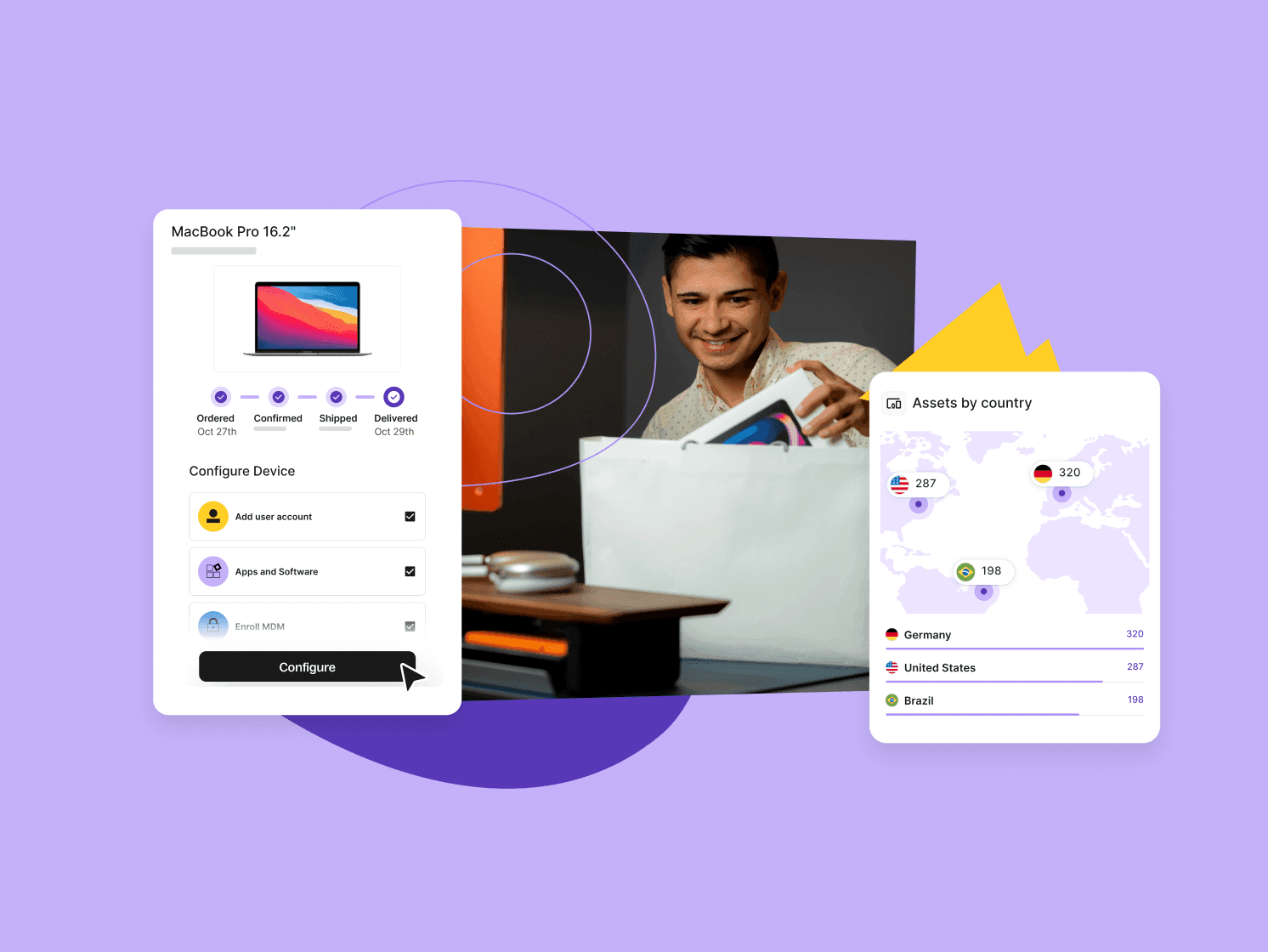
How Deel IT helps: Deel IT's self-serve catalog ships from local warehouses in 130+ countries — no vendor relationship required, no contract, no seat minimum. An order placed today ships today.
Explore Deel IT Self-Serve → Browse devices and accessories, configure for the destination country, and check out by credit card — no sales call, no contract, no seat minimum. Your first order can ship today.
See also: Top IT procurement challenges and how to solve them
Step 2: Place the order (Hours 2–6)
With the path and spec settled, the order goes in. What matters here is where the device is going, how fast it moves, whether it's enrolled before it ships, and knowing quickly if something stalls..
Confirm enrollment is applied at provisioning, not post-delivery: The device should arrive encrypted, policy-compliant, and enrolled. If your platform doesn't apply enrollment at the warehouse, the employee opens a clean machine running outside policy and has to work through setup before they can do anything — a day-one ticket before they've logged in to a single application.
Get the delivery address from HR, not the employee: The address usually sits in the HRIS record, and asking the new hire directly can cost half a day of back-and-forth. If it isn't there, ask for it in the same message that confirms the start date.
Use express delivery by default: At this timeline, standard shipping doesn't fit — express reduces delivery to one to two days across the UK, EU, and US. Outside those regions, express isn't available, so local warehouse fulfillment is what keeps the timeline intact.
Set a tracking alert as soon as the order is confirmed: If the device isn't moving within 12 hours, something has gone wrong at the warehouse. You want to find that out with a day still left, not on the morning of the start date.
How Deel IT helps: Deel IT applies MDM enrollment at provisioning — the device ships pre-configured, encrypted, and policy-compliant. The employee powers it on, and it is ready to use.
Read: DLM vs MDM: What Is the Difference and Why Global Teams Need Both
Step 3: Prepare access while the device ships (Hours 6–24)
The order is placed, and the device is moving, which frees up the next block of hours for everything that has to be ready when it lands. Access work runs in parallel with the shipment rather than after it — otherwise the employee gets hardware on day one and still can't log in to anything useful.
What you're aiming for: the device arrives, the employee opens it, authenticates, and finds every application they need already waiting.
Create the core identity record from the hire confirmation, not the device delivery: The directory entry, email address, and employee account should exist the moment the hire lands in your HRIS. Everything else in onboarding hangs off that record, so if it waits for a delivery confirmation to fire, every downstream step is running a full day behind the device.
Configure Single Sign-On (SSO) and Multi-Factor Authentication (MFA) before the device arrives: Both should be complete ahead of the employee's first login, not set up reactively once they report they can't get in. MFA in particular needs the employee's phone number, which is worth collecting in the same message as the delivery address.
Let the role drive application access: Role-Based Access Control (RBAC) means the apps attach to the job title confirmed at hire, rather than a manual list someone assembles in their first week. Same principle as the device spec in Step 1 — the role is confirmed early, so let it do the work.
Send a pre-arrival setup guide: A short email covering when the device arrives, how to authenticate on first login, and who to contact if something doesn't work. It costs ten minutes and removes most of the reasons an employee would open a ticket on day one.
How Deel IT helps: Deel IT's lifecycle-based access automation provisions accounts and application access automatically when a hire is confirmed in Deel HR — access is ready when the device arrives, not after.
Read: Identity and Access Management with Deel IT
Step 4: Confirm delivery and day-one readiness (Hours 24–48)
The final stretch is verification rather than action. If the first three steps ran cleanly, the device is in transit and enrolled, the access is provisioned, and there's nothing left to place or configure — only to check.
The one thing worth doing rather than checking: confirm the fallback. If tracking slips or the delivery date moves, you want a loaner or a temporary access route already agreed, not something you're arranging on the morning of the start date.
| What to confirm | Done |
|---|---|
| Device is in transit and tracking is active | ☐ |
| Estimated delivery is before the start date | ☐ |
| MDM enrollment confirmed as applied at provisioning | ☐ |
| Core identity record, SSO, and MFA are set up | ☐ |
| Role-based application access is assigned | ☐ |
| Employee has received pre-arrival setup instructions | ☐ |
| Fallback confirmed if delivery slips (loaner or temporary access) | ☐ |
How Deel IT makes 48-hour device delivery repeatable
Deel IT connects the steps that usually run separately — procurement, provisioning, enrollment, and access — in one platform, triggered by the hire confirmation. A fragmented setup, with a different vendor per country and enrollment handled after delivery, turns every urgent hire into a problem solved from scratch. Running all four off the same trigger makes the 48-hour hire work like any other.
Here is what that covers for this specific workflow:
Global procurement across 130+ countries: Source, configure, and ship pre-configured hardware to any new hire from local warehouses — no regional resellers, no customs delays, no new vendor setup for each new market.
MDM enrollment at provisioning: Every device ships enrolled, encrypted, and policy-compliant — the employee powers it on, and it is ready to use, with no setup step required.
Lifecycle-based access automation: Access to apps and accounts is provisioned automatically when a hire is confirmed in Deel HR — SSO, MFA, and role-based application access are ready when the device arrives.
24/7 global IT support: If something goes wrong on day one — a delivery delay, an access issue, a configuration problem — support is available in every time zone, embedded in the same platform running the device and the access.
Buy without a contract or seat minimum: Browse a global device catalog, configure for the destination country, and check out by credit card
Book a demo to find out more.
Deel IT
Procure, deliver, manage, and secure devices anywhere

FAQ
Can I order a device for a new hire in a country where I have never ordered before?
Yes — and this is exactly where a self-serve catalog with local warehouse fulfillment makes the most difference. When you have no prior vendor relationship in a country, a traditional procurement process requires finding a local reseller, confirming stock and pricing, and setting up a new account before anything ships. A self-serve platform with in-country stock removes all of that — you browse, configure, and check out, and the order ships from a local warehouse without any prior setup. Deel IT ships from local warehouses in 130+ countries, which means a first order in a new market works the same way as a tenth order in a familiar one.
What happens if the device does not arrive before the start date?
The most practical fallback is a loaner device — a pre-enrolled spare that can be handed to the employee on day one while the primary device is in transit. Loaners need to be planned before the urgency hits: a small pool of two to four pre-enrolled devices covers most last-minute situations without requiring a new order. If a loaner is not available, temporary access on a personal device — with SSO and MFA enforced — is a workable short-term option, provided the employee is not handling sensitive data. The key is having the fallback confirmed before the start date, not discovered after the device misses delivery.
Does MDM enrollment really need to happen at provisioning rather than after delivery?
For a 48-hour window, yes — and for any scenario where the employee is remote, it matters significantly. When enrollment happens post-delivery, the employee receives a clean device and is expected to complete setup themselves. In practice, this creates a window where the device is operating outside policy: unencrypted, unenrolled, and not visible to IT. For a remote employee who may be in a different country and time zone, that setup step can take hours or days to complete. Enrollment at provisioning means the device ships already configured — the employee powers it on, and it is ready to use, with no setup required on their end.
What is the difference between express delivery and standard delivery with Deel IT?
Express delivery is available within the UK, EU, and US regions and reduces delivery to one to two days in most markets. It costs $105 and is the right choice when fewer than 10 working days remain before a start date. Standard delivery typically runs seven to ten days depending on the destination country. For most European markets, standard delivery is fast enough for a hire confirmed five or more working days out. For tighter windows — or for a hire confirmed on short notice — express is the reliable option. Outside the UK, EU, and US, express shipping is not currently available, so local warehouse fulfillment and standard carrier timelines apply.
About the author
Dr Kristine Lennie holds a PhD in Mathematical Biology and loves learning, research and content creation. She had written academic, creative and industry-related content and enjoys exploring new topics and ideas. She is passionate about helping create a truly global workforce, where employers and employees are not limited by borders to achieve success.