
Article
3 min read
DLM vs. MDM: What's the Difference and Why Global Teams Need Both
IT & device management

Author
Dr Kristine Lennie
Last Update
August 06, 2026

Table of Contents
Device Lifecycle Management (DLM): the physical layer
Mobile Device Management (MDM): the security layer
DLM vs. MDM at a glance
How DLM and MDM work together across the device lifecycle
Real-world use case: A growing company hiring globally
How Deel IT brings DLM and MDM together
Key takeaways
Device Lifecycle Management (DLM) and Mobile Device Management (MDM) are not interchangeable: DLM governs the full arc from procurement to physical recovery, while MDM handles real-time enrollment, policy enforcement, and remote wipe on active devices.
Closing the gaps between DLM and MDM requires connecting asset tracking, device enrollment, certified data erasure, and physical retrieval into a single workflow rather than running them as separate processes that hand off manually.
Deel IT connects DLM and MDM into one system, so distributed teams can track every device from procurement through offboarding, enforce enrollment at activation, and recover or erase hardware without relying on disconnected tools or manual reconciliation.
If you're evaluating IT solutions for a distributed workforce, you've probably come across the terms Device Lifecycle Management (DLM) and Mobile Device Management (MDM). They're often mentioned together, and it's not always clear where one ends and the other begins. This guide explains the difference, how the two work together, and why global teams often need both to manage devices from procurement through offboarding.
Device Lifecycle Management (DLM): the physical layer
DLM is the end-to-end management of a device as a physical asset: from procurement and deployment to recovery, reuse, and retirement. It combines the people, processes, and tools needed to ensure devices are sourced, configured, deployed, tracked, maintained, and securely retired throughout their lifecycle.
DLM typically covers:
Procurement and deployment: Sourcing devices, managing vendors, configuring hardware, and delivering equipment to employees. For global organizations, this may also include international shipping, customs, and import requirements
Asset tracking and inventory management: Maintaining an up-to-date record of every device, including ownership, location, status, warranty information, and lifecycle stage.
Device provisioning and support: Preparing devices for use by applying required configurations, security settings, user accounts, or device management policies, and supporting users throughout the device's lifecycle
Device refresh and redeployment: Monitoring hardware age and performance, coordinating replacements, and reassigning recovered devices to new users where appropriate
Recovery and secure retirement: Coordinating device returns during offboarding, maintaining a documented chain of custody, securely erasing data, and redeploying, recycling, or disposing of hardware in accordance with organizational policies and applicable regulations
Why it matters: As organizations grow across regions, managing physical devices becomes increasingly complex. DLM provides a structured way to procure, deploy, track, recover, and retire hardware, helping teams maintain visibility and control regardless of where employees are based.
Where Deel IT comes in: Deel IT includes a full DLM layer: procurement, shipping, asset tracking, physical recovery, and certified data erasure across 130+ countries, managed in the same platform as MDM and access management.
See also: The hidden cost of global device management at enterprise scale
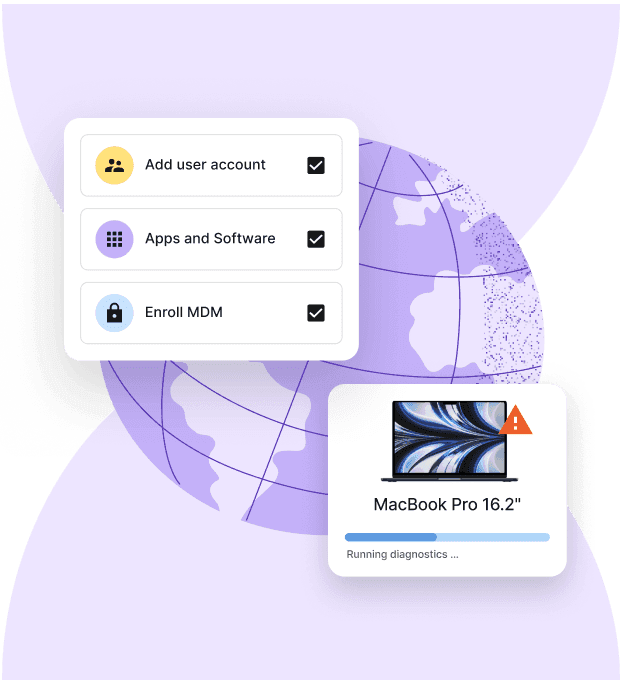
Device Lifecycle Management
Global device logistics, handled
Mobile Device Management (MDM): the security layer
MDM is a software solution that enables organizations to configure, secure, monitor, and manage devices remotely. Unlike DLM, which focuses on the physical lifecycle of a device, MDM focuses on the policies, settings, and controls applied to enrolled devices throughout their use.
MDM typically manages:
Device enrollment and configuration: Enrolling devices into a management platform and applying security settings, configuration profiles, network settings, and other organizational policies
Security policy enforcement: Enforcing requirements such as encryption, passcodes, operating system updates, and compliance rules, while continuously monitoring devices for policy violations
Application management: Deploying, updating, restricting, or removing applications remotely, and controlling access to corporate resources where required
Remote device actions: Locking, locating, restarting, or wiping managed devices remotely in response to loss, theft, security incidents, or employee offboarding, depending on platform capabilities
Compliance monitoring and reporting: Providing visibility into device health, security status, and policy compliance to support IT operations and regulatory or internal audit requirements
Why it matters: MDM helps organizations keep devices secure, compliant, and consistently configured throughout their lifecycle. Without it, IT teams have limited visibility and control over enrolled devices, making it harder to enforce security policies, deploy updates, or respond to lost or stolen devices.
Where Deel IT comes in: MDM helps organizations keep devices secure, compliant, and consistently configured throughout their lifecycle. It enables IT teams to enforce security policies, manage access to corporate resources, deploy updates, monitor compliance, and respond quickly if a device is lost, stolen, or compromised.
Find out how to improve IT compliance with automated device management.
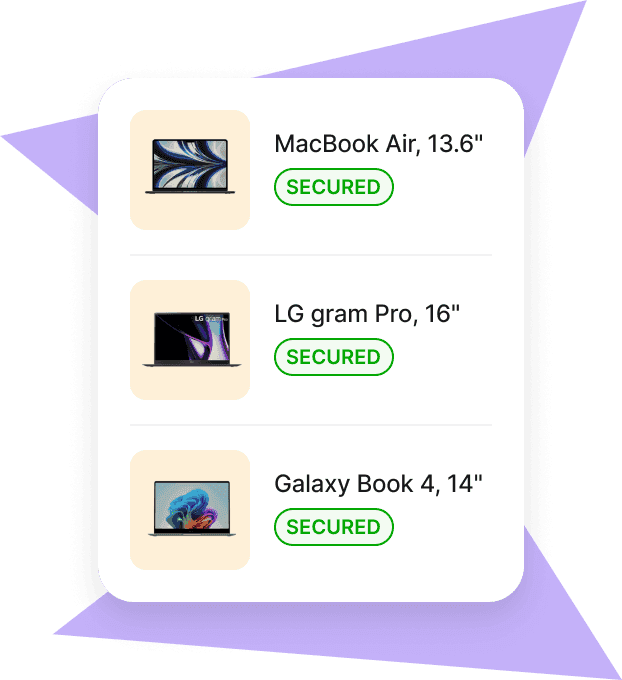
Mobile Device Management
Secure and manage IT devices across any operating system
DLM vs. MDM at a glance
Here is an at-a-glance comparison between DLM and MDM:
| Capability | Device Lifecycle Management (DLM) | Mobile Device Management (MDM) |
|---|---|---|
| Procurement and deployment | ✓ Sources, configures, and delivers devices | — |
| Asset tracking | ✓ Tracks ownership, location, status, warranties, and lifecycle | — |
| Device enrollment | — | ✓ Enrolls devices into the management platform |
| Device configuration | △ Coordinates provisioning as part of deployment | ✓ Applies configuration profiles and policies |
| Security policy enforcement | — | ✓ Enforces encryption, passcodes, and security settings |
| OS and patch management | — | ✓ Deploys and manages operating system updates |
| Application management | — | ✓ Installs, updates, restricts, or removes apps remotely |
| Compliance monitoring | — | ✓ Monitors policy compliance and device health |
| Remote device actions | — | ✓ Locks, locates, or wipes enrolled devices remotely |
| Device refresh and redeployment | ✓ Plans refresh cycles and reassigns recovered devices | — |
| Physical device recovery | ✓ Coordinates returns and maintains chain of custody | — |
| Certified data erasure | ✓ Ensures secure wiping before reuse or disposal | — |
| Fleet visibility and lifecycle reporting | ✓ Tracks inventory, lifecycle stage, and asset costs | ✓ Reports on security status and compliance of enrolled devices |
The key distinction: DLM owns the device as a physical object across its entire life — MDM owns the policy state of that device while it is in use.
How DLM and MDM work together across the device lifecycle
DLM and MDM aren't interchangeable: they solve different parts of the same problem. Used together, they help IT teams maintain visibility over both the hardware and the policies that protect it throughout the device lifecycle. Here is how:
| Lifecycle stage | DLM does | MDM does | What can happen if they're disconnected |
|---|---|---|---|
| New hire onboarding | Procures, configures, and delivers the device | Enrolls the device and applies security policies according to the organization's deployment process | Devices may be delivered without the expected security configuration or provisioning may require additional manual steps |
| During employment | Tracks asset ownership, location, lifecycle status, and costs | Enforces security policies, monitors compliance, and manages device settings | Asset records and security status can become inconsistent, making audits and troubleshooting more difficult |
| Role or team change | Updates ownership and asset assignments | Adjusts device policies, application access, and user configurations | Devices may retain outdated settings or access permissions that no longer match the employee's role |
| Offboarding | Coordinates device recovery, return logistics, and chain of custody | Locks, wipes, or removes corporate access from enrolled devices where appropriate | Hardware may not be recovered promptly, or devices may retain corporate data longer than intended |
| Refresh or retirement | Plans refresh cycles, redeployment, or disposal | Removes retired devices from management and updates security policies as needed | Retired or redeployed devices may remain in management systems or retain outdated configurations |
Read: 5 things most companies get wrong about international IT logistics
Real-world use case: A growing company hiring globally
Understanding the difference between DLM and MDM is one thing; seeing how they work together is easier with a real-world scenario. The example below illustrates how a growing global company might use both:
The situation: A technology company has expanded from two countries to eight in less than two years. As hiring accelerates, devices are sourced through multiple vendors and shipped directly to employees in different regions. IT uses an MDM platform to manage security, but device procurement, inventory, and recovery are handled manually.
The challenge: While most devices are enrolled in MDM, the IT team has limited visibility into the physical fleet. Some devices are missing from the asset register, ownership records aren't always up to date, and recovering equipment from departing employees is inconsistent across countries.
The impact: Security policies are being enforced on managed devices, but IT can't easily answer questions such as Who has this laptop? Has it been recovered? Is it due for replacement? As the company prepares for an audit, reconciling physical assets with managed devices becomes a time-consuming manual exercise.
The solution: By adding DLM alongside MDM, the company gains visibility across the entire device lifecycle. Procurement, inventory, shipping, recovery, and refresh are managed in one workflow, while the existing MDM platform continues to enforce security policies and manage enrolled devices. Together, DLM and MDM give IT teams confidence that devices are both physically accounted for and securely managed.
How Deel IT brings DLM and MDM together
Deel IT helps organizations manage both the physical and digital sides of the device lifecycle through a single platform. From global procurement and asset tracking to MDM integrations, device recovery, and certified data erasure, Deel IT reduces the manual handoffs between systems that can lead to inconsistent records, security gaps, and additional administrative work. Whether you're using Deel IT's native capabilities or integrating with your existing MDM solution, IT teams gain a more connected view of every device throughout its lifecycle.
Here's how Deel IT supports both DLM and MDM workflows:
Global procurement across 130+ countries: Source, configure, and ship laptops, monitors, peripherals, and accessories through a single procurement workflow, without managing multiple regional vendors.
Flexible device provisioning: Configure devices according to your organization's IT policies, including MDM enrollment, security settings, and user setup where required.
Asset tracking and fleet visibility: Track device ownership, location, lifecycle status, and costs from a centralized dashboard throughout the device lifecycle.
MDM integrations and policy management: Connect with leading MDM platforms to help manage device enrollment, security policies, compliance, and ongoing configuration.
Onboarding and offboarding workflows: Coordinate device provisioning, access changes, recovery, and lifecycle tasks as employees join, change roles, or leave the organization.
Global device recovery: Manage equipment returns across countries with coordinated logistics and documented chain of custody.
Certified data erasure: Securely wipe recovered devices before redeployment or disposal, with audit-ready documentation.
24/7 global IT support: Provide employees with around-the-clock support for device, provisioning, and lifecycle issues, regardless of location.
Book a demo to see how Deel IT runs DLM and MDM as one system.
Deel IT
Procure, deliver, manage, and secure devices anywhere

FAQs
Can MDM replace DLM entirely?
No. MDM manages the policy state of enrolled devices — it does not handle procurement, physical asset tracking, device recovery, or certified erasure. A team running MDM without DLM has no visibility over devices that were never enrolled, no recovery process when an employee leaves, and no documented chain of custody for hardware. MDM is a critical layer, but it only covers the devices it knows about.
Does DLM include MDM enrollment?
DLM can include MDM enrollment as part of the provisioning process — and in a well-designed system, it should. When DLM and MDM are integrated, enrollment is applied at the point of device configuration before shipping, so the device arrives already managed. When they are separate systems, enrollment typically happens post-delivery, creating a window where the device is in use but outside policy coverage.
What happens to devices that were never enrolled in MDM?
They are invisible to policy enforcement. The organization cannot verify encryption status, push OS updates, enforce app restrictions, or wipe the device remotely. If that device is lost, stolen, or retained by a departing employee, there is no technical response available. This is one of the most common audit findings for organizations that have grown quickly without a consistent provisioning process.
Is DLM only relevant for large enterprises?
No. The physical and operational challenges DLM addresses — procurement lead times, asset tracking, device recovery, certified erasure — apply at any scale where employees are distributed across locations. A 50-person company with employees in five countries faces the same recovery and audit challenges as a 5,000-person enterprise, just with fewer resources to manage them. The cost of an unrecovered device or a failed audit finding does not scale with headcount.
Dr Kristine Lennie holds a PhD in Mathematical Biology and loves learning, research and content creation. She had written academic, creative and industry-related content and enjoys exploring new topics and ideas. She is passionate about helping create a truly global workforce, where employers and employees are not limited by borders to achieve success.











