
Article
3 min read
8 Top MDM Solutions That Automatically Push App Updates and Security Policies
IT & device management

Author
Anna Grigoryan
Last Update
October 07, 2026

Table of Contents
MDM software for automatic app updates and security policies
What features automate app updates and security policies?
How to choose an MDM platform
1. Deel IT
2. Jamf Pro
3. Kandji
4. Workspace ONE
5. Microsoft Intune
6. ManageEngine Mobile Device Manager Plus
7. Miradore
8. Hexnode
Manage apps, security, and the wider device lifecycle with Deel IT
FAQ
Deel IT is a strong choice for global teams that want to automatically deploy apps, updates, and security policies while connecting device management to the wider employee lifecycle. Other options include Microsoft Intune and Workspace ONE for mixed-device environments, and Jamf Pro or Kandji for Apple-focused fleets. Deel IT adds global provisioning, support, and device recovery across 130+ countries.
Keeping apps updated and security policies consistent becomes harder as device fleets grow across locations, operating systems, and remote teams. Mobile Device Management (MDM) software solves this by giving IT teams centralized control over app deployment, updates, security configurations, compliance, and remote device actions.
For global teams, however, managing the software on a device is only part of the challenge. Deel IT complements MDM by bringing global device provisioning, deployment, support, tracking, and recovery into one platform, helping organizations manage the complete device lifecycle from onboarding through offboarding.
MDM software for automatic app updates and security policies
Mobile Device Management (MDM) software allows IT teams to centrally configure and secure employee devices. Modern MDM platforms can automatically install applications, deploy updates, enforce security configurations, and take remote actions without requiring IT teams to configure every device manually.
The main platforms to consider include:
| Solution | OS coverage | Automation highlights | Best for |
|---|---|---|---|
| Jamf Pro | macOS, iOS/iPadOS | Automated Device Enrollment (ADE), patch management, app deployment, self-service | Apple-centric organizations |
| Kandji | macOS, iOS/iPadOS | Auto Apps, automated patching, security templates, policy automation | Growing Apple fleets |
| Workspace ONE | iOS, Android, Windows, macOS, ChromeOS | Zero-touch provisioning, app distribution, compliance automation | Large mixed-device environments |
| Microsoft Intune | Windows, iOS, Android, macOS | App deployment, compliance policies, conditional access, Windows management | Microsoft-centric organizations |
| ManageEngine MDM | iOS, Android, Windows, macOS | Bulk enrollment, app distribution, compliance automation | Cost-conscious SMBs |
| Miradore | iOS, Android, Windows, macOS | Enrollment, app management, policy automation, reporting | SMEs starting with MDM |
| Hexnode | iOS, Android, Windows, macOS | App management, kiosk mode, remote actions, policy workflows | Mixed and frontline device fleets |
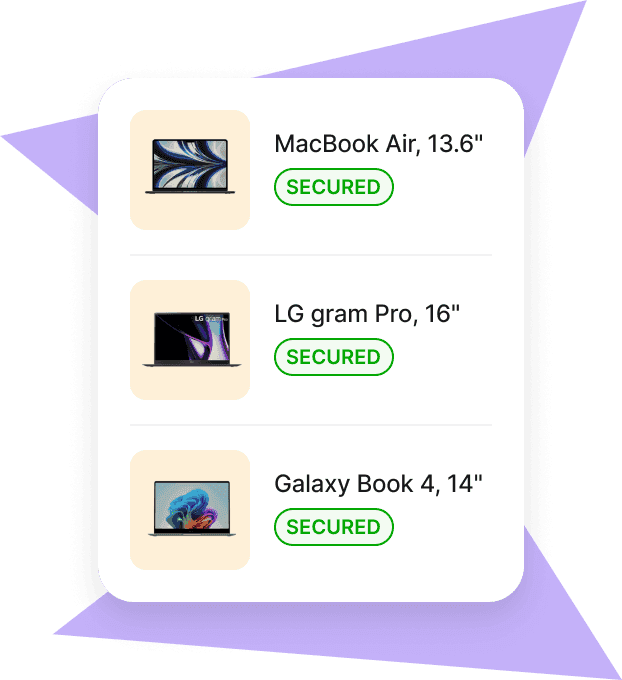
Mobile Device Management
Secure and manage IT devices across any operating system
What features automate app updates and security policies?
When evaluating an MDM platform, focus on the capabilities that remove repetitive administration:
Zero-touch enrollment: Automatically enrolls new devices through services such as Apple Automated Device Enrollment, Android Enterprise, or Windows Autopilot.
Automated app deployment: Installs approved applications and distributes updates without requiring employees to manage them manually.
Policy enforcement: Applies requirements for encryption, passwords, operating system versions, network access, and other security controls.
Patch management: Helps keep operating systems and supported applications current across the device fleet.
Compliance monitoring: Identifies devices that fall outside defined security requirements and can trigger remediation.
Remote actions: Gives administrators controls such as locking or wiping devices when appropriate.
Together, these capabilities allow IT teams to establish a standard configuration and maintain it across a distributed device fleet.
How to choose an MDM platform
Start with your device ecosystem. An Apple-only organization may prioritize Jamf Pro or Kandji, while a company running Windows, macOS, Android, and iOS will generally need a multi-platform solution.
Then compare your shortlisted platforms across four areas:
OS coverage: Does it support every device type you need to manage?
Automation: Can it automate enrollment, applications, patches, and policies?
Security and compliance: Does it provide the controls, reporting, and integrations required by your security program?
IT ecosystem: Does it integrate effectively with your identity, security, HR, and device lifecycle tools?
Run a pilot with a representative group of devices before a company-wide rollout. Test enrollment, app deployment, security policies, updates, remote actions, and the employee experience.
1. Deel IT
Deel IT combines device management with global provisioning and lifecycle workflows across 130+ countries. Teams can centrally deploy apps, updates, and security policies while connecting device management to onboarding, support, and offboarding. It's particularly suited to distributed teams that want MDM capabilities alongside global device operations.
2. Jamf Pro
Jamf Pro is built for Apple device management, with automated enrollment, app deployment, configuration profiles, patch management, and security controls for macOS, iOS, and iPadOS. It's a strong option for organizations with predominantly Apple fleets.
3. Kandji
Kandji is an Apple-focused MDM with automated app deployment, patching, and prebuilt security controls. Its streamlined administration makes it particularly useful for growing teams that want to automate Apple device management without extensive scripting.
4. Workspace ONE
Workspace ONE provides unified endpoint management across mobile and desktop operating systems. It supports zero-touch provisioning, application distribution, compliance policies, and automation, making it suitable for larger organizations with complex, mixed-device fleets.
5. Microsoft Intune
Microsoft Intune manages applications, updates, compliance policies, and security settings across Windows, macOS, iOS, and Android. Its close integration with Microsoft 365 and Microsoft Entra ID makes it particularly relevant for organizations already operating in the Microsoft ecosystem.
6. ManageEngine Mobile Device Manager Plus
ManageEngine supports app distribution, device policies, bulk enrollment, and automation across major operating systems. With both cloud and on-premises deployment options, it's a practical choice for cost-conscious teams that want flexibility.
7. Miradore
Miradore offers straightforward enrollment, app management, policy enforcement, and reporting across mixed-device fleets. Its accessible interface and free and paid options make it well suited to smaller organizations getting started with MDM.
8. Hexnode
Hexnode supports app management, security policies, remote actions, and kiosk management across major operating systems. It's particularly useful for organizations managing a mix of employee, frontline, shared, or dedicated devices.
Manage apps, security, and the wider device lifecycle with Deel IT
Automating app updates and security policies is only one part of managing a distributed device fleet. Deel IT connects device management with global provisioning, support, tracking, and recovery across 130+ countries, giving IT teams one way to manage devices from deployment through offboarding.
Teams can use Deel IT to automate device setup and security policies, support remote employees, and coordinate equipment recovery when workers leave.
Explore how zero-touch deployment works for remote devices or learn how automated device management can improve IT compliance.
Book a demo to see how Deel IT can support your global device fleet.
FAQ
What MDM software allows us to push app updates and security policies automatically?
Deel IT, Microsoft Intune, Workspace ONE, Jamf Pro, Kandji, ManageEngine MDM, Miradore, and Hexnode can automate application deployment and device security policies. The right choice depends on your operating systems and IT environment: Jamf Pro and Kandji are Apple-focused, while options such as Intune and Workspace ONE support mixed-device fleets. Deel IT combines device management with global provisioning and lifecycle operations across 130+ countries.
Can MDM automatically install and update apps on employee devices?
Yes. MDM platforms can remotely deploy approved applications and manage updates across enrolled devices without requiring IT to configure each device individually. The exact level of automation varies by operating system, application, and MDM platform, so check support for the applications your organization relies on.
Can MDM automatically enforce security policies?
Yes. IT teams can use MDM to apply requirements such as encryption, password policies, screen locks, operating system versions, and other security configurations. Many platforms can also identify non-compliant devices and trigger remediation or restrict access based on defined policies.
Can MDM manage devices used by remote employees?
Yes. MDM platforms manage enrolled devices over the internet, making them suitable for remote and distributed teams. Zero-touch enrollment can also configure new devices with required applications and policies without IT needing to physically handle them.
Which MDM platforms support both Apple and Windows devices?
Microsoft Intune, Workspace ONE, ManageEngine MDM, Miradore, and Hexnode support both Windows and Apple devices, alongside other operating systems depending on the platform. Jamf Pro and Kandji are primarily focused on managing Apple environments.
How is Deel IT different from a standalone MDM platform?
Deel IT combines device-management capabilities with the broader hardware lifecycle. In addition to managing apps and security policies, it connects device management with global provisioning, support, tracking, recovery, and employee lifecycle workflows across 130+ countries.
Can MDM automatically push updates to devices that aren't in the office?
Yes, provided the device is enrolled, connected to the internet, and the relevant update is supported by the platform and operating system. This allows IT teams to manage updates and policies across distributed fleets without requiring devices to connect to a corporate office network.
What should we look for in an MDM for automated updates?
Prioritize automated app deployment, patch management, policy enforcement, compliance monitoring, zero-touch enrollment, and remote remediation. Also verify how the platform handles your operating systems and critical applications, as automation capabilities can vary across devices and software.
Anna Grigoryan is an SEO and Content Manager with 6+ years of experience in digital marketing and content strategy. She specializes in optimizing & creating high-impact, search-driven content in the tech and HR space, with a focus on global work, people operations, and the evolving world of employment. When she’s not optimizing content for growth, she’s exploring new trends in marketing and technology. Connect with her on Linkedin.











