
Global Work Glossary
- Results for ""
Table of Contents
How face matching works
Face matching across the worker lifecycle
Face matching and related identity controls
Limitations of face matching
Key facts
Protect your workforce from identity fraud with Deel Security
FAQ
What is face matching / facial biometric matching?
Face matching, also called facial biometric matching, is an automated check that compares a person's facial image with a reference photo, such as the one on a government-issued identity document, to confirm that the two faces belong to the same person.
Organizations may use face matching during remote hiring and onboarding to confirm worker identities without requiring an in-person meeting.
How face matching works
Face matching software analyzes facial features in a photo captured during verification and compares them with the photo on a person's identity document. It then calculates a similarity score to determine how closely the faces match.
Organizations typically layer additional controls on top of face matching, such as liveness detection and document authenticity checks, to form a complete identity verification workflow.
Face matching across the worker lifecycle
HR and security teams use face matching at multiple points in the worker lifecycle, not only during initial hiring. At pre-employment screening, a candidate may be asked to submit a selfie alongside a government-issued document, and the system checks whether the two faces align before an offer is extended.
During onboarding, remote workers may be required to verify their identity before they can receive equipment or system credentials, and organizations might run additional checks at high-risk moments, such as a multi-factor authentication (MFA) reset or a new device enrollment, to confirm the right person is still in control of the account.
Face matching and related identity controls
Face matching works alongside several related controls, but they are not the same thing. Each has a distinct role:
Liveness detection: confirms the face belongs to a person who is physically present, countering attempts to spoof a face matching check with a printed photo, a video replay, or a deepfake.
Biometric verification: the broader category of checks that use physical characteristics, including face, fingerprint, iris, and voice, as identity signals. Face matching is one type of biometric verification.
Identity verification: the full process that typically combines document checks, face matching, and liveness detection to confirm a person's claimed identity end to end.
Limitations of face matching
Image quality, camera resolution, and lighting conditions all affect how well face matching performs. A threshold calibrated too loosely lets the wrong person through, and one set too tightly creates false rejections that slow legitimate onboarding. Organizations should treat face matching as one layer in a broader identity verification stack rather than a standalone control, and they should monitor for spoofing techniques, such as high-quality deepfakes, that may evade older matching systems.
Key facts
Here are some key facts about face matching, the threats it addresses, and how security and HR teams use it in practice.
Face matching compares a live image or selfie against a reference photo on an identity document to confirm that the same person appears in both.
It is commonly paired with liveness detection to prevent attackers from bypassing the check with a printed photo or a deepfake video.
HR and security teams apply face matching at hiring, onboarding, and re-verification points to guard against candidate impersonation fraud and account takeover.
Accuracy depends on image quality and the matching threshold, and a miscalibrated threshold creates either false acceptances or unnecessary false rejections.
Face matching is one component of a full identity verification workflow that may also include document authentication and biometric verification.
Protect your workforce from identity fraud with Deel Security
Remote hiring creates openings for impersonation at every stage of the worker lifecycle. We built Deel Security to give HR and security teams AI-powered identity verification that covers the full lifecycle, from checking candidates before an offer is made to re-verifying workers at high-risk moments after onboarding.
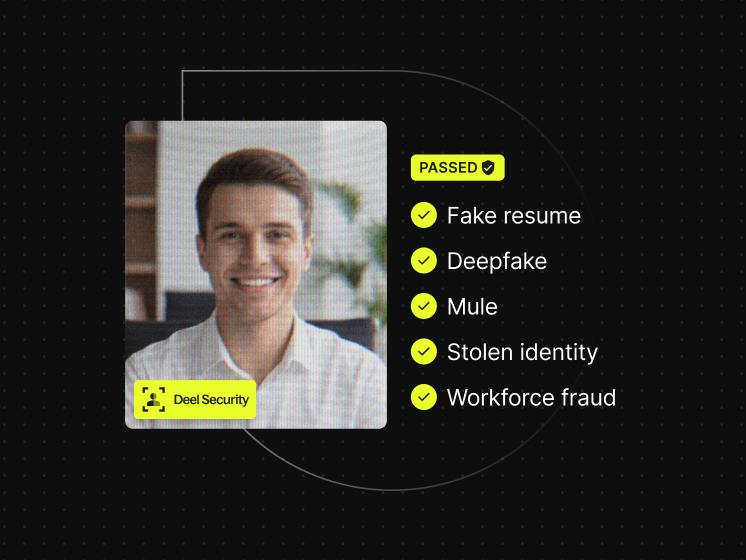
Deel Security connects key identity signals from application through employment into one record, flags fake applications, detects deepfakes and proxy candidates in live interviews, and verifies government IDs with a liveness check at offer. After hiring, the system re-verifies identity at the moments attackers target, including MFA resets, new device enrollments, and high-risk access requests.
Book a demo to see how Deel Security protects your workforce.
Deel Security
Hire real people, keep fraud out from hiring to offboarding
FAQ
What is the difference between face matching and facial recognition?
A face matching check is one-to-one: it compares a submitted image against a single reference photo. Facial recognition is one-to-many: it searches an unknown face across a large database. Hiring and onboarding workflows use face matching, not facial recognition.
Can a deepfake bypass face matching?
An advanced deepfake might fool face matching alone if the synthetic image closely resembles the reference document photo. Organizations counter this by pairing face matching with liveness detection and deepfake detection controls, which look for artifacts and inconsistencies that reveal a generated or replayed face.
Where does face matching fit in a background check?
Face matching typically opens a background check workflow: the candidate provides a selfie and a government-issued ID, the system confirms the faces match, and the verified identity is then used for criminal, employment history, and reference checks against the right person. Deel's Background Checks covers how face matching fits into automated candidate screening.
Is face matching required for remote onboarding?
No universal requirement applies to all employers, but many regulated industries and enterprise security policies include face matching as part of their identity proofing standards. Employers setting up remote workforces should check the requirements of the jurisdictions where their workers are based.
This entry is for informational purposes only and does not constitute legal, security, or compliance advice, and organizations should consult qualified advisers before implementing any identity verification program.