
Article
6 min read
Best Laptops for Finance Teams in 2026
IT & device management

Author
Dr Kristine Lennie
Last Update
July 07, 2026

Key takeaways
Finance roles span a wide range of computational demands: from lightweight travel machines for executives to high-memory workhorses for analysts running complex models
Standardizing laptop specifications by finance role helps improve performance, reduce IT support overhead, and avoid costly mid-cycle upgrades.
Deel IT helps IT teams equip global organizations from a single platform, with a catalog of 240+ devices, hardware shipping to 130+ countries, and a 99.5% on-time delivery rate.
Finance teams have specific demands that most general-purpose laptop guides don't account for. Analysts running multi-tab spreadsheet models, accountants processing payroll across entities, and CFOs moving between offices and client meetings all need hardware that holds up under sustained computational load, not just everyday browsing and email.
Choosing the wrong laptop for a finance role doesn't just slow people down. It creates friction at exactly the moments that matter: month-end close, audit preparation, and board reporting cycles. In this guide, we'll compare the best laptops for finance teams currently on the market, explain which specifications have the biggest impact on performance, and recommend the right devices for different finance workloads.
What to prioritize when choosing a laptop for finance teams
The table below summarizes the key specifications IT teams should evaluate when selecting laptops for finance teams, along with practical recommendations for each.
| Criteria | Why it matters | Recommended specification |
|---|---|---|
| Processor performance | Finance professionals often work across large spreadsheets, ERP systems, dashboards, and reporting tools simultaneously. A modern processor keeps calculations, analysis, and everyday work running smoothly. | Apple M4/M5 or Intel Core Ultra 7 processors provide the performance needed for most finance workloads. |
| Memory (RAM) | Large spreadsheets, browser tabs, reporting tools, and video meetings quickly consume memory. Insufficient RAM can slow calculations and multitasking. | 16GB is recommended for most finance roles; 32GB provides additional headroom for analysts, controllers, and power users. |
| Display size and resolution | Finance teams spend much of the day reviewing spreadsheets, reports, and dashboards. A larger, higher-resolution display improves readability and reduces scrolling. | Choose a 14–16" display with at least Full HD resolution. QHD displays provide additional workspace for complex financial models. |
| External display support | Many finance professionals use two or more monitors to view spreadsheets, dashboards, presentations, and communication tools simultaneously. | Choose laptops that support multiple external displays through Thunderbolt or USB4 connectivity. |
| Battery life | Executives, auditors, and finance professionals who travel benefit from a laptop that lasts through meetings, client visits, and flights without needing to recharge. | Prioritize all-day battery life. Apple Silicon leads in efficiency, while premium Windows laptops also provide strong endurance. |
| Security and Mobile Device Management (MDM) compatibility | Finance laptops contain sensitive payroll, accounting, and financial data, so they should be easy for IT to secure, manage, and recover throughout their lifecycle. | Prioritize business-class laptops that integrate easily with your organization's device management, identity, and security tools. |
| Global availability | Organizations hiring internationally need hardware that can be sourced, shipped, and supported consistently across every region. | Choose devices available through a global procurement program with international shipping and lifecycle support. |
The best laptops for finance teams
The models below cover a wide range of finance workloads, from everyday accounting and finance operations to financial modeling, executive travel, and quantitative analysis. Every model is available through the Deel IT catalog along with 240+ other devices and accessories.
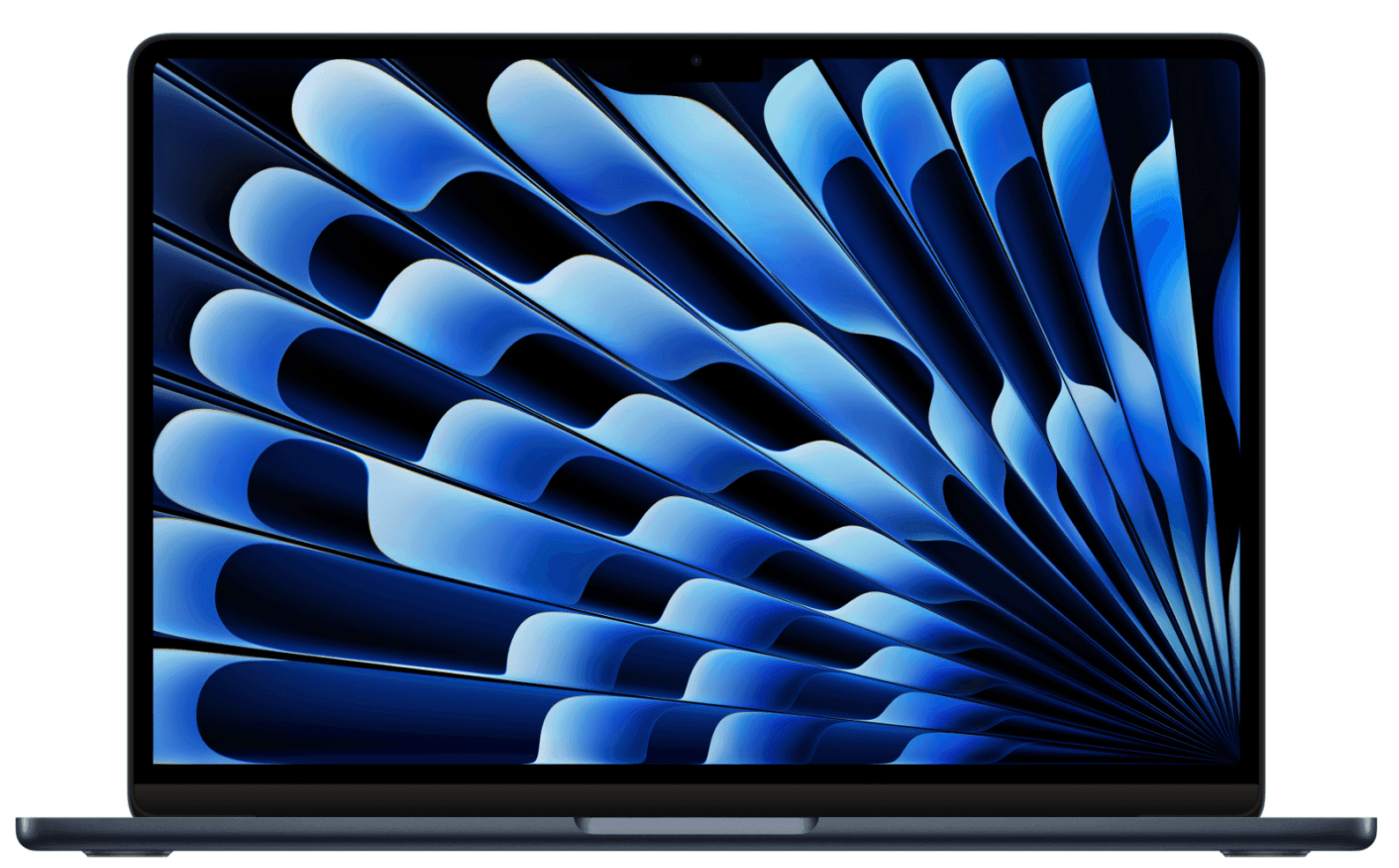
1. MacBook Air 15.3" M5 16GB 512GB
For finance teams standardized on macOS, this is one of the most versatile laptops available. It strikes a strong balance between performance, portability, battery life, and screen size without pushing into workstation territory. The 15.3" display provides ample space for spreadsheets and dashboards without the bulk of a 16" device, while the M5 chip handles multi-application workloads without fan noise or thermal throttling.
| Specification | Detail |
|---|---|
| Display | 15.3" Liquid Retina display (2560 × 1664) |
| Processor | Apple M5 |
| Memory | 16GB unified memory |
| Storage | 512GB SSD |
| Weight | 1.51kg (3.3 lb) |
| Battery life | Up to 18 hours |
| Connectivity | MagSafe 3, 2× Thunderbolt 4 (USB-C), 3.5mm headphone jack |
| Operating system | macOS |
| Starting price | From $1,299 |
Why this works: The M5 chip handles sustained spreadsheet modeling, video calls, and ERP access simultaneously without performance degradation. In addition to that, the 18-hour battery means finance staff working across time zones or traveling for audits aren't tethered to a charger.
Best for: Finance business partners, FP&A analysts, controllers, and finance executives who work across locations.
Lifecycle: Apple Silicon MacBooks typically run 4–5 years in a finance environment with minimal support overhead; the fanless design reduces hardware failure rates.
Read about the best laptops for remote workers for a broader comparison across roles and operating systems.
2. MacBook Air 13.6" M5 16GB 512GB
If portability is a priority, the 13.6" MacBook Air delivers the same M5 performance as the 15" model in a noticeably lighter package. It combines all-day battery life with enough performance for everyday finance workloads, making it an excellent choice for professionals who spend as much time on the move as they do at a desk.
| Specification | Detail |
|---|---|
| Display | 13.6" Liquid Retina display (2560 × 1664) |
| Processor | Apple M5 |
| Memory | 16GB unified memory |
| Storage | 512GB SSD |
| Weight | 1.24kg (2.7 lb) |
| Battery life | Up to 18 hours |
| Connectivity | MagSafe 3, 2× Thunderbolt 4 (USB-C), 3.5mm headphone jack |
| Operating system | macOS |
| Starting price | From $1,099 |
Why this works: At 1.24kg, this is one of the lightest full-performance laptops in the catalog — finance staff who carry it through airports and client offices will notice the difference over a full day.
Best for: Auditors, treasury analysts, CFOs, and any finance role with a high travel frequency.
Lifecycle: 4–5 years; the compact chassis and passive cooling make it particularly durable for travel-heavy use.
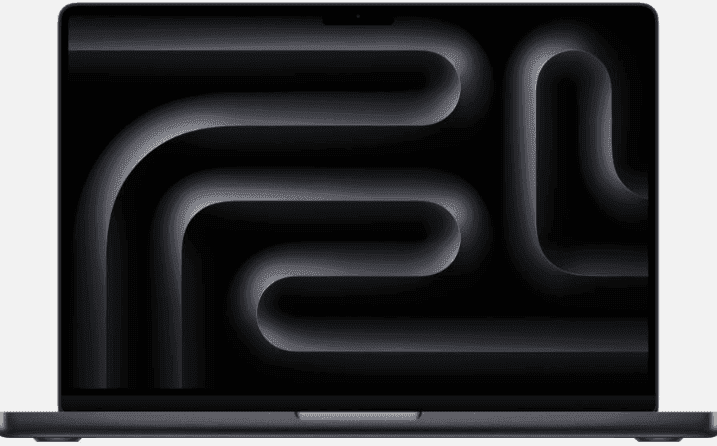
3. MacBook Pro 14.2" M5 16GB 512GB
For finance professionals whose workloads go beyond everyday spreadsheets and reporting, the MacBook Pro 14 strikes an excellent balance between portability and sustained performance. Compared with the MacBook Air, it offers active cooling, additional connectivity, and greater performance headroom, making it well suited to demanding financial analysis and long reporting cycles.
| Specification | Detail |
|---|---|
| Display | 14.2" Liquid Retina XDR display (3024 × 1964) |
| Processor | Apple M5 |
| Memory | 16GB unified memory |
| Storage | 512GB SSD |
| Weight | 1.55kg (3.4 lb) |
| Battery life | Up to 17 hours |
| Connectivity | MagSafe 3, 3× Thunderbolt 5, HDMI, SDXC card slot |
| Operating system | macOS |
| Starting price | From $1,599 |
Why this works: Active cooling allows the M5 chip to sustain peak performance during extended spreadsheet modeling, Power BI refreshes, and reporting workloads without the thermal limitations of fanless laptops. The additional ports also make it easier to connect multiple external displays and presentation equipment without relying on adapters.
Best for: Finance managers, controllers, senior FP&A analysts, treasury professionals, and finance leaders who regularly work with large financial models, reporting tools, and multiple business applications simultaneously.
Lifecycle: 5-year expected lifecycle in most finance environments. The combination of active cooling, enterprise-grade build quality, and additional performance headroom makes it a strong choice for organizations with longer device refresh cycles.
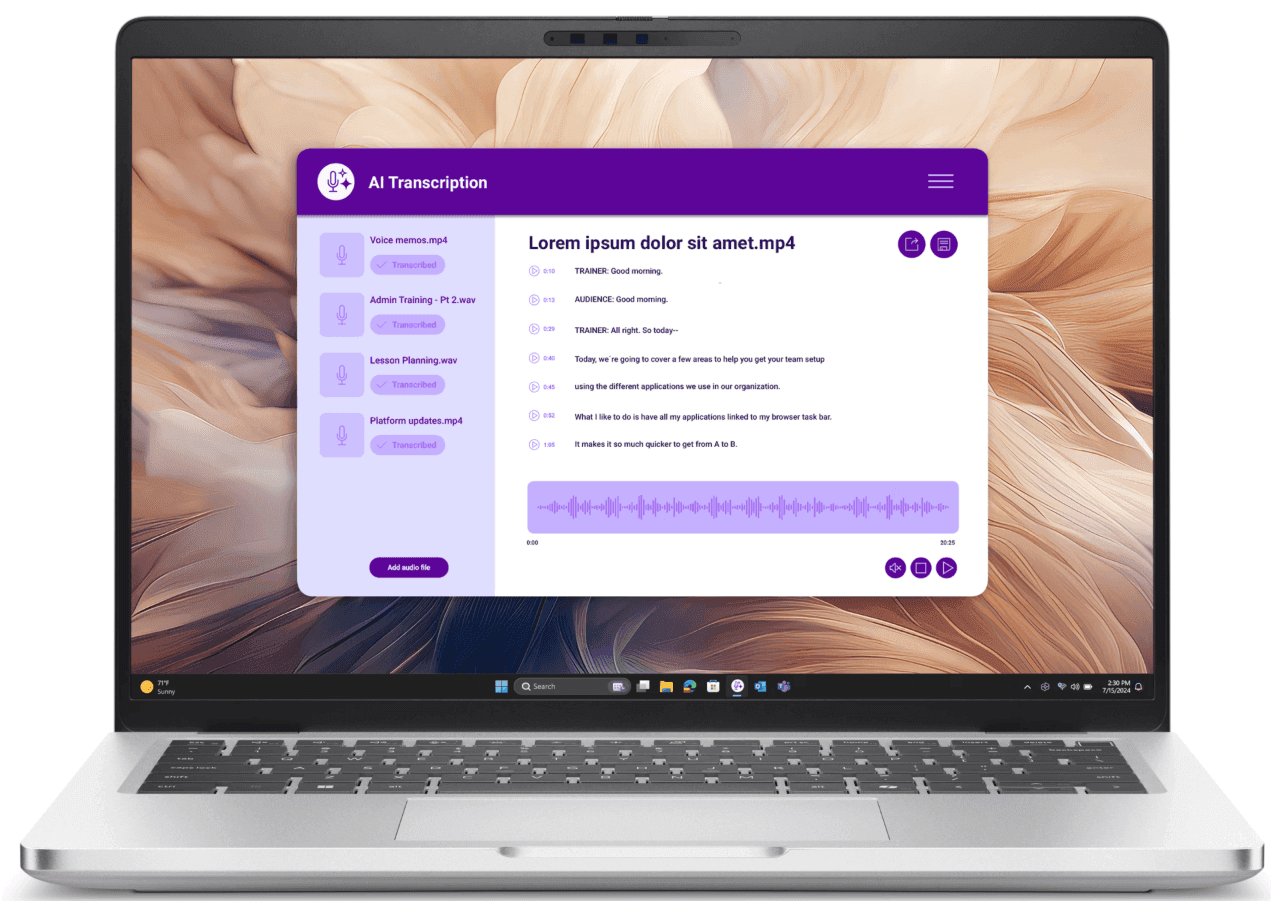
4. Dell Pro 14 Plus Ultra 7 32GB 512GB
For organizations standardized on Windows, the Dell Pro 14 Plus is a strong all-round business laptop that balances performance, connectivity, and long-term manageability. Its 32GB memory configuration and business-class design make it well suited to demanding finance workloads without stepping up to a mobile workstation.
| Specification | Detail |
|---|---|
| Display | 14" FHD+ display (1920 × 1200) |
| Processor | Intel Core Ultra 7 |
| Memory | 32GB DDR5 |
| Storage | 512GB SSD |
| Weight | 1.48kg (3.3 lb) |
| Battery life | Up to 12 hours |
| Connectivity | 2× Thunderbolt 4, 2× USB-A, HDMI, SD card reader |
| Operating system | Windows 11 Pro |
| Starting price | From $1,734 |
Why this works: The 32GB RAM configuration handles the kind of multi-application load that finance analysts run during reporting cycles: large Excel files, ERP access, Teams calls, and browser-based dashboards open simultaneously without memory pressure.
Best for: Windows-standardized finance teams, financial analysts, accounting leads, and finance operations staff who work primarily at a desk with a docking station.
Lifecycle: 3–4 years in a finance environment; the Thunderbolt 4 ports make it straightforward to connect to dual-monitor setups via a single cable.
See also this article on best docking stations for hybrid workers: relevant for finance staff moving between home and office setups.
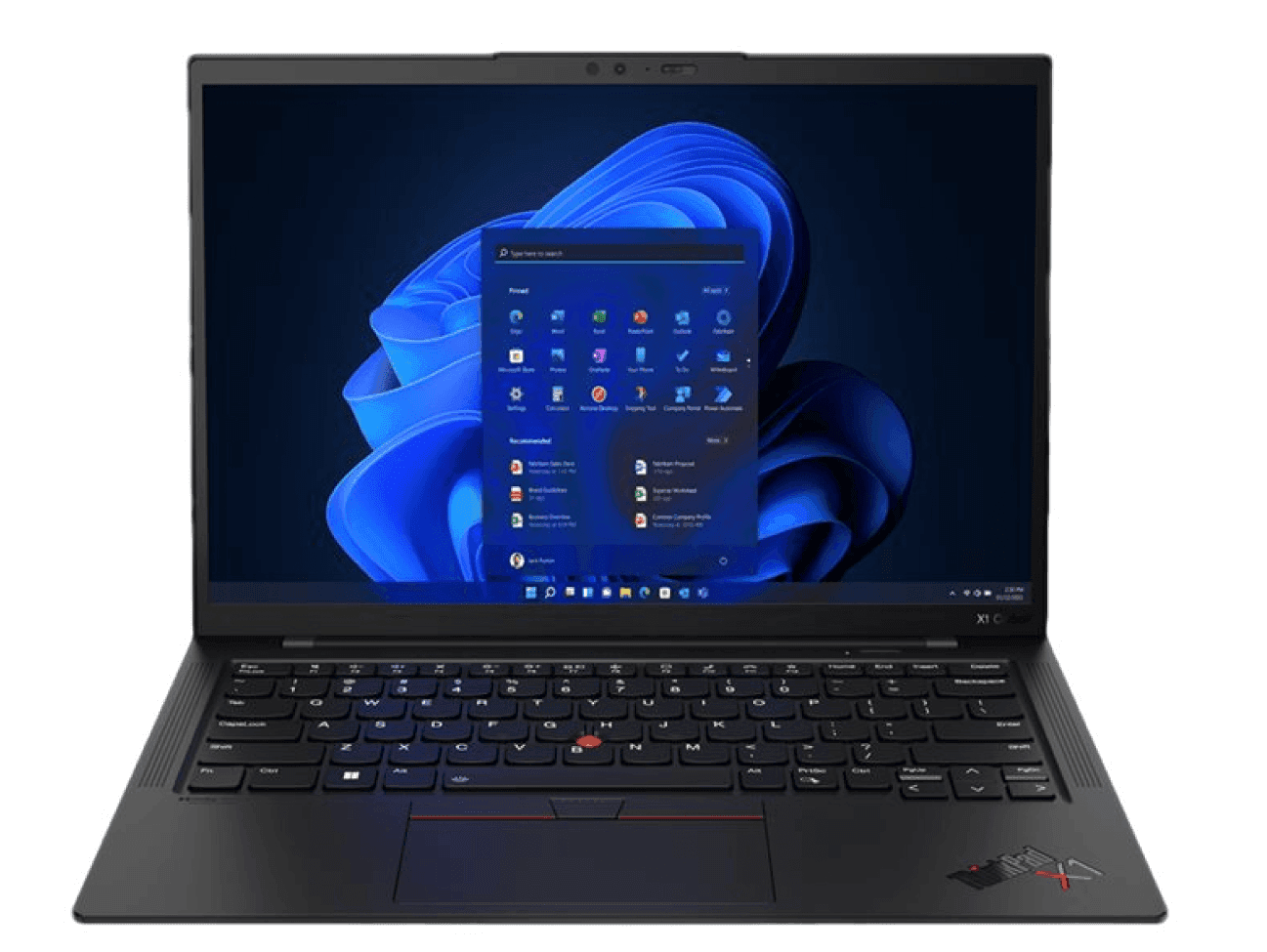
5. ThinkPad X1 Carbon Gen 13 Ultra 7 32GB
The ThinkPad X1 Carbon is Lenovo's flagship business ultrabook, combining premium build quality with one of the lightest designs in its class. It delivers enterprise-grade performance in a highly portable form factor, making it a strong choice for organizations that have standardized on Windows.
| Specification | Detail |
|---|---|
| Display | 14" IPS display (up to 2.8K OLED) |
| Processor | Intel Core Ultra 7 |
| Memory | 32GB LPDDR5 |
| Storage | Configurable SSD |
| Weight | From 1.09kg (2.4 lb) |
| Battery life | Up to 15 hours |
| Connectivity | 2× Thunderbolt 4, 2× USB-A, HDMI 2.1, 3.5mm headphone jack |
| Operating system | Windows 11 Pro |
| Starting price | From $2,029 |
Why this works: The combination of sub-1.1kg weight, 32GB RAM, and enterprise-grade build quality makes this the right choice for senior finance leaders who need a travel-ready machine that doesn't compromise on performance or IT manageability.
Best for: CFOs, VPs of Finance, finance directors, and senior finance leaders who travel frequently and need a Windows device that IT can manage at scale.
Lifecycle: 4–5 years; Lenovo's enterprise support infrastructure and parts availability make this one of the most serviceable devices in the catalog for IT teams managing large fleets.
6. Dell Pro 16 Plus 16", Ultra 7 32GB 512GB
For finance professionals who spend most of the day working across large spreadsheets, ERP systems, dashboards, and multiple external displays, the Dell Pro 16 Plus provides additional screen space without stepping up to a mobile workstation. The larger display improves productivity during financial modeling, reconciliations, and month-end reporting, while the 32GB memory configuration handles demanding multitasking with ease.
| Specification | Detail |
|---|---|
| Display | 16-inch display |
| Processor | Intel Core Ultra 7 |
| Memory | 32GB |
| Storage | 512GB SSD |
| Weight | Approximately 1.8 kg |
| Battery life | Up to 12 hours |
| Connectivity | Thunderbolt 4, USB-A, HDMI |
| Operating system | Windows 11 Pro |
| Starting price | From $1,831 |
Why this works: Finance professionals often spend hours working across complex Excel models, ERP platforms, Power BI dashboards, and collaboration tools simultaneously. The larger 16-inch display reduces scrolling and makes side-by-side analysis more comfortable, while the 32GB memory configuration provides the headroom needed for demanding reporting cycles.
Best for: FP&A managers, controllers, accounting managers, financial modeling specialists, and finance professionals who primarily work from a desk or hybrid office.
Lifecycle: A realistic 4–5-year lifecycle for enterprise finance environments. The larger display and higher-performance configuration make it well suited to organizations standardizing devices for finance power users.
Find out how to create a fair laptop refresh policy to standardize refresh cycles across your workforce.
One more thing: Every finance laptop needs a security baseline
Finance laptops carry some of the most sensitive data in any organization: payroll records, revenue figures, audit documentation, and banking credentials. Hardware selection is only part of the equation. How devices are provisioned, enrolled, and recovered matters just as much.
A few considerations worth building into your procurement process:
MDM enrollment at provisioning, not after delivery: Devices should arrive with Mobile Device Management (MDM) already applied, with encryption enabled, security policies active, and remote wipe available from day one
Role-Based Access Control (RBAC) tied to the device: Finance roles have different access requirements (e.g., an AP clerk and a CFO should not have the same application permissions), so access provisioning should be tied to the role, not configured ad hoc after the device arrives
Certified data erasure at offboarding: When a finance employee leaves, the device must be wiped to a certified standard before reassignment or disposal — unwiped devices carrying local copies of financial data are a compliance liability
Global consistency: For distributed finance teams, procurement through a single platform ensures every employee receives a device with the same configuration, the same MDM enrollment, and the same security baseline
Find out how to reduce IT costs, including how standardizing device specs by role tier reduces procurement overhead and support tickets.
How Deel IT takes the complexity out of laptop procurement for finance teams
Finance teams can't afford hardware delays at month-end close, audit season, or during a fast-moving hire. When a new analyst starts without a properly configured laptop, the cost isn't just a slow first week: it's a security gap, a compliance risk, and a productivity loss that compounds.
Deel IT handles the full device lifecycle: from sourcing and pre-configuration through MDM enrollment, access provisioning, and certified recovery at offboarding — across 130+ countries from a single platform.
Here is what that looks like in practice:
Global procurement across 130+ countries: Source from a catalog of 240+ devices and accessories, and ship pre-configured hardware to any finance hire with a 99.5% on-time delivery rate
MDM enrollment at provisioning: Every device ships with MDM already applied — encryption active, security policies enforced, and remote wipe available before the employee logs in for the first time. No post-delivery enrollment gaps.
Role-Based Access Control (RBAC) tied to HRIS events: Access to finance applications, ERP systems, and sensitive data is provisioned automatically based on role — and revoked the moment employment ends, with no manual steps required.
Single Sign-On (SSO) and Multi-Factor Authentication (MFA) enforced centrally: Finance staff access every application through a single authenticated session, with MFA enforced across the stack
Certified data erasure at offboarding: When a finance employee leaves, Deel IT handles device recovery, with remote lock and certified data erasure available
24/7 global IT support: Finance staff working across time zones — closing books at midnight, preparing for an early audit call — get live IT support whenever they need it, embedded in the same platform managing their devices and access
Book a demo to see how Deel IT handles device procurement, provisioning, and lifecycle management for finance teams across 130+ countries.
Deel IT
Automate IT operations in 130+ countries

FAQs
What RAM do finance analysts actually need?
For most finance analyst roles — FP&A, financial modeling, accounting — 16GB is the minimum, but 24GB or 32GB is the more practical choice. Finance analysts routinely run large Excel files, ERP dashboards, browser-based reporting tools, and video calls simultaneously. On 16GB machines, this combination causes noticeable slowdowns during peak periods like month-end close. If the analyst works with large datasets, runs financial models with thousands of rows, or uses memory-intensive tools like Power BI or Tableau alongside their core applications, 32GB is worth the additional cost.
Should finance teams standardize on Mac or Windows?
This depends primarily on your ERP and financial software stack. Most major ERP platforms — SAP, Oracle, NetSuite, Workday Financials — run natively on both macOS and Windows. If your organization uses Windows-only legacy finance software or has a strong IT preference for Windows-based MDM tooling, the Dell Pro and ThinkPad X1 Carbon options in this guide are the right starting point. If your team has flexibility, Apple Silicon MacBooks offer a strong combination of performance, battery life, and low support overhead that makes them a practical default for most finance roles.
How often should finance laptops be refreshed?
For most finance roles, a three-to-four year refresh cycle is appropriate for Windows devices and four-to-five years for Apple Silicon MacBooks. The longer Apple Silicon lifecycle reflects the chip architecture's performance longevity — M4 and M5 machines running today are unlikely to feel underpowered in four years. For power users running computationally intensive workloads, a proactive refresh at the three-year mark reduces the risk of hardware failures during critical reporting periods.
What security configuration should finance laptops ship with?
At minimum: full-disk encryption enabled, MDM enrolled at provisioning, screen lock enforced after a short idle period, and remote wipe capability active before the device reaches the employee. For finance teams handling payroll data, banking credentials, or audit documentation, MFA should be enforced across all applications from day one, and access to sensitive systems should be provisioned based on role rather than configured ad hoc. Devices should never arrive at a finance employee's desk without these controls already in place.
Dr Kristine Lennie holds a PhD in Mathematical Biology and loves learning, research and content creation. She had written academic, creative and industry-related content and enjoys exploring new topics and ideas. She is passionate about helping create a truly global workforce, where employers and employees are not limited by borders to achieve success.











