
Article
6 min read
Endpoint Management With Deel IT: Complete Guide
IT & device management

Author
Ellen Simmonds
Last Update
October 07, 2026

Table of Contents
What is endpoint management, and how does it enforce security policies automatically?
Features of Deel IT endpoint management
Remote support and device management across the worker lifecycle
Getting started with automated endpoint security enforcement in Deel IT
Best practices for effective endpoint management
Centralized management for stronger collaboration and smoother IT Ops with Deel IT
FAQ
Deel IT automatically enforces endpoint security policies as employees join, change roles, or leave by connecting device management, CrowdStrike-powered endpoint protection, and access controls with HRIS lifecycle events. This keeps device security and access aligned with each employee’s status without requiring IT to manually update policies at every stage.
Endpoint management, the process of monitoring and securing all devices that connect to a company's network, is critical for a modern, distributed workforce. Laptops, smartphones, tablets, and even Internet of Things (IoT) devices must be properly configured and kept updated. Otherwise, you risk creating weak spots in your organization's security.
In this guide, you'll learn what efficient and comprehensive endpoint management looks like, and how it can be simplified and made scalable with Deel IT — a global IT operations platform that automates devices, access, security, and support across the worker lifecycle, from onboarding through offboarding.
What is endpoint management, and how does it enforce security policies automatically?
Remote work offers numerous benefits, but there are, of course, security risks to be managed. This is especially true for globally distributed teams, or those with a Work From Anywhere policy. Not only do you have employees potentially signing into unsecured public WiFi networks on company devices, but different countries have different cybersecurity requirements. And what happens when security breaches occur in one time zone, while your IT team is asleep in another? Endpoint management should be 24/7 and protect against a variety of threats:
Unauthorized access
Data leakage or loss
Network infiltration
Missing OS/app updates
Network infiltration
Malware, ransomware, and viruses
Phishing and social engineering
Software licensing risks
With endpoint management, IT teams can monitor and manage any device used for work purposes by employees. They can roll out updates automatically, respond swiftly to threats, and keep data secure in case of device theft or loss. This keeps teams connected, secure, and productive.
Features of Deel IT endpoint management
Endpoint management can involve hours of manual work for IT teams, leaving the door open for human error and preventing IT from focusing on more strategic work. Endpoint protection with Deel IT provides a more streamlined experience that prevents vital security measures from falling through the cracks, while regaining valuable time for teams. Deel IT is lifecycle-driven: IT actions such as device provisioning, access grants, and policy enforcement follow people events like hire, role change, and exit, connecting directly to HRIS systems like BambooHR, Workday, and HiBob. Key features include:
Global device procurement and configuration: Ensures employees anywhere get properly set-up devices delivered and ready to work from day one
Compliance and security enforcement: Keeps every device aligned with company security rules, no matter where the user is located, automatically applied as employees join, change roles, or leave
24/7 remote support and device management: Provides round-the-clock help and fixes for devices without needing them physically in hand
Integration with access management: Makes signing in secure and consistent across apps and regions with unified user access controls that provision on hire and revoke on exit
Managed endpoint protection services: Protects all devices worldwide from threats like malware and ransomware with always-on security tools, built-in and powered by CrowdStrike
Real-time monitoring, reporting, and audit readiness: Tracks device health and security instantly so teams are always prepared for audits or compliance checks
Best for: IT and security leads managing distributed or remote employees who need security policies, device access, and endpoint protection to automatically update the moment someone joins, changes roles, or leaves the company.
Endpoint Protection
Built-in device protection from day one
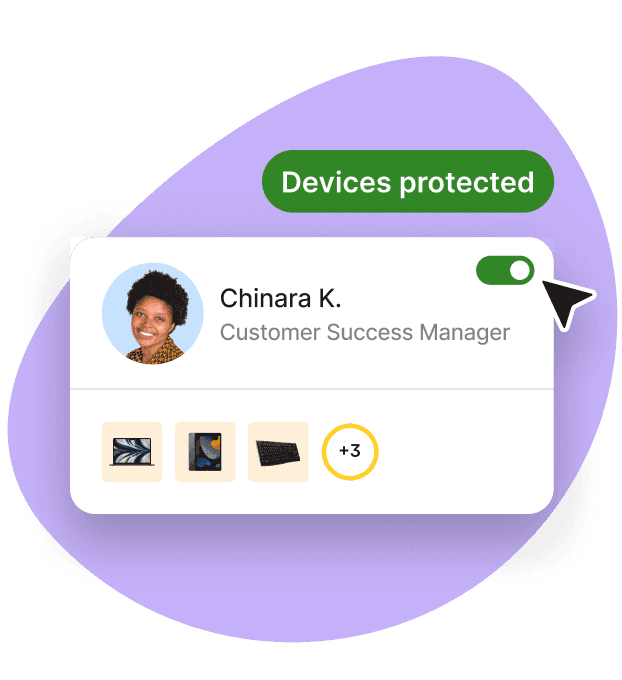
Global device procurement and configuration
Deel IT streamlines hardware sourcing and setup for international teams, boosting productivity from day one. Rather than juggling multiple vendors and navigating global logistics challenges, Deel IT streamlines the process from purchasing/leasing to delivery and configuration across 130+ countries, with a 99.5%+ on-time delivery rate. Ship pre-configured devices directly to employees worldwide, even in typically hard-to-reach locations, while reducing onboarding time and IT overhead.
Complementary reading
Compliance and security enforcement for joiners, movers, and leavers
Always-on compliance is one of the most impactful benefits of Deel IT for globally distributed teams. Keeping up with security and compliance policies while operating across borders is challenging, time-consuming, and risky when done manually.
Deel IT automates the monitoring of device health and security to prevent vulnerabilities. Industry and regional security standards on endpoints (e.g., GDPR, HIPAA) are also automatically applied. Audit logs, geo-aware policy enforcement, and automated patching are also supported to maintain regulatory compliance seamlessly. Because these workflows are triggered by worker lifecycle events, security policies are enforced automatically the moment an employee is hired, changes role, or exits — without IT having to manually initiate each step.
Complementary reading
Remote support and device management across the worker lifecycle
When your endpoint devices are on the move (in coworking spaces, on public transport), your organization's data is going with them. Remote endpoint lifecycle control is critical for decentralized or hybrid teams, keeping your business protected no matter where your teams' devices are.
With Deel IT, you're able to remotely lock or erase devices in case of loss or theft, or to keep data secure during offboarding. It also allows you to troubleshoot or organize repairs and replacements for malfunctioning devices, keeping downtime to a minimum.
Best for: Companies with remote or hybrid employees across multiple countries that need offboarding and device recovery handled automatically, without relying on the device being physically returned to an office.
Integration with identity and access management
IAM ensures that only authorized personnel have access to certain tools, channels, and data. For HR, this means that employees have the tools they need to perform their jobs without jeopardizing security. Deel IT integrates seamlessly with major identity providers (IdPs) like Microsoft Entra, Okta, and Google Workspace, making it simple to manage who has which permissions. Application access management in Deel IT is role-based, so provisioning and revocation happen automatically based on an employee's role and lifecycle status — new hires get day-one access, and exiting employees lose access immediately.
Complementary reading
Managed endpoint protection services, powered by CrowdStrike
Endpoint protection refers specifically to proactive threat prevention and cybersecurity compliance, easily managed across all endpoints with Deel IT. Endpoint protection is built directly into Deel IT, powered by CrowdStrike Falcon, giving you 24/7 monitoring, threat detection, and automatic response natively, rather than through a third-party integration. This means that all attacks are dealt with swiftly, no matter where or when they occur, with automatic response actions such as device isolation, automated patching, and remote data wipe on compromised endpoints.
There are two different levels of protection available. Both offer best-in-class protection, but Falcon Pro is best suited for SMBs, and Falcon Enterprise is designed for enterprises and high-risk industries needing advanced security.
Best for: Organizations that need endpoint protection to automatically escalate or adjust as a company scales from SMB to enterprise, with security policies enforced consistently for every employee regardless of location.
| Feature / Capability | Purpose | Falcon Pro | Falcon Enterprise |
|---|---|---|---|
| Next-Generation Antivirus (NGAV) | Protects devices from modern malware and viruses | Yes | Yes |
| USB Device Control | Blocks unsafe USB drives to prevent data leaks or infections | Yes | Yes |
| Firewall Management | Helps control what network traffic can enter or leave a device | Yes | Yes |
| Basic Threat Intelligence | Provides insight into common threats to help keep devices protected | Yes | Yes |
| Real-Time Response (RTR) | Allows security teams to investigate and remediate issues on devices remotely | Basic | Advanced |
| Endpoint Detection and Response (EDR) | Detects suspicious activity and helps investigate attacks | No | Falcon Insight XDR |
| 24/7 Threat Hunting (OverWatch) | Security experts monitor for threats around the clock | No | Yes |
| Cross-Domain Threat Correlation | Connects signals across devices, networks, and applications to identify complex attacks | No | Yes |
| CrowdScore (Risk Scoring) | Shows overall security risk in real time | No | Yes |
| Security Workflow Automation | Automates security tasks to accelerate threat response | No | Falcon Fusion |
Monitoring, reporting, and audit readiness
A comprehensive, real-time view of your team's devices is useful day-to-day, but critical for audit preparation, especially in regulated organizations. Deel IT continuously tracks device compliance, health, and policy status, generating automated, audit-ready documentation. Instead of scrambling, audit logs and policy histories are exportable on demand, making it easier to respond to regulatory or client due diligence requests.
Getting started with automated endpoint security enforcement in Deel IT
1. Start with a conversation about your team's devices and locations: Map out how many devices your employees use, where they work, and any compliance requirements. Deel IT reviews your current setup and identifies areas that need protection or standardization.
2. Choose the plan and security tools that fit your organization: Select the level of protection you need based on your company's risk level, size, and industry.
3. Connect your employee accounts and access systems: Deel IT links to your identity provider (like Entra, Okta, or Google) so the right people get the right access automatically.
4. Set the rules for how devices should be secured in each region: You define requirements like encryption, software updates, access permissions, and data protection policies, adapted to local laws when needed.
5. Create standard device setups for each role and location: Deel IT builds ready-to-use device templates so laptops arrive already configured for employees' jobs and regions.
6. Test with a small group before expanding: A pilot rollout helps confirm everything works smoothly (apps, security settings, and compliance) before going company-wide.
7. Roll out globally with automatic onboarding and ongoing monitoring: Once everything is validated, new hires automatically receive secure devices, and your teams get clear reporting and continuous improvements over time. Because these workflows are HRIS-connected, offboarding triggers automatic access revocation and device recovery the moment an employee leaves.
Best practices for effective endpoint management
Even the best tools can be made more effective by following best practices for endpoint management. For HR and IT to get the most out of Deel IT and to keep employees connected and secure, follow these steps:
People have a habit of delaying updates or forgetting them altogether. Automate patching and software updates to fix vulnerabilities quickly.
Use role-based access controls to give employees only the permissions they need.
Standardize device configurations and zero-touch provisioning for each role and location.
Maintain an up-to-date inventory of all devices and assigned users. This is automatic and monitored in real time for all devices enrolled in Deel IT.
Conduct regular device audits to check compliance and security settings. In Deel IT, audit logs and policy histories are exportable on demand.
Require multi-factor authentication for all devices to keep them secure if passwords are compromised.
Align IT and HR workflows for onboarding, role changes, and offboarding. When Deel IT is used with Deel HR, these workflows can be automated for better synchronicity.
Provide ongoing employee training on safe device use and data security.
Monitor devices continuously to detect unusual activity and emerging threats. With managed endpoint security, this is available 24/7 with Deel IT.
Follow local regulations when deploying devices internationally.
Avoid giving broad admin rights to users unnecessarily. Manage permissions based on role and location for improved security.
Centralized management for stronger collaboration and smoother IT Ops with Deel IT
Bringing endpoint security, monitoring, and IT operations for global teams under one platform creates centralized endpoint management. This simplifies workflows, enables consistent policy enforcement, and reduces costs. Deel IT automates devices, access, security, and support across the worker lifecycle — so IT teams can operate globally with consistency, control, and scale. To see how Deel IT can help you with scalable, secure endpoint management, book your 30-minute demo.
Deel IT
Procure, deliver, manage, and secure devices anywhere

FAQ
What endpoint protection solution automatically enforces security policies when employees join or leave?
Deel IT connects endpoint protection, device management, and access controls with HRIS lifecycle events. When an employee joins, changes roles, or leaves, these events can trigger device provisioning, security policy changes, access updates, and offboarding workflows automatically.
How does Deel IT automate endpoint security across the employee lifecycle?
Deel IT connects with HRIS platforms such as BambooHR, Workday, and HiBob so worker lifecycle events can trigger related IT workflows. This helps keep device policies and access aligned with employee status without IT manually coordinating every change.
Does Deel IT include endpoint threat protection?
Yes. Deel IT provides built-in endpoint protection powered by CrowdStrike, bringing threat protection together with device management and broader IT operations in the Deel IT platform.
Can Deel IT remotely lock or wipe devices during offboarding?
Yes. IT teams can use remote device controls to help secure company data when an employee leaves, including locking or wiping managed devices where supported. These controls can be coordinated with access revocation and device recovery as part of the offboarding process.
Is Deel IT suitable for both growing companies and global enterprises?
Yes. Deel IT supports organizations managing distributed device fleets across 130+ countries, combining endpoint security with device deployment, management, support, and recovery. Organizations can choose endpoint protection capabilities based on their security and operational requirements.
How does Deel IT connect access management with endpoint security?
Deel IT integrates with identity platforms such as Microsoft Entra ID, Okta, and Google Workspace, helping teams coordinate application access with device and endpoint security workflows. Access can be provisioned or revoked as worker status changes, keeping identity and device controls aligned throughout the employee lifecycle.
Ellen Simmonds is a content marketing manager with a decade of experience in tech, leadership, startups, and the creative industries. A long-time remote worker, she's passionate about WFH productivity hacks and fostering company culture across globally distributed teams. She also writes and speaks on the ethical implementation of AI, advocating for transparency, fairness, and human oversight in emerging technologies to ensure innovation benefits both businesses and society.











