
Article
3 min read
Think Deel IT Is Just for Ordering Laptops? Read This First
IT & device management

Author
Dr Kristine Lennie
Last Update
August 06, 2026

Table of Contents
Misconception #1: Deel IT is just for ordering laptops
Misconception #2: Deel IT manages devices, but not identity and access
Misconception #3: Security starts after a device is deployed
Misconception #4: Deel IT is for onboarding, not offboarding
Misconception #5: Deel IT only works if you use Deel for HR and payroll
Misconception #6: Deel IT ends once employees are up and running
Misconception #7: Deel IT only benefits the IT team
At a glance: what Deel IT actually does
Stop managing IT in pieces: Deel IT brings the lifecycle together
Key takeaways
Most teams treat Deel IT as a laptop shipping service, but the platform manages the full device lifecycle: from pre-configured provisioning with MDM enrollment at the point of shipment to certified data erasure and hardware recovery at offboarding.
Closing the gap between "we ordered a laptop" and "we have a secure, managed endpoint" requires MDM enrollment, encryption, and policy compliance to be applied before a device reaches a new hire, not after they've already started using it.
Deel IT automates device provisioning, MDM enrollment, and end-of-lifecycle recovery across 130+ countries, so IT teams get compliant, policy-ready endpoints from day one without managing international logistics or unmanaged hardware returns manually.
Most teams discover Deel IT when they need to ship a laptop to a new hire in another country. That's a reasonable entry point — and Deel IT does that well. But stopping there is like describing a payroll platform as "a place to store bank account numbers."
Learn what Deel IT actually does across the full employee lifecycle: from the moment a hire is confirmed to the moment a device is recovered and wiped at offboarding.
Misconception #1: Deel IT is just for ordering laptops
Most teams first discover Deel IT when they need to ship a laptop to a new hire in another country. That's why it's often seen as a global hardware shipping service. But while Deel IT handles procurement and delivery, it also manages what happens before, during, and after a device reaches an employee—from provisioning and fleet tracking to repairs, recovery, and end-of-life handling.
Here's what that looks like in practice:
Global procurement and delivery: Source and ship business-ready devices to employees in 130+ countries, with local logistics handled by Deel IT
Pre-configured before delivery: Devices can be prepared before they reach employees, so onboarding is faster, and IT teams spend less time configuring hardware manually
Fleet visibility across every device: Deel IT maintains a real-time asset register covering ownership, status, location, and cost across every country you hire in
Repair, replacement, and redeployment: When a device fails, or an employee changes roles, Deel IT coordinates collection, repair, reassignment, and reshipment—without the IT team managing regional vendors
Device recovery at offboarding: When an employee leaves, Deel IT coordinates device collection from wherever they're based. Certified data erasure is also available as part of the recovery process where required
The takeaway: Ordering a laptop is where the process starts, not where Deel IT stops. The platform manages the operational lifecycle of your hardware long after it has been delivered.
See also: The hidden cost of global device management at enterprise scale
Misconception #2: Deel IT manages devices, but not identity and access
It's easy to think of device management and access management as two separate jobs. One tool ships the laptop, another provisions applications, and IT stitches the two together with manual workflows. Deel IT brings those processes together, so the same hiring event that triggers device provisioning can also trigger identity and access management, reducing manual handoffs and helping employees start with everything they need from day one.
Here's how that works in practice:
Role-based access from day one: Deel IT connects to your HRIS and identity provider so access is automatically granted based on an employee's role the moment employment begins—without waiting for a separate IT request
Single Sign-On (SSO) and Multi-Factor Authentication (MFA) enforced centrally: SSO and MFA policies are applied consistently across connected applications, rather than relying on manual configuration or employee discretion
When someone changes roles, access changes with them: Deel IT adjusts permissions automatically when a role change is recorded in the HRIS, helping prevent access creep across systems
Access revoked at offboarding: When employment ends, Deel IT deprovisions access across connected applications as part of the same offboarding workflow—without relying on manual checklists or delayed IT tickets
The takeaway: Deel IT doesn't just manage devices—it brings identity and access into the same employee lifecycle workflow, helping ensure employees have the right access from their first day through their last.
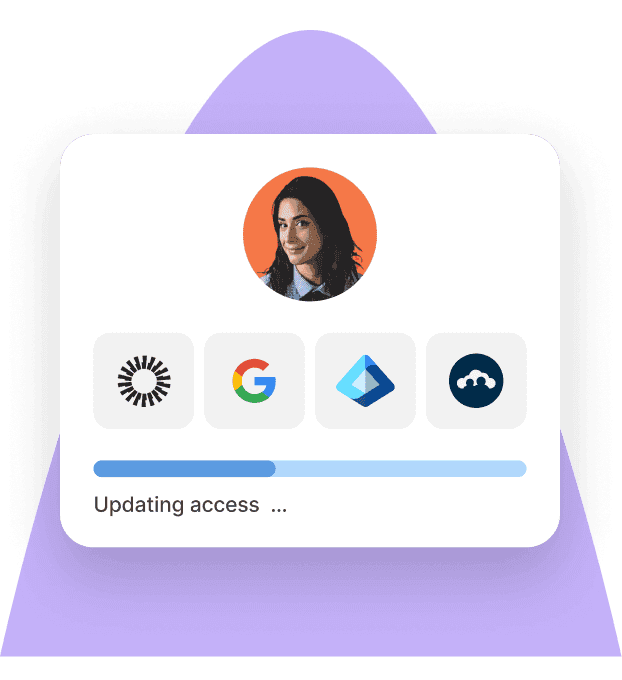
Identity Access Management
Seamlessly provision device and app access for global teams
Misconception #3: Security starts after a device is deployed
Many IT teams assume a device only becomes secure once it's been delivered, enrolled, and configured by IT. That creates a gap between when a laptop arrives and when security policies take effect. Deel IT closes that gap by applying Mobile Device Management (MDM) during provisioning, so devices are already enrolled and managed before an employee powers them on.
Here's how that works in practice:
MDM enrollment before first use: Devices are enrolled during provisioning, so they're already under management when employees receive them
Security policies applied from day one: Encryption, operating system requirements, and security configurations are applied before employees start using their devices, helping reduce gaps in coverage
Remote management from the start: Because devices are enrolled before they're delivered, IT teams can remotely lock, wipe, or manage them as soon as they're provisioned if needed
Real-time compliance visibility: Deel IT provides a centralized view of device compliance across the fleet, making it easy to identify devices that are encrypted, out of date, or no longer meeting security policies
The takeaway: Deel IT doesn't just deliver devices—it helps ensure they're secure, compliant, and under management before employees ever start using them.
Read: Improve IT compliance with automated device management
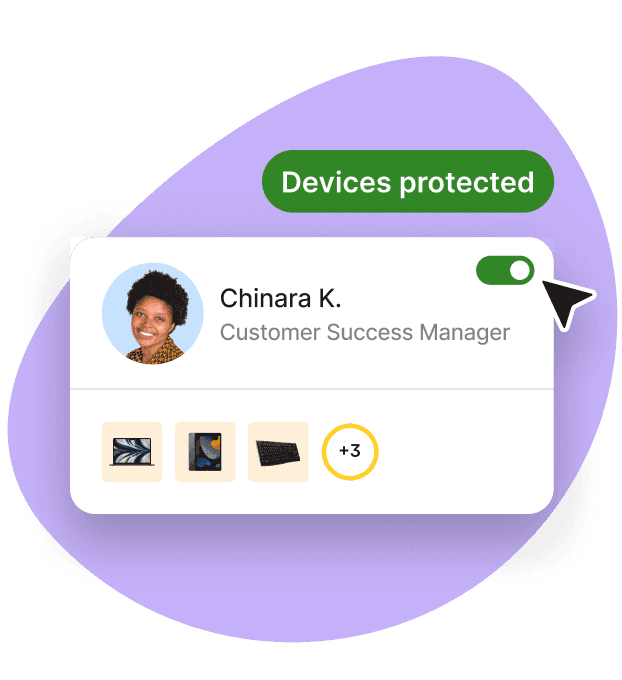
Endpoint Protection
Built-in device protection from day one
Misconception #4: Deel IT is for onboarding, not offboarding
Most teams think about IT during onboarding—making sure a new hire has a laptop, the right applications, and access from day one. But offboarding is just as important. Recovering company devices, removing access, reclaiming software licenses, and keeping accurate records can all become manual, time-consuming tasks, especially across distributed teams. Deel IT helps automate the offboarding process so the same lifecycle that starts with a new hire also ends with a structured exit.
Here's what that looks like in practice:
Global device recovery: Deel IT coordinates device collection from wherever an employee is based—whether they're working from home, a coworking space, or another country
Access revoked automatically: Connected applications can be deprovisioned as part of the offboarding workflow, reducing reliance on manual checklists or individual IT tickets
SaaS licenses reclaimed: Deel IT identifies software licenses assigned to departing employees so they can be recovered and reassigned, helping reduce unnecessary SaaS spend
Certified data erasure available when required: Once a recovered device is ready for its next stage in the lifecycle, certified data erasure can be performed, with supporting documentation available for compliance and audit requirements
The takeaway: Deel IT treats offboarding as part of the employee lifecycle—not a separate checklist—helping IT teams recover hardware, remove access, and prepare devices for their next use.
Read: What really happens to company data when an employee leaves
Misconception #5: Deel IT only works if you use Deel for HR and payroll
Many teams assume Deel IT is only available to companies already using Deel for HR, payroll, or Employer of Record (EOR). In reality, Deel IT is designed to fit into your existing tech stack. It integrates with leading HRIS platforms, so you can adopt Deel IT without replacing the HR systems and workflows your business already relies on.
Here's how that works in practice:
Native integrations with leading HRIS platforms: Deel IT connects to Workday, HiBob, BambooHR, and SAP SuccessFactors, making it easy to integrate with the HR systems you already use
Works alongside your existing HR stack: You don't need to migrate employee records or replace your HRIS to use Deel IT. The platform is designed to complement your existing HR and IT ecosystem
Flexible for growing organizations: Whether you're using a single HR platform or managing a more complex enterprise environment, Deel IT can fit into your existing processes without requiring a complete technology overhaul
Even tighter integration for Deel customers: Organizations already using Deel HR, payroll, or EOR benefit from deeper integration across the platform, but those products aren't a prerequisite for using Deel IT
The takeaway: Deel IT works with the HR systems you already have, making it easy to add global IT lifecycle management without changing your existing HR stack.
Read: Integrating IT lifecycle management with global HR
Misconception #6: Deel IT ends once employees are up and running
Getting a new hire set up is only the start. Employees will inevitably need help throughout their day-to-day work, whether they're dealing with a hardware issue, a software problem, or a device that isn't working as expected. Deel IT includes 24/7 global IT support, giving employees a single place to get help and IT teams the tools to resolve issues quickly—without relying on separate support vendors or regional coverage.
Here's what that looks like in practice:
24/7 global IT support: Employees can access support around the clock, wherever they're based, so issues can be resolved without waiting for a local IT team to come online
Support informed by device and access data: Because support is connected to the same platform that manages devices and access, agents have the context they need to troubleshoot more efficiently
Centralized ticketing and visibility: Support requests are logged and tracked in one place, giving IT teams visibility into open issues, resolution times, and recurring trends across the fleet
Remote remediation when possible: Support teams can resolve many issues remotely—such as configuration changes, device unlocks, or access resets—reducing downtime and avoiding unnecessary device replacements
The takeaway: Deel IT doesn't just get employees up and running—it helps keep them productive with ongoing IT support throughout their day-to-day work.
Read: The benefits of 24/7 IT support for distributed teams
Misconception #7: Deel IT only benefits the IT team
IT teams are the primary users of Deel IT, but they're not the only ones who benefit from it. Because the platform connects HR, device management, access, and support into a single lifecycle, it reduces manual coordination across the business. HR gains visibility into onboarding and offboarding, managers spend less time chasing IT requests, finance has a clearer view of IT spend, and employees get a more consistent experience from day one.
Here's what that looks like in practice:
HR has visibility into employee lifecycle events: HR teams can track device delivery, onboarding progress, and offboarding completion without relying on manual status updates from IT
Managers spend less time coordinating IT: Because lifecycle workflows are triggered automatically from HR data, managers don't need to chase device orders or open separate IT requests for every new hire
Finance gets better visibility into IT spend: Deel IT brings together device costs, SaaS licenses, and support activity, making it easier to understand and manage IT-related expenses
Employees get a consistent experience wherever they work: Whether someone joins in London, Lagos, or Lima, they receive the same streamlined onboarding experience, with their device, access, and support managed through the same platform
The takeaway: Deel IT is more than an IT operations platform. It helps HR, managers, finance, and employees stay aligned throughout the employee lifecycle, while giving IT a single place to manage it all.
Read: IT strategy toolkit: 2026 guide for HR leaders
At a glance: what Deel IT actually does
Here's a quick summary of the misconceptions this article covers—and what Deel IT actually does instead.
| You might think... | Deel IT actually... |
|---|---|
| Deel IT is just for ordering laptops | Manages the entire device lifecycle—from procurement and delivery to repairs, recovery, and end-of-life management |
| Devices and access are managed separately | Coordinates device provisioning and identity and access workflows from the same hiring event |
| Device management starts after delivery | Enrolls devices into MDM during provisioning, before they reach employees |
| Deel IT is for onboarding, not offboarding | Automates offboarding workflows, including device recovery, access removal, and SaaS license reclamation |
| You need Deel HR or payroll to use Deel IT | Integrates with leading HRIS platforms, including Workday, HiBob, BambooHR, and SAP SuccessFactors |
| Deel IT stops at device management | Includes 24/7 global IT support throughout the device lifecycle |
| Deel IT only benefits the IT team | Helps HR, managers, finance, and employees stay aligned through automated IT lifecycle workflows |
Stop managing IT in pieces: Deel IT brings the lifecycle together
Many IT teams rely on separate tools for device procurement, endpoint management, identity and access, and support. While each solves a specific problem, managing them across onboarding, role changes, and offboarding often means disconnected workflows and manual handoffs. Deel IT brings those functions together in a single platform, connected to your HRIS so employee lifecycle events automatically trigger the right IT actions.
Here's what that means in practice:
Global device lifecycle management: Procure, configure, ship, repair, recover, and redeploy devices across 130+ countries from a single platform
Endpoint management from day one: Devices can be enrolled in MDM during provisioning, with security policies applied before they're delivered
Integrated identity and access workflows: Access management workflows are tied to HR events, with Role-Based Access Control (RBAC), SSO, and MFA helping ensure employees have the right access throughout their lifecycle
Application and SaaS management: Track software ownership, manage licenses, and reclaim unused SaaS seats as employees join, move, or leave
Centralized endpoint management and security: Monitor compliance, enforce security policies, and remotely manage devices from a single view
24/7 global IT support: Give employees access to around-the-clock support, with device, access, and support information connected in the same platform
Automated offboarding: Coordinate device recovery, revoke access, reclaim licenses, and support compliant end-of-lifecycle processes when employees leave
Works with your existing HR stack: Integrates with platforms including Workday, HiBob, BambooHR, and SAP SuccessFactors, so IT workflows can be triggered from the HR data you already use
Book a demo to find out more.
Deel IT
Procure, deliver, manage, and secure devices anywhere

FAQs
Is Deel IT only available to companies that use Deel for payroll or EOR?
No. Deel IT operates independently of Deel's payroll and EOR products. It integrates with the HRIS platforms most teams already use — including Workday, HiBob, BambooHR, and SAP SuccessFactors — so IT lifecycle workflows trigger automatically from your existing HR data. Teams using Deel HR or EOR get a tighter integration, but it is not a requirement.
Does Deel IT replace our existing MDM tool, or does it work alongside it?
Deel IT includes MDM as a native layer — it is not a wrapper around Jamf, Kandji, or Intune. For teams currently running a standalone MDM tool, Deel IT consolidates that function into the same platform managing device procurement, access, and support. The practical benefit is that enrollment happens at provisioning rather than post-delivery, and MDM state is visible alongside the rest of the device record without switching tools.
What happens to devices when an employee leaves?
When a departure is recorded in the connected HRIS, Deel IT triggers the full offboarding workflow automatically: device recovery is coordinated from wherever the employee is located, access is revoked across all connected applications, SaaS licenses are reclaimed, and the device is wiped to certified standards with audit documentation generated. The workflow runs without a manual checklist or IT intervention.
How does Deel IT handle IT support for employees in countries where we don't have a local IT team?
Deel IT includes 24/7 global IT support as a native part of the platform — not a regional coverage model with gaps. Support agents operate across all time zones and work inside the same system as your device and access data, so they can see MDM status, compliance state, and access configuration without needing to contact a separate team. Remote remediation is available for enrolled devices, which resolves most issues without shipping a replacement.
Dr Kristine Lennie holds a PhD in Mathematical Biology and loves learning, research and content creation. She had written academic, creative and industry-related content and enjoys exploring new topics and ideas. She is passionate about helping create a truly global workforce, where employers and employees are not limited by borders to achieve success.











