
Article
3 min read
Top 5 IT Security Challenges Hitting Distributed Teams Hardest in 2026 (And How To Solve Them)
IT & device management

Author
Dr Kristine Lennie
Last Update
June 10, 2026

Table of Contents
Challenge 1: AI-enhanced phishing without an easy way to verify
Challenge 2: Endpoint blind spots across a distributed workforce
Challenge 3: Identity sprawl and excessive access permissions
Challenge 4: Compliance requirements vary across jurisdictions
Manage distributed workforce security with Deel IT
Key takeaways
Distributed teams face the same cyber threats as everyone else—but distance, time zones, and limited device visibility make those threats harder to detect and contain.
AI-enhanced phishing, endpoint blind spots, identity sprawl, compliance complexity, and manual IT processes are the security challenges hitting distributed teams hardest in 2026.
Deel IT helps organizations manage devices, access, and security workflows from a single platform by connecting IT operations directly to HR lifecycle events.
The biggest IT security threats in 2026 are familiar: phishing attacks, endpoint vulnerabilities, identity risk, regulatory complexity, and growing pressure on lean IT teams. What makes distributed organizations different is not the nature of these threats, but the environment in which they occur.
When employees work across countries, time zones, and personal networks, many of the informal safeguards that exist in traditional office environments disappear. A suspicious request can't be verified with a quick conversation across the desk. An unmanaged device may connect to company systems from thousands of miles away. An employee can leave the organization while retaining access to critical applications because HR and IT workflows aren't fully aligned.
These aren't unusual edge cases for distributed teams. They're part of day-to-day operations. As organizations continue expanding internationally in 2026, security teams need controls that account for this reality rather than relying on processes designed for co-located workforces.
The five challenges below are where distributed teams most commonly encounter security gaps, and where the right combination of automation, visibility, identity controls, and compliance management can make the biggest difference.
Challenge 1: AI-enhanced phishing without an easy way to verify
Phishing attacks in 2026 are more convincing than ever. Large language models can generate fluent messages in multiple languages, voice cloning can imitate trusted colleagues, and deepfake videos are increasingly being used in targeted attacks. Many of the signals employees once relied on to spot fraud are no longer reliable. What makes these attacks especially difficult for distributed teams is the loss of informal verification. In a traditional office, employees can often confirm a suspicious request with a quick conversation. Distributed employees are more likely to rely on email, chat, or video calls to validate requests, the same channels attackers are increasingly able to imitate.
Security awareness training remains important, but training alone can't prevent every phishing attack. Organizations also need technical and operational controls that reduce the likelihood of a single convincing message leading to a security incident. For distributed teams, the most effective measures include:
Multi-factor authentication (MFA): Requires additional verification before granting access to sensitive systems.
Hardware keys or device-based authentication: Strengthen protection for administrators and other high-privilege users.
Verified approval workflows: Require secondary approval for sensitive actions such as payment changes or access requests.
Clear escalation paths: Give employees a simple, documented process for verifying unusual requests.
Security awareness training: Teach employees how to validate requests using approved communication channels rather than relying on the apparent sender.
The goal isn't to eliminate phishing attempts. It's to make sure a convincing message alone is no longer enough to compromise an account or trigger a high-risk action.
Challenge 2: Endpoint blind spots across a distributed workforce
Maintaining visibility over devices becomes significantly more difficult when employees and contractors work across multiple countries, networks, and device types. As organizations grow, the gap between the devices IT actively manages and the devices accessing company data can widen quickly. A contractor may start work using a personal device while waiting for company hardware, but that access isn't always removed once the managed device is provisioned, creating a security gap that can persist long after the original need has passed.
Bring Your Own Device (BYOD) arrangements add another layer of complexity, particularly when organizations operate across jurisdictions with different device standards and employee privacy requirements. Shadow IT (including unauthorized productivity, collaboration, and file-sharing tools) can further reduce visibility into how company data is being accessed and shared. To reduce these risks, organizations should focus on controls that improve device visibility and maintain consistent security standards across the entire device lifecycle. These include:
Zero-touch enrollment: Configure devices to corporate standards before employees receive them
Centralized Mobile Device Management (MDM): Apply security policies, updates, and compliance controls consistently across managed devices.
Device lifecycle management: Track devices from provisioning through return, replacement, and secure disposal
Access reviews and device audits: Regularly identify inactive devices, outdated enrollments, and unnecessary access
BYOD governance: Define clear requirements for personal devices that access company systems
Application visibility: Monitor and manage approved applications to reduce the spread of shadow IT
These approaches allow you to maintain visibility and control across the entire device fleet, regardless of where employees work or which devices they use.
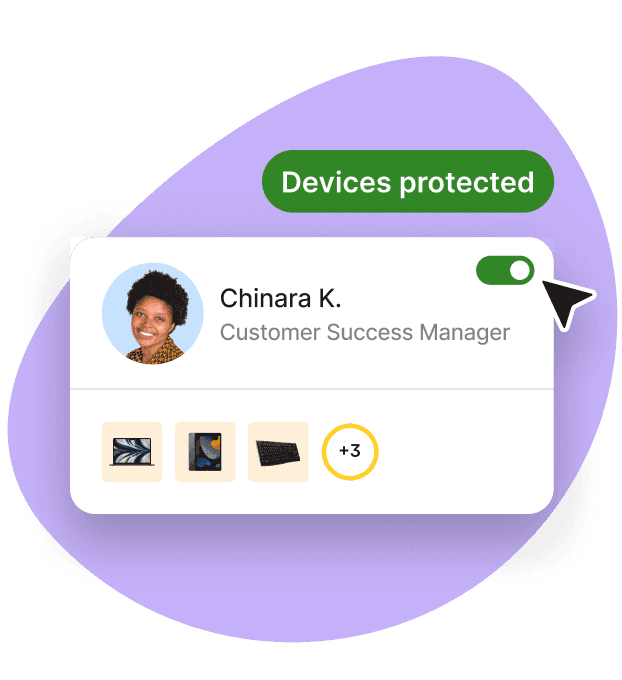
Endpoint Protection
Built-in device protection from day one
Challenge 3: Identity sprawl and excessive access permissions
Identity sprawl occurs when employees, contractors, service accounts, and applications accumulate more access than they need over time. In distributed organizations, this often happens when onboarding, role changes, and offboarding are managed across multiple systems. Access is granted quickly to keep work moving, but permissions are not always reviewed or removed with the same urgency.
Contractors are a common example. A contractor may receive access for a short-term project, leave the organization, and later return for another engagement. If access reviews and offboarding processes rely on manual coordination, old permissions can remain active or be re-enabled without being reassessed. The same issue affects service accounts and API credentials, which are often created with broad permissions and then left unchanged long after their original purpose has been forgotten. To mitigate these risks, organizations should focus on controls that align access with an employee's current role and automatically remove access when it is no longer required. Here is how:
Automated provisioning and deprovisioning: Grant and remove access automatically based on role, start date, and employment status
Role-based access controls (RBAC): Assign permissions based on job requirements rather than individual requests
Regular access reviews: Audit accounts, permissions, and group memberships to identify unnecessary access
Privileged access management: Apply additional controls to administrative and high-risk accounts
Service account governance: Review API keys, integrations, and service credentials regularly to confirm ownership and necessity
HR-integrated identity management: Connect identity systems to HR data so role changes and offboarding events trigger access updates automatically
The above ensure employees, contractors, and systems have access only to what they need, for only as long as they need it.
Deel IT
Automate IT operations in 130+ countries
Challenge 4: Compliance requirements vary across jurisdictions
Managing compliance becomes more difficult when employees work across multiple countries. Privacy laws, data residency requirements, employee monitoring rules, and industry regulations can differ significantly between jurisdictions. Requirements such as GDPR in Europe, the EU AI Act, and country-specific data protection laws can all affect how organizations collect, process, store, and monitor employee data.
As a result, security policies and device controls cannot always be applied uniformly across a distributed workforce. A monitoring practice that is permitted in one country may be restricted in another, while data that can be stored centrally in one region may need to remain within national borders elsewhere. To manage these differences effectively, organizations need visibility into where employees are located, which regulations apply to them, and how those requirements should influence security controls.
Key compliance practices include:
Maintain a jurisdictional compliance map: Document which privacy, labor, and data protection requirements apply in each location.
Align security controls with local requirements: Adapt monitoring, logging, and data handling practices where regulations differ.
Connect HR and IT data: Use employee location and employment information to inform security and compliance decisions.
Review policies regularly: Update controls as regulations evolve across jurisdictions.
Maintain audit-ready records: Document policy decisions, exceptions, and compliance activities to support audits and regulatory reviews.
The goal is to maintain a consistent security posture while adapting controls where local laws require a different approach.
Manage distributed workforce security with Deel IT
Addressing the security challenges facing distributed teams requires more than standalone tools. Deel IT brings device management, identity and access controls, onboarding and offboarding automation, and HR lifecycle data together in a single platform, helping IT teams maintain visibility and control across a global workforce.
Reduce phishing-related risk with stronger identity controls: Integrations with Okta and Microsoft Entra ID support SSO and SCIM-based provisioning, helping organizations enforce consistent access controls across applications.
Maintain visibility across distributed devices: Zero-touch deployment, centralized MDM, and device lifecycle management help IT teams track and manage devices from provisioning through retrieval and retirement.
Limit identity sprawl through automated lifecycle management: Access can be provisioned, updated, and revoked based on HR lifecycle events, reducing reliance on manual onboarding and offboarding processes.
Support security and compliance initiatives with centralized controls: Device policies, audit trails, and workforce data are managed in a connected system, making it easier to maintain consistent security standards across regions.
Automate high-volume IT workflows: Device provisioning, access management, and offboarding actions can be triggered automatically, helping lean IT teams scale without increasing administrative overhead.
Provide employees with 24/7 IT support: Distributed employees can access support across time zones, reducing delays when device, access, or account issues arise.
For organizations managing employees and contractors across multiple countries, connecting HR lifecycle data with device management and identity governance helps close many of the operational gaps that create security risk in distributed environments.
Book a demo now.
Deel IT
Procure, deliver, manage, and secure devices anywhere

FAQs
What makes IT security harder for distributed teams than for co-located teams?
Distributed teams lack the informal verification and ambient oversight that co-located environments provide, and they operate across device environments, jurisdictions, and time zones that multiply both the attack surface and the administrative complexity.
How does identity sprawl create security risk?
Identity sprawl accumulates over-provisioned and dormant access rights over time, meaning former contractors or employees may retain system access long after their engagement ends. Each unrevoked credential is a potential entry point for an attacker, and sprawl grows faster in distributed teams where manual IT oversight does not scale with headcount.
What is the difference between BYOD and zero-touch enrollment?
BYOD refers to employees using personal or client-procured devices for work, which requires a policy and MDM integration to enforce security standards. Zero-touch enrollment is a provisioning approach where corporate-owned devices arrive pre-configured to company policy before they reach an employee, requiring no manual IT setup on receipt.
How can a lean IT team manage compliance across multiple jurisdictions?
The most practical approach is to connect IT policy enforcement to HR data so that device configurations and access controls reflect each employee's location and employment type. Automated MDM policy assignment based on jurisdiction reduces the manual review burden significantly.
Which compliance frameworks does Deel IT support?
Deel IT is SOC 2 Type II certified, ISO 27001 certified, and GDPR-compliant. Its MDM policy enforcement supports SOC 2, GDPR, HIPAA, and PCI DSS frameworks with audit trails and continuous monitoring.
Related Deel resources
Dr Kristine Lennie holds a PhD in Mathematical Biology and loves learning, research and content creation. She had written academic, creative and industry-related content and enjoys exploring new topics and ideas. She is passionate about helping create a truly global workforce, where employers and employees are not limited by borders to achieve success.











