
Article
3 min read
What a 50-Person Company Needs (and Doesn't Need) From IT
IT & device management

Author
Dr Kristine Lennie
Last Update
June 22, 2026

Table of Contents
Why IT gets harder the moment you hit 50 people
Device procurement and management: what you need before ad hoc procurement becomes a real problem
Identity and access: why identity hygiene can't wait until you hit 100 people
Onboarding and offboarding: the operational function that breaks first at this stage
SaaS management: the function most 50-person companies don't realise they need
IT security and compliance: the coverage you actually need before a policy or audit catches you out
IT support: what responsive support looks like when you don't have an internal helpdesk
IT requirements at a glance: what you need—and what you can safely postpone
Deel IT covers the full stack for growing teams
Key takeaways
At 50 employees, most companies are either underprotected from deferred IT decisions or overbuilt from premature enterprise tooling purchases that don't match their actual stage.
The right approach focuses on building consistent, process-driven IT foundations, including device management, onboarding, and offboarding, without overinvesting in infrastructure you won't need for years.
Deel IT helps 50-person teams manage the full device lifecycle across 130-plus countries, so distributed hiring doesn't create the gaps in security and access control that typically emerge at this stage.
At 50 people, your company is too big to keep running IT on instinct, and too small to justify the overhead of enterprise tooling. Most teams at this stage are either underprotected because they've deferred the hard decisions or overbuilt because someone made a purchase that felt safe at the time.
This article maps the IT functions that actually matter at your stage, what good looks like for each one, and what you can safely leave until later.
Why IT gets harder the moment you hit 50 people
The gap between 20 employees and 50 is where IT problems quietly compound. What worked when everyone sat in the same office (or when your ops lead handled laptops between other tasks) stops working the moment you're hiring across time zones, onboarding every other week, and managing devices you've never physically touched.
Here's why this stage is particularly tricky:
Headcount crosses the informal threshold: Below 20 people, ad hoc coordination works, but at 50, you need a process, with the cost of a missed offboarding or an unpatched device growing fast with every hire
Security exposure increases non-linearly: More endpoints, more SaaS apps, more contractors mean more surface area, and a single unmanaged device or stale account can create a compliance or breach risk that didn't exist six months ago
IT gets handed to the wrong person: Engineering leads, office managers, and finance ops teams all end up owning IT by default at this stage, but none of them have the bandwidth to do it properly
Tool sprawl starts here: Teams purchase point solutions to solve immediate problems (e.g., a password manager here, a procurement vendor there) without thinking about how they connect, so by the time you have 80 people, you're managing seven vendors for five functions
Hiring goes global before IT is ready for it: A new hire in Portugal or Singapore shouldn't take three weeks to get a working laptop, but without the right setup, it often does
Device procurement and management: what you need before ad hoc procurement becomes a real problem
At 50 people, your device fleet is probably a mix of whatever got ordered when each person joined. What you need now is visibility into what you own, the ability to configure and push policies to every device, and a procurement process that doesn't require your ops lead to spend a week sourcing hardware every time you make a hire.
You need:
A repeatable procurement process: One workflow for ordering, configuring, and shipping devices, whether the hire is local or international, without creating a new process every time.
Standardized hardware options: A small set of approved devices and configurations that simplify procurement, support, and replacement as the team grows.
An accurate device inventory: A live record of what devices exist, who they're assigned to, and where they are, so hardware doesn't disappear into spreadsheets.
Basic device management: The ability to enroll devices, enforce core security policies, and take action remotely when a device is lost or an employee leaves.
Lifecycle visibility: A way to track device age, condition, and ownership so refreshes, repairs, and replacements can be planned instead of reacting to failures.
What you don't need yet:
A dedicated in-house IT procurement team: At 50 people, this function can be handled by a managed service or platform — you don't need headcount here yet
Hardware asset management software built for enterprise fleets: Tools designed for 5,000-device estates with complex ITAM modules are overkill at this stage
Custom Original Equipment Manufacturer (OEM) relationships or volume licensing deals with hardware vendors: The volume doesn't justify the negotiation overhead
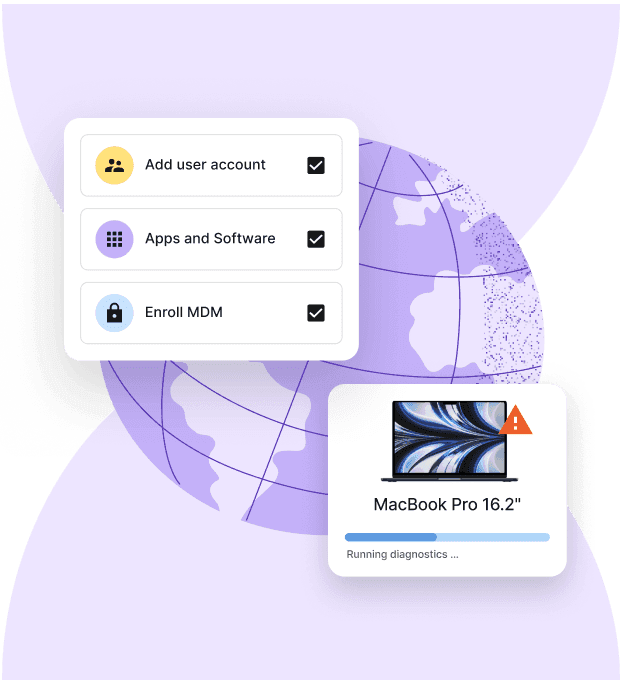
How Deel IT helps with this: Deel IT gives teams a single system for procuring, deploying, tracking, and recovering devices globally. Instead of managing vendors, spreadsheets, and shipping logistics separately, every stage of the device lifecycle runs through one workflow.
Find out more with IT Procurement Process: A Guide to Smarter Buying, Leasing & Automation.
Device Lifecycle Management
Global device logistics, handled
Identity and access: why identity hygiene can't wait until you hit 100 people
Most growing companies have more active accounts than they realize, and some of them belong to people who no longer work there. Identity is where security risk and operational inefficiency tend to converge: new hires waiting for access, manual provisioning requests piling up, and no clear record of who has access to what.
You need:
Single Sign-On (SSO): One login that controls access to all your SaaS tools, so you're not manually managing credentials across a dozen platforms
Multi-Factor Authentication (MFA): Enforced across every application and every user, not opt-in, not advisory
Role-Based Access Control (RBAC): Access is mapped to roles, not individuals, so provisioning new hires is a matter of assigning a role rather than configuring permissions from scratch
Automated deprovisioning: When someone leaves, their access should be revoked immediately and completely, across every app, not just the obvious ones
A basic access audit process: A regular review of who has access to what, so stale permissions don't accumulate unnoticed
What you don't need yet:
A full Privileged Access Management (PAM) platform: Dedicated tooling for managing highly privileged accounts is usually more complex than a growing company needs.
A dedicated Identity Governance and Administration (IGA) suite: Enterprise-grade access governance programs are often introduced to satisfy scale and compliance requirements, not to solve day-to-day access management challenges.
Custom identity infrastructure: If SSO, MFA, and role-based access controls are working, there's little value in building additional identity layers.
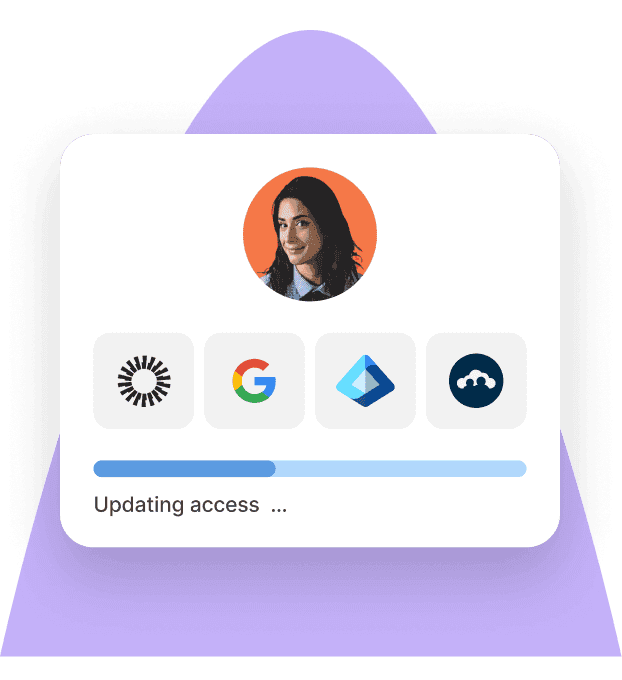
How Deel IT helps with this: Deel IT integrates access management directly into the employee lifecycle — so access is provisioned the moment a hire is confirmed and revoked the moment they leave, with no manual steps in between. RBAC, MFA enforcement, and app access are all managed from a single dashboard.
Read: IAM best practices for IT teams managing distributed workforces
Identity Access Management
Seamlessly provision device and app access for global teams
Onboarding and offboarding: the operational function that breaks first at this stage
At 50 people, onboarding and offboarding are happening often enough that any manual process in the chain creates compounding delays. The moment IT and HR are operating on different timelines (or communicating over Slack threads), someone starts their first day without a laptop or leaves with access still active.
You need:
A connected HR-to-IT trigger: When a hire is confirmed, or a departure is logged in your HR system, IT should be notified automatically
Standardized onboarding checklists with clear owners: Each step (device order, account provisioning, app access, equipment return) should have a defined owner and a deadline that doesn't rely on memory
A device retrieval process that actually runs: Offboarding should include a clear, documented process for recovering hardware, including what happens when a device is in another country
Data wipe and return confirmation: You need to know that a departing employee's device has been wiped and returned, not assume it
Day-one readiness as a default: New hires should have everything they need — hardware, accounts, and access — before they start, not after
What you don't need yet:
A fully custom onboarding portal with branded UI and content management: At this stage, a structured checklist in a connected platform does the job without the implementation overhead
Offboarding workflow automation built on top of an ITSM platform: Dedicated ITSM tooling for offboarding orchestration is a complexity you don't need to introduce yet
How Deel IT helps with this: Deel IT connects directly to HR data to trigger device orders, account provisioning, and access setup automatically when a hire is confirmed — and reverses the entire stack when someone leaves. Device retrieval, certified data erasure, and account deprovisioning all run through a single workflow with no manual coordination required.
Ensure a smooth onboarding, with no missed steps, with our employee onboarding checklist.
SaaS management: the function most 50-person companies don't realise they need
By the time a company reaches 50 people, it has typically accumulated dozens of SaaS applications: many of them paid for on individual credit cards, auto-renewing without review, and accessible by people who left six months ago. The challenge shifts from adopting tools to managing them: understanding what's in use, who has access, and where unnecessary cost and risk are accumulating.
You need:
A SaaS inventory: A living record of every application in use, who owns it, what it costs, and when it renews, not a spreadsheet that gets updated once a year
Visibility into shadow IT: A way to identify apps being used outside of IT's awareness before they become a security or compliance problem
Licence reconciliation: The ability to match licences purchased against licences in use, so you're not paying for 50 seats when 30 people are actively using the tool
App access tied to offboarding: Every SaaS app in your inventory should be part of the offboarding checklist, not just the obvious ones
What you don't need yet:
A dedicated SaaS optimization platform: Advanced spend benchmarking, contract optimization, and procurement analytics tools are unlikely to deliver enough value to justify the investment at this stage
A dedicated SaaS procurement function or renewal management team: At 50 people, this can be embedded in your IT or finance workflow without dedicated headcount
How Deel IT helps with this: Deel IT gives you a unified view of SaaS applications alongside device and identity data — so you can see, in one place, who has access to which apps, which licences are going unused, and where app sprawl is creating gaps. App provisioning and deprovisioning run automatically as part of the employee lifecycle.
Discover how to improve IT compliance with automated device management.
IT security and compliance: the coverage you actually need before a policy or audit catches you out
Most 50-person companies don't have a named security function, and they don't need one yet. What they do need is a baseline, which means they're not exposed to the obvious risks and aren't starting from scratch the first time a customer asks for a SOC 2 report or an ISO evidence pack. Security at this stage is about coverage, not sophistication.
You need:
Device encryption, enforced everywhere: Full-disk encryption across every managed endpoint, not as a policy document, but as a technical control that's actually applied
Endpoint compliance monitoring: A way to confirm that every device meets your security baseline (OS up to date, Mobile Device Management (MDM) enrolled, encryption active) without relying on employees to self-report
A documented access control policy: A written record of how access is granted, reviewed, and revoked, simple enough to maintain, clear enough to share with an auditor
Incident response basics: A documented process for what happens when a device is lost, an account is compromised, or a data breach occurs, not a full IR programme, but a clear playbook
MFA across all critical applications: Every tool containing customer data, financial information, or source code should require MFA
What you don't need yet:
A dedicated SIEM or security operations centre: Real-time threat detection infrastructure is enterprise territory; the complexity and cost outweigh the return for a 50-person team
A full GRC platform: Governance, risk, and compliance platforms built for regulated industries are unnecessary overhead until you're operating at scale or in a highly regulated vertical
Penetration testing on a regular retainer: An annual pen test may be appropriate if you're handling sensitive data, but a standing retainer is not justified yet
How Deel IT helps with this: Deel IT enforces device encryption, MDM enrolment, and endpoint compliance through automated policy, so your security baseline is applied consistently across every device, whether it's in your office or in another country. Compliance reporting is built in, giving you the audit evidence you need without manual collection.
Download our Complete IT Security and Compliance Checklist for Remote Workers
IT support: what responsive support looks like when you don't have an internal helpdesk
At 50 people, you probably don't have a full-time IT support function, and that's fine. What you do need is a clear answer to the question of who handles it when something breaks, how fast they can respond, and whether that answer still works when you have people in three time zones.
You need:
A defined first point of contact for IT issues: Whether that's a managed service, an embedded IT resource, or a platform with support built in, employees should never need to figure out who to ask
Coverage across the time zones you hire in: If you have people in APAC and EMEA, a support function that only operates during US business hours isn't a full support function
Self-service for common requests: Password resets, software installs, and access requests should be resolvable without raising a ticket, saving IT time and reducing frustration for employees
Escalation paths for urgent issues: Clear, documented escalation for device failures, security incidents, or access emergencies, so these don't get routed to the ops lead's personal inbox
What you don't need yet:
A multi-tier internal helpdesk: Formal Level 1, 2, and 3 support structures are designed for organizations handling much higher ticket volumes.
A heavily customized ITSM platform: Complex workflow automation, SLA tracking, and change management processes are rarely necessary at this stage.
How Deel IT helps with this: Deel IT provides 24/7 IT support built into the platform, so employees get help when they need it, regardless of where they are or what time it is, without you needing to hire a support team or manage a helpdesk vendor separately.
Learn how to manage remote IT support effectively
IT requirements at a glance: what you need—and what you can safely postpone
The functions a 50-person company should prioritize, and the enterprise-grade capabilities that can wait.
| IT function | What you need now | What can wait |
|---|---|---|
| Device management | MDM, standardized device configurations, global procurement, and lifecycle tracking | Enterprise IT asset management (ITAM) platforms and dedicated procurement teams |
| Identity and access management | SSO, MFA, RBAC, and automated deprovisioning | PAM platforms, identity governance and administration (IGA) suites, and custom federation infrastructure |
| Onboarding and offboarding | HR-triggered workflows, device provisioning and retrieval, and certified data erasure | Branded onboarding portals and ITSM-based workflow orchestration |
| SaaS management | Application inventory, shadow IT visibility, and license reconciliation | Enterprise SaaS management platforms and dedicated vendor management teams |
| Security and compliance | Endpoint encryption, compliance monitoring, and documented access policies | SIEM platforms, GRC tools, and ongoing penetration testing programs |
| IT support | Clear support channels, multi-time-zone coverage, and self-service resources for common requests |
Deel IT covers the full stack for growing teams
Most 50-person companies end up with more IT vendors than IT functions: a procurement tool that doesn't talk to their MDM, an identity provider that doesn't connect to offboarding, and a support arrangement that only works during business hours in one time zone. The overhead of managing those seams is real, and it lands on whoever got handed IT by default.
Deel IT is built to cover every function your team needs, connected enough that each part of the stack talks to the others, and lean enough that you're not paying for enterprise complexity you don't need yet.
Here's what Deel IT gives a 50-person company:
Global procurement across 130+ countries: Source, configure, and ship pre-configured hardware to any new hire
MDM built into the platform: Enforce encryption, push security policies, and wipe or lock any device remotely, from the same dashboard you use to manage everything else
Automated onboarding and offboarding: HR confirms a hire or departure, and Deel IT handles device orders, account provisioning, app access, and retrieval automatically
IAM and SSO integration: Provision and deprovision access across every SaaS application the moment employment status changes, with RBAC and MFA enforced across the board
SaaS visibility in one place: See every application, every licence, and every active user alongside your device and identity data, so nothing is invisible and nothing is left running after someone leaves
24/7 support across every time zone: Your team gets IT help when they need it, not when your ops lead is available, or your support vendor is online
Compliance reporting without the manual work: Audit-ready evidence for endpoint compliance, access control, and device lifecycle — built in, not bolted on
Book a demo with Deel IT and see how teams at your stage are running IT without the overhead.
Deel IT
Procure, deliver, manage, and secure devices anywhere

FAQs
What IT systems does a 50-person company actually need?
At 50 employees, the essentials are device management, a reliable identity and access control system, and standardized onboarding and offboarding processes. Most companies at this stage don't need enterprise-grade infrastructure — the priority is consistency and closing the security gaps that tend to accumulate during rapid early hiring.
What are the biggest IT risks for a company growing to 50 employees?
The most common risks are deferred decisions catching up all at once — unmanaged devices, inconsistent access provisioning, and no clear offboarding process when someone leaves. These gaps become harder and more expensive to fix the longer they go unaddressed, especially as headcount grows.
When should a small company start taking IT security seriously?
The honest answer is before it feels urgent. By the time a company reaches 50 people, ad hoc IT practices — shared credentials, untracked devices, manual access removal — create real exposure. Building basic controls earlier is almost always cheaper than remediating problems after the fact.
How do you manage IT for a distributed or international team?
Distributed teams introduce complexity around device procurement, local compliance requirements, and ensuring that access controls hold across time zones and geographies. The key is establishing centralized visibility into who has what device and what access, regardless of where employees are located.
Dr Kristine Lennie holds a PhD in Mathematical Biology and loves learning, research and content creation. She had written academic, creative and industry-related content and enjoys exploring new topics and ideas. She is passionate about helping create a truly global workforce, where employers and employees are not limited by borders to achieve success.











