
Article
3 min read
6 Best All-In-One IT Management Platforms for Remote Teams
IT & device management

Author
Dr Kristine Lennie
Last Update
August 11, 2026

Table of Contents
At-a-glance comparison
1. Deel IT
Resources for distributed IT teams
2.Atera
3. Freshservice
4. Jira service management
5. Servicenow
6. ManageEngine ServiceDesk Plus
How to choose the right platform for your team
Which IT management platform fits your use case?
Manage IT operations from a single platform with Deel IT
Running IT for a distributed workforce means handling device provisioning, security enforcement, access management, and support tickets across multiple time zones, often with a lean team. The tooling required to do this well has historically been fragmented: one platform for endpoint management, another for ticketing, another for identity. All-in-one IT management platforms bring these functions together so your team can operate from a single interface rather than stitching together workflows across disconnected tools.
Here are six platforms that combine remote monitoring, IT asset management, and service management under one roof.
Disclaimer: This comparison is based on publicly available information at the time of writing. Features and pricing change: verify directly with each vendor before making purchasing decisions. Deel accepts no responsibility for decisions made on the basis of this article.
At-a-glance comparison
Here is an at-a-glance comparison of the top platforms currently on the market:
| Platform | Best for | What makes it stand out |
|---|---|---|
| Deel IT | Companies of all sizes, especially global teams | Device procurement, MDM, IAM, SaaS management, lifecycle automation, and 24/7 support in one HR-connected platform — across 130+ countries |
| Atera | MSPs and lean IT teams | Remote monitoring and IT support tooling for managed service providers |
| Freshservice | SMBs and mid-market teams | Clean service desk with built-in automation and straightforward setup |
| Jira Service Management | Engineering-led organizations | Deep integration with Jira and Confluence for dev-adjacent IT support |
| ServiceNow | Large enterprises with complex internal workflows | Highly configurable workflow automation across IT and business operations |
| ManageEngine ServiceDesk Plus | Cost-conscious mid-market teams | IT support, asset tracking, and endpoint management in one tool |
1. Deel IT
Deel IT is an all-in-one IT management platform built for companies that need to manage devices, access, security, and support across a distributed workforce. Unlike tools that start with tickets or endpoint monitoring, Deel IT starts with the employee lifecycle: when someone joins, changes roles, or leaves, the right IT actions can be triggered automatically from the same HR data.
That makes Deel IT especially strong for companies hiring across countries, but it is also a fit for companies of all sizes that want to reduce manual IT work, improve day-one readiness, and manage the full device lifecycle from one place. Teams can procure and ship devices, enforce MDM policies, manage access, secure endpoints, support employees, and automate offboarding without stitching together multiple disconnected tools.
Key capabilities:
Day-one readiness without IT tickets: When a new hire's record is created in Deel, device orders, app provisioning, and access setup can trigger automatically, helping employees start with the equipment and permissions they need
Devices shipped to 130+ countries before the employee starts: A catalog of 240+ devices is available globally, with 99.5% on-time delivery and local logistics that help reduce delays common with cross-border shipping
Centralized device management: Mobile Device Management (MDM) powered by JumpCloud supports policy enforcement across macOS, Windows, iOS, Android, and Linux
Endpoint security built into the workflow: CrowdStrike Falcon provides endpoint protection with a CPU footprint of less than 1%, helping protect devices without slowing employees down
Access tied to the employee lifecycle: Identity and Access Management (IAM) and Role-Based Access Control (RBAC) help ensure employees receive the right access based on their role, with updates when they transfer, get promoted, or leave
Automated offboarding: Offboarding workflows can revoke app access, apply device locks, initiate recovery, and begin data wipe sequences when employment ends
24/7 support across every time zone: Deel IT provides round-the-clock support so employees can get help regardless of location or working hours
AI-powered IT workflows: From ticket triage to request routing, Deel AI automates routine support processes so IT teams can respond faster and scale support without scaling headcount
Limitations: Deel IT is strongest for organizations that want IT workflows connected to HR lifecycle events. Teams looking only for standalone features may prefer a more narrowly focused platform.
Best for: Companies of all sizes that want to manage onboarding, device lifecycle, access, endpoint security, support, and offboarding from one HR-connected platform, especially distributed teams hiring across multiple countries.
Resources for distributed IT teams
Eliminate the handoff gap between HR and IT with our Guide to HR-IT Communication for Employee Lifecycle Execution.
Audit your current provisioning workflow with IT Provisioning Self-Assessment
Standardize your offboarding process using this Employee Offboarding Checklist Template
Set security and compliance baselines for remote workers with IT Security and Compliance Checklist for Remote Workers
2.Atera
Atera is a Remote Monitoring and Management (RMM) and helpdesk platform designed for Managed Service Providers (MSPs) and internal IT teams that want to manage endpoints and support tickets from one console. Its per-technician pricing makes it straightforward to predict costs as headcount grows.
Key capabilities:
Remote monitoring and management: Real-time endpoint monitoring, health alerts, and remote control across distributed devices.
Patch management: Automated OS and application patching
Integrated service desk: Ticketing, SLAs, and a knowledge base in the same interface as the RMM tools
Reporting: Technician- and client-level dashboards for performance tracking and capacity planning
Limitations: Atera is primarily focused on endpoint management and IT support. Organizations looking to automate the full employee lifecycle, including device procurement, onboarding, access management, and offboarding workflows tied to HR events, may require additional tools and integrations.
Best for: MSPs and lean IT teams that prefer per-technician pricing and want RMM and helpdesk consolidated.
3. Freshservice
Freshservice is an ITSM platform aimed at small and mid-sized teams that want a fast setup and an approachable interface. Its AI assistant, Freddy, handles employee support requests, answering questions, guiding troubleshooting, and routing tickets without manual intervention. It features asset discovery and configuration tracking.
Key capabilities:
Incoming ticket automation: Tickets are classified automatically, resolutions suggested, and requests routed without manual intervention
Service catalog: Guided request workflows and approval chains for onboarding and access requests
Asset and configuration tracking: Discovers devices across your network and records what's installed on them, how they're set up, and what they depend on
No-code automation: Workflow builder for ticket routing, field updates, and approval triggers
Limitations: Freshservice is designed for internal IT service management, not global device procurement or HR lifecycle integration. Teams hiring internationally still need separate tooling for equipment logistics and access automation. AI features, including Freddy, are only available on the Enterprise plan.
Best for: SMBs and mid-market teams that want quick time-to-value and a modern ITSM interface.
4. Jira service management
Jira Service Management is Atlassian's ITSM platform, built to sit alongside Jira Software and Confluence. It covers the ITSM lifecycle (incidents, problems, changes, and requests) and works best in organizations already running the Atlassian stack.
Key capabilities:
Atlassian integration: Native connections to Jira Software and Confluence, keeping IT support and development work in the same tools
Incident and change management: Structured workflows for managing incidents, tracking changes through an approval process, and linking IT actions to software releases
Self-service portal: Employees can submit IT requests and search for answers without contacting the helpdesk directly
Automation and SLAs: Rule-based routing, escalations, and real-time SLA tracking
Limitations: Jira Service Management is focused on service management workflows and does not cover device lifecycle management, global procurement, or HR-connected provisioning and offboarding.
Best for: Organizations already in the Atlassian ecosystem that need IT support and development workflows in the same platform.
5. Servicenow
ServiceNow is an enterprise ITSM platform that covers the full IT Infrastructure Library (ITIL) framework, designed for large organizations with complex IT operations.
Key capabilities:
Incident, problem, and change management: Workflows for handling IT issues, tracking causes, and managing changes through a formal approval process
Workflow automation: Platform-wide automation and a virtual agent that handles common requests
AI-assisted ticket handling: Incoming tickets are categorized automatically and generative AI summarizes issues and suggests resolutions for agents
Asset and configuration tracking: Discovers IT assets, records how they're set up, and maps dependencies between systems
Limitations: ServiceNow is designed for large enterprise environments. It does not include built-in global device procurement or HR-integrated IT lifecycle automation.
Best for: Large regulated enterprises that need deep ITIL coverage, workflow automation at scale, and extensive integration with existing enterprise systems
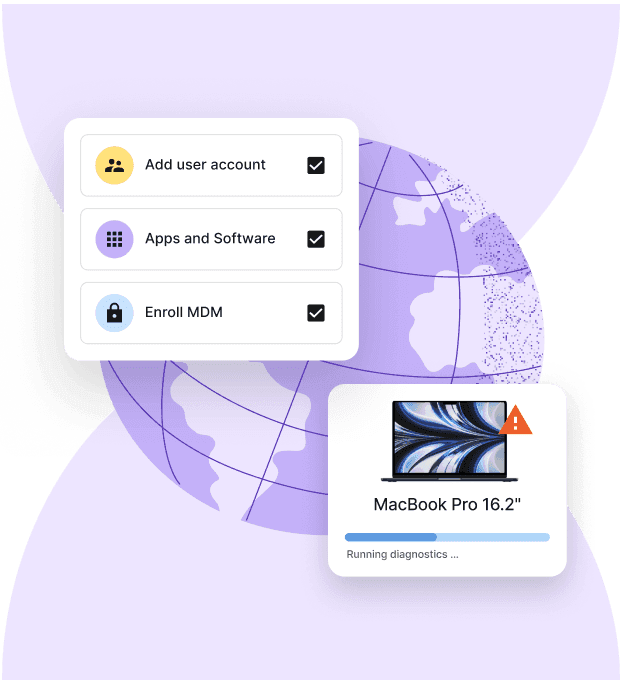
Device Lifecycle Management
Global device logistics, handled
6. ManageEngine ServiceDesk Plus
ManageEngine ServiceDesk Plus is an IT service desk platform that includes endpoint patching and asset management. It runs as both a cloud and an on-premise deployment.
Key capabilities:
Incident, problem, and change management: Standard service desk workflows with customizable routing and SLA tracking
Asset and license management: Hardware and software inventory with purchase tracking and license management
Endpoint patching: Automated patch deployment and policy enforcement for remote devices
Self-service portal: Employees can submit requests and search a knowledge base without contacting the helpdesk directly
Limitations: Does not include HR lifecycle integration or global device procurement and logistics.
Best for: Mid-market teams that want a service desk and endpoint patching in one platform, including those with on-premise deployment requirements..
How to choose the right platform for your team
The right platform depends on how your IT operation is structured, where your employees are located, and how much of the employee lifecycle you want to automate. While some platforms focus on ticketing, monitoring, or service management, others help manage devices, access, security, and support across the entire workforce.
Use this table to identify the evaluation criteria that matter most for your organization:
| Factor | Questions to ask | If the answer is yes... | Prioritize |
|---|---|---|---|
| Workforce distribution | Are employees located across multiple countries? | You'll need a platform that can support device logistics, compliance, and support across regions | Global procurement, shipping, device recovery, and international support |
| HR-IT integration | Do onboarding, role changes, and offboarding involve manual handoffs today? | Automating employee lifecycle workflows can reduce delays and security gaps | HR-triggered provisioning, access management, and offboarding |
| Endpoint coverage | Do employees use multiple operating systems or device types? | Managing devices consistently becomes more challenging as environments diversify | Coverage across Windows, macOS, iOS, Android, and Linux |
| Automation depth | Does your IT team spend significant time on repetitive administrative work? | Automation can improve consistency and free up resources for higher-value projects | Automated provisioning, patching, ticket routing, and access management |
| Deployment model | Do you have regulatory, security, or data residency requirements? | Infrastructure and hosting options may influence platform selection | Cloud, hybrid, or on-premise deployment models aligned to compliance needs |
| Team structure | Are you running an internal IT team, MSP, or engineering-led operation? | Different teams require different workflows, integrations, and pricing models | Features and pricing that fit your operating model |
Find out how automation replaces 500+ hours of IT work annually.
Which IT management platform fits your use case?
The best IT management platform depends on how your team operates. Here are a few common scenarios:
You manage a distributed workforce across multiple countries: Deel IT is a strong fit when you need to coordinate device procurement, provisioning, access, security, support, and offboarding across borders from one platform.
You run an MSP or lean IT team: Atera is designed for teams that prioritize remote monitoring, endpoint management, and helpdesk functionality, with per-technician pricing.
You need a straightforward service desk for a growing company: Freshservice is well suited to SMB and mid-market teams that want ticket automation, asset tracking, and service management without a complex implementation.
Your engineering and IT teams already use Atlassian: Jira Service Management is a natural fit for organizations using Jira and Confluence that want IT support, incident management, and development workflows closely connected.
You operate a large, complex enterprise IT environment: ServiceNow is designed for organizations that need extensive ITIL workflows, customization, and automation across large-scale business operations.
You need ITSM with an on-premise option: ManageEngine ServiceDesk Plus is worth considering for teams that want service desk, asset management, and endpoint capabilities with cloud or on-premise deployment.
Manage IT operations from a single platform with Deel IT
Many IT management platforms focus on a specific function, whether that's ticketing, endpoint monitoring, device management, or service delivery. Deel IT brings those workflows together in a single platform, helping organizations manage devices, access, security, support, and employee lifecycle events without relying on multiple disconnected tools.
For remote and distributed teams, that means fewer manual handoffs, better visibility across the device lifecycle, and a more consistent experience for employees from onboarding through offboarding.
Device management across 130+ countries: Procure, deploy, track, recover, and redeploy devices globally from one platform.
Zero-touch onboarding and provisioning: Deliver devices that arrive configured, compliant, and ready to use from day one.
Integrated access and identity management: Provision, update, and revoke access automatically as employees join, change roles, and leave.
Built-in security and compliance controls: Manage device policies, patching, encryption, and endpoint protection from a centralized system.
24/7 support for remote teams: Give employees access to IT support regardless of location or time zone.
HR-connected automation: Trigger onboarding, offboarding, and device lifecycle workflows directly from employee records.
Book a demo to see how Deel IT helps remote teams manage IT operations from a single platform.
Deel IT
Procure, deliver, manage, and secure devices anywhere

FAQs
What is an all-in-one IT management platform for remote teams?
An all-in-one IT management platform consolidates device monitoring, helpdesk operations, asset tracking, and access management into a single interface. For distributed teams, this means IT can manage infrastructure across locations without switching between disconnected tools.
What features matter most for distributed workforces?
Remote monitoring, automated patching, integrated helpdesk, and automated onboarding and offboarding workflows are the core requirements. For global teams, add global device procurement and HR lifecycle integration to that list.
How do these platforms improve IT support efficiency?
By centralizing data and automating routine workflows — ticket routing, access provisioning, patch deployment — teams spend less time on repetitive tasks and more time on work that requires human judgment.
What should I look for in an IT management platform?
Consider workforce location, device and operating system coverage, HR and IT integrations, automation capabilities, security requirements, service management features, deployment options, support coverage, and total cost.
Can IT management platforms automate employee onboarding and offboarding?
Some can. For example, Deel IT connects IT workflows to employee lifecycle events so device, access, and security actions can be triggered as employees join, change roles, or leave. Other platforms may require integrations or additional tools to automate these processes.
What is the difference between ITSM and IT management?
IT service management (ITSM) focuses primarily on how IT services and support are delivered, including incidents, requests, problems, and changes. IT management can cover a broader set of responsibilities, including devices, endpoints, security, identity and access, asset management, and employee lifecycle processes.
Do all-in-one IT management platforms replace multiple IT tools?
They can reduce the number of separate tools a team needs, but capabilities vary significantly by platform. Some focus primarily on ITSM or endpoint monitoring, while others combine device management, security, access, support, and lifecycle automation. Evaluate which functions are native and which require integrations.
Which IT management platform is best for global companies?
Global companies should prioritize international device availability, logistics, support coverage, security, and employee lifecycle automation. Deel IT is designed for this use case, with device lifecycle management across 130+ countries and IT workflows connected to employee records.
Dr Kristine Lennie holds a PhD in Mathematical Biology and loves learning, research and content creation. She had written academic, creative and industry-related content and enjoys exploring new topics and ideas. She is passionate about helping create a truly global workforce, where employers and employees are not limited by borders to achieve success.











