
Article
3 min read
What a 10-Person Company Needs (and Doesn't Need) From IT
IT & device management

Author
Dr Kristine Lennie
Last Update
June 22, 2026

Table of Contents
Why IT gets harder at this stage
Device procurement and setup: you need speed, not complexity
Identity and access management: you need control, not bureaucracy
Endpoint security and MDM: start with the basics
Onboarding and offboarding: build consistency and repeatability
SaaS management: you need visibility, not a full audit function
IT support: you need fast resolution, not a help desk ticket queue
Security and compliance: you need strong defaults, not a compliance programme
IT requirements at a glance: what you need—and what you can safely postpone
Build connected IT from day one with Deel IT
Key takeaways
Ten-person companies face the same IT vulnerabilities as large organizations (i.e., device chaos, unmanaged access, and incomplete offboarding) but with far less capacity to recover when things go wrong.
Small teams don't need enterprise-grade IT: they need consistent processes for devices, access, and offboarding that reduce risk and support growth.
Deel IT gives small and growing teams the infrastructure to put those processes in place from day one, without building an enterprise-sized IT function.
At ten employees, IT is usually something one person handles alongside everything else. Devices get shipped when needed, accounts get created manually, and offboarding happens on a checklist. It works until the company starts hiring faster, operating across more locations, or handling more sensitive data.
This guide breaks down what early-stage companies actually need from IT right now, what's safe to skip, and how to build a foundation that won't need to be torn down when you hit 50.
Why IT gets harder at this stage
Most ten-person teams are running on improvised infrastructure: personal accounts, one-off device purchases, and tools that nobody fully owns. As hiring accelerates, the gaps compound.
Here's what makes this stage particularly tricky:
No dedicated IT owner: Founders or ops generalists absorb IT responsibilities, meaning nothing gets done proactively — only reactively
Device chaos starts early: Devices get bought ad hoc, configured inconsistently, and rarely tracked in any formal way until something goes wrong
Identity isn't managed, it's shared: Passwords live in shared docs or someone's memory, and access rarely gets revoked when people leave
SaaS sprawl before you notice it: Each new hire brings another app into the stack, creating shadow IT before you've defined a policy
Security debt accumulates invisibly: Without baselines, every device that leaves the office and every access credential that isn't rotated is a risk that grows quietly in the background
Device procurement and setup: you need speed, not complexity
At ten people, getting a new hire's device in their hands (configured and ready to go) is the entire game. You don't need a procurement team. You need a repeatable process.
You need:
A standard hardware spec: A defined default device (or two) for different roles, so you're not making a new purchasing decision every time you hire
Pre-configuration before shipping: Devices should arrive with company profiles, required apps, and security settings already applied, not assembled on someone's first day
Basic asset tracking: A simple record of who has what, when it was purchased, and where it is. A spreadsheet works now; a system will matter later
A process for remote delivery: If you hire across cities or countries, you need a reliable way to get hardware to people who aren't in your office
What you don't need yet:
A dedicated hardware procurement team: Overkill at this size — a managed procurement service does the same job without the headcount
Complex device refresh programs: A formal multi-year refresh cycle with automated replacement workflows is enterprise infrastructure you'll grow into, not start with
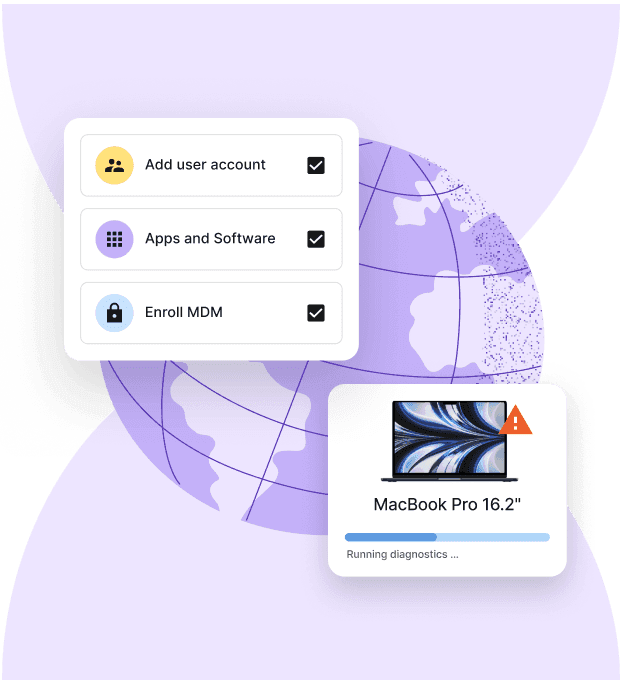
How Deel IT helps with this: Deel IT handles global device procurement, configuration, and shipping, ensuring employees receive company-ready devices with the right applications, security settings, and asset tracking already in place.
Device Lifecycle Management
Global device logistics, handled
Identity and access management: you need control, not bureaucracy
For small companies and startups, access management is mostly about making sure the right people have access to the right things, and that access disappears the moment someone leaves.
You need:
A single identity provider: One system (Google Workspace, Microsoft Entra, or similar) that acts as the source of truth for who has access to what
Single Sign-On (SSO) for your core tools: Centralized login reduces password sprawl and makes deprovisioning clean and fast
Multi-Factor Authentication (MFA) enforced across all accounts: Non-negotiable at any size — this is the single highest-return security control available
A documented offboarding checklist: Every departure needs a defined process for revoking access across every tool, not a best-effort sweep
What you don't need yet:
Privileged access management tooling: Purpose-built PAM platforms designed for large enterprise security teams are beyond what you require right now
Complex identity governance workflows: Automated access certification campaigns and segregation of duties controls are worth building, but later
How Deel IT helps with this: Deel IT integrates with your identity provider to automate provisioning and deprovisioning as part of the employee lifecycle, so access is granted on day one and revoked the moment offboarding is triggered, with no manual follow-through required.
Identity Access Management
Seamlessly provision device and app access for global teams
Endpoint security and MDM: start with the basics
Mobile Device Management (MDM) isn't about locking everything down but about ensuring every device meets a minimum security standard before it touches company data.
You need:
MDM enrollment on all company devices: Every laptop should be enrolled in a management platform so you can enforce security policies, automate updates, maintain visibility, and wipe data remotely if needed
Disk encryption enforced across the fleet: FileVault or BitLocker should be enabled by default to protect company data if a device is lost or stolen
Standardized security settings: Devices should meet a minimum security baseline, including password requirements, screen lock policies, and approved software configurations.
Remote wipe capability: If a device goes missing, you need to be able to act immediately, not scramble to figure out who owns the MDM login
What you don't need yet:
A 24/7 security operations centre: Dedicated threat monitoring infrastructure built for large enterprise environments isn't the right investment at this size
Custom security tooling or SIEM platforms: Log aggregation and correlation tools designed for high-volume environments are genuine overkill at ten people
How Deel IT helps with this: Deel IT deploys and manages MDM across your fleet, enrolling devices, enforcing security baselines, and giving you a live view of compliance status without.
Learn how to improve IT compliance with automated device management.
Endpoint Protection
Built-in device protection from day one
Onboarding and offboarding: build consistency and repeatability
At ten or so people, onboarding and offboarding often rely on Slack messages, spreadsheets, and good intentions. The problem is that as hiring picks up, those manual handoffs become easy to miss, leading to delayed access, missing equipment, and former employees retaining accounts they no longer need.
You need:
A defined IT onboarding checklist: Device ordered, accounts provisioned, tools configured, and access granted—every step documented and owned by someone.
HR-triggered IT workflows: A confirmed start date should automatically kick off device provisioning, account setup, and any other required IT tasks.
Role-based access controls: New hires should automatically receive the applications and permissions required for their role, and nothing more.
A standardized offboarding process: Every departure should follow the same checklist for access removal, device recovery, and license reclamation.
What you don't need yet:
Advanced HRIS integrations: Fully automated workflows spanning multiple HR and IT systems become more valuable as headcount and system complexity grow
Dedicated onboarding platforms: New-hire experience tools with custom portals, training journeys, and personalized workflows are usually unnecessary at this stage
How Deel IT helps with this: Deel IT connects HR and IT workflows so employee lifecycle events (from onboarding and role changes to offboarding) automatically trigger the right IT actions. Devices, access, and permissions stay aligned without manual coordination or missed steps.
Looking for a simple process to manage your onboarding? Download our Employee Onboarding Checklist.
SaaS management: you need visibility, not a full audit function
Good SaaS management starts with clear ownership and visibility. Before investing in optimization tools, make sure you know which applications are in use, who has access to them, and who is responsible for each one.
You need:
A live inventory of tools in use: A maintained list of every SaaS application, who owns it, how many seats are active, and what it costs
A policy for personal versus company accounts: Clear guidance on which tools require a company-provisioned account and which can remain personal prevents shadow IT from growing unchecked
Licence reclamation tied to offboarding: When someone leaves, their SaaS licences should be reviewed and reallocated or cancelled, not left running on autopilot
A designated tool owner for each critical application: Someone needs to own renewals, access reviews, and configuration for every mission-critical tool
What you don't need yet:
Dedicated SaaS management platforms with spend analytics: Full-featured ITAM tools with automated spend optimisation and renewal forecasting are more infrastructure than a ten-person team can use right now.
Vendor management programmes: Formal supplier relationship management with quarterly business reviews is not where your energy belongs at this stage.
How Deel IT helps with this: Deel IT provides visibility into your SaaS stack and automates license provisioning and deprovisioning as part of the employee lifecycle, so you're not manually managing seat counts every time someone joins or leaves.
Find out why onboarding automation breaks down between HR and IT.
IT support: you need fast resolution, not a help desk ticket queue
For small companies, IT support isn't a function yet— it's whoever is least busy. That works until it doesn't, and it stops working faster than most founders expect.
You need:
A defined owner for IT issues: Whether it's an internal employee or an external partner, someone should be responsible for resolving IT requests and coordinating vendors.
Remote troubleshooting capabilities: Most issues at this stage involve devices, software, or access. The ability to diagnose and resolve problems remotely keeps employees productive.
Device replacement and recovery procedures: If a laptop is lost, stolen, or damaged, there should be a documented process for replacement, security actions, and data protection.
What you don't need yet:
A tiered internal help desk: L1/L2/L3 support structures are designed for organizations with significantly larger employee populations.
Complex IT service management (ITSM) platforms: Incident, problem, and change management workflows can wait until support volume justifies the overhead.
How Deel IT helps with this: Deel IT gives teams a single place to manage IT requests, device issues, and lifecycle events globally. From troubleshooting and replacements to device recovery and employee support, teams can resolve common IT issues without building a dedicated internal support function.
Discover more about how to manage remote IT support.
Security and compliance: you need strong defaults, not a compliance programme
Security and compliance don't start with audits or certifications. They start with a handful of basic practices that reduce risk across every device, account, and employee.
You need:
A documented acceptable use policy: A short, clear policy covering device use, data handling, and account security — something every new hire reads and acknowledges
Password management tooling: A company-provisioned password manager eliminates shared credentials and reduces the blast radius of any single compromised account
Phishing awareness as a basic habit: At ten people, one successful phishing attack can be a company-ending event: basic awareness doesn't require a training programme
Data classification for your most sensitive assets: Know where customer data, financial records, and credentials live, and make sure access is appropriately restricted
What you don't need yet:
Formal compliance certifications: SOC 2, ISO 27001, and similar frameworks matter when customers require them, but building a full compliance programme with only a dozen or so employees is premature
Dedicated security tooling for threat hunting: Advanced threat detection platforms designed for enterprise security teams are not a fit for this stage
How Deel IT helps with this: Deel IT helps teams turn security policies into enforceable workflows by connecting device management, identity, and employee lifecycle events. Access, devices, and security controls stay aligned as employees join, change roles, and leave the company.
Assess your cyber threats awareness training with this 8-question checklist.
IT requirements at a glance: what you need—and what you can safely postpone
Building IT for a ten-person company isn't about doing everything. It's about focusing on the handful of capabilities that reduce risk, support growth, and create consistency as the team expands. This table maps each IT function to what you should have in place now and what you can safely defer.
| IT function | What you need now | What you can skip |
|---|---|---|
| Device procurement and setup | Standard device specifications, pre-configuration, global delivery capabilities, and basic asset tracking | Dedicated procurement teams and automated multi-year refresh programs |
| Access management | Identity provider, SSO, enforced MFA, and a documented offboarding process | Privileged access management (PAM), identity governance workflows, and access certification campaigns |
| Endpoint security and device management | MDM enrollment, disk encryption, automatic patching and updates, and remote wipe capabilities | SIEM platforms, custom security tooling, and 24/7 security operations centers (SOCs) |
| Employee onboarding and offboarding | Standardized checklists, HR-triggered IT workflows, and role-based access controls (RBAC) | Custom bidirectional HRIS integrations and dedicated onboarding portals |
| SaaS management | Software inventory, policies for personal vs. company accounts, and license reclamation during offboarding | Dedicated SaaS management platforms and formal vendor management programs |
| IT support | Defined escalation paths, remote support capabilities, and coverage for distributed teams | Tiered internal help desks and full IT service management (ITSM) platforms |
| Security and compliance | Acceptable use policies, password managers, MFA, and basic data classification practices | Formal SOC 2 or ISO 27001 programs and advanced threat-hunting tools |
Build connected IT from day one with Deel IT
Most ten-person companies don't have an IT problem. They have a coordination problem: too many one-off decisions, no single owner, and no system that connects the moving parts.
Deel IT provides a complete IT infrastructure layer that handles device procurement, MDM, identity, SaaS management, and support — all connected to your HR data so the lifecycle runs itself.
Here's what this means:
Global procurement across 130+ countries: Source, configure, and ship pre-imaged hardware to any new hire, no regional resellers, no lead-time guesswork, no exceptions.
MDM deployment and fleet management: Enroll every device, enforce security baselines, and maintain visibility across your fleet
HR-connected workflows: Deel IT connects directly to your HR data, so onboarding, role changes, and offboarding automatically trigger the right device and access workflows.
Automated IAM provisioning: Grant and revoke access automatically as employees join, change roles, or leave
SaaS lifecycle management: Provision and deprovision licenses as part of every onboarding and offboarding process, so access stays aligned and unused seats don't accumulate
Security baselines enforced by default: Disk encryption, OS compliance, and device policies applied automatically across every managed device
Book a demo and see how Deel IT gives a ten-person company the IT infrastructure it actually needs — without the overhead it doesn't.
Deel IT
Procure, deliver, manage, and secure devices anywhere

FAQs
What IT systems does a 10-person startup actually need?
Small teams need three core things in place early: a way to track and manage company devices, a system for controlling who has access to what (identity management), and a reliable offboarding process. Everything else can wait until headcount and complexity justify the investment.
What happens if you skip proper offboarding at a small company?
Former employees can retain access to company accounts, files, and tools indefinitely if offboarding isn't handled deliberately. For a small team, a single unrevoked login to a financial or admin tool can create serious security and compliance exposure.
When should a small company start thinking about device management?
The best time to set up device management is before you need it — ideally when you're provisioning your first few company-owned machines. Retrofitting a device management system after laptops have been distributed and configured by employees is significantly more time-consuming and disruptive.
Can a 10-person team realistically manage IT without a dedicated IT person?
Yes, if the right tools and processes are in place. The goal at this stage isn't a full IT department — it's a lightweight foundation covering device ownership, access control, and offboarding that one person can manage part-time and that won't need to be rebuilt as the company grows.
Dr Kristine Lennie holds a PhD in Mathematical Biology and loves learning, research and content creation. She had written academic, creative and industry-related content and enjoys exploring new topics and ideas. She is passionate about helping create a truly global workforce, where employers and employees are not limited by borders to achieve success.











