Article
9 min read
Mac vs PC for work: Pros, cons, and how to pick the right one
IT & device management
Global HR
Worker experience

Author
Michał Kowalewski
Last Update
January 29, 2026

Table of Contents
Mac vs PC: Key differences explained
Mac vs PC for business: Cost comparison
Pros and cons of Mac for business
Pros and cons of PC for business
How to choose a laptop for your employees
How to support both Macs and PCs effortlessly with Deel IT

Explore this topic with AI
Key takeaways
- Macs excel in performance, UX, and long-term value. PCs win on compatibility, cost flexibility, and global serviceability. The right choice depends on role, team size, and operating regions.
- The laptop you send on day one influences how productive, supported, and valued your employee feels. Matching the right device to the right role matters more than brand preference.
- With Deel IT, you can offer both Macs and PCs without adding complexity. Devices are pre-configured, shipped globally, supported locally, and managed in one platform.
Choosing between a Mac or a PC isn’t just a tech decision. It’s an employee experience decision. Especially if you’re in HR or People Ops, managing remote or hybrid teams, the laptop you send on day one sets the tone for everything that follows: productivity, support, even retention.
The problem is, most comparison guides are written for IT professionals. They dive into processors, RAM types, or GPU specs. But what you really need is clarity on what’s best for your people. What works, what doesn’t, and how to avoid surprises when onboarding new hires across the globe.
This guide breaks down the real-world differences between Mac and Windows PCs for work, without the jargon. Whether you’re equipping a creative team, a finance department, or a fully distributed workforce, we’ll help you choose the right devices for each role and show how Deel IT makes it easy to manage both platforms in one place.
Mac vs PC: Key differences explained
The laptop your employees receive on day one sets the tone for how productive and supported they’ll feel. Some people won’t care what device they get. Others will notice immediately if it feels slow, doesn’t support their tools, or simply feels “off.”
Software compatibility
Mac computers support most cloud-based tools like Slack, Zoom, and Notion. They’re great for creative work, development, and video editing, and they sync smoothly with other Apple products through macOS (previously branded as OS X).
But many business-critical apps like Microsoft Access, Power BI Desktop, and Sage 50 either don’t run natively on Macs or have limited functionality. As a result, Mac users can rely on virtual desktops or workarounds to run Windows when needed.
Windows 11 devices are more compatible with traditional business software. Whether it's accounting systems, government portals, or custom apps, Windows computers typically work out of the box. This makes the operating system more flexible for roles in finance, operations, or customer service.
Performance and speed
Apple’s M-series chips (M1, M2, M3) offer fast, energy-efficient performance. MacBooks handle multitasking, video calls, creative work, and software development smoothly. More importantly, they stay fast over time. Employees are less likely to experience slowdown after a year or two, which translates into fewer complaints and support tickets.
PC performance varies significantly depending on the model. Higher-end business laptops can match or beat Macs, especially for specialized tasks like 3D rendering or data science. But many companies also deploy mid-range or budget models, which are more likely to include unnecessary software, heavier security layers, or slower components. These devices can feel sluggish quickly if not carefully managed.
Security
MacOS, built on a Unix base, offers solid built-in protections. Features like FileVault and Gatekeeper are enabled by default. Macs are also less frequently targeted by malware compared to Microsoft Windows, which lowers the risk of employee downtime.
PCs security has improved significantly with the addition of BitLocker encryption, Windows Defender, and enterprise-grade tools. But because of its dominant market share, Windows remains a primary target for malware.
Keeping PCs secure requires more active management and more visible software running in the background. From the employee’s point of view, this can mean more alerts, restarts, or IT interventions.
Read also: A Lost Laptop Is an Inconvenience, a Stolen Identity Is a Catastrophe
Ease of use
The user interface on macOS is intuitive for anyone familiar with iOS or other Apple products. The layout is clean and consistent across devices, and features like universal clipboard, Spotlight search, and AirDrop make daily workflows faster and more seamless. Updates and security run quietly in the background, so employees aren’t interrupted or forced to troubleshoot.
Windows 11 is familiar to most people who have used a personal computer in a traditional office setting. It integrates well with enterprise apps and offers more customization than macOS.
Some employees appreciate this flexibility, especially those who also use Android devices or prefer open configurations. But Microsoft Windows can feel more cluttered, with frequent system prompts and pop-ups. For users who value simplicity, the overall experience may feel less polished compared to macOS.
Device availability
Apple sells a small, curated set of laptop and desktop models: MacBook Air, MacBook Pro, Mac mini, iMac, and Mac Pro. This consistency helps standardize IT operations, but it can create sourcing issues when stock runs low. During new product launches or high-demand periods, availability may be delayed in some regions.
With dozens of brands and hardware configurations, Windows computers are easier to procure at scale. Whether you need five budget laptops or a hundred premium devices, you can usually find a model that fits.
Devices also come in a wide range of form factors, including 2-in-1 convertibles, touchscreens, and rugged machines. This flexibility is especially helpful when hiring across multiple countries or scaling quickly.
Support and repairs
Apple hardware is reliable, but repairs can be tricky depending on the employee’s location. In major cities, Apple Stores or authorized service providers can usually handle issues quickly. Outside of those areas, repairs often require shipping the device out, which adds days or even weeks of downtime. That said, a study shows that Mac users submit 60% fewer IT tickets, and each ticket costs 25% less than PC tickets
Manufacturers like Dell, HP, and Lenovo offer large networks of repair centers, on-site servicing, and hot-swapping of parts. This is especially helpful in global or distributed teams. Employees can get back to work faster, and companies have more options to replace or fix hardware without needing to collect and redistribute everything centrally.
Read also: How 24/7 IT Support Builds Stronger, Safer Global Operations
Employee perception
Apple Macs are often viewed as high-end, well-designed, and modern. For engineers, creatives, and senior hires, receiving a MacBook Pro can feel like a vote of confidence. It signals that the company is investing in quality tools, which can shape how an employee perceives their role, their team, and the company as a whole.
PCs are typically seen as standard work tools. They’re familiar, practical, and reliable, traits most PC users appreciate. But they don’t carry the same sense of prestige. For many roles, that’s perfectly fine. Yet in positions that are hard to fill, or where retention and engagement really matter, perception can influence satisfaction more than specs.
| Category | Mac | PC |
|---|---|---|
| Software compatibility | Great for modern SaaS tools. Limited support for legacy or Windows-only apps. | Broad compatibility, including enterprise and legacy systems. |
| Performance and speed | Consistent, high performance over time with minimal lag. | Varies by model. High-end PCs perform well; budget models may slow down. |
| Ease of use | Intuitive, polished, and integrates well with Apple ecosystem. | Familiar for most users. More customizable but can feel cluttered. |
| Security | Strong defaults. Less targeted by malware. Quiet background protection. | Secure when managed well, but more frequent alerts and interventions. |
| Support and repairs | Reliable hardware. Repairs can be slower or harder in some regions. | Easier and faster to repair. More global service availability. |
| Device availability | Fewer models. Can be harder to source globally during peak periods. | Many options and vendors. Easier to source at scale and by region. |
| Employee perception | Viewed as premium. Often requested by creatives and leadership. | Seen as standard. Reliable but less likely to generate excitement. |
Mac vs PC for business: Cost comparison
When evaluating devices for your team, the initial purchase price is only one part of the equation. A $1,200 laptop that lasts five years with minimal issues may be more cost-effective than an $800 one that needs replacing in two. This section breaks down the true cost of ownership for Macs and PCs, including purchase price, repairs, resale value, and long-term ROI.
Upfront cost flexibility
PCs offer far more flexibility in terms of entry price. Companies can choose from hundreds of models across brands like Dell, HP, and Lenovo, ranging from low-cost laptops for support staff to high-powered workstations for data-heavy roles. This range makes it easy to match spend to role, especially for large or fast-growing teams.
Macs, by contrast, start at a higher base cost. A new MacBook Air or Pro will almost always be more expensive than a comparable Windows laptop. And since Apple offers fewer models, there’s less room to customize configurations by team or use case. For companies on a tight budget or supporting many temporary or rotating workers, this can be a constraint.
However, considering the long-term ownership perspective, Macs save about $843 per device over 3 years compared to PCs, according to a recent Forrester report.
Repair costs
Repairability and service costs can vary widely by region, but in general:
PCs are easier and cheaper to repair. Most components are modular and widely available, and many manufacturers offer local, on-site, or next-day service plans. If a screen breaks or a battery fails, a technician can often fix it without taking the whole device offline for long.
Macs are harder to service independently. Repairs often need to be done by Apple or certified providers, which may involve longer turnaround times and higher fees. AppleCare helps mitigate this, but only if it’s purchased upfront and available in the employee’s region. This makes logistics more complex for global teams.
Read also: Want to Reduce IT Costs? Try These 5 Device Reconditioning Strategies
Resale value
Macs consistently hold their value over time. After three or four years of use, a well-maintained MacBook can often be resold at 30 to 40 percent of its original price, especially if it’s a higher-end model. This strong secondary market can offset some of the initial cost.
PCs, depending on brand and model, tend to depreciate faster. Business-grade models from Dell or Lenovo retain some value, but lower-cost or consumer-grade PCs often have little to no resale value after a few years. That said, they’re often cheaper to begin with, so depreciation may be less of a concern.
Total cost of ownership (TCO)
Looking beyond the purchase price, Macs may offer better longevity and lower support needs. They tend to stay fast, experience fewer software issues, and generate fewer support tickets over time. If your team keeps devices for four years or longer, a Mac may end up costing less in the long run.
PCs, on the other hand, may require more frequent replacements or support, especially if you opt for lower-tier models. But they’re easier to buy in bulk, cheaper to replace, and easier to support with standard IT tools. This makes them more cost-effective in organizations that value agility or scale.
Read also: IT Equipment Leasing With Deel IT: Everything You Need to Know
Device Lifecycle Management
Pros and cons of Mac for business
There’s a good reason MacBooks are popular across tech, design, and leadership teams. They offer a smooth user experience, strong performance, and a polished design that reflects well on the company. But they’re not always the right fit for every team, budget, or toolset.
Here’s a clear breakdown of where Macs shine in the workplace, and where they fall short.
| Pros of Mac for business | Cons of Mac for business |
|---|---|
| Long-lasting performance with Apple Silicon chips | Higher upfront cost |
| Clean, intuitive user experience | Limited hardware options and configurations |
| Strong resale value and device longevity | Some business or legacy apps may not be compatible |
| Perceived as premium by employees | Slower or more expensive repairs in some regions |
| Built-in security features and fewer malware incidents | Regional availability can be limited for global teams |
Pros of using Macs in business
- Long-lasting performance: Apple’s M-series chips (M1, M2, M3) have raised the bar for speed, battery life, and thermal efficiency. MacBooks remain fast over time and rarely slow down with age. For employees, this means fewer performance issues and fewer interruption, especially in creative or technical roles.
- Seamless user experience: macOS is known for its intuitive, consistent interface. Employees familiar with iPhones or iPads tend to adapt quickly, and built-in features like Spotlight search, AirDrop, and iCloud syncing make everyday workflows feel polished. For new hires, it’s an easy ramp-up.
- Strong resale value: Macs retain their value better than most PCs. After three or four years, a used MacBook can often be resold or repurposed at a meaningful fraction of its original cost. This helps offset the higher upfront investment and reduces e-waste.
- Perception and employee satisfaction: In many industries, Macs are seen as premium. Designers, engineers, and senior hires often prefer them—and may even expect them. Supplying MacBooks can be seen as a sign that the company invests in quality tools and cares about employee experience.
- Built-in security and fewer malware risks: macOS includes native encryption, app control, and system protection tools. It’s also less frequently targeted by malware compared to Windows. This doesn’t eliminate the need for management, but it does reduce the day-to-day exposure for employees.
Cons of using Macs in business
- Higher purchase price: The base cost of a MacBook is significantly higher than most business-grade PCs. There are fewer options at the entry level, which makes it harder to scale affordably, especially if you’re hiring quickly or outfitting short-term contractors.
- Limited hardware customization: Apple offers a limited set of models and configurations. You can’t mix and match processors, graphics cards, or RAM to fit different employee needs. This can be a challenge when trying to tailor devices to specific roles without overspending.
- Software compatibility issues: While most SaaS tools work well on Macs, some industry-specific or legacy business applications still require Windows. Virtualization is an option, but it adds complexity and can degrade the experience for the end user.
- Repair and service constraints: Outside of major cities, getting a MacBook repaired can be slower and more expensive. Repairs often need to be done by Apple or certified partners, and some parts (like batteries or keyboards) are not user-replaceable.
- Limited global availability: In some countries, Apple inventory is harder to come by. Delivery timelines may be longer, and resale or recovery options can be more limited. For global teams, this adds friction to procurement and replacement workflows.
Read also: Best MDM for Apple: Top 9 Software Solutions Compared
Pros and cons of PC for business
Windows-based PCs are the default for many companies, especially in roles where software compatibility, procurement flexibility, and scalable support matter most. They’re practical, familiar, and easier to source across regions, but they also come with trade-offs around consistency and long-term reliability.
Here’s a breakdown of where PCs excel in a business context, and where to be cautious.
| Pros | Cons |
|---|---|
| Wide range of models and pricing flexibility | Performance varies widely between models |
| Strong compatibility with business and legacy software | Often requires more hands-on support and IT oversight |
| Easy to source and ship globally | Lower resale value, especially for budget models |
| More modular and easier to repair | Higher exposure to malware and security threats |
| Seamless integration with enterprise IT tools | Perceived as less premium in some roles or industries |
Pros of using PCs in business
- Broad range of models and price points: PCs are available across every budget and configuration. Whether you’re equipping a customer support contractor or a data analyst, there’s a Windows device that fits. This flexibility is ideal for scaling teams or managing mixed device needs.
- Strong compatibility with business software: Most enterprise software, especially in finance, logistics, legal, or compliance, was built for Windows. Tools like Microsoft Excel, Access, and many ERP platforms work more reliably or exclusively on PCs. Employees won’t run into app limitations or need IT to create workarounds.
- Easier to procure globally: With dozens of manufacturers and resellers, PCs are easier to source in nearly every country. This makes it simpler to standardize or swap devices without long lead times or regional limitations.
- Serviceability and repair options: PCs are typically more modular, meaning batteries, screens, and keyboards can often be replaced without sending the entire device offsite. Major vendors offer local or on-site repair services, reducing downtime and shipping logistics.
- Integration with enterprise IT tools: Windows devices integrate smoothly with Microsoft-based identity systems, endpoint protection, and device management tools. If you already use Azure AD, Intune, or Microsoft 365, managing PCs is more streamlined and better supported out of the box.
Cons of using PCs in business
- Inconsistent performance across models: The wide variety of available PCs is both a strength and a risk. Entry-level or consumer-grade models often include bloatware, underperforming components, or poor thermal design. This inconsistency can lead to lag, hardware issues, or employee frustration, especially over time.
- Higher support load: PCs typically generate more IT tickets, especially in environments without centralized management. From antivirus prompts to driver updates and OS bugs, they require more frequent attention unless managed with the right tools.
- Lower resale value: Most PCs lose value quickly. After a few years, resale or reuse options are limited, especially for low-cost or non-enterprise models. That means more devices end up retired or recycled, with little ROI recovery.
- More exposed to security threats: Because Windows has the largest global install base, it’s a bigger target for malware and ransomware. While enterprise security tools are strong, they need to be configured properly and kept up to date. Without that, the risk of breaches or noncompliance increases.
- Perception gap in premium roles: In some fields, especially tech or design, PCs can be seen as less modern or desirable than Macs. While this doesn’t affect productivity directly, it can affect how high-skill hires perceive the company’s investment in tooling.
How to choose a laptop for your employees
Not every role needs the same device. Some employees benefit from the consistency and compatibility of a Windows PC. Others expect the speed and polish of a Mac. And in some cases, it genuinely doesn’t matter, either option will work just fine.
Designers, developers, and creatives
These employees often prefer Macs. Designers use tools like Figma, Sketch, and Adobe Creative Suite, which are well optimized for macOS. Developers benefit from Unix-based environments, terminal tools, and the ability to run local servers or dev environments without extra configuration. For these roles, performance, UX quality, and tool compatibility make Macs the go-to.
Finance and operations
Employees in these roles rely on tools like Excel, NetSuite, QuickBooks, and other finance platforms. These are almost always optimized for Windows. Power users also tend to use advanced Excel functions or macros that don’t work as well on Mac. For them, PCs are the safer, more compatible option.
Customer support and admin roles
Either platform can work for these teams, especially if most tools are cloud-based. What matters more is consistency across the fleet, ease of remote support, and cost. PCs are often the default for these roles because they’re more affordable to scale and easier to service in bulk.
Sales and marketing
This group is mixed. Marketers working with creative tools may lean toward Macs, while those focused on CRM platforms and analytics tools may do just fine with PCs. Salespeople often care most about speed and portability. Unless they have a strong preference, either platform can be provisioned as long as the right software is installed from day one.
Executives and leadership
Preferences tend to dominate here. Many executives expect MacBooks as part of the “standard issue” for senior roles. They may already use Apple devices personally and expect their work device to match. Others care more about speed, connectivity, or just having a machine that works every time they open it. A Mac signals quality, but a high-spec PC can meet the same needs.
Contractors and temporary workers
Cost, availability, and compliance should guide these decisions. PCs offer more options across a range of budgets and can be re-imaged and reassigned easily. For short-term or rotating roles, this flexibility makes PCs the more practical choice. Macs are harder to reset or repurpose in some environments due to Apple’s device lock-in.
Read also: The Most Popular IT Products for Every Team in 2025
How to support both Macs and PCs effortlessly with Deel IT
Offering device choice sounds great. Until it turns into a headache. Different vendors. Inconsistent setups. Shipping delays. Support tickets stacking up. It gets overwhelming fast.
Deel IT makes it simple to procure and manage both Macs and PCs from one unified, end-to-end global IT platform, so teams can choose the right devices based on role, budget, and business needs—without needing a dedicated IT team.
- One platform to procure and manage every device: Source both Macs and PCs from Deel IT’s device catalog and assign them based on role, team, or budget, with lifecycle management handled from procurement to offboarding.
- Rent what you need, when you need it: Lease devices instead of buying to reduce upfront costs and stay flexible for short-term hires, contractors, or fast-growing teams. Upgrade, return, or replace devices as roles change or teams scale.
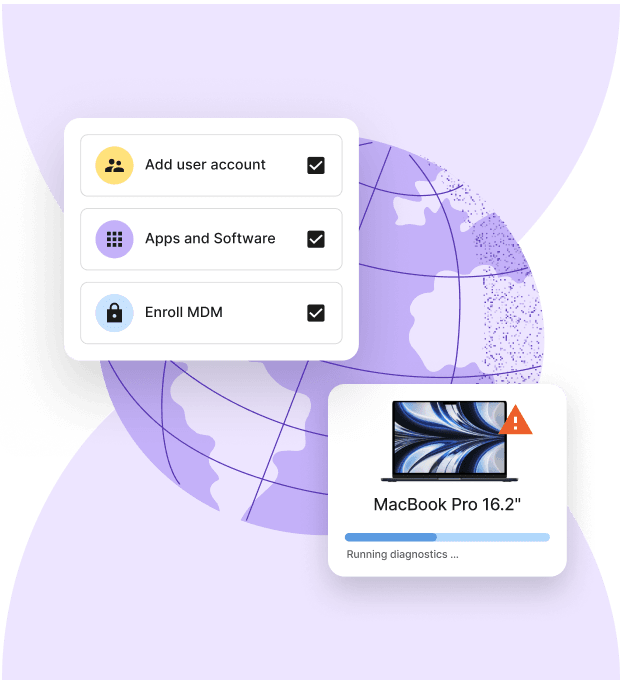
- Pre-configured and ready to work: Every device is preloaded with your tools, policies, and security settings. Apps are installed. Encryption is applied. MDM is active. New hires can log in and start working on day one.
- Global coverage, reliable logistics: Deel IT ships devices directly to employees in over 130 countries with a 99.5% on-time delivery rate. No warehouse detours. No customs surprises. No reseller roulette.
- 24/7 global IT support: Support teams handle device issues, repairs, replacements, and access changes across time zones, keeping employees productive at every stage.
- Secure offboarding and recovery: When someone leaves, access is revoked, devices are wiped and recovered, and equipment is reassigned or reused—without manual follow-ups or lost assets.
Ready to stop managing devices manually? Book a demo and see how Deel IT streamlines everything from device choice to full lifecycle management.

Michał Kowalewski a writer and content manager with 7+ years of experience in digital marketing. He spent most of his professional career working in startups and tech industry. He's a big proponent of remote work considering it not just a professional preference but a lifestyle that enhances productivity and fosters a flexible work environment. He enjoys tackling topics of venture capital, equity, and startup finance.