
Article
8 min read
How to Choose Health Insurance and 401(k) Software That Attracts Employees
Global HR

Author
Shannon Ongaro
Last Update
December 05, 2025

Table of Contents
Understand your employees’ benefits needs
Research health insurance and 401(k) software options
Prioritize personalization and employee guidance features
Ensure seamless integration with existing hr systems
Verify compliance support and customer service
Evaluate cost, scalability, and user experience
Test software through demos and free trials
Centralize local and global benefits with Deel

Explore this topic with AI
Key takeaways
- Start with employee needs and personas so your health and retirement plans—and the software behind them—match what people value.
- Prioritize platforms that guide choices, automate eligibility and deductions, integrate with HR/payroll, and strengthen compliance.
- Deel centralizes health and 401(k) administration with payroll-ready enrollments, global compliance support, and a smooth employee experience.
A strong benefits stack is now a hiring advantage. Candidates expect simple enrollment, transparent costs, and meaningful options for health insurance and retirement—delivered through modern software.
The right benefits administration platform should help you set up health insurance and 401(k) plans in a way that feels seamless for employees, integrates cleanly with payroll and HR, and reduces compliance and admin burden.
This guide walks you through how to evaluate platforms for both health and retirement, which features matter most for engagement, and how to validate ROI before you buy. We’ll also show how a unified platform like Deel helps you deliver a great employee experience while automating the busywork behind the scenes.
Understand your employees’ benefits needs
Before you pick any employee benefits platform, validate what your people actually value. A benefits needs assessment is a collaborative process to identify workforce preferences for coverage, cost, and plan features so you can optimize recruiting and retention.
Start with an employee benefits survey and a few short interviews across roles and locations. Use the data to align plan design and software features with workforce preferences and to increase benefits engagement.
Quick steps:
-
Define personas: single early-career, families, frequent travelers, remote employees.
-
Run a short pulse survey and optional focus groups.
-
Prioritize needs and budget tradeoffs, then map them to software capabilities.
Example questions to ask:
-
Health: Which plan types fit you (HMO, PPO, HDHP)? How important are mental health, telehealth, dental, and vision? Do you need family or dependent coverage?
-
Experience: Do you want a mobile app for enrollment? Help comparing out-of-pocket costs? Access to virtual advisors?
-
Retirement: Would auto-enrollment help? What match or vesting schedule feels competitive? Do you want managed portfolios or target-date funds?
See also: 12 Employee Benefits Trends: Understand the Perks of the Future
Benefits Administration
Research health insurance and 401(k) software options
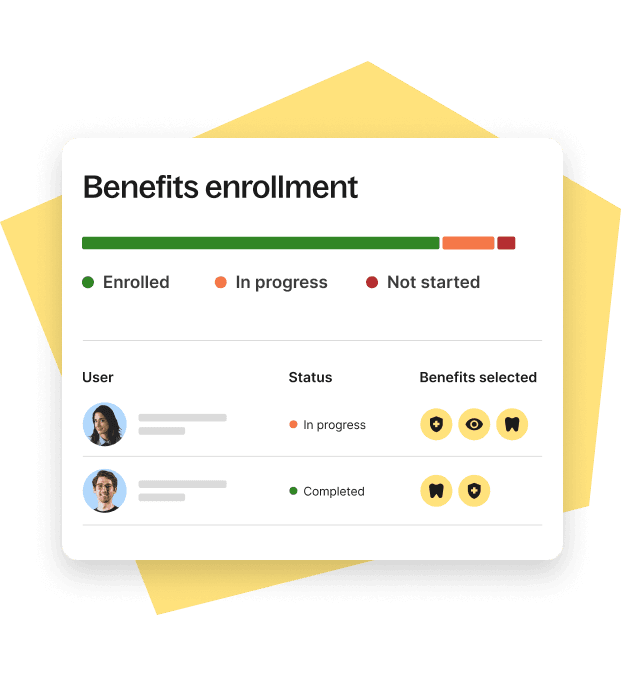
Benefits administration software is a platform that manages, automates, and tracks employee health and retirement plan enrollments, eligibility, deductions, and ongoing administration. Many tools also provide health plan decision support or 401(k) administration features such as auto-enrollment and contribution tracking.
A quick benefits platform comparison:
| Solution | Best For | Notable Features | Integration | Cost/Fee Structure |
|---|---|---|---|---|
| Deel | Local or global teams needing unified HR, payroll, and benefits | Guided onboarding, global compliance, payroll-deduction sync, localized docs, benefits enrollment, and deduction management | Connects HRIS, payroll, and accounting in one system | PEPM plus country-specific admin where applicable |
| ALEX by Jellyvision | Companies wanting decision support layered on top of existing enrollment | Personalized recommendations that reduce HR tickets and confusion | Works alongside major enrollment systems | Add-on licensing |
| PlanSource DecisionIQ | Employers seeking AI-driven health plan guidance | AI recommendations inside enrollment flow | Integrates with PlanSource and carriers | Add-on to PlanSource |
| Benefitfocus | Enterprises needing robust plan comparisons and cost projections | Side-by-side plan comparisons and projected costs | HRIS and carrier connections | PEPM plus implementation |
| Gusto | SMBs wanting basic payroll + benefits | Payroll-integrated benefits administration | Native with Gusto; select external syncs | Tiered PEPM + broker/benefit fees |
| TriNet (PEO) | Larger or multi-state orgs outsourcing HR, payroll, and benefits | Bundled benefits, compliance support, mobile access | HRIS and payroll ecosystem | Bundled PEO pricing |
| Guideline (401k) | SMBs seeking a dedicated 401(k) solution | Auto-enrollment, managed portfolios, payroll sync | Broad payroll integrations | Admin fees; investment fees apply |
See also: 5 Ways to Offer Health Insurance to Remote Workers
Deel HR
Prioritize personalization and employee guidance features
Personalized benefits guidance uses data such as family size, typical healthcare usage, and financial situation to tailor recommendations for each employee. Strong guidance yields higher-quality enrollments and fewer HR escalations.
What to look for:
-
Embedded guidance in the flow of enrollment (not a separate microsite).
-
Plain-language plan comparisons and out-of-pocket cost projections.
-
Retirement nudges such as default deferral rates, auto-enrollment, and auto-escalation.
Ensure seamless integration with existing hr systems
System integration is the seamless connection of benefits software with HR, payroll, and accounting to automate eligibility, payroll deductions, and enrollment updates. A well-integrated employee benefits platform limits manual data entry, reduces errors, and improves reporting.
Why it matters:
-
One source of truth for employee data and deductions
-
Faster onboarding and qualifying life event processing
-
Cleaner audits, analytics, and compliance documentation
Platforms such as Deel keep benefits data in sync with HR records and payroll, so enrollments and changes flow automatically.
Integration checklist:
-
HRIS and payroll connectors (which systems, real-time vs. batch)
-
Carrier feeds (EDI capabilities, frequency, error handling)
-
401(k) provider sync (contributions, loan repayments, eligibility)
-
SSO and identity management
-
Data governance (audit trails, role-based access, PII encryption)
-
Reporting exports (custom fields, finance integrations)
Deel's Built-In HRIS

Verify compliance support and customer service
Benefits compliance support includes automated eligibility tracking, ACA measurement and reporting, ERISA disclosures, SECURE Act alignment for retirement plans, audit logs, and document storage. For multi-state or global teams, this is essential.
What to assess:
-
Health: ACA forms, affordability checks, COBRA administration, dependent verification
-
Retirement: Enrollment compliance, nondiscrimination testing support, notices, audit-ready logs
-
Global: Country-specific requirements, localized documentation, statutory benefits
Customer service matters just as much:
-
Channels: live chat, phone, email, knowledge base
-
SLAs and hours (especially across time zones)
-
Dedicated customer success vs. ticket queues
-
Implementation support and admin training
Evaluate cost, scalability, and user experience
Scalability is a platform’s ability to support growth—adding employees, new plan types, or new countries—without major rework. Evaluate whether the software can expand with your headcount and footprint.
User experience to validate:
-
HR admin: Intuitive dashboards, configurable eligibility rules, clear carrier and 401(k) feeds
-
Employee: Enrollment support, side-by-side plan comparisons, real-time deductions and contribution tracking, accessible language
Cost drivers comparison:
| Cost Driver | What to Evaluate | Why It Matters |
|---|---|---|
| PEPM fees | Which modules are included (health, 401k, COBRA)? | Avoid surprise add-ons |
| Implementation | Timeline, carrier and 401(k) feed setup, data migration | Impacts speed to value |
| Broker/Carrier fees | Who is the broker of record? Any carrier admin charges? | Total cost of ownership |
| 401(k) admin fees | Plan admin, advisory, and investment fees | Participation and fiduciary value |
| Support | Included vs. premium tiers | Ensures adequate help for your team |
Deel on G2

Test software through demos and free trials
Hands-on testing catches usability gaps before rollout. Book demos, request sandbox access, and simulate real enrollment scenarios with a small pilot group.
How to run an effective trial:
-
Identify internal testers: 2–3 HR admins plus 5–10 employees representing different personas and locations.
-
Use an evaluation checklist: Plan comparisons, cost calculators, mobile enrollment, payroll sync, carrier/401(k) feeds, reporting, and admin controls.
-
Simulate real workflows: New hire enrollment, qualifying life events, open enrollment changes, contribution updates, and payroll deductions.
-
Collect candid feedback and time-on-task metrics; ask, “Could you complete this without help?”
See also: How to Select an Employee Benefits Provider in 9 Steps
Centralize local and global benefits with Deel
If you want benefits that attract talent and run themselves, choose a platform that personalizes employee guidance, integrates across HR and payroll, and keeps you compliant wherever you hire.
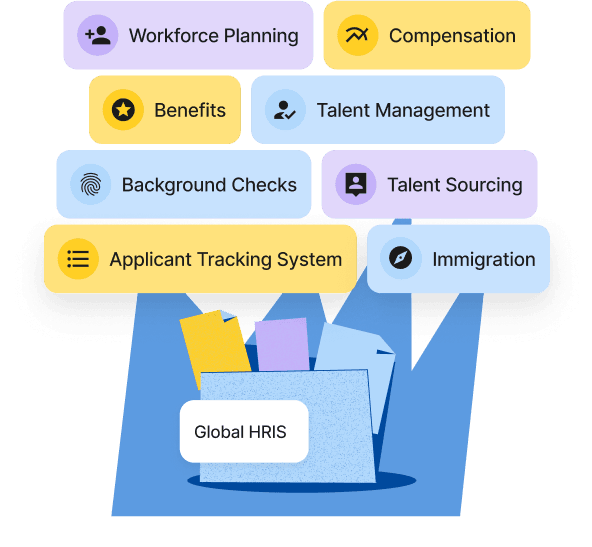
Deel unifies HR, payroll, immigration, and benefits in one system, so enrollments, deductions, and compliance workflows stay in sync across states and countries. You gain guided onboarding for employees and audit-ready reporting for finance and legal.
With Deel, you can:
- Set up health insurance and 401(k) plans with integrated payroll deductions and eligibility rules
- Offer country-specific benefits alongside optional global coverage
- Provide employees with clear plan comparisons, mobile enrollment, and real-time contribution visibility
See how it works: Explore Deel’s employee benefits software and book a tailored demo with an expert.
FAQs
How do employees compare health insurance plans effectively?
Decision-support tools let employees compare coverage, networks, deductibles, and projected out-of-pocket costs so they can choose the best-fit plan.
What 401(k) software features increase employee participation?
Auto-enrollment, easy mobile enrollment, clear dashboards, and personalized nudges (like default deferral rates) boost sign-ups and ongoing contributions.
How can benefits software help maintain legal compliance?
Modern platforms automate required notices, track eligibility, produce audit logs, and update workflows in line with federal and state rules.
What is the best way to balance health and retirement benefits?
Align with workforce feedback and market benchmarks, offer comprehensive health coverage plus a competitive 401(k) match to attract and retain talent.
How important is integration between benefits and payroll systems?
Integrations streamline data flow, reduce errors, and automate payroll deductions for a smoother experience for HR and employees.
Shannon Ongaro is a content marketing manager and trained journalist with over a decade of experience producing content that supports franchisees, small businesses, and global enterprises. Over the years, she’s covered topics such as payroll, HR tech, workplace culture, and more. At Deel, Shannon specializes in thought leadership and global payroll content.


