Article
2 min read
Deel Plugin: HR that works wherever your team does
Global HR
Author
Jase Assor
Last Update
August 31, 2026

Employees ask HR the same handful of questions on repeat: how much vacation is left, when payday lands, what the parental leave policy covers. Managers still open a separate portal just to approve the request sitting in their inbox. Multiplied across a growing team, that's hours of HR's week answering things employees could look up themselves, and managers stepping out of their day to click approve somewhere else.
The Deel Plugin puts those actions inside Slack and Teams instead. Managers approve time off, expenses, and contract changes right where the request lands, no separate portal required. It's included with every Deel plan, at no extra cost. And if you're already checking in from your phone, the Deel mobile app carries the same approvals with you, alongside everything else it already does.
The bigger change is on the AI side. The Deel AI assistant now lives in Slack's dedicated AI panel: a split-view window that opens from Slack's top navigation and stays open as your team moves between channels. Answers stream in as they're generated, with suggested prompts ready to go, so employees don't need to know what to ask. It answers from each person's actual leave balance, payslip, benefits, and contract, not a generic help article.
Deel HR
One place for simplified, smarter global HR
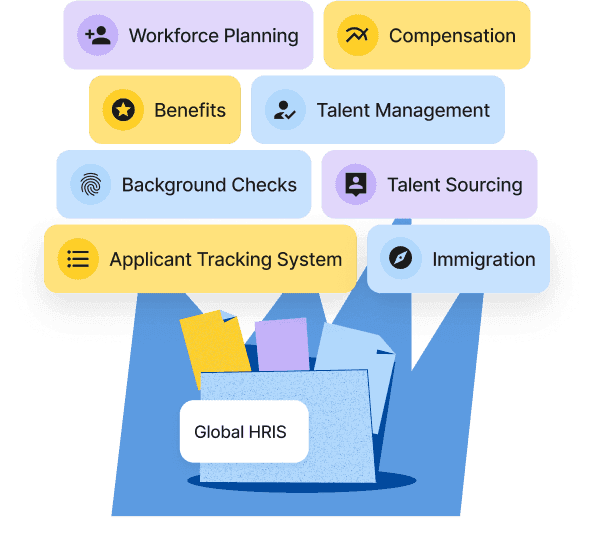
For HR and People Ops, that means fewer tickets and less manual reconciliation. For managers, it means clearing a queue from wherever they are instead of saving it for when they're back at a desk. For employees, it means an answer to a real question instead of a link to a help article.
What sets the Deel Plugin apart
Plenty of tools can post a notification into Slack. Far fewer can act on it. A notification-only integration tells a manager something needs attention, then sends them back to a portal to actually approve it. The Deel Plugin skips that step: the approval happens in the same message, in Slack or Teams, because Deel's HR and payroll data lives in one system, not stitched together from a point tool. The AI assistant works the same way. It isn't answering from a generic policy document; it's pulling from the specific leave balance, payslip, benefits, and contract tied to that employee, because that's the data Deel already holds. And if an admin has turned AI off for their organization, the assistant says so plainly instead of going quiet.
The Deel Plugin in action
A manager gets a time-off request in Slack on Monday morning and approves it in one click, without opening Deel. An employee opens the Deel AI panel from Slack's top navigation and asks how many vacation days they have left. The answer streams in immediately, pulled from their actual balance, with a few suggested questions underneath in case they want to ask something else, like when their next payslip lands or what's on file for them. At the start of the week, Deel Pulse sends a short digest to everyone: what's pending, who's out, and what needs a decision, each with a button to act on it right there.
More is coming: expense submission by photo, a full approvals hub inside Teams, and HR cases you can raise directly from chat.
If you're already on Deel, the Plugin is included in your plan. Turning it on takes a few minutes, and your team will feel the difference the same day.
Not on Deel yet and want to see it work in Slack or Teams live?
Live Demo
Get a live walkthrough of the Deel platform