Article
8 min read
What's coming to Deel in August
Deel news

Author
Deel Team
Last Update
August 05, 2026
Table of Contents
Deel HR
HRIS
Engage
Talent
Deel Benefits
Deel Payroll
Employer of Record
Contractor
Deel IT
Deel Mobility
Deel Platform
What’s shipped over this past month
Talent
ATS
Engage
Workforce Planning
Compensation
Deel Payroll
Contractor
PEO
Deel IT
Deel Platform
On August 12th, the double-keying between Oracle Fusion and Deel Payroll is gone for good, with a native HCM integration that cuts down on manual entry errors. The releases reach well beyond payroll too—a redesigned homepage that tells you what needs your attention, e-signatures for anyone outside your org, a faster org chart, and one real view of compensation for every worker.
Here’s what’s changing, and what your team needs to do before they land.
Deel HR
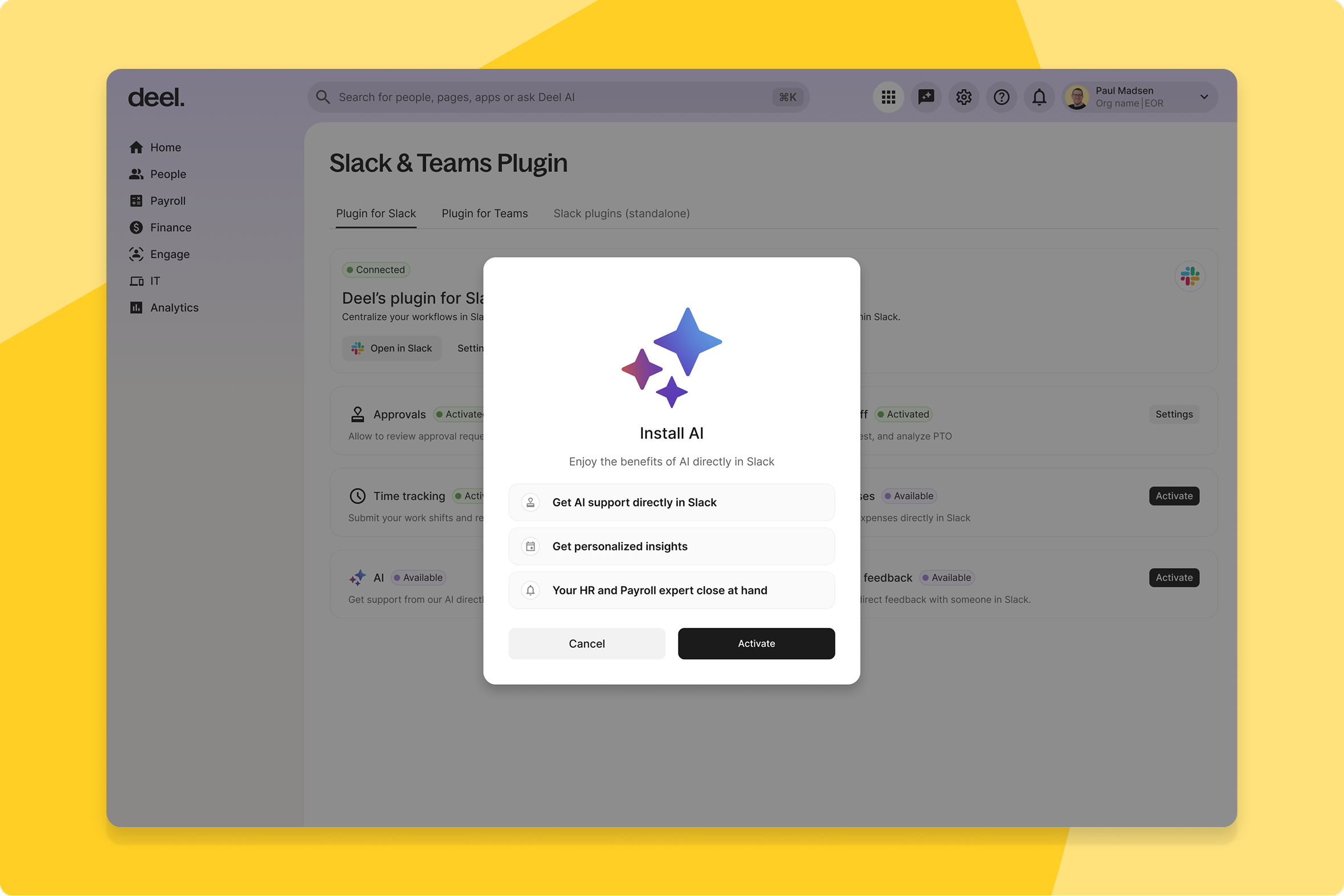
Improved AI experience in Deel Plugin
The Deel Plugin Slack app now runs on a more advanced conversational AI, replacing the older endpoint that powered it.
What this means for you: Workers get sharper, more context-aware answers without leaving Slack, which should mean fewer people going around the plugin—or opening a support ticket—just to get a straight answer.
How you can prepare: No setup needed — the upgraded AI experience is live automatically.
HRIS
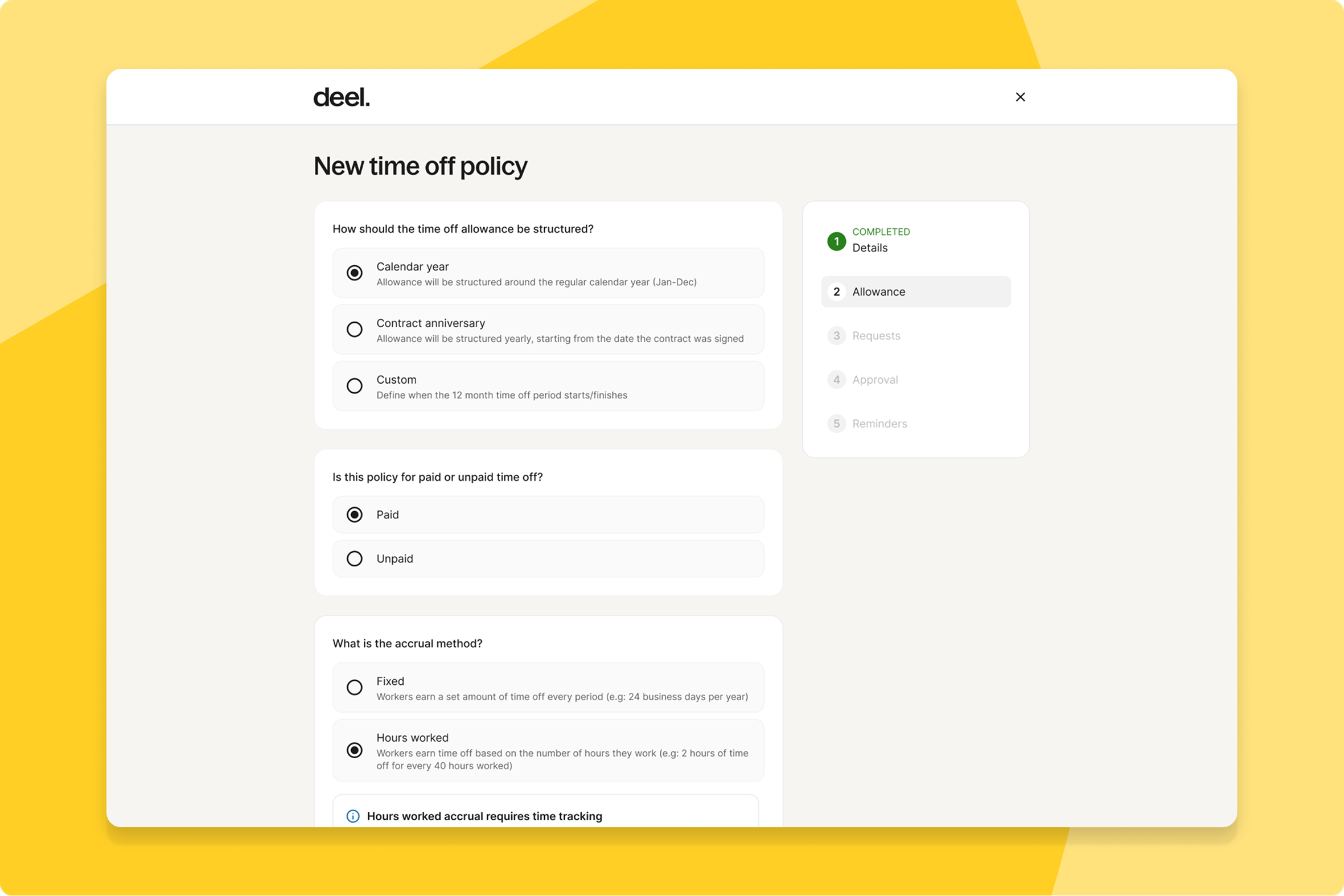
Global hours-worked time off accrual
Admins managing hourly and salaried workers can now accrue time off based on actual hours worked in any country, not just the US—Deel Payroll and HR teams get automated, compliant accruals for the UK, Australia, and Netherlands with country-specific rules.
What this means for you: You can expand hourly workforces into these markets without building your own accrual logic or risking a compliance miss on country-specific rules.
How you can prepare: When creating a time off policy, choose Time Tracking or the Shifts Open API as your hours source and follow the in-product guidance. Note that sending non-shift data (like time off) through the Shifts API may affect accrual accuracy.
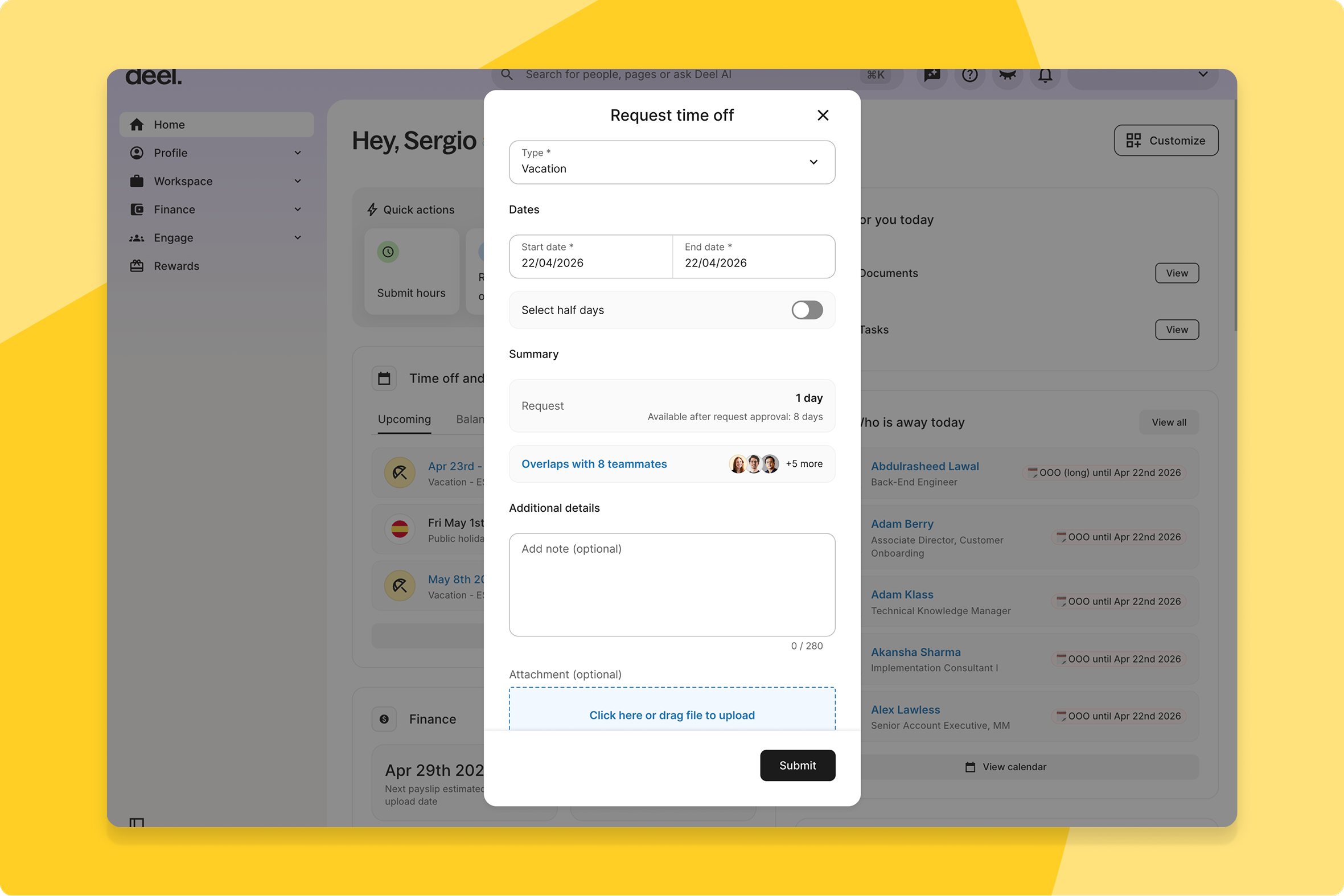
Teammate time-off overlap visibility
Workers requesting time off and managers approving it can now see which teammates are already off during the same dates, in both the Deel app and Slack — with admins defining how a "team" is determined.
What this means for you: Managers stop approving time off blind and finding out about a coverage clash after the fact—the overlap is visible before they approve.
How you can prepare: Admins can define what counts as a "team" and toggle time off visibility per policy in Time Off settings.
AI-powered org chart edits
HR and org admins can now manage worker relations, org structure, and seniority through AI-powered prompts, directing an AI agent to make bulk edits across the org chart instead of updating records one by one.
What this means for you: Large-scale reorgs that used to mean editing dozens of records individually can now be described in a prompt and applied in bulk.
How you can prepare: No setup needed — this improvement is automatically available.
Engage
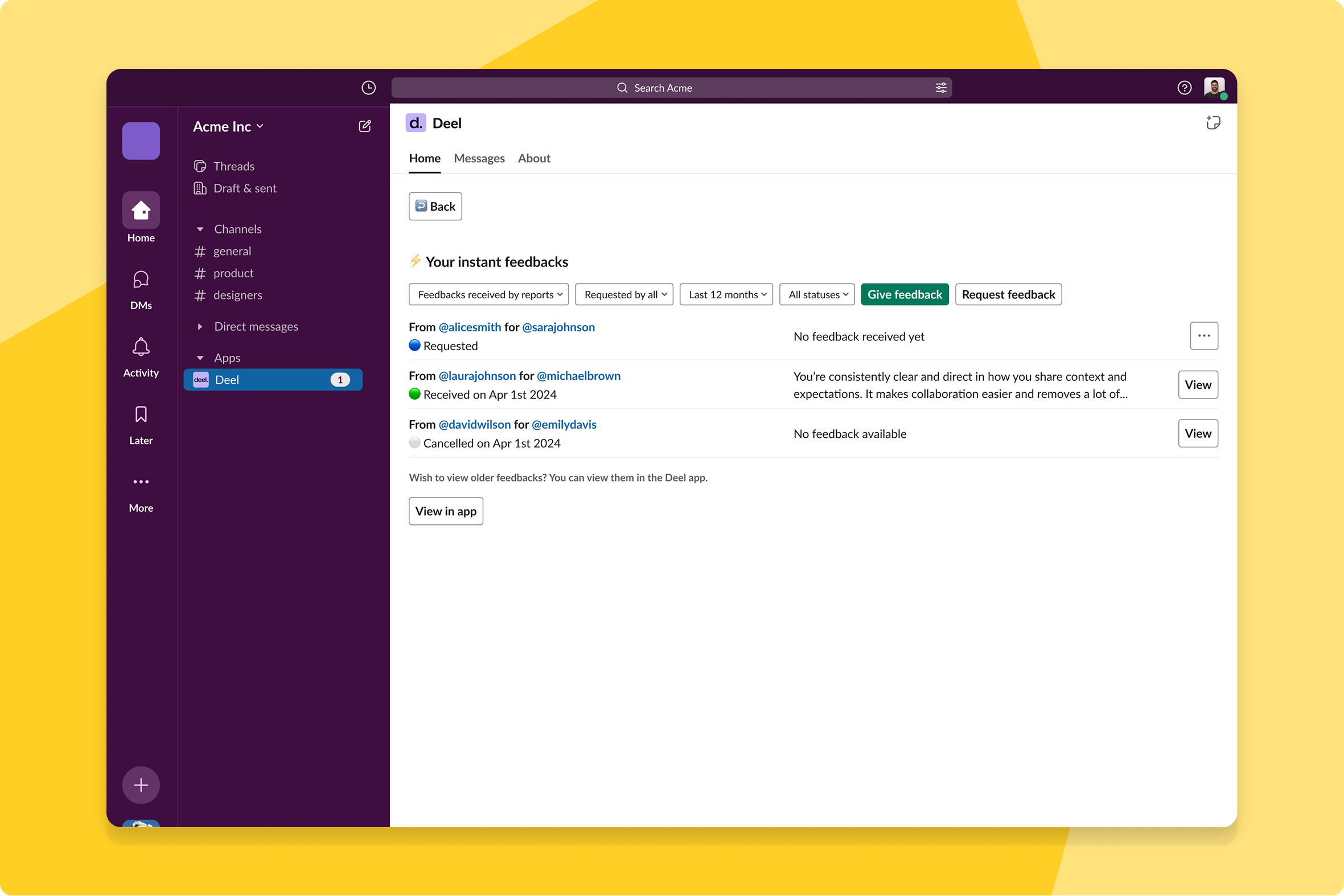
Instant feedback from Slack
All workers can now give and receive feedback directly in Slack, and it's captured in Engage instead of getting lost in a thread or an email.
What this means for you: Peer recognition and feedback become visible in the moment and automatically feed into review cycles and check-ins later, instead of disappearing the day it was given.
How you can prepare: No setup needed — this improvement is automatically available.
Bulk goal editing via CSV
Admins and managers can now edit multiple goals at once via CSV — select goals, export them, update fields offline, and re-upload to apply changes in bulk instead of editing every goal one by one.
What this means for you: Updating goals at scale during goal-setting season goes from a manual slog to a single export-edit-reupload pass, with built-in validation catching errors before they land.
How you can prepare: No action needed — this rolls out in phases. Once live, select goals, export to CSV, edit offline, and re-upload to apply updates.
AI goal suggestions
Anyone creating a goal in Engage can now select "Create with AI" and turn a few lines of context into a fully structured goal draft — complete with rationale, urgency, importance, and recommended subgoals.
What this means for you: New hires and first-time goal-setters get a guided starting point instead of a blank page, so goal quality and alignment don't depend on how practiced someone already is at writing goals.
How you can prepare: No setup needed — this improvement is automatically available.
Configurable review cycle timelines
Admins can now set start and end dates for each review cycle phase on a timezone-aware calendar view, with timelines editable right up until launch.
What this means for you: Clearer deadlines and preview windows mean fewer confused participants and fewer late submissions for your People team to chase down after the fact.
How you can prepare: No setup needed — this improvement is automatically available.
Talent
Email conversations available in Talent
Clients and Talent Partners can now communicate directly through email while every conversation stays logged in Deel, routed through a job-specific masked email address.
What this means for you: Teams get to stay in their inbox without losing visibilityq—replies are automatically logged and everyone stays aligned on where a job request stands.
How you can prepare: No setup needed — when a job request is created, an intro email connects Clients and Talent Partners automatically, with replies logged in the "Email Conversation" tab of the Job Request.
Deel Benefits
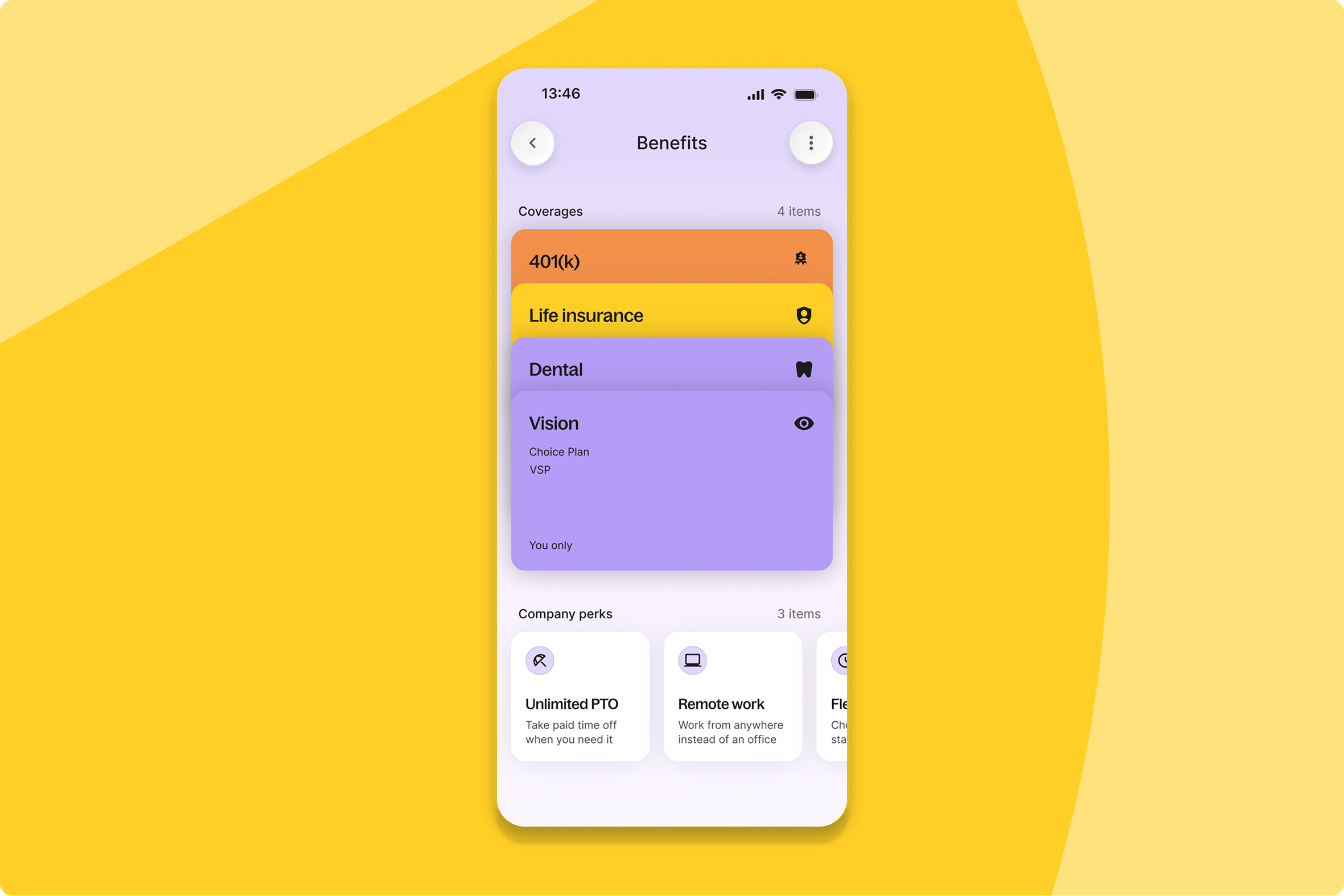
Native mobile benefits management
Employees enrolled in benefits across EOR, Deel Payroll, and PEO can now see coverage, costs, documents, and manage beneficiaries right from the Deel mobile app — capabilities that used to require a desktop.
What this means for you: Employees no longer need to log in on web to check a claim or update a beneficiary—the full benefits experience now travels with them, which should mean fewer "how do I find my plan documents" tickets to your HR team.
How you can prepare: No setup needed — enrolled employees can open the Deel mobile app and tap the Benefits widget on the Finance/home screen to explore coverage now.
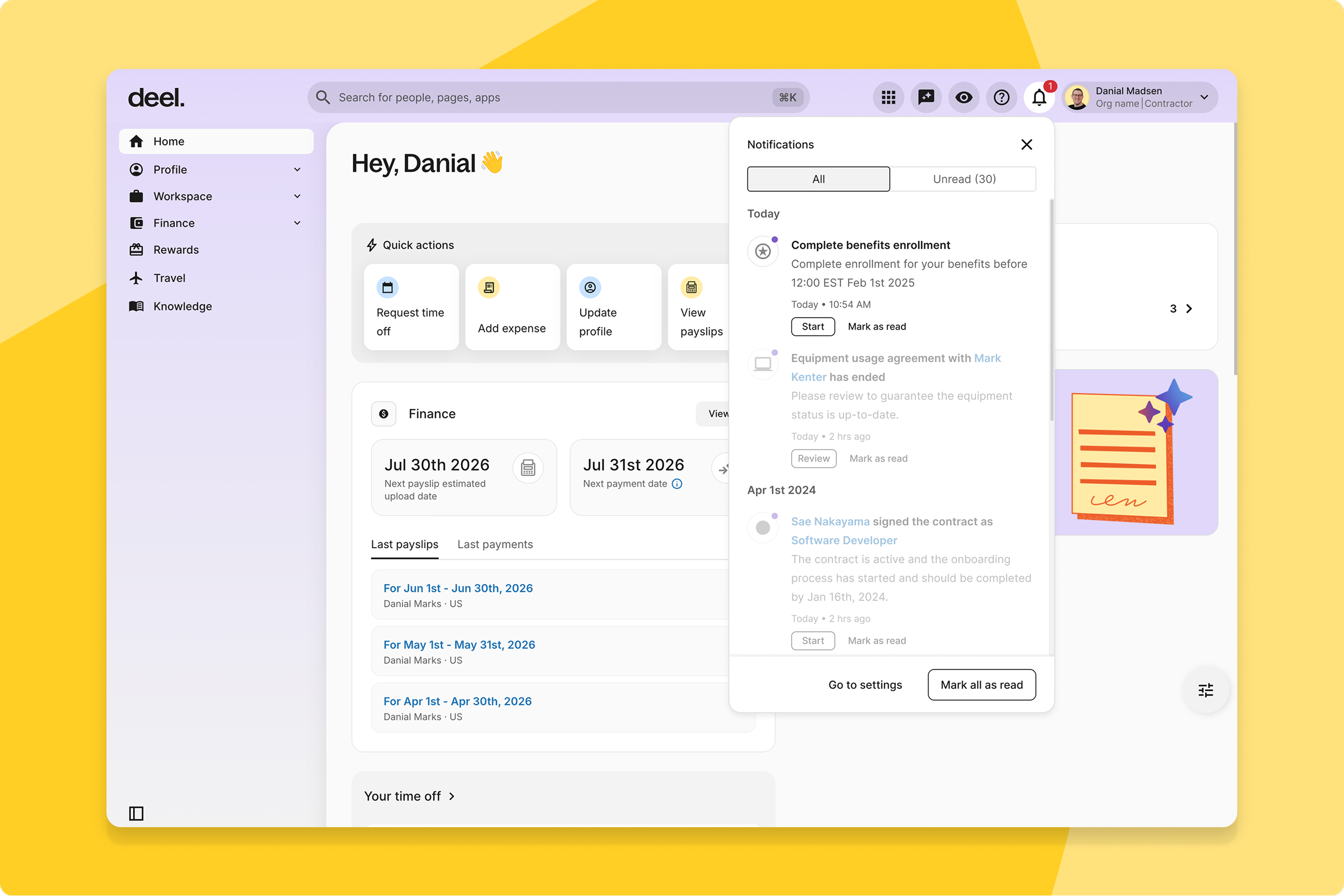
Benefits enrollment notifications and reminders
Employees get proactive reminders when an enrollment window opens and a mandatory confirmation once their enrollment lands, while clients get status summaries, QLE approve/reject notifications, and the ability to nudge stragglers.
What this means for you: Fewer missed enrollments and QLE deadlines mean fewer downstream benefits gaps for your HR team to clean up after the fact.
How you can prepare: No setup needed — notifications run automatically, and clients can also trigger ad-hoc reminders to specific employees during an active window.
Deel Payroll
Oracle Fusion HCM integration
Clients using Oracle Fusion as their HRIS platform now get a native integration with Deel Payroll, eliminating double-keyed data and cutting down on manual entry errors.
What this means for you: Payroll teams get one less manual data-entry step and one less place for errors to creep in between Oracle and Deel.
How you can prepare: No setup needed — this integration is automatically available.
Redesigned mass edit upload flow
Payroll admins can now upload payroll inputs through a guided four-step flow that supports both CSV and XLSX, auto-checks the data, and surfaces contextual, issue-by-issue errors instead of one generic failure message.
What this means for you: Your team fixes problems inline before anything is submitted, rather than starting the whole upload over after a vague rejection — so submissions succeed the first time.
How you can prepare: No setup needed — this improvement is automatically available. Learn more at help.letsdeel.com/payroll-submission-mass-edit.
Single source of truth for compensation data
HR admins and payroll operations now see one unified compensation UI across all worker types on Contract Detail pages, instead of fragmented views per worker type.
What this means for you: Less time reconciling comp data across different screens, and fewer opportunities for the same number to get entered two different ways.
How you can prepare: No setup needed — this improvement is automatically available.
Unified mass onboarding experience
Admins onboarding multiple Deel Payroll workers can now use Deel's unified Mass Import Framework, bringing AI-assisted CSV mapping, optional field selection, and a real-time import dashboard to Deel Payroll—the same experience already available for other worker types
What this means for you: Bulk onboarding for Deel Payroll workers finally matches the smoother experience your team may already know from other worker types, with AI doing the CSV-mapping guesswork.
How you can prepare: No setup needed — this becomes available automatically once your Deel Payroll onboarding migrates to the new framework.
Employer of Record
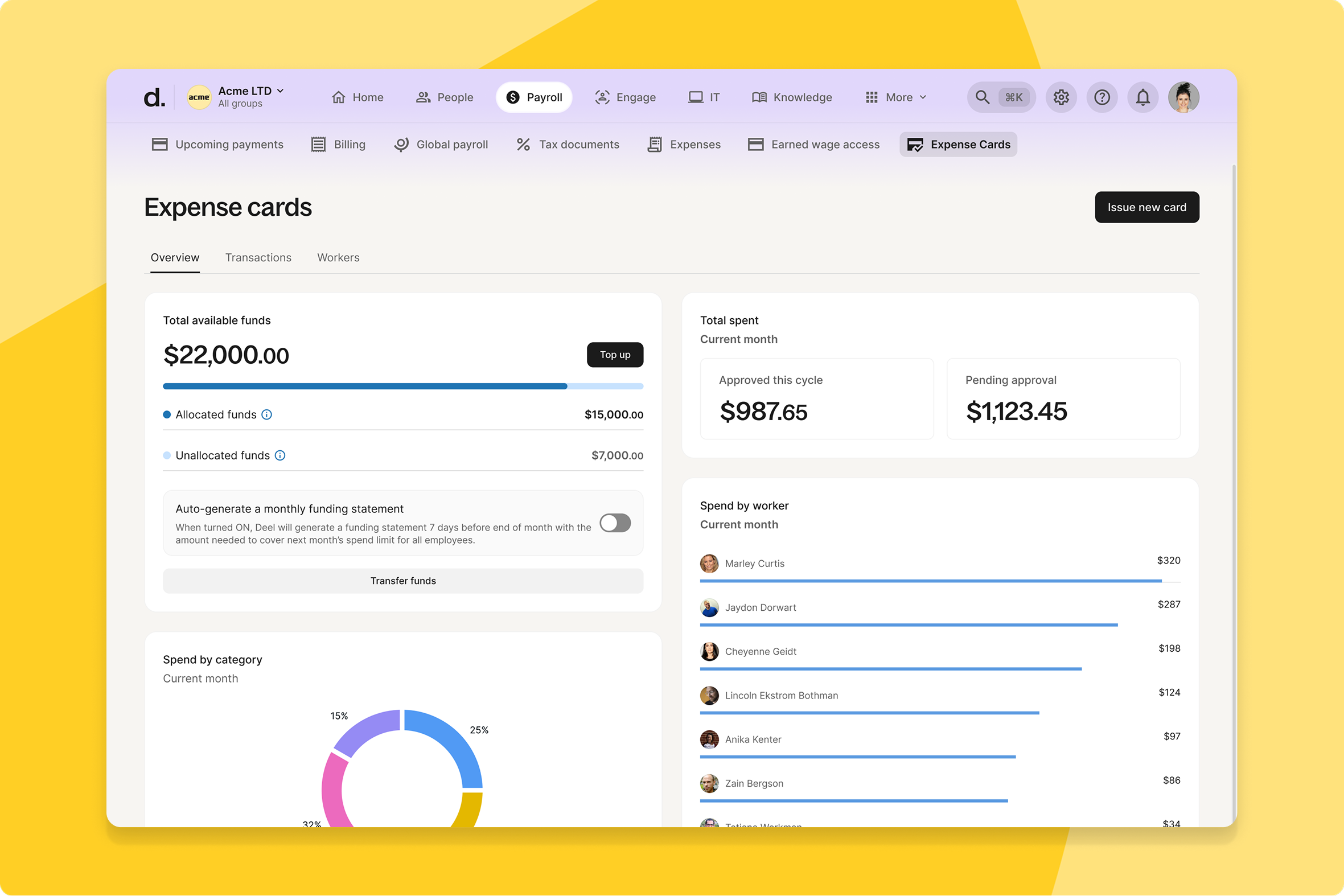
Self-serve Expense Card withdrawals
EOR clients using Expense Cards can now reclaim unused funds themselves—a self-serve withdrawal flow moves both allocated and unallocated balances back into General Funds.
What this means for you: Finance teams get direct control over idle Expense Card balances instead of needing to go through support to get funds back.
How you can prepare: To withdraw funds, navigate to your Expense Card wallet and move unused balances back to General Funds.
Automated expense reconciliation
Employees and Finance teams can now rely on automated expense reconciliation — Deel matches card expenses to transaction statements as source documents, clearing stuck draft expenses and closing reconciliation gaps without manual intervention.
What this means for you: Finance no longer has to manually chase down and match card expenses to statements — draft expenses that used to get stuck now resolve on their own.
How you can prepare: No setup needed — card expenses now reconcile using transaction statements automatically.
Contractor
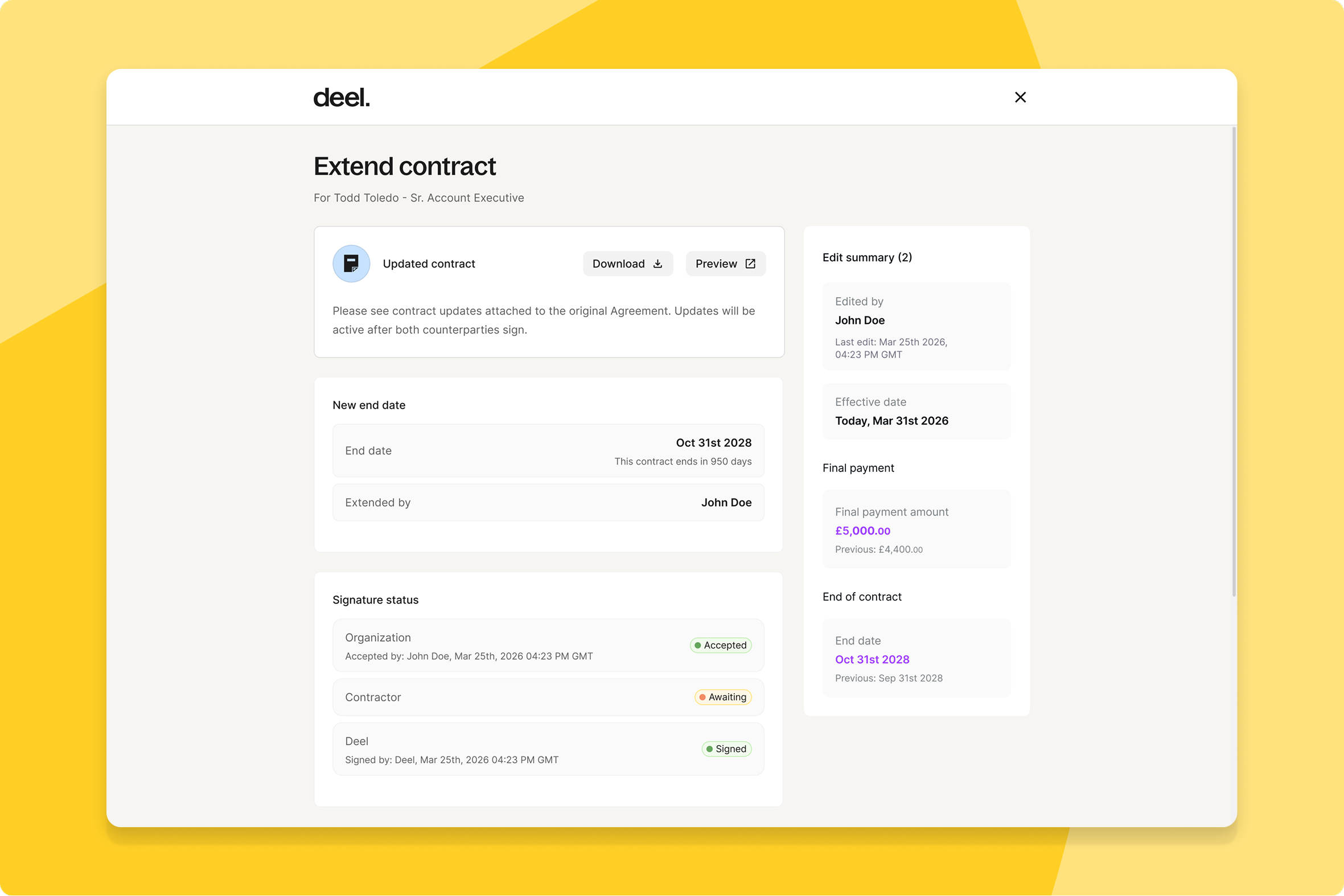
Enable extension flow for COR contracts
Contractor clients and contractors can now extend Contractor of Record (COR) contracts directly in Deel, instead of coordinating renewals manually off-platform.
What this means for you: Renewals stay inside Deel's compliance guardrails end to end, so contractors keep working without a gap and your team avoids the manual paperwork chase that used to come with every extension.
How you can prepare: No setup needed — the extension flow is available automatically for COR contracts.
Deel IT
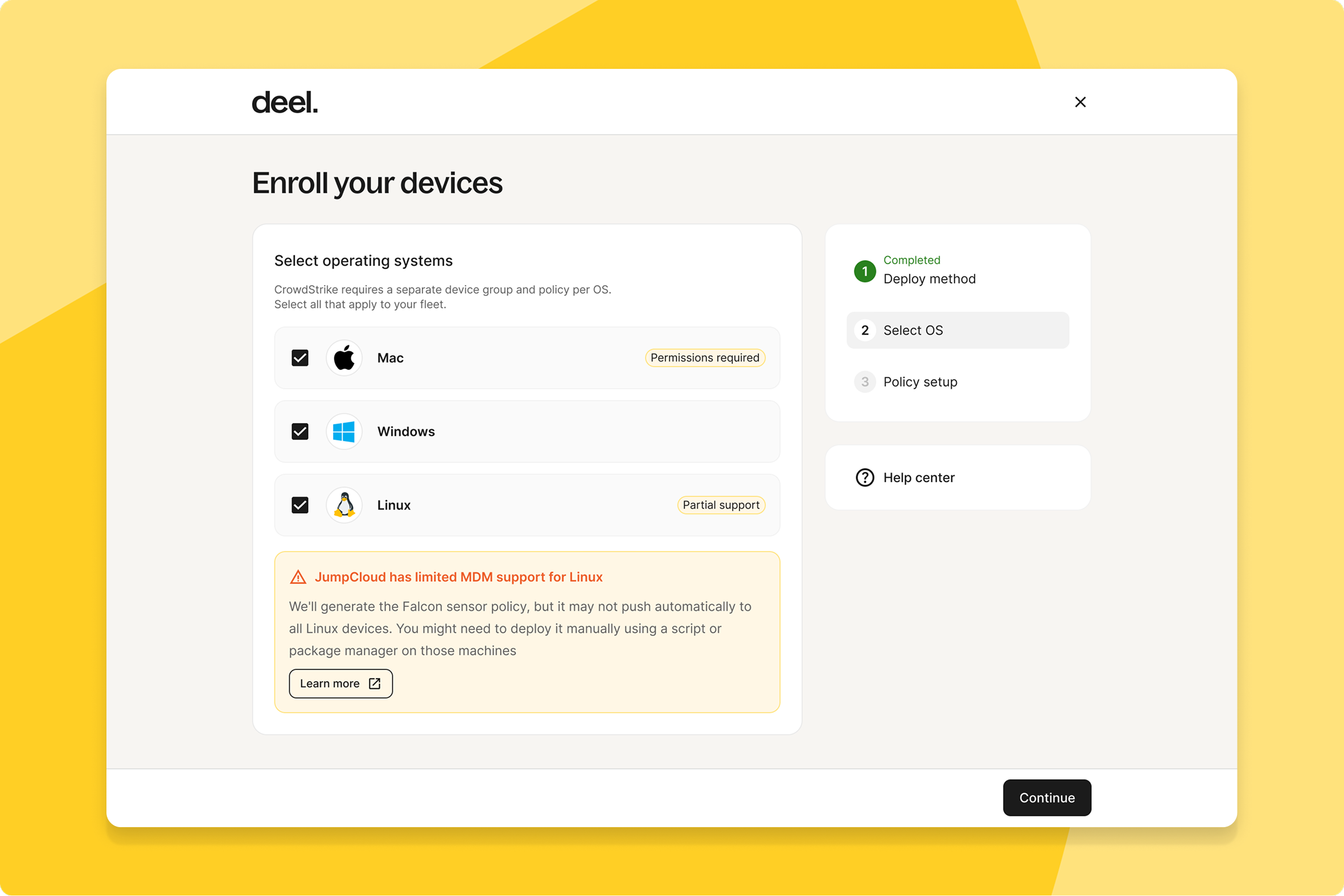
CrowdStrike and asset tracker serial matching
IT and Security teams can now see CrowdStrike and Deel's asset tracker records linked automatically by serial number, with endpoint protection health showing alongside each asset.
What this means for you: No more manually cross-referencing two separate device lists to check whether a laptop is protected—the two systems now speak to each other.
How you can prepare: No setup needed — this is automatically available for clients with CrowdStrike EPP connected through Deel IT.
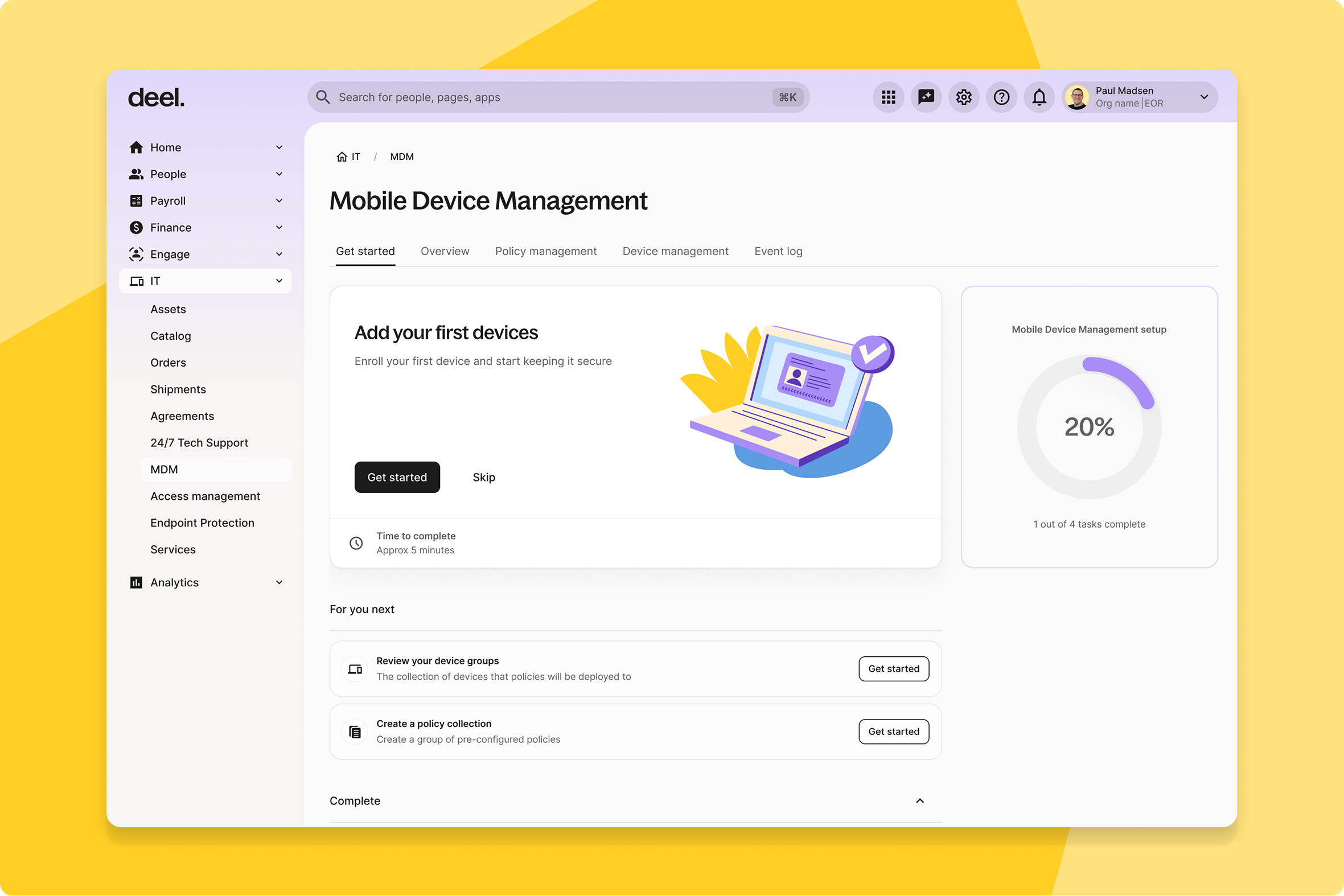
Self-serve guided MDM onboarding
IT admins can now set up their MDM environment end to end directly in Deel IT, with guidance that adapts to whether they're a new or existing JumpCloud user.
What this means for you: You can go from purchase to a fully active MDM setup without waiting on a CSM or Deel IT handoff.
How you can prepare: No setup needed — new and existing Deel IT clients can start the guided flow now.
Guided self-serve IAM onboarding
IT admins at growing companies can now set up identity and access management on their own, walk through a 4-step flow that connects their IdP, syncs users, enables a policy, and submits a first request—with a built-in assistant on hand.
What this means for you: Smaller IT teams can stand up IAM without needing hands-on help from Deel, shortening the time between signing up and actually being protected.
How you can prepare: No setup needed — new IT admins land on the guided Overview page automatically at first login.
Deel Mobility
Visa eligibility tool
Anyone can now describe a business trip or relocation and get a personalized visa recommendation powered by Deel's immigration expertise—and open a case with Deel's immigration experts and lawyers if they want to move forward.
What this means for you: You get an instant read on visa feasibility, including minimum salary, education, experience, and duration requirements, before committing time to a hire or relocation.
How you can prepare: No setup needed — this is automatically available.
Deel Platform
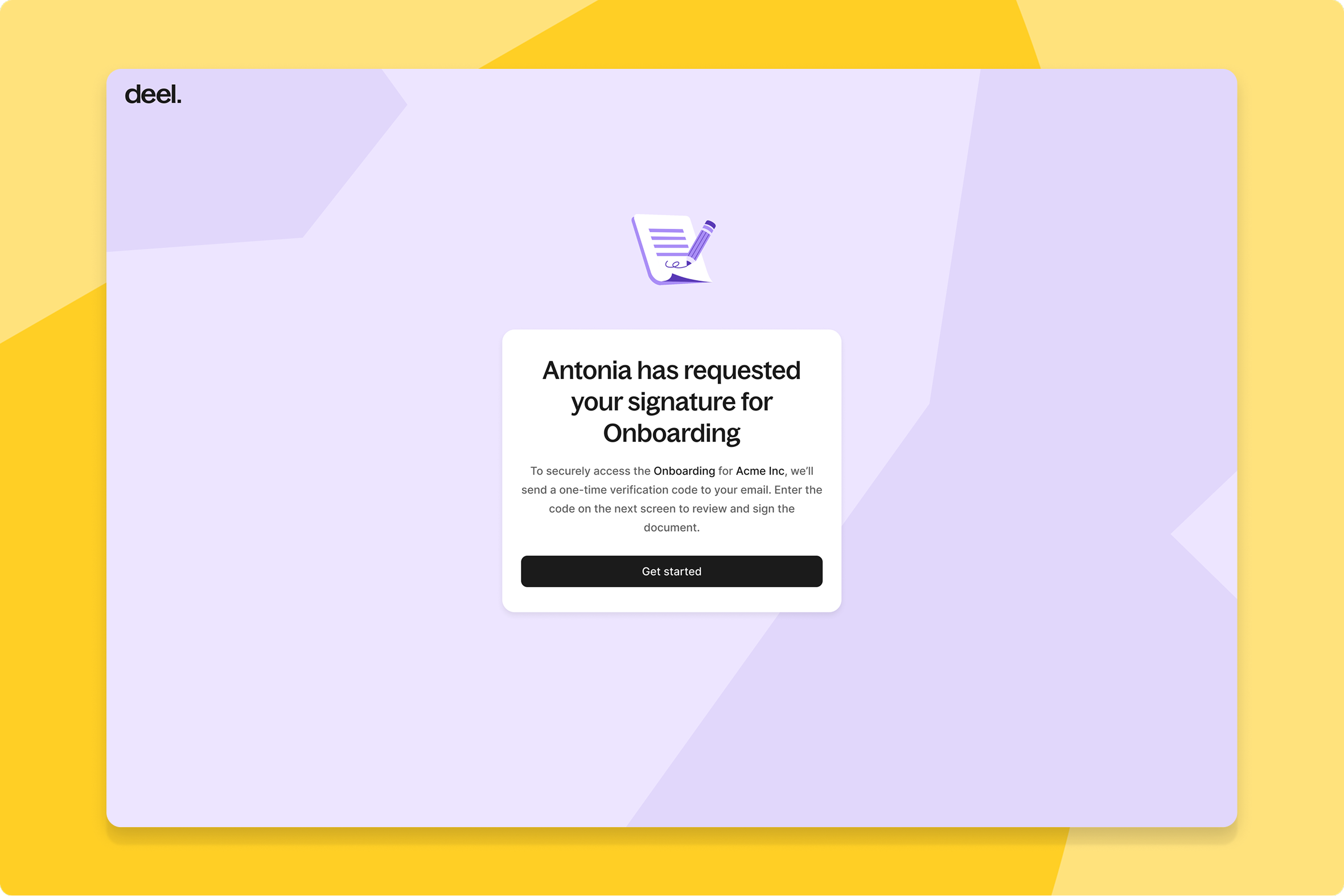
External document e-signatures
Admins can now send documents out for signature to anyone outside their organization — vendors, clients, legal reps, off-platform contractors — with recipients verifying by one-time code and signing without needing a Deel account.
What this means for you: Your entire document workflow and audit trail stays in one place even when the signer has never touched Deel, instead of splitting across email and a separate e-signature tool.
How you can prepare: Open Custom Documents, choose "Send externally," upload a PDF or select a template, place your fields, and enter the recipient's name and email.
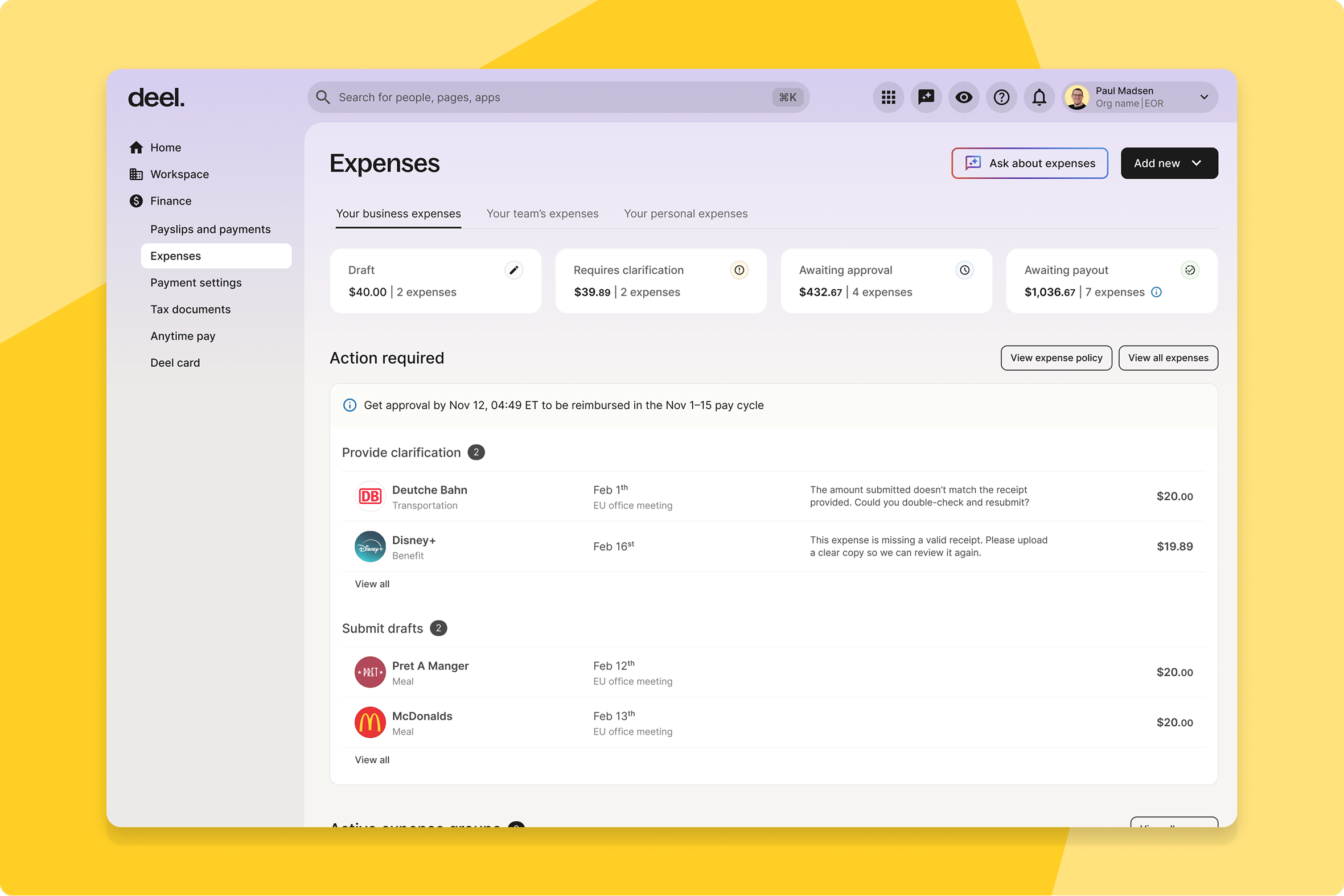
New landing page with modular elements
Clients and workers now land on a redesigned homepage that highlights exactly what action is required from them, instead of a generic dashboard.
What this means for you: Less time hunting for what needs your attention today — the landing page now tells you directly.
How you can prepare: No setup needed — this improvement is automatically available.
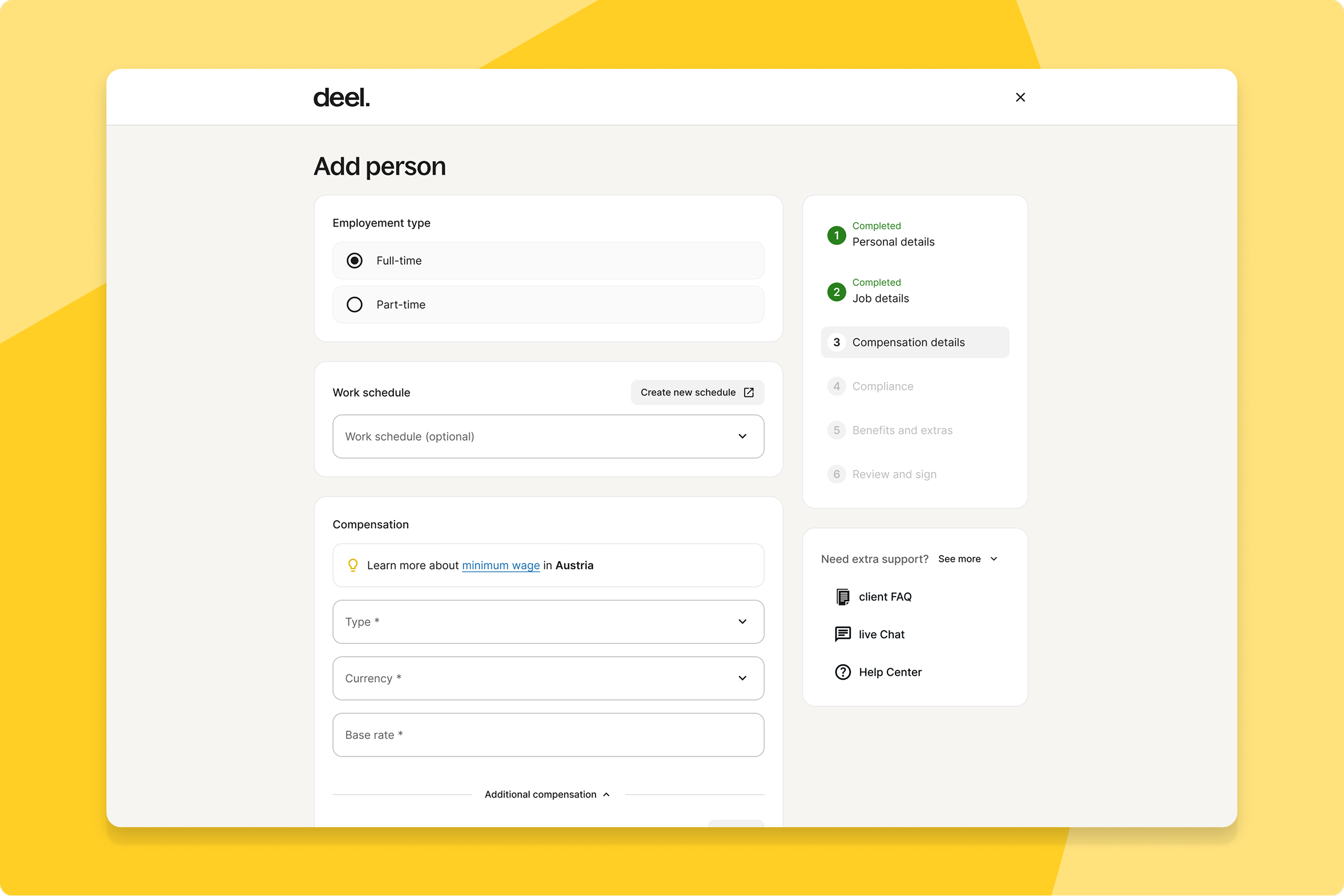
Inline minimum wage guidance
Clients creating contracts now see the applicable statutory minimum wage inline as they enter compensation values, instead of finding out later at payroll or audit.
What this means for you: Compliance guidance shows up exactly when a pay decision is being made, so your team can catch an underpayment before it becomes a payroll correction or an audit finding.
How you can prepare: No setup needed — this guidance is automatically available in the contract creation flow.
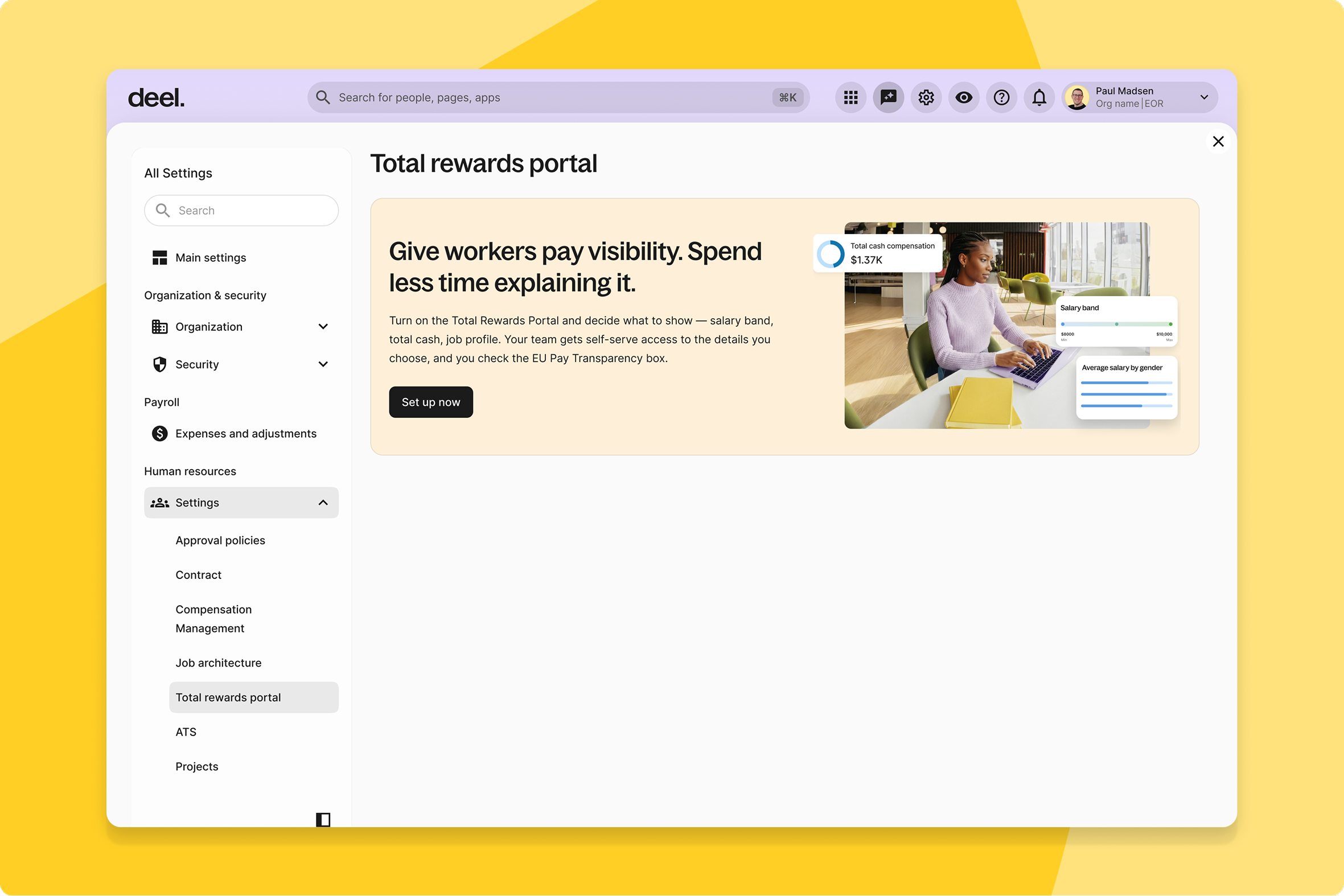
Total rewards portal for everyone
Every worker on Deel now gets a Compensation details page showing their total cash breakdown, year-over-year progression, and comp history—a view previously limited to Compensation Management customers—and managers and admins can view reports' compensation through permission-scoped access.
What this means for you: Pay conversations have one shared, contextual source of truth instead of workers and managers piecing information together from scattered profile tabs.
How you can prepare: No setup needed — the baseline Compensation details page is automatically available to all workers. Admins using Job Architecture can enable JA visibility from the new standalone configuration entry point.
Unified AI automation canvas
HR Directors and workforce ops teams can now build automations that combine deterministic logic, AI agents, and human approval steps on one canvas—workflows can pause for manager sign-off, invoke AI agents mid-process, and survive service restarts.
What this means for you: Processes that used to need a separate workflow tool and a separate AI agent platform can now live in one place, with nothing lost if a multi-day process gets interrupted partway through.
How you can prepare: Explore Agentic Workflows to build your first automation in under 30 minutes — your existing workflows keep running unchanged, no migration required.
AI-suggested folder templates
Admins can now let an AI agent scan document folders across employee profiles, spot recurring patterns, and suggest folder templates to standardize — admins stay in control, reviewing each suggestion before accepting, editing, or dismissing it.
What this means for you: You get consistent document organization across profiles without manually auditing and rebuilding folder structures one by one.
How you can prepare: When you're ready, review your AI-suggested templates in Documents Settings and accept, edit, or dismiss each one.
Enhanced expense review experience
Reviewers and line managers can now investigate and resolve expense issues faster with contextual drawers for issues, activity, and policy, AI-guided resolution, and a redesigned detail view.
What this means for you: Approvals move faster because reviewers see the full context—issue, activity, and policy—in one place instead of digging across multiple screens.
How you can prepare: No setup needed — this improvement is automatically available. Learn more at help.letsdeel.com/expenses-review.
Conditional approval policies
Admins can now define amount-based rules for expense approval, so high-value expenses are automatically routed to the correct approver.
What this means for you: High-value expenses stop relying on someone manually remembering to reroute them—the right approver sees them from the start, cutting compliance risk.
How you can prepare: No setup needed — this improvement is automatically available.
Faster, modernized org chart
HR managers and admins get a redesigned org chart with much faster load times, a modern interface, and new view types, with backend improvements laying the groundwork for upcoming interactive features.
What this means for you: A large org chart that used to lag now loads quickly, and the new view types make it easier to actually navigate your structure day to day.
How you can prepare: No setup needed — explore your updated org chart directly in the Deel Platform.
Enhanced org chart visibility settings
Organization admins and HR managers can now customize org chart visibility at the entity and group level, not just company-wide.
What this means for you: Clients get the granularity to reflect complex structures accurately, instead of forcing every entity into the same visibility rules.
How you can prepare: No setup needed — this improvement is automatically available.
Time Tracking widget
Workers, managers, and clients can now see a Time Tracking widget right on the Worker Profile page, showing submission deadlines, approved hours, and pending approvals at a glance.
What this means for you: You get the status of hours and approvals without leaving the profile you're already looking at, instead of switching over to a separate time tracking tab.
How you can prepare: No setup needed — this improvement is automatically available.
Quick actions on worker profile
Users viewing a worker profile now get quick actions that are clearly visible, prioritized, and expandable when they need more options.
What this means for you: The most relevant action for a given worker is right there instead of buried in a menu, so common tasks take fewer clicks.
How you can prepare: No setup needed — this improvement is automatically available.
AI-powered form prefill from documents
Workers filling out a form can now upload an existing PDF and let Deel extract the data to pre-populate the form automatically, with each value flagged by confidence for the worker to review before submitting.
What this means for you: Workers spend less time retyping information Deel can already read off a document, while staying the final check on anything that gets submitted.
How you can prepare: No setup needed — workers can choose to upload a PDF when completing a fillable form. Check the guide at help.letsdeel.com for details.
What’s shipped over this past month
Talent
Kick-off call tracking
Clients and Talent Partners can now flag when an early kick-off call has taken place directly from the job request page.
ATS
Granular ATS roles and permissions
TA leads and recruiters can now assign org-level and job-level ATS permissions, including fully custom roles, instead of all-or-nothing access.
Offer e-signing document integration
Recruiters can now build offer letter templates, send them to candidates, and collect e-signatures without leaving Deel.
Engage
Collaborators for Review Cycles
Admins can now add collaborators to specific review cycles without granting them admin rights across all cycles.
Overall survey comparisons
HR admins and People leads can now compare up to five published surveys side by side in a new Insights tab, tracking score, NPS, and participation trends over time instead of reading each survey in isolation.
Workforce Planning
Smarter approval routing and inline edits
Approvers can now edit a pending position request inline instead of denying it and forcing a resubmission.
Multi-currency planning support
HR planners and finance leaders can now plan headcount in any configured currency, with Overview and Scenarios rolling up to one org default.
Compensation
Real-time HRIS worker sync
Job title, salary, and status changes now flow into active compensation cycles instantly instead of on a 24-hour batch delay.
Per-worker total rewards portal
Org and comp admins can now open any worker's full compensation history from their profile instead of piecing it together across HRIS tabs.
Deel Payroll
Direct legacy file upload
Clients can now upload their legacy payroll file directly through the Deel portal instead of emailing it in.
Deductions sync for SAP SuccessFactors
Payroll admins using SAP SuccessFactors can now sync deductions directly through the Deel integration instead of re-entering the same data twice.
Consolidated finance payments dashboard
Finance managers now get one dashboard covering invoices due, payments in progress, and payments received.
Correction of corrections support
Payroll managers can now correct a correction even after a previous one is approved, with payslips, payouts, and invoices updating automatically.
Higher payment transfer limits
Clients can now move larger sums in a single transaction, with ACH and Wire transfer limits raised to $5M.
Contractor
Contractor Stablecoin Wallet
Contractors can now move their Deel Balance into a non-custodial crypto wallet, earn yield through DeFi lending, and withdraw USDC on-chain.
Auto Push SOW / Start Dates
Contract PDFs now only show the Effective Date and Start Date once Deel countersigns, eliminating premature or incorrect dates on the document.
Instant Proof of Address verification
Contractors uploading Proof of Address now get instant, AI-powered verification instead of a static "submitted" screen.
Self-service contractor payout blocking
Client admins can now block an accidental contractor payout directly from the invoice view, with funds automatically refunded to their general balance.
PEO
Compliant Benefits Enrollment Enhancements
Employees enrolling in benefits can now view required notices, access plan documents, and designate a primary care physician during enrollment.
Deel IT
Automated email intake and routing
IT teams emailing 24x7 Tech Support now get an instant confirmation with a ticket ID, with replies routed straight to their work email.
Streamlined device repair decisions
Admins and workers can now submit device repair requests, review cost estimates, and approve or decline directly in the Deel Platform.
Deel Platform
AI Assistants integration into Deel Plugin
The Deel Plugin Slack app now runs on a more advanced conversational AI, replacing the outdated endpoint that powered it.
Automated PBC V2 Credit Allocation
Prepaid Billing Credits are now allocated across entities automatically, with pending invoices re-issued automatically once credits are available.
Visibility on Potential Late Payouts
Finance admins can now track payment progress with a dedicated Progress column and a state-specific payment tracker.
Faster mobile onboarding experience
Workers onboarding on mobile now get smoother navigation and more reliable progress tracking across Deel Payroll, HRIS, and PEO.
Webhooks added to OpenAPI Spec
API users can now see webhook schemas directly in the OpenAPI spec instead of relying on a runtime call or static docs.
Configurable approval routing by department
Admins can now route approvals to the relevant department or manager instead of only the requester's.