Article
11 min read
What's coming to Deel in May
Deel news

Author
Deel Team
Last Update
June 03, 2026
Going live on May 13th, this month's releases are built around a simple idea: your workforce — however it's structured — should live in one place, work the same way, and require less from your team to manage.
A unified profile for every worker type is the headline. But across all of Deel’s products, the pattern is consistent: AI handles more of the routine—validating uploads, catching duplicate invoices, synthesising survey data, personalising learning—integrations go deeper, and the steps between a decision and its outcome get fewer.
Here’s what’s changing, and what your team needs to do before they land.
HRIS
Scheduled changes improvements
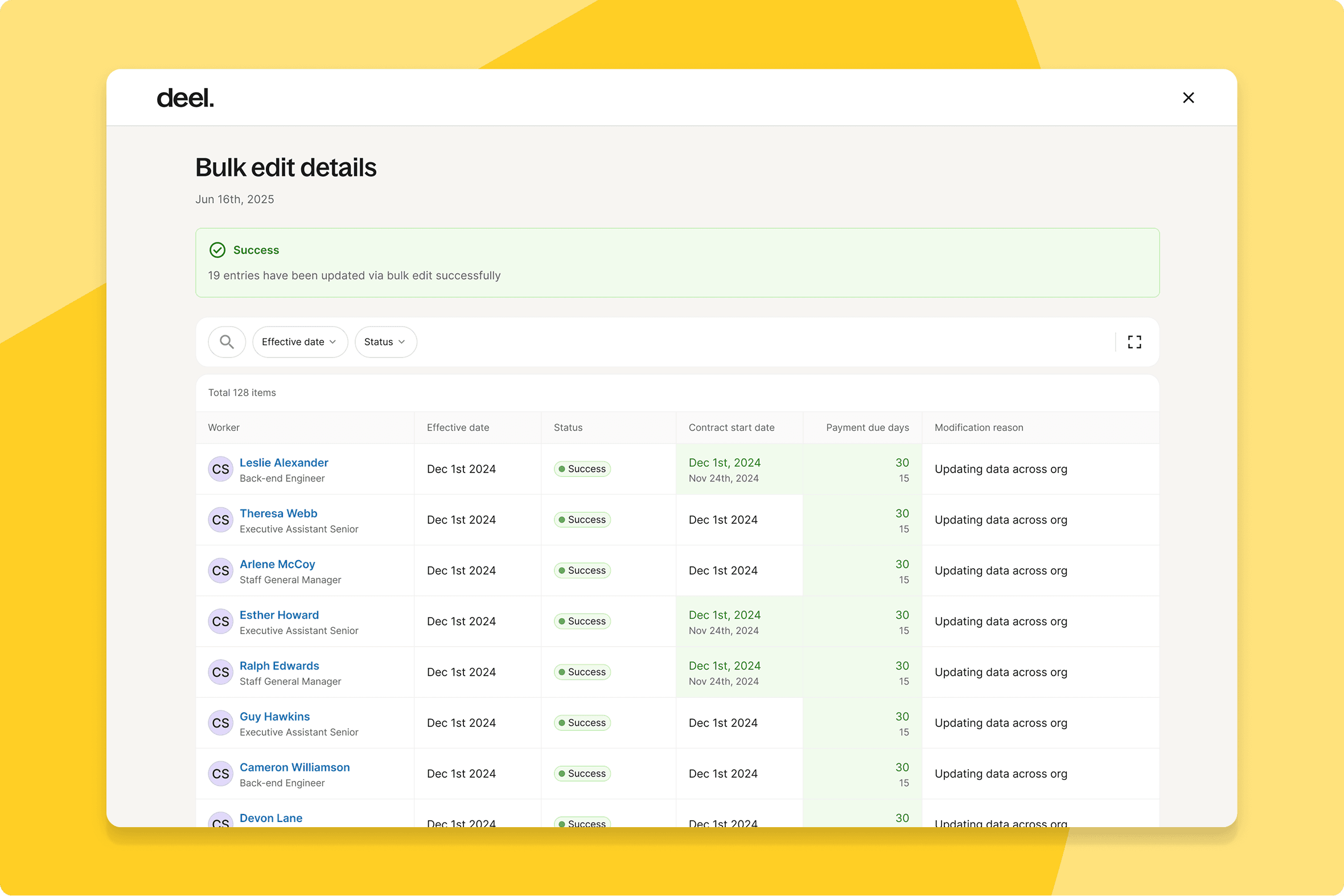
Clients can now schedule Bulk Edit jobs for future execution — queuing contract and compensation changes to run at the right time without manual intervention at the point of execution.
What this means for you: Plan compensation and contract changes in advance and let them run on schedule. Particularly valuable ahead of salary review cycles.
How you can prepare: Identify upcoming changes that could be scheduled in advance and plan to use this from go-live.
Unify worker terminations
HR admins can now manage worker terminations and contract changes separately — keeping reporting accurate and preventing accidental access revocation for employees who are still active.
What this means for you: Cleaner offboarding data and fewer access errors during workforce transitions, particularly for teams managing large volumes of contract changes alongside genuine terminations.
How you can prepare: Review your current termination workflow and align your team on the new separation before go-live.
Optimize the review step
The review step when adding workers now gives admins a clearer, more efficient confirmation experience.
What this means for you: More confidence at the point of confirmation during mass onboarding. Errors caught before they're committed.
How you can prepare: No configuration needed — available automatically.
Engage
AI shareable summary
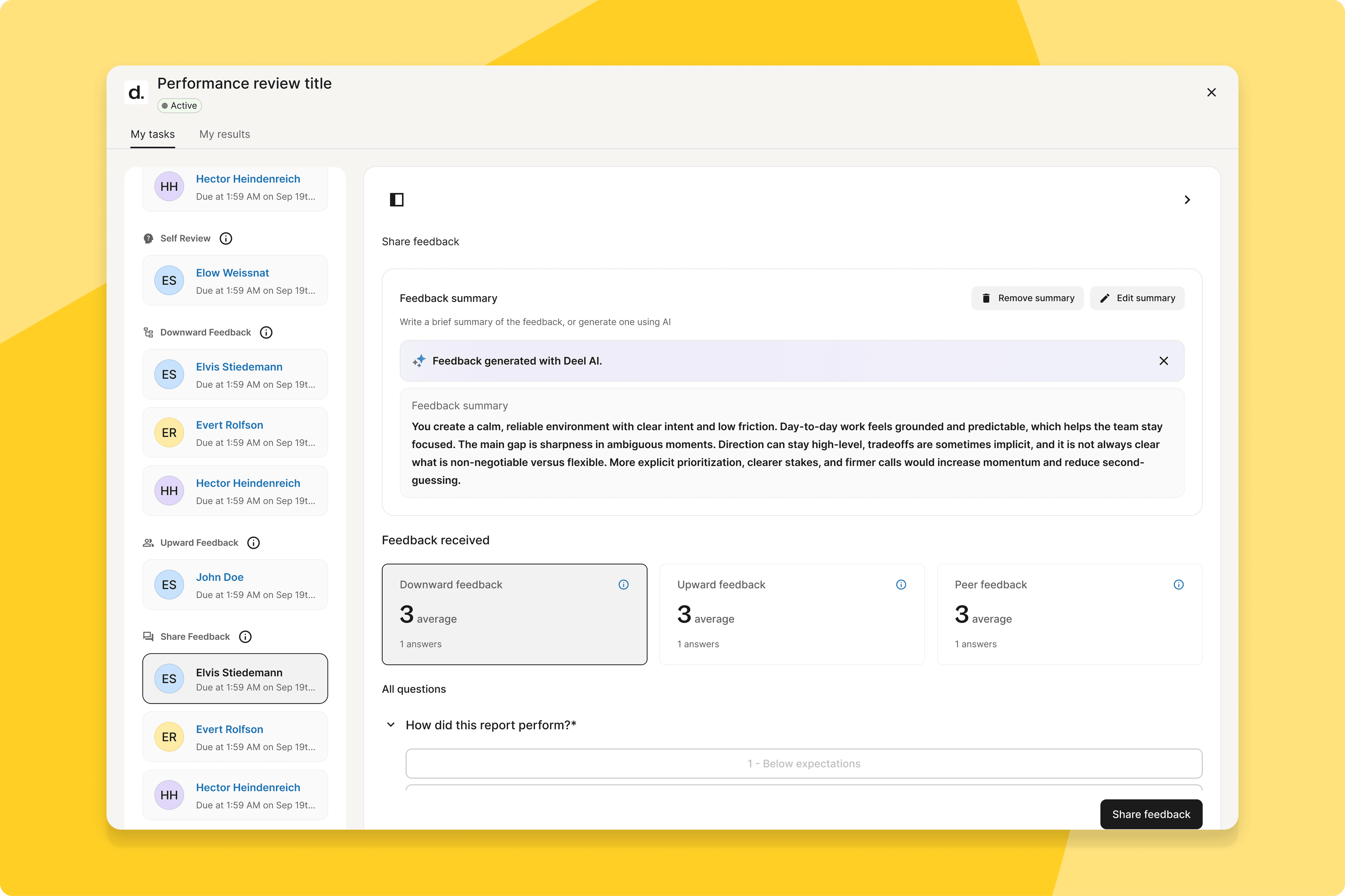
Managers can now generate AI-powered summaries for review discussions and share them directly with employees — reducing manual effort and ensuring consistency across conversations.
What this means for you: Review discussions become more structured and transparent. Employees receive a clear summary before the conversation, not a rushed debrief during it.
How you can prepare: No configuration needed — available automatically within review cycles.
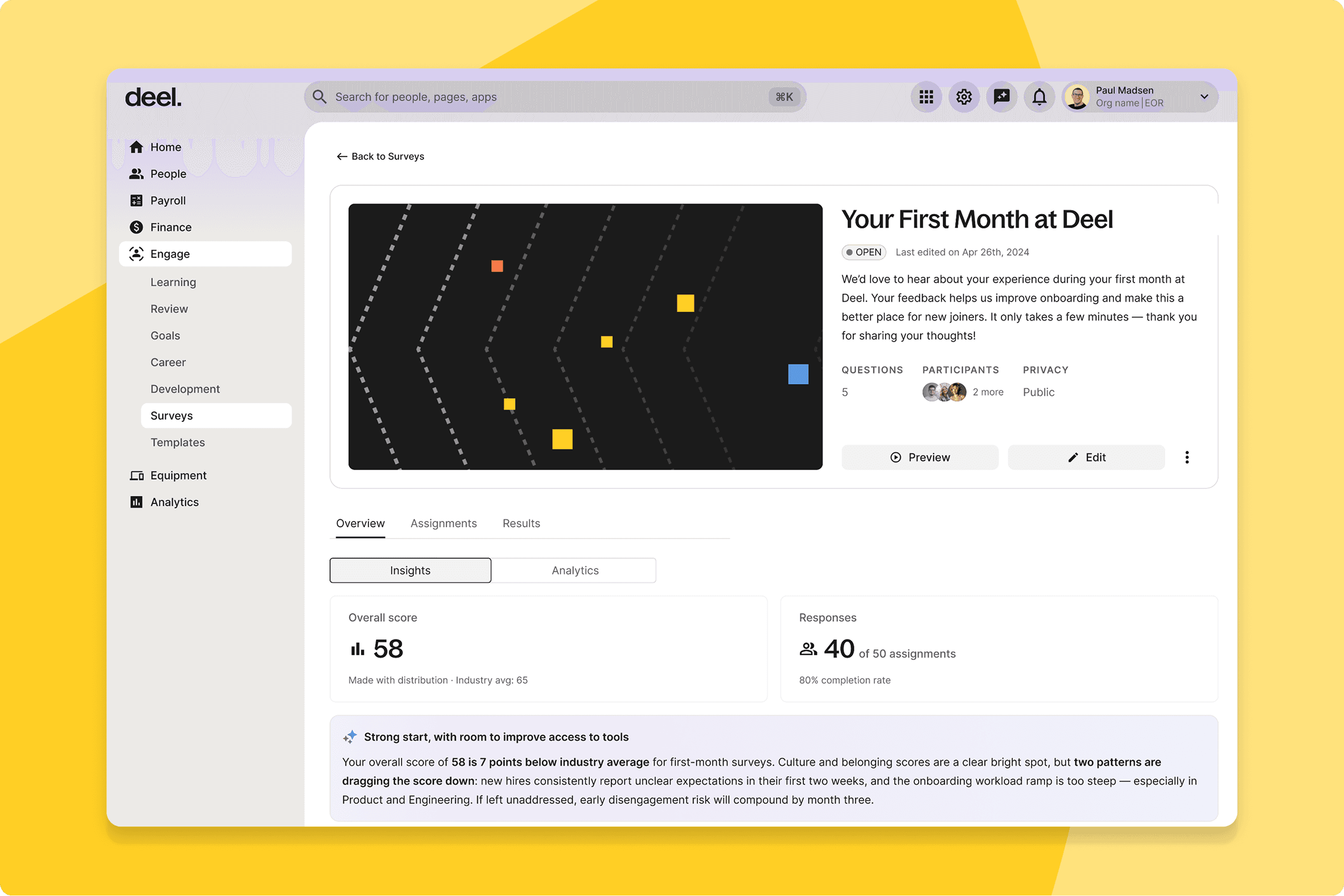
AI summaries for survey results
Rather than reading through raw survey responses, HR admins and People team leads now get AI-generated summaries and insights on the Survey Detail page — distilling what the data is saying so HR teams can act on it faster.
What this means for you: Faster time-to-insight from survey data. Less time reading raw responses, more time acting on what they reveal.
How you can prepare: No configuration needed — available automatically on the Survey Detail page.
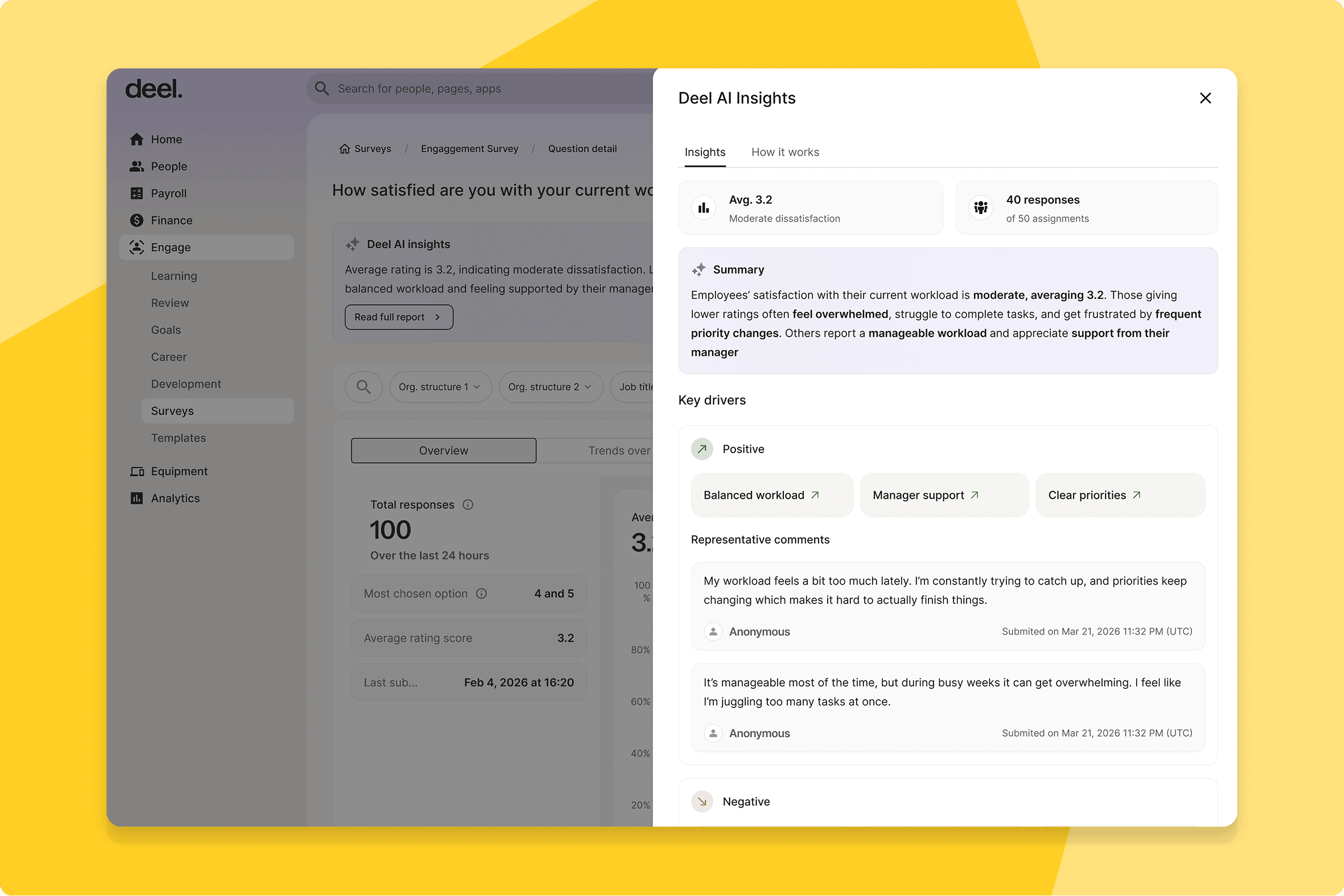
AI summaries on question detail page
At the individual question level, AI now generates structured summaries of responses — giving HRBPs and managers a distilled view of what people said about each specific area of feedback, not just the overall survey.
What this means for you: Granular insight at the question level, enabling more targeted action on specific feedback areas rather than just overall trends.
How you can prepare: No configuration needed — available automatically.
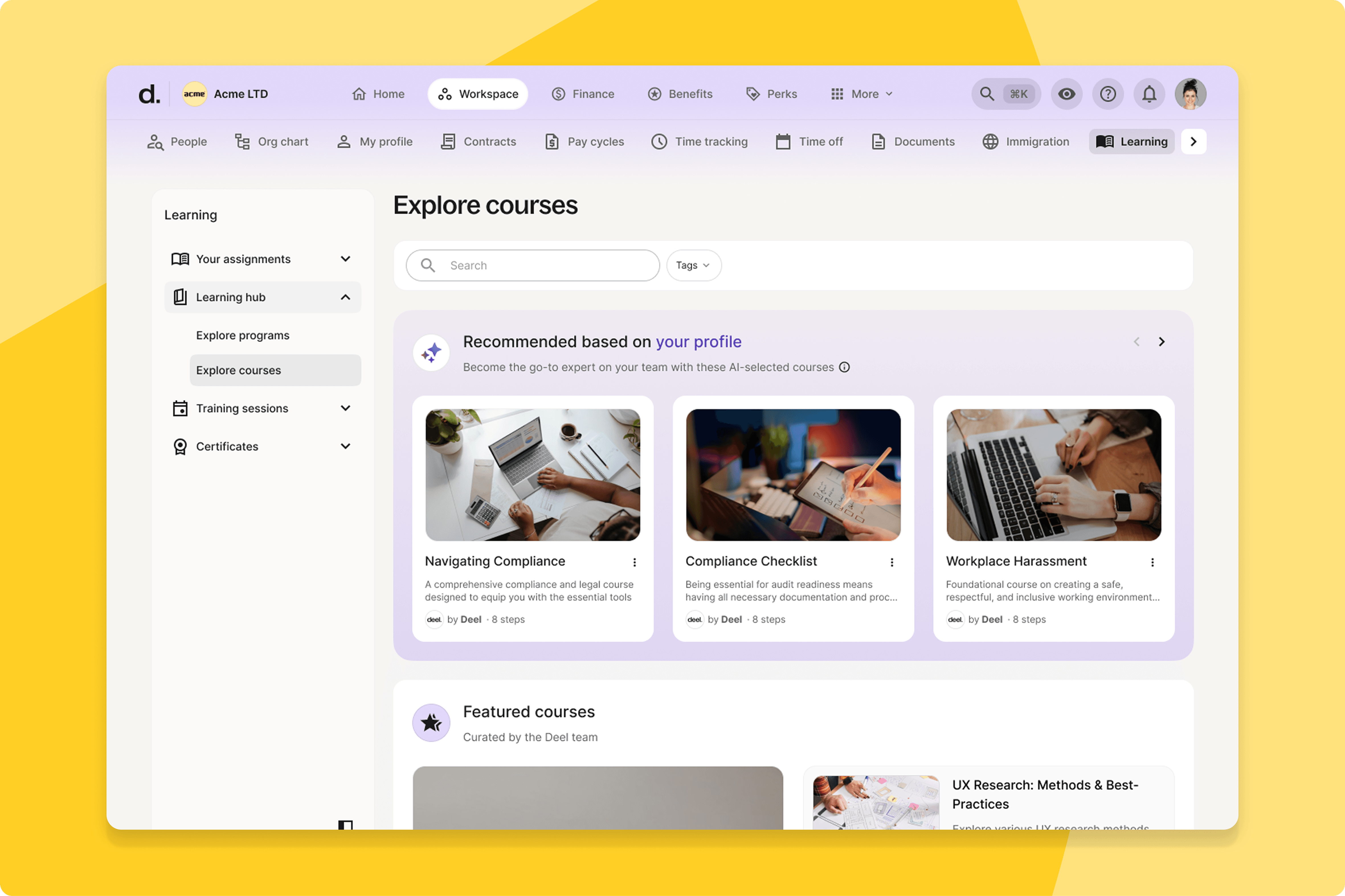
AI/Admin content recommendations in Learning
The Learning Hub now uses AI to surface relevant content recommendations directly to workers — drawing on their role, progress, and learning history to identify what's most useful to them at that moment. Admins can layer their own curated picks on top.
What this means for you: Workers discover relevant learning without browsing. L&D teams can complement AI recommendations with their own curated picks for key audiences.
How you can prepare: Review your current Learning Hub content and identify priority materials to feature as admin recommendations.
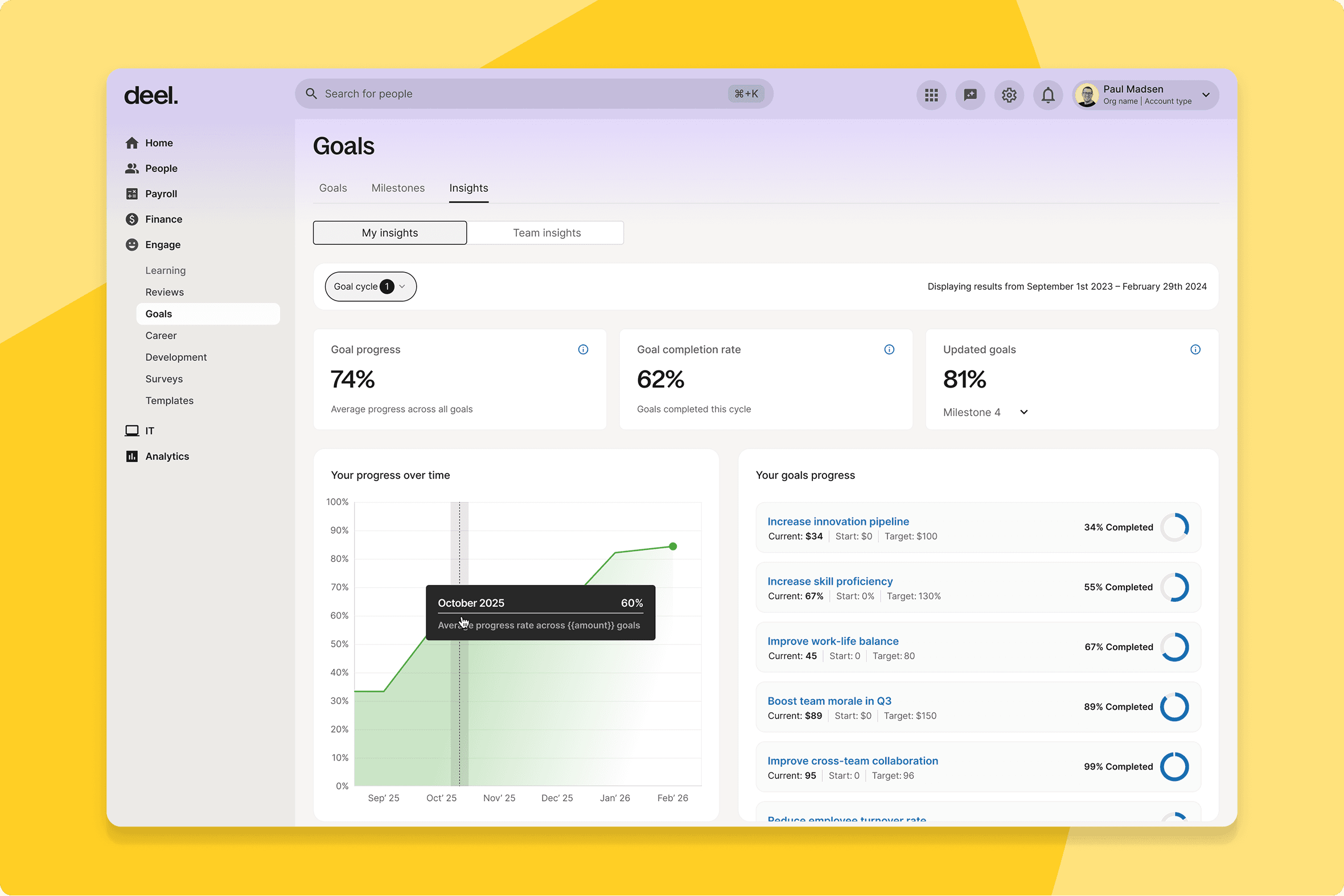
Improved insights for org structure views
Managers and individual contributors now have tailored dashboards for tracking goal progress — showing what's relevant to their level and scope without the noise.
What this means for you: Goal tracking that's actually usable. Workers see their own progress; managers see their team's. Both can act on what they see.
How you can prepare: No configuration needed — available automatically.
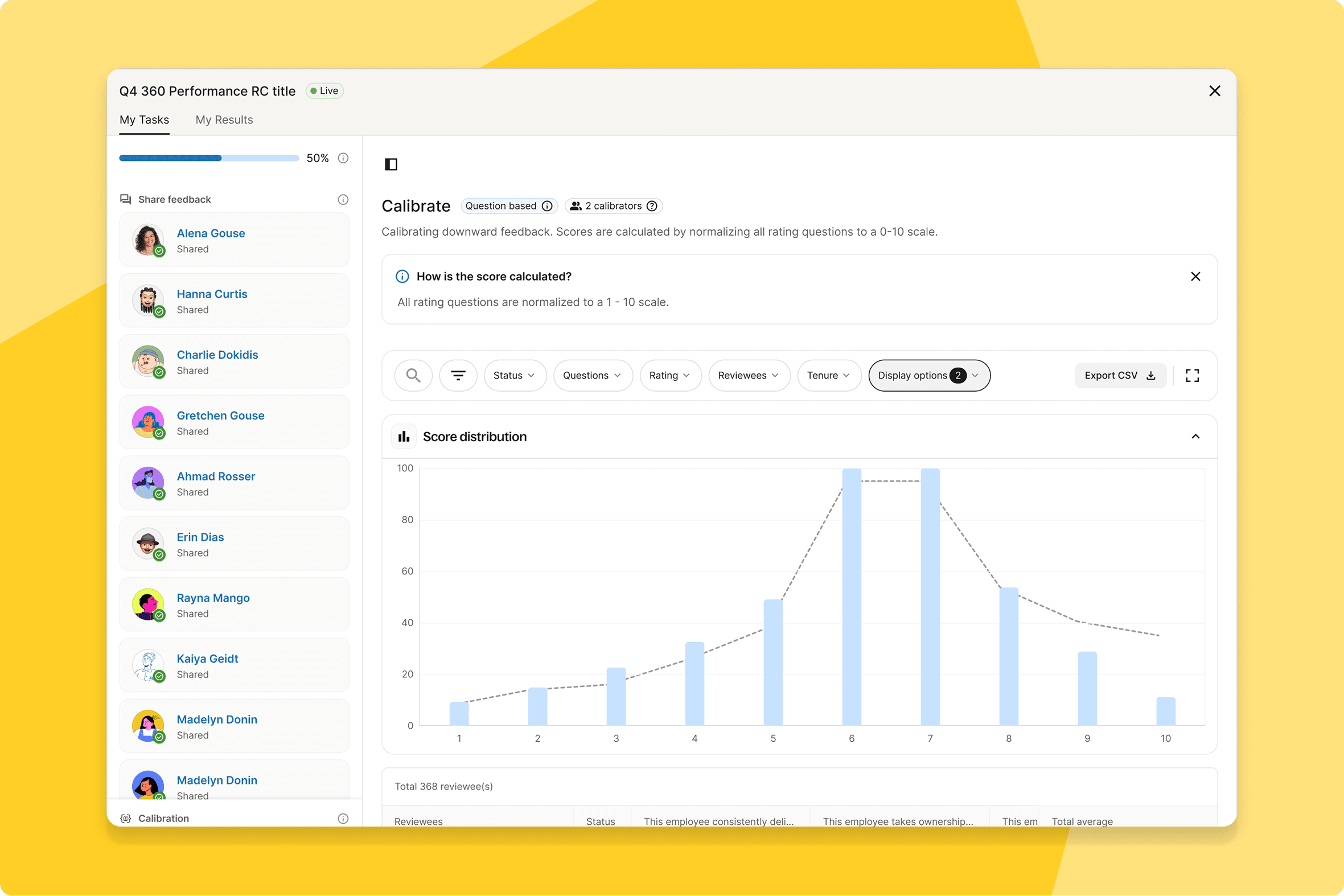
Distribution curve in calibration
Calibrators can now see live performance rating distributions during sessions — making the shape of the distribution visible as decisions are made.
What this means for you: Data-led calibration in real time. No more discovering skewed distributions after the session is over.
How you can prepare: No configuration needed — available automatically in calibration sessions.
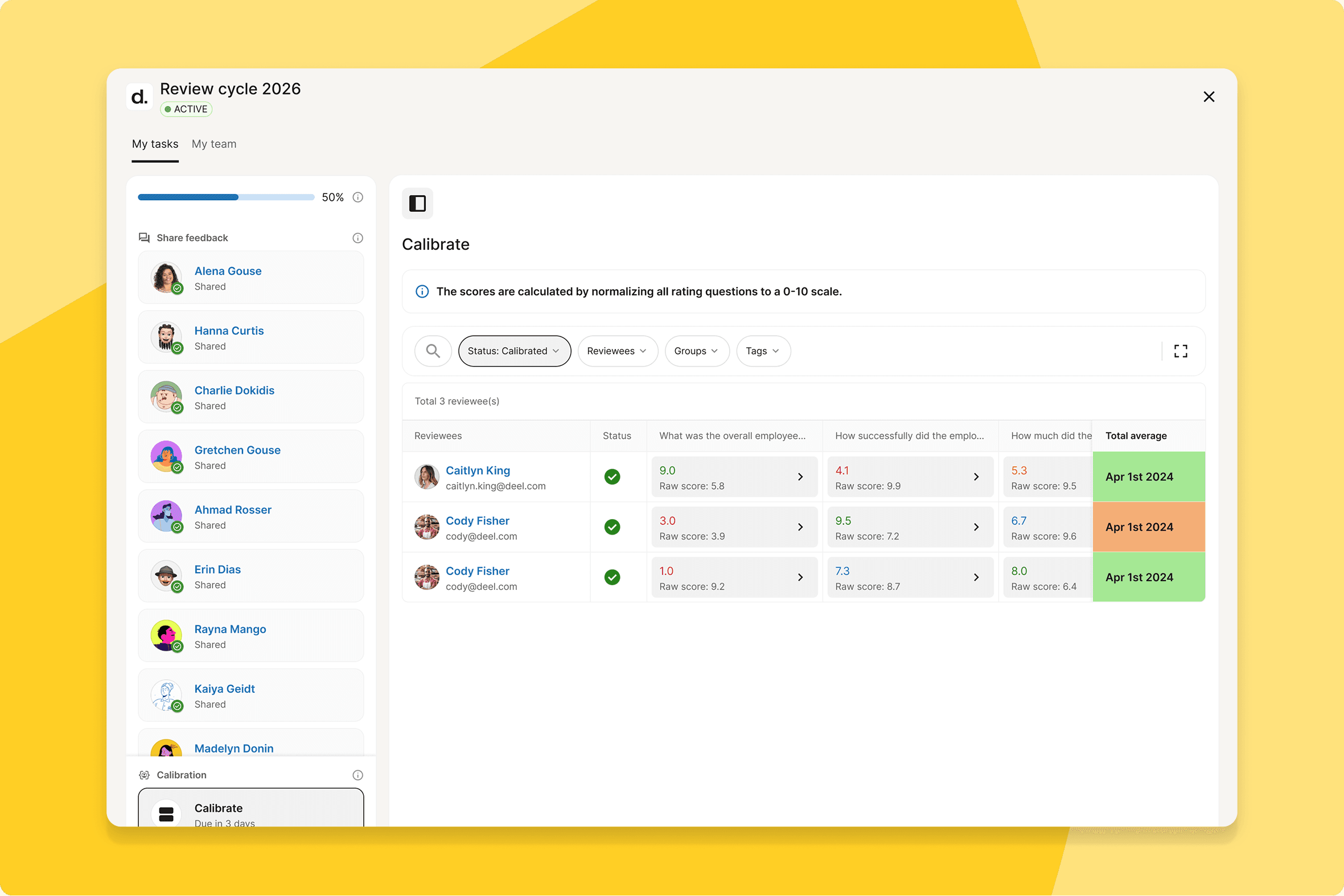
Calibrate overall score
Managers can now choose to calibrate the overall score in downward feedback — producing a more accurate and nuanced representation of performance.
What this means for you: Greater flexibility for organisations using 360 or multi-directional feedback. Overall scores that reflect the full picture.
How you can prepare: No configuration needed — available automatically.
Admin settings for distribution curve in Reviews
Admins can now define a Reference Curve — an ideal calibration distribution — that gives managers a clear, organisation-defined benchmark to calibrate against.
What this means for you: More consistent, more defensible calibration outcomes. Managers have a shared reference point rather than making independent judgements.
How you can prepare: Define your organisation's Reference Curve ahead of your next calibration cycle.
Prevent sharing during calibration
Managers will now see a warning when attempting to share during the calibration phase. Admins can also lock sharing entirely until calibration is complete.
What this means for you: Calibration integrity protected by default. Results that go to employees are ones that have been through the full process.
How you can prepare: Decide whether to enable the sharing restriction for your organisation and configure it before your next calibration cycle.
Saved views in calibration
Calibrators can now create, save, and switch between filtered views during sessions — without rebuilding filters from scratch each time.
What this means for you: Faster, more focused calibration for teams working across multiple segments, departments, or geographies.
How you can prepare: No configuration needed — available automatically in calibration sessions.
Consolidated progress tracking and overview
The Overview and Progress Tracking pages in review cycles are now a single, unified landing page — giving admins everything they need in one view.
What this means for you: Faster decisions during active review cycles. Everything you need to monitor progress and manage exceptions without switching between pages.
How you can prepare: Brief your People Ops team on the new interface before your next review cycle opens.
Participant assignment rules and status-based filtering
Admins can now filter participants by employment status during cycle setup and reassign tasks when needed — keeping task distribution accurate throughout the cycle.
What this means for you: Fewer mid-cycle corrections for HR teams managing large or changing workforces. The cycle stays aligned with reality as it evolves.
How you can prepare: Review your participant assignment setup before your next cycle launches.
No-rating question for competencies and goals
Admins can now link open-ended questions to competencies and goals in review cycles — capturing qualitative feedback without requiring a numerical rating.
What this means for you: More flexible review design. Capture nuanced feedback on specific competencies without forcing a rating where one doesn't belong.
How you can prepare: Review your current question configuration and identify where no-rating questions would add value.
Richer quiz question types
Sorting and Matching auto-graded question types are now available — bringing more varied, applied assessments to your learning programmes.
What this means for you: Better assessment quality across your programmes. Tests that measure what workers can do, not just what they can recall.
How you can prepare: Review your current quiz content and identify where Sorting or Matching questions would improve assessment quality.
Importing goals from CSV
People Ops admins, HR managers, and team managers can now bulk create goals from a CSV template — replacing manual setup at the start of every cycle.
What this means for you: A significant time saving at the start of every goal-setting cycle, particularly for teams cascading goals across multiple departments or entities.
How you can prepare: Prepare your goal CSV template before your next goal-setting cycle opens.
Deel Payroll
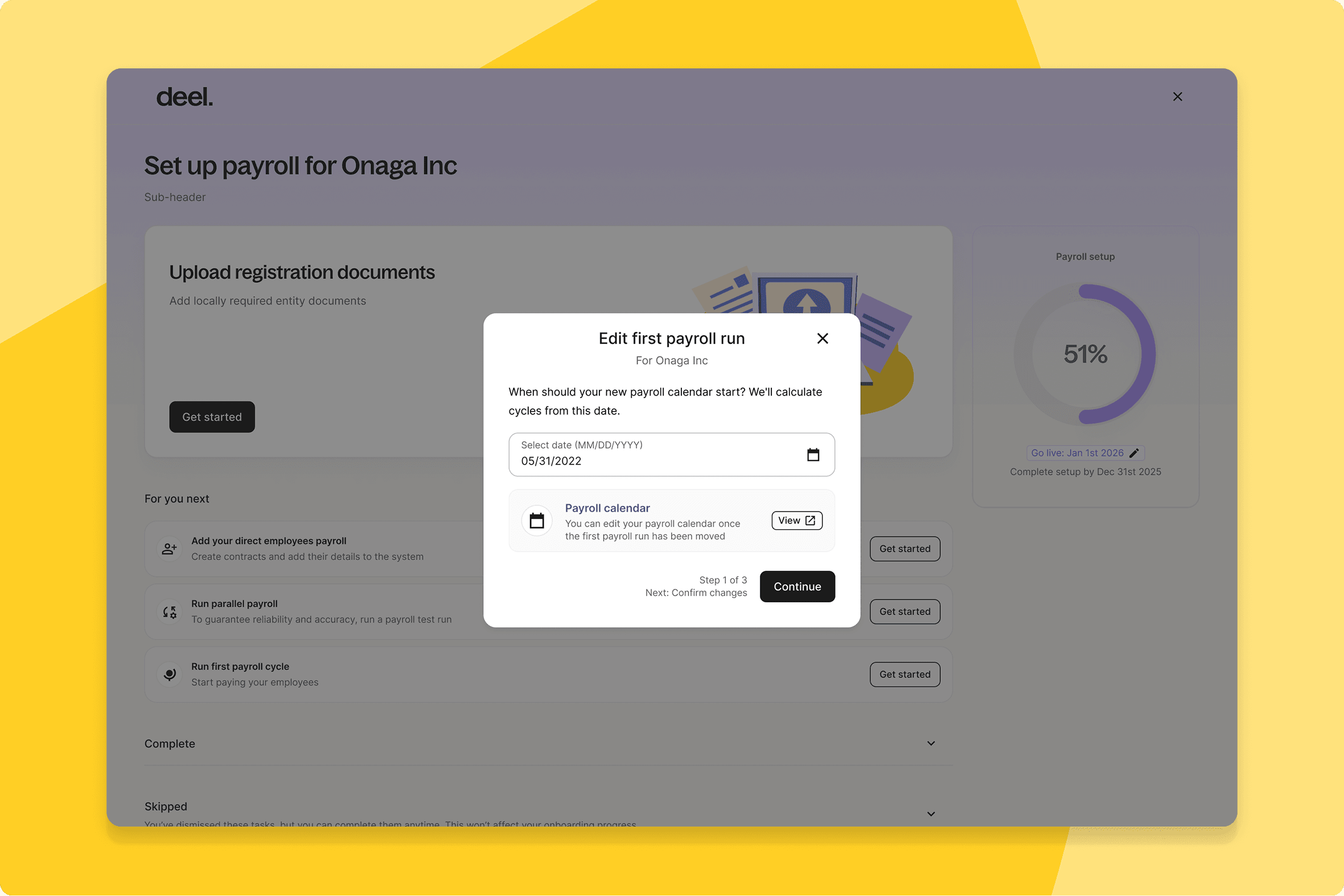
Flexible go-live date management
Deel Payroll clients can now manage payroll entity go-live dates directly from the platform — no engineering escalation required.
What this means for you: Self-serve control over when new payroll entities go live. A change that previously required an escalation now takes minutes.
How you can prepare: Identify any upcoming go-live dates your team should now manage directly.
Workday benefits and deductions sync
Deel Payroll clients can now sync benefits and deductions directly from Workday — automatically, every cycle.
What this means for you: One less manual step in every payroll run. Benefits and deductions stay accurate in Deel without intervention from your payroll team.
How you can prepare: Confirm your Workday benefits and deductions configuration is up to date in both systems before go-live.
Workday GPC — faster integration syncing
Under-the-hood improvements — including SLO dashboards and NATS event refactoring — mean integration components between Workday and Deel now sync significantly faster.
What this means for you: More reliable syncing between Workday and Deel Payroll, with less risk of lag during critical payroll periods.
How you can prepare: No action needed — available automatically.
Workday Time & Attendance integration
Deel Payroll clients using Workday can now sync Time and Attendance data automatically — eliminating manual entries across both platforms.
What this means for you: Payroll reflects accurate time data by default. One of the most time-consuming manual steps in the payroll cycle, removed.
How you can prepare: Map which T&A data types should flow through the sync and confirm configuration with your Workday team before go-live.
Rescind onboardings via Workday GPC
When a new hire is rescinded in Workday, that action now flows through to Deel automatically — no separate cleanup required.
What this means for you: One action in Workday, both systems stay in sync. No manual follow-up in Deel.
How you can prepare: Confirm your Workday GPC integration is correctly configured for rescind events before go-live.
Leave of Absence sync
Deel Payroll clients using the Workday GPC integration can now fetch Leave of Absence data directly from Workday's standard path.
What this means for you: Cleaner records during leave periods and one less source of end-of-period errors for teams running both platforms.
How you can prepare: Confirm leave policies are configured in both systems and map which leave types should flow through the integration.
Sync by Plugin
Enterprise clients can now run targeted integration syncs — choosing exactly which data type to sync rather than triggering a full sync every time.
What this means for you: More efficient integration management. Syncs that fit how your systems actually operate.
How you can prepare: Review which data types your integration team syncs regularly and plan selective sync configurations.
High Wage Earner identification for retirement plans
US payroll clients can now automatically identify and manage High Wage Earners for retirement plan contributions — ensuring compliance with Secure 2.0 regulations.
What this means for you: Automated HWE identification removes a compliance risk that has required manual oversight. Essential for US Finance and Legal teams managing retirement plan governance at scale.
How you can prepare: Review your current HWE identification process and align with your benefits administrator before go-live.
Employer of Record
Bulk approval for EOR amendments
Enterprise EOR clients can now approve multiple amendments in one action — rather than processing them one by one.
What this means for you: A material time saving for HR and Legal teams managing large EOR populations. Amendment approvals scale with your headcount rather than creating a bottleneck.
How you can prepare: Identify your highest-volume amendment types and plan to use bulk approval from day one.
Kota integration for Allianz Healthcare
EOR employees now have a seamless, automated benefits enrolment flow between Deel, Kota, and Allianz Healthcare.
What this means for you: A smoother enrolment experience for EOR employees and less manual coordination for HR teams managing Allianz Healthcare coverage.
How you can prepare: Confirm your Kota integration is active and communicate the updated enrolment flow to affected employees before go-live.
Contractor
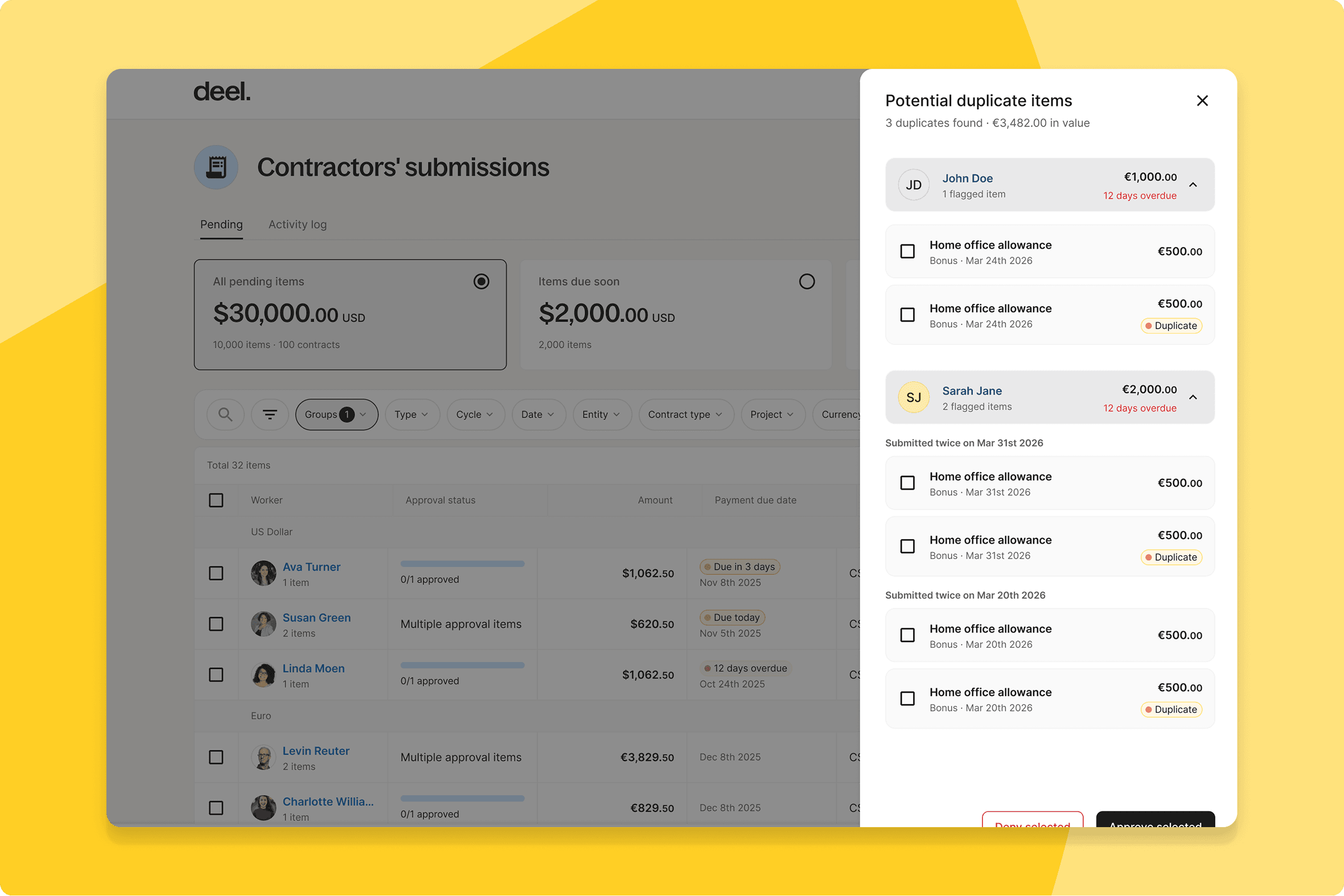
AI agent identifies duplicate contractor invoice submissions
An AI agent now flags duplicate contractor invoices automatically — before they reach the approval queue.
What this means for you: Finance teams spend less time cross-checking invoices. Duplicates get caught early, not after they've caused a problem.
How you can prepare: No configuration needed — active automatically.
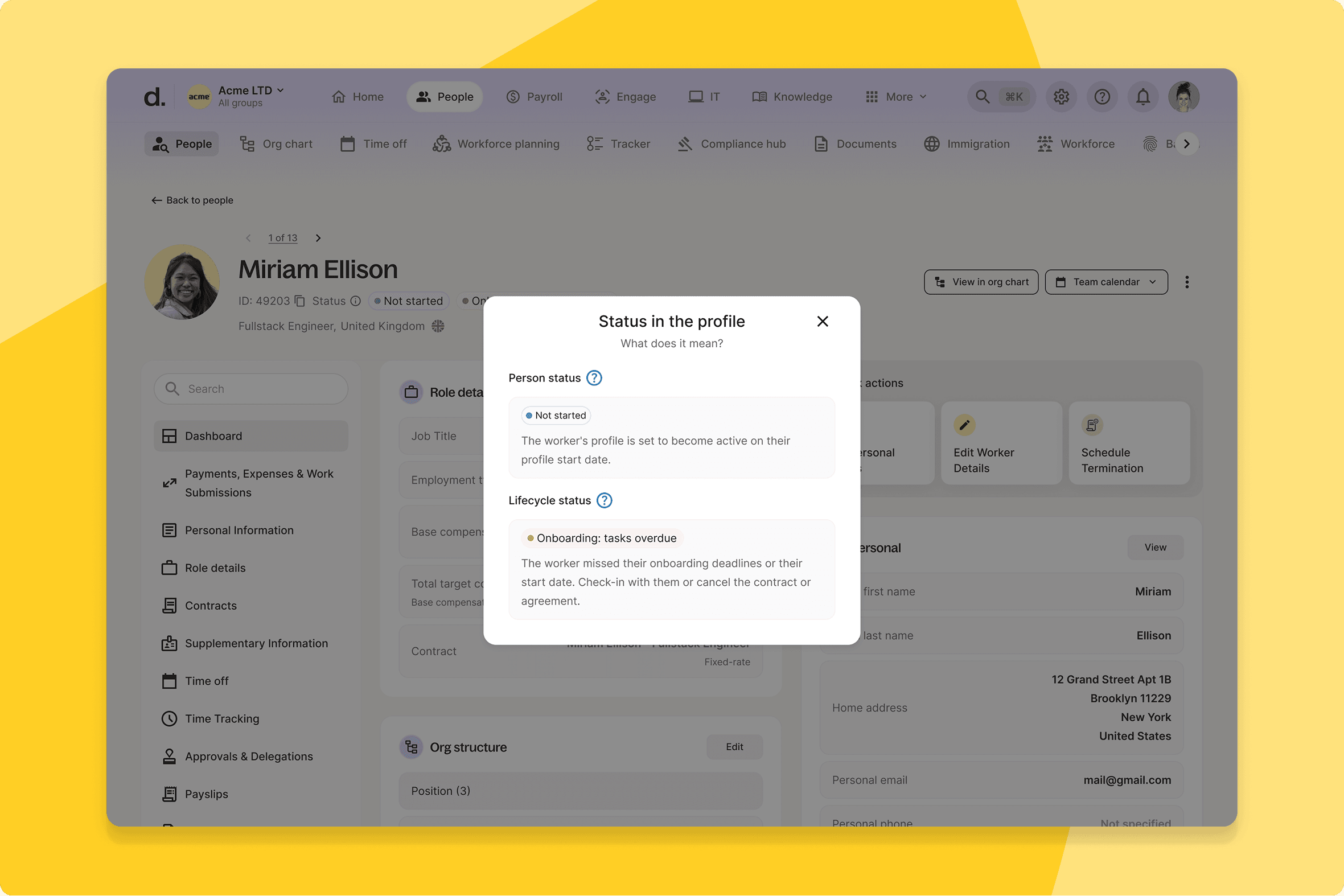
Onboarding tracker for direct contractors
Clients can now track the onboarding progress of direct contractors with the same visibility they have for every other worker type.
What this means for you: The same pipeline visibility your team has for employees, extended to direct contractors. No more manually chasing onboarding completion.
How you can prepare: No configuration needed — available automatically.
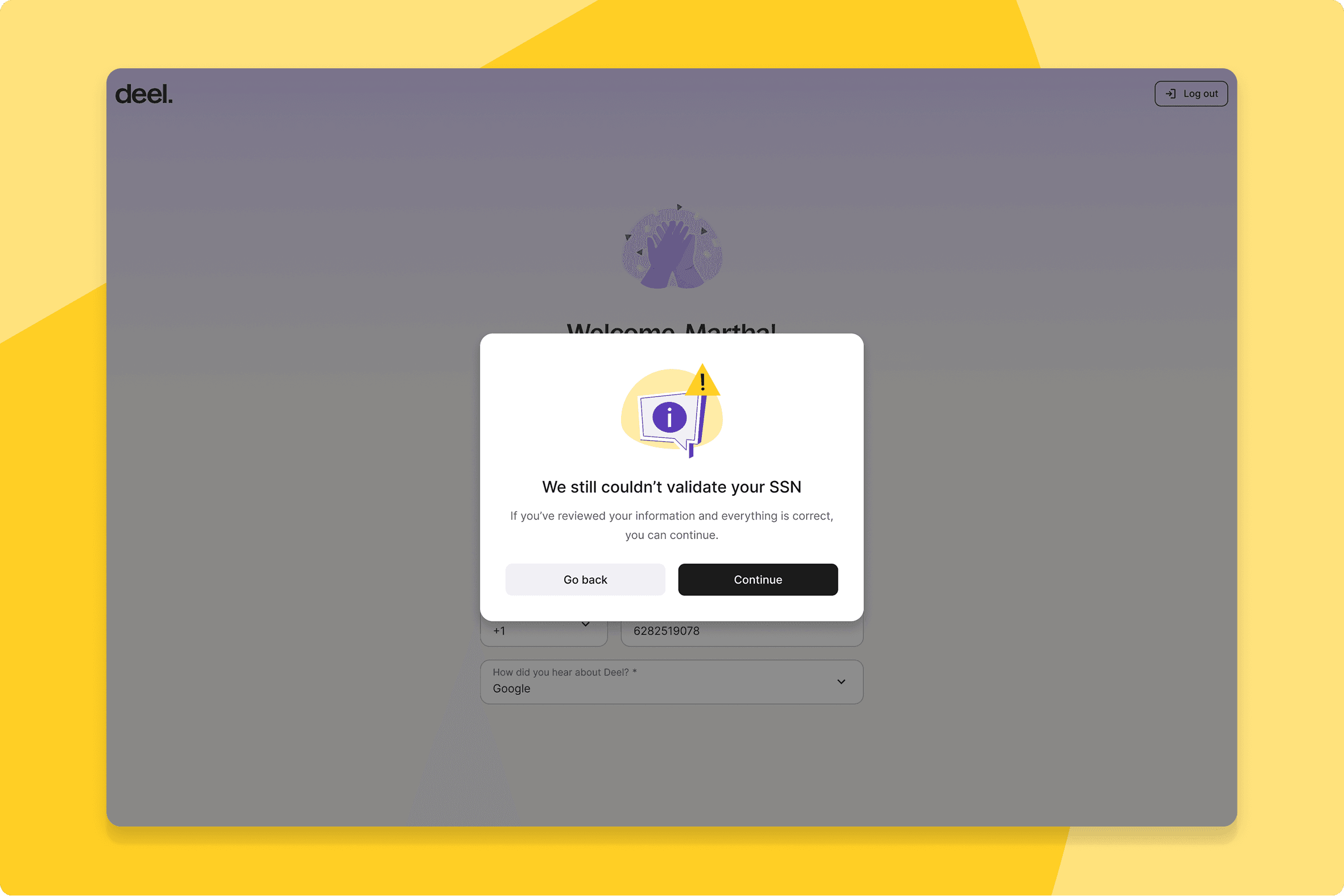
SSN validation improvement
Enhanced SSN validation now runs during signup and personal information updates for US-based contractors — catching issues at the point of entry.
What this means for you: Cleaner contractor data from day one, with compliance built into the onboarding flow.
How you can prepare: No configuration needed — active automatically for US-based contractors.
Bulk protection for unprotected contractors
During contract creation, clients can now see a list of unprotected contractors and protect them all at once — or selectively.
What this means for you: Risk visibility built into the contract creation process. Easier to maintain consistent protection across a growing contractor base.
How you can prepare: No configuration needed — surfaces automatically during contract creation.
PEO
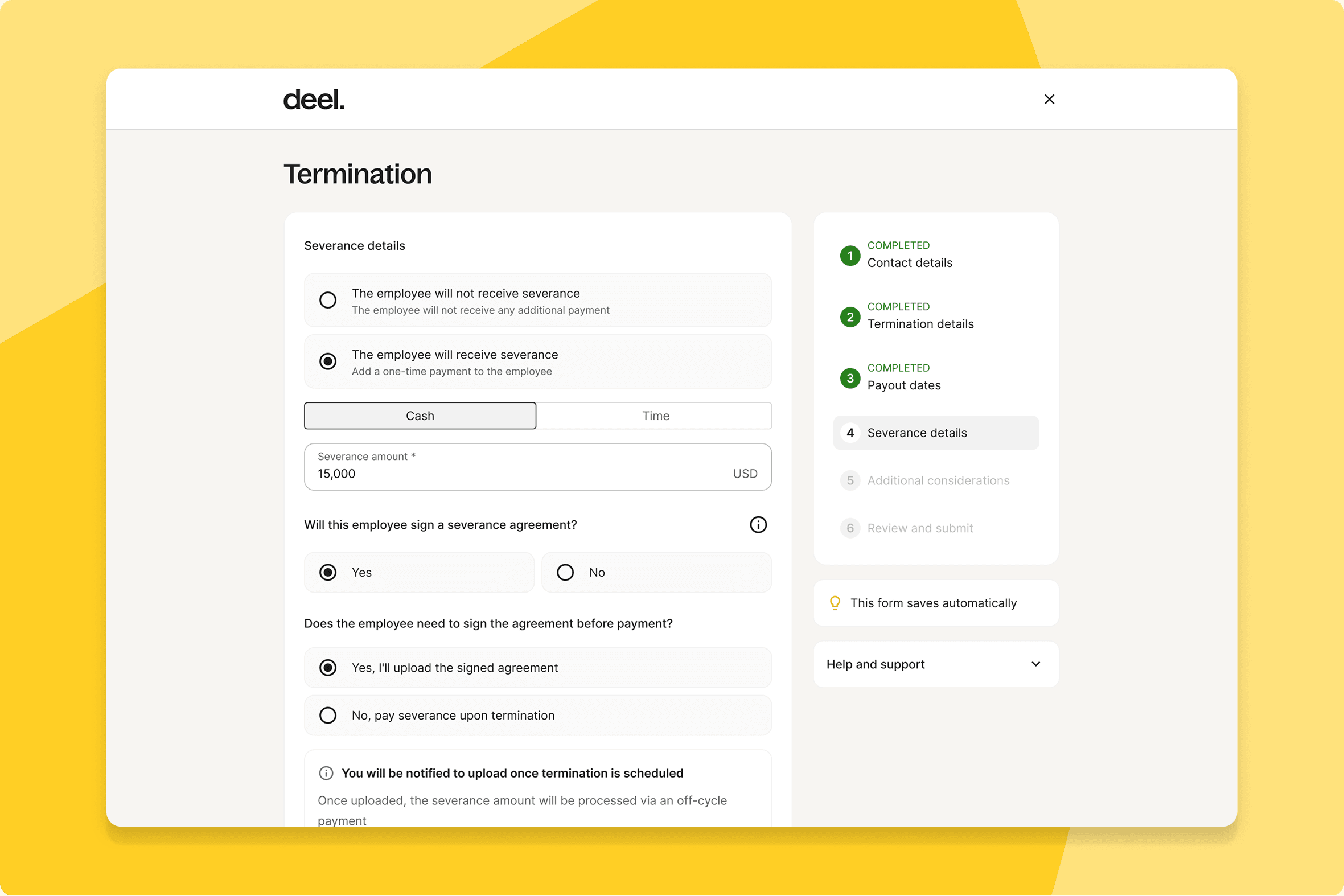
PEO terminations — Severance
PEO clients can now input severance amounts directly into the termination flow, with automatic off-cycle payment generation. Payments can also be delayed until a severance agreement is uploaded to the platform.
What this means for you: A single, controlled flow for PEO terminations that includes severance — less coordination across HR, Legal, and Finance, and less risk of something being missed.
How you can prepare: Review your current PEO termination and severance process and align with Legal on the new flow before go-live.
PEO custom fields collection
Org-level custom fields now appear in the PEO single contract creation flow — ensuring data parity with Deel Global Payroll from the point of contract creation.
What this means for you: Consistent data capture across PEO and Deel Payroll. Fields are collected when the contract is created, not discovered missing later.
How you can prepare: Review your org-level custom field configuration to ensure all relevant fields are set up before the release.
Deel IT
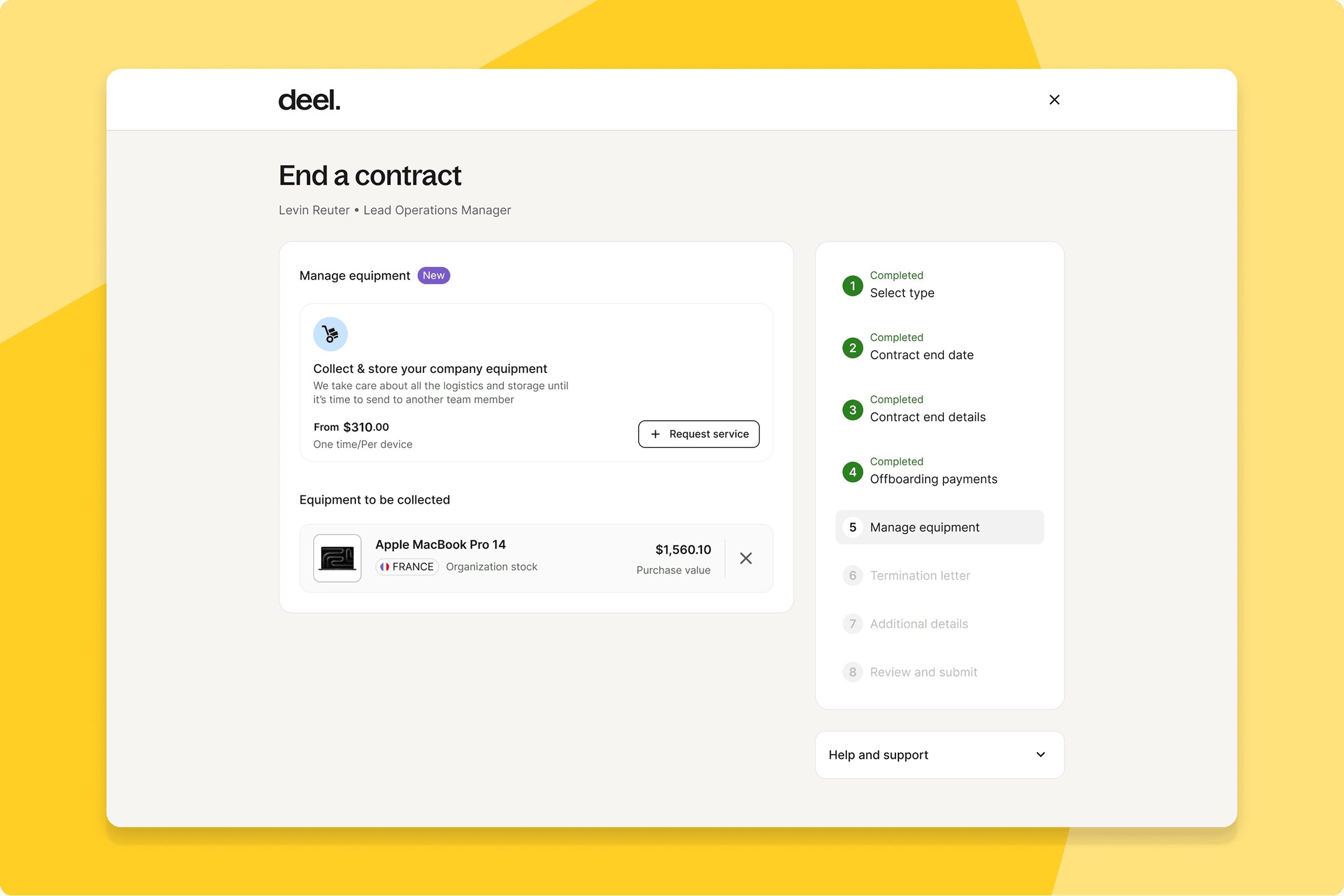
Automate device recovery upon worker termination
Device recovery is now handled automatically as part of the termination flow — with rule-based logic to determine whether to clear or store a device, and fallback notifications for cases that need manual resolution.
What this means for you: Devices get recovered reliably and reused appropriately, without anyone needing to track them down manually.
How you can prepare: Ensure your Deel IT device inventory is up to date and review your offboarding recovery workflow before the feature goes live.
Automated device request approvals
Deel IT admins can now set approval rules that run automatically — removing manual review from device requests that would have been approved anyway.
What this means for you: Faster device provisioning for new hires and existing employees. IT teams focus on work that requires their judgement, not routine approvals.
How you can prepare: Define your approval rules before go-live so automation activates correctly from day one.
Deel Mobility
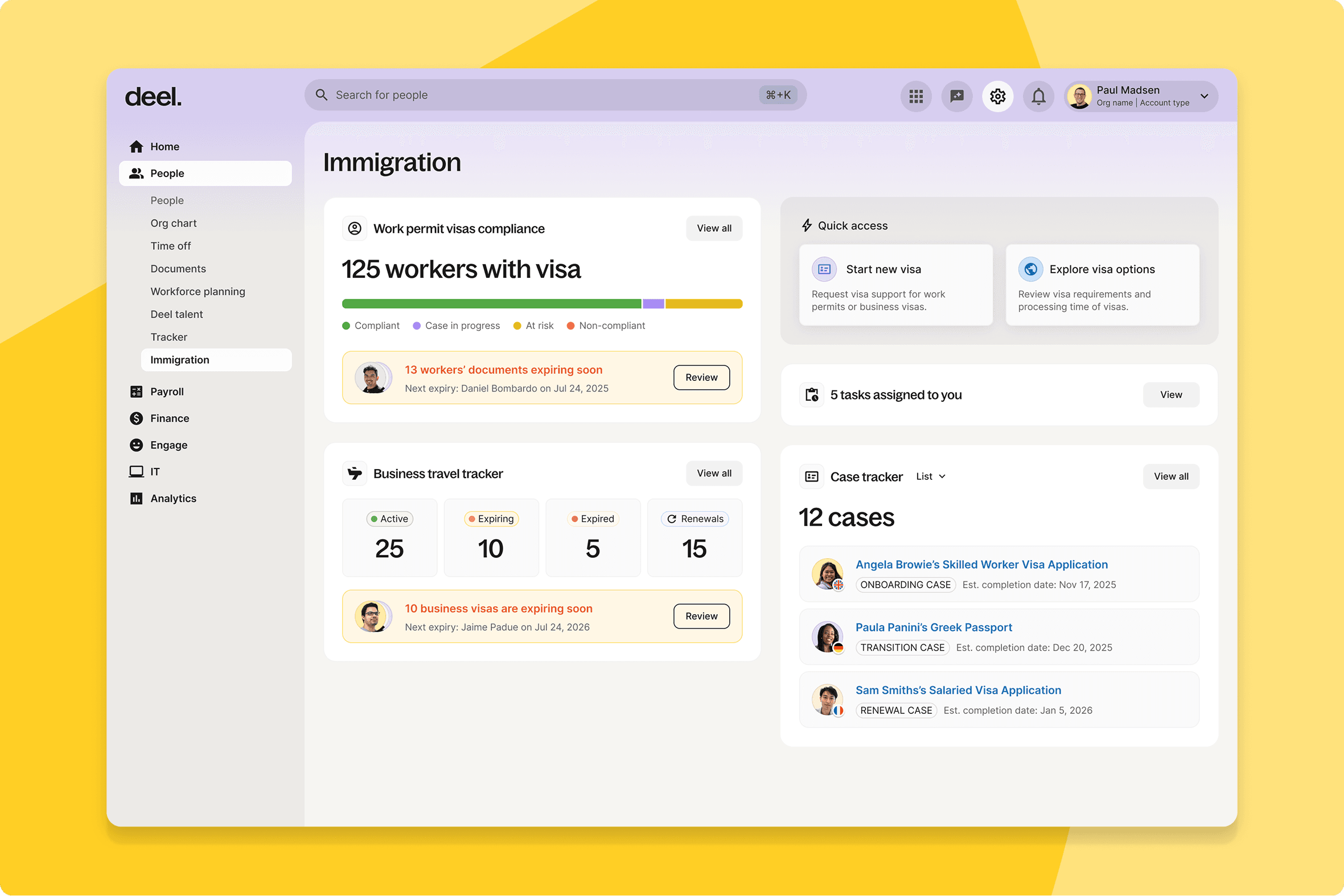
Business Visa tracker and renewal
Enterprise HR, Global Mobility, Legal, and Immigration Ops teams can now track and manage business visa cases directly from the immigration dashboard — with structured validity capture, renewal workflows, and expiry and risk monitoring built in.
What this means for you: Full visibility into your mobile workforce's visa status in one place, with proactive renewal workflows that keep your team ahead of expiries rather than reacting to them.
How you can prepare: Migrate your current visa tracking process into the dashboard before go-live and brief your Mobility team on the renewal workflow.
Deel Platform
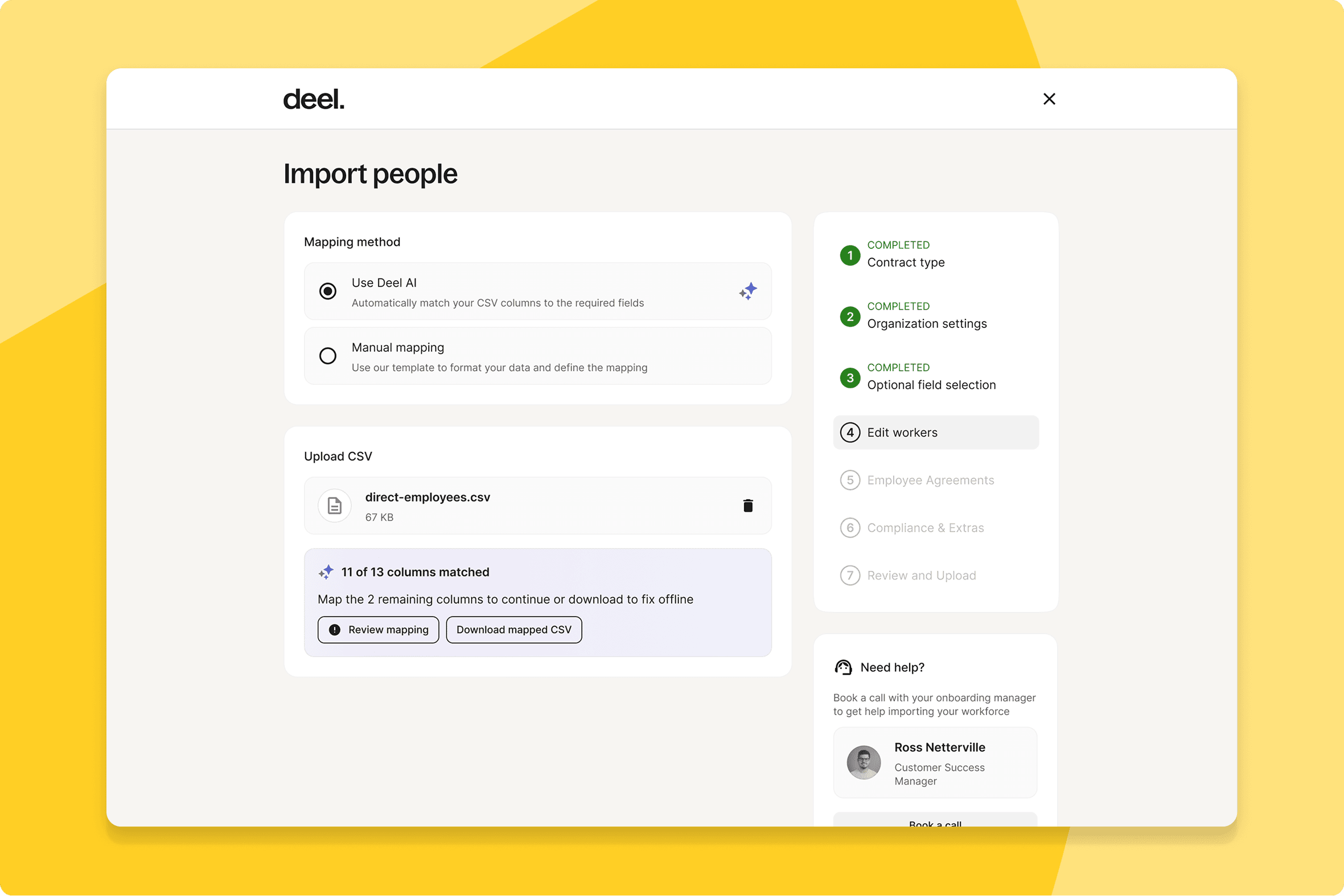
AI-enhanced validation and data correction
AI-powered pre-validation and auto-correction now runs on large CSV uploads before they go through — catching and correcting issues before they propagate.
What this means for you: Fewer failed uploads and less manual rework for Finance Ops teams running large-scale compensation adjustments.
How you can prepare: No configuration needed — active automatically on bulk CSV uploads.
Unified worker onboarding and profiles
Every worker type — employees, contractors, EOR, and PEO — now has a single profile in Deel and follows the same onboarding flow. One place to view, manage, and report on your entire workforce, regardless of how each person is engaged.
What this means for you: Your team manages every worker type from one consistent experience. No more switching between different flows or profiles depending on how someone is engaged.
How you can prepare: Review how your team currently manages different worker types and plan to consolidate into the unified flow before go-live.
Please note: This release will be available from end of May onwards.
MCP apps in the App Store
Clients can now discover and enable Model Context Protocol (MCP) server integrations at the org level directly from the Deel App Store — starting with Zapier, with the ability to create personal connections to external MCP servers.
What this means for you: A faster, more scalable way to connect Deel to the tools your teams already use, without routing through engineering for each connection.
How you can prepare: Share the MCP App Store update with your IT and Engineering teams ahead of go-live.
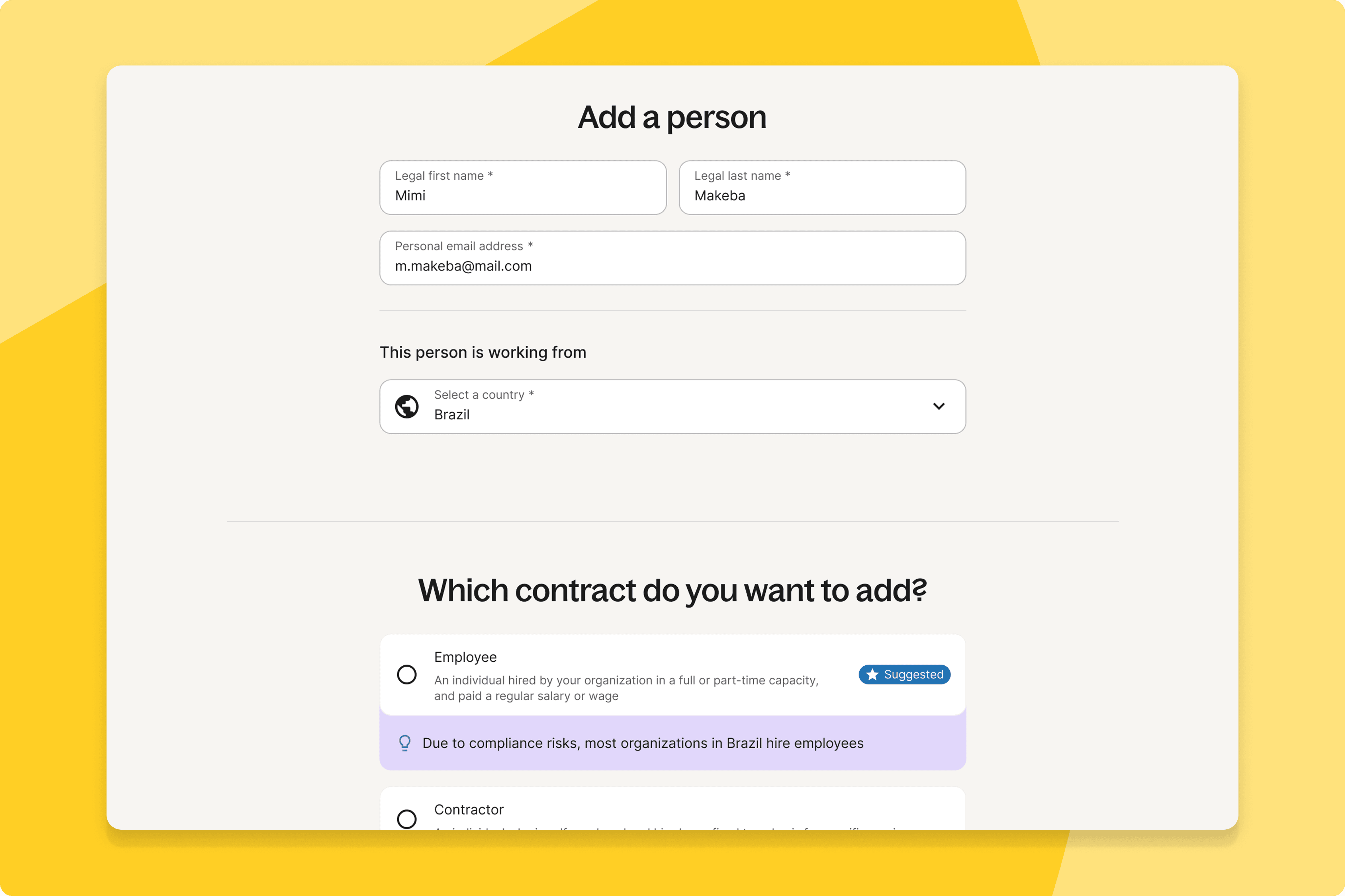
Country-first pre-qualification wizard
Admins now receive country-specific compliance recommendations before a contract is created — surfacing the right hiring approach at the moment it's needed.
What this means for you: Compliant hiring decisions built into the flow, without relying on external counsel for routine calls.
How you can prepare: No configuration needed — activates automatically within the add worker flow.
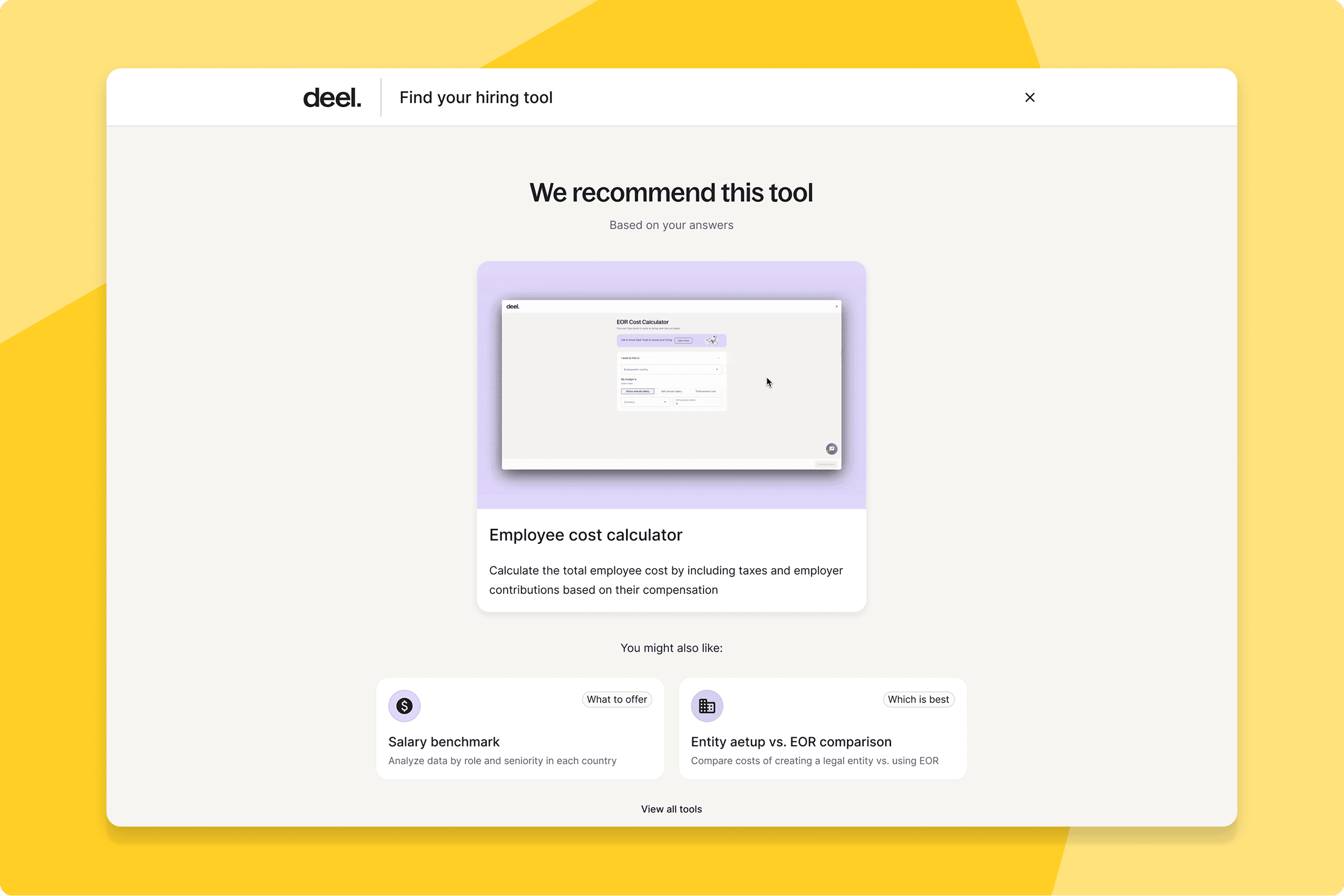
Revamped growth tools landing page
A redesigned landing page, tool finder quiz, and job-to-be-done organised directory make it faster and clearer to find the right Deel growth tool.
What this means for you: The right tool is faster to find — less navigation, less second-guessing.
How you can prepare: No configuration needed — available automatically.
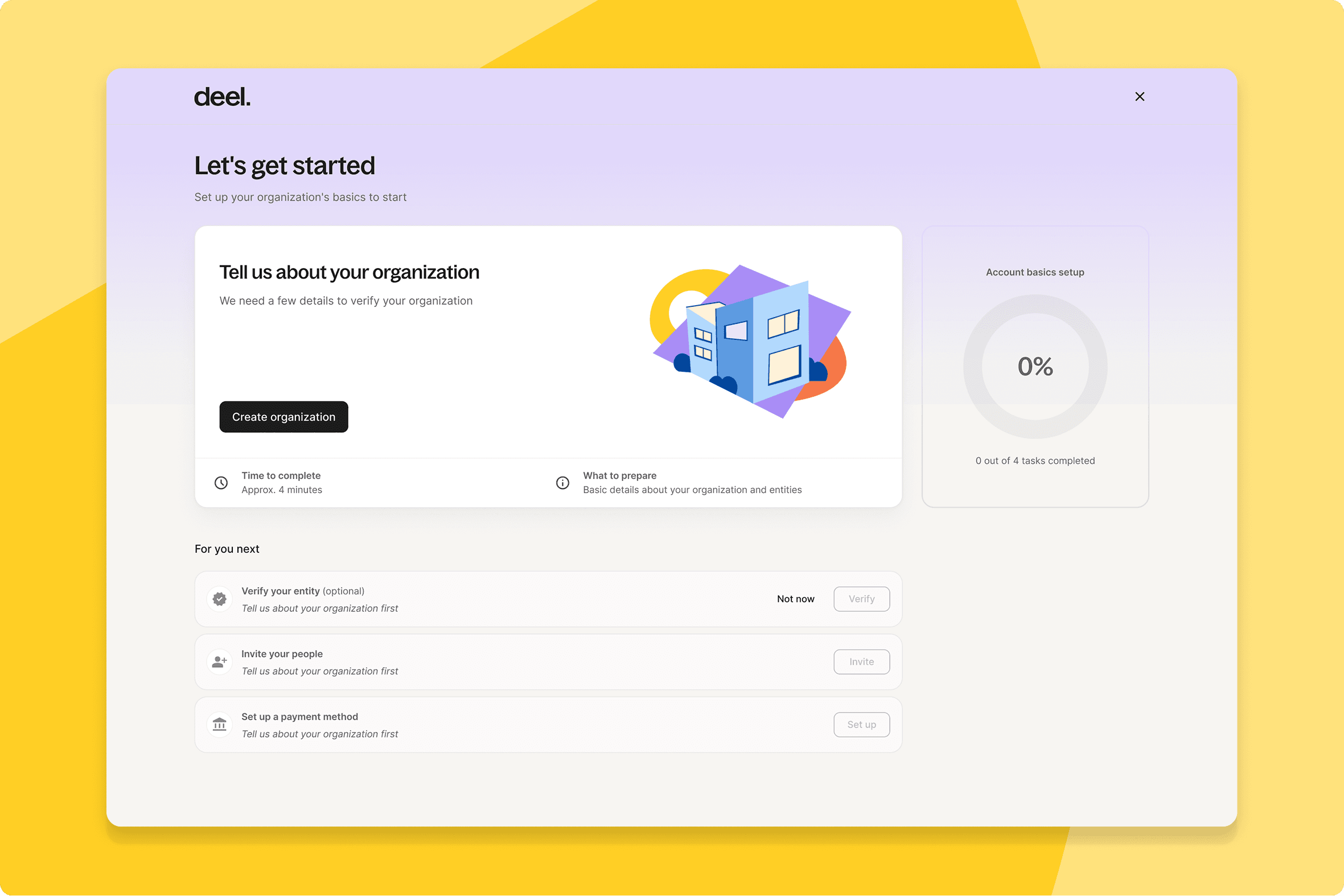
Streamlined client onboarding
Admins can now set up their organisation and entity in one simplified, AI-assisted flow — reducing the whole process to a few clicks.
What this means for you: Faster time-to-live for new entities and organisations, with less friction at the point where first impressions of the platform are formed.
How you can prepare: No configuration needed — available automatically for new org and entity setup.
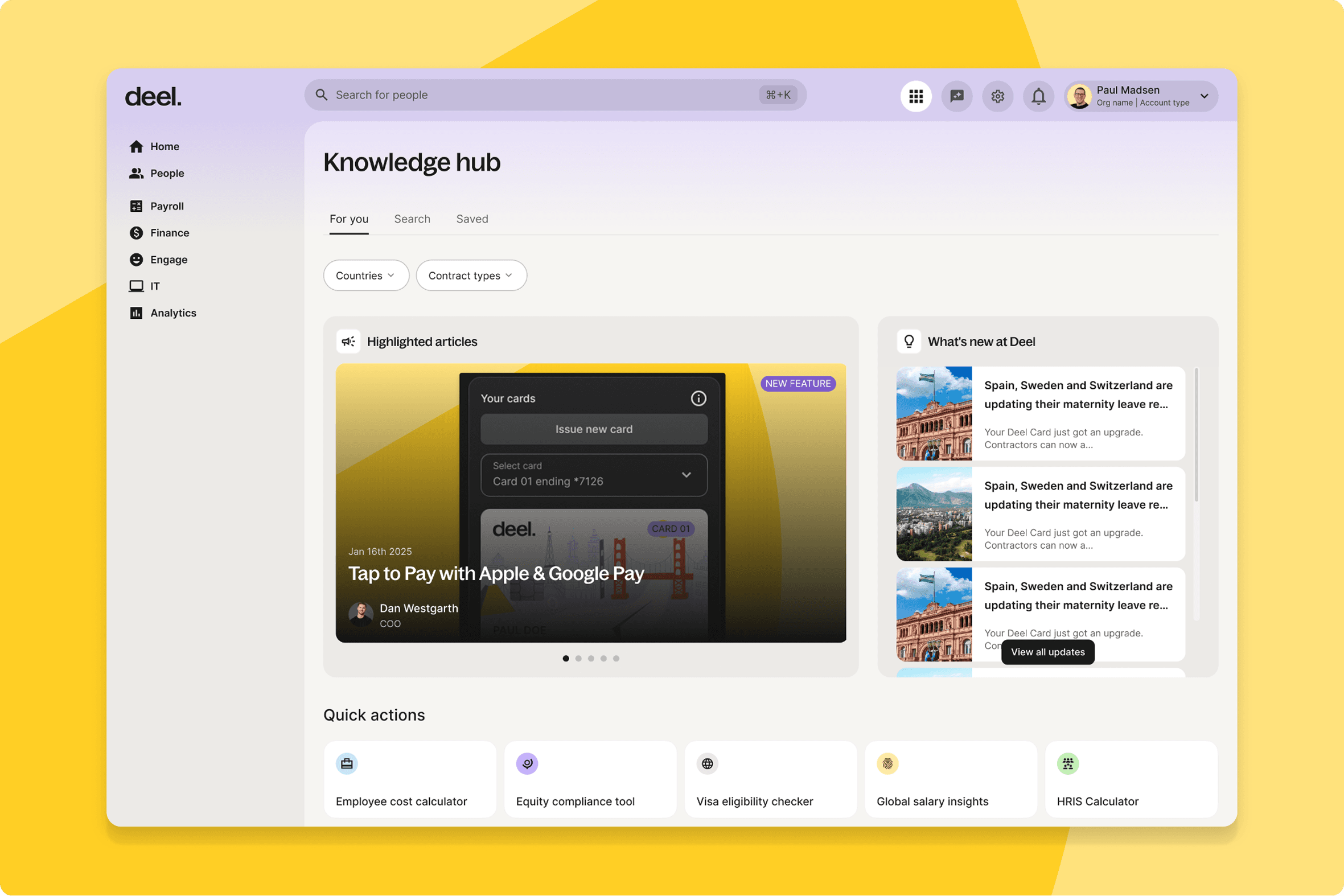
Knowledge Hub redesign
The Knowledge Hub is getting a redesigned interface — cleaner, more navigable, and rolled out in a phased manner to ensure a smooth transition.
What this means for you: A better experience for workers and admins who rely on the Knowledge Hub daily. Less hunting, more finding.
How you can prepare: No action needed — the rollout is phased and automatic.
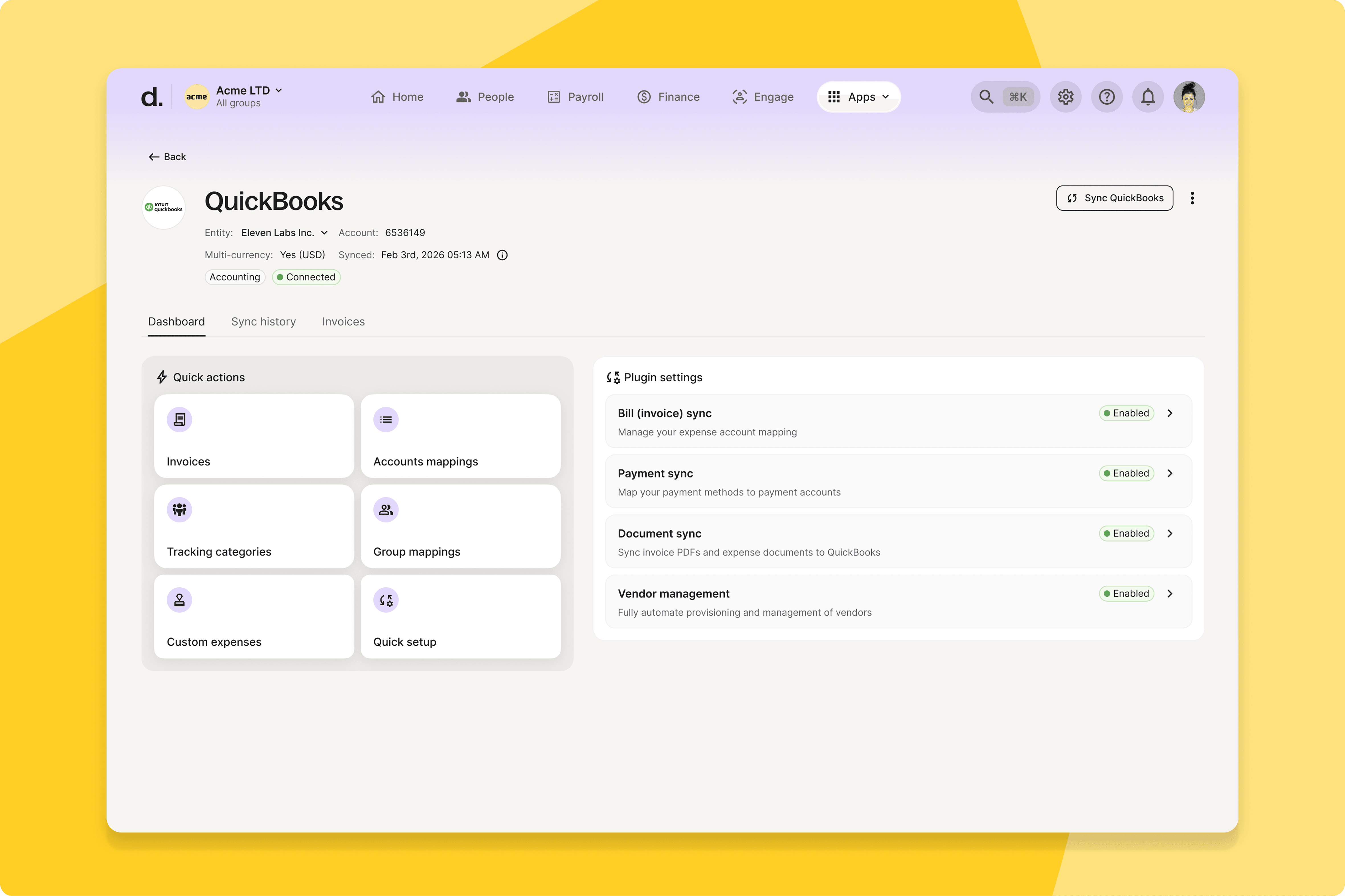
Aggregate lines of the same type
Accounting teams can now aggregate invoice lines of the same type — streamlining the invoice syncing process and reducing manual consolidation work.
What this means for you: Cleaner invoices and less manual effort for Finance teams reconciling Deel outputs against accounting systems.
How you can prepare: No configuration needed — available automatically.
Assignments based on new categories
Admins can now assign time off policies based on entity, payroll group, and gender — replacing manual assignment with automated configuration.
What this means for you: Less time spent on manual policy assignment, and policies that only appear for the workers they actually apply to.
How you can prepare: Map your current time off policies to the new categories ahead of go-live.
Mass import history dashboard
A new dashboard gives admins real-time visibility into every mass import job — workers processed, failed items, and live progress updates as they happen.
What this means for you: You know the status of a bulk import as it runs, not after it finishes. Errors surface immediately so your team can act before they become a backlog.
How you can prepare: No action needed — available automatically on go-live.
Client control center for payment settings
Clients can now manage employee payment settings directly from the platform — activating or restricting features like salary distribution and crypto payouts without raising a support request.
What this means for you: Finance and HR Ops teams make payment configuration changes in minutes, directly from the platform.
How you can prepare: Review your current payment settings and identify which your team should own directly going forward.
Simplified ‘add a person’ experience
HR Managers and People Ops admins now have a simplified, wizard-style entry point when adding people — less jargon, clearer steps, and fewer errors at the point of entry.
What this means for you: Faster, more accurate worker creation — especially for admins onboarding large cohorts or those who don't use Deel daily.
How you can prepare: No configuration needed — available automatically.
High-visibility upgrade path for contract transitions
The contract transition flow has been redesigned to make the implications of a change clear before anyone confirms it.
What this means for you: Workers and admins understand what a contract change means before they commit to it. Fewer surprises, fewer reversals.
How you can prepare: No configuration needed — available automatically.
Postpone contract cancellation
Clients can now create a future-dated contract for a worker in a pending state — keeping the existing contract active until the new one's effective date.
What this means for you: Cleaner contract transitions with no gaps in coverage or data consistency between old and new arrangements.
How you can prepare: Review any upcoming contract transitions that would benefit from a future-dated replacement.
Default HRIS secure file vault folders
Admins can now define a standard folder structure that applies automatically to every new employee profile — no manual creation required.
What this means for you: Consistent, organised document vaults from day one across your entire workforce, regardless of who set up the profile.
How you can prepare: Define your standard folder structure before go-live so it applies to all new profiles automatically.
Improved calendar app experience
Clients using calendar integrations now have a revamped UI and better management of calendar views.
What this means for you: A more intuitive calendar integration that works the way your team expects it to.
How you can prepare: No configuration needed — available automatically.
NetSuite custom field sync
Clients using the NetSuite integration can now sync custom LIST fields and parent-child hierarchies — mirroring their actual NetSuite financial structure in Deel with self-serve configuration for Finance teams.
What this means for you: Accurate invoice classification, support for complex entity hierarchies, and significantly less reconciliation work between NetSuite and Deel.
How you can prepare: Map the NetSuite custom fields and hierarchies that should sync into Deel and validate the structure before go-live.