Article
6 min read
What's coming to Deel in July
Deel news

Author
Deel Team
Last Update
July 07, 2026
Table of Contents
Deel HR
Engage
HRIS
Deel Payroll
Employer of Record
Contractor
Expense Management
Deel IT
Deel Platform
What’s shipped over this past month
Deel HR
HRIS
Compensation
ATS
Deel Payroll
Deel IT
Deel Platform
On July 8th, Deel is shifting from manual workflows to intelligent automation. We are introducing AI-driven agents to handle routine tasks—like contract duplication and life event document review—alongside deeper controls that put decision-making power directly into your team's hands.
These updates are designed to strip away the operational "noise," allowing your team to focus on high-impact strategic work rather than administrative cleanup.
Here's everything that's changing, and what your team needs to do before it lands.
Deel HR
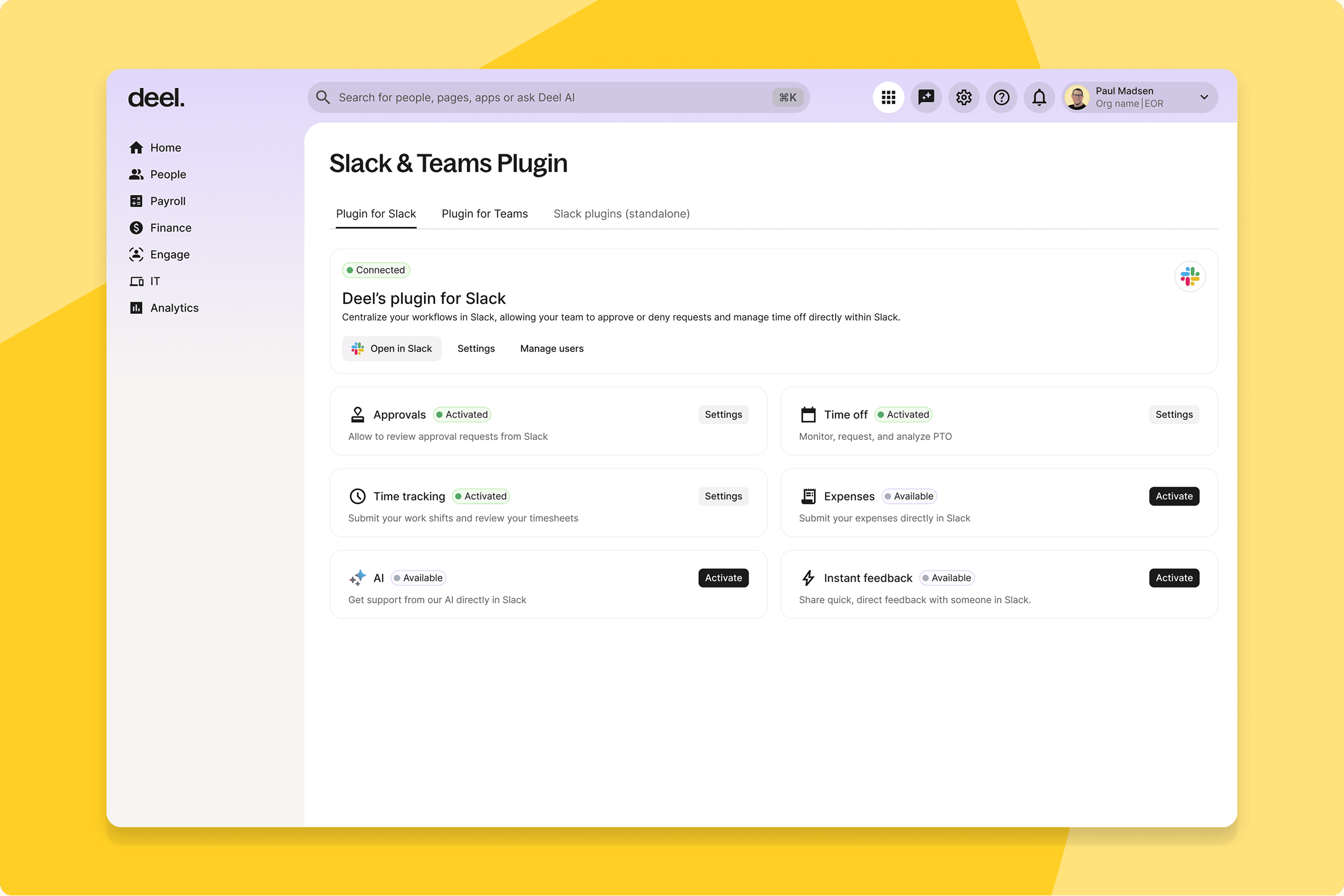
Get context-aware answers in Slack
The Deel Plugin Slack app now runs on a more advanced conversational AI endpoint with thread-aware context, role-scoped personalization for validated users, and response quality indicators.
What this means for you: Workers get answers scoped to their role and org context directly in Slack—no ticket, no documentation hunt. Managers get fewer pings for information Deel already holds.
How you can prepare: No configuration needed. If your workers already use the Deel Plugin in Slack, no relearning required—the upgrade happens behind the scenes.
Engage
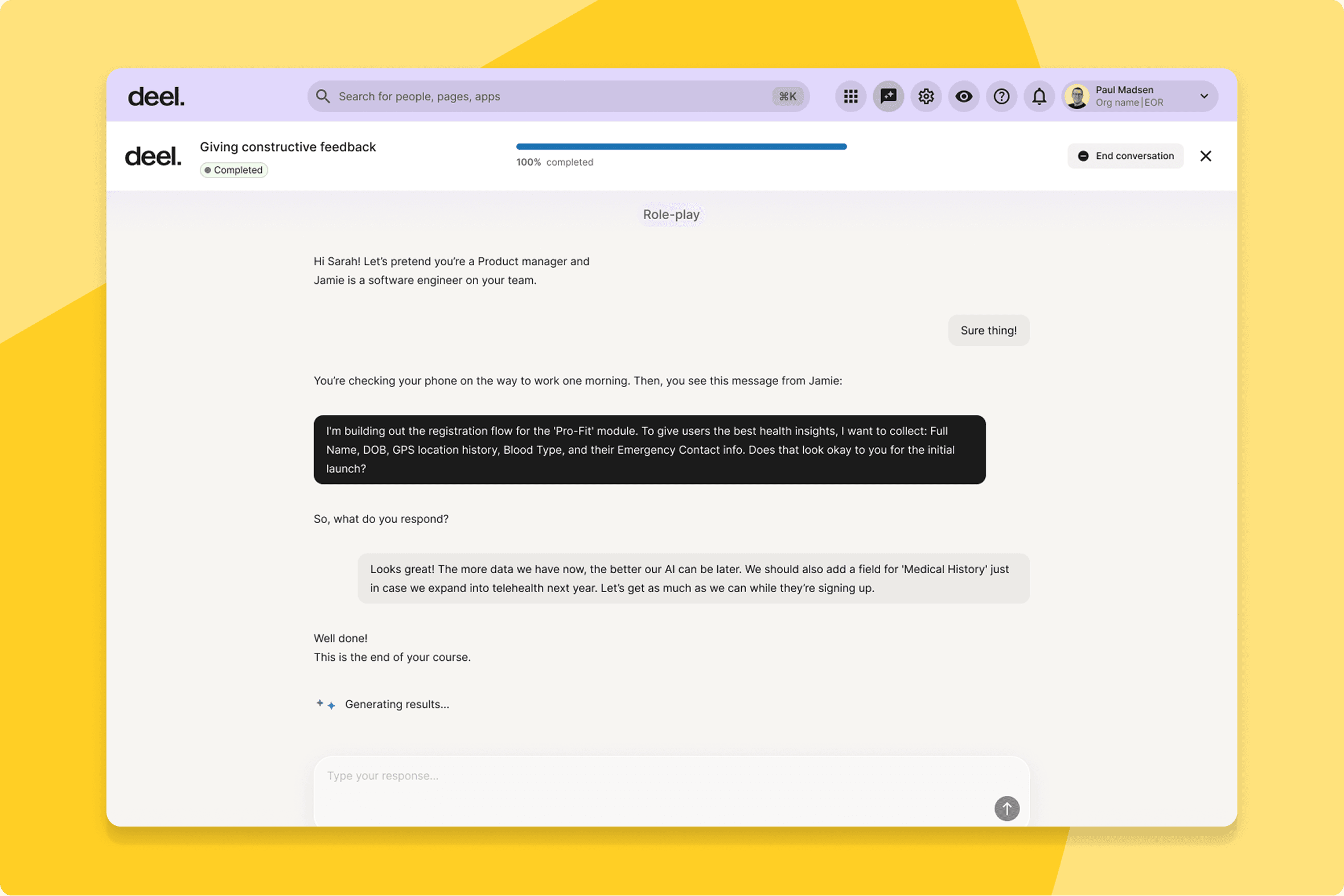
Improve retention with conversational learning
Admins can now create AI-driven learning formats where employees engage in guided conversations with an AI—teaching, quizzing, coaching, or role-playing to help learners practise a skill or master a topic.
What this means for you: L&D teams can build learning that actually adapts to each person. Admins set the topic and objective, the AI runs the session—and workers engage with it rather than scroll past it.
How you can prepare: No configuration needed to access the feature, but plan ahead: decide which topics suit a conversational format before building your first experience.
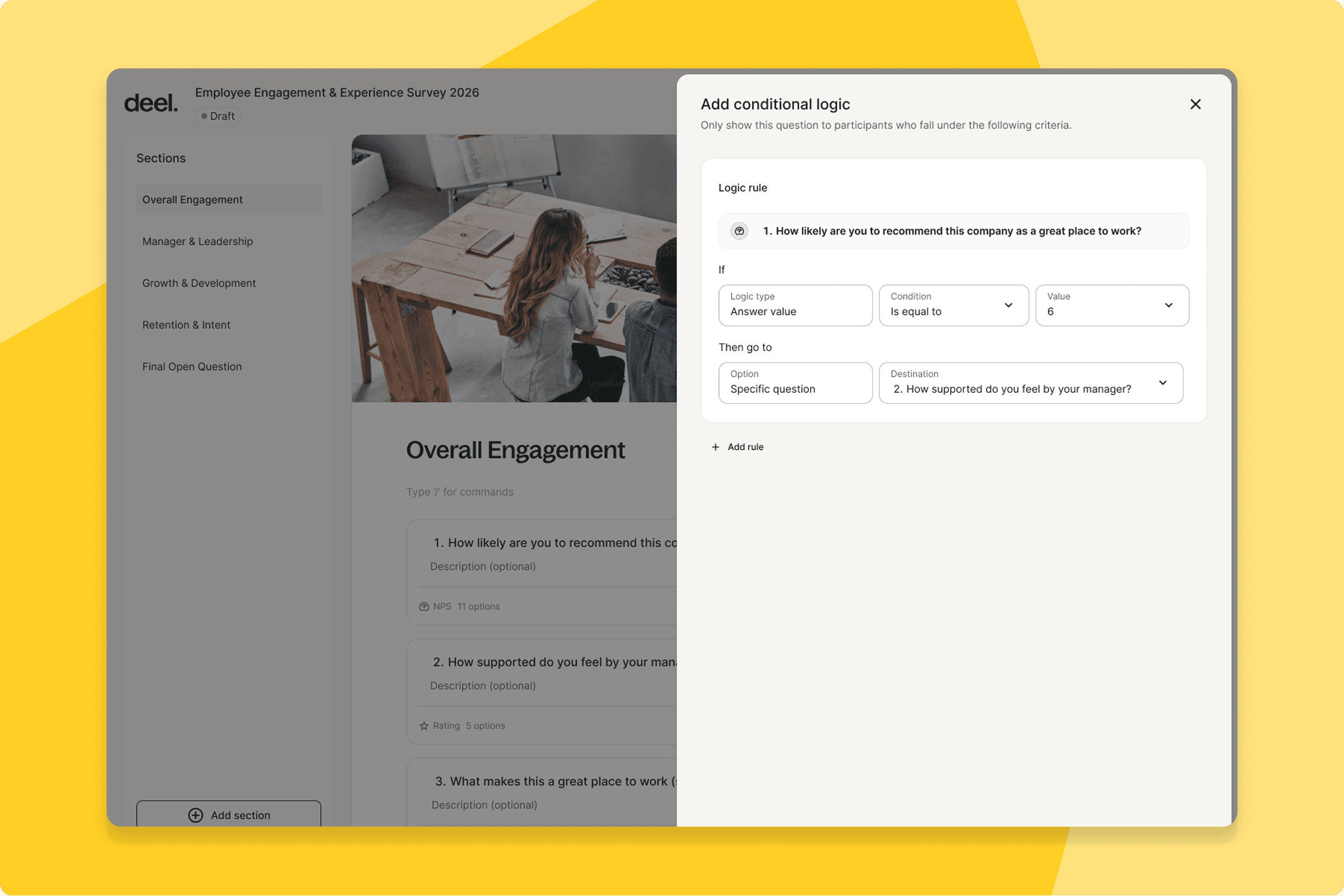
Surface nuanced data with conditional surveys
HR teams can now build surveys with conditional logic, showing different follow-up questions based on previous answers.
What this means for you: Employees only see questions that are relevant to them, and HR gets richer data without making surveys longer. A disengagement survey that branches on "why" gets more honest answers than one that asks everyone the same thing.
How you can prepare: No configuration needed. It's worth revisiting any survey you're planning to send soon to see where branching could improve it.
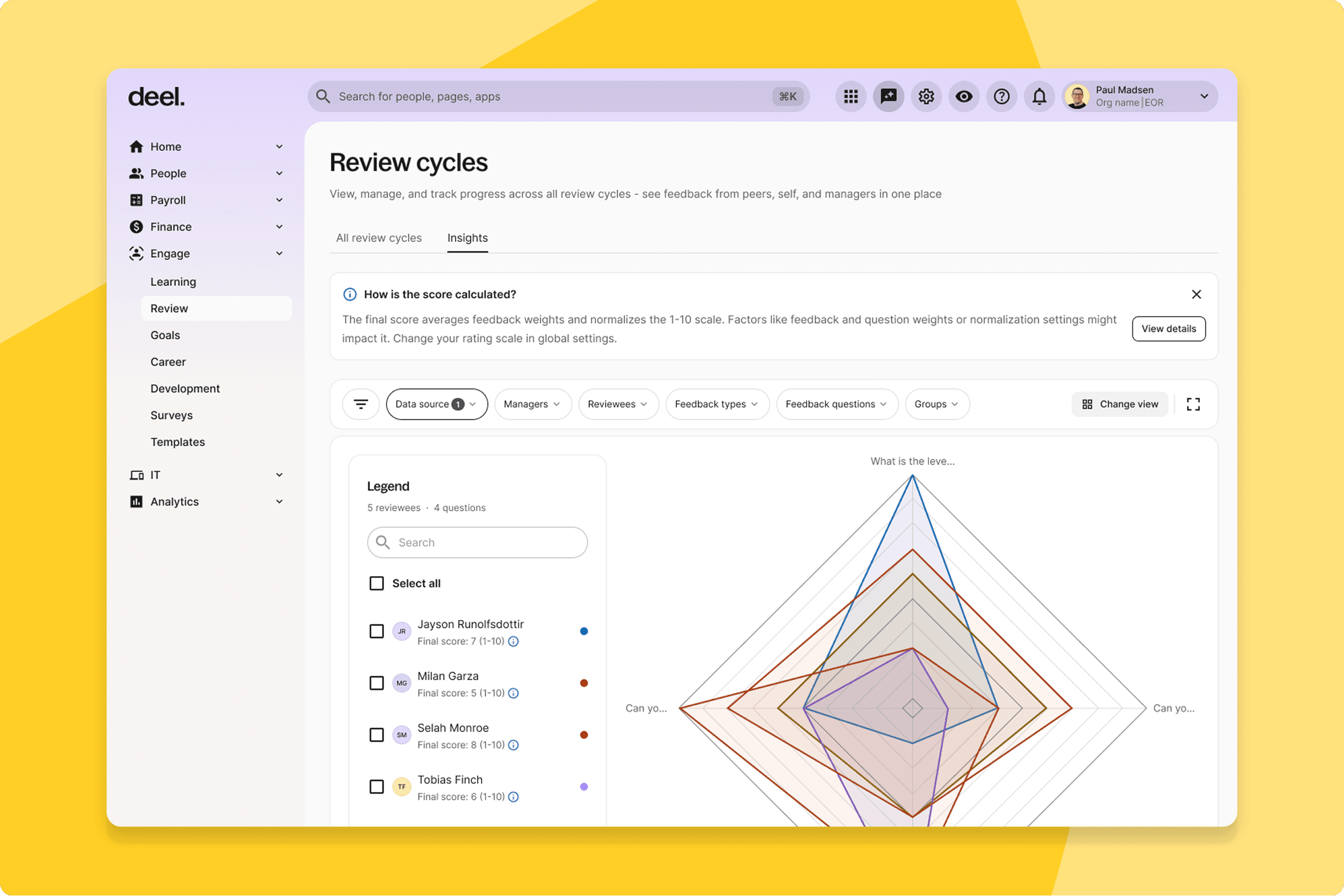
Compare employees with consistent score metrics
The Final Score is now visible across all four insight views—Heatmap, Box View, Radar Chart, and Distribution.
What this means for you: One consistent score across every analytical view. No more reconciling different metrics depending on where you're looking.
How you can prepare: No configuration needed. The Final Score column appears automatically in Heatmap and as a selectable dimension in the other three views.
Ground calibration in weighted composite scores
The calibration flow now supports Final Score, letting calibrators adjust the composite score directly. Both the original and calibrated values are shown in the breakdown modal.
What this means for you: Calibration sessions are grounded in the same weighted score employees will see—not raw averages that don't reflect how your org prioritizes different competencies. Conversations get sharper.
How you can prepare: No configuration needed. Select "Final Score Calibration" as the calibration type for your next cycle.
Ensure fairness with weighted review scores
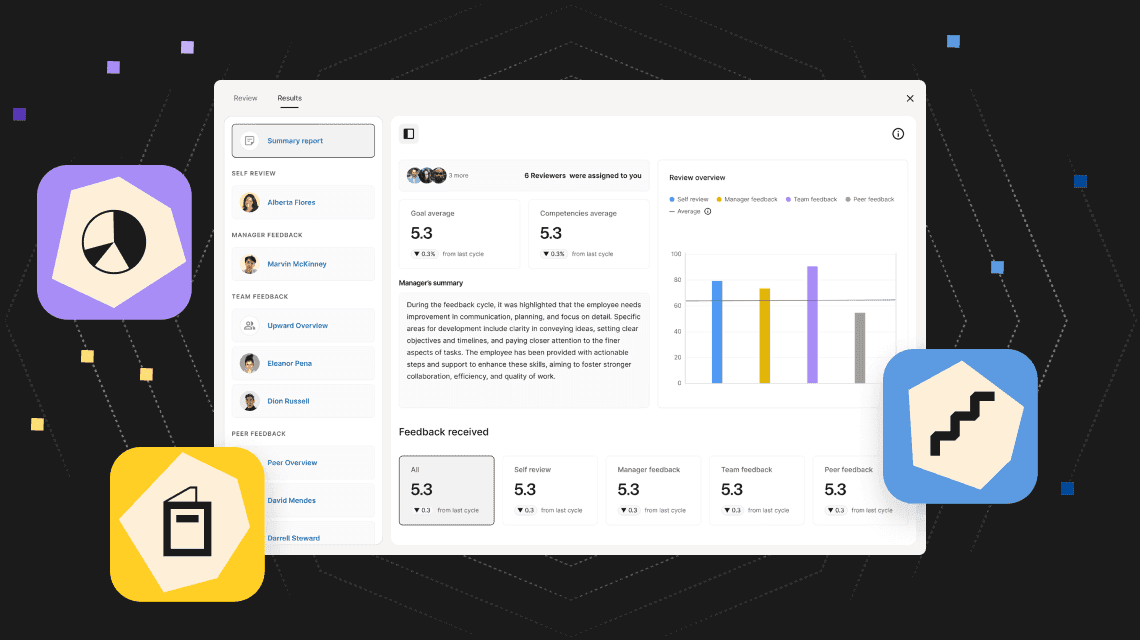
Performance review cycles now produce a weighted, normalized Final Score, replacing raw averages. Admins control whether the score is visible to reviewees, and a breakdown panel shows how weights, calibration, and normalization were applied.
What this means for you: HR leaders have a single, weighted score that everyone works from—no spreadsheet exports to recalculate, no reconciling different numbers across tools. Consistent, auditable, and visible to the right people.
How you can prepare: Decide whether reviewees should see their Final Score before your next cycle — the visibility toggle defaults to off, so you'll need to turn it on if you want it shown.
Increase completion rates with unified navigation
The Reviews landing page has been redesigned with a unified entry point for managers, workers, and clients, consolidating review lists across all roles.
What this means for you: Employees find their review cycle immediately, managers know exactly where to go, and HR fields fewer "where do I find this" questions. Completion rates improve because the friction is gone.
How you can prepare: No configuration needed. If you've shared instructions or bookmarks pointing to the old Reviews navigation, update them once this lands.
HRIS
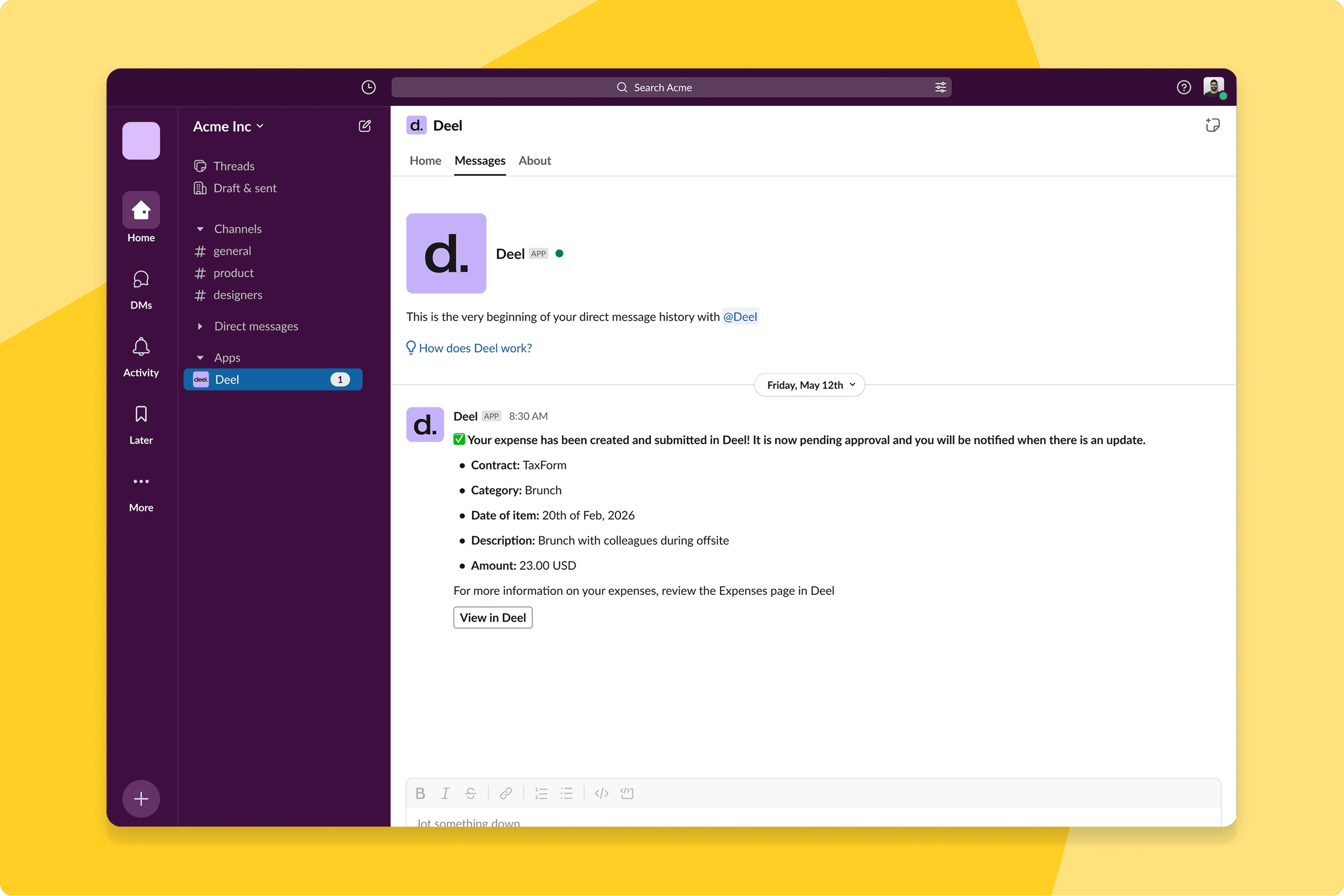
Reduce support noise with Slack expense tracking
Workers can now check their expense status directly in Slack, with an "Action required" default filter surfacing items that need attention immediately.
What this means for you: Workers can check their reimbursement status directly in Slack, where they already are. The default filter surfaces what needs action immediately—no emailing HR, no digging for it.
How you can prepare: No configuration needed. Give your team a heads-up that expense status is now visible directly in Slack so they know where to look first.
Secure data with granular manager permissions
Admins can now define exactly what worker-level data managers can view, configuring access at the data field level.
What this means for you: Managers see exactly what they need to do their job, configured at the field level—without a new role being created every time the scope is slightly different. Data governance becomes precise, not binary.
How you can prepare: Navigate to Org Settings → Access & Permissions → Worker App → Manager Role Edit to configure manager permissions.
Deel Payroll
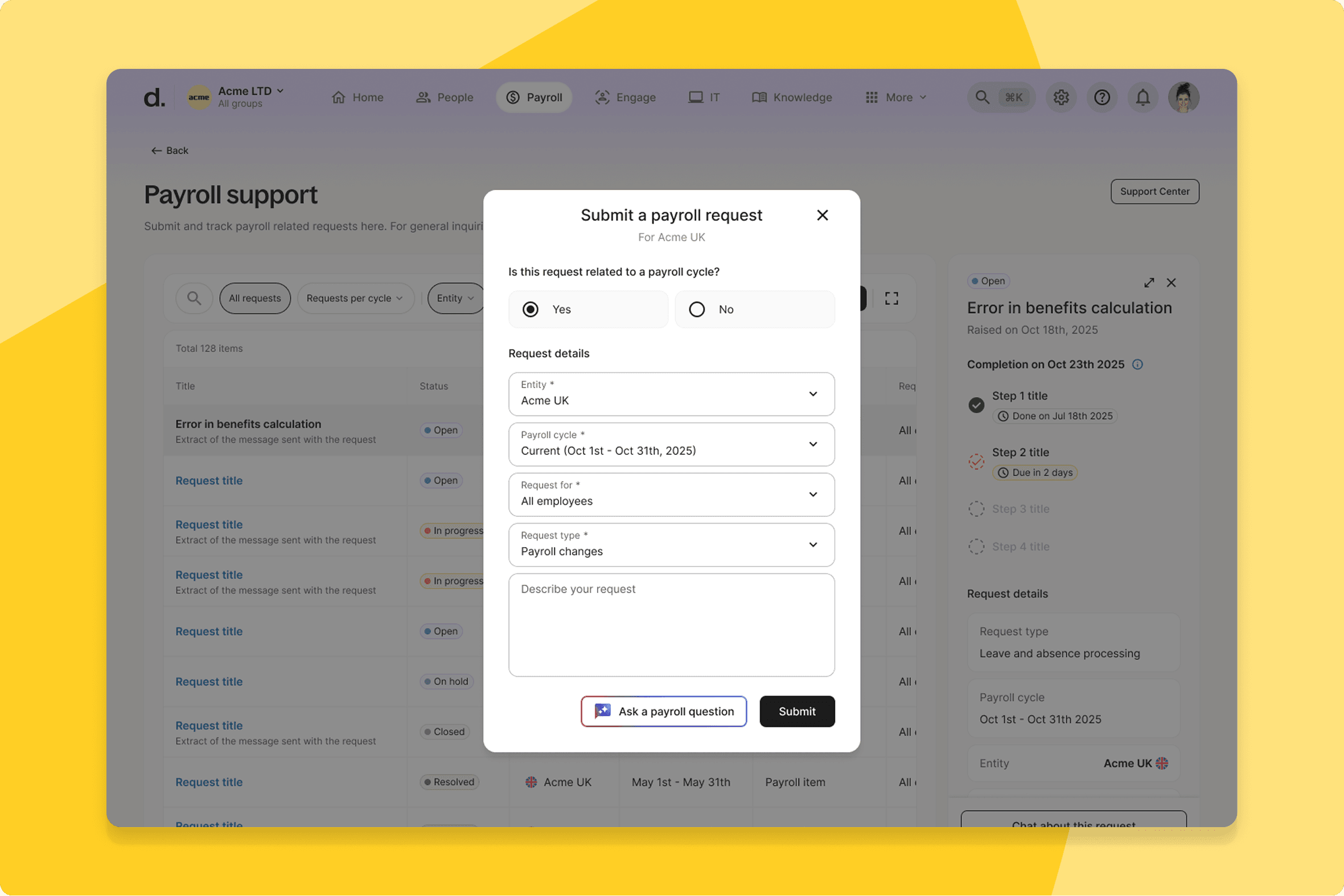
Centralize out-of-cycle payroll requests
Deel Payroll and PEO clients can now submit out-of-cycle payroll requests directly from the Submission Form, alongside in-cycle requests.
What this means for you: In-cycle and out-of-cycle requests go through the same interface—the Deel Communication Center. One place for everything, no workarounds.
How you can prepare: No configuration needed. Submit your next out-of-cycle request through the Submission Form instead of any workaround channel you've used previously.
Process expenses independently across entities
Admins at Deel Payroll organizations with mixed entity mapping states can now submit expenses independently, without waiting for every entity to be fully configured.
What this means for you: Multi-entity payroll teams can submit expenses for any entity independently, regardless of where others are in the configuration process. Each entity runs on its own timeline.
How you can prepare: No configuration needed. If you've been holding off on submissions while waiting for full entity mapping, you can proceed as soon as this lands.
Accelerate payroll grid workflows
Payroll admins can now sort employees by first or last name, access employee details from a bottom-sheet drawer, and navigate the grid with enhanced keyboard support. Copy consistency and unit clarity have also been improved.
What this means for you: Month-end close in the payroll grid takes fewer clicks and less context switching. The bottom-sheet drawer brings employee detail inline—no more leaving the grid to look something up.
How you can prepare: No configuration needed, but expect the grid to look a little different. If your team has a documented payroll close process, a quick walkthrough of the new controls before your next cycle is worthwhile.
Employer of Record
Automate policy-compliant per diem claims
A dynamic, integrated per diem calculator is now available for EOR clients and employees, with country-specific rates and policy logic. Submissions using the calculator are automatically approved.
What this means for you: Employees submit per diem claims through a calculator that already knows the right rates. Reviewers get submissions that are policy-compliant on arrival—no manual lookups, no queries back to the claimant.
How you can prepare: No configuration needed. Per diem rates are kept up to date automatically, but it's worth a quick check in Admin to confirm the rates in your active countries match your current policy.
Contractor
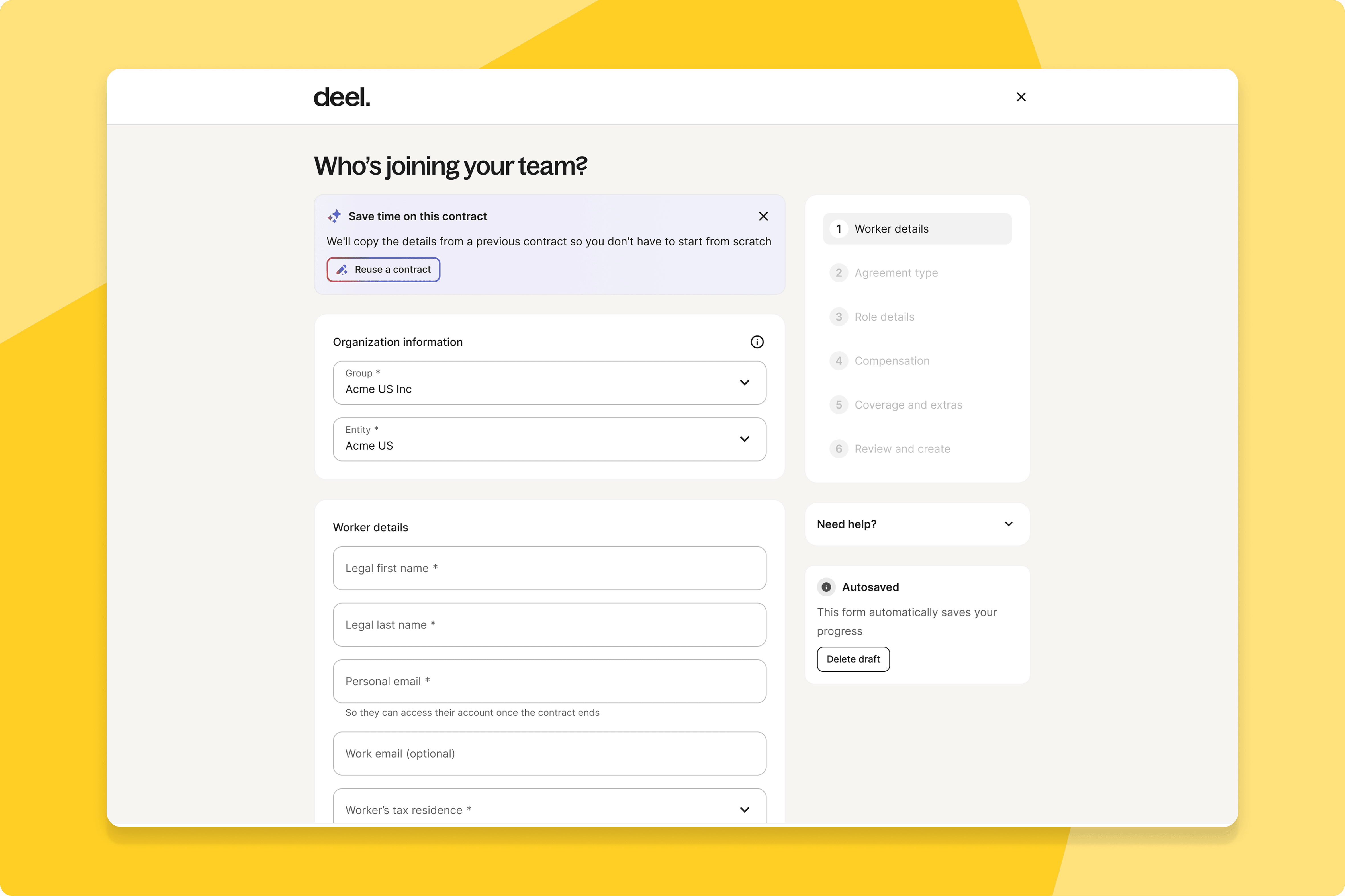
Automate contract creation
An AI Contract Creation Agent can now duplicate existing contracts during the creation flow, smart-filling fields from a prior agreement so clients aren't re-entering data for similar hires.
What this means for you: Teams that onboard contractors into the same role or country repeatedly get a head start—the agent fills the fields from a prior agreement, and your team reviews and confirms rather than starting from scratch.
How you can prepare: No configuration needed. The duplication option appears in the contract creation flow—try it the next time you're setting up a contract similar to one you've created before.
Streamline compliance with pre-approved clauses
Client admins can now self-serve pre-approved, country-specific clause selection during Contractor of Record contract creation—no need to loop in your account team or legal for standard exceptions.
What this means for you: Legal is out of the loop on standard contract exceptions—they're pre-approved at the org level. Your team selects them directly, and legal's time goes to the decisions that genuinely need them.
How you can prepare: No configuration needed. Worth letting your legal team know this exists, so they're not still being routed standard clause requests out of habit.
Expense Management
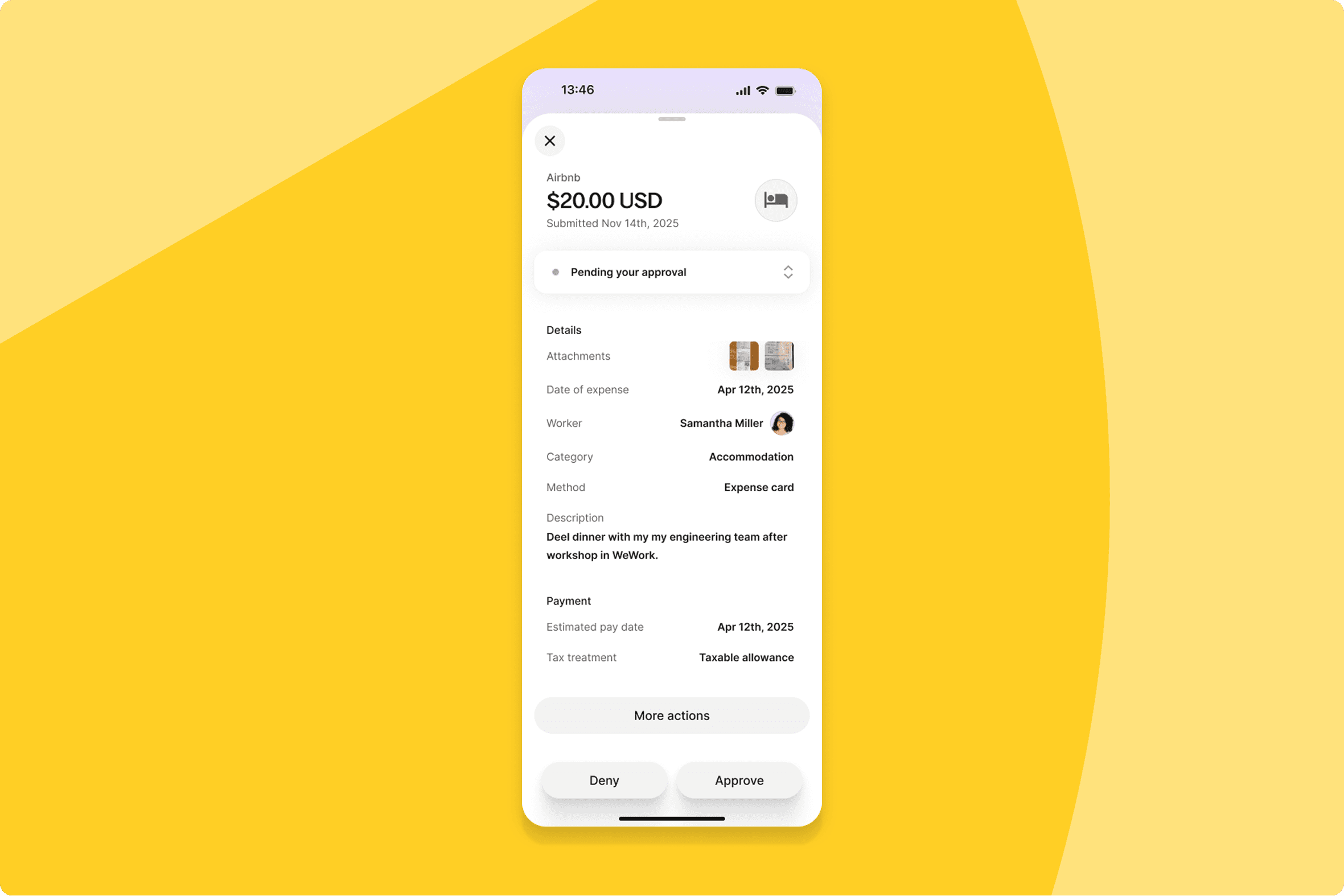
Action reimbursements directly with manager filters
Line managers can now approve or deny individual reimbursement requests from the detail view, with a new filter and search to surface what needs attention.
What this means for you: Line managers can approve or deny reimbursement requests directly, without escalating to finance. Finance gets more time for the decisions that actually need them.
How you can prepare: No configuration needed. Let your line managers know they now have approval authority in the detail view, so they're not still routing requests to finance out of habit. If they haven't already, now is a good time to download the Deel mobile app — approvals are available directly from their phone.
Deel IT
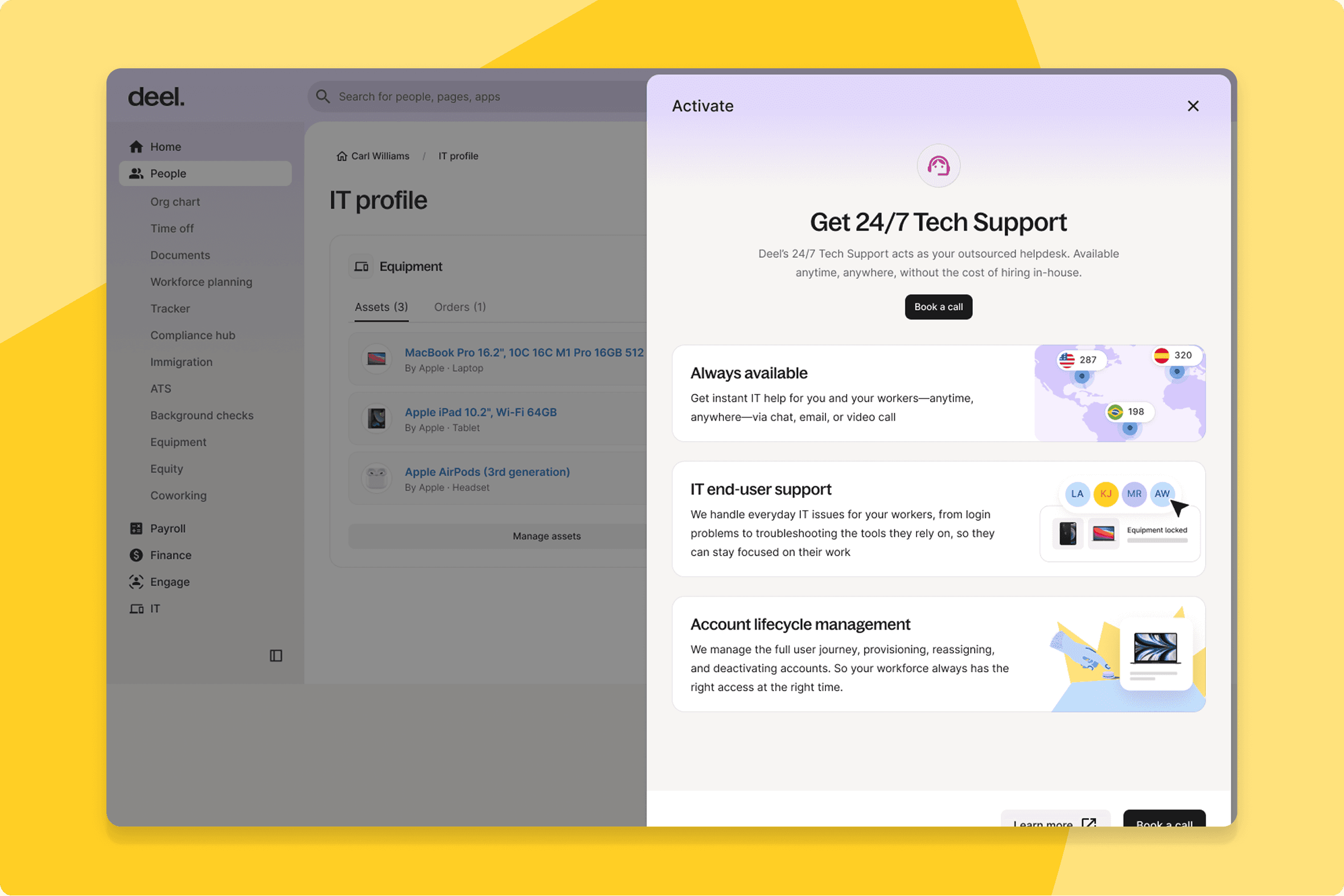
Automate support invoicing and management
Clients can now manage and view 24/7 Tech Support enrolment directly on the platform, with enrolment data feeding into invoicing automatically.
What this means for you: IT admins have full visibility of 24/7 Tech Support enrolment on-platform, and finance teams get invoicing that reflects it automatically—no manual reconciliation.
How you can prepare: Review your current 24/7 Tech Support enrolment list once this is live—it's now visible directly on the platform.
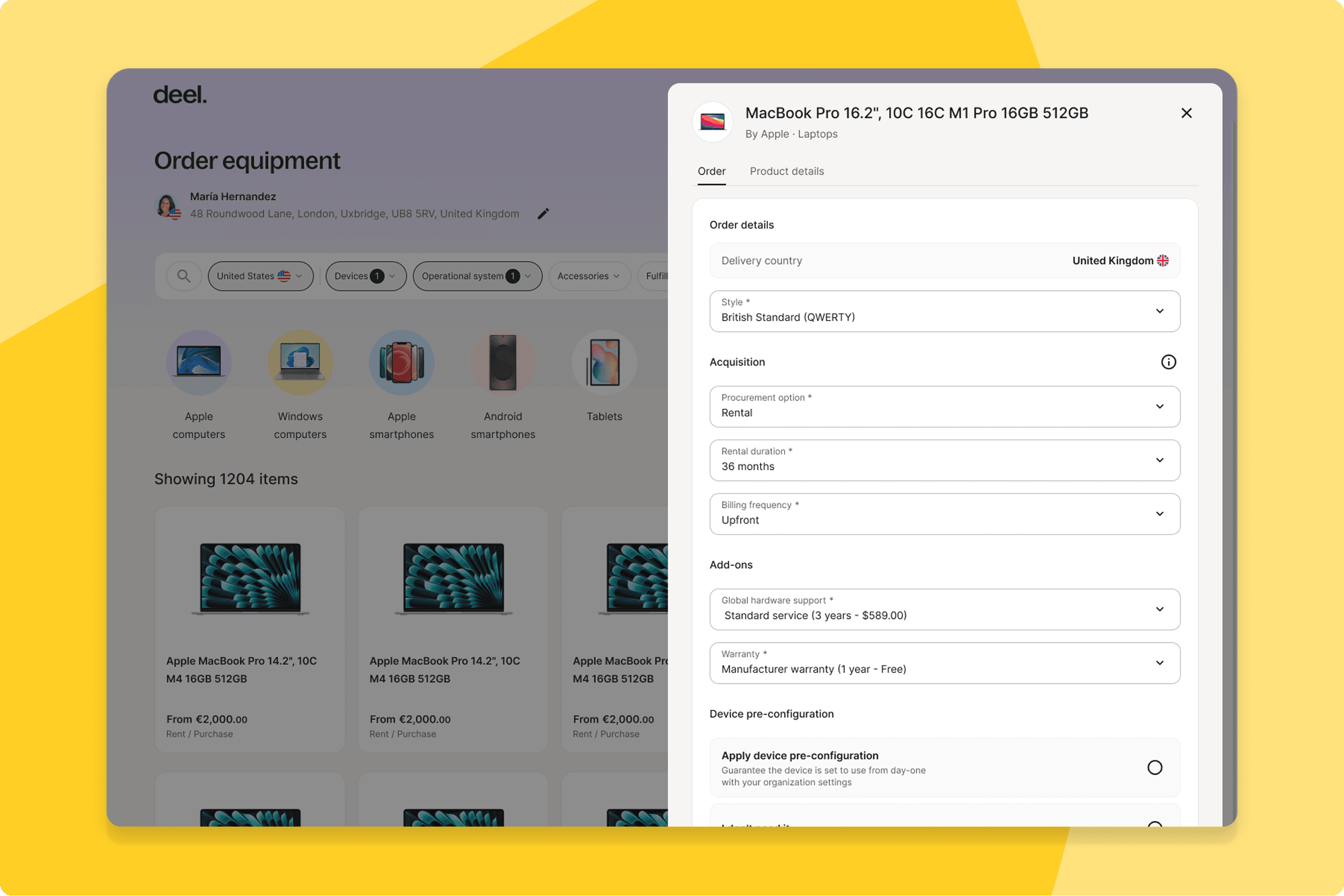
Eliminate ordering rework with data persistence
The device preconfiguration flow now runs on a backend-driven eligibility model with a mandatory confirmation toggle and persistent data records across orderers, IT admins, and warehouse operators.
What this means for you: Everyone in the ordering chain sees reliable, real-time preconfiguration eligibility. Consistent state means no rework from mismatched information.
How you can prepare: No configuration needed. Orderers, IT admins, and warehouse operators will see the updated flow automatically next time they place or process an order.
Reduce hardware returns with visibility control
Clients can now hide specific keyboard variants from the worker-facing catalogue, enabling device reuse across regions with different keyboard layouts.
What this means for you: IT teams managing multi-region hardware programs avoid workers ordering region-incompatible variants, reducing returns and reprocessing at scale.
How you can prepare: If you manage device policies across regions, review your worker-facing catalogues once this is live and hide any keyboard variants that don't apply locally.
Centralize endpoint protection setup
Clients can now complete CrowdStrike setup entirely within Deel.
What this means for you: IT teams deploying CrowdStrike across a Deel-managed fleet complete the full setup in one place — no platform switching, with a persistent configuration record.
How you can prepare: If you're planning a CrowdStrike rollout, set it up through the in-platform flow instead of going directly to CrowdStrike.
Deel Platform
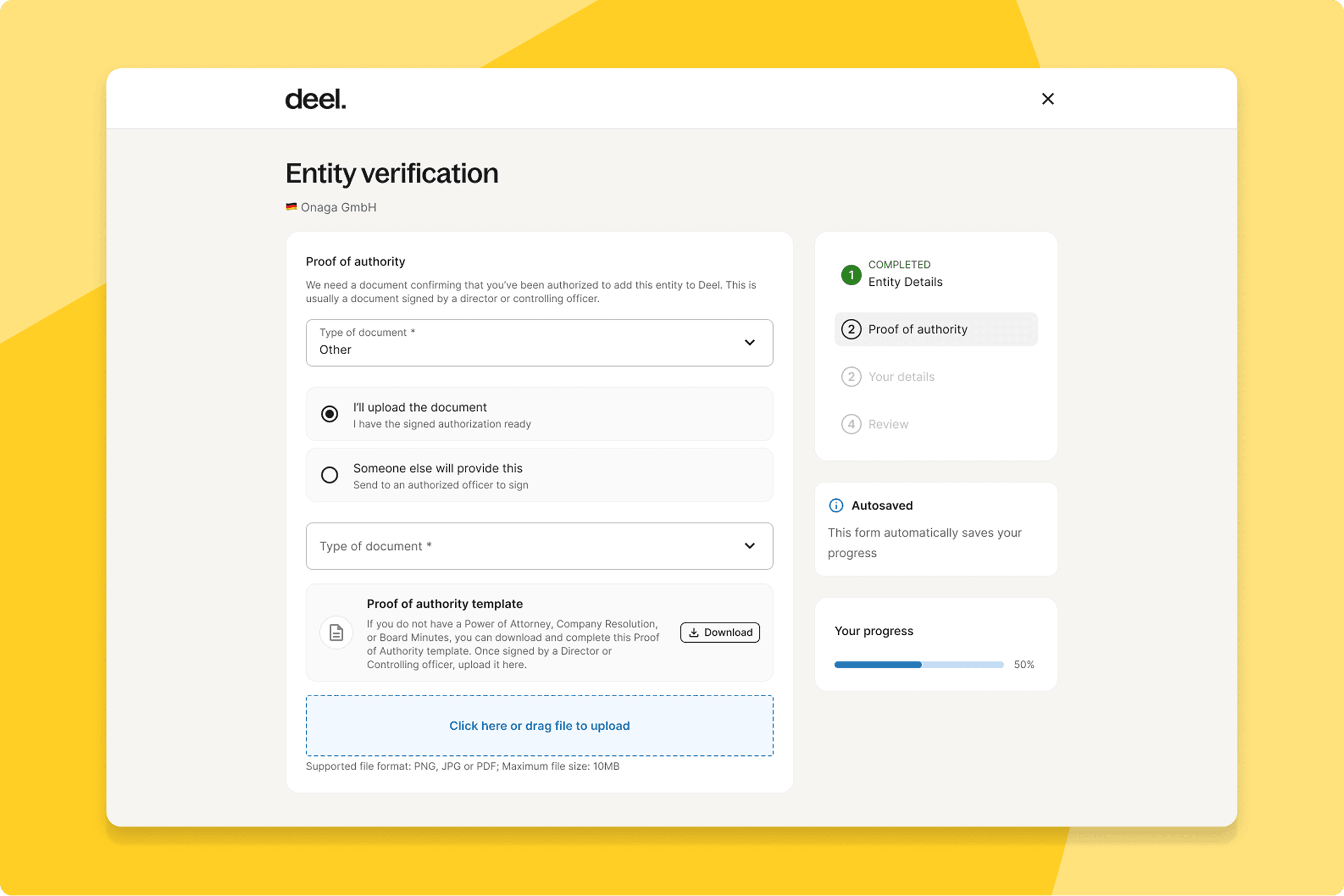
Speed up authority verification with eSignatures
Clients can now use Deel's in-house eSignature utility for Proof of Authority requests, replacing the off-platform process.
What this means for you: Key persons sign PoA documents without anyone else handling it for them. The CDD process moves faster, and compliance teams get an audit trail without chasing DocuSign threads.
How you can prepare: No configuration needed. Let your compliance team know this option exists—they may still be defaulting to the old off-platform process.
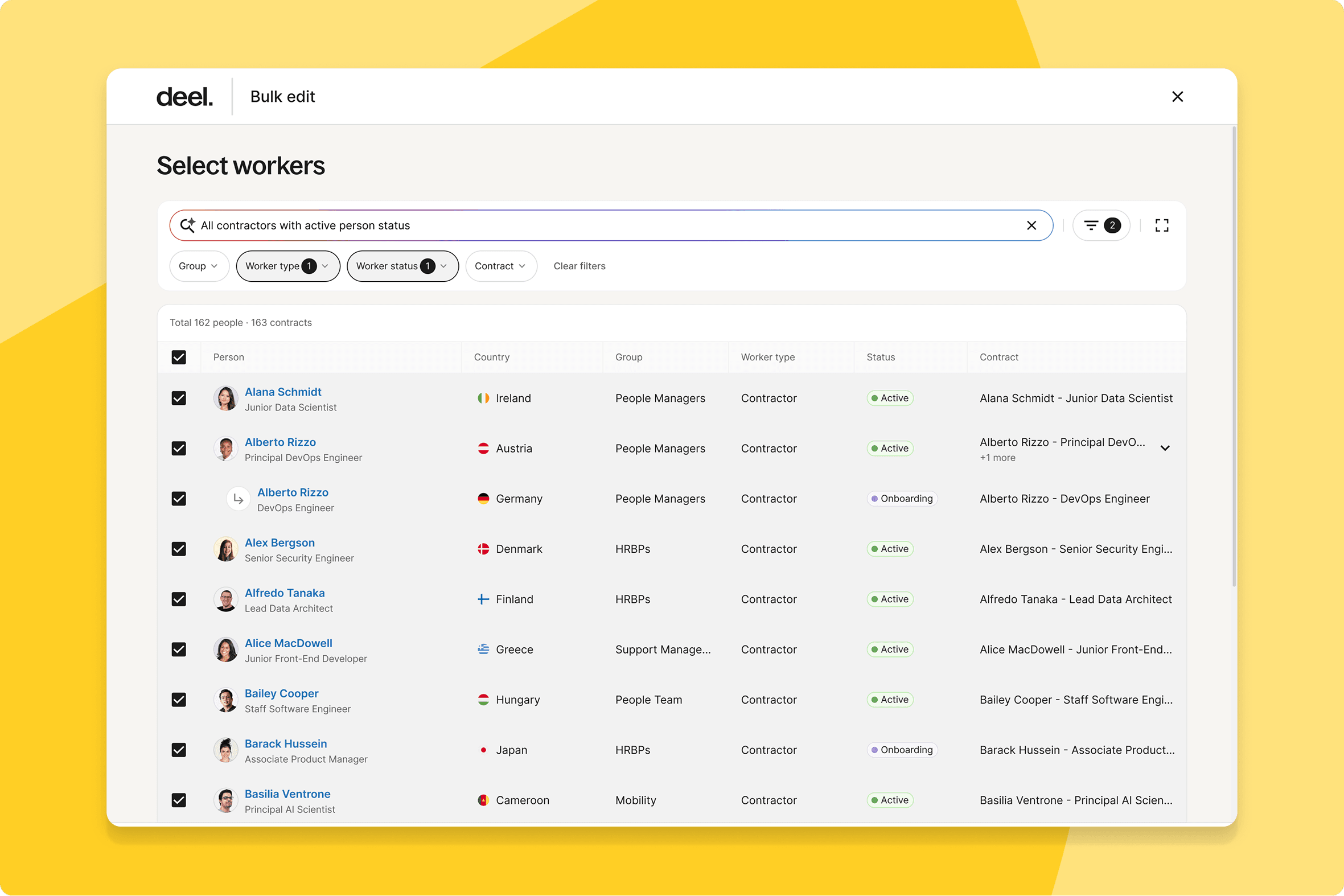
Ensure bulk edit precision with flow selection
Clients managing workers with multiple contracts now get a clear flow selection at the start of Bulk Edit—choose between editing worker profile data or contract-level data—before any changes are submitted.
What this means for you: Admins confirm the exact scope of a bulk edit before anything is submitted—worker profile data or contract-level data, primary or non-primary. No more discovering the change landed in the wrong place after the fact.
How you can prepare: No configuration needed. If your team runs Bulk Edit regularly, the first run after July 8 will look different—take a moment to walk through the new flow selection step before your next scheduled edit.
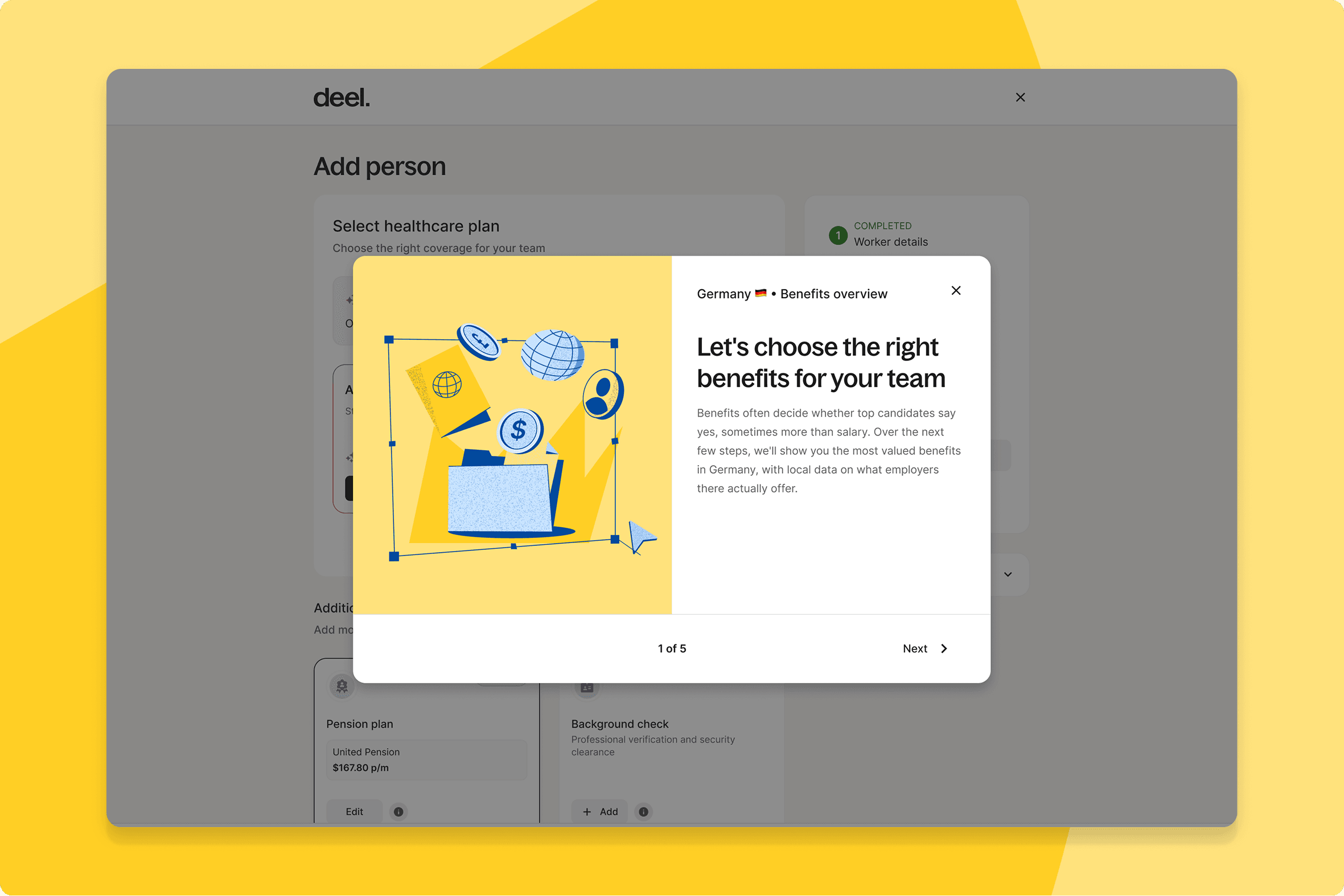
Improve benefits choices with local context
EOR buyers now see a country-specific educational modal before the Benefits step, with clearer context on what's available.
What this means for you: HR teams onboarding EOR employees in new countries get country-specific benefits context before the decision point—so choices are better informed from the start, not revised after the fact.
How you can prepare: No configuration needed. The modal appears automatically before the Benefits step for new EOR hires.
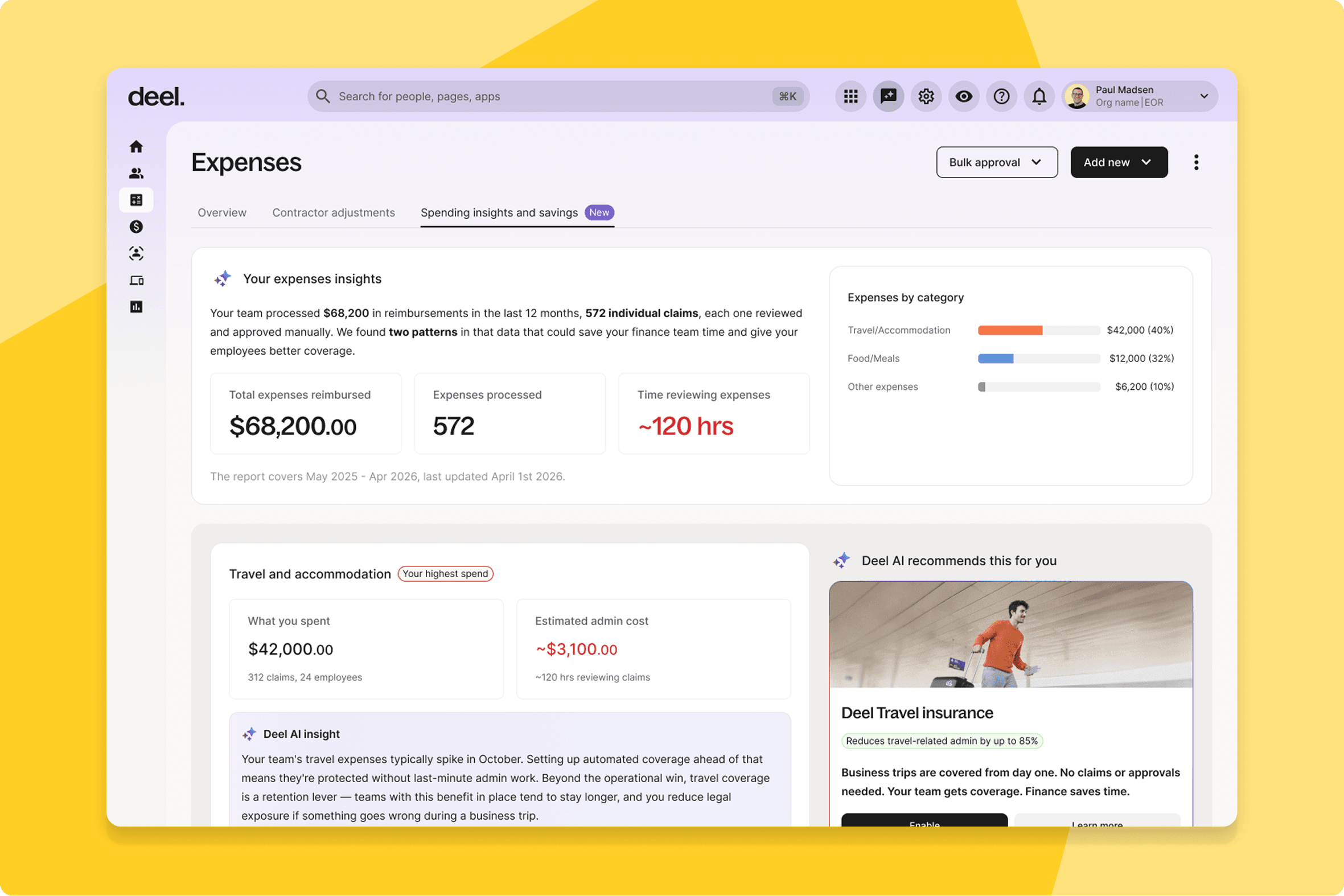
Analyze spending with category dashboards
A new "Spending Patterns" dashboard aggregates historical reimbursement data by category, giving clients a view of expense trends over time.
What this means for you: Finance and HR ops teams get a clear view of expense trends by category, directly in Deel — no exports needed. Patterns that were invisible in one-off reports become visible at a glance.
How you can prepare: No configuration needed. It pulls from your existing reimbursement history, so it's worth a look as soon as it lands rather than waiting for your next policy review.
Localize contract amendment templates
HR admins using Deel Payroll can now select a language for contract amendment templates, generating amendments in the employee's preferred language.
What this means for you: HR teams managing non-English-speaking workforces select the language in the amendment flow and the document arrives ready to sign—no separate translation step, no parallel document workflow.
How you can prepare: No configuration needed. The language selector appears automatically in the amendment flow—worth flagging to HR admins before your next amendment run.
Navigate workers faster with arrow controls
Client admins can now move directly between worker profiles using arrow navigation, without returning to the main list between each profile.
What this means for you: Sequential profile reviews—onboarding checks, audit cycles, performance processes—move faster. Arrow through records directly without returning to the list each time.
How you can prepare: No configuration needed. Worth mentioning to anyone on your team who regularly reviews profiles back-to-back.
Identify high-risk contractors instantly
A shield icon now appears on invoice rows where the contractor is based in a high-risk country, giving immediate compliance visibility during invoice review.
What this means for you: Finance and compliance teams get compliance visibility inline during invoice review—a shield icon on the row, no separate report to cross-reference.
How you can prepare: No configuration needed. If your finance team handles contractor invoice review, give them a heads-up so the new shield icon doesn't come as a surprise.
Distribute salary across multiple bank accounts
Employees can now distribute their salary across multiple bank accounts directly through the Workday GPC integration.
What this means for you: Enterprise clients who've been managing salary splits outside of Deel bring that process back on-platform. One less thing maintained in a separate system.
How you can prepare: Available for Workday DCoD integrations now, with others rolling out later. If you've been splitting pay outside of Deel, this is a good time to move it back on-platform.
Sync high invoice volumes instantly
Accounting integration users can now sync all invoices matching their active filter in a single action.
What this means for you: Finance teams running large monthly syncs can clear them in a single action. Filter to what you need, sync everything at once.
How you can prepare: No configuration needed. The option appears once you've filtered and selected a full page of invoices—easiest to find during your next sync run.
Control finance module access at scale
Parent organization admins can now toggle Finance module visibility for all child organizations with a single control.
What this means for you: Admins managing multi-entity structures can ensure each child org only sees what's relevant to them. One toggle removes the Finance module where it doesn't belong.
How you can prepare: This is a toggle, not an automatic change—parent org admins need to actively turn off Finance module visibility for any child organizations where it doesn't apply.
Discover and connect SSO integrations
SSO and provisioning apps—including Okta, Google, and JumpCloud—are now visible and accessible in the Deel App Store.
What this means for you: IT admins can discover and connect SSO integrations directly from the Deel App Store. No need to go elsewhere.
How you can prepare: No configuration needed. If your team has been managing SSO setup elsewhere, check the App Store first next time.
Automate manager information syncing
Clients using a Deel HRIS GP integration can now automate the syncing of manager information, eliminating double data entry.
What this means for you: HR ops teams maintain manager hierarchies in one place. Update your HRIS and Deel reflects it automatically.
How you can prepare: Applies if you're using a Deel HRIS GP integration. No setup needed, a good moment to consolidate manager data into a single source of truth.
Reveal liquidity options at withdrawal
Contractors and EOR employees now see their Deel Advance eligibility immediately after making a withdrawal.
What this means for you: Workers who need liquidity after a withdrawal find out about Advance at the right moment, not buried in a menu they'd never think to visit.
How you can prepare: No configuration needed. This is entirely worker-facing.
Mitigate misclassification with liability warnings
Clients about to assume direct liability for a contractor now see a contextual warning at the exact moment of decision, with a one-click path to switch to a Contractor of Record contract.
What this means for you: Risk and operations teams catch the decisions most likely to create misclassification exposure before they're confirmed, not after the contract is live.
How you can prepare: NNo configuration needed. If your team manages entity selection for contractors, expect to see this warning appear at that step going forward.
Fix bulk edit errors with AI validation
An AI layer in Bulk Edit now handles auto-correction, async pre-validation, and AI-powered suggestions before bulk changes are submitted.
What this means for you: HR admins catch and fix bulk edit errors before submission—failed imports, wrong values, broken records are surfaced by AI before anything is committed.
How you can prepare: No configuration needed. The AI suggestions surface automatically during your existing Bulk Edit workflow.
Clear amendment backlogs with mass approval
Enterprise clients can now approve EOR amendments in bulk instead of one at a time.
What this means for you: HR ops teams can clear EOR amendment backlogs in minutes rather than working through them individually. Particularly useful during compensation cycles or policy changes.
How you can prepare: No configuration needed. If you have amendments queued up, it's worth waiting for this to land before processing them individually.
Automate life event document reviews
An AI agent now reviews documents submitted for qualifying life events, handling clear-cut cases end to end and routing only uncertain submissions for manual review.
What this means for you: Routine qualifying life event documents are reviewed and approved automatically. Your HR team's attention goes to the cases that genuinely need human judgment.
How you can prepare: No configuration needed. Uncertain cases still route to your team, so existing escalation processes stay in place.
What’s shipped over this past month
Not every release waits for the calendar. These features are already shipped, and they run on the same logic as the main batch: AI taking on sourcing and screening work that used to sit with a person, and a string of fixes that improve your Deel experience.
Deel HR
Get instant answers with AI Analytics
Clients can now ask workforce questions in plain English and get a report back in seconds. Type a question about headcount, payroll spend, or hiring pace directly in Deel HR—no BI ticket, no analyst, no waiting.
What this means for you: HR and people teams get answers to workforce questions on the spot. Ask in plain English, get a structured report back in seconds—the same day, not the same week.
How you can prepare: No configuration needed. Analytics AI is already available in your Deel HR account, try it next time you'd normally raise a report request.
HRIS
Browse large workforces faster with rebuilt lists
The People List has been rebuilt to address performance issues and simplify the UI.
What this means for you: Admins managing large workforces get noticeably faster load times and a cleaner experience in the People List.
How you can prepare: No configuration needed. You'll see the updated People List automatically next time you open it.
Compensation
Update conversion rates in bulk directly
Admins across Deel's HR product suite can now access and manage the currency conversion table, with bulk changes available via CSV.
What this means for you: Compensation and Workforce Planning teams can update conversion rates in bulk via CSV—directly, without waiting on engineering.
How you can prepare: Review your current conversion rates once this is live, you can now update them in bulk via CSV instead of one at a time.
ATS
Enable faster debriefs with AI summaries
Deel's AI records, transcribes, and generates structured summaries of every interview, available immediately after the call. Candidates are notified and can opt out.
What this means for you: Hiring managers focus on the conversation during interviews, and structured summaries are ready immediately after—so debriefs are sharper and faster.
How you can prepare: No configuration needed. Let your hiring panels know interviews will be recorded and summarized automatically, and that candidates are notified and can opt out.
Cut time-to-first-candidate with AI sourcing
AI external sourcing surfaces candidates from connected external sources based on role criteria, delivering a shortlist before manual search begins.
What this means for you: Recruiters open a new requisition and find a shortlist already waiting, generated against their criteria. They refine from there rather than building from zero.
How you can prepare: No configuration needed. Try it on your next hard-to-fill role before starting manual sourcing.
Stop copy-pasting with multi-board posting
ATS users can publish a role once and have it distributed instantly to 1,000+ connected job boards. Applicants flow directly into the Deel pipeline with no manual imports.
What this means for you: Recruiting teams publish once and reach job boards automatically. Every applicant lands in the Deel pipeline. No manual imports, no copy-pasting listings.
How you can prepare: No configuration needed. Publish your next open role through Deel’s ATS as usual—multi-board distribution now happens automatically.
Deel Payroll
Manage US tax agency registrations centrally
PEO and Deel Payroll (US) clients can manage all US tax agency registrations from a single centralized hub, covering requirements for each legal entity.
What this means for you: Payroll and compliance teams manage all US tax agency registrations from a single hub, with proactive flagging of anything missing before it becomes a penalty.
How you can prepare: Review the hub once it's live and check for any flagged registrations.
Trace revenue with decoupled offboarding fees
Payroll managers can now trigger offboarding fee charges at termination confirmation, fully decoupled from payroll cycles.
What this means for you: Offboarding fees are charged at termination confirmation—fully traceable and decoupled from payroll run timing.
How you can prepare: No configuration needed. Offboarding fees will now appear at termination confirmation—factor that into offboarding budgeting going forward.
Support pay transparency with band permissions
Admins can now grant workers scoped, view-only access to job structure data and pay ranges.
What this means for you: Organizations moving toward pay transparency can open up job level and band information on their own terms, without giving broader access than intended. Recruiters can include ranges in job postings; managers in Workforce Planning see costs when making decisions.
How you can prepare: Admins need to grant the scoped access before workers can see job structure data and pay ranges. Worth prioritizing if pay transparency is on your roadmap, including any work toward the EU Pay Transparency Directive.
Support compliance with worker compensation code assignment
EOR clients can now assign Worker Compensation codes to US DFS field and onsite contracts.
What this means for you: Organizations with field workers in DFS-regulated states can assign Worker Compensation codes at the contract level directly in Deel—accurate, traceable, and in the right place.
How you can prepare: If you have US DFS field or onsite contracts, review them once this is live to confirm the correct code is assigned.
Resolve tax implications with gross-up actions
EOR clients and employees can now request a gross-up on expenses and choose to reclassify them as a taxable allowance. Reviewers choose from three options: approve without gross-up, approve with gross-up, or approve and reclassify.
What this means for you: Payroll teams handle international expense reimbursements with tax implications end-to-end in Deel—with three reviewer actions available in one place.
How you can prepare: Pay codes for grossed-up or reclassified expenses can be configured ahead of time so requests process automatically—contact your payroll support team to set this up.
Deel IT
Submit support requests via email intake
Clients can now submit 24/7 support requests by emailing the support inbox and receive automatic confirmations, with requests tracked and routed.
What this means for you: Employees who prefer email have a direct intake channel that works. Requests are confirmed, tracked, and routed correctly—regardless of whether they used the portal.
How you can prepare: No configuration needed. Let your team know they can now email the 24/7 support inbox directly.
Deel Platform
Correct statements at the line level
Enterprise clients can now remove individual invoices from a payment statement that's already been created and is awaiting payment, without cancelling the entire statement.
What this means for you: Finance teams can correct a single invoice on a statement without cancelling and rebuilding the whole thing. Fix the line, leave the rest.
How you can prepare: Next time you need to correct a statement, look for the line-level edit option instead of cancelling.
Reduce risk with automated wallet screening
Every crypto wallet added on Deel is now automatically screened against sanctions lists at the point of entry.
What this means for you: Compliance teams get automatic sanctions screening on every crypto wallet at the point of entry—no manual checks needed.
How you can prepare: No configuration needed. Screening runs automatically the next time a wallet is added.
Sync custom Workday fields automatically
Integration admins can now define field override paths directly in Workday GPC settings, enabling custom and calculated fields to sync into Deel automatically.
What this means for you: Custom Workday fields—like cost category or company-country code—now sync into Deel automatically. Manual workarounds are no longer needed.
How you can prepare: Contact your Customer Success Manager to enable this for your account, then use the mapping interface to configure the relevant fields.
Reduce E-Verify rejections with compliant paths
The I-9 process now covers every common US immigration status with a complete, USCIS-compliant path.
What this means for you: US HR and onboarding teams see fewer rejected E-Verify submissions and spend less time on manual fixes for each one.
How you can prepare: No configuration needed. The expanded document support is already live for new I-9 submissions.
Improve accuracy with automated key person prefill
The UBO prefill within CDD now draws on additional data sources, significantly improving the completeness and accuracy of key person data at onboarding.
What this means for you: Legal and compliance teams get more complete UBO data pre-populated at onboarding—less manual research, fewer follow-up requests for missing information.
How you can prepare: No configuration needed. You'll notice more complete prefill data the next time you go through CDD for a new entity.
Reconcile invoices automatically with PBC allocation
Prepaid Billing Credits are now automatically allocated across all entities under their respective products. Pending invoices covered by existing credits are re-issued automatically.
What this means for you: Prepaid Billing Credits are allocated automatically across entities. Finance and billing ops teams get accurate invoicing without tracking and applying credits by hand.
How you can prepare: No configuration needed. If you have pending invoices that should be covered by existing credits, check your billing dashboard—they may already be reissuing.
Access financial tools faster on mobile
Workers get a refreshed home screen with an updated layout and a new top-level Wallet and Finance navigation item.
What this means for you: Workers find financial tools immediately from the Deel home screen. Wallet and Finance is a top-level navigation item—no secondary menus to navigate.
How you can prepare: No configuration needed. Workers see the updated homepage the next time they open the Deel Mobile app.
Clean workspaces by dismissing onboarding prompts
All client users—including HRIS-only and IT-only users—can now dismiss the onboarding widget at user level.
What this means for you: Teams that are fully set up get a clean workspace. Each user can dismiss the onboarding widget individually when it's no longer relevant to them.
How you can prepare: No configuration needed. Each user can dismiss the widget individually.
Track multi-product implementations centrally
A new centralized Onboarding page in Org Settings gives admins a single view of progress across all products.
What this means for you: Admins running multi-product rollouts get a single view of onboarding progress across Deel IT, HRIS, Payroll, and EOR—all in one place in Org Settings.
How you can prepare: No configuration needed. Check Org Settings for the new centralized Onboarding page next time you want an implementation status update.
Speed up contract signing on mobile
The contracts review and signing experience on the Deel Mobile app has been rebuilt for a cleaner, faster flow.
What this means for you: Workers signing contracts on mobile get a more reliable experience—fewer drop-offs, fewer delays at the signing stage.
How you can prepare: No configuration needed. The updated flow appears automatically next time a worker reviews or signs a contract on mobile.