Article
6 min read
Best Workforce Planning Software for Mid-Sized Companies
Global HR

Author
Ellen Simmonds
Last Update
November 26, 2026

Table of Contents
What is workforce planning software?
What to look for in workforce planning software for mid-sized teams
The six best workforce planning software tools for mid-sized companies
Workforce planning software comparison table
Plan headcount without the tool sprawl
Key takeaways
Mid-sized companies need workforce planning software that connects headcount decisions to real payroll cost data, not a spreadsheet patched across multiple systems.
The right tool includes documented approval workflows, applicant tracking system (ATS) integration, and global cost modeling so approved roles move to recruiting without re-entry.
Deel HR's workforce planning module connects headcount planning, payroll data, and hiring in one platform, with approved roles syncing to a supported ATS without re-entry.
Headcount decisions often span three systems, four email threads, and a spreadsheet with no agreed owner. Managers request roles while HR calculates costs and finance works from different figures. By approval, teams may have entered the same job title into three places without knowing which plan is current.
This is the cost of tool fragmentation at the 200–2,000 employee level: separate systems for HR data, payroll, and financial planning that never quite line up. Deel's HR Tech Consolidation Report, conducted by Forrester Consulting, surveyed 152 HR decision-makers at mid-market and enterprise companies with multi-country workforces. Its found that the problems of fragmentation are widespread and significant:
HR teams spend an average of 18 hours a week on manual work, including 5.8 hours on data reconciliation alone.
71% struggle with headcount planning because data doesn't match across systems.
64% struggle to budget effectively because of limited visibility across tools.
92% say improving workflows across HR, payroll, and IT is a top priority for the year ahead.
88% need better data visibility and reporting.
The right workforce planning software solves this data and workflow problem. It consolidates the headcount plan, the approval process, and the cost data in one system and connects the plan to hiring so approved roles don't have to be re-entered. This guide covers what workforce planning software does, what mid-sized teams should look for when evaluating options, and six tools built for the 200–2,000 employee range, with an honest account of where each fits best.
What is workforce planning software?
Workforce planning software is a system that structures how an organization decides who to hire, when, and at what cost. It creates a path from "we need this role" to an approved, costed position ready to hand off to recruiting, replacing the informal mix of spreadsheets, email chains, and meetings where most workforce planning currently happens at mid-sized companies.
Most HR teams already use tools that touch adjacent functions, but those tools don't cover the planning workflow:
HRIS (Human Resource Information System) stores the employee record: who works for the company, along with each person's role, compensation, and time off. It's a system of record, not a planning tool. Most HRIS platforms don't natively handle the scenario modeling, approval workflows, or cost forecasting that go into deciding whether a hire makes sense.
FP&A tools handle financial planning and analysis at a broader level. They're finance-owned, built around general budget modeling, not the HR-specific data (comp bands, employer costs by country, worker type) that feeds a workforce plan.
ATS (Applicant Tracking System) manages candidates once a role is open. It supports recruiting after HR and finance approve the role rather than generating the plan or managing the approval.
Workforce planning software sits between these systems. It turns a headcount request into an approved, costed position that flows into recruiting without manual handoffs, and it creates a record of the decision so HR, finance, and leadership can find the same answer when they ask the same question two quarters later.
For mid-sized companies specifically, the need for a connected solution is more acute than at the enterprise level. Enterprise organizations often have dedicated operations teams to manage system integrations and reconcile data across tools. Mid-sized teams rarely have that resource buffer, which makes eliminating the reconciliation step, rather than managing it, the more practical goal.
What to look for in workforce planning software for mid-sized teams
Mid-sized companies running a fragmented HR tech stack consistently hit the same planning problem: headcount data, compensation figures, and payroll costs live in separate systems that weren't built to share information. Deel's HR Tech Consolidation Report found that HR teams managing data across disconnected tools spend a disproportionate share of their time reconciling records rather than acting on them. For teams in the 200–2,000 employee range, that fragmentation hits workforce planning hardest: a headcount plan is only useful when the cost and approval data behind it are accurate, which requires those systems to be connected. The right evaluation starts with which capabilities close that gap.
Real cost data, not estimates. A headcount plan is only useful if the cost figures are real. That means salary, employer taxes, benefits, and contractor rates, by country and worker type, not a rough estimate with a multiplier. Direct payroll data gives finance defensible figures and removes the need to reconcile estimates in another spreadsheet.
Documented approval workflows. Most headcount decisions happen through Slack, email, and informal meetings. Those conversations may be necessary, but decisions become hard to trace when teams don't record them. A role approved in March has no context by September, and a decision made in a reorg can't be traced. Workforce planning tools should capture the business case, the sign-off, and the cost in one place, with the right stakeholders in the approval chain.
ATS connectivity. When a role gets approved, it typically has to be re-entered into the ATS manually: same title, same level, same comp range, copied from one system to another. This handoff is where time disappears for recruiting teams. Direct integration between workforce planning and your ATS eliminates it, so approved roles move to open positions without anyone retyping them.
Global support. For companies with people in more than one country, headcount cost varies significantly by location. A plan that shows a salary figure without employer costs, benefits, and local tax burdens doesn't give finance an accurate picture. Tools built for distributed teams handle multi-currency, multi-country cost modeling, including contractor and EOR workers, natively.
Consolidation vs. point tools. Dedicated workforce planning tools often do specific things well, like visual org modeling or financial scenario analysis, but each one adds another data set to synchronize with your existing HR and payroll systems. The evaluation decision comes down to whether a point tool's specific capabilities justify the ongoing integration overhead, or whether a platform that connects planning to live HR and payroll data delivers more value given your team's current stack complexity. Getting a structured vendor evaluation in place before shortlisting tools saves significant time later.
Free guide
Your Blueprint for Global Workforce Planning
The six best workforce planning software tools for mid-sized companies
Not every workforce planning tool is designed with mid-sized companies in mind. Some are enterprise-grade finance systems that require dedicated administrators and months of implementation. Others are lightweight HRIS add-ons that show headcount data but don't structure the planning process itself. The six tools below represent the range of what mid-sized teams between 200 and 2,000 employees are actively evaluating, from fully integrated platforms to specialist planning tools, with an honest account of where each one fits best.
Deel HR: Workforce Planning
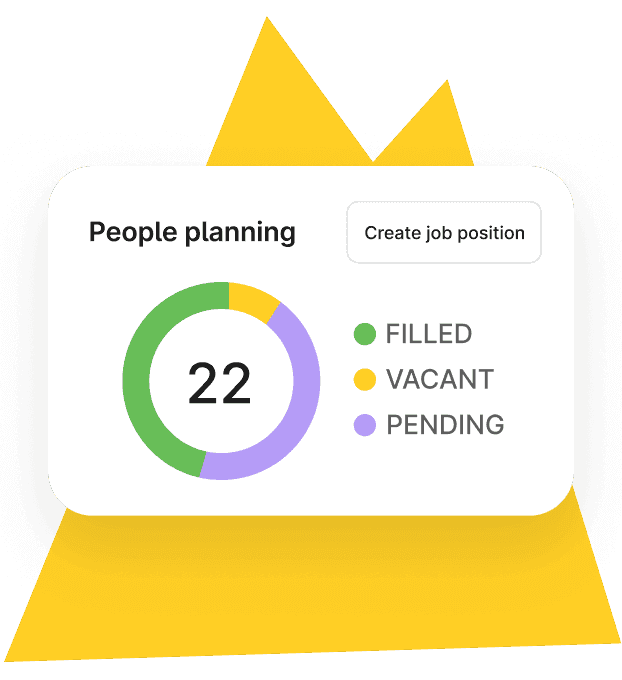
Deel HR's workforce planning module handles headcount planning, costing, and approvals within Deel HR, connected to the platform's HR data, payroll capabilities, and supported ATS integrations. When a manager requests a role, the approval path is built in. HR and finance see the same live plan, cost figures draw on connected workforce data, compensation bands, and configured planning assumptions, and once a role is approved, it can sync to a supported ATS without re-entry.
The differentiator for mid-sized teams is access to connected workforce and payroll data alongside compensation bands and planning assumptions, giving HR and finance a more grounded view of headcount costs. Deel HR's workforce planning connects to compensation data, including salaries, employer costs, contractor rates, and EOR worker data where available, covering the countries where the company hires. Deel supports global workforce management across 150+ countries, and Deel HR can provide planning visibility across employee, contractor, and EOR worker data on the connected platform.
Workforce Planning is part of the Elite tier, which adds workforce planning and compensation management to the capabilities available in the preceding Deel HR tiers. Teams already using Deel for payroll or EOR can connect existing workforce data, then configure job architecture, approval workflows, budgets, and any supported ATS integration for workforce planning.
Best for: Mid-sized teams (50–2,000 employees) that want headcount planning, approval workflows, and payroll-connected cost data in one platform, with global coverage and direct ATS handoff through Deel ATS or Ashby.
Workforce planning and payroll: better together
When headcount planning connects to payroll data and compensation information, cost forecasts reflect what a hire actually costs rather than an estimate. Approved roles that sync directly to a supported ATS avoid the re-entry step that most recruiting teams manage manually.
BambooHR
BambooHR is a well-regarded HRIS for small and mid-sized teams. It's approachable to administer, with solid core HR capabilities: time off management, onboarding workflows, and org chart visibility. The Elite tier adds salary benchmarking (via Mercer data) and compensation management, which is useful for teams formalizing pay practices alongside headcount growth.
Workforce planning in BambooHR is primarily headcount analytics and reporting, covering trends in employee count, turnover, and compensation, rather than a dedicated planning module with structured approval flows and scenario modeling. Teams that need better headcount visibility may find BambooHR's reporting sufficient. Teams that need approval workflows or cost scenarios need a separate tool or process to handle that side.
Best for: Companies up to 1,000 employees that want an easy-to-use HRIS with HR record-keeping and headcount reporting, without a need for structured approval workflows or multi-country cost modeling.
Workday Adaptive Planning
Workday Adaptive Planning is a finance-first scenario modeling tool, strongest where the FP&A team owns the headcount budget and planning cycle. It supports sophisticated what-if modeling, multi-scenario comparisons, and detailed cost forecasting across the organization.
The trade-off is implementation cost and complexity. Workday Adaptive Planning carries enterprise pricing, typically requiring a formal quote, with implementation adding significant cost and timelines that commonly run six months to over a year. It's built for organizations already in the Workday HCM ecosystem, where the planning tool connects directly to employee and payroll data. Companies outside that ecosystem face additional integration work and cost that adds to the total investment.
For mid-sized teams without a dedicated finance-system team, that implementation weight can slow adoption or push planning work back into spreadsheets. The value is clearest when FP&A owns the process, the team already runs Workday HCM, and the complexity of the planning requirements justifies the setup effort.
Best for: Mid-to-large organizations with a finance team that owns workforce planning, an existing Workday HCM investment, and the internal resources to manage a longer implementation.
ChartHop
ChartHop approaches headcount planning visually. Managers and HR teams model changes directly on a live org chart, with real-time cost impact calculated as managers and HR draft changes. It supports six distinct scenario types, including opening roles, restructuring reporting lines, promotions, and budget adjustments, so teams can compare options and see the financial impact before committing.
HR and finance can work in the same planning environment, with approval routing built in. For teams that think about headcount in terms of org structure, specifically who reports where and how departments are shaped, ChartHop makes those decisions easier to visualize and document.
ChartHop integrates with existing HRIS and payroll systems, so it works alongside a current stack rather than replacing it. That also means maintaining data synchronization between systems, which adds an ongoing operational step.
Best for: Mid-market teams (200–2,000 employees) that want visual org-based planning and real-time scenario modeling, particularly HR and finance teams that need to collaborate on headcount decisions.
ADP Workforce Now
ADP Workforce Now is a human capital management platform built for mid-sized companies, typically in the 50 to 999 employee range, that combines HR, payroll, benefits, and workforce analytics in a single environment. It's one of the most established platforms in this segment, with payroll processing covering multi-state tax filings and workforce reporting drawn from a large aggregate dataset of payroll benchmarks.
Workforce planning capabilities in ADP Workforce Now lean toward analytics and visibility: labor cost tracking by department, overtime trends, and scheduling, rather than structured headcount planning with dedicated approval flows and multi-scenario modeling. The payroll and HR data lives in the same system, which makes cost reporting reliable for companies already running payroll through ADP.
Best for: Mid-sized companies (50–999 employees) looking for a unified HR and payroll platform with workforce analytics, particularly those with complex US payroll needs.
HiBob
HiBob is a modern HRIS designed for mid-market teams in the 250–3,000 employee range. Its reputation is built on clean UX, strong employee engagement features including surveys, shoutouts, and anonymous reporting, and solid core HR capabilities covering time off, onboarding, and compensation management. It's often chosen by distributed teams that want an HR platform employees actually engage with.
HiBob's Workforce Planning module offers position management, multiple workforce scenarios, approval workflows, budget visibility, and cost forecasting within Bob. These capabilities were added more recently than HiBob's core HR features, and the planning module has less depth of track record than the engagement and HR foundation the platform built its reputation on.
Best for: Mid-market companies (250–3,000 employees) with distributed teams that want a modern, engagement-focused HRIS with growing headcount planning capabilities.
Deel HR
Smarter end-to-end workforce planning
Workforce planning software comparison table
Each of the six tools approaches workforce planning differently, some as a planning-first module on a connected platform, others as analytics and visibility layered into an existing HRIS. The table below summarizes how they compare on the capabilities that matter most for mid-sized teams: headcount forecasting, scenario modeling, payroll integration, global support, ATS connectivity, and pricing transparency.
| Tool | Headcount Forecasting | Scenario Modeling | Payroll Integration | Global Support | ATS Connectivity | Pricing Transparency | Mid-Market Fit |
|---|---|---|---|---|---|---|---|
| Deel HR | Connected workforce data | Yes | Native (Deel Payroll) | 150+ countries | Deel ATS, Ashby | Included in Elite | 50–2,000 |
| BambooHR | Analytics/reporting | Limited (AI, Elite) | Third-party | Primarily US | Third-party | Published | 11–1,000 |
| Workday Adaptive | FP&A-grade | Advanced | Native (Workday HCM) | Strong | Within Workday | Quote-only | Mid-to-enterprise |
| ChartHop | Visual, org-based | 6 scenario types | Third-party | Moderate | Third-party | Tiered | 200–2,000 |
| ADP Workforce Now | Analytics/visibility | Limited | Native (ADP Payroll) | US-focused | Within ADP | Tiered | 50–999 |
| HiBob | Position-based planning | Multiple scenarios | Third-party | Multi-country | Third-party | Quote-based | 250–3,000 |
No single tool is the best choice across every dimension. The right fit depends on your team's priorities:
Deel HR: strongest when connected workforce and payroll data, global coverage, and supported ATS handoff are priorities, particularly when consolidating tools matters as much as the planning capability itself
Workday Adaptive Planning: suits organizations with mature FP&A processes and an existing Workday infrastructure
ChartHop: stands out for teams that prioritize visual org modeling and collaborative scenario planning
BambooHR: approachable HRIS with headcount reporting, best for teams that want easy administration without structured approval workflows
ADP Workforce Now: payroll-centric HR with workforce analytics, best for teams with complex US payroll needs
HiBob: engagement-first HRIS with growing headcount planning capabilities, well suited for distributed teams that want a platform employees engage with
Plan headcount without the tool sprawl
Mid-sized HR teams don't need more tools. They need fewer tools that share the same data. Running headcount in a spreadsheet, costing it in a payroll system, and tracking approvals in an email chain comes from disconnected tools, not limited resources. The manual handoffs between systems are where time disappears and where numbers stop agreeing with each other.
Deel HR's workforce planning module connects the headcount plan, the approval, and the cost using connected workforce and payroll data alongside configured compensation and planning assumptions, with visibility across employee, contractor, and EOR worker populations. When a role is approved, it can sync to a supported ATS, currently Deel ATS or Ashby, without re-entry. HR and finance can work from the same connected plan, informed by available payroll data, compensation information, and configured assumptions.
If your team is managing headcount across tabs and tools today, Deel HR consolidates that into one platform. Book a demo to see how Deel HR can help your team plan, cost, and approve headcount without the tool sprawl.
Live Demo
Get a live walkthrough of the Deel platform
FAQs
What is workforce planning software?
Workforce planning software structures headcount decisions, from role requests through approval, costing, and handoff to recruiting. It replaces the spreadsheet-and-email process most mid-sized teams run informally, creating a documented, single-source plan with connected cost data and approval history attached.
How is workforce planning software different from HRIS?
An HRIS stores the employee record: who works for the company, their role, compensation, and history. Workforce planning software handles the planning side, covering scenario modeling, approval workflows, and cost forecasting, and both tools work best when they share the same underlying data.
What features matter most for mid-sized companies?
Real cost data from payroll, documented approval workflows, ATS connectivity so approved roles don't require re-entry, and global support for multi-country teams. These are the gaps that spreadsheet-based planning consistently fails to close.
How much does workforce planning software cost?
Pricing varies significantly. Dedicated planning tools typically carry annual contracts starting in the tens of thousands of dollars, while integrated platforms like Deel HR offer workforce planning as part of the Elite tier ($29 PEPM), which also adds compensation management on top of the capabilities in the preceding tiers.
Can workforce planning software replace spreadsheets?
Yes. The software replaces disconnected files with a current plan linked to approvals, payroll data, and recruiting, so there's one version that everyone is working from.
Which tool is best for a 500-person company?
It depends on where the gaps are. Teams prioritizing connected payroll data and ATS integration in one platform will find Deel HR a strong fit, while those prioritizing visual org modeling will find ChartHop worth exploring.
About the author
Ellen Simmonds is a content marketing manager with a decade of experience in tech, leadership, startups, and the creative industries. A long-time remote worker, she's passionate about WFH productivity hacks and fostering company culture across globally distributed teams. She also writes and speaks on the ethical implementation of AI, advocating for transparency, fairness, and human oversight in emerging technologies to ensure innovation benefits both businesses and society.