Article
5 min read
Deel’s Time Tracking: Time Tracked. Payroll Trusted. Nothing to Reconcile.
Deel news

Author
Deel Team
Last Update
July 10, 2026
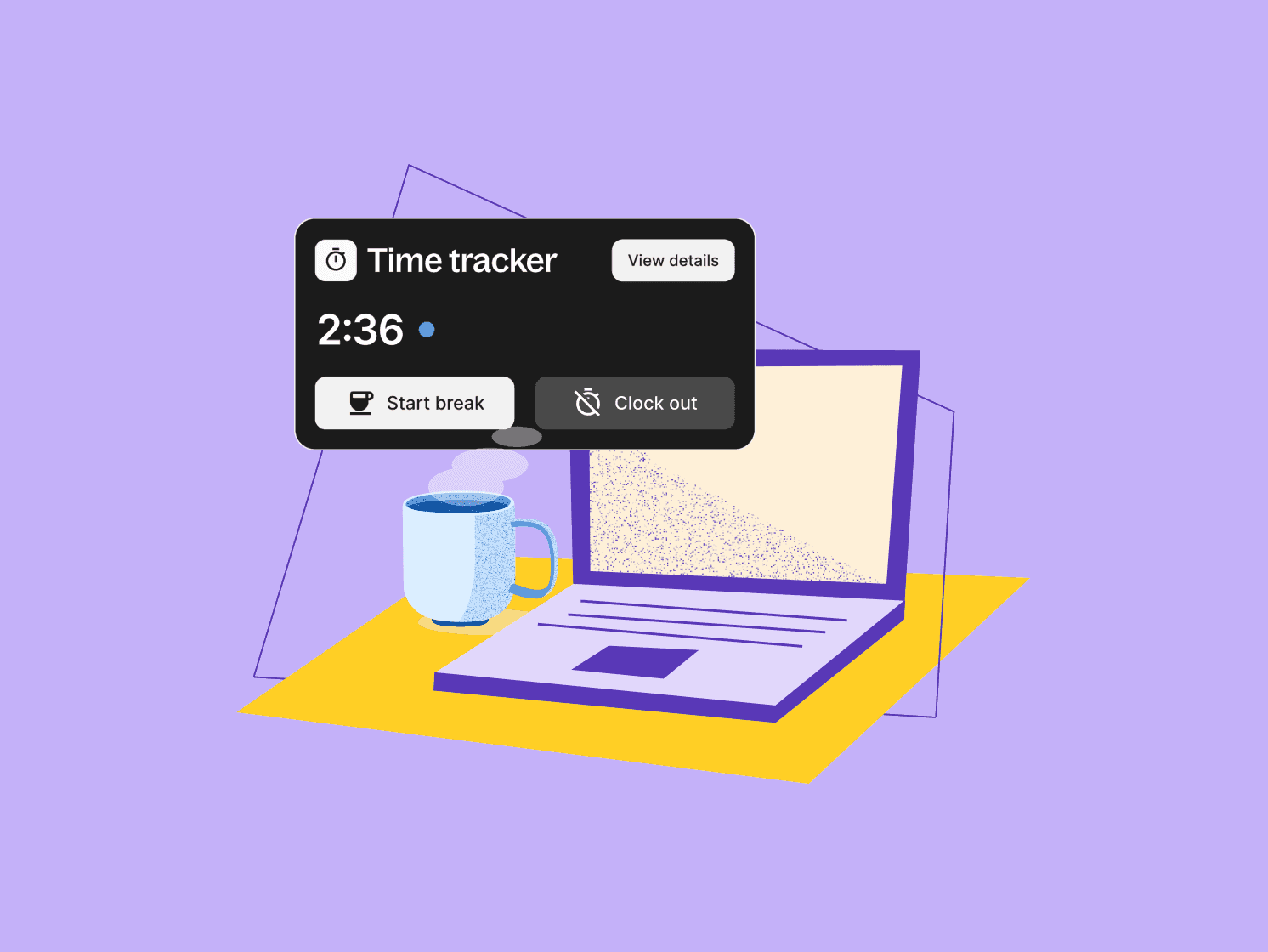
Table of Contents
Capture hours where work actually happens
Sync approved hours into payroll
Support compliance where the law requires it
Validate site-based clock-ins without surveillance
Handle real-world schedules and pay rules
One workflow, every worker type
Included in your Deel contract
Get started
With Deel’s Time Tracking (included in your Deel package), your team can record accurate hours for different locations and worker types across Deel Payroll, Field Services, EOR, PEO, Contractor, and HRIS.
Support for geofencing, rotating schedules, break policies, and custom overtime rules offer multiple time tracking use cases. Hours sync with Deel’s payroll and hiring solutions, as well as Workday HCM, removing the manual imports that cause payroll-blocking errors.
Here’s a closer look at each feature.
Capture hours where work actually happens
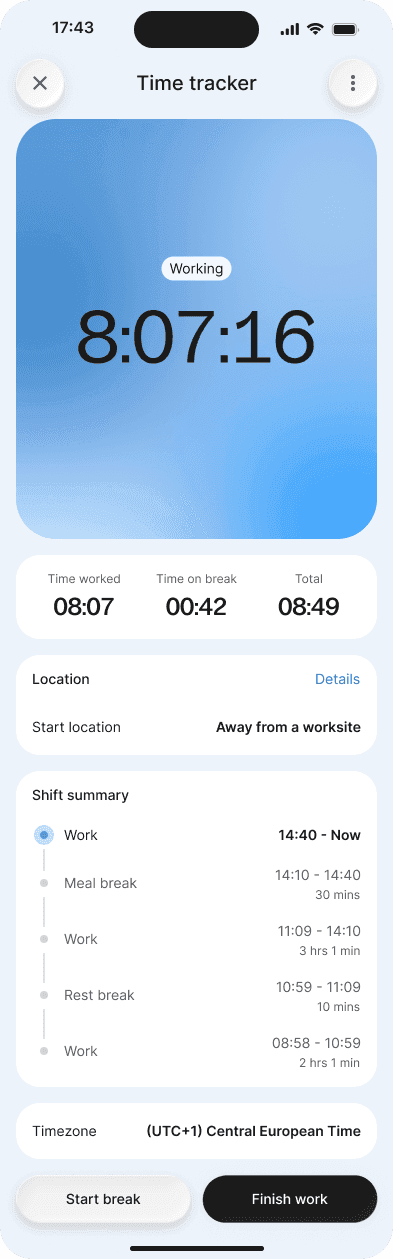
Not all work happens behind a desk. Deel meets workers where they are by enabling them to log time through the Deel app, a browser, or the Slack plugin.
They can clock in and out in real time, or submit shifts after the fact—single days or several at once. For salaried workers who only need to report extra hours, you can switch on overtime-only submission so they log the additions and nothing else.
Managers review what comes in and approve it before anything reaches payroll, with every approval recorded in the activity log. For high-volume teams, you can set rules that auto-approve routine submissions and route only the exceptions to a person, so reviewers spend their time on what needs judgment.
Sync approved hours into payroll
Approved hours map to gross-to-net pay items—regular, overtime, and double overtime—and flow into the payroll run without a manual export or import in between.
For Deel Payroll customers who run time and attendance in Workday, Workday data syncs directly into Deel Payroll, cutting out the manual imports that block a payroll cycle when something doesn't line up.
The result is a consistent record from clock-in to payslip. When an employee asks why a number looks the way it does, there's a clear, approved trail behind it.
Support compliance where the law requires it
A growing number of countries are mandating that employers record working time, and the penalties for getting it wrong are rising. In several markets—including France, Germany, Spain, Ireland, and others across the EU and APAC—time tracking is a legal obligation.
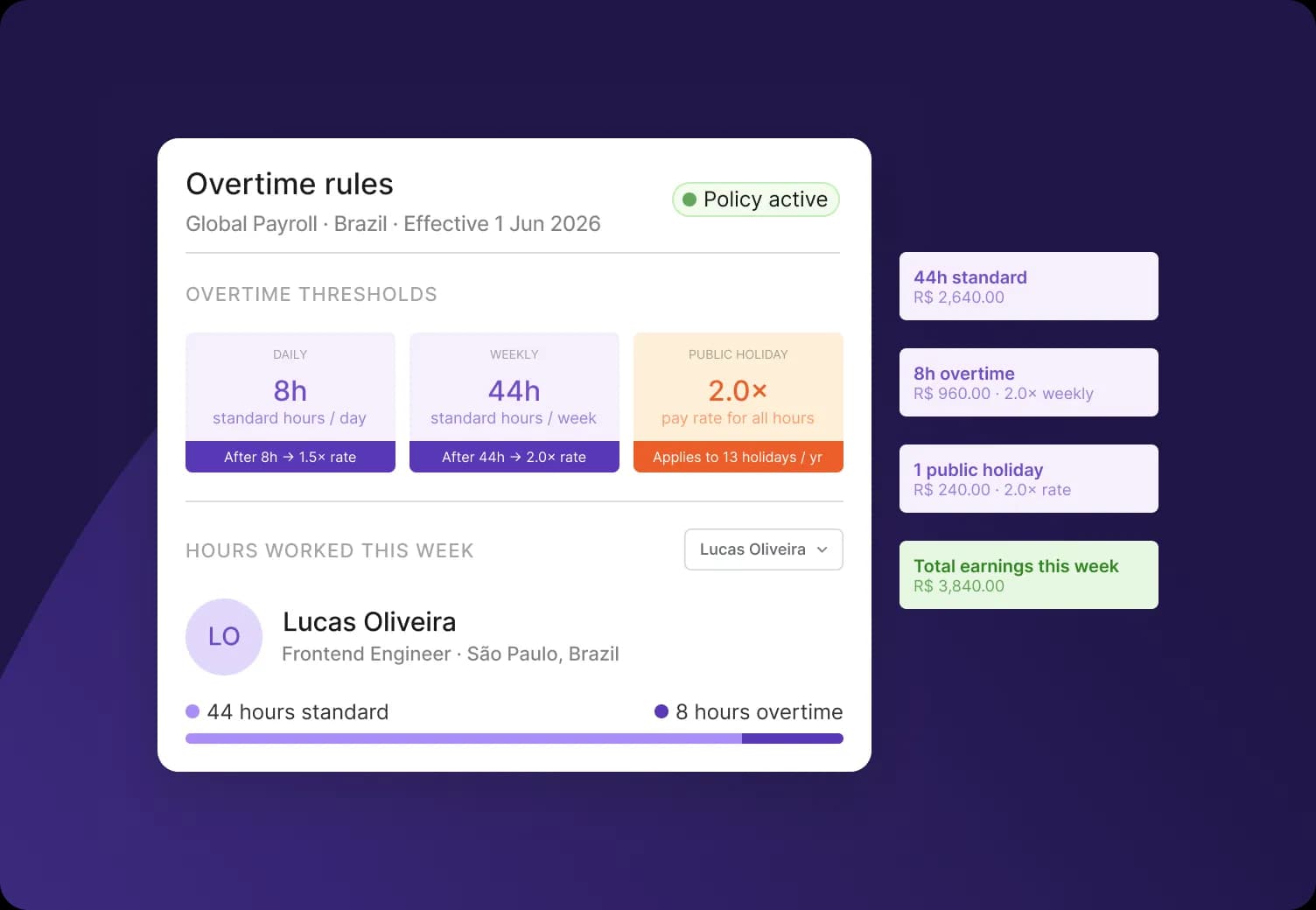
Deel helps support compliance configurations for time tracking in select countries. You can set maximum working-hour rules at a daily, weekly, monthly, or yearly level, and choose whether submissions over the limit are blocked outright or flagged to the approver with a compliance warning.
For example: France's day-based Forfait Jours arrangement is supported for workers measured in days rather than hours. These requirements are handled at the moment of submission, so your team isn't auditing timesheets by hand to stay on the right side of local law. Support for Forfait Jours workers is available for Deel Payroll and EOR.
Validate site-based clock-ins without surveillance
For teams that work on-site, geofencing confirms a worker was at an approved location when they clocked in or out. This feature is especially useful for field workers, retail staff, and workers at manufacturing sites.
You define a work location and a radius, and a worker on the Deel mobile app can punch in only when they're inside that boundary. Off-site punches are either blocked or accepted with a warning to the approver, depending on how you set the policy.
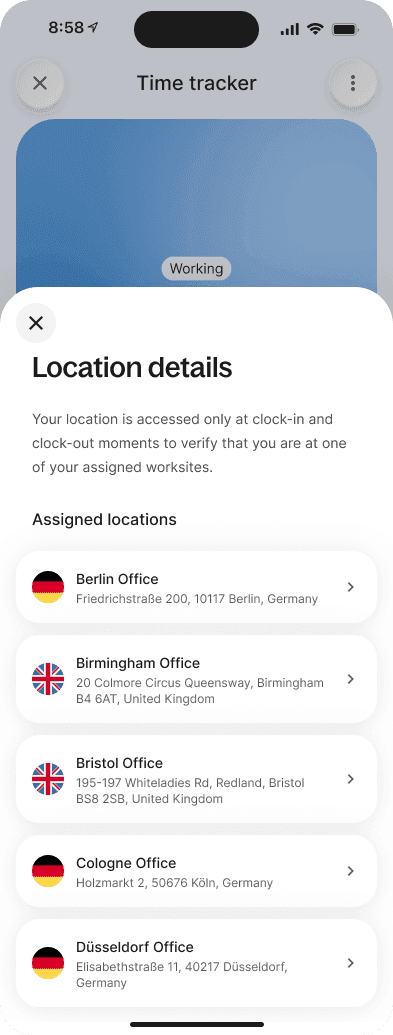
We built this to verify attendance, not to monitor people. Deel reads location only at the moment of clock-in and clock-out—not continuously through the shift—and stores only whether the worker was inside the zone, not a trail of where they went.
As a result, this feature works within GDPR and global data-privacy frameworks while leaving far less location data in the system to begin with.
Handle real-world schedules and pay rules
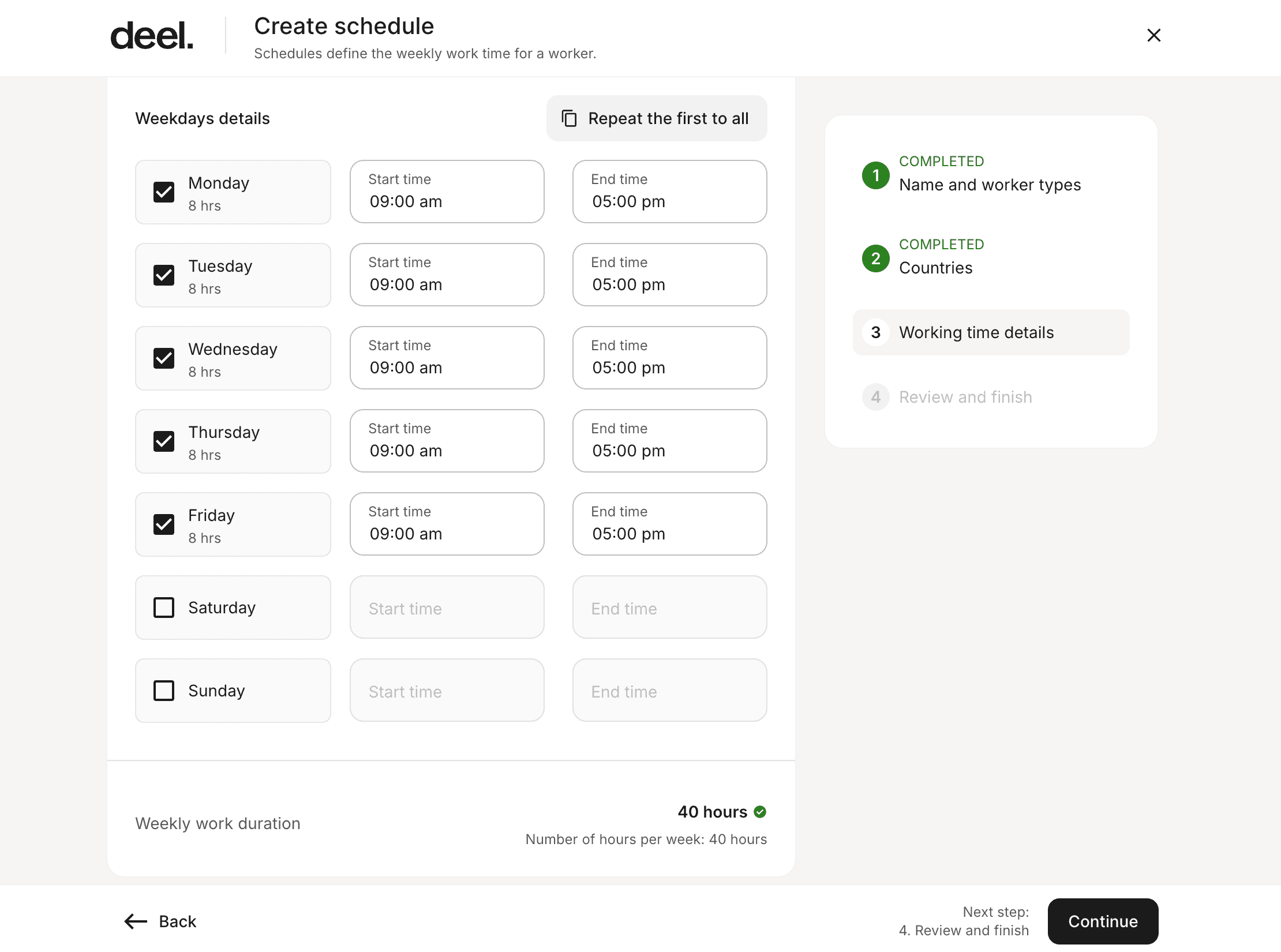
Work isn't always nine-to-five, so the schedules and pay rules shouldn't be either:
Rotating schedules model cyclical shift patterns—like four days on, three days off—and can be assigned to workers individually or in bulk, each starting on their own entry day in the cycle.
Custom overtime rules let you set daily and weekly thresholds, multipliers, public-holiday rules, and non-working-day rules, with overtime paid out or converted to compensatory leave (available for Deel Payroll). Deel Payroll (US) uses state statutory rules that cannot be changed. Overtime is also supported for EOR workers in select countries where it's legally required.
Break policies for US workers gives you preset, state-level meal and rest-break rules—including the stricter requirements in states like California—calculated automatically in the payroll submission.
On-call and call-out rates let you pay workers correctly for standby time, and for the hours they're actually called in, including separate rates for public holidays and weekends.
Work location stipends add an automatic payment based on where someone works—home or office—for Deel Payroll and PEO customers.
Availability varies by product and worker type. You can confirm the exact fit for your workforce with a Deel representative before proceeding.
One workflow, every worker type
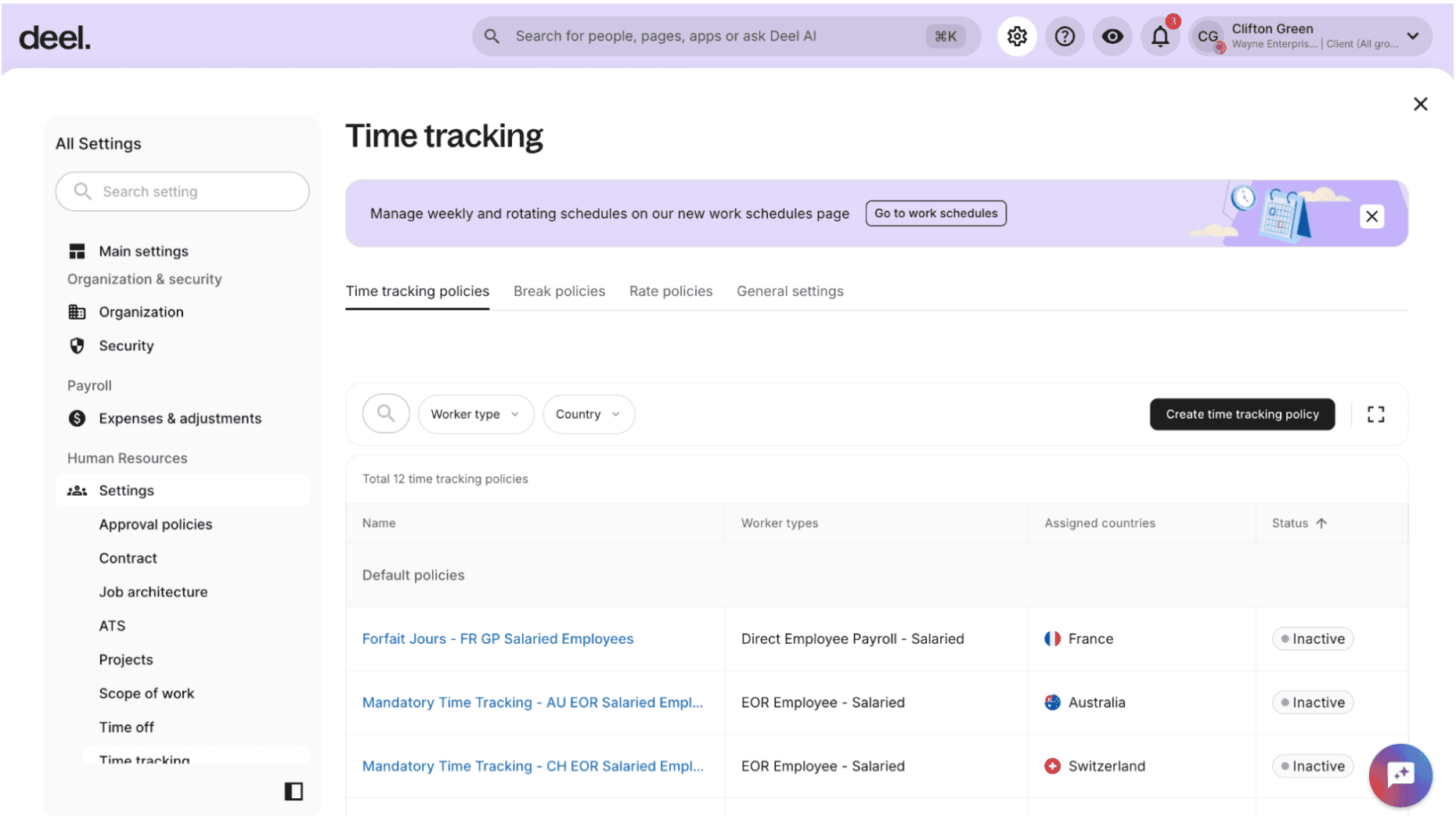
Time Tracking runs across Deel Payroll, Field Services, EOR, PEO, Contractor, and HRIS, with the same capture-approve-sync flow underneath. You configure policies once, assign schedules individually or in bulk, and connect approved hours to the same platform you already use to hire, manage, and pay your team.
Payroll accuracy starts with verified hours. By closing the loop between approved time and pay, you get a payroll cycle your team trusts over one they spend every month reconciling.
Included in your Deel contract
Time Tracking comes with Deel. There's no separate charge for the feature and it isn't sold as a standalone add-on. Salaried workers are paid their agreed salary regardless of hours submitted, with tracked time used as an input where overtime applies.
Get started
If you're already on Deel, you can set up your first time tracking policy in Organization Settings under Time Tracking, assign work schedules, and start tracking time for payroll.
New to Deel, or want to see how it fits your workforce? Book a demo, and we'll walk through it with your worker types and countries in mind.
Live Demo
Get a live walkthrough of the Deel platform