Article
5 min read
What's coming to Deel in June
Deel news

Author
Deel Team
Last Update
June 03, 2026
Table of Contents
Deel Platform
HRIS
Engage
Deel Payroll
Employer of Record
Contractor
PEO
Deel IT
Giving your teams back the time they need to focus on people, not process. Every update is focused on eliminating manual work between a decision and its outcome.
We've focused on eliminating friction across the platform with updates like: geofenced time tracking for policy-level compliance, Agentic Workflows combining logic and AI agents, and expansion of self-serve flows for entity changes and equity grants. And across Engage, AI handles more of the routine, so your people team spends less time on process and more on what the data is telling them.
Below is the full breakdown of every new capability, what it means for your teams' efficiency, and how to prepare for the June 10th go-live.
Deel Platform
Agentic Workflows
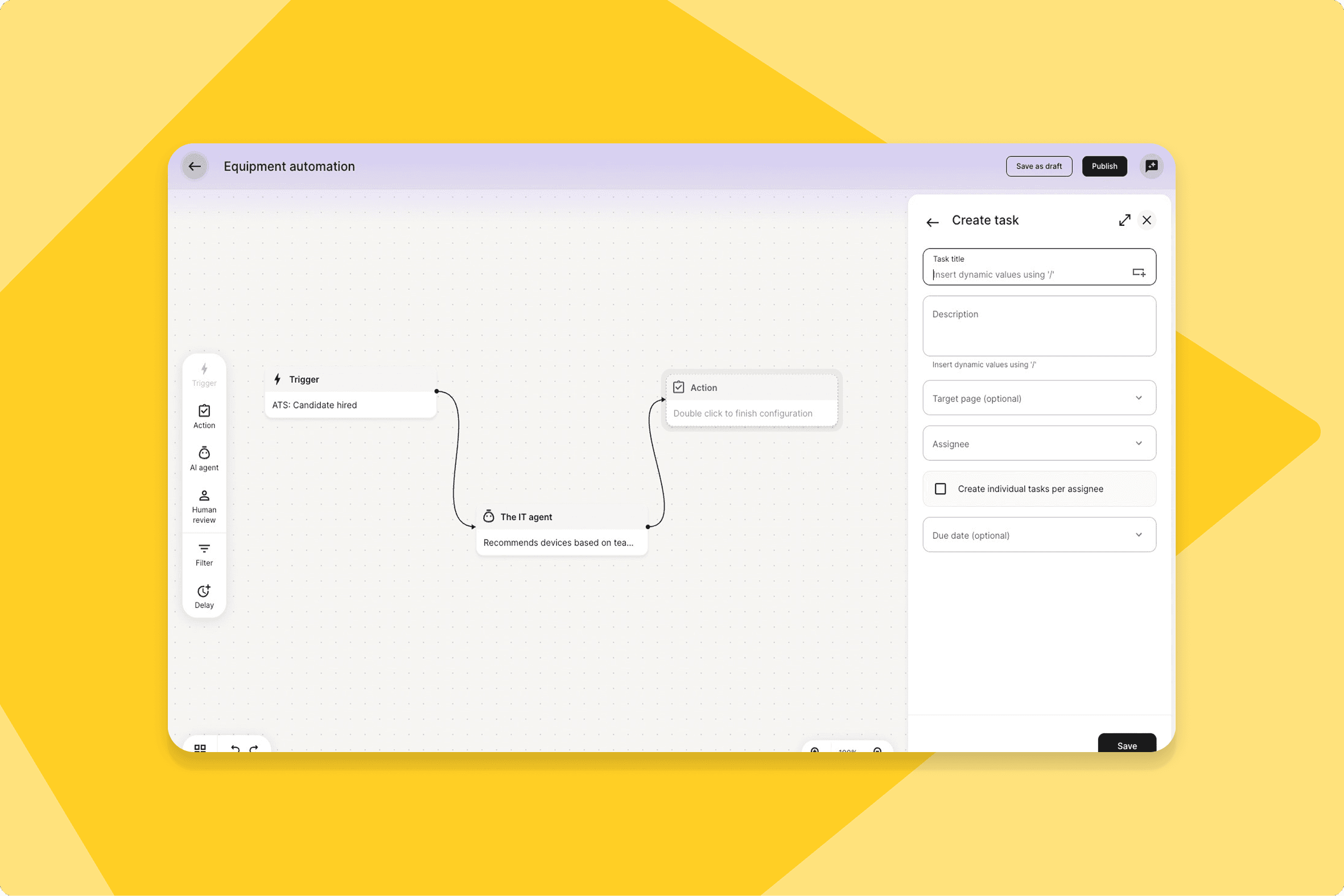
Agentic Workflows puts deterministic logic, AI agents, and human approval gates on a single automation canvas. Workflows survive service restarts, support time-based triggers, and include a runtime view of every execution in progress.
What this means for you: Complex HR automation that previously required multiple tools can now be designed, tested, and deployed in one place — with inline testing before any live process is switched over.
How you can prepare: Identify your top 2–3 manual HR workflows that are candidates for automation and plan to build them in the new canvas in the first sprint after release.
Max work hours per period
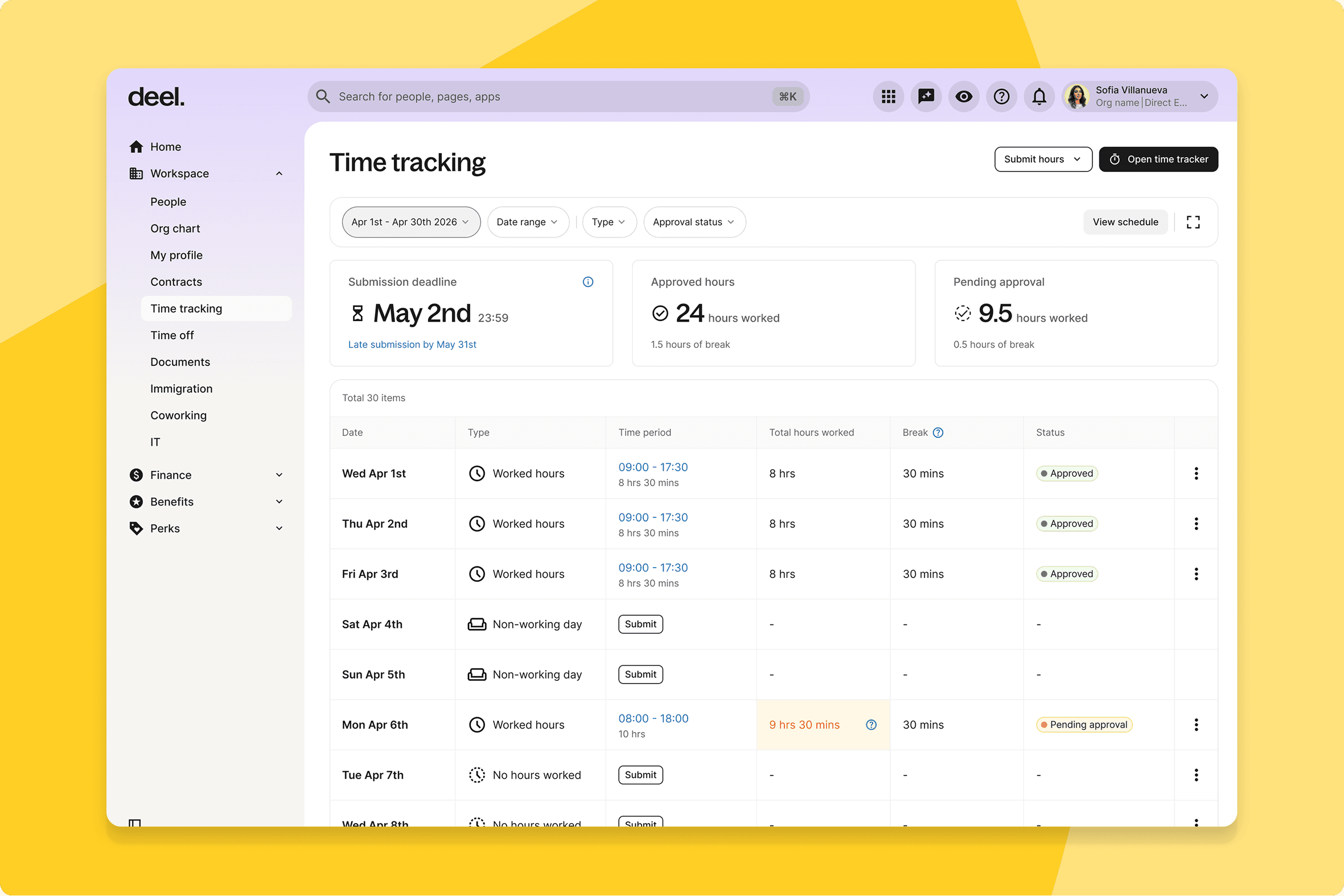
HR admins can now define maximum work hours per period — daily, weekly, monthly, or yearly — at the policy level, with country-specific defaults and an enforcement toggle that alerts or blocks workers approaching their limit.
What this means for you: Organisations in regulated markets like Germany, France, and Spain replace manual spreadsheet tracking for hour compliance with policy-level enforcement inside Deel.
How you can prepare: Review country defaults before go-live and confirm thresholds with your HR team.
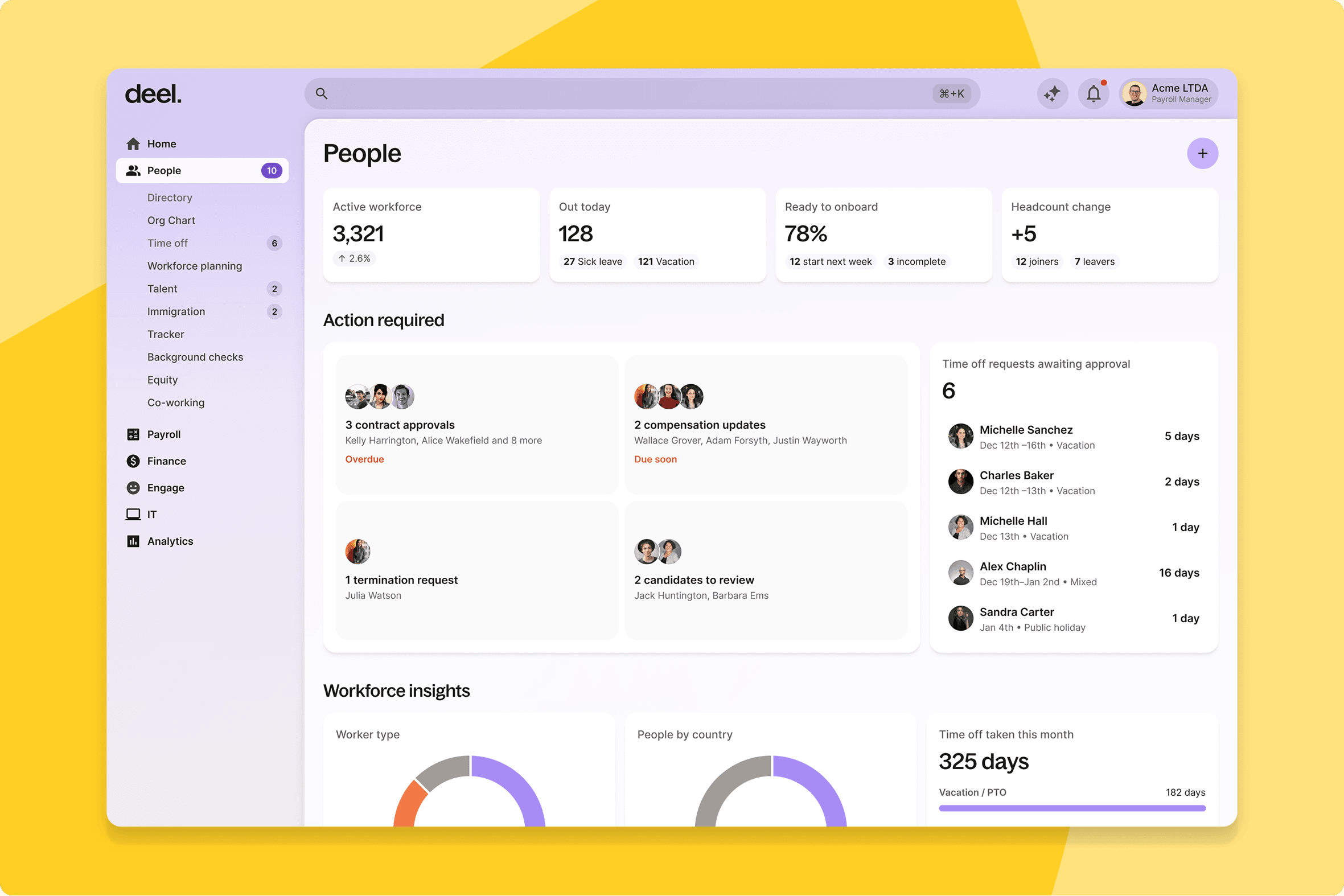
Navigation and new homepage framework
A persistent, collapsible left sidebar replaces the previous navigation model for admin users — designed for multi-product and enterprise-scale workflows.
What this means for you: Admins moving between products frequently will find common tasks requiring fewer clicks. The new homepage framework sets the foundation for more personalised role-specific experiences.
How you can prepare: If your team has internal training materials or screenshots referencing the old navigation, plan to update them shortly after release.
Child-parent sync: additional fields
Resellers using the parent-child organisation model can now sync additional fields across the hierarchy — extending the white-label experience while maintaining data separation.
What this means for you: A more consistent and complete data picture across the hierarchy. Previously unsynchronised fields are now included, reducing manual reconciliation.
How you can prepare: Reseller admins should review which fields are now in scope and confirm expected values on both sides before go-live.
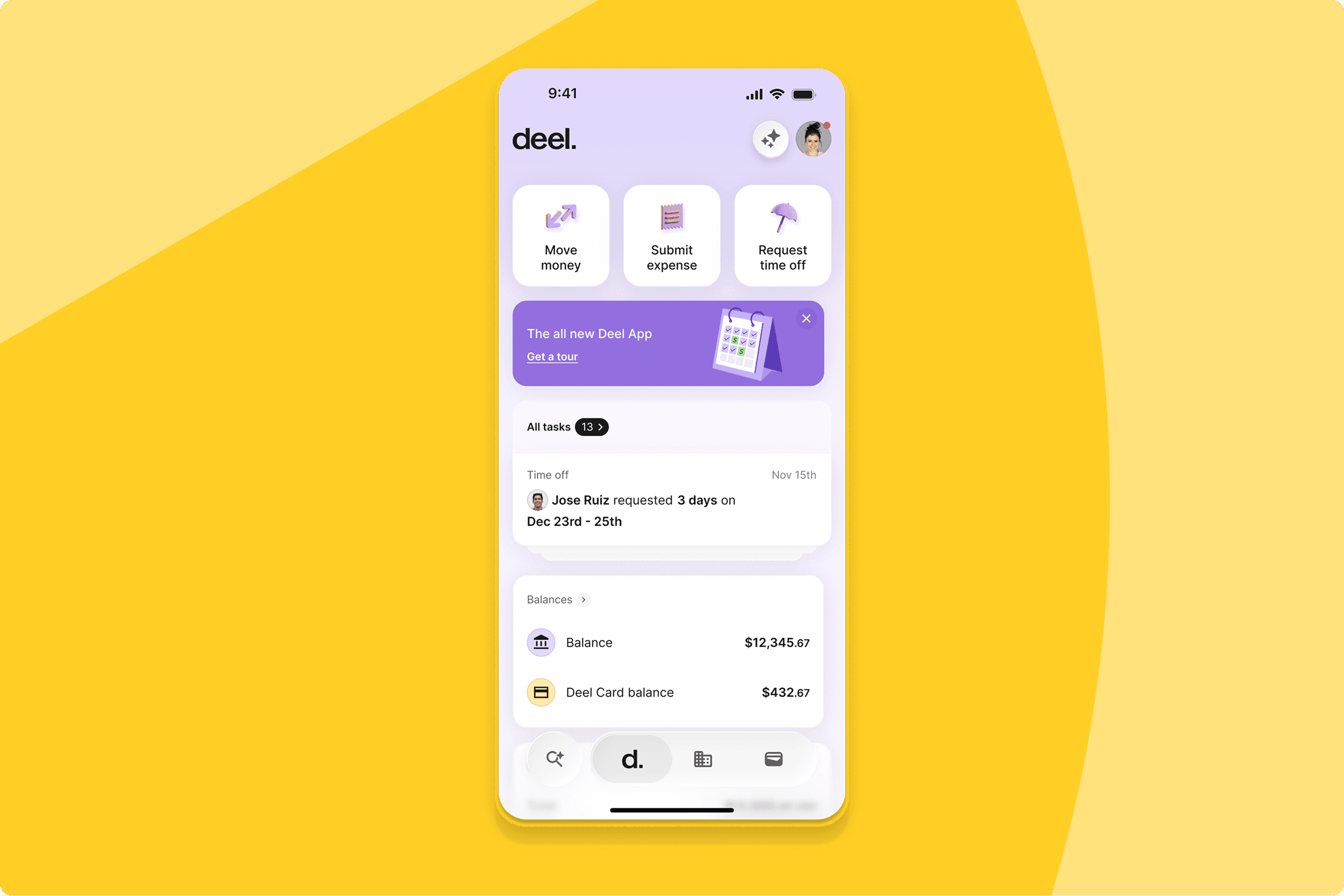
Major experience upgrade for workers on the Deel Mobile App
The Deel mobile app has been significantly upgraded across the board — For You Today is now fully native, time off request flows have been rebuilt in React Native, document management works natively on mobile, and the withdrawals experience has been redesigned for consistency and performance.
What this means for you: Workers who rely on Deel day-to-day from their phone will notice the difference immediately — faster load times, smoother interactions, and a more consistent experience across every flow they use most.
How you can prepare: No configuration needed — available automatically on release.
Veriff identity verification
Clients submitting CDD can now verify identity digitally using Veriff — directly within Deel, replacing manual document collection.
What this means for you: The manual document collection step in the CDD flow is handled in-product. Veriff's coverage works across a wide range of document types and geographies.
How you can prepare: Update internal onboarding guides that describe the manual document process to reference the new Veriff flow.
Conditional approval policies for expenses
Admins can now define amount-based rules within approval policies, automatically routing high-value expenses to the correct approvers.
What this means for you: Tiered authorisation requirements are enforced by the system — no manual rerouting, no compliance gaps when thresholds are crossed.
How you can prepare: Agree your amount thresholds with finance and approvers before configuring, so the rules are correct from day one.
Group subpages in the navigation bar
Worker profiles now use a two-level navigation structure, grouping related subpages under parent sections.
What this means for you: Admins and HR teams working within complex worker profiles find the right information faster, with less visual clutter.
How you can prepare: Update any internal guides referencing specific navigation paths within worker profiles.
Blocked flag on worker profile
Workers blocked due to KYC or FinCrime checks now display a clear flag on their profile — visible before any downstream action is attempted.
What this means for you: Compliance and HR teams can identify and triage blocked workers proactively, rather than discovering the status only when an action fails.
How you can prepare: Brief compliance and HR teams to check for the flag during routine profile reviews and offboarding workflows.
New My Profile entry point
Workers can now navigate directly to My Profile by clicking their photo in the home navigation bar.
What this means for you: A shorter, more intuitive path to profile management for workers who regularly update personal details, documents, or bank information.
How you can prepare: Update any internal guides that reference the old navigation path to My Profile.
HRIS
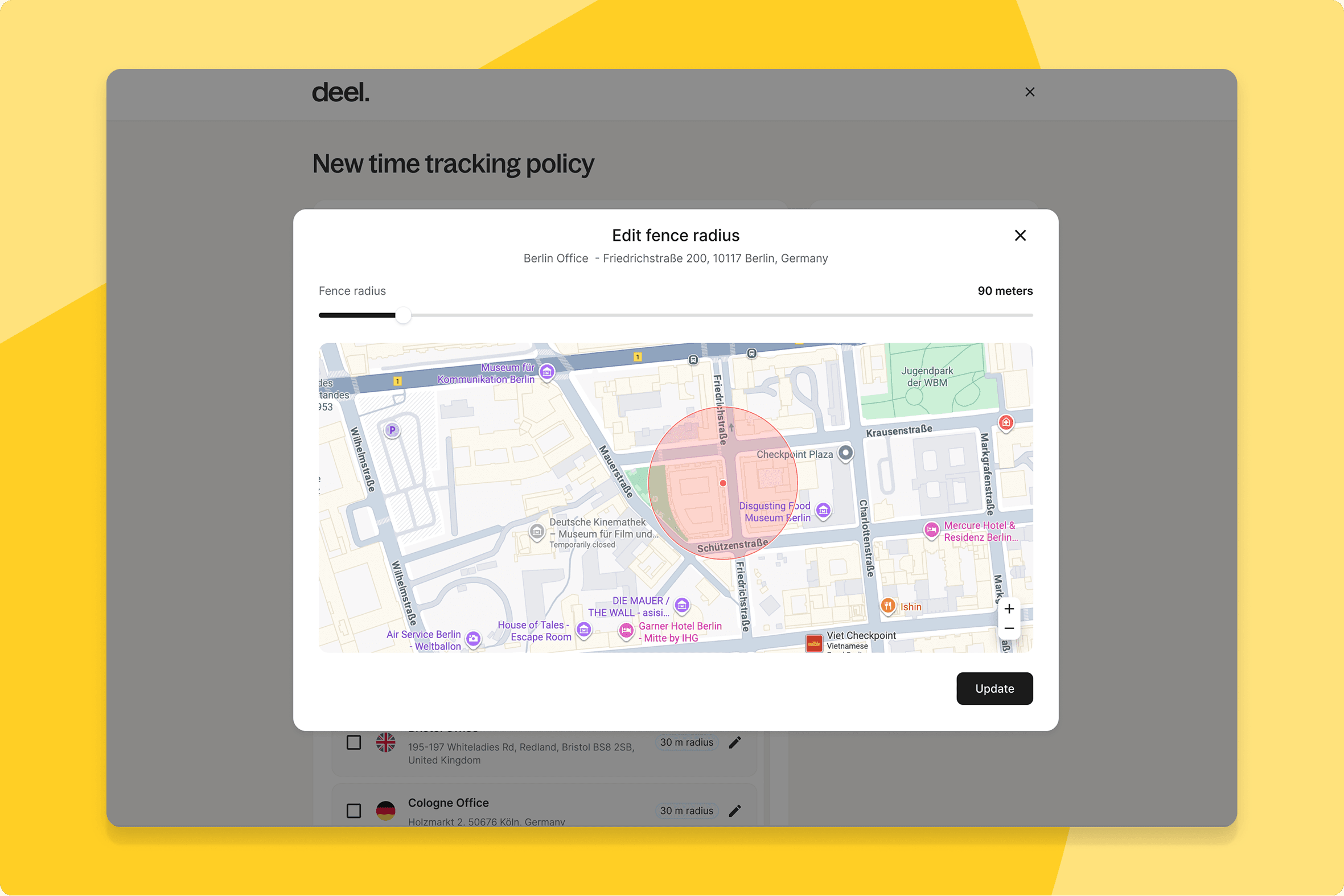
Work locations and time tracking policies
Work Locations can now be defined in Time Tracking policies, with optional geofencing that validates worker location at clock-in via mobile — without exposing GPS data to the platform.
What this means for you: Organisations in regulated markets get compliance built into the time tracking flow rather than managed separately. Workers get a guided clock-in experience; approvers get cleaner context.
How you can prepare: Identify which locations and policies you want to configure and communicate the new clock-in flow to mobile workers before go-live.
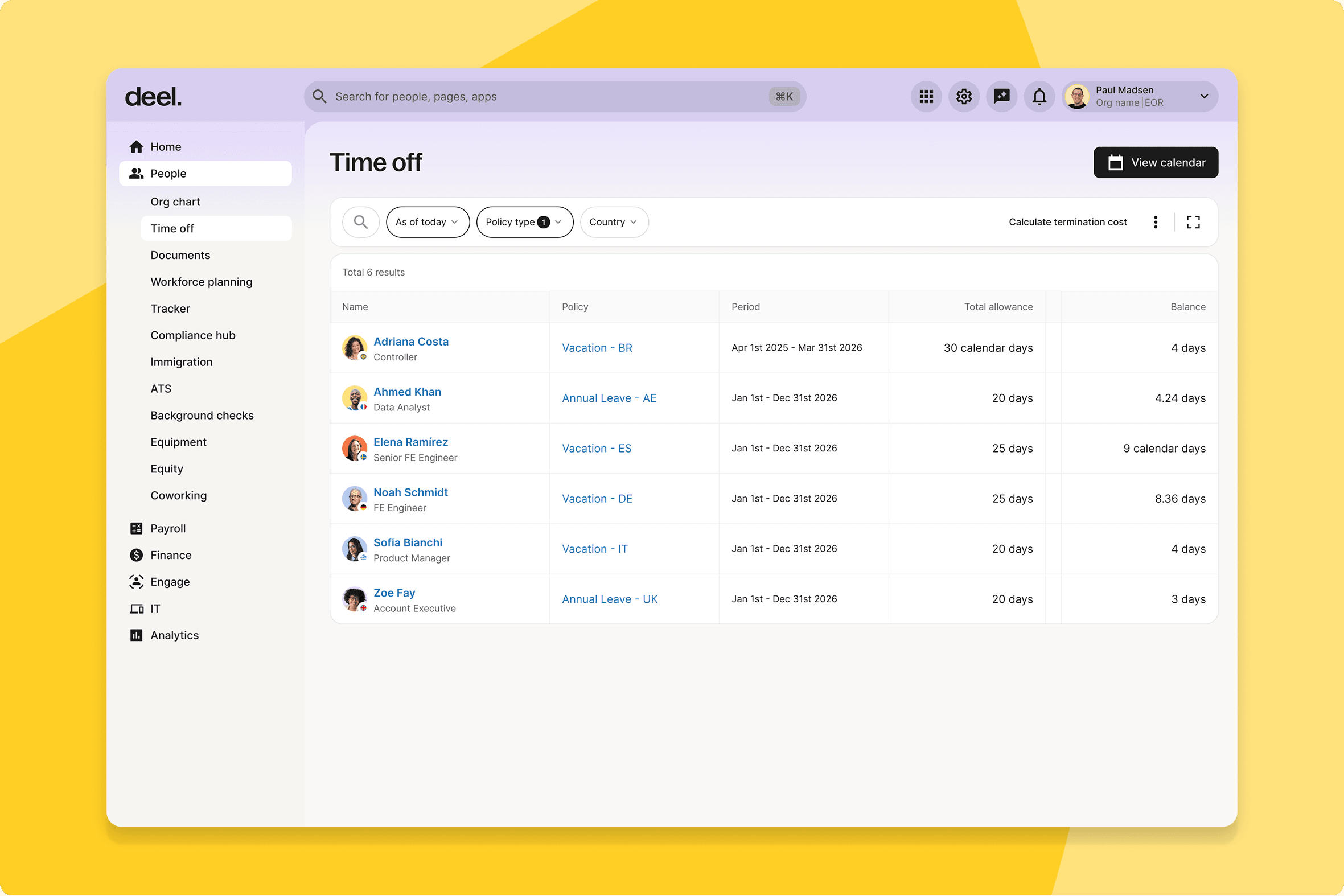
Vacation termination cost report
Admins can now generate a report that forecasts the vacation payout cost when a worker's contract is terminated, based on accrued balances.
What this means for you: Finance and HR have a clear liability figure before initiating termination — not after. One of the most common sources of offboarding surprises, removed.
How you can prepare: Brief your HR and finance teams so they build it into the offboarding checklist from day one.
Substitute approver assignment
When a submitter is also listed as an approver in a policy, the system now automatically routes to a substitute — no manual intervention required.
What this means for you: Separation-of-duties requirements are enforced automatically. Self-approval edge cases no longer need to be monitored.
How you can prepare: Review current approval policies to confirm substitute approvers are correctly configured wherever this edge case could occur.
Native "For You Today" on Deel mobile app
The For You Today section on the Deel mobile app has been rebuilt as a native experience, replacing the previous web-based implementation.
What this means for you: Faster load times and a consistent UI for workers and admins using mobile daily.
How you can prepare: No configuration needed — available automatically.
Engage
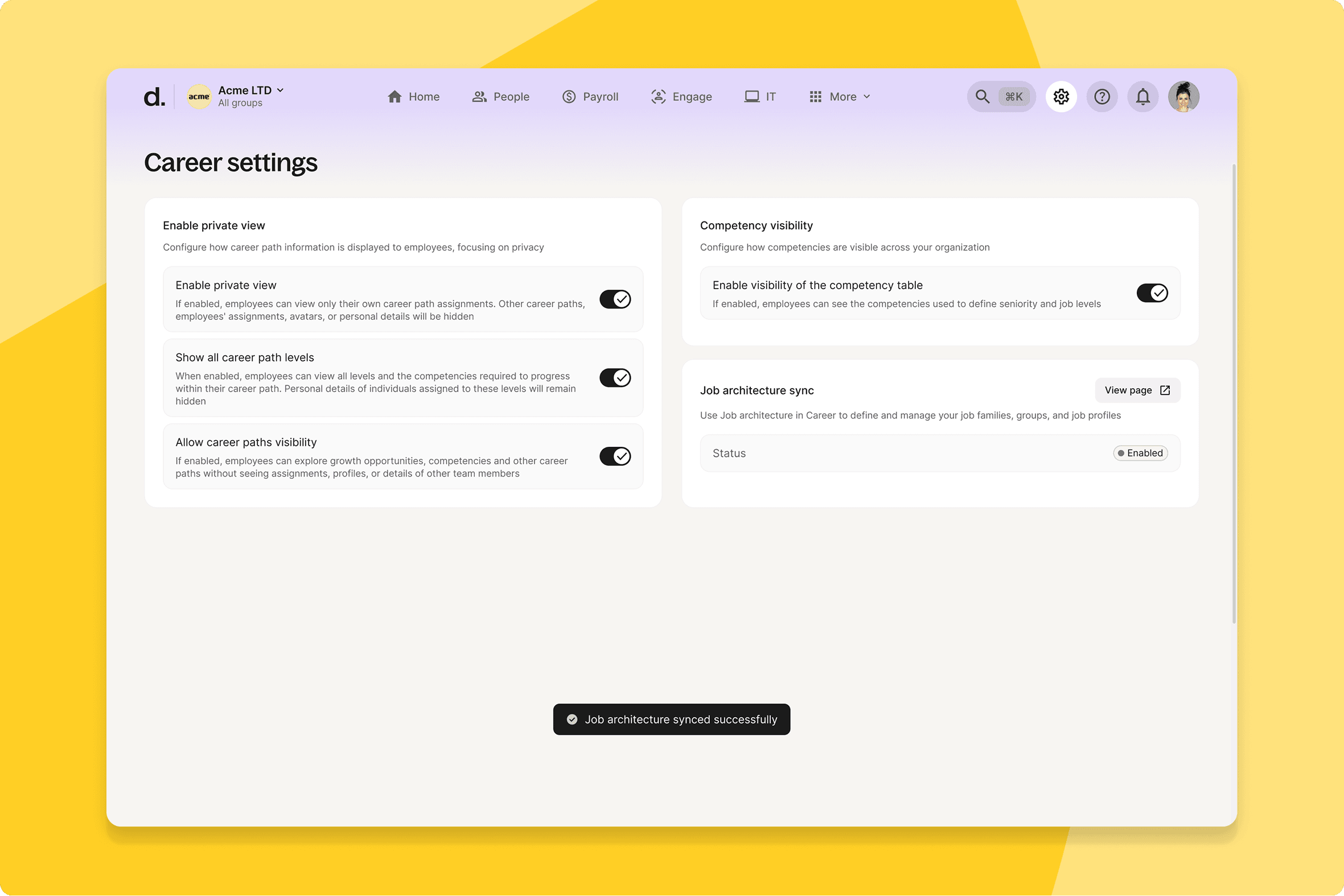
Career integration with Job Architecture
Job profiles, families, tracks, and levels defined in Job Architecture now sync one-way into Career — creating a single source of truth and eliminating the need to maintain parallel structures across both modules.
What this means for you: HR and compensation teams stop seeing data drift between Career and Job Architecture. Changes propagate correctly without manual replication.
How you can prepare: Review existing structures in both modules ahead of the release to confirm they're clean before the sync activates.
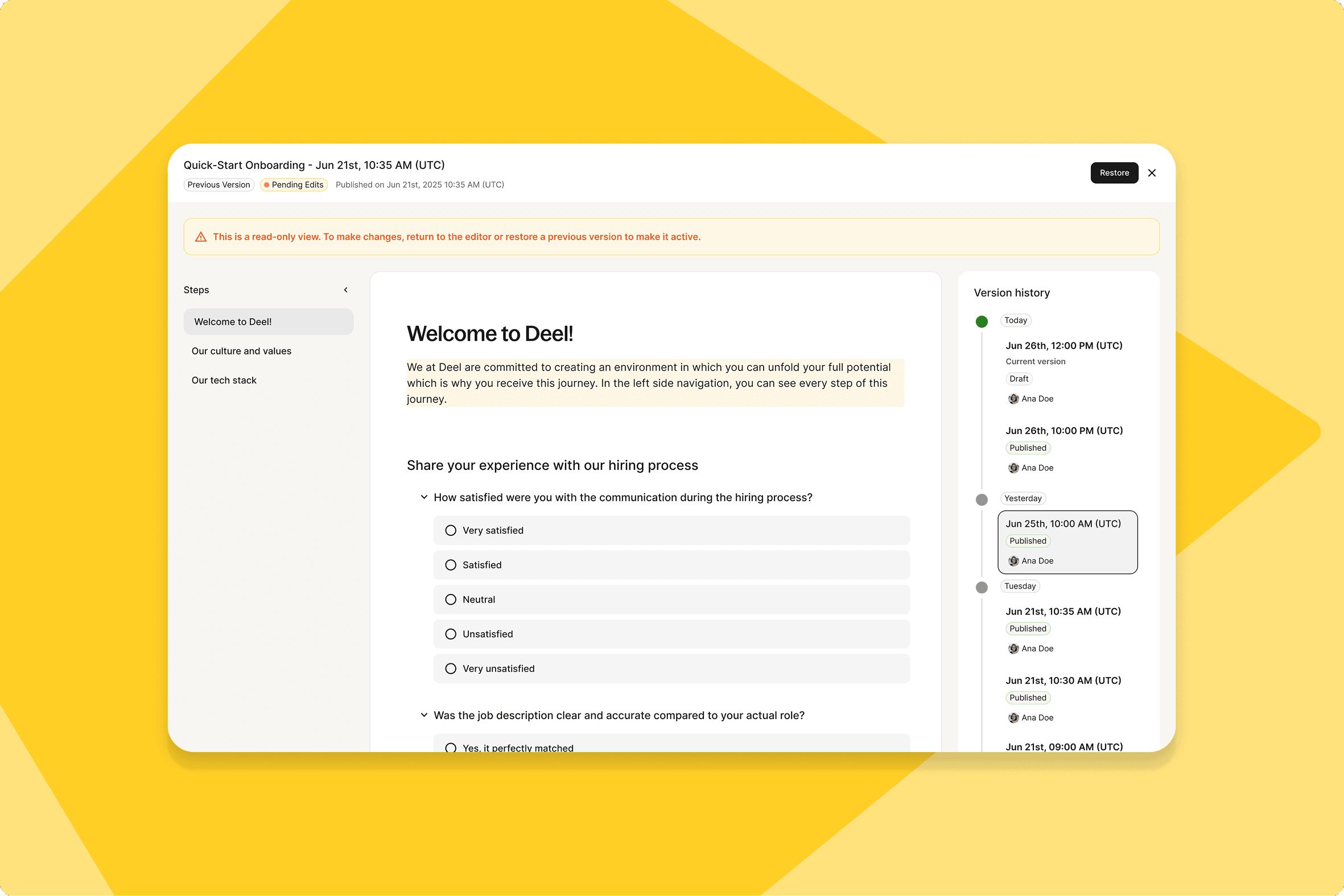
Course and asset versioning
Every course publish and SCORM asset replacement now creates an immutable, permanent version. Admins can browse history, restore past versions, and link learner completions to the exact content delivered.
What this means for you: Compliance teams can answer audit questions with precision — which content was delivered, when, to whom, and what changed. Republishing is now an explicit, version-creating action.
How you can prepare: Brief your L&D team that republishing now creates a new version — a behaviour change worth communicating before go-live.
AI development plans from reviews data
Managers and admins can now generate structured development plans directly from review feedback — AI reads the outcomes and produces an editable, publishable plan grounded in actual feedback.
What this means for you: The gap between completing a review cycle and producing meaningful follow-up narrows to minutes. Review data becomes directly actionable rather than sitting in a completed cycle with no clear next step.
How you can prepare: If review cycles are completing around June 10, brief managers now so they use the new flow rather than drafting plans manually.
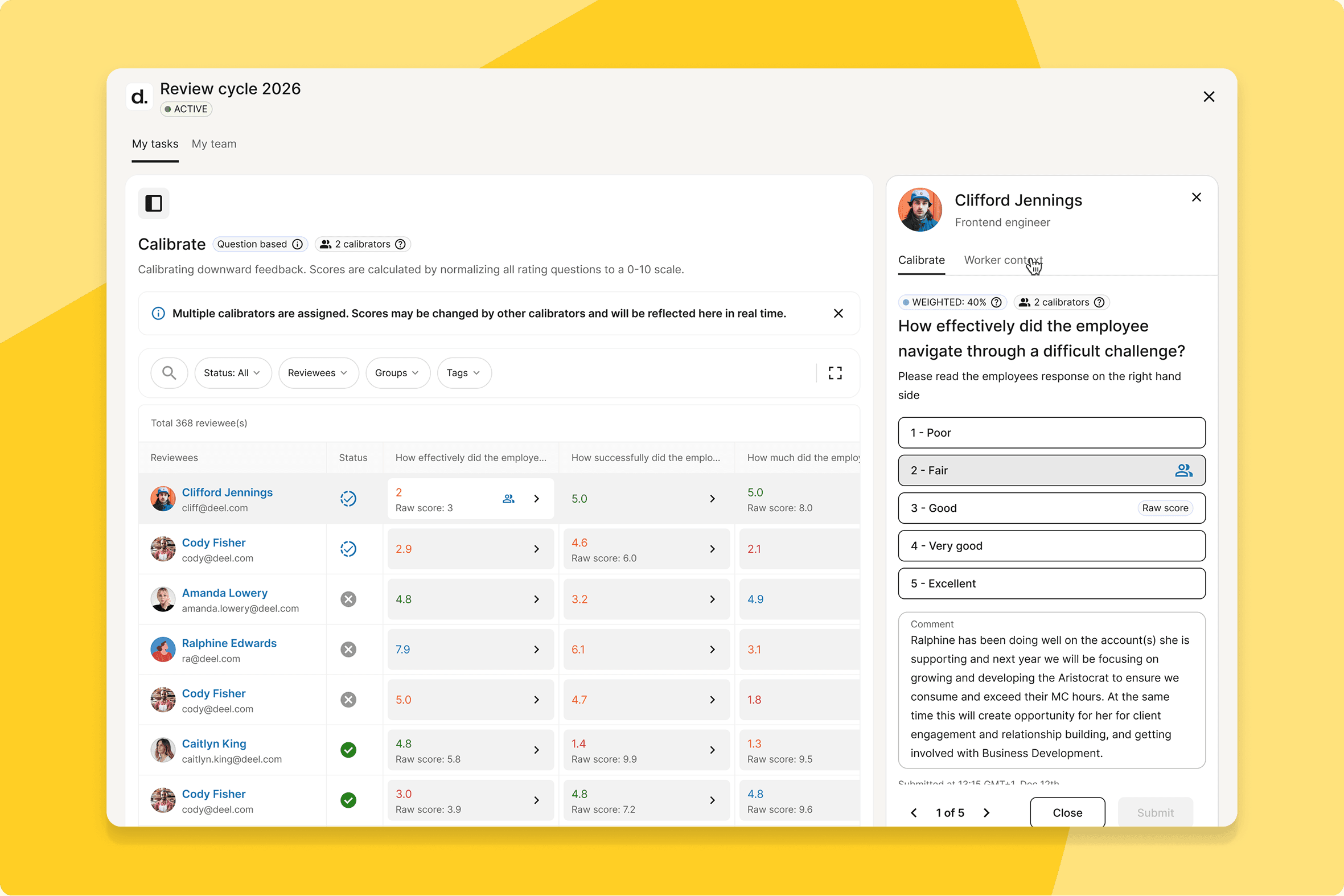
Collaborators for review cycles
Admins can designate collaborators on specific review cycles, giving them admin-level control over just that cycle — without platform-wide admin rights.
What this means for you: L&D leads, people partners, and department heads who own specific cycles can make changes directly. No more waiting on a central admin for every change.
How you can prepare: Identify non-admin owners who should be added as collaborators and brief them on what access they'll have before go-live.
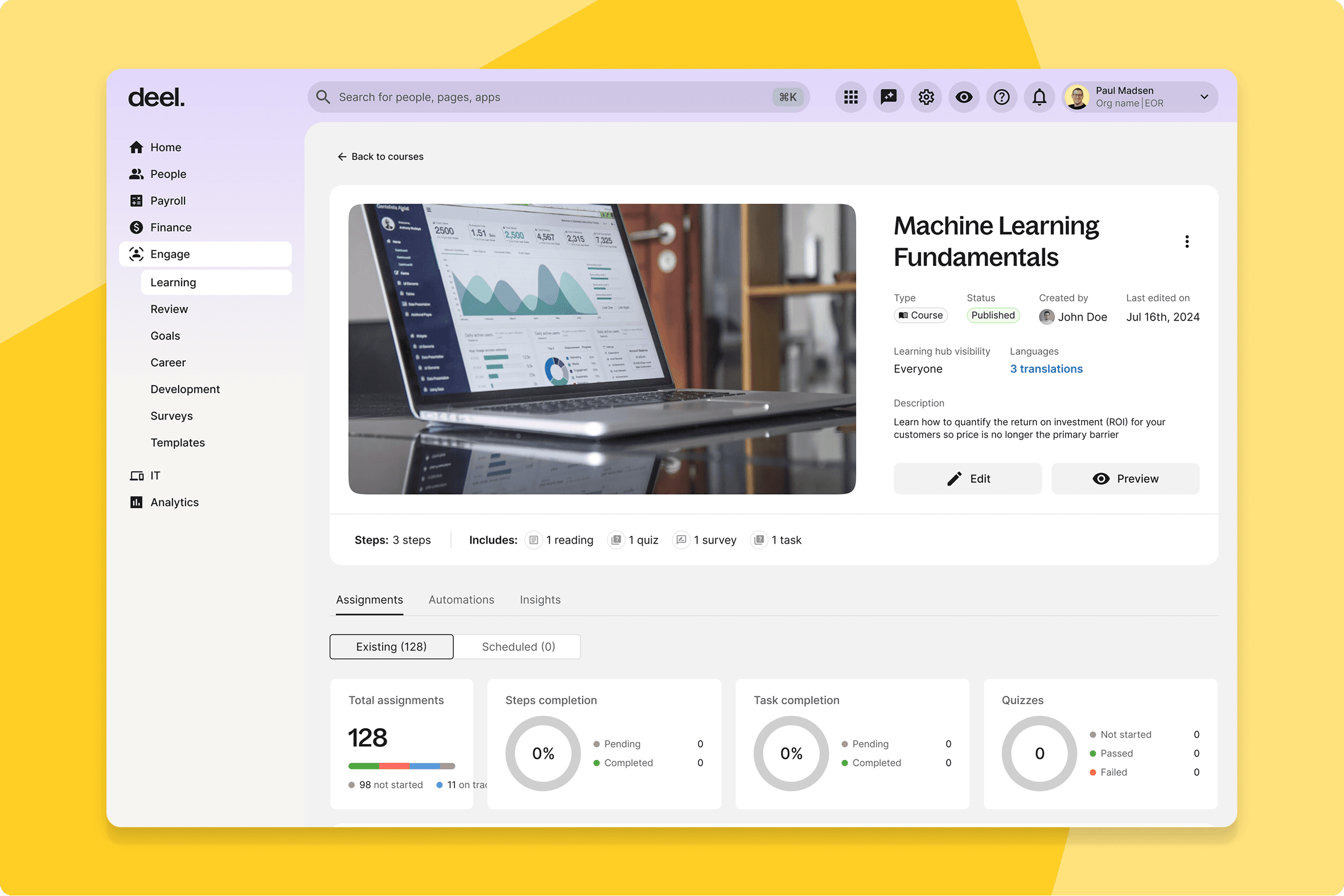
AI-powered course translation
Admins can publish a course once and have AI generate translations into multiple languages. Workers automatically see the course in their Deel account language.
What this means for you: Global L&D teams no longer duplicate and manually translate courses for each market. A read-only preview lets admins check quality before publishing.
How you can prepare: Identify which courses are the highest priority for translation and plan to run them through the new flow in the first week after release.
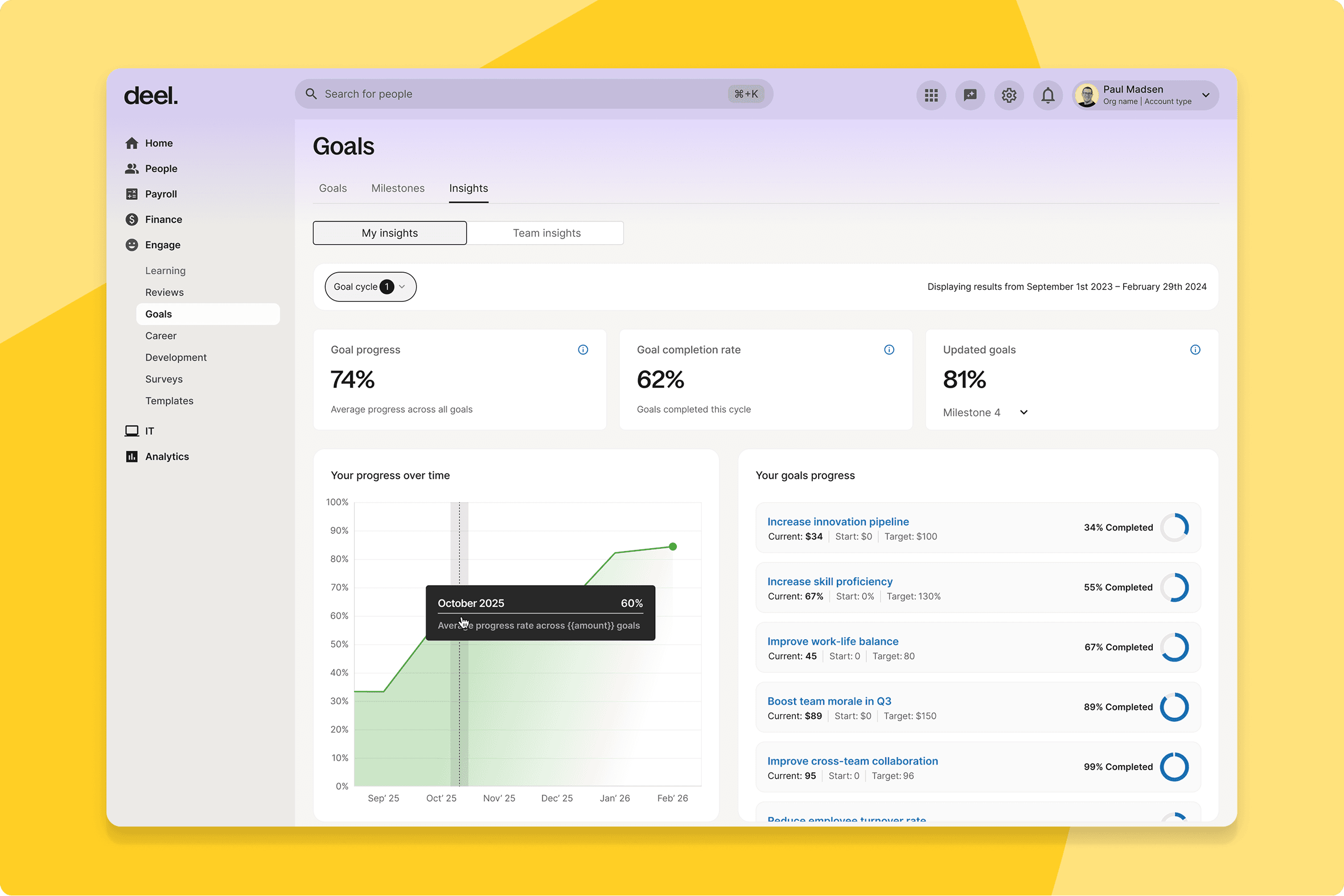
Improved goal insights for org structure views
Managers and ICs now have dedicated, role-scoped dashboards for tracking goal progress — showing what's relevant to their level without the noise.
What this means for you: Goal tracking becomes seamless. Workers see their own progress; managers see their team's. Both can act on what they see without building custom filters.
How you can prepare: No configuration needed — available automatically.
AI Copilot in reviewer
Reviewers now have an AI Copilot in the context panel during feedback completion — surfacing the reviewee's goals, notes, and prior reviews inline, without tab-switching.
What this means for you: Review quality improves at scale, particularly for managers running large cycles. The Copilot reduces the effort required to write substantive, consistent feedback.
How you can prepare: Include a note in your next cycle launch communication so reviewers know to use it.
New question types in performance reviews
Single Choice and Multiple Choice questions can now be added to the Feedback Form Builder alongside open-text — enabling structured, categorical evaluation.
What this means for you: With open-text responses harder to aggregate at scale — patterns get buried in paragraphs, and analysis takes time your HR team doesn't have. Structured question types bring consistency to feedback data, making it faster to spot trends, identify outliers, and act on what reviews are actually telling you.
How you can prepare: If you have cycles in planning, review your form structure now and identify where categorical questions would improve response quality.
Rule-based automatic status updates
Goal status is now assigned automatically based on rules — no manual input required from workers.
What this means for you: Goal dashboards reflect reality rather than recency of updates. Leadership gets consistent, objective signals on goal health across the org.
How you can prepare: Let workers know statuses will update automatically — those accustomed to setting their own status should be aware the system now handles it.
Improved AI course creation
The AI course creation flow now supports document uploads alongside audience and tone inputs, with an outline preview before generation.
What this means for you: Learning admins can feed existing materials — onboarding docs, policy PDFs, training briefs — directly into the creation flow. The preview step reduces iteration before full generation.
How you can prepare: If your team has a backlog of source documents, this is a good moment to work through them.
Deel Payroll
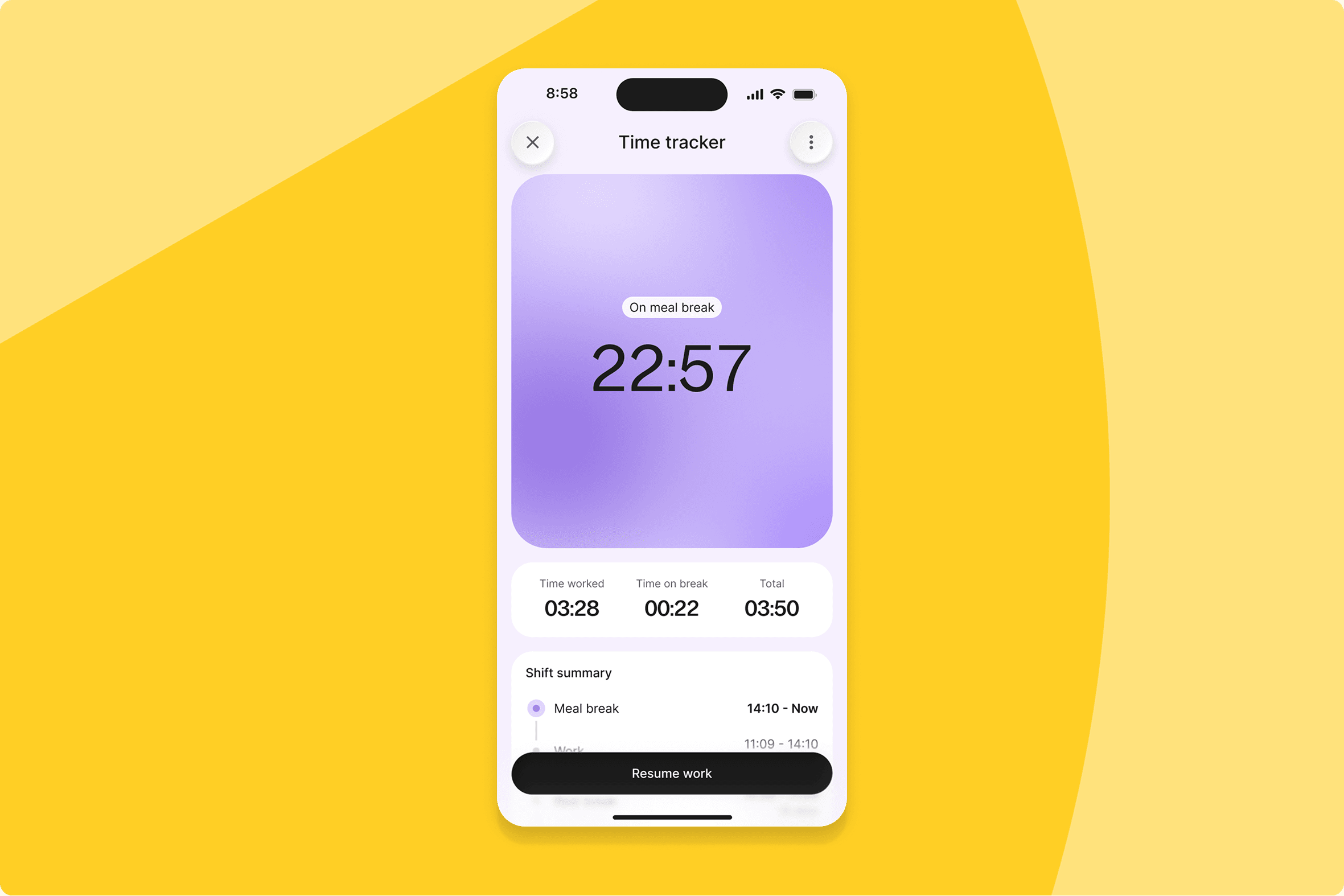
Enhanced time tracking across PEO and payroll
Time tracking has been upgraded across PEO, Deel Payroll, and Contractor in a single consolidated release — PEO clients can map hours directly to payroll line items, direct contractors get the same scheduling and policy configuration as employees, France Deel Payroll workers on Forfait Jours can submit in days rather than hours, and geofencing lets you set location-based boundaries around any work site.
What this means for you: Teams previously managing time tracking across multiple tools and manual workarounds now have a single, consistent flow inside Deel — from clock-in through to payroll submission, across every worker type and every regulated market.
How you can prepare: Plan your switch from Timeco or your current third-party time tracking tool. Brief French payroll administrators and Forfait Jours workers that the submission method is changing, and identify which work sites you want to configure geofencing for before go-live.
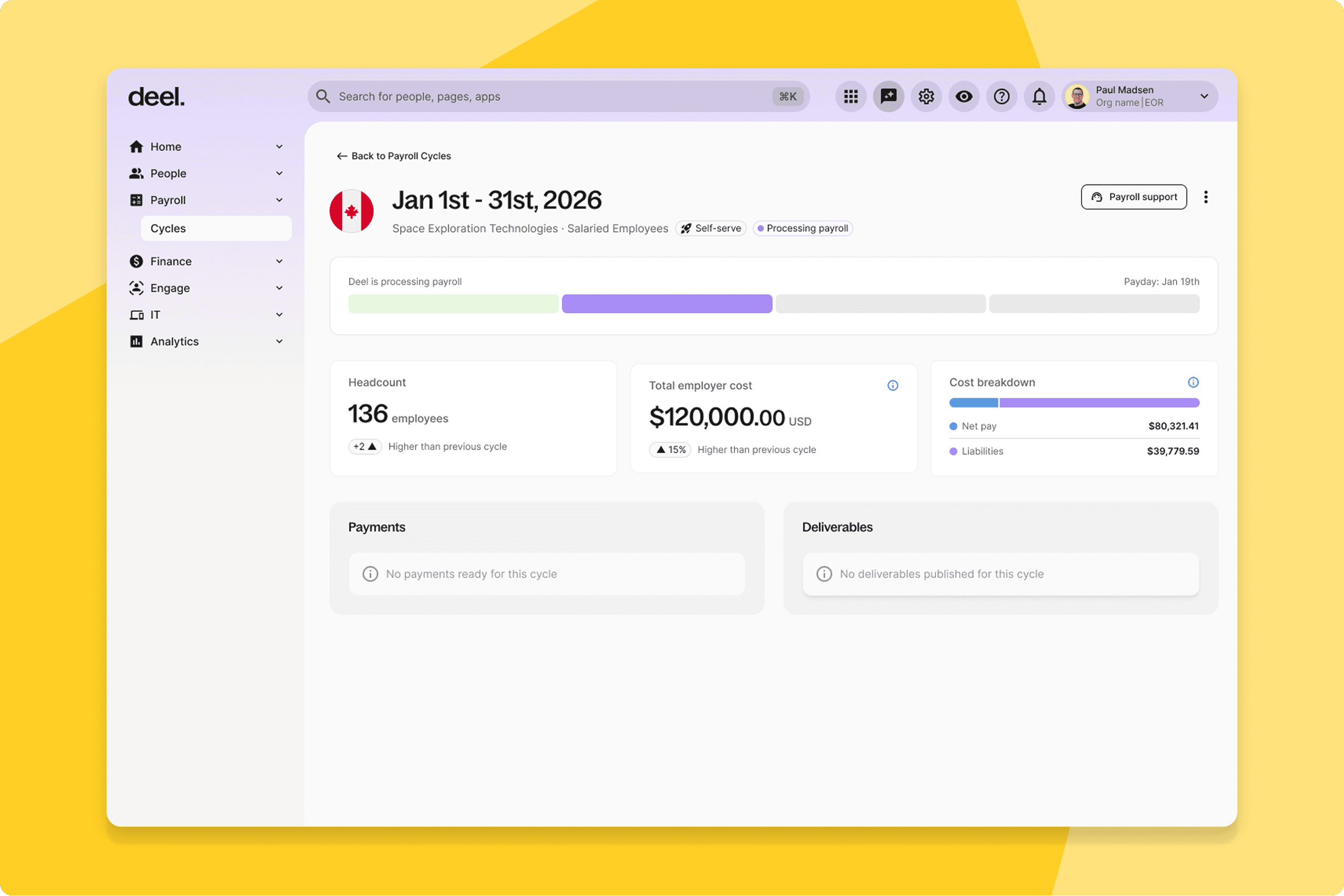
Cycle details redesign
The Cycle Details page has been redesigned to show payroll totals upfront, make certain deliverables immediately accessible, and provide an easier-to-navigate layout — laying the groundwork for self-serve payroll management.
What this means for you: Finance and payroll teams previously had to dig through the page to get a clear picture of what a cycle contained. Totals are now visible at a glance, key deliverables are surfaced immediately rather than buried, and the layout reduces the back-and-forth that slows down end-of-cycle processing.
How you can prepare: This release is live as of June 3 — log in and take a look at your Cycle Details page today.
Employer of Record
Bulk onboard existing EOR workers to equity services
Clients can now bulk upload grants, edit grant information, and onboard multiple existing EOR workers to Equity Services in a single flow.
What this means for you: Equity onboarding that previously required individual entry for each worker completes in one operation — a material time saving for teams managing large EOR populations.
How you can prepare: Coordinate with your equity administrator to have the bulk upload file prepared before June 10 so you can move quickly after release.
Early employment agreement visibility
Employment Agreement drafts are now visible from the moment a quote is submitted, updating dynamically as onboarding progresses.
What this means for you: Workers can review their contract terms from day one of onboarding — reducing late-stage surprises and the support requests they generate.
How you can prepare: Update your EOR onboarding communications to let new hires know they can access their draft agreement immediately after the quote is submitted.
Contractor
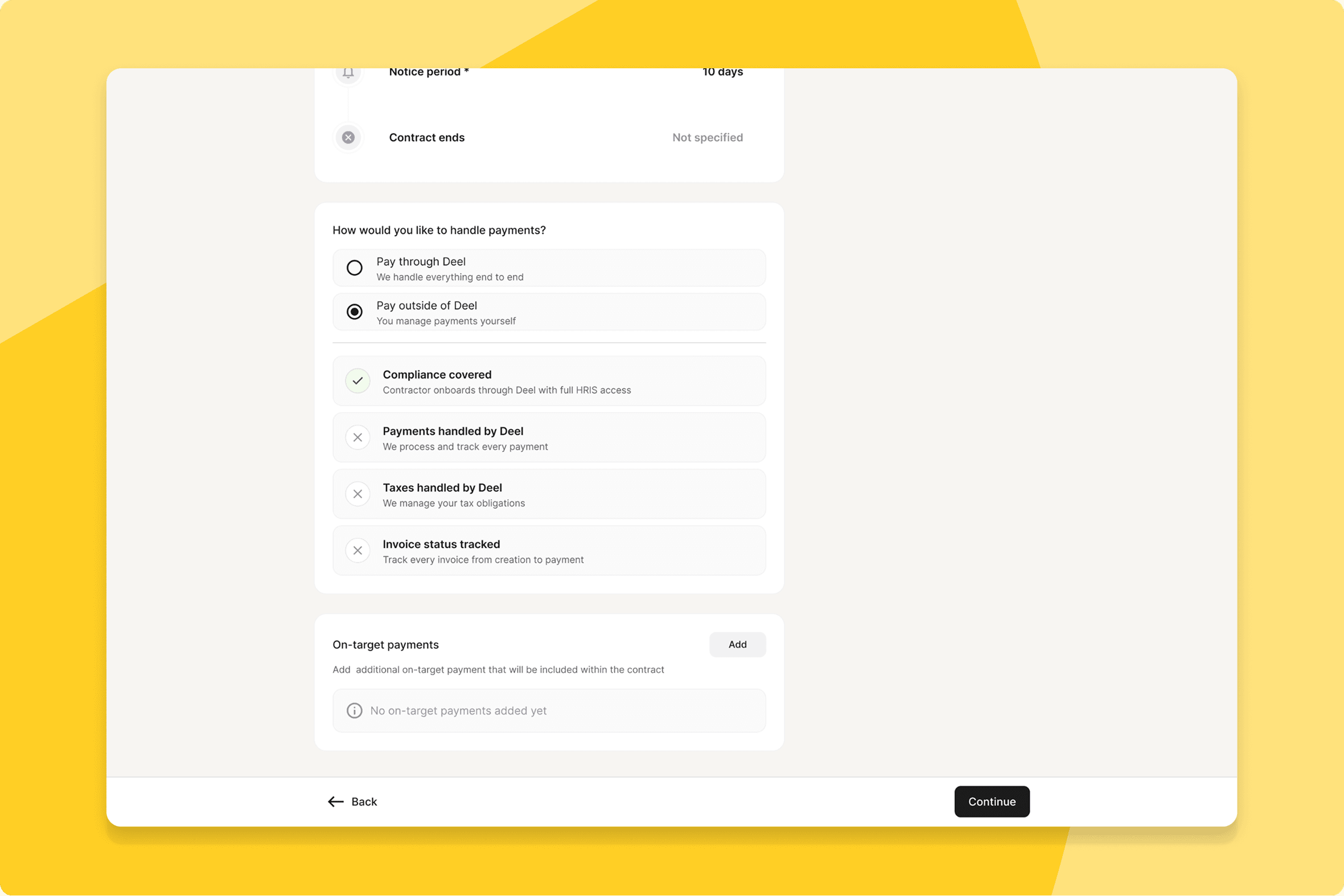
Contractors paid outside of Deel
Contractor clients can now onboard contractors into Deel when payments are processed outside the platform — giving those workers full access to compliance tools, HRIS features, and document management.
What this means for you: Worker visibility is no longer limited to contractors paid through Deel's payment infrastructure. Contractors managed through external payroll can now be brought into the platform for everything else.
How you can prepare: Identify which externally-paid contractors you want to onboard and plan the first batch for the week after release.
Entity change flow
Contractor clients can now reassign a contract to a different legal entity directly within Deel — rates, SOW, job title, recurring reports, and upcoming time off transfer automatically, with no CS ticket needed.
What this means for you: Entity changes triggered by restructures or consolidations go from a 30+ minute CS ticket to under five minutes, fully self-serve.
How you can prepare: Effective dates are constrained to the first day of the upcoming payment cycle — factor that into your timing.
Deprecation of Statement of Work (SOW)
The Statement of Work contract type is being deprecated, aligning Contractor of Record with Employer of Record and removing a source of legal ambiguity.
What this means for you: Clients and workers on SOW contracts need to be aware this type is going away. The change simplifies the contract experience and reduces legal risk.
How you can prepare: Review active SOW contracts now and confirm next steps with your account team — do not wait until after June 10 to start this review.
PEO
SSN field now optional during signup
PEO and US Payroll clients can now proceed with employee onboarding when an SSN is not yet available, with the compliance risk surfaced clearly in the platform.
What this means for you: Clients onboarding new hires before an SSN arrives are no longer hard-blocked. Onboarding starts; SSN collection continues in parallel.
How you can prepare: Brief HR admins that this is a temporary unblocking mechanism — the SSN is still required before payroll runs.
Custom fields collection in PEO single contract flow
All org-level custom fields now appear in the PEO single contract creation flow, bringing PEO into parity with Deel Payroll for data collection at contract creation.
What this means for you: Data that previously had to be captured after contract creation is now collected at the point of creation — consistent across every worker type.
How you can prepare: Review your org-level custom field configuration to confirm all relevant fields are set up before the release.
Seamless onboarding for non-US citizens
PEO clients can now onboard non-US citizens through a fully productised flow, removing the need for HRIS workarounds.
What this means for you: Onboarding is consistent regardless of citizenship status. The exception-handling process for non-US citizens is replaced by the standard flow.
How you can prepare: Non-US citizen hires pending in your PEO pipeline can be routed through the standard flow after June 10.
Deel IT
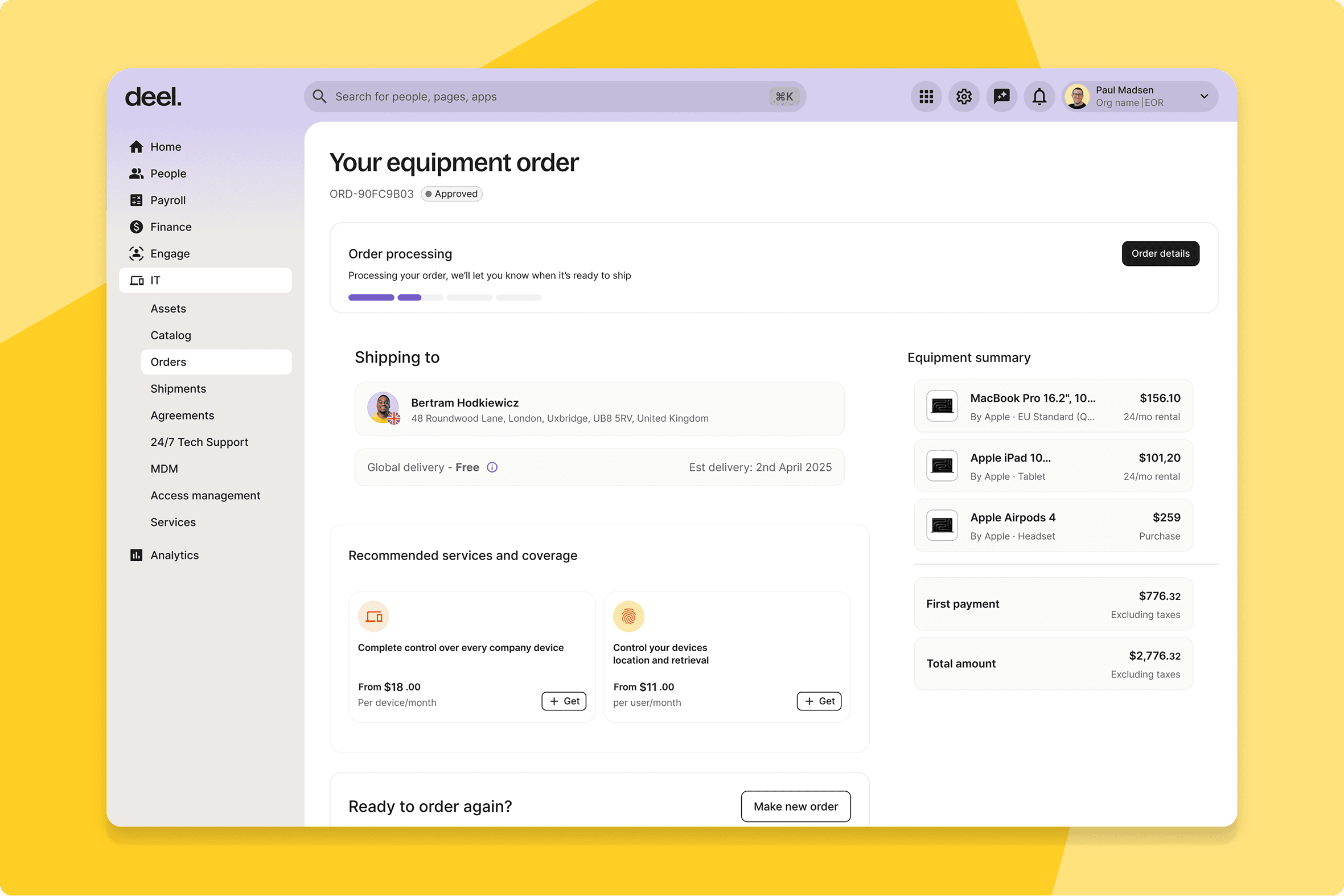
Default-on Deel IT for all Deel clients
All Deel clients can now browse the Deel IT device catalogue and order hardware directly in the Deel platform — without adding another tool to their stack.
What this means for you: Every Deel client now has IT device management available as a default capability. Teams that haven't adopted Deel IT can start immediately without any setup.
How you can prepare: Brief IT administrators and ops teams that the device catalogue is now accessible to all clients from June 10.
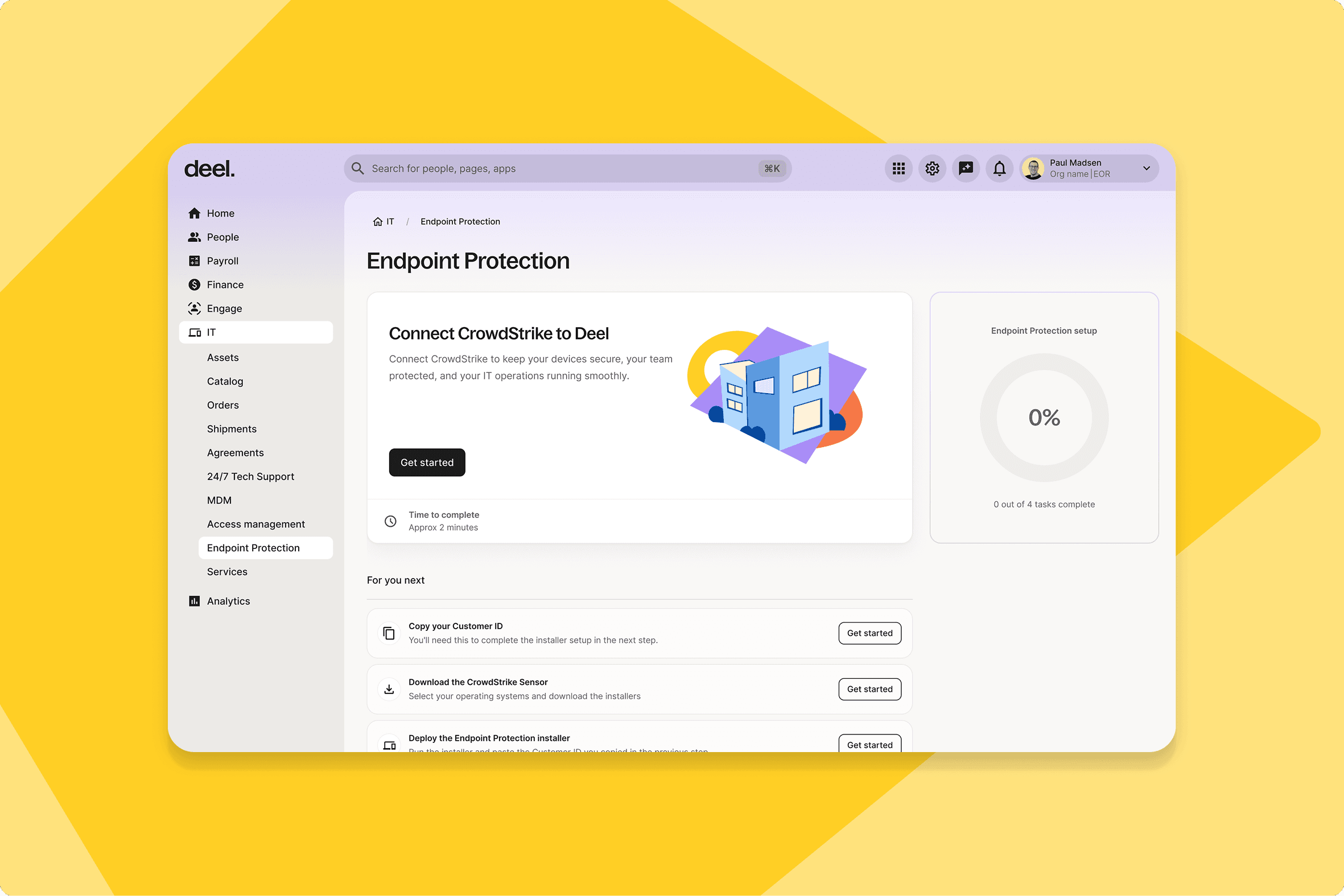
Embed CrowdStrike on platform
CrowdStrike is now embedded in Deel IT, completing the MDM + IAM + EDR stack — with a secure connection flow and read-only dashboards for device breakdown, detections, sensor health, and recent alerts.
What this means for you: IT admins managing endpoint security alongside device and identity can now see CrowdStrike signals in the same platform rather than switching between systems.
How you can prepare: Complete the CrowdStrike connection flow on day one — it's a one-time setup step that requires your CrowdStrike credentials to activate the dashboards.
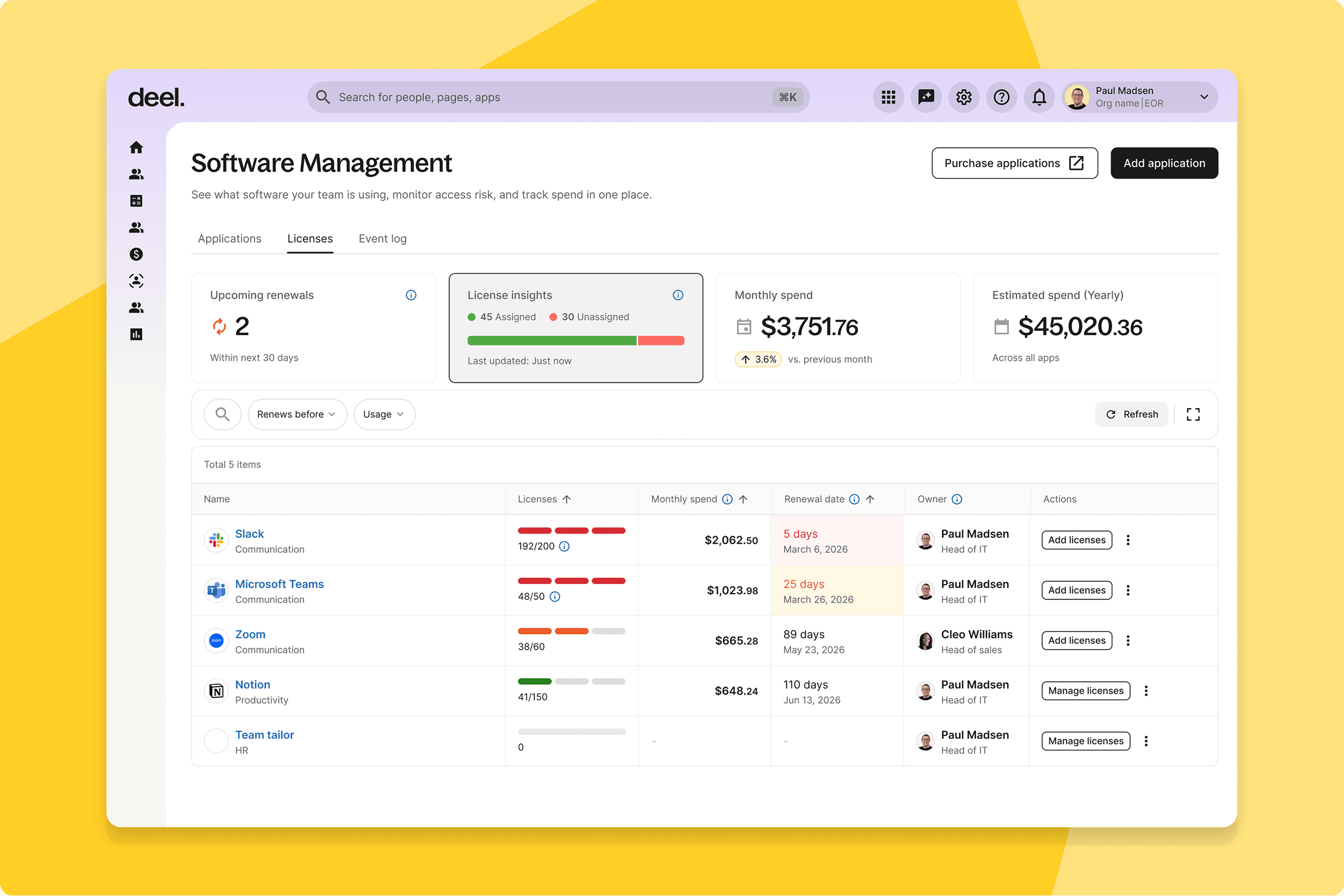
SaaS management dashboard
Deel IT now includes a native SaaS tracker combining manual contract tracking with automated discovery via Google Workspace and JumpCloud — giving IT and finance a single source of truth for software assets.
What this means for you: Shadow IT visibility comes from automated discovery; manual contracts fill in the rest. Spreadsheet-based SaaS tracking has a direct replacement.
How you can prepare: Pull your current SaaS inventory before June 10 so you can populate the manual contract layer quickly and compare it against what automated discovery surfaces from day one.
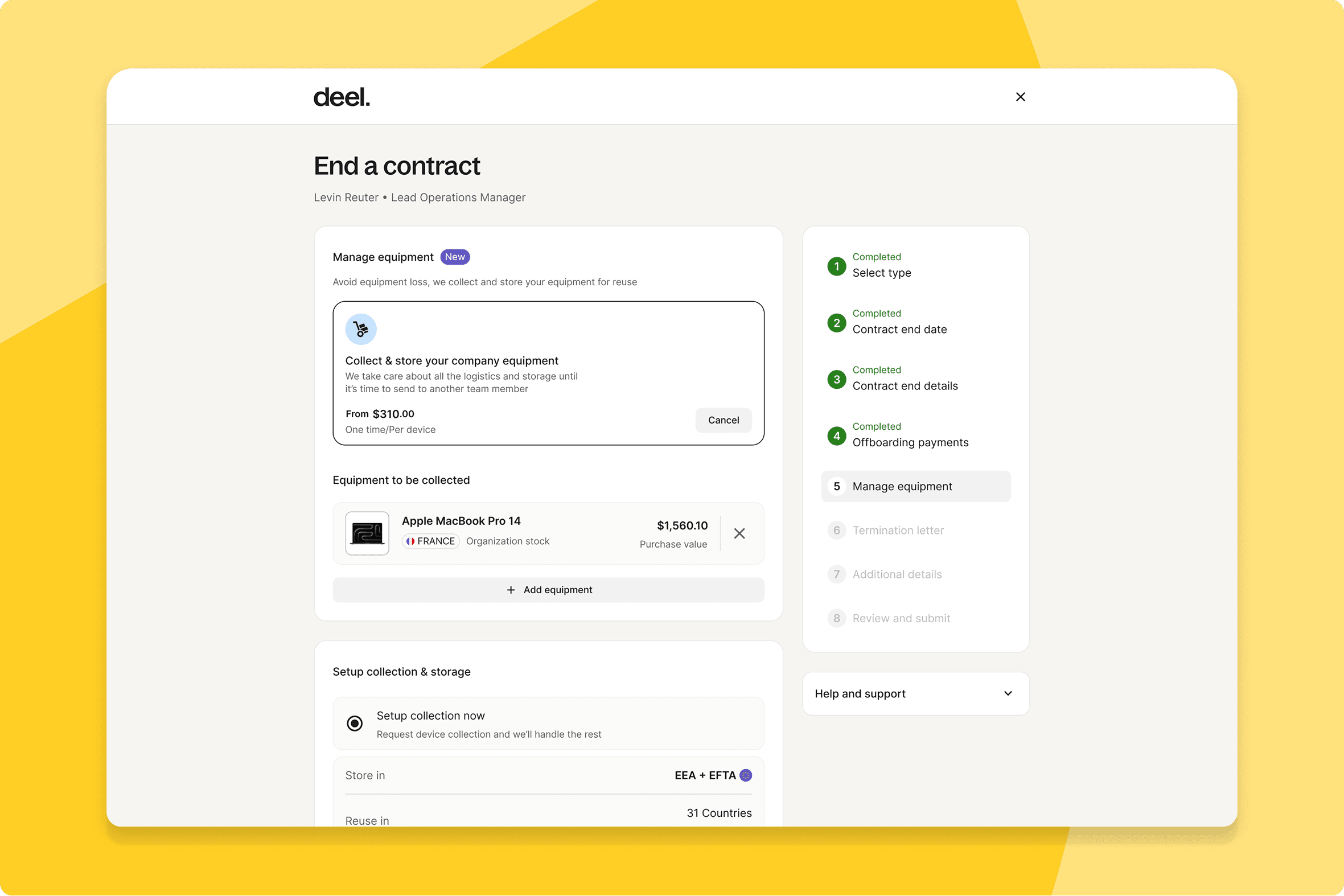
Device management in the worker termination flow
When terminating a worker with assigned devices, a Manage Equipment step now appears directly in the HR termination flow — prompting retrieval or Store & Reuse without leaving the workflow.
What this means for you: Device recovery is triggered at the exact moment it's relevant, not as a separate follow-up step that gets missed.
How you can prepare: Update your offboarding checklist and any IT runbooks that describe device retrieval as a separate action — it's now embedded in the termination flow.
AI form creation for IT requests
Workers can now describe what they need in natural language and have AI fill in the IT request form — no form-structure knowledge required.
What this means for you: Better-populated requests from day one, fewer clarification cycles for IT teams, and faster resolution for workers.
How you can prepare: A short mention in your next IT comms is enough to drive adoption from go-live.
Billing system improvements
Currency standardisation, improved invoice visibility, and the removal of double FX conversions have been applied across the billing experience.
What this means for you: Finance teams reconciling invoices across currencies will see fewer discrepancies. Invoice presentation is cleaner and easier to match against accounting systems.
How you can prepare: Review the first invoice post-release to confirm it aligns with your reconciliation process.